首页 > 行业 > QR Codes for Consumer Electronics: 7 Use Cases That Drive Sales
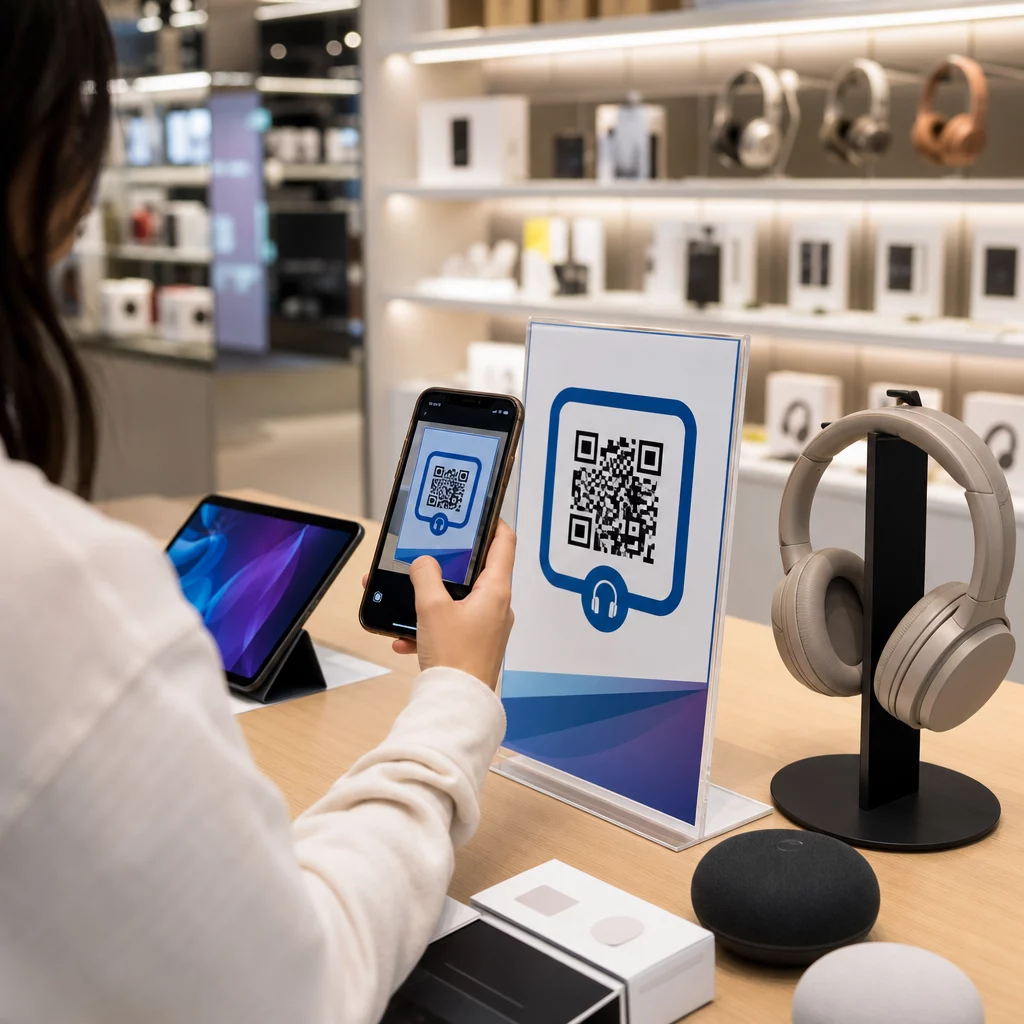
Shopper scans electronics QR

QR Codes for Consumer Electronics: 7 Use Cases That Drive Sales

Learn how QR codes for consumer electronics drive sales and engagement. Explore 7 use cases from digital manuals and registration to reviews and support.
Updated on 6 月 10, 2026
目录

How do you keep a customer who walks into your electronics store from buying the same product cheaper on Amazon? The problem is that most brick-and-mortar retailers give smartphone-armed shoppers no reason to stay. QR codes on products and packaging change that equation by turning every shelf into an interactive touchpoint.

Consumer research shows that 64% of shoppers have scanned a QR code on a product while shopping in a store, and 61% have done so after purchase. That level of engagement is not incidental – it reflects a genuine expectation that physical products connect to digital information. This guide walks through seven practical ways electronics brands and retailers can use QR codes to improve the customer experience and capture sales that might otherwise walk out the door.

Why Electronics Shoppers Scan More Than Other Categories

Consumer electronics buyers are uniquely research-driven. They compare specs, read reviews, and watch demos before committing to a purchase – often while standing right next to the product. That behavior creates an opening: if your QR code is the easiest way to get reliable information at the moment of decision, you own that moment.

According to recent consumer data, 43% of consumers most often scan QR codes to access product information. In electronics specifically, shoppers are already reaching for their phones – QR codes simply give that instinct somewhere useful to go.

The foundation for all of this is 动态二维码, which let you update the destination URL after printing. For electronics – where product specs change, firmware updates roll out, and promotions rotate seasonally – this means you never need to reprint packaging just to keep linked content current.

Keep Your Product Content Always Up to Date 使用 动态二维码生成器 to create trackable, editable QR codes for your electronics products. Update destinations any time without reprinting a single label.

7 Ways to Use QR Codes for Consumer Electronics

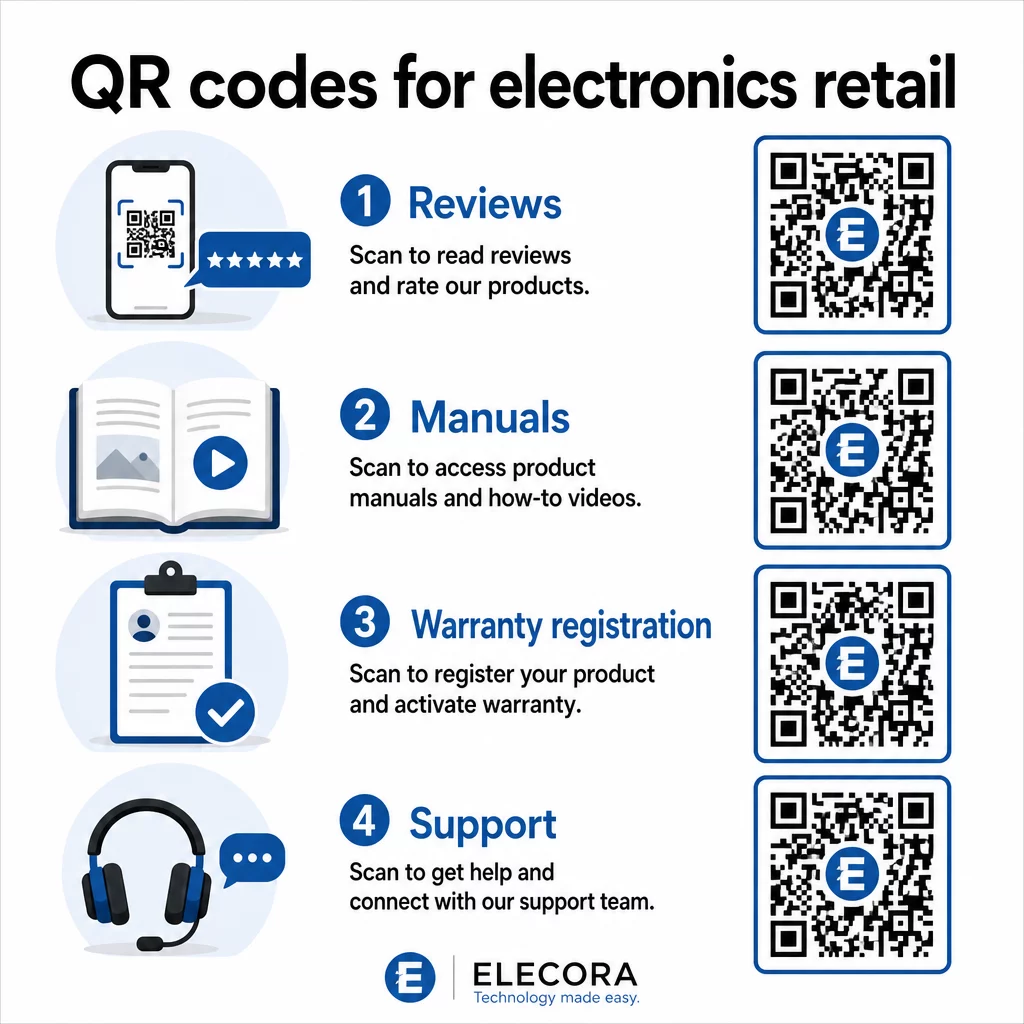
1. Instant Access to Reviews at the Point of Decision

More than 70% of electronics buyers read reviews on their smartphones while browsing in-store. Rather than letting them disappear into a third-party site that might surface a competitor’s product, a QR code on your shelf tag or product box can link directly to a curated review page you control.

Electronics QR code uses

When shoppers can satisfy their research need without leaving your environment, they are more likely to complete the purchase then and there. Link the code to a landing page that combines star ratings, key review highlights, and a clear path to purchase.

2. Digital Product Manuals and Setup Guides

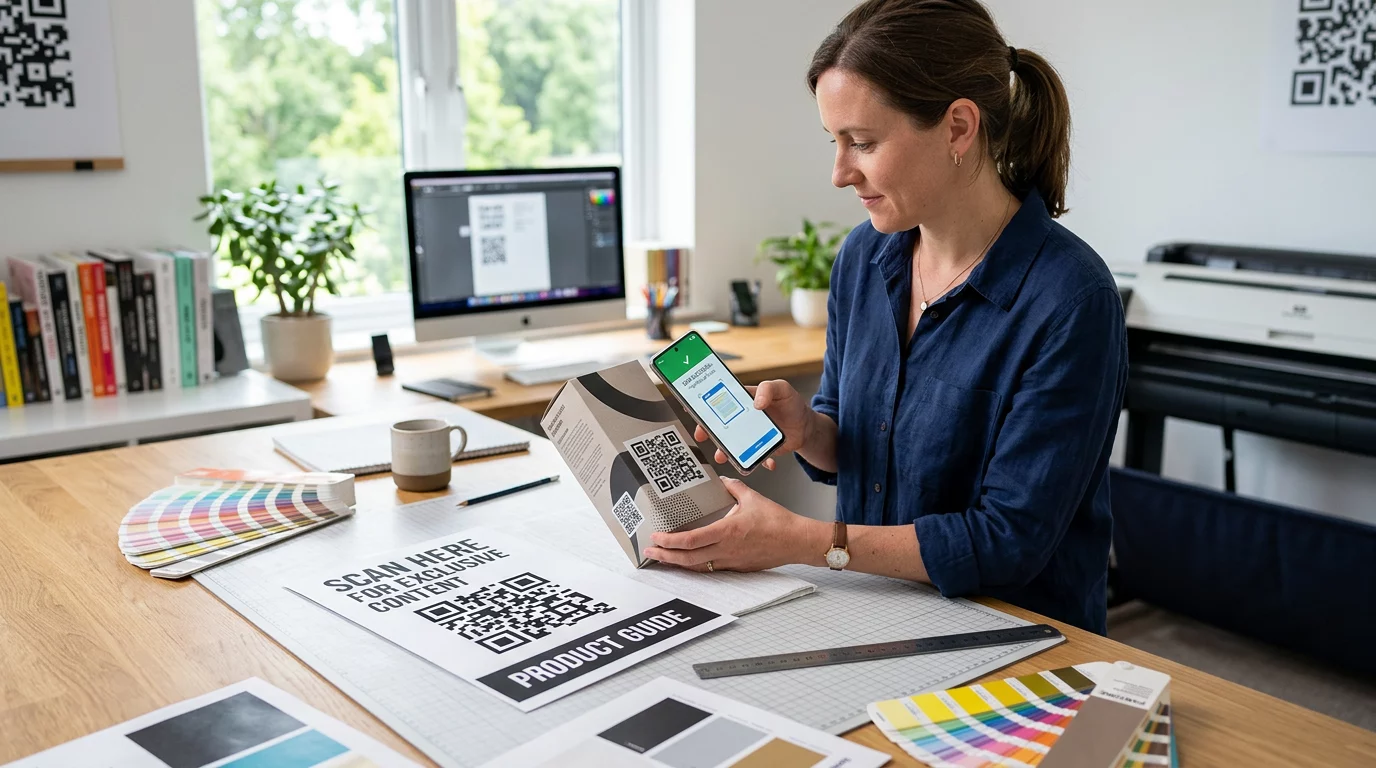
Printing a full-color, multi-language instruction manual adds cost and bulk to every unit. A QR code on 产品包装 or directly on the device links to an always-current digital manual – one that can include video walkthroughs, annotated diagrams, and language selection.

This approach also solves the update problem. When firmware changes or a new feature ships, you update the linked PDF or page once, and every customer who scans that code gets the latest version. The PDF QR 码生成器 makes it straightforward to host and update manual documents without touching the printed code.

For manufacturers, this is especially practical. As covered in 制造业二维码, embedding QR codes in instruction materials that link to video tutorials simplifies assembly and reduces support contacts.

3. Streamlined Warranty and Product Registration

Paper warranty cards have notoriously low completion rates. Customers lose them, forget to mail them, or simply never fill them out. A QR code printed inside the box or on the device itself links directly to a digital registration form – accessible the moment the customer opens the packaging.

使用 谷歌表格二维码 or a custom landing page, you can capture registration data, preferences, and contact details with far less friction. The scan analytics also tell you how many customers are completing registration and when, so you can follow up with firmware update notices or extended warranty offers at exactly the right time.

4. Product Authentication and Anti-Counterfeiting

For premium electronics – headphones, cameras, smart home devices – counterfeiting is a real concern for both brands and consumers. A QR code linked to an authentication page lets customers verify that what they purchased is genuine. Scanning takes them to a brand-controlled page that confirms the product’s authenticity and serial number.

This use case also builds post-purchase trust. A customer who confirms their product is genuine is more likely to register, leave a review, and return to the brand for their next purchase.

5. In-Store Coupon Codes and Time-Limited Offers

A QR code near the checkout area or on a product display can deliver a discount that applies only if the customer buys today. This works particularly well for accessories or bundle add-ons – a code on a router display that offers 20% off a compatible mesh node, for example, creates an upsell opportunity at minimal cost.

Because dynamic QR codes let you change the linked offer without reprinting anything, you can rotate promotions weekly or tie them to inventory levels. Customers who scan and share the offer with others extend its reach organically.

Track Which Promotions Drive the Most Scans 使用 链接二维码生成器 to create trackable promotional codes. See exactly which product placements and offers are converting in real time.

6. Behavior-Based Scan Personalization

QR codes with scan tracking enable a more sophisticated experience over time. If a customer has previously scanned codes for smart speakers, the next scan can surface a page relevant to that interest – a new model announcement, a compatible accessory, or a limited-time bundle. This kind of behavioral context turns a passive label into a personalized touchpoint.

Platforms like Pageloot provide 扫描分析 that show when, where, and how often codes are scanned, giving your marketing team the data to refine these experiences over time.

7. Post-Purchase Support and Troubleshooting

One large home-appliance brand that shifted support resources to smart QR codes on products saw a 20% reduction in call center volume. For consumer electronics – where setup issues and feature questions are common – this is a meaningful operational benefit.

A QR code on the device or in the box can link to a support hub with troubleshooting guides, FAQ pages, live chat access, or video tutorials. As discussed in QR codes for support in e-commerce, these codes can even pre-load a chat window with product details, allowing support teams to resolve issues faster.

This reduces frustration for the customer and reduces cost for your support operation simultaneously.

Practical Guidelines for Printing QR Codes on Electronics Packaging

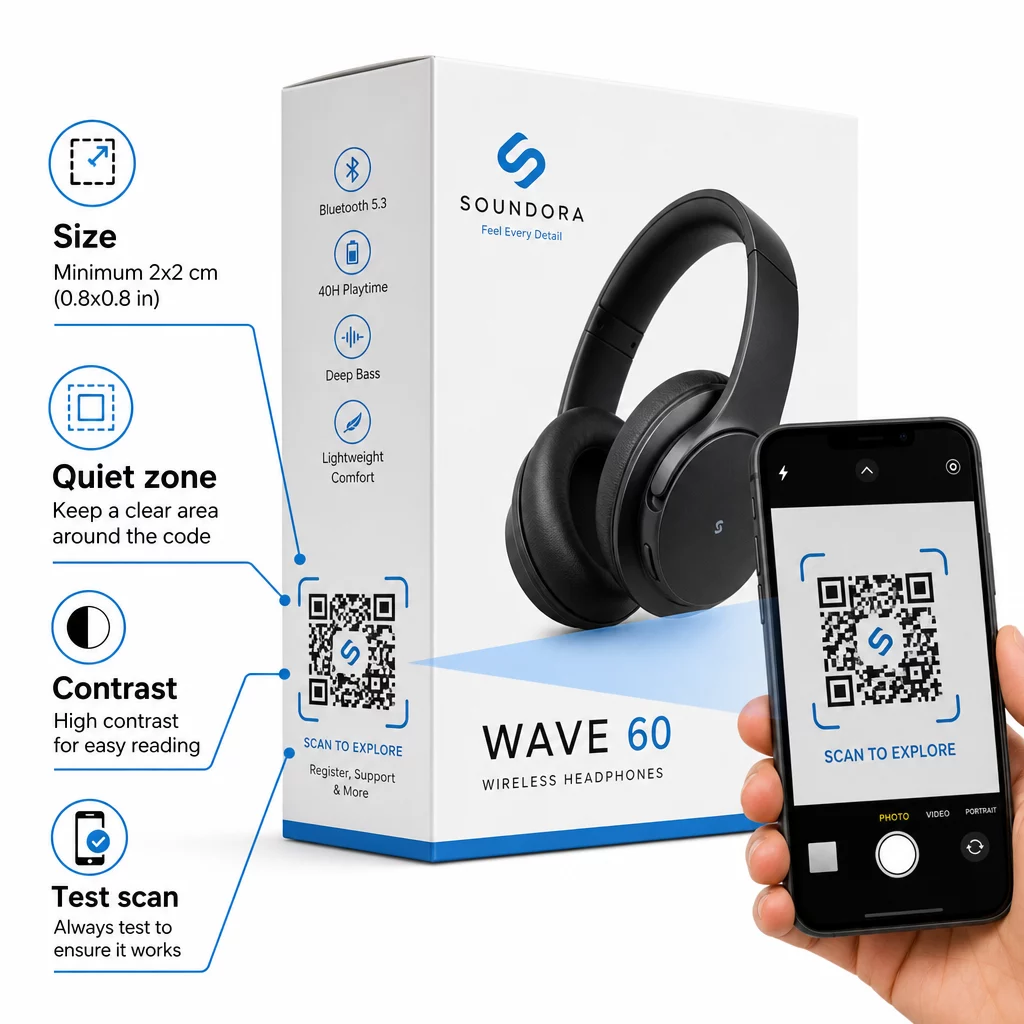
Getting the use cases right is only half the work. A QR code that does not scan reliably in a retail environment defeats its own purpose. Keep these fundamentals in mind when preparing codes for print:

QR packaging guidelines
  • 最小尺寸: Print at no smaller than 2 × 2 cm (approximately 0.8 × 0.8 inches) for reliable close-range scanning. Larger is better for boxes or packaging viewed from a distance.
  • 静区: Maintain a clear, unprinted margin of at least four modules on all sides of the code. Without this buffer, scanner recognition degrades significantly.
  • 对比度: Use dark modules on a light background. A 4:1 contrast ratio between the QR code and its background is the reliable minimum. Avoid red or orange foreground colors, which many smartphone cameras struggle to read.
  • Error correction: Use Level M (15%) for standard packaging. If you embed a logo inside the code, switch to Level H (30%) and test across multiple devices.
  • 文件格式: Supply QR code artwork in vector format – SVG, EPS, or PDF – and print at 300–400 dpi to preserve module clarity.

For a deeper look at sizing across different materials, 不同印刷材料的二维码尺寸 covers cardboard, paper, and fabric in detail. For contrast and readability standards, 二维码可读性的最佳实践 provides a thorough technical reference.

You can also explore how QR codes on packaging benefit retail broadly and review the 产品标签二维码终极指南 for label-specific implementation advice.

Connecting Physical Products to Digital Experiences

The seven use cases above share a common thread: they reduce friction at the exact moments when customers most need information, reassurance, or support. A shopper who can verify a product’s authenticity, read transparent reviews, and register their warranty all from a single scan on the box is a customer with fewer reasons to hesitate – and more reasons to trust your brand.

Dynamic QR codes are the practical foundation for all of this. Unlike static codes that lock you into a single destination, dynamic codes let you update linked content, rotate promotions, and track performance without changing anything on the packaging itself.

Start Building Smarter Product Experiences Create branded, trackable QR codes for your electronics products with Pageloot’s 二维码生成器. Free 14-day trial. No credit card required.

常见问题

What type of QR code should I use on consumer electronics packaging?

Dynamic QR codes are the better choice for product packaging because they let you update the linked destination – whether that’s a manual, a support page, or a promotion – without reprinting. Static QR codes lock you to a fixed URL permanently, which creates problems when content changes or promotions expire.

Where is the best place to put a QR code on electronics packaging?

Place QR codes on flat, smooth surfaces away from folds, seams, and curved edges. For primary packaging, the back panel or a dedicated information panel works well. Avoid placing codes near printed borders or busy graphic elements that reduce the quiet zone. A brief call-to-action nearby – such as “Scan for setup guide” or “Scan to register” – increases scan rates by making the value clear before the customer picks up their phone.

How can I measure whether my QR codes are actually being used?

Dynamic QR codes include built-in scan analytics that record how many times each code is scanned, along with the time, location, and device type. This data lets you compare performance across different products, placements, or campaigns. Platforms like Pageloot provide a centralized dashboard where you can monitor all your QR codes at once and adjust destinations or content based on what the data shows.

关于作者

Siim Kostabi 是 Pageloot 的内容主管,负责撰写关于我们创新型二维码生成器服务的文章。凭借五年多来在二维码领域积累的深厚专业知识,Siim 是该领域的专家。他致力于利用二维码技术简化和增强数字交互,并取得了显著的成果。.

类别
了解更多关于
笔记本电脑二维码扫描
使用扫描二维码 PC和Mac

如果您需要在线创建QR码,则可以 制作二维码 就在这里免费!
Pageloot是 #1转到解决方案 创建和扫描QR码。

QF-07

博客生成器

受到超过 20,000 个品牌的信赖,可获得更多销售、评论和关注者。

客户徽标
受到顶级品牌的信赖
评分为 4.8(共 5)

4.86 / 5 星评级

雨果·劳伦特
雨果·劳伦特
餐馆老板
有史以来最容易和最可靠的QR码生成器。PDF文件可以立即上传。我们的餐厅菜单现在是数字化的。
卢卡斯-詹森
卢卡斯-詹森
房地产开发商
这是一个很好的工具,二维码带你到你想要的地方。我们只使用位置二维码,但有许多有用的功能。
艾玛-莫雷蒂
艾玛-莫雷蒂
零售产品
易于使用和快速。它工作得很好,创造了一个完美的图像,所以员工可以下载我的vCard。
雨果·劳伦特
雨果·劳伦特
餐馆老板
有史以来最容易和最可靠的QR码生成器。PDF文件可以立即上传。我们的餐厅菜单现在是数字化的。
卢卡斯-詹森
卢卡斯-詹森
房地产开发商
这是一个很好的工具,二维码带你到你想要的地方。我们只使用位置二维码,但有许多有用的功能。
艾玛-莫雷蒂
艾玛-莫雷蒂
零售产品
易于使用和快速。它工作得很好,创造了一个完美的图像,所以员工可以下载我的vCard。
查看更多QR码
扫描海报二维码
开启QR码 海报
将一切转化为数字体验 不到3分钟。

免费试用 14 天。

无需信用卡。

首次购买可享受 30% 折扣

使用代码:

分享您的 MP3 文件

注册以创建 PDF QR 码

上传和显示你需要的一切。

  • 音频文件
  • 播客
  • 音乐

注册即可享 14 天免费试用。.
试用期结束后,二维码将失效。.

注册以创建音频 mp3 二维码

使用边框获得更多扫描

注册以向您的二维码添加更多框架

呼叫行动框架帮助您的客户与QR码轻松互动。试试吧!

注册即可享 14 天免费试用。.
试用期结束后,二维码将失效。.

注册以向您的二维码添加更多框架

使用形状添加更多样式

注册以创建更多形状

二维码不一定是方形的。试着改变它以适应你的品牌形象。

注册即可享 14 天免费试用。.
试用期结束后,二维码将失效。.

注册以创建更多形状

为您的二维码添加徽标

注册以将您的徽标添加到二维码中

通过在二维码上添加你的标志和品牌,使你的二维码脱颖而出。

注册即可享 14 天免费试用。.
试用期结束后,二维码将失效。.

注册以将您的徽标添加到二维码中

智能应用商店重定向

注册以创建应用商店二维码

将您的应用程序链接添加到我们的智能应用程序商店QR码。用户会根据他们的设备被重新定向。

注册即可享 14 天免费试用。.
试用期结束后,二维码将失效。.

注册以创建应用商店二维码

将图片上传到二维码

注册以创建图像二维码

轻松分享你的图像。在几秒钟内动态地改变任何图像。

注册即可享 14 天免费试用。.
试用期结束后,二维码将失效。.

注册以创建图像二维码

分享您的 PDF 文件

注册以创建 PDF QR 码

上传和显示你需要的一切。

  • 菜单和价格表
  • 使用说明
  • 任何文件

注册即可享 14 天免费试用。.
试用期结束后,二维码将失效。.

注册以创建 PDF QR 码

稍后编辑,无需打印

注册即可编辑您的二维码,无需再次打印

动态QR码让你改变你的QR码的内容,而不需要打印新的QR码。

注册即可享 14 天免费试用。.
试用期结束后,二维码将失效。.

注册即可编辑您的二维码,无需再次打印

何时?何地?追踪您的二维码扫描

注册以追踪您的二维码

发现你的哪些二维码收到了最多的扫描,以及什么最能让你的客户兴奋。

注册即可享 14 天免费试用。.
试用期结束后,二维码将失效。.

注册以追踪您的二维码

提供可打印文件

注册以创建 PDF 和 SVG 等矢量二维码

.EPS, .PDF, .SVG

想下载高清分辨率的QR码吗?获得矢量或像素格式,可随时打印。

注册即可享 14 天免费试用。.
试用期结束后,二维码将失效。.

注册以创建 PDF 和 SVG 等矢量二维码

请等待。您的二维码是 正在加载... 正在加载...

打造专属

注册以保存您的二维码以供日后使用

通过创建具有不同颜色、标识和行动呼吁框架的出色的QR码,获得更多的扫描。

注册即可享 14 天免费试用。.
试用期结束后,二维码将失效。.

注册以保存您的二维码以供日后使用