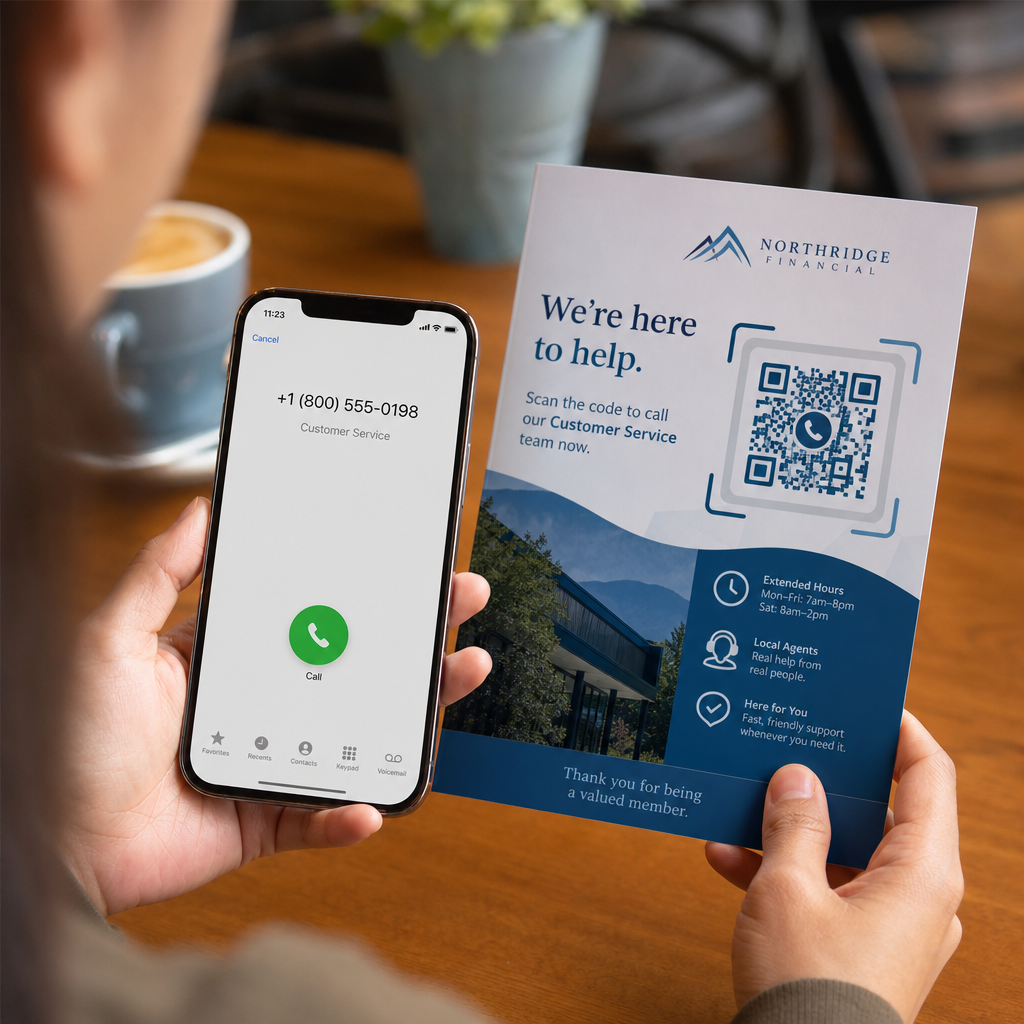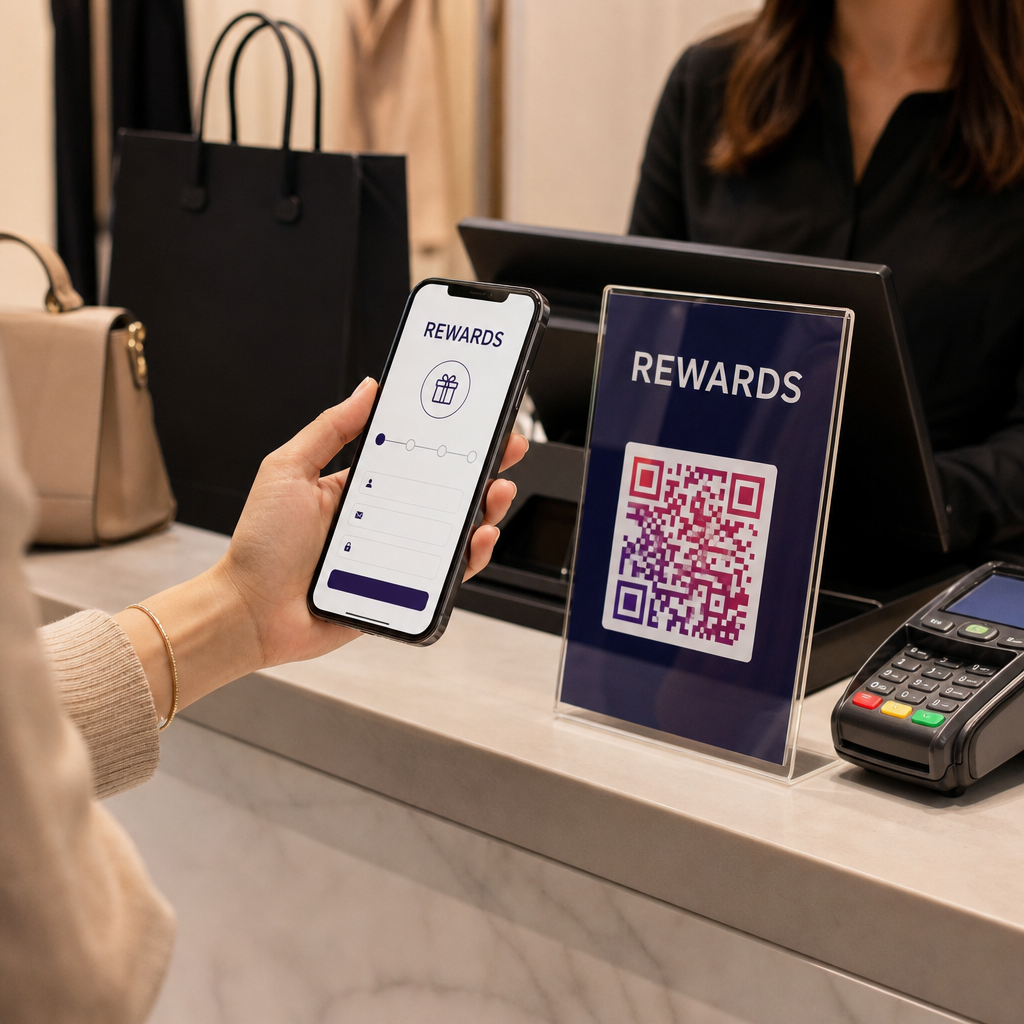
Kuidas hoida oma elektroonikapoodi sisenevat klienti ostmast sama toodet Amazonist odavamalt? Probleem on selles, et enamik füüsilisi jaemüüjaid ei anna nutitelefonidega varustatud ostjatele põhjust jääda. QR-koodid toodetel ja pakenditel muudavad seda võrrandit, muutes iga riiuli interaktiivseks puutepunktiks.
Tarbijauuringud näitavad, et 64% ostjatest on poes osteldes skaneerinud tootel olevat QR-koodi ja 61% on seda teinud pärast ostu sooritamist. Selline kaasatuse tase ei ole juhuslik – see peegeldab tõelist ootust, et füüsilised tooted on ühendatud digitaalse teabega. See juhend käsitleb seitset praktilist viisi, kuidas elektroonikabrändid ja jaemüüjad saavad kasutada QR-koode kliendikogemuse parandamiseks ja müügi hõivamiseks, mis muidu võiks uksest välja jalutada.
Miks elektroonikaostjad skaneerivad rohkem kui teiste kategooriate ostjad
Tarbeelektroonika ostjad on ainulaadselt uurimistööle orienteeritud. Nad võrdlevad spetsifikatsioone, loevad arvustusi ja vaatavad demosid enne ostu sooritamist – sageli seistes otse toote kõrval. See käitumine loob võimaluse: kui teie QR-kood on lihtsaim viis usaldusväärse teabe saamiseks otsustushetkel, siis kuulub see hetk teile.
Värskeimate tarbijaandmete kohaselt skaneerib 43% tarbijatest QR-koode kõige sagedamini tooteinfo saamiseks. Eelkõttu elektroonika puhul sirutavad ostjad juba oma telefonide järele – QR-koodid annavad sellele instinktile lihtsalt kasuliku suuna.
Selle kõige aluseks on dünaamilised QR-koodid, mis võimaldavad teil siht-URL-i pärast printimist värskendada. Elektroonika puhul – kus toote spetsifikatsioonid muutuvad, püsivara uuendused välja antakse ja kampaaniad hooajaliselt roteeruvad – tähendab see, et te ei pea kunagi pakendit uuesti printima, et lingitud sisu ajakohasena hoida.
Hoidke oma toote sisu alati ajakohasena Kasuta Dünaamilise QR koodi generaator , et luua jälgitavaid ja muudetavaid QR-koode oma elektroonikatoodetele. Värskendage sihtkohti igal ajal, ilma et peaksite ühtegi etiketti uuesti printima.
7 viisi QR-koodide kasutamiseks tarbeelektroonikas
1. Kohene juurdepääs arvustustele otsustushetkel
Rohkem kui 70% elektroonikaostjatest loeb poes sirvides arvustusi oma nutitelefonidest. Selle asemel, et lasta neil kaduda kolmanda osapoole saidile, mis võib esile tuua konkurendi toote, saab teie riiulimärgil või tootekarbil olev QR-kood linkida otse kureeritud arvustuste lehele, mida teie kontrollite.
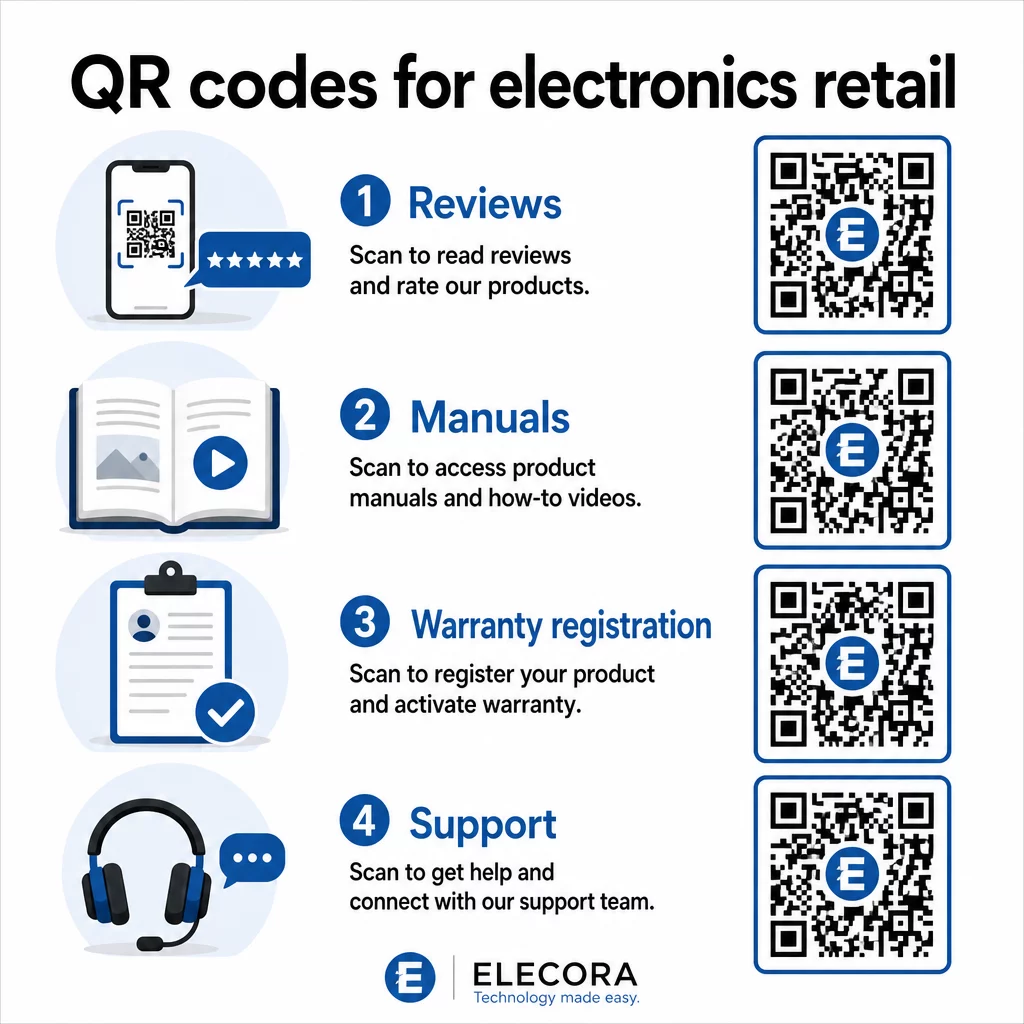
Kui ostjad saavad oma uurimisvajaduse rahuldada teie keskkonnast lahkumata, on nad tõenäolisemalt valmis ostu kohe ja seal sooritama. Linkige kood sihtlehele, mis ühendab tärnireitingud, peamised arvustuste esiletõstmised ja selge ostutee.
2. Digitaalsed tootejuhendid ja seadistusjuhised
Täisvärvilise, mitmekeelse kasutusjuhendi printimine lisab igale seadmele kulusid ja mahtu. QR-kood Tootepakend või otse seadmel lingib alati ajakohasele digitaalsele juhendile – sellisele, mis võib sisaldada videoõpetusi, märkustega diagramme ja keelevalikut.
See lähenemine lahendab ka uuendamise probleemi. Kui püsivara muutub või uus funktsioon välja antakse, uuendate lingitud PDF-i või lehte ühe korra ja iga klient, kes seda koodi skannib, saab uusima versiooni. The PDF QR-koodi generaator muudab käsiraamatute majutamise ja uuendamise lihtsaks, ilma et peaks trükitud koodi puudutama.
Tootjate jaoks on see eriti praktiline. Nagu käsitletud QR-koodid tootmiseks, lihtsustab QR-koodide lisamine juhendmaterjalidesse, mis lingivad videoõpetustele, kokkupanekut ja vähendab tugikontakte.
3. Lihtsustatud garantii ja toote registreerimine
Paberkandjal garantiikaartidel on kurikuulsalt madal täitmismäär. Kliendid kaotavad need ära, unustavad postitada või lihtsalt ei täida neid kunagi. Karbi sisse või seadmele endale trükitud QR-kood lingib otse digitaalsele registreerimisvormile – ligipääsetav kohe, kui klient pakendi avab.
Kasutades Google'i vormi QR-kood või kohandatud sihtlehele, saate registreerimisandmeid, eelistusi ja kontaktandmeid koguda palju väiksema hõõrdumisega. Skannimisanalüütika näitab teile ka seda, kui palju kliente registreerimist lõpetab ja millal, nii et saate õigel ajal saata püsivara uuendamise teateid või pikendatud garantii pakkumisi.
4. Toote autentimine ja võltsimisvastane võitlus
Premium-elektroonika – kõrvaklapid, kaamerad, nutikodu seadmed – puhul on võltsimine nii kaubamärkide kui ka tarbijate jaoks tõeline mure. Autentimislehele lingitud QR-kood võimaldab klientidel kontrollida, kas nende ostetud toode on ehtne. Skannimine viib nad kaubamärgi kontrollitud lehele, mis kinnitab toote autentsust ja seerianumbrit.
See kasutusjuhtum loob ka ostujärgset usaldust. Klient, kes kinnitab oma toote ehtsust, registreerib tõenäolisemalt, jätab arvustuse ja naaseb brändi juurde oma järgmise ostu sooritamiseks.
5. Poe kupongikoodid ja ajaliselt piiratud pakkumised
Kassaala lähedal või toote väljapanekul olev QR-kood võib pakkuda allahindlust, mis kehtib ainult siis, kui klient ostab täna. See töötab eriti hästi tarvikute või komplekti lisade puhul – näiteks ruuteri väljapanekul olev kood, mis pakub 20% allahindlust ühilduvalt võrgusõlmelt, loob lisamüügivõimaluse minimaalsete kuludega.
Kuna dünaamilised QR-koodid võimaldavad teil lingitud pakkumist muuta ilma midagi uuesti trükkimata, saate kampaaniaid iganädalaselt vahetada või siduda need laoseisudega. Kliendid, kes pakkumise skannivad ja teistega jagavad, laiendavad selle ulatust orgaaniliselt.
Jälgige, millised kampaaniad toovad kõige rohkem skaneeringuid Kasuta Lingi QR-koodi generaator jälgitavate sooduskoodide loomiseks. Vaadake täpselt, millised toote paigutused ja pakkumised konverteerivad reaalajas.
6. Käitumispõhine skannimise isikupärastamine
QR-koodid skaneerimise jälgimisega võimaldavad aja jooksul keerukamat kogemust. Kui klient on varem skaneerinud nutikõlarite koode, võib järgmine skaneerimine kuvada selle huviga seotud lehe – uue mudeli teadaande, ühilduva lisaseadme või piiratud aja pakkumise. Selline käitumuslik kontekst muudab passiivse sildi isikupärastatud puutepunktiks.
Platvormid nagu Pageloot pakuvad skaneerimisanalüütika mis näitavad, millal, kus ja kui tihti koode skaneeritakse, andes teie turundusmeeskonnale andmed nende kogemuste aja jooksul täiustamiseks.
7. Ostujärgne tugi ja tõrkeotsing
Üks suur kodumasinate bränd, mis suunas tugiressursid toodetel olevatele nutikatele QR-koodidele, nägi kõnekeskuse mahu 20% vähenemist. Tarbeelektroonika puhul – kus seadistusprobleemid ja funktsiooniküsimused on tavalised – on see märkimisväärne operatiivne eelis.
Seadmel või karbil olev QR-kood võib linkida tugikeskusesse, kus on tõrkeotsingu juhendid, KKK lehed, reaalajas vestluse juurdepääs või videoõpetused. Nagu arutatud QR-koodid toe jaoks e-kaubanduses, saavad need koodid isegi eelnevalt laadida vestlusakna tooteandmetega, võimaldades tugimeeskondadel probleeme kiiremini lahendada.
See vähendab samal ajal kliendi frustratsiooni ja teie tugiteenuse kulusid.
Praktilised juhised QR-koodide printimiseks elektroonika pakenditele
Kasutusjuhtude õigesti seadistamine on vaid pool tööst. QR-kood, mis jaemüügikeskkonnas usaldusväärselt ei skaneeri, nurjab oma eesmärgi. Hoidke neid põhitõdesid meeles, kui valmistate koode printimiseks ette:
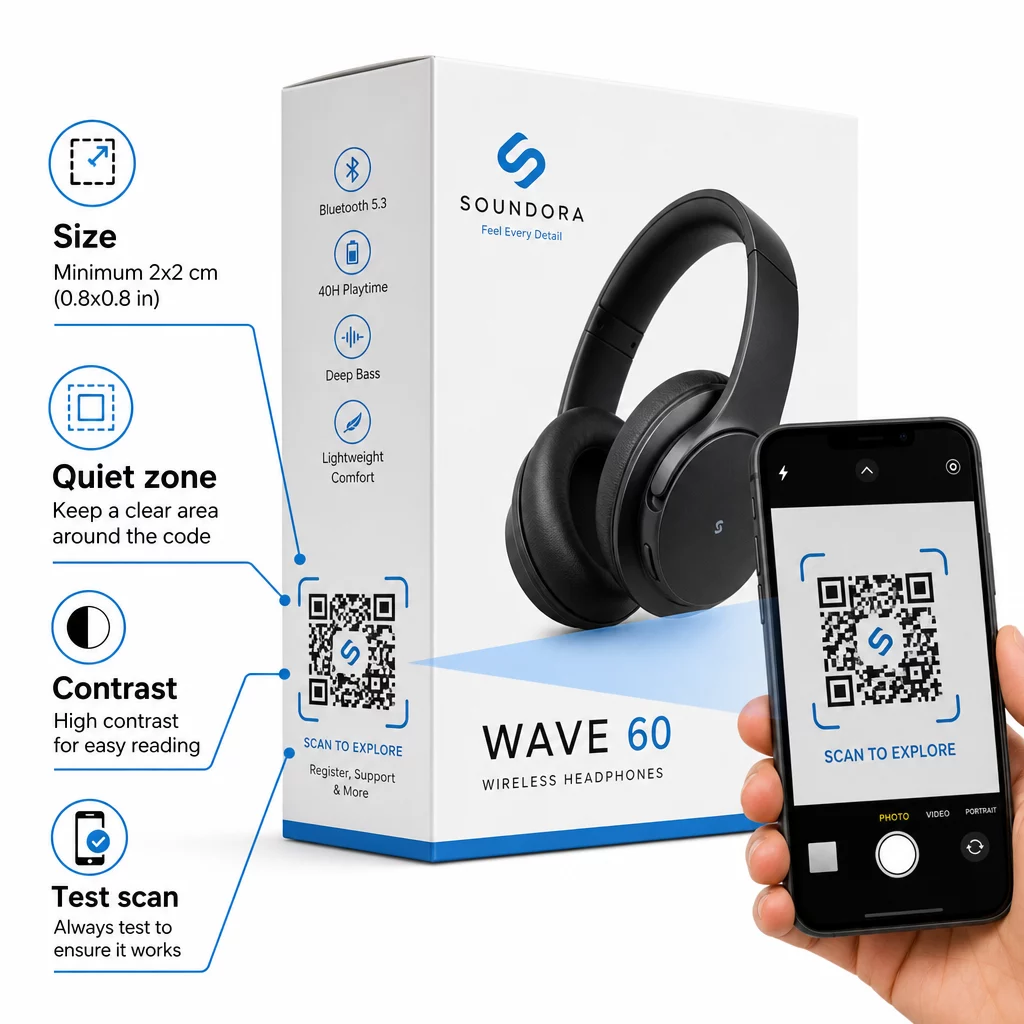
- Minimaalne suurus: Printige mitte väiksemalt kui 2 × 2 cm (umbes 0,8 × 0,8 tolli) usaldusväärseks lähiskaneerimiseks. Suurem on parem kaugelt vaadatavate karpide või pakendite puhul.
- Vaikne tsoon: Hoidke koodi kõigil külgedel vähemalt nelja mooduli suurune selge, trükkimata marginaal. Ilma selle puhvrita halveneb skanneri tuvastus märkimisväärselt.
- Kontrast: Kasutage tumedaid mooduleid heledal taustal. QR-koodi ja selle tausta vaheline kontrastsussuhe 4:1 on usaldusväärne miinimum. Vältige punaseid või oranže esiplaanivärve, mida paljud nutitelefonikaamerad raskesti loevad.
- Veaparandus: Kasutage standardpakendite puhul taset M (15%). Kui manustate koodi sisse logo, lülitage tase H (30%) peale ja testige mitme seadmega.
- Failivorming: Esitage QR-koodi kujundus vektorgraafika formaadis – SVG, EPS või PDF – ja printige 300–400 dpi-ga, et säilitada moodulite selgus.
Sügavama ülevaate saamiseks suuruse kohta erinevatel materjalidel, QR-koodi suuruse määramine erinevatele trükimaterjalidele käsitleb üksikasjalikult pappi, paberit ja kangast. Kontrasti ja loetavuse standardite jaoks, QR-koodi loetavuse parimaid tavasid pakub põhjalikku tehnilist viidet.
Saate uurida ka seda, kuidas pakendil olevad QR-koodid toovad jaekaubandusele laialdast kasu ja vaadata üle ülimat juhendit QR-koodide kohta tooteetikettidel sildispetsiifiliste rakendussoovituste saamiseks.
Füüsiliste toodete ühendamine digitaalsete kogemustega
Ülaltoodud seitse kasutusjuhtu jagavad ühist joont: need vähendavad hõõrdumist just nendel hetkedel, kui kliendid kõige rohkem vajavad teavet, kindlustunnet või tuge. Ostja, kes saab toote autentsust kontrollida, läbipaistvaid arvustusi lugeda ja oma garantiid registreerida kõik ühe skaneeringuga karbilt, on klient, kellel on vähem põhjuseid kõhelda – ja rohkem põhjuseid teie brändi usaldada.
Dünaamilised QR-koodid on selle kõige praktiline alus. Erinevalt staatilistest koodidest, mis lukustavad teid ühte sihtkohta, võimaldavad dünaamilised koodid teil värskendada lingitud sisu, vahetada kampaaniaid ja jälgida jõudlust, muutmata midagi pakendil endal.
Alustage nutikamate tootekogemuste loomist Looge oma elektroonikatoodetele bränditud, jälgitavad QR-koodid Pageloot'i abil QR-koodi generaator. Tasuta 14-päevane prooviperiood. Krediitkaarti pole vaja.
Korduma kippuvad küsimused
Dünaamilised QR-koodid on toote pakendamiseks parem valik, sest need võimaldavad teil värskendada lingitud sihtkohta – olgu selleks siis kasutusjuhend, tugileht või kampaania – ilma uuesti printimata. Staatilised QR-koodid lukustavad teid püsivalt fikseeritud URL-i külge, mis tekitab probleeme, kui sisu muutub või kampaaniad aeguvad.
Asetage QR-koodid lamedatele, siledatele pindadele, eemal voltidest, õmblustest ja kumeratest servadest. Esmasel pakendil toimib hästi tagapaneel või spetsiaalne infopaneel. Vältige koodide paigutamist trükitud äärte või tihedate graafiliste elementide lähedusse, mis vähendavad vaikset tsooni. Lühike üleskutse tegevusele läheduses – näiteks “Skaneeri seadistusjuhendi saamiseks” või “Skaneeri registreerimiseks” – suurendab skaneerimismäärasid, muutes väärtuse selgeks enne, kui klient oma telefoni kätte võtab.
Dünaamilised QR-koodid sisaldavad sisseehitatud skaneerimisanalüütikat, mis registreerib, mitu korda iga koodi skaneeritakse, koos aja, asukoha ja seadme tüübiga. Need andmed võimaldavad teil võrrelda jõudlust erinevate toodete, paigutuste või kampaaniate lõikes. Platvormid nagu Pageloot pakuvad tsentraliseeritud armatuurlauda, kus saate korraga jälgida kõiki oma QR-koode ja kohandada sihtkohti või sisu vastavalt sellele, mida andmed näitavad.