Як утримати клієнта, який заходить до вашого магазину електроніки, від покупки того ж товару дешевше на Amazon? Проблема в тому, що більшість традиційних роздрібних продавців не дають покупцям зі смартфонами жодної причини залишатися. QR-коди на продуктах та упаковці змінюють це рівняння, перетворюючи кожну полицю на інтерактивну точку взаємодії.
Дослідження споживачів показують, що 64% покупців сканували QR-код на продукті під час покупок у магазині, а 61% зробили це після покупки. Такий рівень залученості не є випадковим – він відображає справжнє очікування того, що фізичні продукти підключаються до цифрової інформації. Цей посібник розглядає сім практичних способів, як бренди та роздрібні продавці електроніки можуть використовувати QR-коди для покращення клієнтського досвіду та збільшення продажів, які інакше могли б бути втрачені.
Чому покупці електроніки сканують більше, ніж в інших категоріях
Покупці споживчої електроніки унікально орієнтовані на дослідження. Вони порівнюють характеристики, читають відгуки та дивляться демонстрації, перш ніж здійснити покупку – часто стоячи прямо біля продукту. Така поведінка створює можливість: якщо ваш QR-код є найпростішим способом отримати надійну інформацію в момент прийняття рішення, ви володієте цим моментом.
Згідно з останніми даними споживачів, 43% споживачів найчастіше сканують QR-коди для доступу до інформації про продукт. Зокрема в електроніці, покупці вже тягнуться до своїх телефонів – QR-коди просто дають цьому інстинкту корисний напрямок.
Основою для всього цього є динамічні QR-коди, що дозволяє оновлювати цільову URL-адресу після друку. Для електроніки – де змінюються характеристики продукту, випускаються оновлення прошивки та сезонно змінюються акції – це означає, що вам ніколи не потрібно передруковувати упаковку лише для того, щоб підтримувати актуальність пов'язаного контенту.
Завжди підтримуйте актуальність вмісту вашого продукту Використовувати Динамічний QR код: генератор для створення відстежуваних, редагованих QR-кодів для ваших електронних продуктів. Оновлюйте цільові адреси в будь-який час без передруку жодної етикетки.
7 способів використання QR-кодів для споживчої електроніки
1. Миттєвий доступ до відгуків у момент прийняття рішення
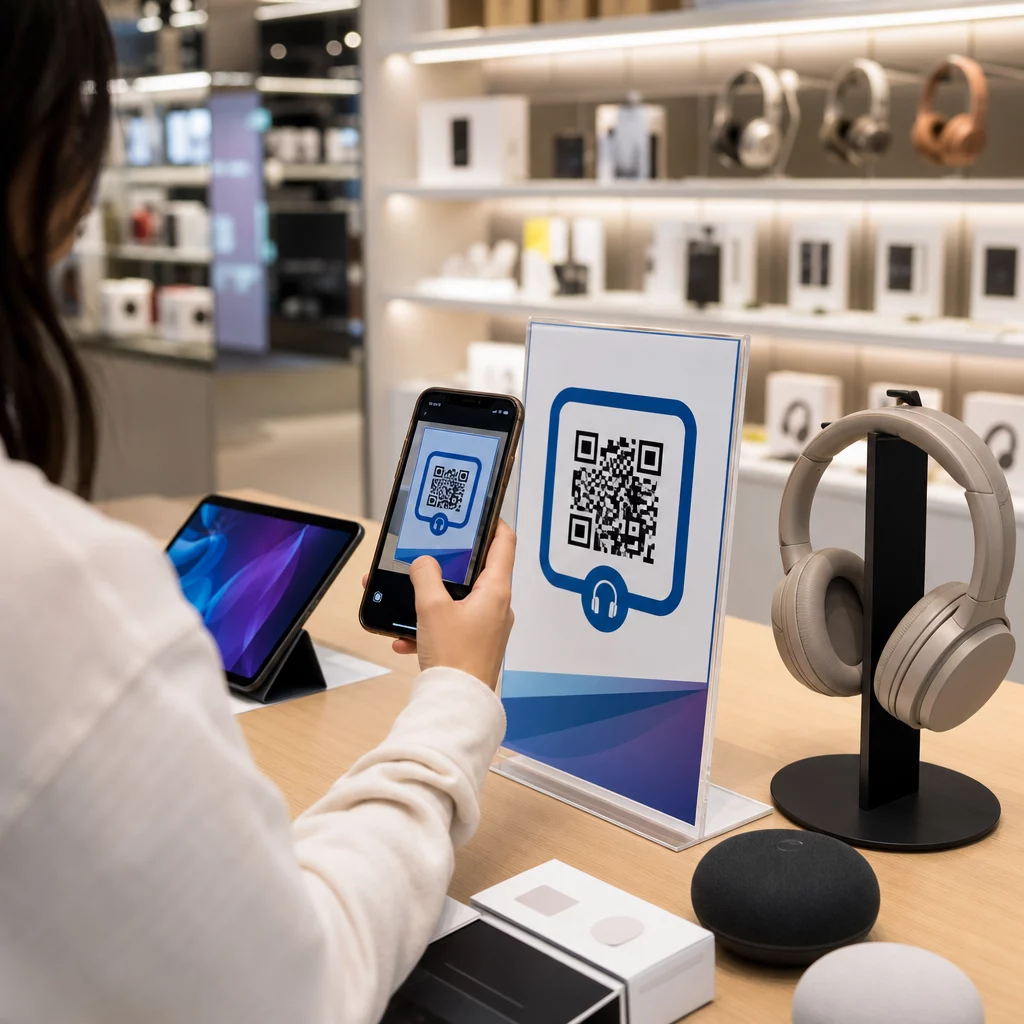
Понад 70% покупців електроніки читають відгуки на своїх смартфонах під час перегляду товарів у магазині. Замість того, щоб дозволяти їм зникати на сторонньому сайті, який може показати продукт конкурента, QR-код на вашій ціннику або коробці продукту може посилатися безпосередньо на сторінку з відгуками, яку ви контролюєте.
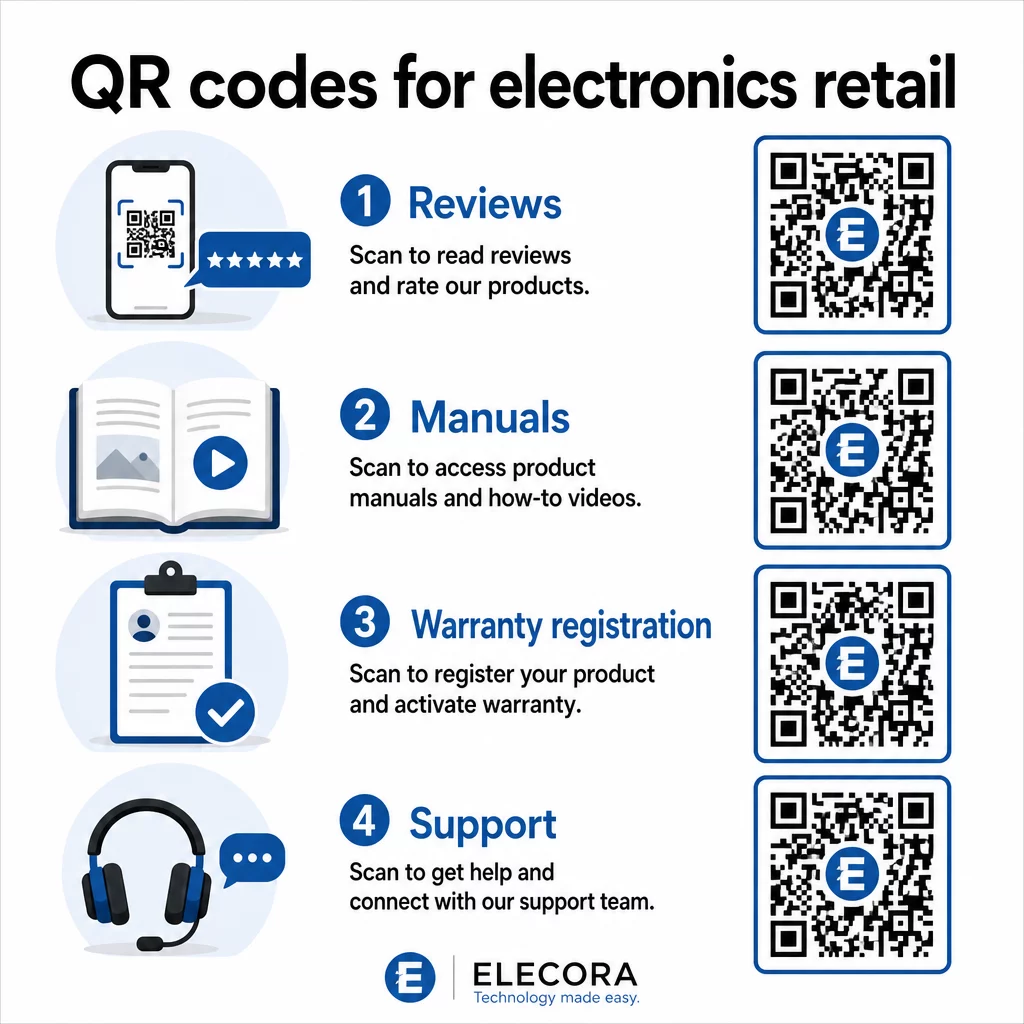
Коли покупці можуть задовольнити свою потребу в дослідженні, не залишаючи вашого середовища, вони з більшою ймовірністю завершать покупку тут і зараз. Посилайте код на цільову сторінку, яка поєднує зіркові рейтинги, ключові моменти відгуків та чіткий шлях до покупки.
2. Цифрові посібники з продукту та інструкції з налаштування
Друк повнокольорового, багатомовного посібника з експлуатації додає витрат та об'єму кожній одиниці. QR-код на Пакування товарів або безпосередньо на пристрої посилається на завжди актуальний цифровий посібник – той, що може включати відеоінструкції, анотовані діаграми та вибір мови.
Цей підхід також вирішує проблему оновлення. Коли змінюється прошивка або випускається нова функція, ви оновлюєте пов'язаний PDF-файл або сторінку один раз, і кожен клієнт, який сканує цей код, отримує останню версію. The QR-код у форматі PDF робить простим розміщення та оновлення документів посібників без зміни надрукованого коду.
Для виробників це особливо практично. Як зазначено в QR-коди для виробництва, вбудовування QR-кодів в інструкційні матеріали, що посилаються на відеоуроки, спрощує збірку та зменшує кількість звернень до служби підтримки.
3. Оптимізована реєстрація гарантії та продукту
Паперові гарантійні талони мають надзвичайно низький рівень заповнення. Клієнти гублять їх, забувають відправити поштою або просто ніколи не заповнюють. QR-код, надрукований всередині коробки або на самому пристрої, посилається безпосередньо на цифрову форму реєстрації – доступну в момент, коли клієнт відкриває упаковку.
Використовуючи QR-код Google Form або спеціальну цільову сторінку, ви можете збирати реєстраційні дані, вподобання та контактну інформацію зі значно меншими труднощами. Аналітика сканувань також показує, скільки клієнтів завершують реєстрацію та коли, щоб ви могли надсилати повідомлення про оновлення прошивки або пропозиції розширеної гарантії саме в потрібний час.
4. Автентифікація продукту та боротьба з підробками
Для преміальної електроніки – навушників, камер, пристроїв розумного будинку – підробка є реальною проблемою як для брендів, так і для споживачів. QR-код, пов'язаний зі сторінкою автентифікації, дозволяє клієнтам перевірити, чи є придбаний ними товар справжнім. Сканування переводить їх на сторінку, контрольовану брендом, яка підтверджує автентичність продукту та серійний номер.
Цей варіант використання також формує довіру після покупки. Клієнт, який підтверджує справжність свого продукту, з більшою ймовірністю зареєструється, залишить відгук і повернеться до бренду для своєї наступної покупки.
5. Купонні коди в магазині та обмежені за часом пропозиції
QR-код біля каси або на вітрині продукту може надати знижку, яка діє лише в тому випадку, якщо клієнт купує сьогодні. Це особливо добре працює для аксесуарів або додаткових комплектів – наприклад, код на вітрині маршрутизатора, що пропонує 20% знижки на сумісний mesh-вузол, створює можливість для додаткового продажу з мінімальними витратами.
Оскільки динамічні QR-коди дозволяють змінювати пов'язану пропозицію без повторного друку, ви можете змінювати акції щотижня або прив'язувати їх до рівня запасів. Клієнти, які сканують та діляться пропозицією з іншими, органічно розширюють її охоплення.
Відстежуйте, які акції генерують найбільше сканувань Використовувати Генератор QR-кодів для посилань для створення відстежуваних промо-кодів. Дивіться, які саме розміщення продуктів та пропозиції конвертуються в реальному часі.
6. Персоналізація сканування на основі поведінки
QR-коди з відстеженням сканувань дозволяють з часом отримати більш витончений досвід. Якщо клієнт раніше сканував коди для розумних колонок, наступне сканування може вивести сторінку, що відповідає цьому інтересу – оголошення про нову модель, сумісний аксесуар або обмежений за часом комплект. Такий поведінковий контекст перетворює пасивну етикетку на персоналізовану точку взаємодії.
Платформи, такі як Pageloot, надають аналітичним даним сканування які показують, коли, де і як часто скануються коди, надаючи вашій маркетинговій команді дані для вдосконалення цих досвідів з часом.
7. Післяпродажна підтримка та усунення несправностей
Один великий бренд побутової техніки, який перевів ресурси підтримки на розумні QR-коди на продуктах, зафіксував зменшення обсягу дзвінків до кол-центру на 20%. Для споживчої електроніки – де проблеми з налаштуванням та питання щодо функцій є поширеними – це значна операційна перевага.
QR-код на пристрої або в коробці може посилатися на центр підтримки з посібниками з усунення несправностей, сторінками поширених запитань, доступом до онлайн-чату або відеоуроками. Як обговорювалося в QR-коди для підтримки в електронній комерції, ці коди можуть навіть попередньо завантажувати вікно чату з деталями продукту, дозволяючи командам підтримки швидше вирішувати проблеми.
Це одночасно зменшує розчарування клієнта та знижує витрати на вашу операцію підтримки.
Практичні рекомендації щодо друку QR-кодів на упаковці електроніки
Правильне визначення варіантів використання – це лише половина роботи. QR-код, який ненадійно сканується в роздрібному середовищі, втрачає своє призначення. Пам'ятайте про ці основи, готуючи коди до друку:
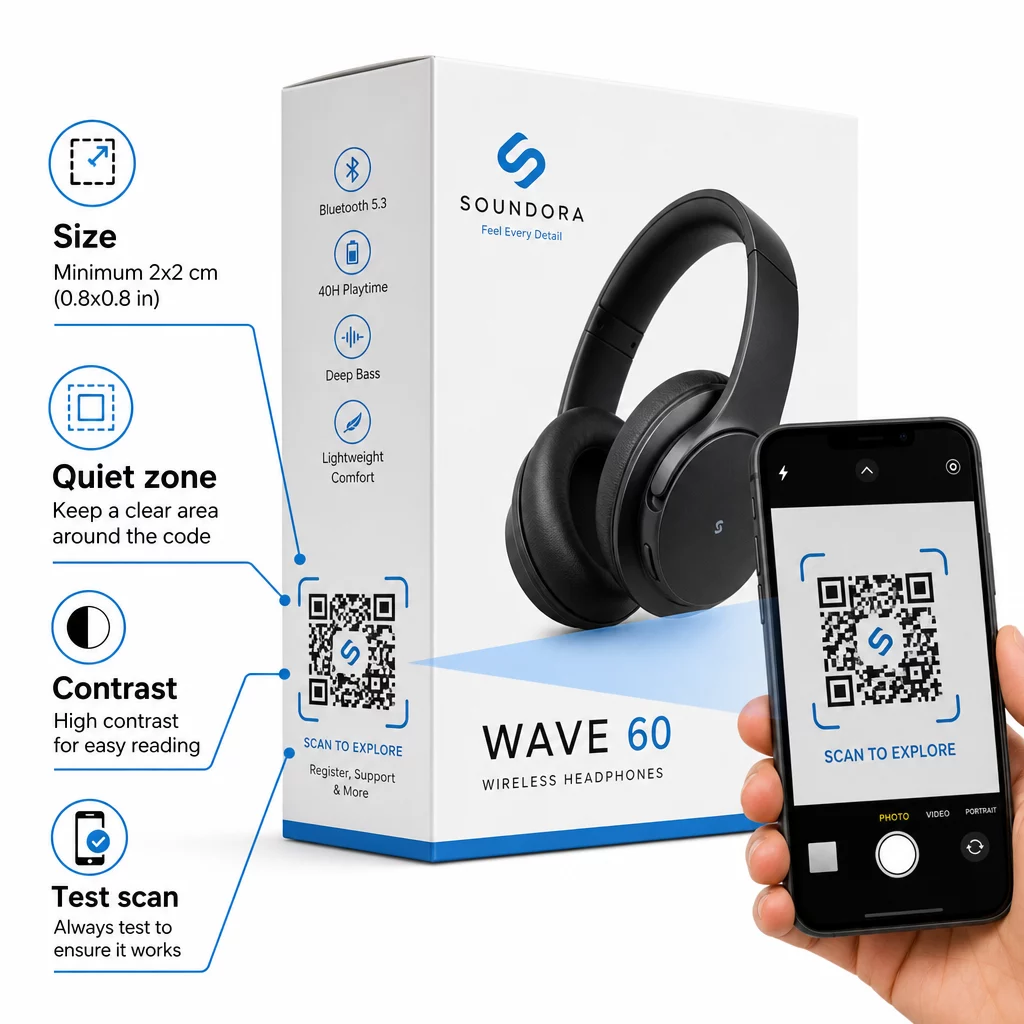
- Мінімальний розмір: Друкуйте розміром не менше 2 × 2 см (приблизно 0,8 × 0,8 дюйма) для надійного сканування з близької відстані. Більший розмір кращий для коробок або упаковки, що розглядається здалеку.
- Тиха зона: Зберігайте чіткий, незадрукований відступ щонайменше чотири модулі з усіх боків коду. Без цього буфера розпізнавання сканером значно погіршується.
- Контраст: Використовуйте темні модулі на світлому фоні. Співвідношення контрастності 4:1 між QR-кодом та його фоном є надійним мінімумом. Уникайте червоних або помаранчевих кольорів переднього плану, які багато камер смартфонів важко читають.
- Корекція помилок: Використовуйте рівень M (15%) для стандартної упаковки. Якщо ви вбудовуєте логотип всередину коду, перейдіть на рівень H (30%) і протестуйте на кількох пристроях.
- Формат файлу: Надавайте макет QR-коду у векторному форматі – SVG, EPS або PDF – і друкуйте з роздільною здатністю 300–400 dpi для збереження чіткості модулів.
Для більш детального розгляду розмірів на різних матеріалах, розміру QR-коду для різних друкованих матеріалів докладно охоплює картон, папір та тканину. Для контрасту та стандартів читабельності, найкращих практик для читабельності QR-кодів надає вичерпний технічний довідник.
Ви також можете дізнатися, як QR-коди на упаковці приносять користь роздрібній торгівлі в цілому та переглянути повного посібника з QR-кодів для етикеток продуктів для порад щодо впровадження, специфічних для етикеток.
З'єднання фізичних продуктів з цифровим досвідом
Сім вищезгаданих варіантів використання мають спільну рису: вони зменшують тертя саме в ті моменти, коли клієнти найбільше потребують інформації, заспокоєння або підтримки. Покупець, який може перевірити автентичність продукту, прочитати прозорі відгуки та зареєструвати свою гарантію за допомогою одного сканування на коробці, є клієнтом з меншою кількістю причин вагатися – і більшою кількістю причин довіряти вашому бренду.
Динамічні QR-коди є практичною основою для всього цього. На відміну від статичних кодів, які прив'язують вас до одного призначення, динамічні коди дозволяють оновлювати пов'язаний контент, змінювати акції та відстежувати ефективність, не змінюючи нічого на самій упаковці.
Почніть створювати розумніші продуктові досвіди Створюйте брендовані QR-коди, що відстежуються, для ваших електронних продуктів за допомогою Pageloot Генератор QR-кодів. Безкоштовна 14-денна пробна версія. Кредитна картка не потрібна.
Поширені запитання
Динамічні QR-коди є кращим вибором для упаковки продуктів, оскільки вони дозволяють оновлювати пов'язане призначення – будь то посібник, сторінка підтримки або акція – без повторного друку. Статичні QR-коди назавжди прив'язують вас до фіксованої URL-адреси, що створює проблеми, коли вміст змінюється або акції закінчуються.
Розміщуйте QR-коди на плоских, гладких поверхнях подалі від згинів, швів та вигнутих країв. Для первинної упаковки добре підходить задня панель або спеціальна інформаційна панель. Уникайте розміщення кодів поблизу друкованих меж або насичених графічних елементів, які зменшують тиху зону. Короткий заклик до дії поруч – наприклад, “Скануйте для посібника з налаштування” або “Скануйте для реєстрації” – збільшує кількість сканувань, роблячи цінність зрозумілою до того, як клієнт візьме свій телефон.
Динамічні QR-коди включають вбудовану аналітику сканувань, яка записує, скільки разів кожен код був відсканований, а також час, місце розташування та тип пристрою. Ці дані дозволяють порівнювати ефективність різних продуктів, місць розміщення або кампаній. Такі платформи, як Pageloot, надають централізовану панель керування, де ви можете одночасно відстежувати всі свої QR-коди та коригувати призначення або вміст на основі того, що показують дані.