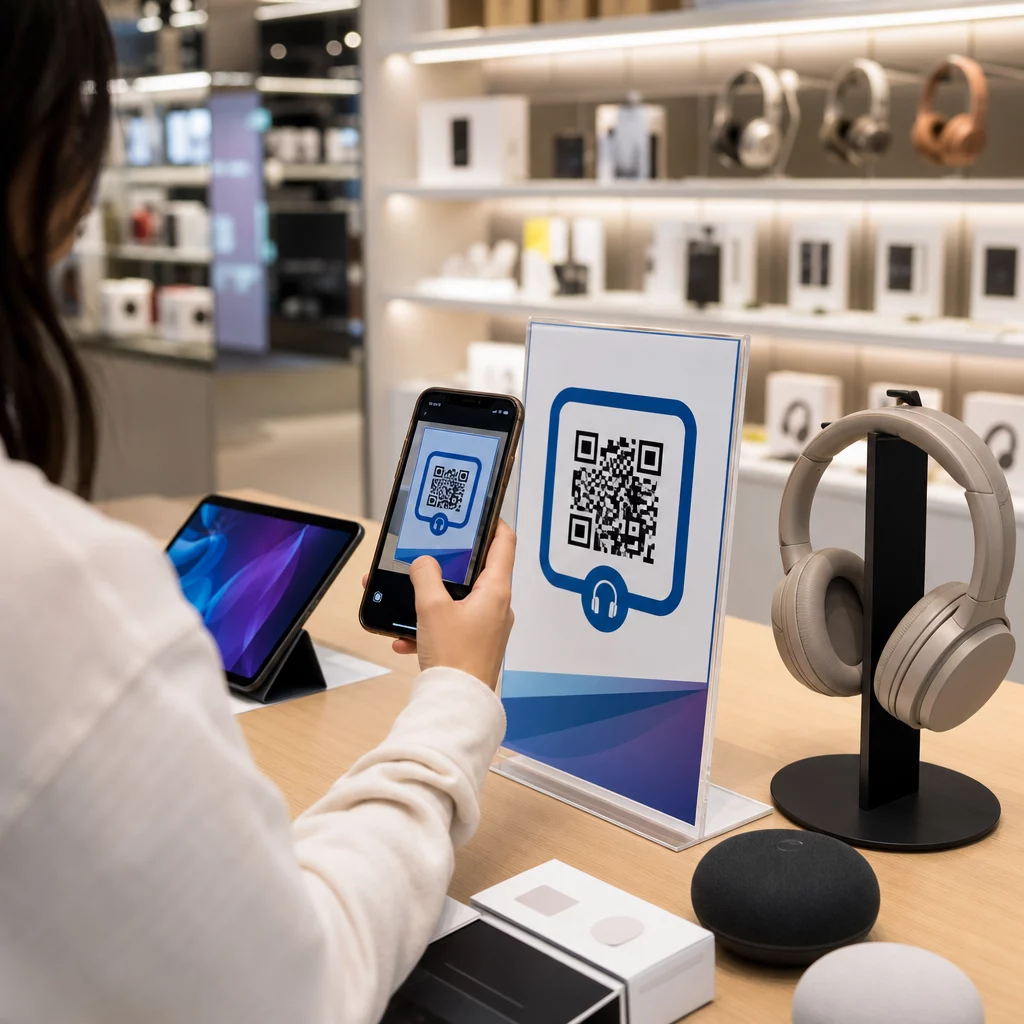
Hoe voorkom je dat een klant die je elektronicawinkel binnenloopt hetzelfde product goedkoper koopt op Amazon? Het probleem is dat de meeste fysieke winkeliers smartphone-gewapende shoppers geen reden geven om te blijven. QR-codes op producten en verpakkingen veranderen die vergelijking door elk schap om te zetten in een interactief contactpunt.
Consumentenonderzoek toont aan dat 64% van de shoppers een QR-code op een product heeft gescand tijdens het winkelen in een winkel, en 61% heeft dit na aankoop gedaan. Dat niveau van betrokkenheid is niet toevallig – het weerspiegelt een oprechte verwachting dat fysieke producten verbinding maken met digitale informatie. Deze gids beschrijft zeven praktische manieren waarop elektronicamerken en -retailers QR-codes kunnen gebruiken om de klantervaring te verbeteren en verkopen te genereren die anders verloren zouden gaan.
Waarom elektronicashoppers meer scannen dan andere categorieën
Kopers van consumentenelektronica zijn uniek onderzoeksgedreven. Ze vergelijken specificaties, lezen recensies en bekijken demo's voordat ze tot een aankoop overgaan – vaak terwijl ze direct naast het product staan. Dat gedrag creëert een opening: als jouw QR-code de gemakkelijkste manier is om betrouwbare informatie te krijgen op het moment van beslissing, dan bezit jij dat moment.
Volgens recente consumentengegevens scant 43% van de consumenten het vaakst QR-codes om productinformatie te raadplegen. Specifiek in de elektronica grijpen shoppers al naar hun telefoon – QR-codes geven dat instinct simpelweg een nuttige bestemming.
De basis hiervoor is dynamische QR-codes, waarmee je de bestemmings-URL na het printen kunt bijwerken. Voor elektronica – waar productspecificaties veranderen, firmware-updates worden uitgerold en promoties seizoensgebonden rouleren – betekent dit dat je nooit de verpakking opnieuw hoeft te printen om de gekoppelde inhoud actueel te houden.
Houd uw productinhoud altijd up-to-date Gebruik de Dynamische QR code generator om traceerbare, bewerkbare QR-codes te maken voor uw elektronicaproducten. Werk bestemmingen op elk moment bij zonder één enkel label opnieuw te printen.
7 manieren om QR-codes te gebruiken voor consumentenelektronica
1. Directe toegang tot recensies op het moment van beslissing
Meer dan 70% van de elektronicakopers leest recensies op hun smartphones tijdens het winkelen in de winkel. In plaats van ze te laten verdwijnen naar een externe site die mogelijk een product van een concurrent toont, kan een QR-code op uw schaplabel of productdoos direct linken naar een samengestelde recensiepagina die u beheert.
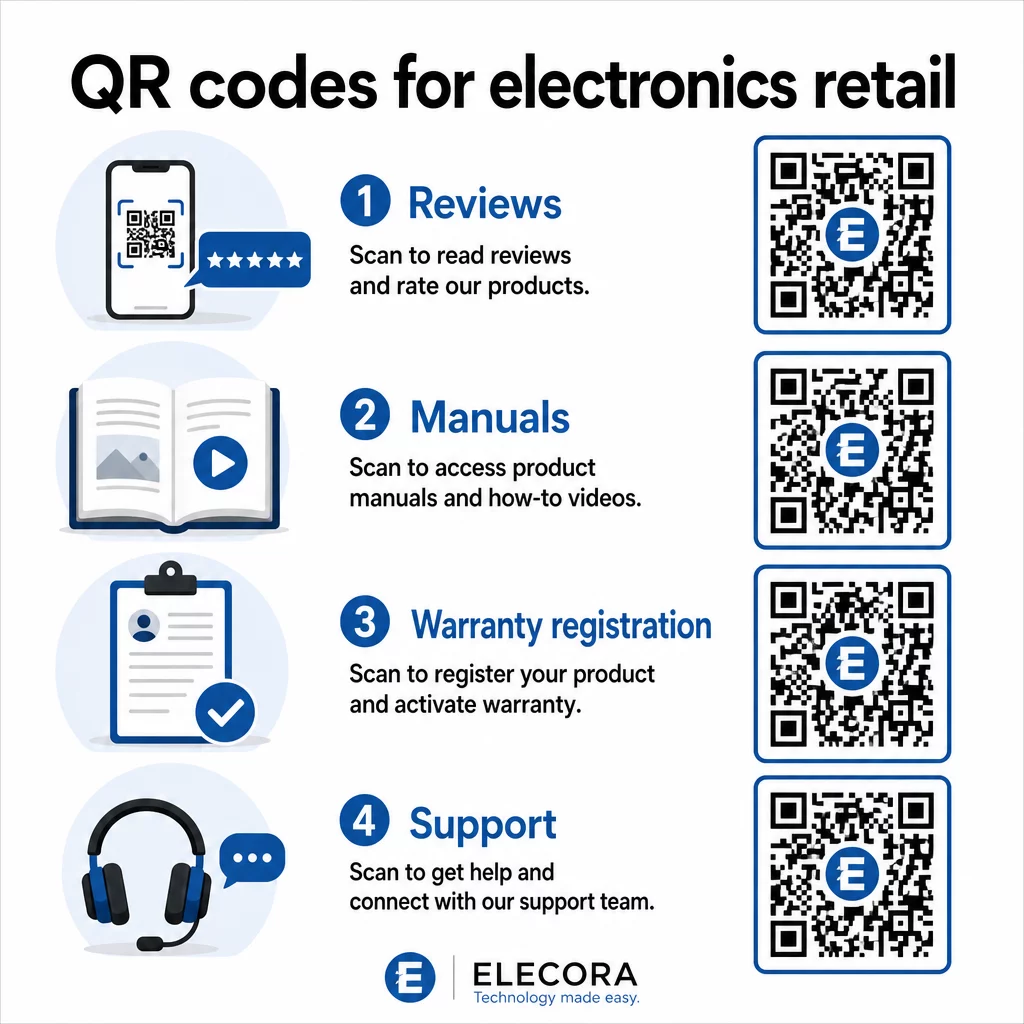
Wanneer shoppers hun onderzoeksbehoefte kunnen bevredigen zonder uw omgeving te verlaten, is de kans groter dat ze de aankoop dan en daar voltooien. Koppel de code aan een landingspagina die sterbeoordelingen, belangrijke recensiehoogtepunten en een duidelijk pad naar aankoop combineert.
2. Digitale producthandleidingen en installatiegidsen
Het printen van een full-color, meertalige handleiding voegt kosten en volume toe aan elke eenheid. Een QR-code op Productverpakkingen of direct op het apparaat linkt naar een altijd actuele digitale handleiding – een die video-walkthroughs, geannoteerde diagrammen en taalselectie kan bevatten.
Deze aanpak lost ook het updateprobleem op. Wanneer firmware verandert of een nieuwe functie wordt uitgebracht, werkt u de gekoppelde PDF of pagina één keer bij, en elke klant die die code scant, krijgt de nieuwste versie. De PDF naar QR code maken maakt het eenvoudig om handleidingen te hosten en bij te werken zonder de gedrukte code aan te raken.
Voor fabrikanten is dit bijzonder praktisch. Zoals behandeld in QR codes voor de maakindustrie, vereenvoudigt het insluiten van QR-codes in instructiematerialen die linken naar video-tutorials de montage en vermindert het aantal supportcontacten.
3. Gestroomlijnde garantie- en productregistratie
Papieren garantiekaarten hebben notoir lage invulpercentages. Klanten raken ze kwijt, vergeten ze op te sturen, of vullen ze simpelweg nooit in. Een QR-code die in de doos of op het apparaat zelf is afgedrukt, linkt direct naar een digitaal registratieformulier – toegankelijk zodra de klant de verpakking opent.
Een Google formulier QR code of een aangepaste landingspagina, kunt u registratiegegevens, voorkeuren en contactgegevens vastleggen met veel minder wrijving. De scananalyses vertellen u ook hoeveel klanten de registratie voltooien en wanneer, zodat u op precies het juiste moment kunt opvolgen met firmware-updateberichten of aanbiedingen voor verlengde garantie.
4. Productauthenticatie en anti-namaak
Voor premium elektronica – koptelefoons, camera's, slimme apparaten voor thuis – is namaak een reële zorg voor zowel merken als consumenten. Een QR-code die linkt naar een authenticatiepagina stelt klanten in staat te verifiëren dat wat ze hebben gekocht echt is. Scannen brengt hen naar een door het merk beheerde pagina die de authenticiteit en het serienummer van het product bevestigt.
Deze use case bouwt ook vertrouwen op na de aankoop. Een klant die bevestigt dat zijn product echt is, zal eerder geneigd zijn zich te registreren, een recensie achter te laten en terug te keren naar het merk voor hun volgende aankoop.
5. Couponcodes in de winkel en tijdelijke aanbiedingen
Een QR-code bij de kassa of op een productdisplay kan een korting geven die alleen geldt als de klant vandaag koopt. Dit werkt bijzonder goed voor accessoires of bundel-add-ons – een code op een routerdisplay die bijvoorbeeld 20% korting biedt op een compatibele mesh-node, creëert een upsell-mogelijkheid tegen minimale kosten.
Omdat dynamische QR-codes u in staat stellen de gekoppelde aanbieding te wijzigen zonder iets opnieuw af te drukken, kunt u promoties wekelijks rouleren of koppelen aan voorraadniveaus. Klanten die de aanbieding scannen en delen met anderen, vergroten het bereik organisch.
Volg welke promoties de meeste scans genereren Gebruik de Link QR-codegenerator om traceerbare promotiecodes te creëren. Zie precies welke productplaatsingen en aanbiedingen in realtime converteren.
6. Gedragsgebaseerde scanpersonalisatie
QR-codes met scan-tracking maken na verloop van tijd een geavanceerdere ervaring mogelijk. Als een klant eerder codes voor slimme luidsprekers heeft gescand, kan de volgende scan een pagina tonen die relevant is voor die interesse – een aankondiging van een nieuw model, een compatibel accessoire of een tijdelijke bundel. Dit soort gedragscontext verandert een passief label in een gepersonaliseerd contactpunt.
Platforms zoals Pageloot bieden scananalyses die laten zien wanneer, waar en hoe vaak codes worden gescand, waardoor uw marketingteam de gegevens krijgt om deze ervaringen na verloop van tijd te verfijnen.
7. Ondersteuning na aankoop en probleemoplossing
Een groot merk van huishoudelijke apparaten dat ondersteuningsmiddelen verplaatste naar slimme QR-codes op producten, zag een vermindering van 20% in het callcentervolume. Voor consumentenelektronica – waar installatieproblemen en functievraagstukken veelvoorkomend zijn – is dit een aanzienlijk operationeel voordeel.
Een QR-code op het apparaat of in de doos kan linken naar een ondersteuningshub met probleemoplossingsgidsen, FAQ-pagina's, toegang tot live chat of video-tutorials. Zoals besproken in QR-codes voor ondersteuning in e-commerce, kunnen deze codes zelfs een chatvenster vooraf laden met productdetails, waardoor ondersteuningsteams problemen sneller kunnen oplossen.
Dit vermindert tegelijkertijd de frustratie voor de klant en de kosten voor uw ondersteuningsoperatie.
Praktische richtlijnen voor het afdrukken van QR-codes op elektronicaverpakkingen
De juiste gebruiksscenario's vinden is slechts de helft van het werk. Een QR-code die niet betrouwbaar scant in een winkelomgeving, mist zijn doel. Houd deze basisprincipes in gedachten bij het voorbereiden van codes voor drukwerk:
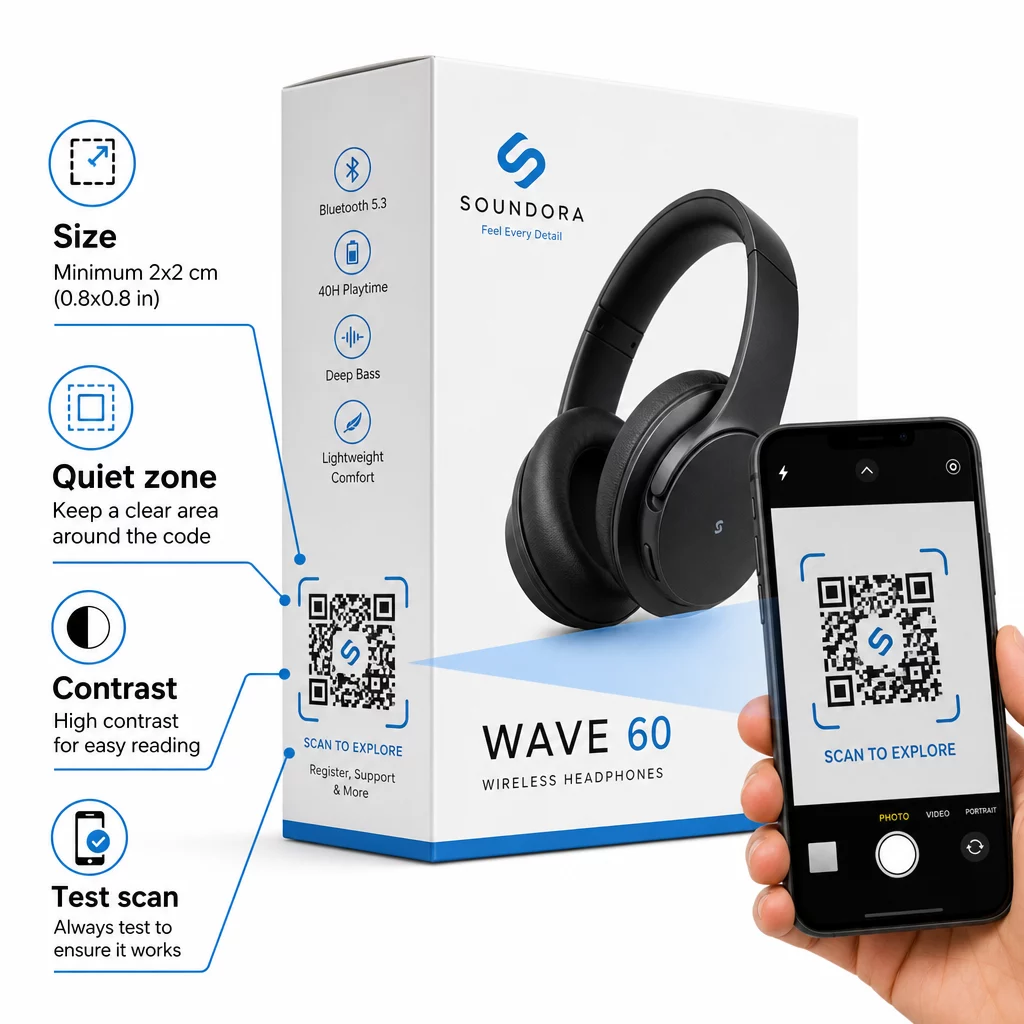
- Minimale grootte: Print niet kleiner dan 2 × 2 cm (ongeveer 0,8 × 0,8 inch) voor betrouwbaar scannen op korte afstand. Groter is beter voor dozen of verpakkingen die van een afstand worden bekeken.
- Stille zone: Houd een duidelijke, onbedrukte marge van minimaal vier modules aan alle zijden van de code aan. Zonder deze buffer verslechtert de scannerherkenning aanzienlijk.
- Contrast: Gebruik donkere modules op een lichte achtergrond. Een contrastverhouding van 4:1 tussen de QR-code en de achtergrond is het betrouwbare minimum. Vermijd rode of oranje voorgrondkleuren, die veel smartphonecamera's moeilijk kunnen lezen.
- Foutcorrectie: Gebruik niveau M (15%) voor standaardverpakkingen. Als u een logo in de code insluit, schakel dan over naar niveau H (30%) en test op meerdere apparaten.
- Bestandsformaat: Lever QR-code artwork aan in vectorformaat – SVG, EPS of PDF – en print met 300–400 dpi om de helderheid van de modules te behouden.
Voor een diepere blik op de maatvoering over verschillende materialen, QR-code formaat voor verschillende printmaterialen behandelt karton, papier en stof in detail. Voor contrast- en leesbaarheidsnormen, best practices voor de leesbaarheid van QR-codes biedt een grondige technische referentie.
U kunt ook onderzoeken hoe QR-codes op verpakkingen de detailhandel breed ten goede komen en bekijk de ultieme gids voor QR-codes voor productetiketten voor label-specifiek implementatieadvies.
Fysieke Producten Verbinden met Digitale Ervaringen
De zeven bovenstaande use cases hebben een gemeenschappelijke draad: ze verminderen frictie op de exacte momenten dat klanten het meest behoefte hebben aan informatie, geruststelling of ondersteuning. Een shopper die de authenticiteit van een product kan verifiëren, transparante recensies kan lezen en zijn garantie kan registreren, allemaal met één scan op de doos, is een klant met minder redenen om te aarzelen – en meer redenen om uw merk te vertrouwen.
Dynamische QR-codes vormen de praktische basis hiervoor. In tegenstelling tot statische codes die u aan één bestemming binden, laten dynamische codes u toe om gekoppelde inhoud bij te werken, promoties te rouleren en prestaties te volgen zonder iets aan de verpakking zelf te veranderen.
Begin met het Bouwen van Slimmere Productervaringen Maak branded, traceerbare QR-codes voor uw elektronicaproducten met Pageloot's QR-codegenerator. Gratis proefperiode van 14 dagen. Geen creditcard vereist.
Veelgestelde vragen
Dynamische QR-codes zijn de betere keuze voor productverpakkingen omdat ze u in staat stellen de gekoppelde bestemming – of dat nu een handleiding, een ondersteuningspagina of een promotie is – bij te werken zonder opnieuw te printen. Statische QR-codes binden u permanent aan een vaste URL, wat problemen veroorzaakt wanneer inhoud verandert of promoties verlopen.
Plaats QR-codes op vlakke, gladde oppervlakken, weg van vouwen, naden en gebogen randen. Voor primaire verpakkingen werkt het achterpaneel of een speciaal informatiepaneel goed. Vermijd het plaatsen van codes in de buurt van gedrukte randen of drukke grafische elementen die de rustzone verminderen. Een korte call-to-action in de buurt – zoals “Scan voor installatiegids” of “Scan om te registreren” – verhoogt de scanpercentages door de waarde duidelijk te maken voordat de klant zijn telefoon pakt.
Dynamische QR-codes bevatten ingebouwde scananalyses die vastleggen hoe vaak elke code wordt gescand, samen met de tijd, locatie en het apparaattype. Deze gegevens laten je prestaties vergelijken tussen verschillende producten, plaatsingen of campagnes. Platforms zoals Pageloot bieden een gecentraliseerd dashboard waar je al je QR-codes tegelijk kunt monitoren en bestemmingen of inhoud kunt aanpassen op basis van wat de gegevens laten zien.