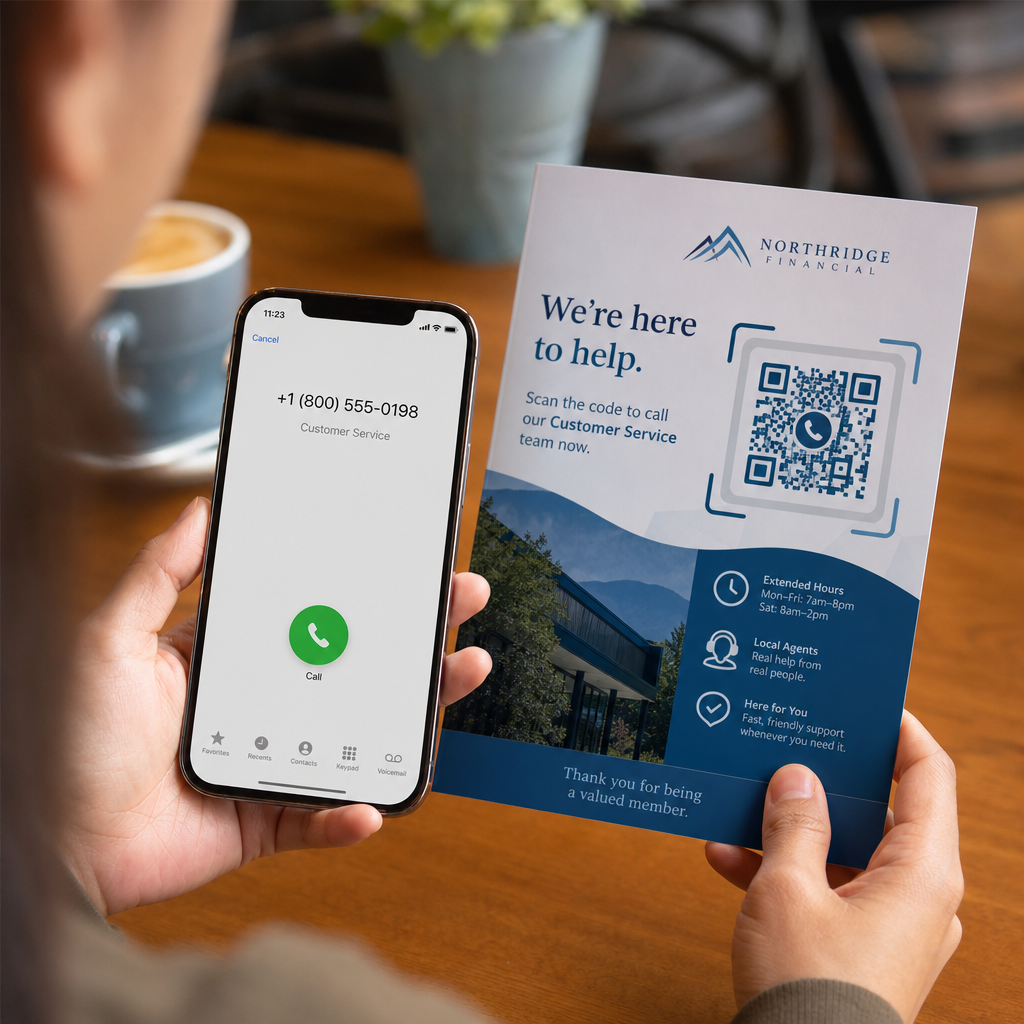
Vai jūsu potenciālie klienti pārtrauc zvanus, jo garu tālruņa numuru ievadīšana no drukātiem materiāliem ir apgrūtinoša? Manuālas numura sastādīšanas kļūdas tieši samazina ienākošos pārdošanas vadītājus un atbalsta pieprasījumus. Izveidojot tālruņa numura QR kodu, potenciālie klienti var acumirklī aizpildīt savu mobilā tālruņa zvanītāju ar jūsu numuru ar vienu skenēšanu.
Kā darbojas tālruņa zvanu QR kodi
Kad viedtālruņa kamera skenē tālruņa zvana QR kodu, tā nolasa standartizētu komunikācijas protokolu, kas pazīstams kā `tel:` vienotais resursu identifikators (URI). Definēts ar IETF RFC 3966 standartu, šī virkne kodē tālruņa numuru struktūrā, ko mobilās operētājsistēmas nekavējoties atpazīst kā tālruņa zvana pieprasījumu.
Lai nodrošinātu, ka jūsu kods darbojas nevainojami visos mobilo sakaru operatoros un starptautiskajos tīklos, vienmēr formatējiet savu numuru, izmantojot E.164 starptautiskais standarts. Šis formāts sākas ar plusa zīmi (`+`), kam seko valsts kods, apgabala kods un abonenta numurs bez atstarpēm, defisēm vai iekavām (piemēram, `+12025550123`).
Drošība un operētājsistēmas uzvedība
Mobilās operētājsistēmas apzināti neļauj QR kodiem veikt zvanus automātiski bez tiešas lietotāja mijiedarbības. Šis iebūvētais drošības slānis aizsargā lietotājus no nejaušas numura sastādīšanas vai ļaunprātīgām maksas izmaksām:
- iOS (iPhone): Skenējot kodu, tiek parādīts ekrāna paziņojums, kas rāda tālruņa numuru un prasa skaidru apstiprinājumu pirms zvanīšanas.
- Android: Skenējot kodu, tiek atvērta ierīces vietējā tālruņa lietotne ar numuru, kas iepriekš aizpildīts zvanītājā, pieprasot lietotājam pieskarties zvana pogai.
Abas platformas prasa galīgu manuālu pieskārienu no lietotāja, nodrošinot pilnīgu kontroli pār zvana procesu.
Detalizēta pamācība zvana QR koda ģenerēšanai
Augstas izšķirtspējas tālruņa QR koda ģenerēšanai nav nepieciešamas tehniskas zināšanas. Veiciet šīs vienkāršās darbības, lai izveidotu savu kodu:
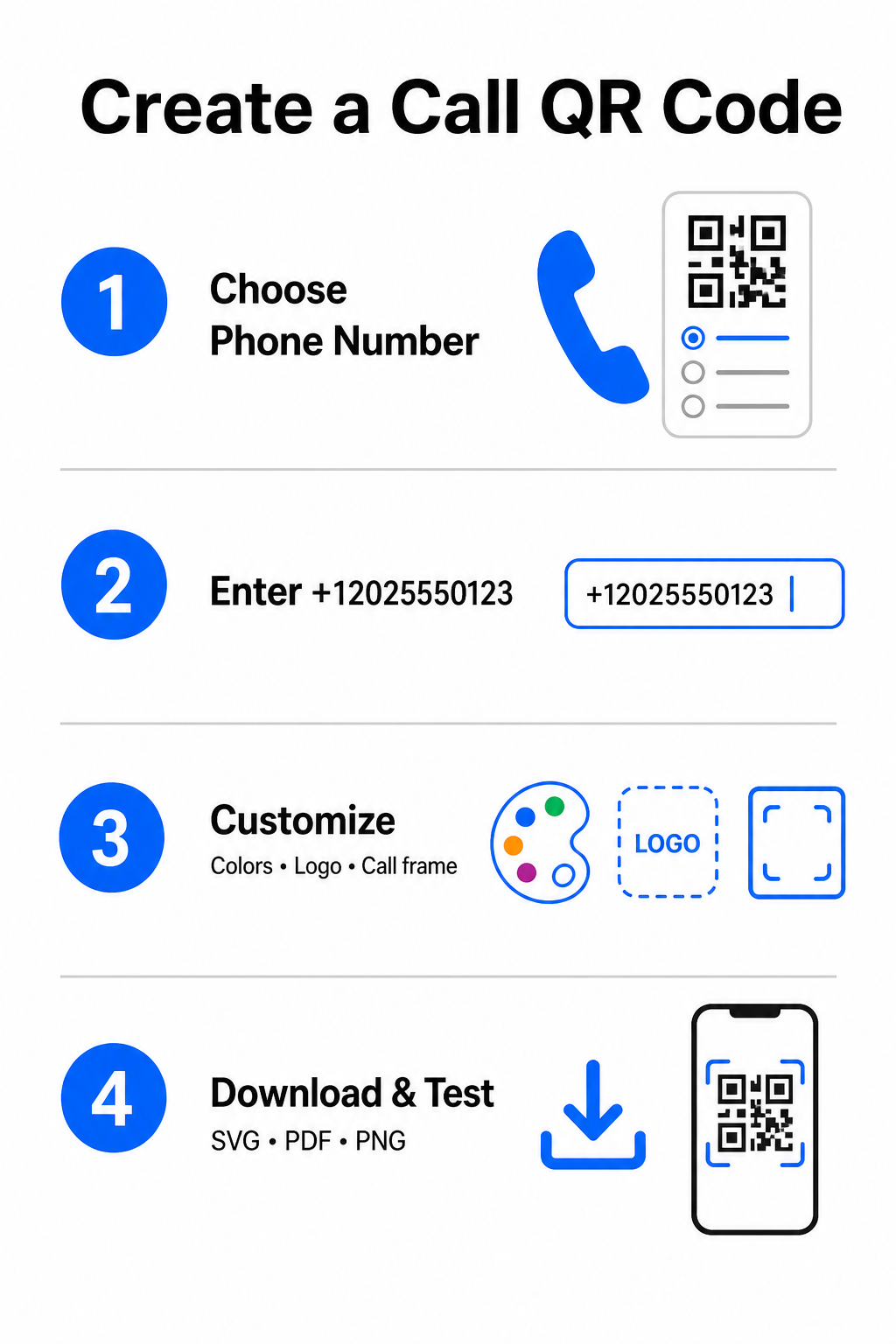
- Atveriet ģeneratoru: Dodieties uz tiešsaistes Pageloot QR kodu ģenerators.
- Izvēlieties tālruņa opciju: Izvēlieties Tālruņa numurs vai Zvanīt opciju no pieejamajiem kodu veidiem.
- Ievadiet tālruņa numuru: Ievadiet savu pilno kontakttālruņa numuru E.164 formātā, ieskaitot valsts kodu (piemēram, `+1` Ziemeļamerikai).
- Pielāgojiet vizuālo dizainu: Izvēlieties pielāgotas zīmola krāsas, augšupielādējiet uzņēmuma logotipu vai pievienojiet aizsargrāmi ar skaidru aicinājumu uz darbību.
- Lejupielādējiet gatavo failu: Lejupielādējiet savu kodu vektoru formātos, piemēram, .SVG vai .PDF komerciālai drukāšanai, vai .PNG digitālajiem displejiem.
Ja jums ir nepieciešams kopīgot plašāku profesionālo informāciju – tostarp jūsu pilnu vārdu, e-pasta adresi, fizisko adresi un amata nosaukumu – izmantojiet speciālu vCard QR koda ģenerators tā vietā. Varat arī izpētīt mūsu ceļvedi par kā kopīgot kontaktinformāciju, izmantojot QR kodus lai izlemtu, kurš formāts atbilst jūsu reklāmas kampaņai.
Statiskie pret dinamiskajiem tālruņa QR kodiem
Pareizās pamatstruktūras izvēle jūsu QR kodam ir atkarīga no tā, vai jums ir jāatjaunina tālruņa numurs vai jāseko līdzi iesaistei laika gaitā.
| FUNKCIJA | Statiskais tālruņa QR kods | Dinamiskais tālruņa QR kods |
|---|---|---|
| Datu glabāšana | Numurs tieši iekodēts koda modelī | Īsa starpniekviettīmekļa adrese, kas mitināta serverī |
| Pēcdrukas rediģēšana | Pastāvīgs (nevar mainīt pēc izveidošanas) | Atjauniniet mērķa tālruņa numuru jebkurā laikā |
| Skenēšanas analītika | Netiek atbalstīts | Sekojiet līdzi kopējam skenējumu skaitam, atrašanās vietām un laika modeļiem |
| Ieteicamā lietošana | Pastāvīgas kontakta līnijas (galvenais birojs, bezmaksas tālruņa līnijas) | Mārketinga kampaņas, sezonālie zvanu centri |
Sāciet veicināt tūlītējus tālruņa zvanus Vai vēlaties izsekot, cik skenējumu pārvēršas par reāliem klientu zvaniem? Izmantojiet Pageloot QR kodu ģenerators lai izveidotu pielāgojamus, izsekojamus zvanu kodus jau šodien.
Labākā prakse drukāšanai un skenējamībai
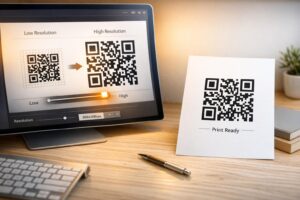
Tālruņa QR kods ģenerē pieprasījumus tikai tad, ja viedtālruņu kameras to var droši skenēt reālos apstākļos. Ievērojiet šos galvenos drukas standartus pirms dizainu nosūtīšanas ražošanai:
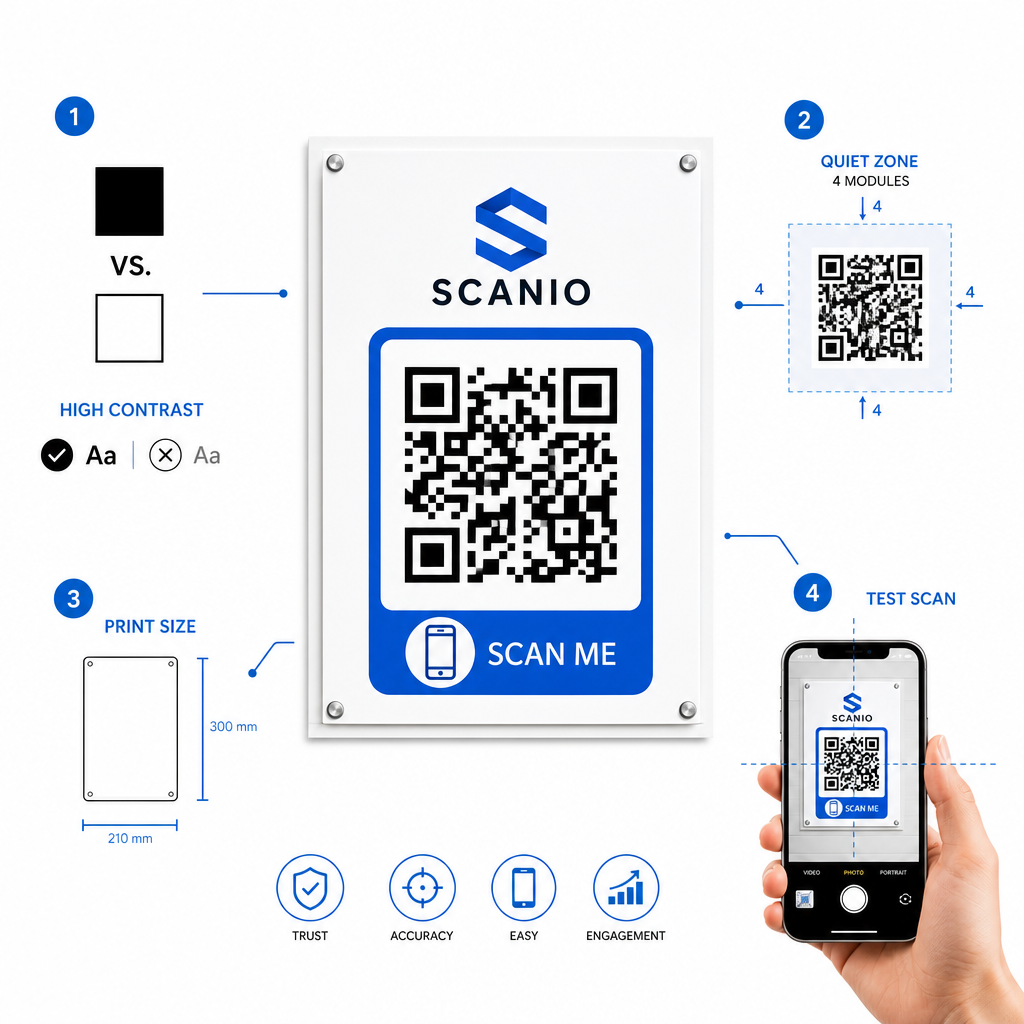
- Uzturiet augstu krāsu kontrastu: Izvēlieties tumšus moduļus uz gaiša fona, piemēram, melnu uz balta. Skeneriem ir grūti nolasīt apgrieztas krāsas vai zema kontrasta kombinācijas, piemēram, gaiši pelēku uz balta.
- Uzturiet kluso zonu: Saglabājiet skaidru apmali, kas vienāda ar vismaz 4 moduļiem (atsevišķi kvadrāti koda modelī), pilnībā brīvu no teksta, apmalēm vai grafikas visās četrās pusēs.
- Mērogs skatīšanās attālumam: Drukājiet tuvu apskatāmus materiālus (piemēram, vizītkartes vai galda teltis) minimālajā izmērā 0,8 × 0,8 collas (2 × 2 cm). Tālām zīmēm piemērojiet 10:1 attāluma noteikumu, kas nozīmē, ka kodam, kas skenēts no 10 pēdu attāluma, jābūt vismaz 1 pēdu platam.
- Veiciet reālās pasaules testēšanu: Izdrukājiet fizisku testa paraugu uz mērķa substrāta un mēģiniet skenēt QR kodu ar viedtālruņiem gan iOS, gan Android platformās dažādos apgaismojuma apstākļos.
Bezsaistes auditorijas savienošana ar jūsu tālruņa līnijām
Novēršot manuālas rakstīšanas kļūdas, tālruņa numuru QR kodi samazina berzi bezsaistes mārketinga kanālos un savieno ieinteresētus potenciālos klientus tieši ar jūsu komandu. Neatkarīgi no tā, vai izvietojat statisku kodu uz pastāvīgām biroja zīmēm vai paļaujaties uz dinamisku izsekošanu sezonālām reklāmas kampaņām, jūsu dizaina skenējamības nodrošināšana garantē vienmērīgu ceļu no fiziskā saskares punkta līdz tālruņa sarunai.
Gatavs vienkāršot klientu piesaisti? Apmeklējiet Pageloot QR kodu ģenerators šodien, lai izveidotu, pielāgotu un izvietotu savu pielāgoto zvanu QR kodu.
Biežāk uzdotie jautājumi
Nē. Operētājsistēmas, piemēram, iOS un Android, pieprasa lietotāja apstiprinājumu, lai novērstu nejaušus vai neatļautus zvanus. Skenēšana iepriekš aizpilda vietējo tālruņa zvanītāju vai parāda apstiprinājuma uzvedni, taču lietotājam ir jānospiež zvanīšanas poga.
Izmantojiet starptautisko standartu E.164, kas sākas ar plusa zīmi (+), kam seko valsts kods, apgabala kods un abonenta numurs bez defisēm, atstarpēm vai iekavām (piemēram, +12025550123).
Jā, ja izveidojat dinamisku QR kodu. Dinamiskie kodi novirza datplūsmu caur īso saiti, ļaujot jebkurā laikā rediģēt galamērķa tālruņa numuru, nepārdrukājot fiziskos materiālus.