¿Quieres que los clientes te envíen mensajes con un solo escaneo, sin escribir, sin buscar, sin fricción? Cuando alguien tiene que buscar manualmente tu número de teléfono o encontrar tu contacto de WhatsApp, la mayoría no se molestará. Esta guía explica exactamente cómo funcionan los códigos QR con las plataformas de mensajería más comunes para que puedas eliminar esa barrera por completo.
Por qué los códigos QR y la mensajería funcionan bien juntos
Los códigos QR cierran la brecha entre los materiales físicos y las acciones digitales. En lugar de pedirle a alguien que escriba un número de teléfono o navegue a una ventana de chat, un solo escaneo hace todo eso automáticamente. El resultado es menos fricción, mayor conversión y un canal de comunicación directo que tú controlas.
Esto importa más que antes. Casi 83.4 millones de usuarios adultos de teléfonos inteligentes en los Estados Unidos escanearon un código QR en 2022, aproximadamente el 37.5% de los propietarios adultos de teléfonos inteligentes, y se proyecta que esa proporción alcance el 42.6% para 2025. Entre esos usuarios, la mayoría escanea varias veces al mes, y aproximadamente uno de cada cinco informa escanear semanalmente. Para los especialistas en marketing, ese nivel de comportamiento habitual significa que un código QR de mensajería bien ubicado tiene una posibilidad genuina de ser utilizado.
Las aplicaciones prácticas son amplias: un código QR en el empaque del producto que abre un chat de soporte al cliente, un póster en un evento que inicia una conversación con un equipo de ventas, o una tarjeta de presentación que permite a alguien enviarte un mensaje por WhatsApp sin guardar tu número primero. Puedes aprender los fundamentos de la configuración de códigos QR antes de sumergirte en los pasos específicos de la plataforma a continuación.
Códigos QR para WhatsApp
WhatsApp tenía aproximadamente 75.1 millones de usuarios activos mensuales en los Estados Unidos a mediados de 2023, lo que la convierte en una de las plataformas de mensajería más utilizadas por las empresas que se dirigen a clientes que priorizan los dispositivos móviles.
Hay dos formas principales de vincular un código QR a WhatsApp: abrir una ventana de chat, o abrir una ventana de chat con un mensaje preescrito ya redactado. La diferencia importa según lo que quieras de la interacción.
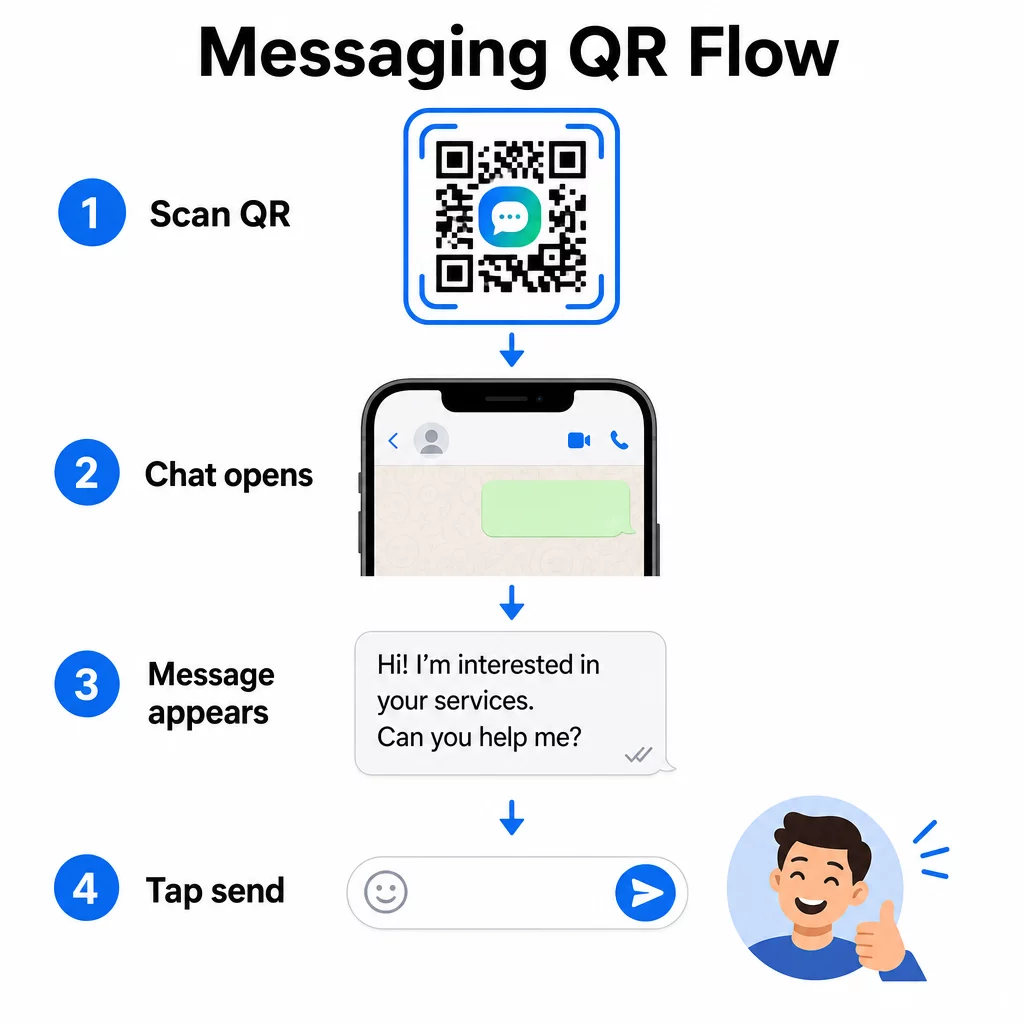
Abrir una ventana de chat (Click para chatear)
La más sencilla de las dos opciones simplemente abre un nuevo chat entre el escáner y tu número. Usa este formato como la URL dentro de tu código QR:
“`
https://wa.me/YOURNUMBER
“`
El número de teléfono debe estar en formato internacional sin paréntesis, guiones, signos de más o ceros iniciales. Por ejemplo, un número del Reino Unido en Greater Manchester (0161 912 3456) se formatearía como:
“`
https://wa.me/441619123456
“`
Desglosémoslo: código de país (44) + código de área sin el cero inicial (161) + número local (9123456). Siempre prueba tu enlace antes de imprimirlo en cualquier lugar.
Crear un código QR de WhatsApp Use el Generador de código QR de WhatsApp para crear un código de marca, escaneable con tu número y un mensaje predefinido opcional – no se requiere formato manual de URL.
Mensaje Predefinido
Esta opción abre un chat y rellena el campo de mensaje con el texto que definas de antemano. Cuando alguien escanea, ve un borrador de mensaje listo para enviar – solo tiene que tocar el botón de enviar. El formato de URL es:
“`
https://wa.me/YOURNUMBER?text=YOURMESSAGE
“`
Replace spaces in your message with `%20` so the URL encodes correctly. For example, the phrase “I would like more information” becomes `I%20would%20like%20more%20information`.
Ejemplos útiles de mensajes predefinidos incluyen:
- `I%20would%20like%20to%20subscribe%20to%20your%20newsletter`
- `I%20would%20like%20a%20free%20sample`
- `I%20need%20help%20with%20my%20order`
Si quieres compartir un mensaje predefinido sin dirigirlo a un número específico – útil para compartir contenido en lugar de contacto directo – usa este formato en su lugar:
“`
https://wa.me/?text=YOURMESSAGE
“`
El enfoque de mensaje predefinido es particularmente fuerte para la generación de leads. Sabes exactamente dónde escaneó alguien (basado en el código que usaron), e inmediatamente tienes su número de WhatsApp cuando envían el mensaje. También puedes aprender más sobre Cómo escanear un código QR en WhatsApp si quieres entender la experiencia del usuario desde el otro lado.
Códigos QR para el Facebook Messenger
Facebook Messenger tenía aproximadamente 139 millones de usuarios mensuales en Estados Unidos a mediados de 2023, lo que la convierte en la aplicación de mensajería móvil más utilizada en el país. Si tu audiencia está en Facebook, un código QR de Messenger puede ser una línea directa a la bandeja de entrada de tu página.
El formato del enlace es sencillo:
“`
http://m.me/PAGENAME
“`
Reemplaza `PAGENAME` con el nombre de usuario de tu página de Facebook – este es el texto que aparece después de `facebook.com/` en la URL de tu página, no el nombre de visualización que se muestra en la parte superior de la página. Cuando alguien escanea el código, Messenger abre una nueva conversación directamente con tu página.
Esto funciona de manera similar a la opción de WhatsApp de hacer clic para chatear: abre la ventana de chat, pero no rellena un mensaje. Eso significa que tu llamada a la acción importa. Dondequiera que coloques el código, acompáñalo con una breve indicación como:
- “Chatea con nosotros”
- “Haznos una pregunta”
- “Ponte en contacto ahora mismo”
Asegúrate de que tu página tenga las notificaciones de mensajes habilitadas para que respondas con prontitud. Una respuesta tardía anula el propósito de la comunicación instantánea.
Códigos QR para Mensajes de Texto (SMS)
El SMS clásico tiene un alcance casi universal: viene instalado en todos los smartphones y no se puede eliminar. Para audiencias donde la adopción de WhatsApp o Messenger es incierta, el SMS es la alternativa más segura.
El formato URI estándar para un código QR de SMS es:
“`
sms:PHONENUMBER?body=YOURMESSAGE
“`
Ten en cuenta que iOS y Android manejan esta URI de forma ligeramente diferente. iOS suele usar un punto y coma antes de `body` en lugar de un signo de interrogación, por lo que si te diriges a una audiencia mixta, es esencial probar en ambas plataformas antes de distribuir el código. La mayoría de los generadores de códigos QR manejan esto automáticamente cuando utilizas una herramienta dedicada de códigos QR para SMS.
El Generador de código QR de texto puede codificar instrucciones SMS, detalles de contacto o cualquier cadena de texto corta en un código escaneable, mientras que el generador de SMS dedicado maneja específicamente el formato de mensaje prellenado.
Códigos QR para Telegram
Telegram utiliza enlaces de perfil públicos en el formato `t.me/username` para canales, grupos y perfiles. Convertir ese enlace en un código QR permite a alguien unirse a tu canal o iniciar una conversación con un solo escaneo.
Para grupos o canales privados que no tienen un nombre de usuario público, utiliza el enlace de invitación generado desde la aplicación. Para encontrarlo: abre el grupo, toca “Añadir miembro” y luego selecciona “Invitar al grupo a través de un enlace”. Copia esa URL y pégala en un generador de códigos QR de enlaces para crear tu código. Puedes encontrar una guía paso a paso en este tutorial sobre Códigos QR para grupos de Telegram.
Códigos QR para Correo Electrónico
El correo electrónico funciona de manera diferente a la mensajería instantánea, pero comparte la misma idea central: reducir la fricción para que un contacto potencial no tenga que escribir nada. Un enlace `mailto:` codifica la dirección del destinatario, la línea de asunto y el cuerpo del mensaje directamente en el código QR.
El formato es:
“`
mailto:[email protected]?subject=Your%20Subject&body=Your%20Message
“`
Like WhatsApp prefilled messages, spaces must be encoded as `%20`. When someone scans the code, their default email client opens with the recipient, subject, and body already populated.
El Generador de código QR para correo electrónico maneja este formato automáticamente y le permite personalizar la apariencia del código antes de descargarlo.
Elegir entre códigos QR estáticos y dinámicos
Cada ejemplo de código QR de mensajería anterior puede generarse como un código estático o dinámico, y la elección tiene consecuencias prácticas para las campañas a largo plazo.
UNA código QR estático codifica el enlace de destino de forma permanente. Si su número de teléfono cambia, su nombre de usuario de página cambia o desea probar un mensaje prellenado diferente, debe generar e reimprimir un nuevo código.
UNA código QR dinámico almacena una URL de redirección corta que puede actualizar en cualquier momento, incluso después de que el código haya sido impreso. Cambie el destino, intercambie el mensaje prellenado o redirija a una plataforma completamente diferente; el código impreso permanece igual. Los códigos dinámicos también admiten análisis de escaneo: puede rastrear cuántas personas escanearon, cuándo, dónde y en qué tipo de dispositivo.
Para materiales impresos como folletos, empaques de productos o exhibidores en tiendas, los códigos dinámicos suelen ser la opción más inteligente. Puede obtener más información sobre las ventajas y desventajas en esta comparación de códigos QR estáticos vs dinámicos, y explore cómo configurar el seguimiento en esta guía sobre rastreando los códigos QR.
Rastree Cada Escaneo en Sus Campañas de Mensajería ¿Quiere saber qué ubicación genera la mayor cantidad de conversaciones? El Generador de códigos QR le permite crear códigos QR de mensajería dinámicos con análisis completos de escaneo: monitoree el rendimiento y actualice los destinos sin reimprimir.
Dónde Colocar Códigos QR de Mensajería
La configuración técnica es solo la mitad del trabajo. Un código QR de mensajería que nadie ve no genera conversaciones. Algunas ubicaciones probadas:
- Embalaje del producto – los clientes con una pregunta pueden enviarle un mensaje directamente desde la caja
- Tarjetas de visita – un código de WhatsApp o Messenger reemplaza la fricción de guardar un contacto manualmente
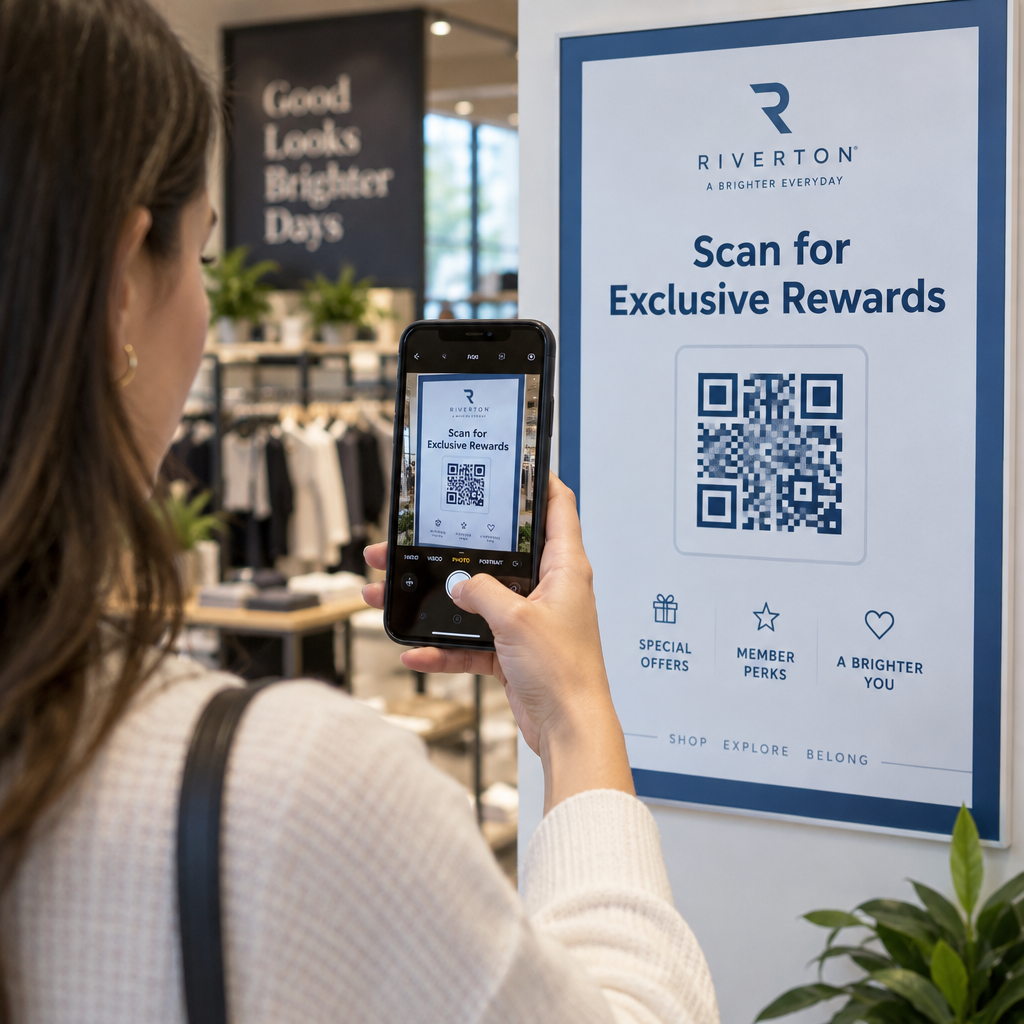
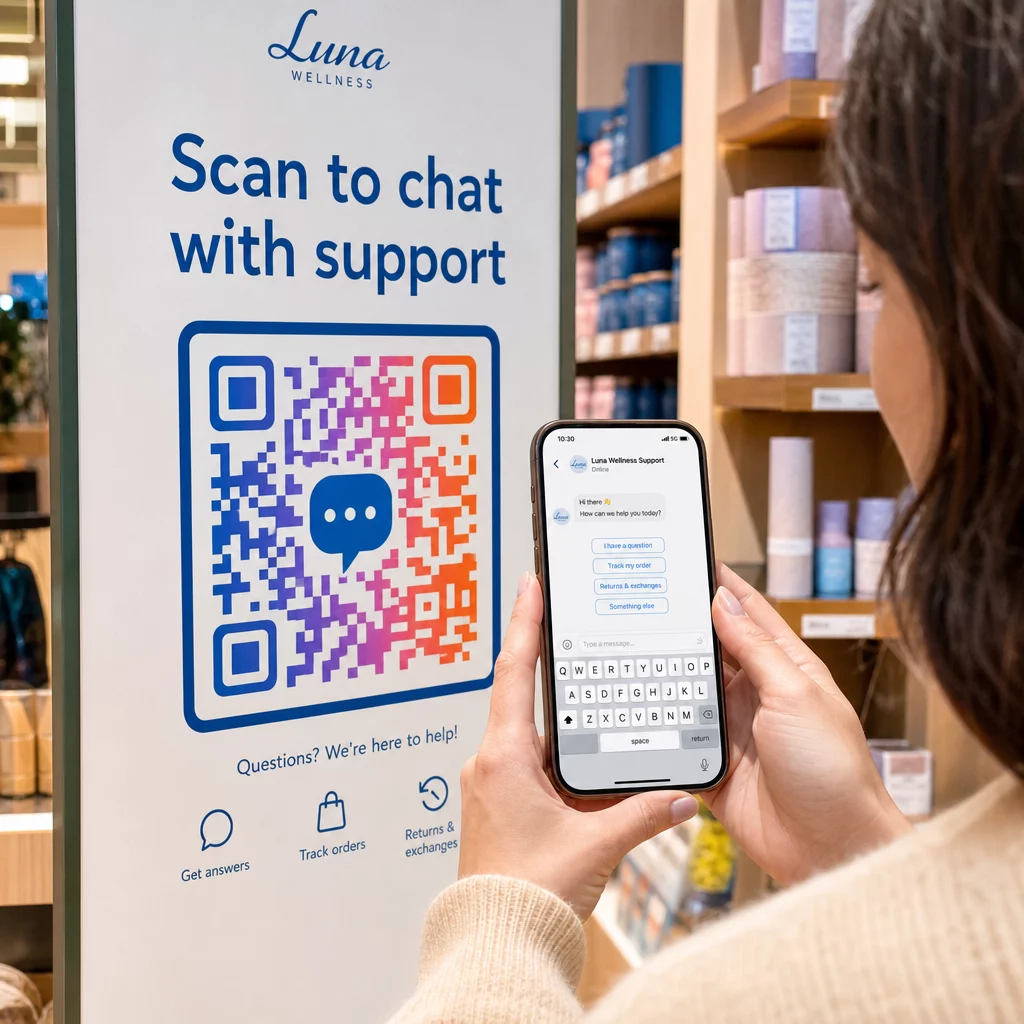
- Señalización en la tienda – Los códigos de “Chatea con nosotros” cerca de las cajas o mostradores de servicio reducen la barrera para hacer preguntas
- Materiales para eventos – tarjetas de mesa, cordones o expositores de stand con un código de Telegram o Messenger para un seguimiento inmediato
- Anuncios impresos y folletos – un código SMS prellenado permite a los prospectos optar por recibir comunicaciones de seguimiento al instante
Dondequiera que coloques el código, añade una breve llamada a la acción directamente al lado. El código por sí solo no explica el beneficio. Dile a la gente lo que obtendrá al escanear: “Escanea para chatear con soporte”, “Escanea para obtener una cotización” o “Escanea para suscribirte”.”
Preguntas frecuentes
Sí. Un código QR de WhatsApp requiere que WhatsApp esté instalado en el dispositivo del escáner; un código de Messenger requiere la aplicación Messenger o una cuenta de Facebook accesible a través del navegador. Los códigos SMS funcionan en cualquier teléfono sin una aplicación adicional. Si el uso de aplicaciones de tu audiencia es incierto, SMS ofrece el mayor alcance.
Sí. WhatsApp admite mensajes prellenados usando el parámetro `?text=` en el formato de enlace `wa.me`. Los códigos QR de SMS admiten un parámetro de cuerpo en la URI `sms:`, aunque la sintaxis exacta puede diferir ligeramente entre iOS y Android. Se recomienda probar en ambas plataformas antes de distribuir el código.
Un código QR dinámico le permite actualizar el destino o el mensaje precargado en cualquier momento sin reimprimir. También proporciona análisis de escaneo – escaneos totales, ubicaciones de escaneo, tipos de dispositivo – para que pueda medir qué ubicaciones y mensajes funcionan mejor. Esto es especialmente útil para materiales impresos con una larga vida útil.