Želite da vam kupci pošalju poruku jednim skeniranjem – bez kucanja, bez pretraživanja, bez prepreka? Kada neko mora ručno da traži vaš broj telefona ili pronađe vaš WhatsApp kontakt, većina njih se neće potruditi. Ovaj vodič objašnjava tačno kako QR kodovi funkcionišu sa najčešćim platformama za razmenu poruka, tako da možete u potpunosti ukloniti tu barijeru.
Zašto QR kodovi i razmena poruka dobro funkcionišu zajedno
QR kodovi premošćuju jaz između fizičkih materijala i digitalnih akcija. Umesto da tražite od nekoga da ukuca broj telefona ili se kreće do prozora za ćaskanje, jedno skeniranje sve to radi automatski. Rezultat je manje prepreka, veća konverzija i direktan komunikacioni kanal koji kontrolišete.
Ovo je važnije nego što je bilo. Skoro 83,4 miliona odraslih korisnika pametnih telefona u Sjedinjenim Državama skeniralo je QR kod 2022. godine – oko 37,5% vlasnika pametnih telefona – a predviđa se da će taj udeo dostići 42,6% do 2025. Među tim korisnicima, većina skenira nekoliko puta mesečno, a otprilike jedan od pet prijavljuje nedeljno skeniranje. Za marketere, taj nivo naviknutog ponašanja znači da dobro postavljen QR kod za razmenu poruka ima stvarne šanse da bude korišćen.
Praktične primene su široke: QR kod na pakovanju proizvoda koji otvara ćaskanje sa korisničkom podrškom, poster na događaju koji započinje razgovor sa prodajnim timom, ili vizit karta koja omogućava nekome da vam pošalje poruku na WhatsApp-u bez prethodnog čuvanja vašeg broja. Možete naučiti osnove podešavanja QR koda pre nego što se upustite u korake specifične za platformu u nastavku.
QR kodovi za WhatsApp
WhatsApp je imao približno 75,1 milion mesečno aktivnih korisnika u Sjedinjenim Državama sredinom 2023. godine, što ga čini jednom od najčešće korišćenih platformi za razmenu poruka za preduzeća koja ciljaju korisnike koji prvenstveno koriste mobilne uređaje.
Postoje dva primarna načina za povezivanje QR koda sa WhatsApp-om: otvaranje prozora za ćaskanje, ili otvaranje prozora za ćaskanje sa već unetom unapred popunjenom porukom. Razlika je važna u zavisnosti od toga šta želite od interakcije.
Otvaranje prozora za ćaskanje (Klik za ćaskanje)
Jednostavnija od dve opcije samo otvara novo ćaskanje između skenera i vašeg broja. Koristite ovaj format kao URL unutar vašeg QR koda:
“`
https://wa.me/YOURNUMBER
“`
Broj telefona mora biti u međunarodnom formatu bez zagrada, crtica, znakova plus ili vodećih nula. Na primer, broj iz Ujedinjenog Kraljevstva u Velikom Mančesteru (0161 912 3456) bi bio formatiran kao:
“`
https://wa.me/441619123456
“`
Razložimo to: pozivni broj zemlje (44) + pozivni broj područja bez vodeće nule (161) + lokalni broj (9123456). Uvek testirajte svoj link pre nego što ga bilo gde odštampate.
Kreirajte WhatsApp QR kod Користити WhatsApp QR kod generator za kreiranje brendiranog koda koji se može skenirati sa vašim brojem i opcionalnom unapred popunjenom porukom – nije potrebno ručno formatiranje URL-a.
Unapred popunjena poruka
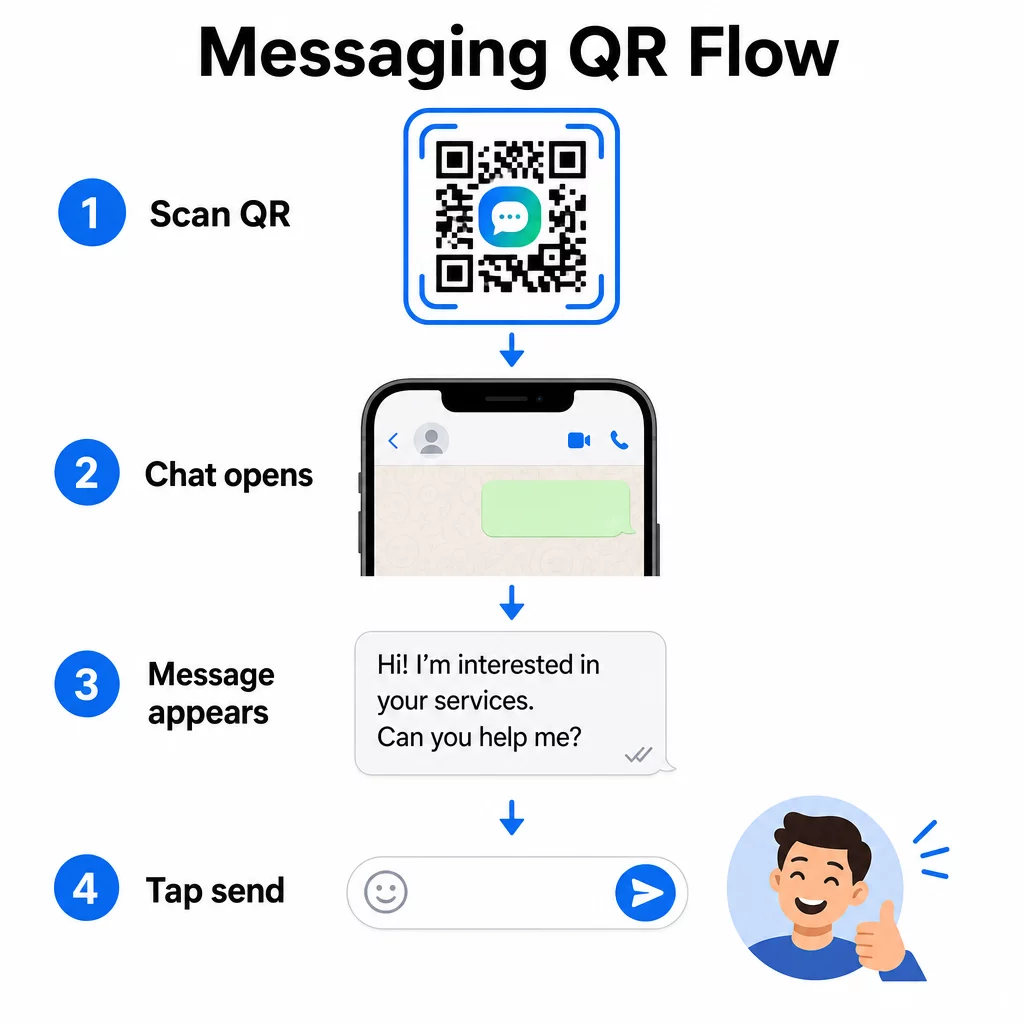
Ova opcija otvara čet i popunjava polje za poruku tekstom koji unapred definišete. Kada neko skenira, vidi nacrt poruke spreman za slanje – samo dodirne dugme za slanje. Format URL-a je:
“`
https://wa.me/YOURNUMBER?text=YOURMESSAGE
“`
Replace spaces in your message with `%20` so the URL encodes correctly. For example, the phrase “I would like more information” becomes `I%20would%20like%20more%20information`.
Korisni primeri unapred popunjenih poruka uključuju:
- `I%20would%20like%20to%20subscribe%20to%20your%20newsletter`
- `I%20would%20like%20a%20free%20sample`
- `I%20need%20help%20with%20my%20order`
Ako želite da podelite unapred popunjenu poruku bez ciljanja određenog broja – korisno za deljenje sadržaja, a ne za direktan kontakt – koristite ovaj format umesto toga:
“`
https://wa.me/?text=YOURMESSAGE
“`
Pristup sa unapred popunjenom porukom je posebno efikasan za generisanje potencijalnih klijenata. Tačno znate gde je neko skenirao (na osnovu koda koji je koristio), i odmah imate njihov WhatsApp broj kada pošalju poruku. Takođe možete saznati više o kako skenirati QR kod na WhatsApp-u ako želite da razumete korisničko iskustvo sa druge strane.
КР кодови за Фацебоок Мессенгер
Facebook Messenger je imao približno 139 miliona mesečnih korisnika u Sjedinjenim Državama sredinom 2023. godine, što ga čini najrasprostranjenijom mobilnom aplikacijom za razmenu poruka u zemlji. Ako je vaša publika na Facebook-u, Messenger QR kod može biti direktna veza do inboksa vaše stranice.
Format linka je jednostavan:
“`
http://m.me/PAGENAME
“`
Zamenite `PAGENAME` korisničkim imenom vaše Facebook stranice – ovo je tekst koji se pojavljuje nakon `facebook.com/` u URL-u vaše stranice, a ne prikazano ime na vrhu stranice. Kada neko skenira kod, Messenger direktno otvara novi razgovor sa vašom stranicom.
Ovo funkcioniše slično WhatsApp opciji „klikni za čet“: otvara prozor za čet, ali ne popunjava poruku unapred. To znači da je vaš poziv na akciju važan. Gde god postavite kod, uparite ga sa kratkim uputstvom kao što je:
- “Ćaskajte sa nama”
- “Postavite nam pitanje”
- “Stupite u kontakt odmah”
Uverite se da vaša stranica ima omogućena obaveštenja o porukama kako biste brzo odgovorili. Odložen odgovor poništava svrhu trenutne komunikacije.
QR kodovi za tekstualne poruke (SMS)
Klasični SMS ima gotovo univerzalni domet – instaliran je na svakom pametnom telefonu i ne može se ukloniti. Za publiku kod koje je usvajanje WhatsApp-a ili Messenger-a neizvesno, SMS je najsigurnija rezervna opcija.
Standardni URI format za SMS QR kod je:
“`
sms:PHONENUMBER?body=YOURMESSAGE
“`
Imajte na umu da iOS i Android rukuju ovim URI-jem malo drugačije. iOS obično koristi tačku i zarez pre `body` umesto upitnika, tako da je, ako ciljate mešovitu publiku, testiranje na obe platforme pre distribucije koda ključno. Većina generatora QR kodova ovo automatski obrađuje kada koristite namenski alat za SMS QR kodove.
Тхе Tekst QR kod generator može kodirati SMS uputstva, kontakt detalje ili bilo koji kratak tekstualni niz u kod koji se može skenirati, dok namenski SMS generator posebno obrađuje format unapred popunjene poruke.
QR kodovi za Telegram
Telegram koristi javne linkove profila u formatu `t.me/username` za kanale, grupe i profile. Pretvaranje tog linka u QR kod omogućava nekome da se pridruži vašem kanalu ili započne razgovor jednim skeniranjem.
Za privatne grupe ili kanale koji nemaju javno korisničko ime, koristite link za pozivnicu generisan unutar aplikacije. Da biste ga pronašli: otvorite grupu, dodirnite “Dodaj člana”, zatim izaberite “Pozovi u grupu putem linka”. Kopirajte taj URL i zalepite ga u link generatora QR kodova da kreirate svoj kod. Detaljna uputstva možete pronaći u ovom vodiču o QR kodovi za Telegram grupe.
QR kodovi za e-poštu
E-pošta funkcioniše drugačije od instant poruka, ali deli istu osnovnu ideju: smanjenje trenja tako da potencijalni kontakt ne mora ništa da kuca. Link `mailto:` kodira adresu primaoca, naslov poruke i telo poruke direktno u QR kod.
Format je:
“`
mailto:[email protected]?subject=Your%20Subject&body=Your%20Message
“`
Like WhatsApp prefilled messages, spaces must be encoded as `%20`. When someone scans the code, their default email client opens with the recipient, subject, and body already populated.
Тхе Email QR kod generator automatski obrađuje ovo formatiranje i omogućava vam da prilagodite izgled koda pre preuzimanja.
Izbor između statičkih i dinamičkih QR kodova
Svaki primer QR koda za poruke iznad može se generisati kao statički ili dinamički kod – a izbor ima praktične posledice za dugoročne kampanje.
А. статички КР код trajno kodira odredišni link. Ako se vaš broj telefona promeni, vaše korisničko ime stranice se promeni, ili želite da testirate drugačiju unapred popunjenu poruku, morate generisati i ponovo odštampati novi kod.
А. динамички КР код čuva kratak URL za preusmeravanje koji možete ažurirati u bilo kom trenutku, čak i nakon što je kod odštampan. Promenite odredište, zamenite unapred popunjenu poruku, ili preusmerite na potpuno drugu platformu – odštampani kod ostaje isti. Dinamički kodovi takođe podržavaju analitiku skeniranja: možete pratiti koliko je ljudi skeniralo, kada, gde i na kojoj vrsti uređaja.
Za štampane materijale kao što su flajeri, pakovanja proizvoda ili izlozi u prodavnicama, dinamički kodovi su obično pametniji izbor. Više o kompromisima možete saznati u ovom poređenju statičkih i dinamičkih QR kodova, i istražite kako da podesite praćenje u ovom vodiču o праћење КР кодова.
Pratite svako skeniranje u vašim kampanjama za razmenu poruka Želite da znate koje postavljanje generiše najviše razgovora? The Генератор QR kodova omogućava vam da kreirate dinamičke QR kodove za poruke sa potpunom analitikom skeniranja – pratite performanse i ažurirajte odredišta bez ponovnog štampanja.
Gde postaviti QR kodove za poruke
Tehničko podešavanje je samo pola posla. QR kod za poruke koji niko ne vidi ne podstiče razgovore. Nekoliko dokazanih mesta za postavljanje:
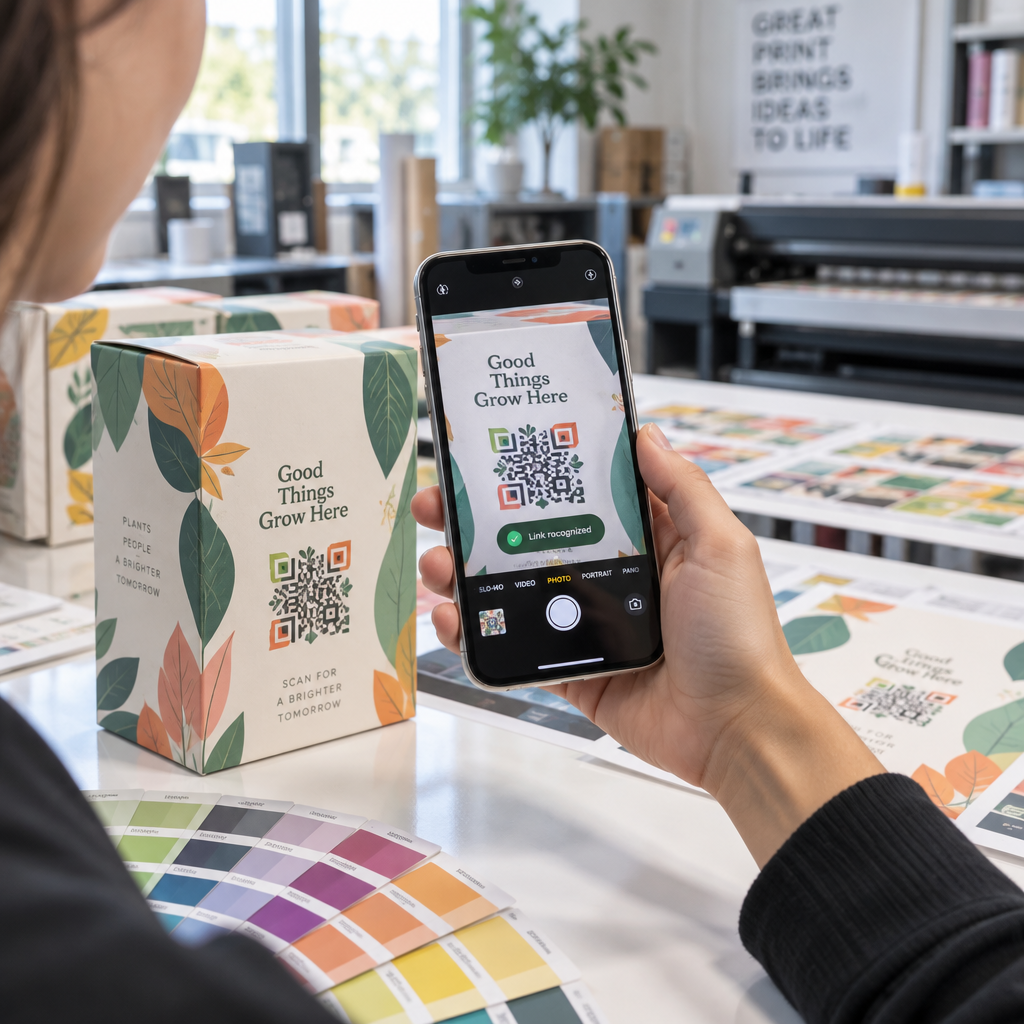
- Pakovanje proizvoda – kupci sa pitanjem mogu vam poslati poruku direktno sa kutije
- Vizit karte – WhatsApp ili Messenger kod zamenjuje trenje ručnog čuvanja kontakta
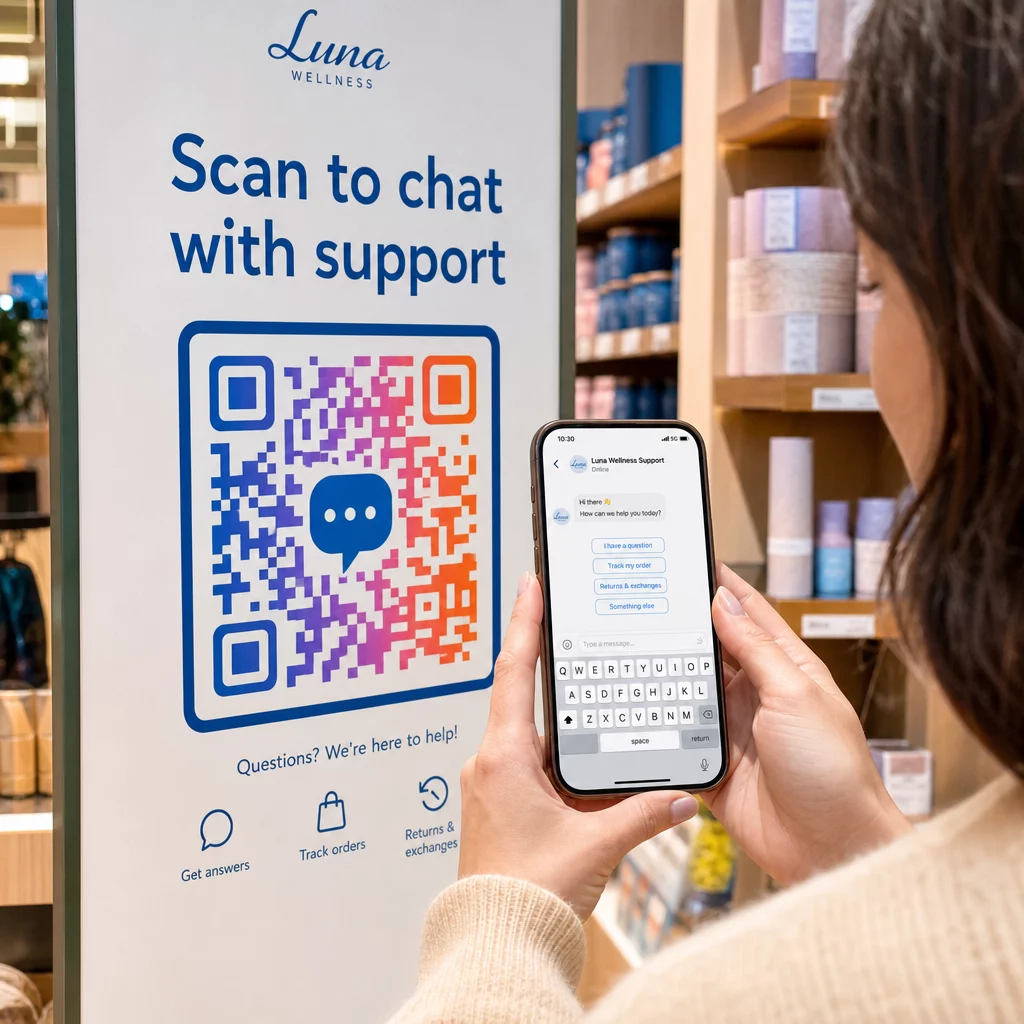
- Сигнализација у продавници – Kodovi “Ćaskajte sa nama” blizu kase ili servisnih pultova smanjuju prepreku za pitanja
- Materijali za događaje – Stoni kartoni, trake za vrat ili izložbeni displeji sa Telegram ili Messenger kodom za trenutno praćenje
- Štampani oglasi i brošure – Unapred popunjen SMS kod omogućava potencijalnim klijentima da se trenutno prijave za naknadnu komunikaciju
Gde god da postavite kod, dodajte kratak poziv na akciju direktno pored njega. Sam kod ne objašnjava korist. Recite ljudima šta će dobiti skeniranjem: “Skenirajte za ćaskanje sa podrškom”, “Skenirajte da dobijete ponudu” ili “Skenirajte da se pretplatite.”
Često postavljana pitanja
Da. WhatsApp QR kod zahteva da WhatsApp bude instaliran na uređaju skenera; Messenger kod zahteva Messenger aplikaciju ili Facebook nalog dostupan putem pretraživača. SMS kodovi rade na bilo kom telefonu bez dodatne aplikacije. Ako je korišćenje aplikacija vaše publike neizvesno, SMS nudi najširi domet.
Da. WhatsApp podržava unapred popunjene poruke koristeći ?text= parametar u wa.me formatu linka. SMS QR kodovi podržavaju parametar tela u sms: URI-ju, iako se tačna sintaksa može malo razlikovati između iOS i Android. Preporučuje se testiranje na obe platforme pre distribucije koda.
Dinamički QR kod vam omogućava da ažurirate odredište ili unapred popunjenu poruku u bilo kom trenutku bez ponovnog štampanja. Takođe pruža analitiku skeniranja – ukupan broj skeniranja, lokacije skeniranja, tipove uređaja – tako da možete meriti koji plasmani i poruke najbolje funkcionišu. Ovo je posebno korisno za štampane materijale sa dugim rokom trajanja.