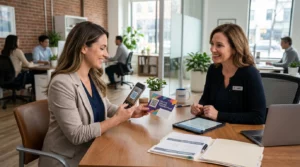
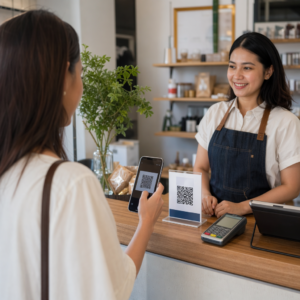
Θέλετε οι πελάτες να σας στέλνουν μηνύματα με μία μόνο σάρωση – χωρίς πληκτρολόγηση, χωρίς αναζήτηση, χωρίς τριβή; Όταν κάποιος πρέπει να αναζητήσει χειροκίνητα τον αριθμό τηλεφώνου σας ή να βρει την επαφή σας στο WhatsApp, οι περισσότεροι δεν θα μπουν στον κόπο. Αυτός ο οδηγός εξηγεί ακριβώς πώς λειτουργούν οι κωδικοί QR με τις πιο κοινές πλατφόρμες ανταλλαγής μηνυμάτων, ώστε να μπορείτε να αφαιρέσετε εντελώς αυτό το εμπόδιο.
Γιατί οι κωδικοί QR και η ανταλλαγή μηνυμάτων λειτουργούν καλά μαζί
Οι κωδικοί QR γεφυρώνουν το χάσμα μεταξύ φυσικών υλικών και ψηφιακών ενεργειών. Αντί να ζητάτε από κάποιον να πληκτρολογήσει έναν αριθμό τηλεφώνου ή να πλοηγηθεί σε ένα παράθυρο συνομιλίας, μια απλή σάρωση κάνει όλα αυτά αυτόματα. Το αποτέλεσμα είναι λιγότερη τριβή, υψηλότερη μετατροπή και ένα άμεσο κανάλι επικοινωνίας που ελέγχετε.
Αυτό έχει μεγαλύτερη σημασία από ό,τι παλιά. Σχεδόν 83,4 εκατομμύρια ενήλικες χρήστες smartphone στις Ηνωμένες Πολιτείες σάρωσαν έναν κωδικό QR το 2022 – περίπου το 37,5% των ενηλίκων κατόχων smartphone – και αυτό το ποσοστό αναμένεται να φτάσει το 42,6% έως το 2025. Μεταξύ αυτών των χρηστών, οι περισσότεροι σαρώνουν αρκετές φορές το μήνα, και περίπου ένας στους πέντε αναφέρει ότι σαρώνει εβδομαδιαίως. Για τους marketers, αυτό το επίπεδο συνήθους συμπεριφοράς σημαίνει ότι ένας καλά τοποθετημένος κωδικός QR για μηνύματα έχει μια πραγματική πιθανότητα να χρησιμοποιηθεί.
Οι πρακτικές εφαρμογές είναι ευρείες: ένας κωδικός QR σε συσκευασία προϊόντος που ανοίγει μια συνομιλία υποστήριξης πελατών, μια αφίσα σε μια εκδήλωση που ξεκινά μια συνομιλία με μια ομάδα πωλήσεων ή μια επαγγελματική κάρτα που επιτρέπει σε κάποιον να σας στείλει μήνυμα στο WhatsApp χωρίς να αποθηκεύσει πρώτα τον αριθμό σας. Μπορείτε να μάθετε τα βασικά της ρύθμισης κωδικών QR πριν εμβαθύνετε στα βήματα που αφορούν συγκεκριμένες πλατφόρμες παρακάτω.
Κωδικοί QR για WhatsApp
Το WhatsApp είχε περίπου 75,1 εκατομμύρια μηνιαίους ενεργούς χρήστες στις Ηνωμένες Πολιτείες στα μέσα του 2023, καθιστώντας το μία από τις πιο ευρέως χρησιμοποιούμενες πλατφόρμες ανταλλαγής μηνυμάτων για επιχειρήσεις που στοχεύουν πελάτες που χρησιμοποιούν κυρίως κινητά.
Υπάρχουν δύο βασικοί τρόποι σύνδεσης ενός κωδικού QR με το WhatsApp: το άνοιγμα ενός παραθύρου συνομιλίας ή το άνοιγμα ενός παραθύρου συνομιλίας με ένα προ-συμπληρωμένο μήνυμα ήδη πληκτρολογημένο. Η διαφορά έχει σημασία ανάλογα με το τι θέλετε από την αλληλεπίδραση.
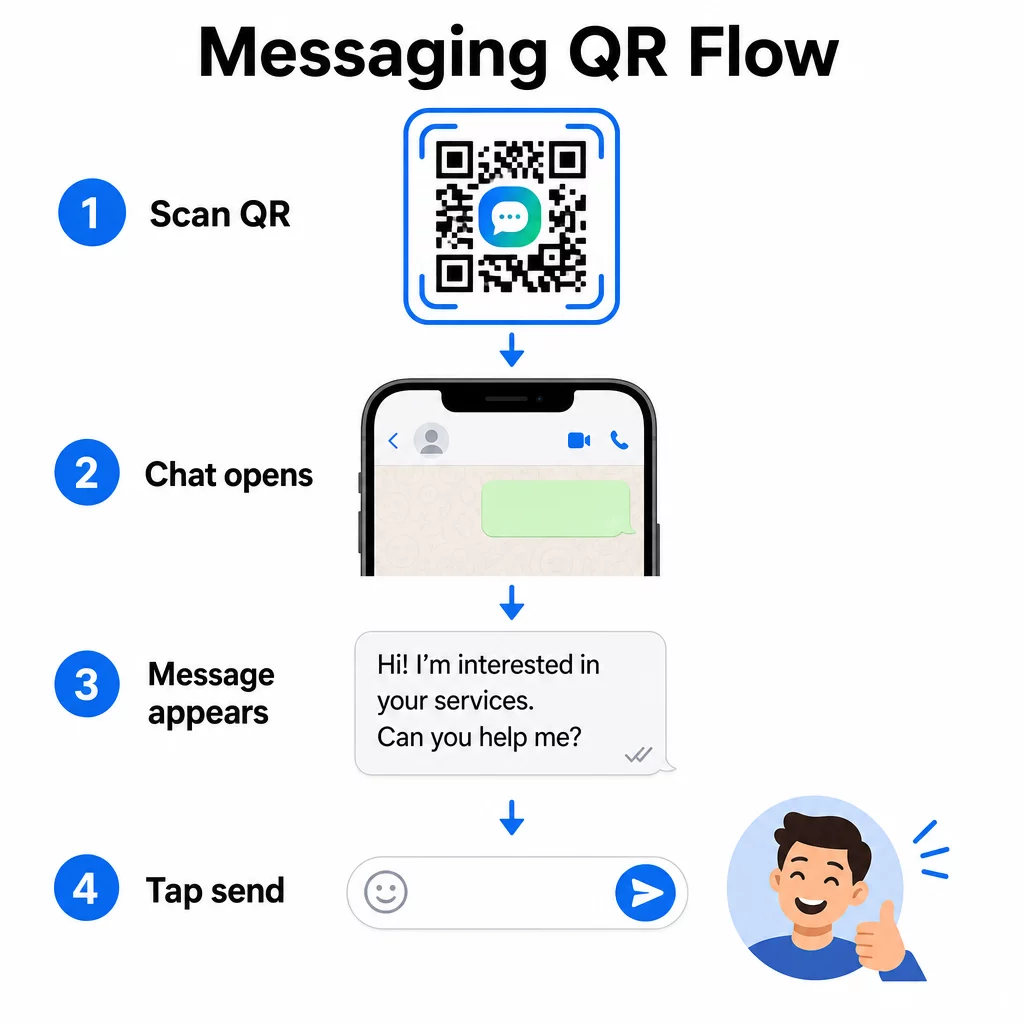
Άνοιγμα παραθύρου συνομιλίας (Κλικ για συνομιλία)
Η απλούστερη από τις δύο επιλογές απλώς ανοίγει μια νέα συνομιλία μεταξύ του σαρωτή και του αριθμού σας. Χρησιμοποιήστε αυτή τη μορφή ως URL μέσα στον κωδικό QR σας:
“`
https://wa.me/YOURNUMBER
“`
Ο αριθμός τηλεφώνου πρέπει να είναι σε διεθνή μορφή χωρίς παρενθέσεις, παύλες, σύμβολα συν ή αρχικά μηδενικά. Για παράδειγμα, ένας αριθμός Ηνωμένου Βασιλείου στο Greater Manchester (0161 912 3456) θα μορφοποιούνταν ως:
“`
https://wa.me/441619123456
“`
Αναλύστε το: κωδικός χώρας (44) + κωδικός περιοχής χωρίς το αρχικό μηδέν (161) + τοπικός αριθμός (9123456). Πάντα να δοκιμάζετε τον σύνδεσμό σας πριν τον εκτυπώσετε οπουδήποτε.
Δημιουργία κωδικού QR για WhatsApp Χρησιμοποιήστε το Δημιουργία QR code για WhatsApp για να δημιουργήσετε έναν επώνυμο, σαρώσιμο κωδικό με τον αριθμό σας και προαιρετικό προσυμπληρωμένο μήνυμα – δεν απαιτείται μη αυτόματη μορφοποίηση URL.
Προσυμπληρωμένο Μήνυμα
Αυτή η επιλογή ανοίγει μια συνομιλία και συμπληρώνει το πεδίο μηνύματος με κείμενο που ορίζετε εκ των προτέρων. Όταν κάποιος σαρώνει, βλέπει ένα προσχέδιο μηνύματος έτοιμο να σταλεί – απλώς πατάει το κουμπί αποστολής. Η μορφή URL είναι:
“`
https://wa.me/YOURNUMBER?text=YOURMESSAGE
“`
Replace spaces in your message with `%20` so the URL encodes correctly. For example, the phrase “I would like more information” becomes `I%20would%20like%20more%20information`.
Χρήσιμα παραδείγματα προσυμπληρωμένων μηνυμάτων περιλαμβάνουν:
- `I%20would%20like%20to%20subscribe%20to%20your%20newsletter`
- `I%20would%20like%20a%20free%20sample`
- `I%20need%20help%20with%20my%20order`
Εάν θέλετε να μοιραστείτε ένα προσυμπληρωμένο μήνυμα χωρίς να στοχεύετε έναν συγκεκριμένο αριθμό – χρήσιμο για κοινή χρήση περιεχομένου και όχι για άμεση επικοινωνία – χρησιμοποιήστε αυτήν τη μορφή αντ' αυτού:
“`
https://wa.me/?text=YOURMESSAGE
“`
Η προσέγγιση του προσυμπληρωμένου μηνύματος είναι ιδιαίτερα ισχυρή για τη δημιουργία δυνητικών πελατών. Γνωρίζετε ακριβώς πού σάρωσε κάποιος (με βάση τον κωδικό που χρησιμοποίησε), και έχετε αμέσως τον αριθμό WhatsApp του όταν στέλνει το μήνυμα. Μπορείτε επίσης να μάθετε περισσότερα σχετικά με πώς να σαρώνετε έναν κωδικό QR στο WhatsApp αν θέλετε να κατανοήσετε την εμπειρία χρήστη από την άλλη πλευρά.
Κωδικοί QR για το Facebook Messenger
Το Facebook Messenger είχε περίπου 139 εκατομμύρια μηνιαίους χρήστες στις Ηνωμένες Πολιτείες στα μέσα του 2023, καθιστώντας την την πιο ευρέως χρησιμοποιούμενη εφαρμογή ανταλλαγής μηνυμάτων για κινητά στη χώρα. Εάν το κοινό σας βρίσκεται στο Facebook, ένας κωδικός QR του Messenger μπορεί να είναι μια άμεση γραμμή προς τα εισερχόμενα της σελίδας σας.
Η μορφή του συνδέσμου είναι απλή:
“`
http://m.me/PAGENAME
“`
Αντικαταστήστε το `PAGENAME` με το όνομα χρήστη της σελίδας σας στο Facebook – αυτό είναι το κείμενο που εμφανίζεται μετά το `facebook.com/` στο URL της σελίδας σας, όχι το όνομα εμφάνισης που εμφανίζεται στην κορυφή της σελίδας. Όταν κάποιος σαρώνει τον κωδικό, το Messenger ανοίγει μια νέα συνομιλία απευθείας με τη σελίδα σας.
Αυτό λειτουργεί παρόμοια με την επιλογή click-to-chat του WhatsApp: ανοίγει το παράθυρο συνομιλίας, αλλά δεν προσυμπληρώνει ένα μήνυμα. Αυτό σημαίνει ότι η παρότρυνση για δράση σας έχει σημασία. Όπου κι αν τοποθετήσετε τον κωδικό, συνδυάστε τον με μια σύντομη προτροπή όπως:
- “Συνομιλήστε μαζί μας”
- “Ρωτήστε μας μια ερώτηση”
- “Επικοινωνήστε μαζί μας τώρα”
Βεβαιωθείτε ότι η σελίδα σας έχει ενεργοποιημένες τις ειδοποιήσεις μηνυμάτων, ώστε να απαντάτε άμεσα. Μια καθυστερημένη απάντηση αναιρεί τον σκοπό της άμεσης επικοινωνίας.
Κωδικοί QR για Μηνύματα Κειμένου (SMS)
Το κλασικό SMS έχει σχεδόν καθολική εμβέλεια – είναι προεγκατεστημένο σε κάθε smartphone και δεν μπορεί να αφαιρεθεί. Για κοινό όπου η υιοθέτηση του WhatsApp ή του Messenger είναι αβέβαιη, το SMS είναι η ασφαλέστερη εναλλακτική λύση.
Η τυπική μορφή URI για έναν κωδικό QR SMS είναι:
“`
sms:PHONENUMBER?body=YOURMESSAGE
“`
Σημειώστε ότι το iOS και το Android χειρίζονται αυτό το URI ελαφρώς διαφορετικά. Το iOS χρησιμοποιεί συνήθως ένα ελληνικό ερωτηματικό (;) πριν από το `body` αντί για ένα ερωτηματικό (?), οπότε αν στοχεύετε σε ένα μικτό κοινό, η δοκιμή και στις δύο πλατφόρμες πριν από τη διανομή του κώδικα είναι απαραίτητη. Οι περισσότεροι δημιουργοί κωδικών QR το χειρίζονται αυτόματα όταν χρησιμοποιείτε ένα ειδικό εργαλείο κωδικών QR SMS.
ο Δημιουργία QR code κειμένου μπορεί να κωδικοποιήσει οδηγίες SMS, στοιχεία επικοινωνίας ή οποιαδήποτε σύντομη συμβολοσειρά κειμένου σε έναν κωδικό που μπορεί να σαρωθεί, ενώ ο ειδικός δημιουργός SMS χειρίζεται συγκεκριμένα τη μορφή προγεμισμένου μηνύματος.
Κωδικοί QR για Telegram
Το Telegram χρησιμοποιεί δημόσιους συνδέσμους προφίλ στη μορφή `t.me/username` για κανάλια, ομάδες και προφίλ. Η μετατροπή αυτού του συνδέσμου σε κωδικό QR επιτρέπει σε κάποιον να συμμετάσχει στο κανάλι σας ή να ξεκινήσει μια συνομιλία με μία μόνο σάρωση.
Για ιδιωτικές ομάδες ή κανάλια που δεν έχουν δημόσιο όνομα χρήστη, χρησιμοποιήστε τον σύνδεσμο πρόσκλησης που δημιουργείται μέσα από την εφαρμογή. Για να τον βρείτε: ανοίξτε την ομάδα, πατήστε “Προσθήκη Μέλους” (Add Member), και μετά επιλέξτε “Πρόσκληση στην Ομάδα μέσω Συνδέσμου” (Invite to Group via Link). Αντιγράψτε αυτό το URL και επικολλήστε το σε ένα γεννήτρια κωδικών QR συνδέσμων για να δημιουργήσετε τον κωδικό σας. Μπορείτε να βρείτε αναλυτικές οδηγίες σε αυτήν την περιγραφή σχετικά με Κωδικοί QR για ομάδες Telegram.
Κωδικοί QR για Email
Το email λειτουργεί διαφορετικά από την άμεση ανταλλαγή μηνυμάτων, αλλά μοιράζεται την ίδια βασική ιδέα: τη μείωση της τριβής, ώστε ένας πιθανός επαφής να μην χρειάζεται να πληκτρολογήσει τίποτα. Ένας σύνδεσμος `mailto:` κωδικοποιεί τη διεύθυνση του παραλήπτη, τη γραμμή θέματος και το σώμα του μηνύματος απευθείας στον κωδικό QR.
Η μορφή είναι:
“`
mailto:[email protected]?subject=Your%20Subject&body=Your%20Message
“`
Like WhatsApp prefilled messages, spaces must be encoded as `%20`. When someone scans the code, their default email client opens with the recipient, subject, and body already populated.
ο Δημιουργία QR code για email χειρίζεται αυτή τη μορφοποίηση αυτόματα και σας επιτρέπει να προσαρμόσετε την εμφάνιση του κωδικού πριν την λήψη.
Επιλογή μεταξύ Στατικών και Δυναμικών Κωδικών QR
Κάθε παράδειγμα κωδικού QR μηνυμάτων παραπάνω μπορεί να δημιουργηθεί είτε ως στατικός είτε ως δυναμικός κωδικός – και η επιλογή έχει πρακτικές συνέπειες για μακροπρόθεσμες καμπάνιες.
ΕΝΑ στατικό κωδικό QR κωδικοποιεί τον σύνδεσμο προορισμού μόνιμα. Εάν ο αριθμός τηλεφώνου σας αλλάξει, το όνομα χρήστη της σελίδας σας αλλάξει ή θέλετε να δοκιμάσετε ένα διαφορετικό προ-συμπληρωμένο μήνυμα, πρέπει να δημιουργήσετε και να ανατυπώσετε έναν νέο κωδικό.
ΕΝΑ δυναμικός κωδικός QR αποθηκεύει μια σύντομη διεύθυνση URL ανακατεύθυνσης που μπορείτε να ενημερώσετε ανά πάσα στιγμή, ακόμα και αφού έχει εκτυπωθεί ο κωδικός. Αλλάξτε τον προορισμό, αλλάξτε το προ-συμπληρωμένο μήνυμα ή ανακατευθύνετε σε μια εντελώς διαφορετική πλατφόρμα – ο εκτυπωμένος κωδικός παραμένει ο ίδιος. Οι δυναμικοί κωδικοί υποστηρίζουν επίσης αναλύσεις σάρωσης: μπορείτε να παρακολουθείτε πόσα άτομα σάρωσαν, πότε, πού και σε τι τύπο συσκευής.
Για έντυπα υλικά όπως φυλλάδια, συσκευασίες προϊόντων ή ενδοκαταστηματικές οθόνες, οι δυναμικοί κωδικοί είναι συνήθως η πιο έξυπνη επιλογή. Μπορείτε να μάθετε περισσότερα για τις ανταλλαγές σε αυτή τη σύγκριση των στατικών έναντι δυναμικών κωδικών QR, και να εξερευνήσετε πώς να ρυθμίσετε την παρακολούθηση σε αυτόν τον οδηγό για παρακολούθηση κωδικών QR.
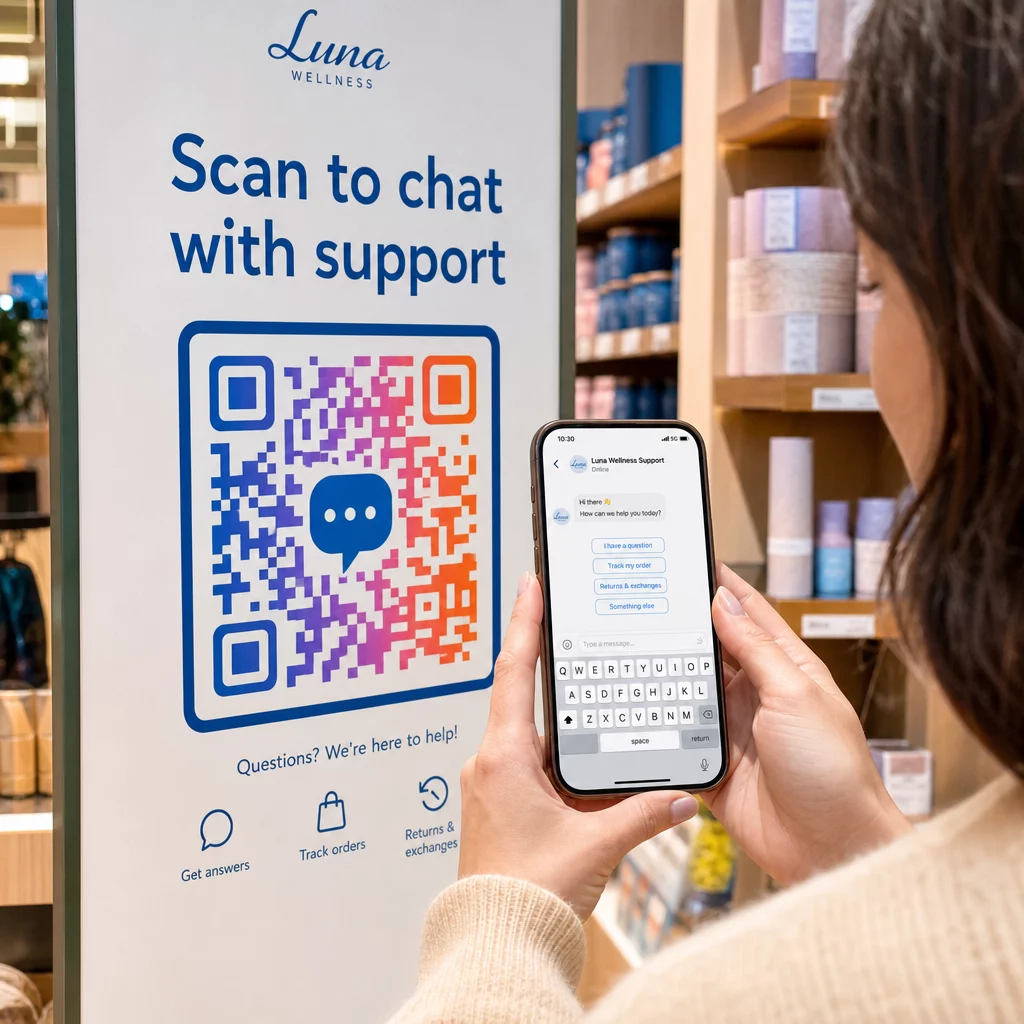
Παρακολουθήστε Κάθε Σάρωση στις Καμπάνιες Μηνυμάτων σας Θέλετε να μάθετε ποια τοποθέτηση οδηγεί στις περισσότερες συνομιλίες; Το Γεννήτρια Κωδικών QR σας επιτρέπει να δημιουργείτε δυναμικούς κωδικούς QR μηνυμάτων με πλήρη ανάλυση σάρωσης – παρακολουθήστε την απόδοση και ενημερώστε τους προορισμούς χωρίς επανεκτύπωση.
Πού να Τοποθετήσετε Κωδικούς QR Μηνυμάτων
Η τεχνική ρύθμιση είναι μόνο η μισή δουλειά. Ένας κωδικός QR μηνυμάτων που κανείς δεν βλέπει δεν οδηγεί σε συνομιλίες. Μερικές αποδεδειγμένες τοποθετήσεις:
- Συσκευασία προϊόντων – οι πελάτες με μια ερώτηση μπορούν να σας στείλουν μήνυμα απευθείας από το κουτί
- Επαγγελματικές κάρτες – ένας κωδικός WhatsApp ή Messenger αντικαθιστά την τριβή της χειροκίνητης αποθήκευσης μιας επαφής
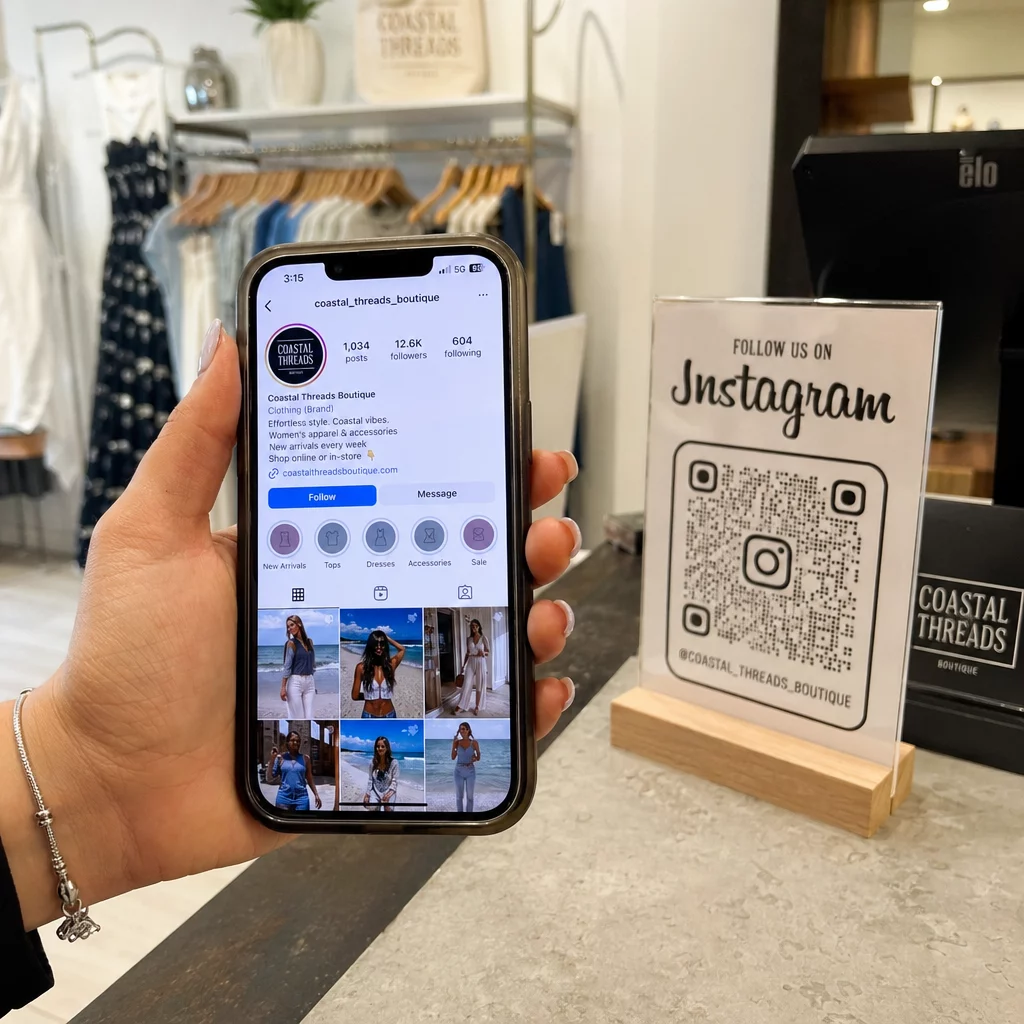
- Σήμανση εντός του καταστήματος – Οι κωδικοί “Συνομιλήστε μαζί μας” κοντά στα ταμεία ή τα γραφεία εξυπηρέτησης μειώνουν το εμπόδιο για ερωτήσεις
- Υλικά εκδηλώσεων – κάρτες τραπεζιού, κορδόνια λαιμού ή οθόνες περιπτέρων με κωδικό Telegram ή Messenger για άμεση παρακολούθηση
- Έντυπες διαφημίσεις και φυλλάδια – ένας προ-συμπληρωμένος κωδικός SMS επιτρέπει στους υποψήφιους πελάτες να επιλέξουν να λαμβάνουν άμεσα επικοινωνίες παρακολούθησης
Όπου κι αν τοποθετήσετε τον κωδικό, προσθέστε μια σύντομη παρότρυνση για δράση ακριβώς δίπλα του. Ο κωδικός από μόνος του δεν εξηγεί το όφελος. Πείτε στους ανθρώπους τι θα κερδίσουν σαρώνοντας: “Σαρώστε για να συνομιλήσετε με την υποστήριξη”, “Σαρώστε για να λάβετε προσφορά” ή “Σαρώστε για να εγγραφείτε”.”
Συχνές ερωτήσεις
Ναι. Ένας κωδικός QR WhatsApp απαιτεί την εγκατάσταση του WhatsApp στη συσκευή του σαρωτή. Ένας κωδικός Messenger απαιτεί την εφαρμογή Messenger ή έναν λογαριασμό Facebook προσβάσιμο μέσω προγράμματος περιήγησης. Οι κωδικοί SMS λειτουργούν σε οποιοδήποτε τηλέφωνο χωρίς πρόσθετη εφαρμογή. Εάν η χρήση εφαρμογών από το κοινό σας είναι αβέβαιη, το SMS προσφέρει την ευρύτερη εμβέλεια.
Ναι. Το WhatsApp υποστηρίζει προσυμπληρωμένα μηνύματα χρησιμοποιώντας την παράμετρο `?text=` στη μορφή συνδέσμου `wa.me`. Οι κωδικοί QR SMS υποστηρίζουν μια παράμετρο σώματος στο URI `sms:`, αν και η ακριβής σύνταξη μπορεί να διαφέρει ελαφρώς μεταξύ iOS και Android. Συνιστάται η δοκιμή και στις δύο πλατφόρμες πριν από τη διανομή του κώδικα.
Ένας δυναμικός κωδικός QR σας επιτρέπει να ενημερώνετε τον προορισμό ή το προσυμπληρωμένο μήνυμα ανά πάσα στιγμή χωρίς επανεκτύπωση. Παρέχει επίσης αναλυτικά στοιχεία σάρωσης – συνολικές σαρώσεις, τοποθεσίες σάρωσης, τύπους συσκευών – ώστε να μπορείτε να μετρήσετε ποιες τοποθετήσεις και μηνύματα αποδίδουν καλύτερα. Αυτό είναι ιδιαίτερα χρήσιμο για έντυπα υλικά με μεγάλη διάρκεια ζωής.