רוצים שלקוחות ישלחו לכם הודעה בסריקה אחת – ללא הקלדה, ללא חיפוש, ללא חיכוך? כשמישהו צריך לחפש ידנית את מספר הטלפון שלכם או למצוא את איש הקשר שלכם בוואטסאפ, רובם לא יטרחו. מדריך זה מסביר בדיוק כיצד קודי QR עובדים עם פלטפורמות ההודעות הנפוצות ביותר, כך שתוכלו להסיר את המחסום הזה לחלוטין.
למה קודי QR והודעות עובדים טוב יחד
קודי QR מגשרים על הפער בין חומרים פיזיים לפעולות דיגיטליות. במקום לבקש ממישהו להקליד מספר טלפון או לנווט לחלון צ'אט, סריקה אחת עושה את כל זה באופן אוטומטי. התוצאה היא פחות חיכוך, המרה גבוהה יותר, וערוץ תקשורת ישיר שאתם שולטים בו.
זה חשוב יותר מבעבר. כמעט 83.4 מיליון משתמשי סמארטפונים מבוגרים בארצות הברית סרקו קוד QR בשנת 2022 – כ-37.5% מבעלי הסמארטפונים המבוגרים – ונתח זה צפוי להגיע ל-42.6% עד 2025. בקרב משתמשים אלה, רובם סורקים מספר פעמים בחודש, וכאחד מכל חמישה מדווח על סריקה שבועית. עבור משווקים, רמת התנהגות הרגלית הזו פירושה שלקוד QR להודעות הממוקם היטב יש סיכוי אמיתי לשימוש.
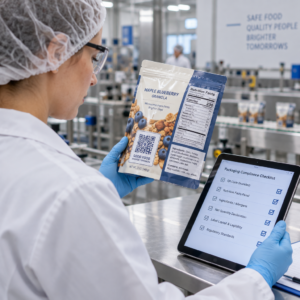
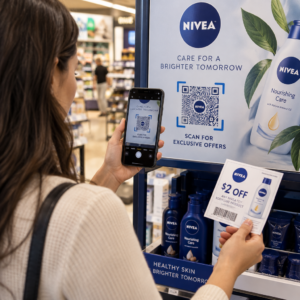
היישומים המעשיים רחבים: קוד QR על אריזת מוצר שפותח צ'אט תמיכת לקוחות, פוסטר באירוע שמתחיל שיחה עם צוות מכירות, או כרטיס ביקור שמאפשר למישהו לשלוח לכם הודעה בוואטסאפ מבלי לשמור את המספר שלכם קודם. אתם יכולים ללמוד את יסודות הגדרת קוד QR לפני שתצללו לשלבים הספציפיים לפלטפורמה למטה.
קודי QR לוואטסאפ
לוואטסאפ היו כ-75.1 מיליון משתמשים פעילים חודשיים בארצות הברית נכון לאמצע 2023, מה שהופך אותה לאחת מפלטפורמות ההודעות הנפוצות יותר עבור עסקים המכוונים ללקוחות המשתמשים במובייל בראש ובראשונה.
ישנן שתי דרכים עיקריות לקשר קוד QR לוואטסאפ: פתיחת חלון צ'אט, או פתיחת חלון צ'אט עם הודעה מוכנה מראש שכבר הוזנה. ההבדל חשוב בהתאם למה שאתם רוצים מהאינטראקציה.
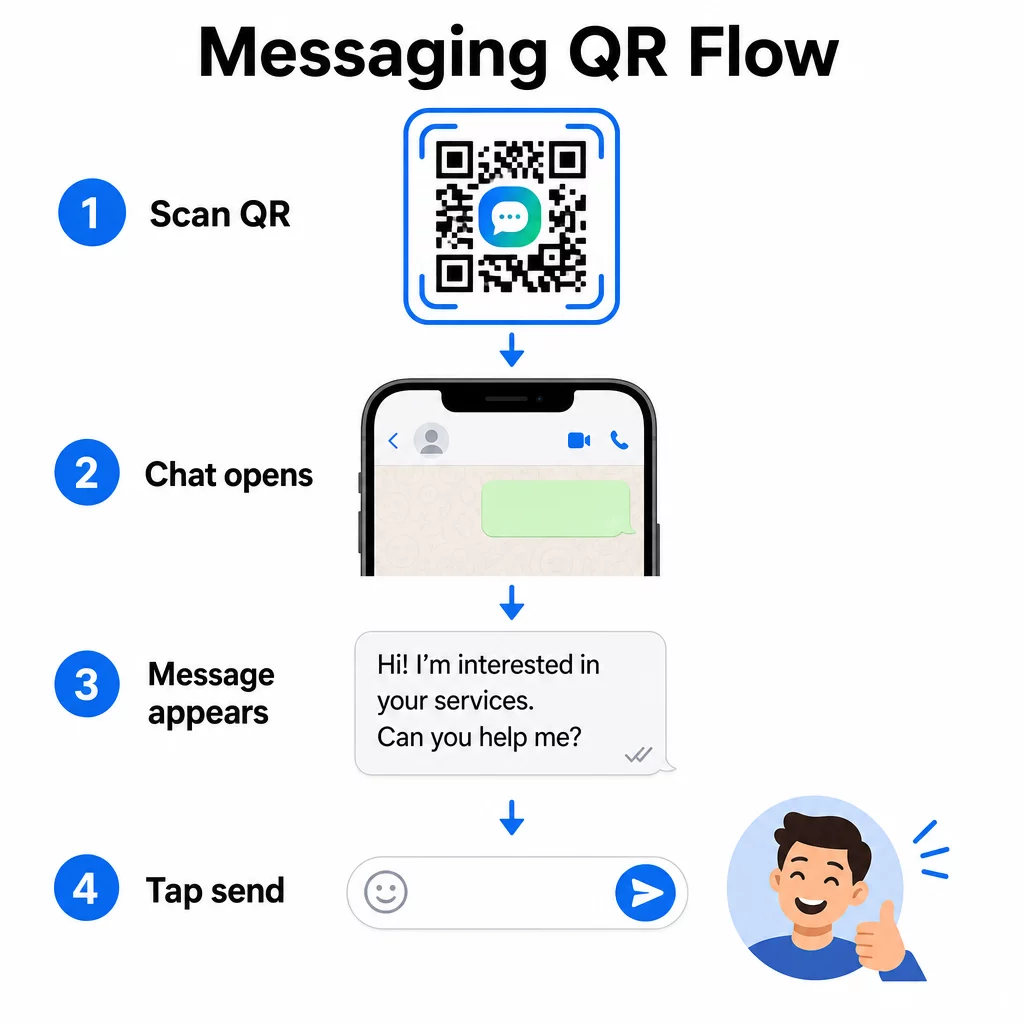
פתיחת חלון צ'אט (לחיצה לצ'אט)
האפשרות הפשוטה מבין השתיים פשוט פותחת צ'אט חדש בין הסורק למספר שלכם. השתמשו בפורמט זה ככתובת ה-URL בתוך קוד ה-QR שלכם:
“`
https://wa.me/YOURNUMBER
“`
מספר הטלפון חייב להיות בפורמט בינלאומי ללא סוגריים, מקפים, סימני פלוס או אפסים מובילים. לדוגמה, מספר בריטי במנצ'סטר רבתי (0161 912 3456) יעוצב כך:
“`
https://wa.me/441619123456
“`
נפרט: קוד מדינה (44) + קידומת אזור ללא האפס המוביל (161) + מספר מקומי (9123456). תמיד בדקו את הקישור שלכם לפני הדפסתו בכל מקום.
צור קוד QR לוואטסאפ להשתמש ב ברקוד וואטסאפ: יצירת קוד QR לבנות קוד ממותג וסריקה עם המספר שלך והודעה מוגדרת מראש אופציונלית – ללא צורך בעיצוב URL ידני.
הודעה מוגדרת מראש
אפשרות זו פותחת צ'אט ומאכלסת את שדה ההודעה בטקסט שאתה מגדיר מראש. כאשר מישהו סורק, הוא רואה טיוטת הודעה מוכנה לשליחה – הוא פשוט מקיש על כפתור השליחה. פורמט ה-URL הוא:
“`
https://wa.me/YOURNUMBER?text=YOURMESSAGE
“`
Replace spaces in your message with `%20` so the URL encodes correctly. For example, the phrase “I would like more information” becomes `I%20would%20like%20more%20information`.
דוגמאות שימושיות להודעות מוגדרות מראש כוללות:
- `I%20would%20like%20to%20subscribe%20to%20your%20newsletter`
- `I%20would%20like%20a%20free%20sample`
- `I%20need%20help%20with%20my%20order`
אם ברצונך לשתף הודעה מוגדרת מראש מבלי למקד למספר ספציפי – שימושי לשיתוף תוכן ולא ליצירת קשר ישיר – השתמש בפורמט זה במקום:
“`
https://wa.me/?text=YOURMESSAGE
“`
גישת ההודעה המוגדרת מראש חזקה במיוחד ליצירת לידים. אתה יודע בדיוק היכן מישהו סרק (בהתבסס על הקוד שבו השתמש), ויש לך מיד את מספר הוואטסאפ שלו כשהוא שולח את ההודעה. תוכל גם ללמוד עוד על כיצד לסרוק קוד QR בוואטסאפ אם ברצונך להבין את חווית המשתמש מהצד השני.
קודי QR למסנג'ר של פייסבוק
לפייסבוק מסנג'ר היו כ-139 מיליון משתמשים חודשיים בארצות הברית נכון לאמצע 2023, מה שהופך אותה לאפליקציית ההודעות הניידת הנפוצה ביותר במדינה. אם הקהל שלך נמצא בפייסבוק, קוד QR של מסנג'ר יכול להיות קו ישיר לתיבת הדואר הנכנס של הדף שלך.
פורמט הקישור פשוט:
“`
http://m.me/PAGENAME
“`
החלף את `PAGENAME` בשם המשתמש של דף הפייסבוק שלך – זהו הטקסט המופיע אחרי `facebook.com/` ב-URL של הדף שלך, לא שם התצוגה המוצג בראש הדף. כאשר מישהו סורק את הקוד, מסנג'ר פותח שיחה חדשה עם הדף שלך ישירות.
זה עובד בדומה לאפשרות ה-click-to-chat של וואטסאפ: הוא פותח את חלון הצ'אט, אך אינו ממלא הודעה מראש. זה אומר שהקריאה לפעולה שלך חשובה. בכל מקום שבו תמקם את הקוד, צרף אליו הנחיה קצרה כגון:
- “שוחח איתנו”
- “שאל אותנו שאלה”
- “צור קשר עכשיו”
ודא שהדף שלך מוגדר עם התראות הודעות מופעלות כדי שתוכל להגיב במהירות. תגובה מאוחרת מפספסת את מטרת התקשורת המיידית.
קודי QR להודעות טקסט (SMS)
ל-SMS קלאסי יש טווח הגעה כמעט אוניברסלי – הוא מותקן בכל סמארטפון ולא ניתן להסירו. עבור קהלים שבהם אימוץ וואטסאפ או מסנג'ר אינו ודאי, SMS הוא חלופת הגיבוי הבטוחה ביותר.
פורמט ה-URI הסטנדרטי לקוד QR של SMS הוא:
“`
sms:PHONENUMBER?body=YOURMESSAGE
“`
שים לב ש-iOS ואנדרואיד מטפלות ב-URI זה באופן שונה במקצת. iOS משתמשת בדרך כלל בנקודה-פסיק לפני `body` במקום בסימן שאלה, כך שאם אתה מכוון לקהל מעורב, חיוני לבדוק בשתי הפלטפורמות לפני הפצת הקוד. רוב מחוללי קודי ה-QR מטפלים בכך אוטומטית כאשר אתה משתמש בכלי ייעודי לקודי QR של SMS.
ה מחולל QR לטקסט יכול לקודד הוראות SMS, פרטי קשר, או כל מחרוזת טקסט קצרה לקוד סריקה, בעוד שמחולל ה-SMS הייעודי מטפל באופן ספציפי בפורמט ההודעה הממולאת מראש.
קודי QR לטלגרם
טלגרם משתמשת בקישורי פרופיל ציבוריים בפורמט `t.me/username` עבור ערוצים, קבוצות ופרופילים. המרת קישור זה לקוד QR מאפשרת למישהו להצטרף לערוץ שלך או להתחיל שיחה בסריקה אחת.
עבור קבוצות או ערוצים פרטיים שאין להם שם משתמש ציבורי, השתמש בקישור ההזמנה שנוצר מתוך האפליקציה במקום זאת. כדי למצוא אותו: פתח את הקבוצה, הקש על “הוסף חבר”, ולאחר מכן בחר “הזמן לקבוצה באמצעות קישור”. העתק את כתובת ה-URL הזו והדבק אותה ב- מחולל קוד QR לקישור כדי ליצור את הקוד שלך. תוכל למצוא הנחיות שלב אחר שלב במדריך זה בנושא קודי QR לקבוצות טלגרם.
קודי QR לדוא"ל
דוא"ל פועל באופן שונה מהודעות מיידיות, אך הוא חולק את אותו רעיון ליבה: הפחתת חיכוך כך שאיש קשר פוטנציאלי לא יצטרך להקליד דבר. קישור `mailto:` מקודד את כתובת הנמען, שורת הנושא וגוף ההודעה ישירות לתוך קוד ה-QR.
הפורמט הוא:
“`
mailto:[email protected]?subject=Your%20Subject&body=Your%20Message
“`
Like WhatsApp prefilled messages, spaces must be encoded as `%20`. When someone scans the code, their default email client opens with the recipient, subject, and body already populated.
ה מחולל ברקוד QR למייל מטפל בעיצוב זה באופן אוטומטי ומאפשר לך להתאים אישית את מראה הקוד לפני ההורדה.
בחירה בין קודי QR סטטיים לדינמיים
כל דוגמת קוד QR להודעות לעיל יכולה להיווצר כקוד סטטי או דינמי – ולבחירה יש השלכות מעשיות עבור קמפיינים ארוכי טווח.
א קוד QR סטטי מקודד את קישור היעד לצמיתות. אם מספר הטלפון שלך משתנה, שם המשתמש של הדף שלך משתנה, או שאתה רוצה לבדוק הודעה ממולאת מראש אחרת, עליך ליצור ולהדפיס מחדש קוד חדש.
א קוד QR דינמי מאחסן כתובת URL קצרה להפניה מחדש שתוכל לעדכן בכל עת, גם לאחר שהקוד הודפס. שנה את היעד, החלף את ההודעה הממולאת מראש, או הפנה לפלטפורמה שונה לחלוטין – הקוד המודפס נשאר זהה. קודים דינמיים תומכים גם בניתוח סריקות: תוכל לעקוב אחר כמה אנשים סרקו, מתי, היכן, ובאיזה סוג מכשיר.
עבור חומרים מודפסים כמו פליירים, אריזות מוצרים או תצוגות בחנויות, קודים דינמיים הם בדרך כלל הבחירה החכמה יותר. תוכל ללמוד עוד על הפשרות בהשוואה זו של קודי QR סטטיים לעומת דינמיים, ולחקור כיצד להגדיר מעקב במדריך זה על מעקב אחר קודי QR.
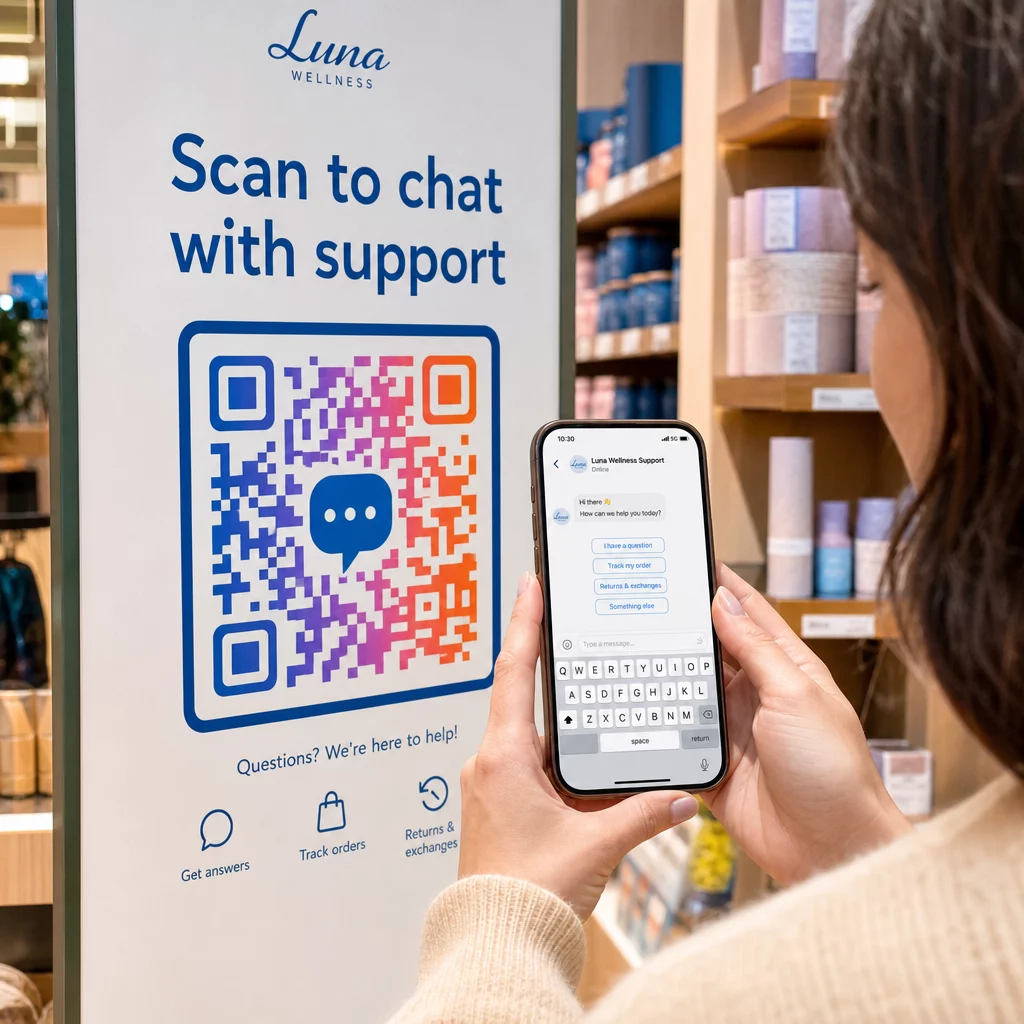
עקוב אחר כל סריקה בקמפיינים שלך להודעות רוצה לדעת איזה מיקום מניע את מירב השיחות? ה- מחולל קודי QR מאפשר לך לבנות קודי QR דינמיים להודעות עם ניתוח סריקות מלא – עקוב אחר הביצועים ועדכן יעדים ללא הדפסה מחדש.
היכן למקם קודי QR להודעות
ההגדרה הטכנית היא רק חצי מהעבודה. קוד QR להודעות שאף אחד לא רואה לא מניע שיחות. כמה מיקומים מוכחים:
- אריזות מוצרים – לקוחות עם שאלה יכולים לשלוח לך הודעה ישירות מהקופסה
- כרטיסי ביקור – קוד WhatsApp או Messenger מחליף את החיכוך של שמירת איש קשר ידנית
- שילוט בחנות – קודי “שוחח איתנו” ליד קופות או דלפקי שירות מורידים את מחסום השאלות
- חומרי אירוע – כרטיסי שולחן, שרוכים, או תצוגות דוכן עם קוד טלגרם או מסנג'ר למעקב מיידי
- מודעות מודפסות ועלונים – קוד SMS ממולא מראש מאפשר ללקוחות פוטנציאליים להצטרף לתקשורת מעקב באופן מיידי
בכל מקום שבו תציבו את הקוד, הוסיפו קריאה קצרה לפעולה ישירות לידו. הקוד לבדו אינו מסביר את היתרון. ספרו לאנשים מה הם יקבלו על ידי סריקה: “סרוק כדי לשוחח עם התמיכה,” “סרוק כדי לקבל הצעת מחיר,” או “סרוק כדי להירשם.”
שאלות נפוצות
כן. קוד QR של וואטסאפ דורש שוואטסאפ יהיה מותקן במכשיר הסורק; קוד מסנג'ר דורש את אפליקציית המסנג'ר או חשבון פייסבוק נגיש דרך דפדפן. קודי SMS עובדים בכל טלפון ללא אפליקציה נוספת. אם השימוש באפליקציות בקרב הקהל שלכם אינו ודאי, SMS מציע את טווח ההגעה הרחב ביותר.
כן. וואטסאפ תומך בהודעות ממולאות מראש באמצעות הפרמטר `?text=` בפורמט הקישור `wa.me`. קודי QR של SMS תומכים בפרמטר גוף ב-URI של `sms:`, אף שהתחביר המדויק יכול להשתנות מעט בין iOS לאנדרואיד. מומלץ לבדוק בשתי הפלטפורמות לפני הפצת הקוד.
קוד QR דינמי מאפשר לך לעדכן את היעד או ההודעה המוגדרת מראש בכל עת ללא הדפסה מחדש. הוא גם מספק נתוני סריקה – סך הסריקות, מיקומי סריקה, סוגי מכשירים – כך שתוכל למדוד אילו מיקומים והודעות מניבים את הביצועים הטובים ביותר. זה שימושי במיוחד עבור חומרים מודפסים בעלי חיי מדף ארוכים.