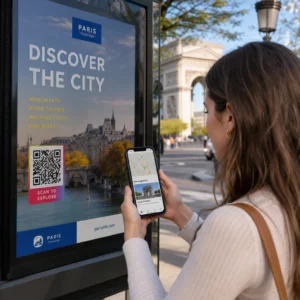
Kas soovite, et kliendid saadaksid teile sõnumeid ühe skaneerimisega – ilma tippimiseta, otsimiseta, hõõrdumiseta? Kui keegi peab teie telefoninumbri käsitsi üles otsima või teie WhatsAppi kontakti leidma, ei viitsi enamik neist seda teha. See juhend selgitab täpselt, kuidas QR-koodid kõige levinumate sõnumsideplatvormidega töötavad, et saaksite selle takistuse täielikult eemaldada.
Miks QR-koodid ja sõnumside hästi kokku sobivad
QR-koodid ühendavad füüsiliste materjalide ja digitaalsete toimingute vahelise lõhe. Selle asemel, et paluda kellelgi telefoninumbrit sisestada või vestlusaknasse navigeerida, teeb üks skaneerimine kõik selle automaatselt. Tulemuseks on väiksem hõõrdumine, suurem konversioon ja otsene suhtluskanal, mida te kontrollite.
See on olulisem kui varem. Ligi 83,4 miljonit täiskasvanud nutitelefoni kasutajat Ameerika Ühendriikides skaneeris 2022. aastal QR-koodi – umbes 37.5% täiskasvanud nutitelefoni omanikest – ja see osakaal peaks 2025. aastaks jõudma 42.6%-ni. Nende kasutajate seas skaneerib enamik mitu korda kuus ja umbes üks viiest teatab iganädalasest skaneerimisest. Turundajate jaoks tähendab selline harjumuspärane käitumine, et hästi paigutatud sõnumside QR-koodil on tõeline võimalus kasutust leida.
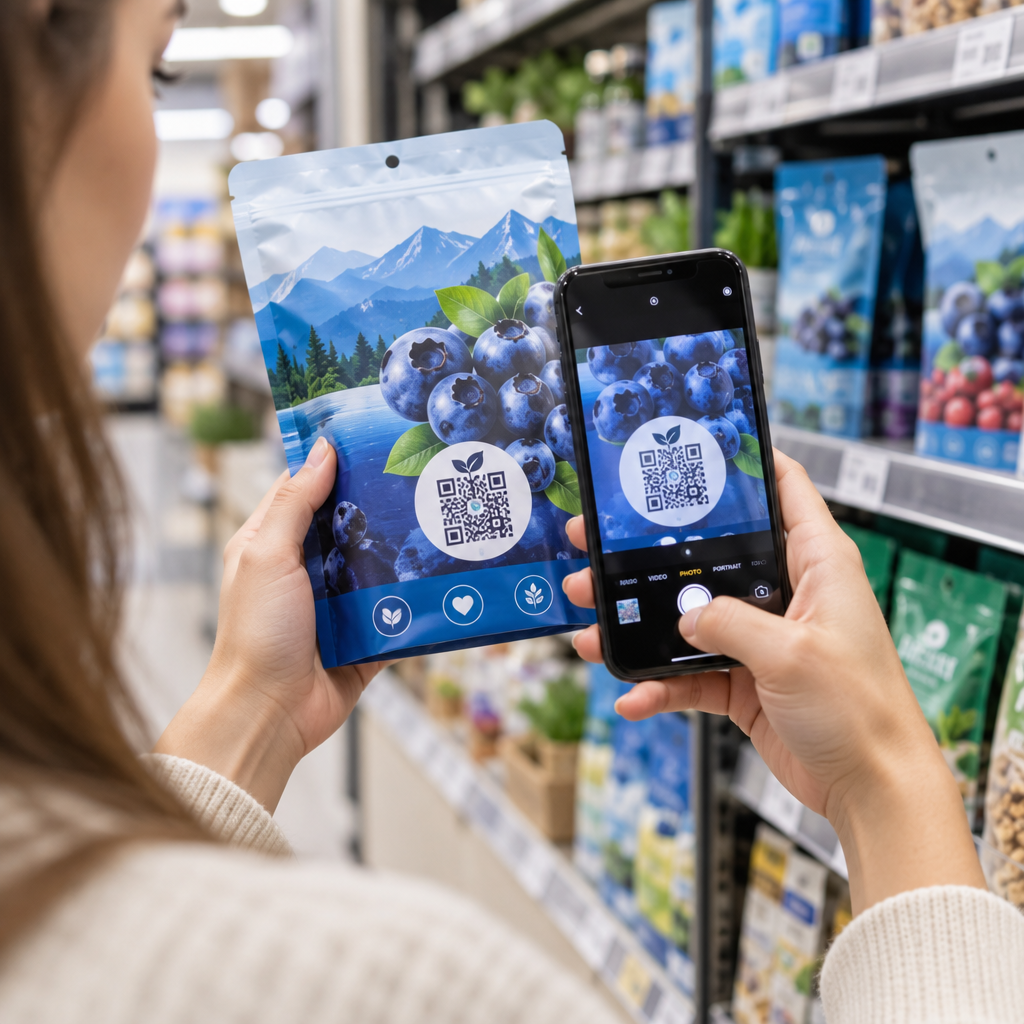
Praktilised rakendused on laiad: QR-kood toote pakendil, mis avab klienditoe vestluse, plakat üritusel, mis alustab vestlust müügimeeskonnaga, või visiitkaart, mis võimaldab kellelgi teile WhatsAppis sõnumeid saata ilma teie numbrit esmalt salvestamata. Saate õppida QR-koodi seadistamise põhitõdesid enne allpool toodud platvormipõhiste sammude juurde asumist.
QR-koodid WhatsAppi jaoks
WhatsAppil oli 2023. aasta keskpaiga seisuga Ameerika Ühendriikides ligikaudu 75,1 miljonit igakuist aktiivset kasutajat, mis teeb sellest ühe laialdasemalt kasutatava sõnumsideplatvormi mobiilipõhiseid kliente sihtivatele ettevõtetele.
QR-koodi WhatsAppiga linkimiseks on kaks peamist viisi: vestlusakna avamine või vestlusakna avamine eelnevalt sisestatud sõnumiga. Erinevus on oluline sõltuvalt sellest, mida te interaktsioonist soovite.
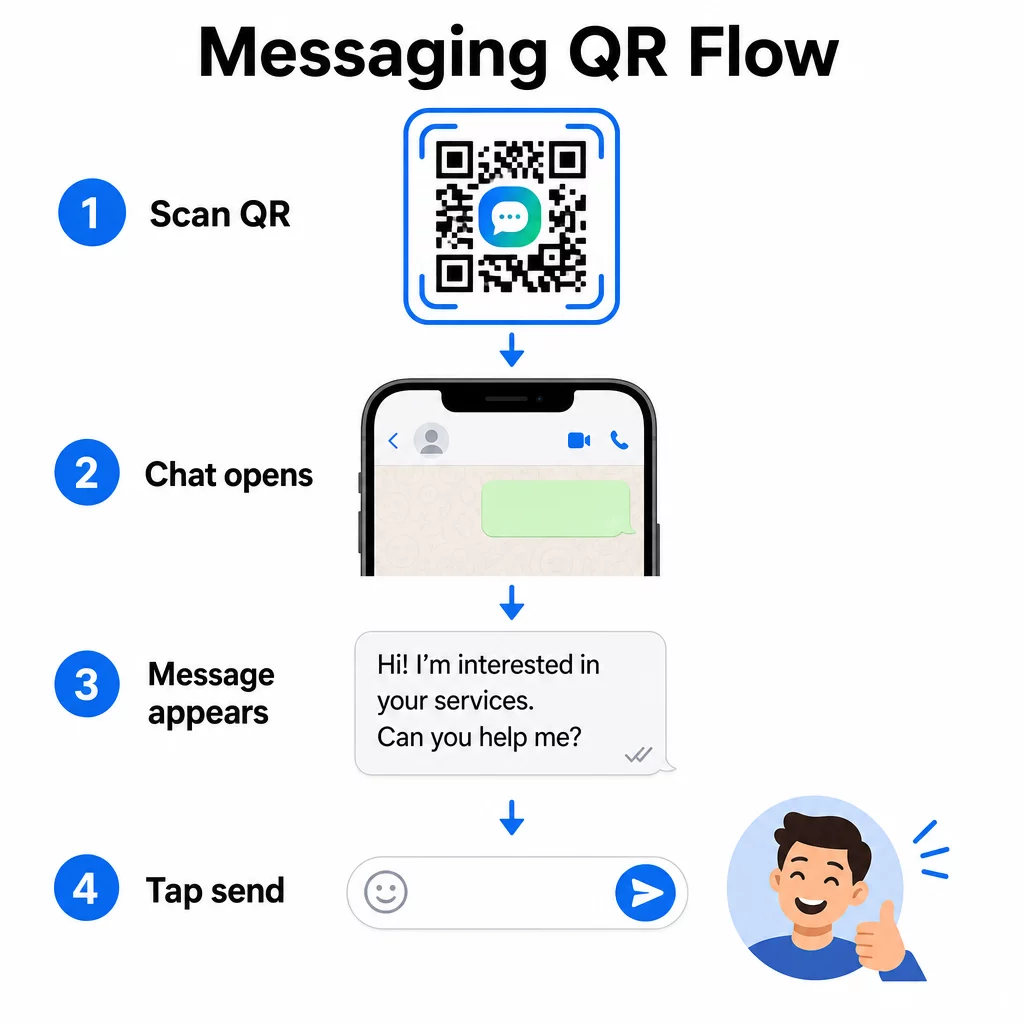
Vestlusakna avamine (klõpsa vestlemiseks)
Kahest variandist lihtsam avab lihtsalt uue vestluse skanneri ja teie numbri vahel. Kasutage seda vormingut oma QR-koodi URL-ina:
“`
https://wa.me/YOURNUMBER
“`
Telefoninumber peab olema rahvusvahelises vormingus ilma sulgude, sidekriipsude, plussmärkide või algavate nullideta. Näiteks Ühendkuningriigi number Suur-Manchesteris (0161 912 3456) vormindataks järgmiselt:
“`
https://wa.me/441619123456
“`
Jaotage see osadeks: riigikood (44) + piirkonnakood ilma algava nullita (161) + kohalik number (9123456). Testige oma linki alati enne selle printimist.
Loo WhatsAppi QR-kood Kasuta WhatsApp QR-koodi generaator ehitada bränditud, skannitav kood oma numbri ja valikulise eeltäidetud sõnumiga – käsitsi URL-i vormindamine pole vajalik.
Eeltäidetud sõnum
See valik avab vestluse ja täidab sõnumivälja tekstiga, mille olete eelnevalt määratlenud. Kui keegi skannib, näeb ta saatmiseks valmis mustandsõnumit – nad lihtsalt puudutavad saatmisnuppu. URL-i formaat on:
“`
https://wa.me/YOURNUMBER?text=YOURMESSAGE
“`
Replace spaces in your message with `%20` so the URL encodes correctly. For example, the phrase “I would like more information” becomes `I%20would%20like%20more%20information`.
Kasulikud eeltäidetud sõnumite näited hõlmavad:
- `I%20would%20like%20to%20subscribe%20to%20your%20newsletter`
- `I%20would%20like%20a%20free%20sample`
- `I%20need%20help%20with%20my%20order`
Kui soovite jagada eeltäidetud sõnumit konkreetset numbrit sihtimata – kasulik sisu jagamiseks, mitte otsekontaktiks – kasutage selle asemel seda formaati:
“`
https://wa.me/?text=YOURMESSAGE
“`
Eeltäidetud sõnumi lähenemine on eriti tõhus müügivihjete genereerimisel. Te teate täpselt, kus keegi skannib (tuginedes sellele, millist koodi nad kasutasid), ja teil on kohe nende WhatsAppi number, kui nad sõnumi saadavad. Samuti saate rohkem teada kuidas skannida QR-koodi WhatsAppis kui soovite mõista kasutajakogemust teiselt poolt.
Facebook Messengeri QR-koodid
Facebook Messengeril oli 2023. aasta keskpaiga seisuga Ameerika Ühendriikides ligikaudu 139 miljonit igakuist kasutajat, muutes selle riigi kõige laialdasemalt kasutatavaks mobiilisõnumirakenduseks. Kui teie sihtrühm on Facebookis, võib Messengeri QR-kood olla otsetee teie lehe postkasti.
Lingi formaat on lihtne:
“`
http://m.me/PAGENAME
“`
Asendage `PAGENAME` oma Facebooki lehe kasutajanimega – see on tekst, mis ilmub pärast `facebook.com/` teie lehe URL-is, mitte lehe ülaosas kuvatav kuvatav nimi. Kui keegi koodi skannib, avab Messenger otse uue vestluse teie lehega.
See töötab sarnaselt WhatsAppi kliki-vestluse valikuga: see avab vestlusakna, kuid ei täida sõnumit eelnevalt. See tähendab, et teie üleskutse tegevusele on oluline. Kuhu iganes te koodi paigutate, siduge see lühikese viipaga, näiteks:
- “Vestle meiega”
- “Esita meile küsimus”
- “Võta kohe ühendust”
Veendu, et sinu lehel on sõnumiteatised lubatud, et saaksid kiiresti vastata. Viivitatud vastus nurjab kiirsuhtluse eesmärgi.
QR-koodid tekstisõnumite (SMS) jaoks
Klassikalisel SMS-il on peaaegu universaalne levik – see on igasse nutitelefoni eelinstallitud ja seda ei saa eemaldada. Publiku jaoks, kus WhatsAppi või Messengeri kasutuselevõtt on ebakindel, on SMS kõige turvalisem varuvariant.
SMS-i QR-koodi standardne URI-vorming on:
“`
sms:PHONENUMBER?body=YOURMESSAGE
“`
Pange tähele, et iOS ja Android käsitlevad seda URI-d veidi erinevalt. iOS kasutab tavaliselt semikoolonit enne `body` asemel küsimärki, seega kui sihtite segapublikut, on koodi levitamiseelne testimine mõlemal platvormil hädavajalik. Enamik QR-koodi generaatoreid käsitleb seda automaatselt, kui kasutate spetsiaalset SMS-i QR-koodi tööriista.
See Teksti QR koodi loomine saab kodeerida SMS-juhiseid, kontaktandmeid või mis tahes lühikese tekstistringi skaneeritavasse koodi, samas kui spetsiaalne SMS-generaator käsitleb konkreetselt eeltäidetud sõnumivormingut.
QR-koodid Telegrami jaoks
Telegram kasutab avalikke profiililinke vormingus `t.me/username` kanalite, gruppide ja profiilide jaoks. Selle lingi teisendamine QR-koodiks võimaldab kellelgi teie kanaliga liituda või vestlust alustada ühe skaneerimisega.
Privaatsete gruppide või kanalite puhul, millel pole avalikku kasutajanime, kasutage hoopis rakenduses genereeritud kutselinki. Selle leidmiseks: avage grupp, puudutage “Lisa liige”, seejärel valige “Kutsu gruppi lingi kaudu”. Kopeerige see URL ja kleepige see lingi QR-koodi generaator oma koodi loomiseks. Üksikasjalikud juhised leiate sellest juhendist QR-koodid Telegrami gruppide jaoks.
QR-koodid e-posti jaoks
E-post toimib kiirsõnumitest erinevalt, kuid jagab sama põhiideed: vähendada hõõrdumist, et potentsiaalne kontakt ei peaks midagi tippima. `mailto:` link kodeerib saaja aadressi, teemarea ja sõnumi sisu otse QR-koodi.
Formaat on:
“`
mailto:[email protected]?subject=Your%20Subject&body=Your%20Message
“`
Like WhatsApp prefilled messages, spaces must be encoded as `%20`. When someone scans the code, their default email client opens with the recipient, subject, and body already populated.
See E-posti QR kood: generaator käsitleb seda vormingut automaatselt ja võimaldab teil kohandada koodi välimust enne allalaadimist.
Staatiliste ja dünaamiliste QR-koodide vahel valimine
Iga ülaltoodud sõnumite QR-koodi näide saab genereerida kas staatilise või dünaamilise koodina – ja valikul on pikaajaliste kampaaniate jaoks praktilised tagajärjed.
A staatiline QR-kood kodeerib sihtkoha lingi püsivalt. Kui teie telefoninumber muutub, teie lehe kasutajanimi muutub või soovite testida teistsugust eeltäidetud sõnumit, peate genereerima ja uuesti printima uue koodi.
A dünaamiline QR-kood salvestab lühikese ümbersuunamise URL-i, mida saate igal ajal värskendada, isegi pärast koodi printimist. Muutke sihtkohta, vahetage eeltäidetud sõnumit või suunake ümber täiesti teisele platvormile – prinditud kood jääb samaks. Dünaamilised koodid toetavad ka skannimisanalüütikat: saate jälgida, kui palju inimesi skanniti, millal, kus ja millisel seadmetüübil.
Trükitud materjalide, nagu flaierid, toote pakendid või kauplusesisesed väljapanekud, puhul on dünaamilised koodid tavaliselt nutikam valik. Saate rohkem teada kompromisside kohta selles võrdluses staatiliste ja dünaamiliste QR-koodide vahel, ja uurige, kuidas seadistada jälgimist selles juhendis QR-koodide jälgimine.
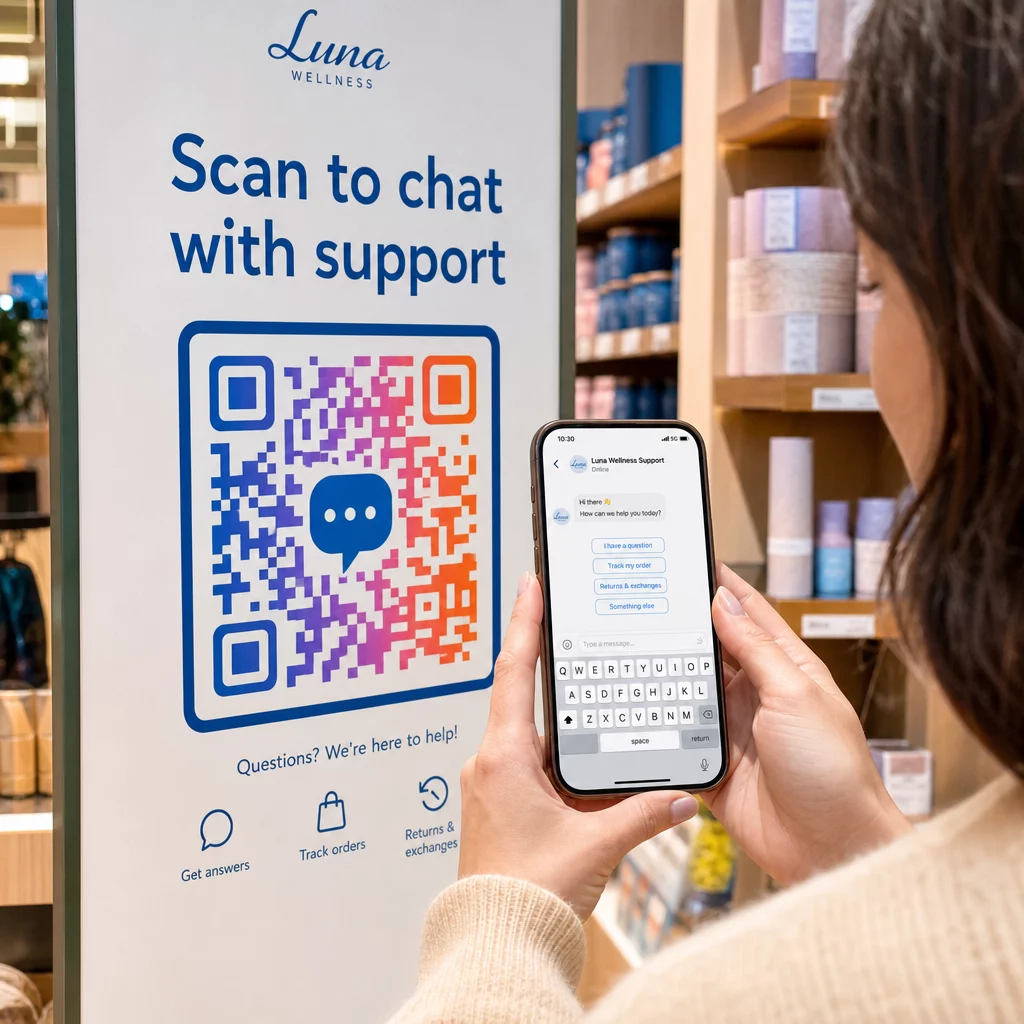
Jälgi iga skannimist oma sõnumikampaaniates Tahad teada, milline paigutus toob kõige rohkem vestlusi? QR-koodi generaator võimaldab teil luua dünaamilisi sõnumite QR-koode täieliku skannimisanalüütikaga – jälgida jõudlust ja värskendada sihtkohti ilma uuesti printimata.
Kuhu paigutada sõnumite QR-koode
Tehniline seadistus on vaid pool tööst. Sõnumite QR-kood, mida keegi ei näe, ei loo vestlusi. Mõned tõestatud paigutused:
- Tootepakend – küsimusega kliendid saavad teile otse karbilt sõnumi saata
- Visiitkaardid – WhatsAppi või Messengeri kood asendab kontakti käsitsi salvestamise hõõrdumise
- Kaupluse sisemised sildid – “Vestle meiega” koodid kassade või teeninduslettide läheduses alandavad küsimuste esitamise läve
- Ürituste materjalid – lauakaardid, kaelapaelad või stendiekraanid Telegrami või Messengeri koodiga koheseks järeltegevuseks
- Trükireklaamid ja brošüürid – eeltäidetud SMS-kood võimaldab potentsiaalsetel klientidel koheselt järelkommunikatsiooniga liituda
Kuhu iganes koodi paigutate, lisage selle kõrvale lühike üleskutse. Ainuüksi kood ei selgita kasu. Öelge inimestele, mida nad skaneerides saavad: “Skaneeri, et vestelda toega”, “Skaneeri, et saada pakkumine” või “Skaneeri, et tellida.”
Korduma kippuvad küsimused
Jah. WhatsAppi QR-kood nõuab WhatsAppi installimist skaneerija seadmesse; Messengeri kood nõuab Messengeri rakendust või brauseri kaudu ligipääsetavat Facebooki kontot. SMS-koodid töötavad igas telefonis ilma lisarakenduseta. Kui teie sihtrühma rakenduste kasutamine on ebakindel, pakub SMS kõige laiema ulatuse.
Jah. WhatsApp toetab eeltäidetud sõnumeid, kasutades `?text=` parameetrit `wa.me` lingi formaadis. SMS QR-koodid toetavad keha parameetrit `sms:` URI-s, kuigi täpne süntaks võib iOS-i ja Androidi vahel veidi erineda. Koodi levitamiseelne testimine mõlemal platvormil on soovitatav.
Dünaamiline QR-kood võimaldab teil igal ajal uuendada sihtkohta või eeltäidetud sõnumit ilma uuesti printimata. See pakub ka skaneerimisanalüütikat – skaneerimiste koguarv, skaneerimiskohad, seadmetüübid – et saaksite mõõta, millised paigutused ja sõnumid toimivad kõige paremini. See on eriti kasulik pika säilivusajaga trükitud materjalide puhul.