Szeretné, ha az ügyfelek egyetlen szkenneléssel üzenetet küldenének Önnek – gépelés, keresés és súrlódás nélkül? Amikor valakinek manuálisan kell megkeresnie a telefonszámát vagy a WhatsApp-kapcsolatát, a legtöbbjük nem fogja megtenni. Ez az útmutató pontosan elmagyarázza, hogyan működnek a QR-kódok a leggyakoribb üzenetküldő platformokkal, így teljesen megszüntetheti ezt az akadályt.
Miért működnek jól együtt a QR-kódok és az üzenetküldés
A QR-kódok áthidalják a fizikai anyagok és a digitális műveletek közötti szakadékot. Ahelyett, hogy megkérnénk valakit, hogy írjon be egy telefonszámot vagy navigáljon egy csevegőablakhoz, egyetlen szkennelés mindezt automatikusan elvégzi. Az eredmény kevesebb súrlódás, magasabb konverzió és egy közvetlen kommunikációs csatorna, amelyet Ön irányít.
Ez ma fontosabb, mint korábban. Az Egyesült Államokban közel 83,4 millió felnőtt okostelefon-használó szkennelt QR-kódot 2022-ben – ami a felnőtt okostelefon-tulajdonosok mintegy 37,5%-a – és ez az arány várhatóan eléri a 42,6%-ot 2025-re. Ezen felhasználók közül a legtöbben havonta többször is szkennelnek, és körülbelül minden ötödik hetente szkennel. A marketingesek számára ez a szokásos viselkedési szint azt jelenti, hogy egy jól elhelyezett üzenetküldő QR-kód valóban felhasználásra kerülhet.
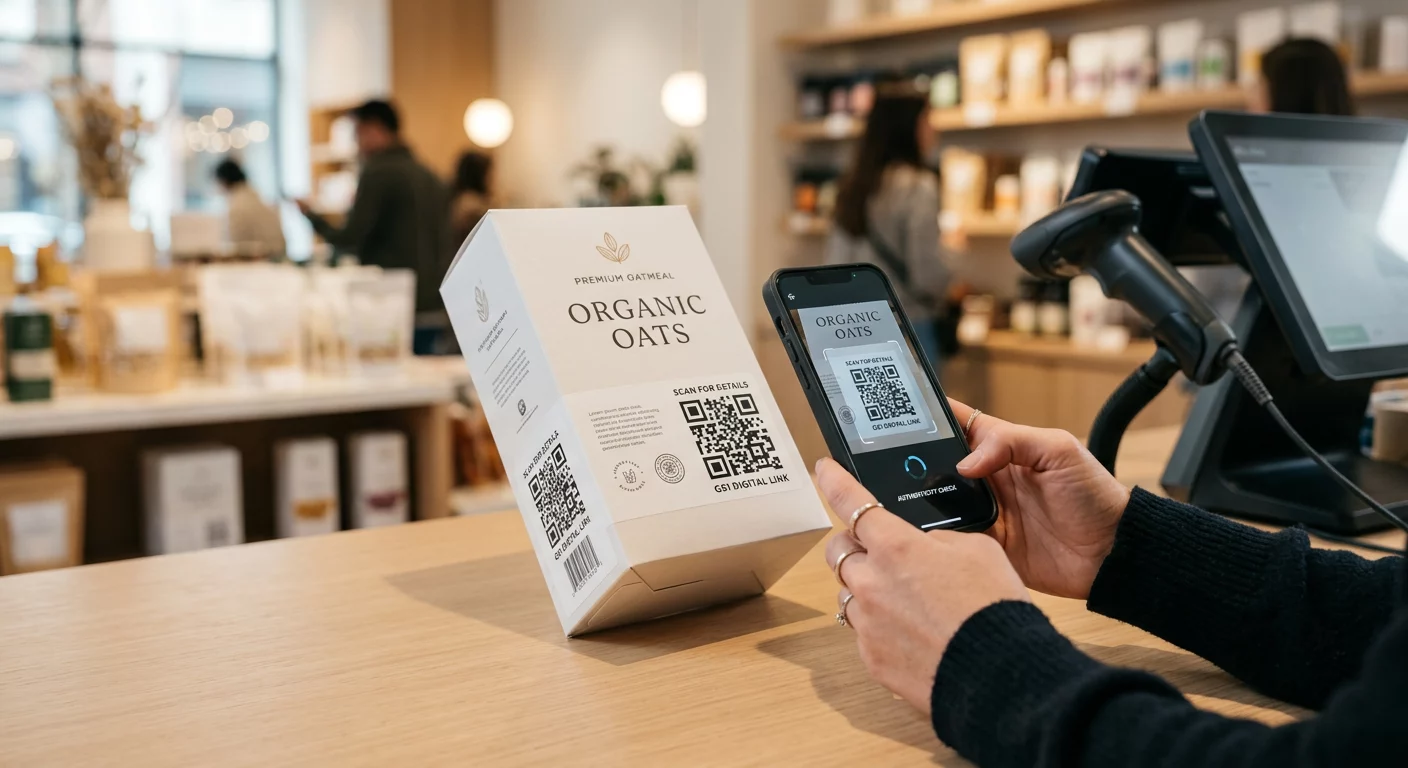
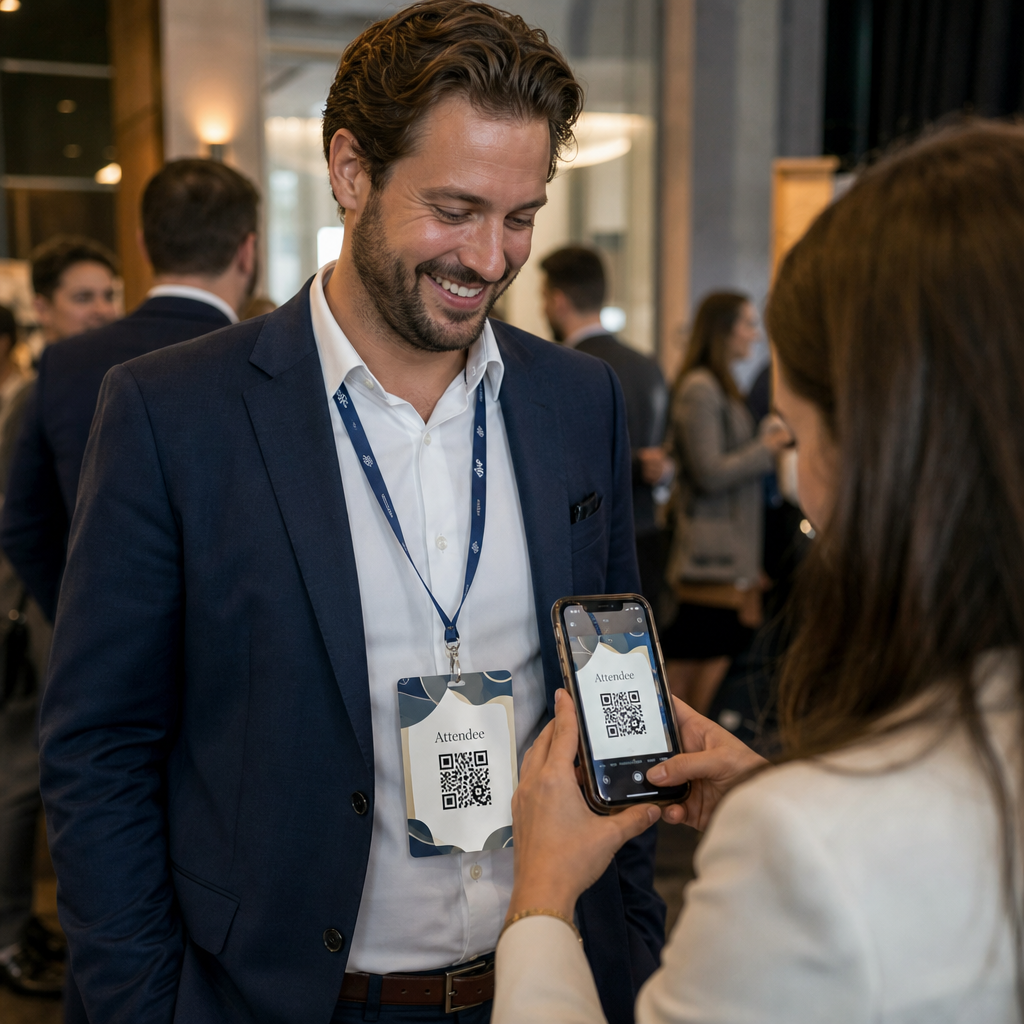
A gyakorlati alkalmazások széleskörűek: egy QR-kód a termékcsomagoláson, amely ügyfélszolgálati csevegést nyit meg, egy plakát egy eseményen, amely beszélgetést indít az értékesítési csapattal, vagy egy névjegykártya, amely lehetővé teszi, hogy valaki elküldje Önnek üzenetét WhatsAppon anélkül, hogy először elmentené a számát. Ön megtanulhatja a QR-kód beállításának alapjait mielőtt belemerülne az alábbi platformspecifikus lépésekbe.
QR-kódok WhatsApphoz
A WhatsAppnak körülbelül 75,1 millió havi aktív felhasználója volt az Egyesült Államokban 2023 közepén, ami az egyik legszélesebb körben használt üzenetküldő platformmá teszi a mobil-első ügyfeleket célzó vállalkozások számára.
Két elsődleges módja van a QR-kód WhatsApphoz való kapcsolásának: egy csevegőablak megnyitása, vagy egy csevegőablak megnyitása előre kitöltött üzenettel. A különbség attól függ, hogy mit szeretne az interakciótól.
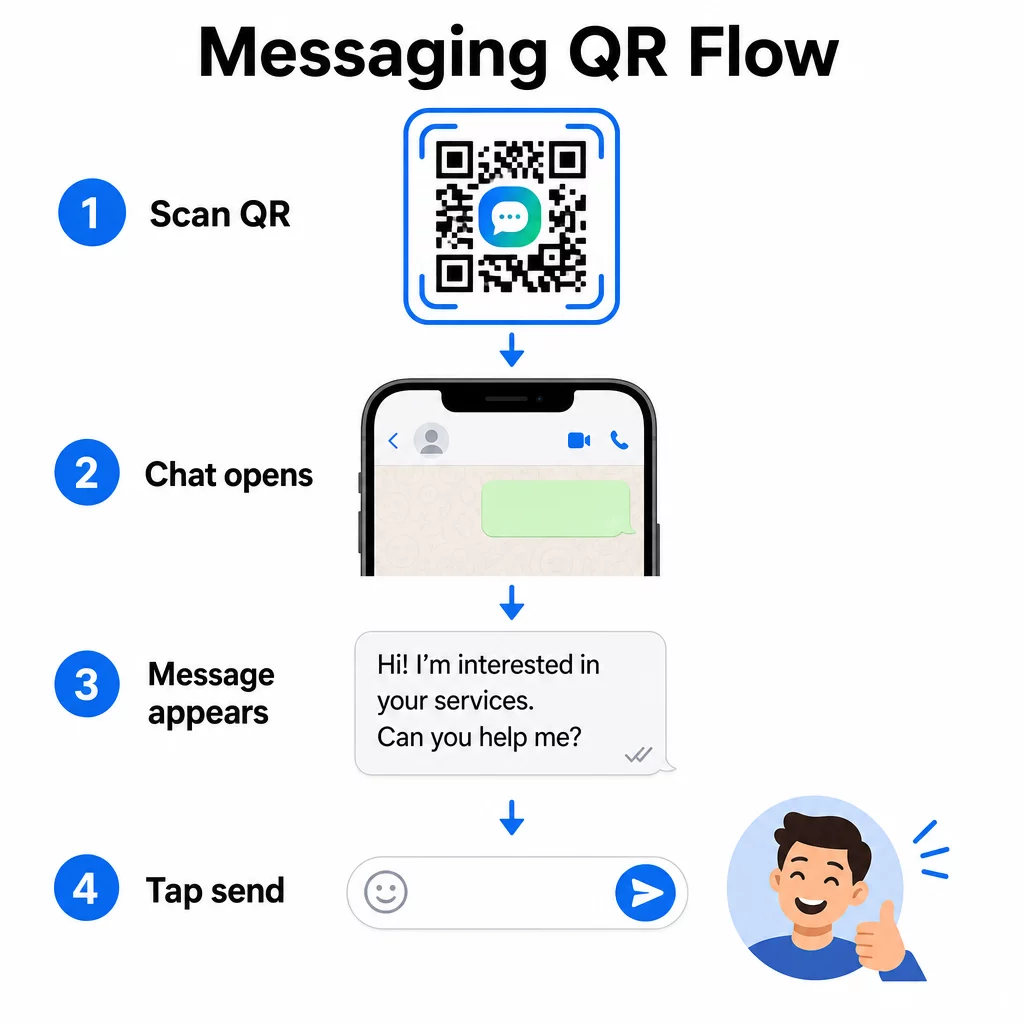
Csevegőablak megnyitása (Kattintás a csevegéshez)
A két lehetőség közül az egyszerűbb csak egy új csevegést nyit meg a szkennelő és az Ön száma között. Használja ezt a formátumot URL-ként a QR-kódjában:
“`
https://wa.me/YOURNUMBER
“`
A telefonszámnak nemzetközi formátumban kell lennie, zárójelek, kötőjelek, pluszjelek és vezető nullák nélkül. Például egy egyesült királyságbeli szám Nagy-Manchesterben (0161 912 3456) a következőképpen formázódna:
“`
https://wa.me/441619123456
“`
Bontsa le: országkód (44) + körzetszám a vezető nulla nélkül (161) + helyi szám (9123456). Mindig tesztelje a linket, mielőtt bárhová kinyomtatná.
WhatsApp QR-kód létrehozása Használja a WhatsApp QR kód generátor márkás, szkennelhető kód létrehozásához a számoddal és opcionális előre kitöltött üzenettel – nincs szükség manuális URL-formázásra.
Előre kitöltött üzenet
Ez az opció megnyit egy csevegést, és előre meghatározott szöveggel tölti ki az üzenetmezőt. Amikor valaki beolvassa, egy elküldésre kész piszkozatüzenetet lát – csak meg kell koppintania a küldés gombot. Az URL formátuma:
“`
https://wa.me/YOURNUMBER?text=YOURMESSAGE
“`
Replace spaces in your message with `%20` so the URL encodes correctly. For example, the phrase “I would like more information” becomes `I%20would%20like%20more%20information`.
Hasznos előre kitöltött üzenetpéldák:
- `I%20would%20like%20to%20subscribe%20to%20your%20newsletter`
- `I%20would%20like%20a%20free%20sample`
- `I%20need%20help%20with%20my%20order`
Ha előre kitöltött üzenetet szeretne megosztani anélkül, hogy egy adott számot célozna meg – ami tartalommegosztásra hasznosabb, mint közvetlen kapcsolattartásra – használja ezt a formátumot:
“`
https://wa.me/?text=YOURMESSAGE
“`
Az előre kitöltött üzenet megközelítés különösen hatékony az érdeklődők generálásában. Pontosan tudja, hol szkennelt valaki (melyik kódot használta), és azonnal megkapja a WhatsApp számát, amikor elküldi az üzenetet. Többet is megtudhat arról, hogyan kell QR-kódot szkennelni a WhatsAppon ha meg szeretné érteni a felhasználói élményt a másik oldalról.
QR-kódok a Facebook Messengerhez
A Facebook Messengernek körülbelül 139 millió havi felhasználója volt az Egyesült Államokban 2023 közepén, ezzel az ország legszélesebb körben használt mobil üzenetküldő alkalmazása. Ha a közönsége a Facebookon van, egy Messenger QR-kód közvetlen vonalat jelenthet az oldala beérkező üzeneteihez.
A link formátuma egyszerű:
“`
http://m.me/PAGENAME
“`
Cserélje ki a `PAGENAME` részt a Facebook oldalának felhasználónevére – ez az a szöveg, amely a `facebook.com/` után jelenik meg az oldal URL-jében, nem pedig az oldal tetején látható megjelenítési név. Amikor valaki beolvassa a kódot, a Messenger közvetlenül új beszélgetést nyit az oldalával.
Ez hasonlóan működik a WhatsApp kattintásos csevegés opciójához: megnyitja a csevegőablakot, de nem tölti ki előre az üzenetet. Ez azt jelenti, hogy a cselekvésre ösztönzés (call-to-action) számít. Bárhová is helyezi a kódot, párosítsa egy rövid felszólítással, például:
- “Csevegjen velünk”
- “Tegyen fel nekünk kérdést”
- “Lépjen kapcsolatba velünk azonnal”
Győződjön meg róla, hogy az oldala üzenetértesítésekkel rendelkezik, így azonnal válaszolhat. A késleltetett válasz meghiúsítja az azonnali kommunikáció célját.
QR-kódok szöveges üzenetekhez (SMS)
A klasszikus SMS közel univerzális eléréssel rendelkezik – minden okostelefonon telepítve van, és nem távolítható el. Azon közönségek számára, ahol a WhatsApp vagy Messenger elfogadottsága bizonytalan, az SMS a legbiztonságosabb tartalék.
Az SMS QR-kód szabványos URI formátuma:
“`
sms:PHONENUMBER?body=YOURMESSAGE
“`
Megjegyzendő, hogy az iOS és az Android kissé eltérően kezeli ezt az URI-t. Az iOS jellemzően pontosvesszőt használ a `body` előtt a kérdőjel helyett, így ha vegyes közönséget céloz meg, elengedhetetlen a tesztelés mindkét platformon a kód terjesztése előtt. A legtöbb QR-kód generátor ezt automatikusan kezeli, ha dedikált SMS QR-kód eszközt használ.
A QR kód generátor szöveghez képes SMS utasításokat, kapcsolattartási adatokat vagy bármilyen rövid szöveges karakterláncot belekódolni egy szkennelhető kódba, míg a dedikált SMS generátor kifejezetten az előre kitöltött üzenetformátumot kezeli.
QR-kódok Telegramhoz
A Telegram nyilvános profil linkeket használ `t.me/username` formátumban csatornákhoz, csoportokhoz és profilokhoz. Ennek a linknek QR-kóddá alakítása lehetővé teszi, hogy valaki egyetlen szkenneléssel csatlakozzon a csatornádhoz vagy beszélgetést kezdeményezzen.
Privát csoportok vagy csatornák esetén, amelyeknek nincs nyilvános felhasználónevük, használja az alkalmazáson belül generált meghívó linket. Ennek megtalálásához: nyissa meg a csoportot, koppintson a “Tag hozzáadása” elemre, majd válassza a “Meghívás csoportba linkkel” lehetőséget. Másolja ki ezt az URL-t, és illessze be egy link QR-kód generátor a kód létrehozásához. Részletes útmutatót talál ebben a bemutatóban a QR-kódok Telegram csoportokhoz.
QR-kódok e-mailhez
Az e-mail másképp működik, mint az azonnali üzenetküldés, de ugyanaz az alapötlete: csökkenteni a súrlódást, hogy egy potenciális kapcsolatnak ne kelljen semmit sem beírnia. Egy `mailto:` link közvetlenül a QR-kódba kódolja a címzett címét, a tárgysort és az üzenet törzsét.
A formátum a következő:
“`
mailto:[email protected]?subject=Your%20Subject&body=Your%20Message
“`
Like WhatsApp prefilled messages, spaces must be encoded as `%20`. When someone scans the code, their default email client opens with the recipient, subject, and body already populated.
A Email QR kód generátor automatikusan kezeli ezt a formázást, és lehetővé teszi a kód megjelenésének testreszabását letöltés előtt.
Választás statikus és dinamikus QR-kódok között
Minden fenti üzenetküldő QR-kód példa generálható statikus vagy dinamikus kódként – és a választásnak gyakorlati következményei vannak a hosszú távú kampányok szempontjából.
A statikus QR-kód véglegesen kódolja a célhivatkozást. Ha megváltozik a telefonszámod, az oldalad felhasználóneve, vagy más előre kitöltött üzenetet szeretnél tesztelni, új kódot kell generálnod és újra ki kell nyomtatnod.
A dinamikus QR-kód egy rövid átirányítási URL-t tárol, amelyet bármikor frissíthetsz, még a kód kinyomtatása után is. Változtasd meg a célt, cseréld ki az előre kitöltött üzenetet, vagy irányíts át egy teljesen más platformra – a kinyomtatott kód változatlan marad. A dinamikus kódok támogatják a szkennelési analitikát is: nyomon követheted, hányan szkenneltek, mikor, hol és milyen típusú eszközön.
Nyomtatott anyagok, például szórólapok, termékcsomagolások vagy bolti kijelzők esetén a dinamikus kódok általában az okosabb választás. Többet megtudhatsz a kompromisszumokról ebben az összehasonlításban: statikus vs dinamikus QR-kódok, és fedezd fel, hogyan állíthatod be a nyomon követést ebben az útmutatóban: QR-kódok követése.
Kövesd nyomon minden szkennelést az üzenetküldő kampányaidban Szeretnéd tudni, melyik elhelyezés generálja a legtöbb beszélgetést? A QR Kód Generátor lehetővé teszi dinamikus üzenetküldő QR-kódok létrehozását teljes szkennelési analitikával – figyeld a teljesítményt és frissítsd a célokat újranyomtatás nélkül.
Hová helyezzük az üzenetküldő QR-kódokat
A technikai beállítás csak a munka fele. Egy olyan üzenetküldő QR-kód, amit senki sem lát, nem generál beszélgetéseket. Néhány bevált elhelyezés:
- Termékcsomagolás – a kérdéssel rendelkező ügyfelek közvetlenül a dobozról üzenhetnek neked
- Névjegykártyák – egy WhatsApp vagy Messenger kód felváltja a névjegy manuális mentésének súrlódását
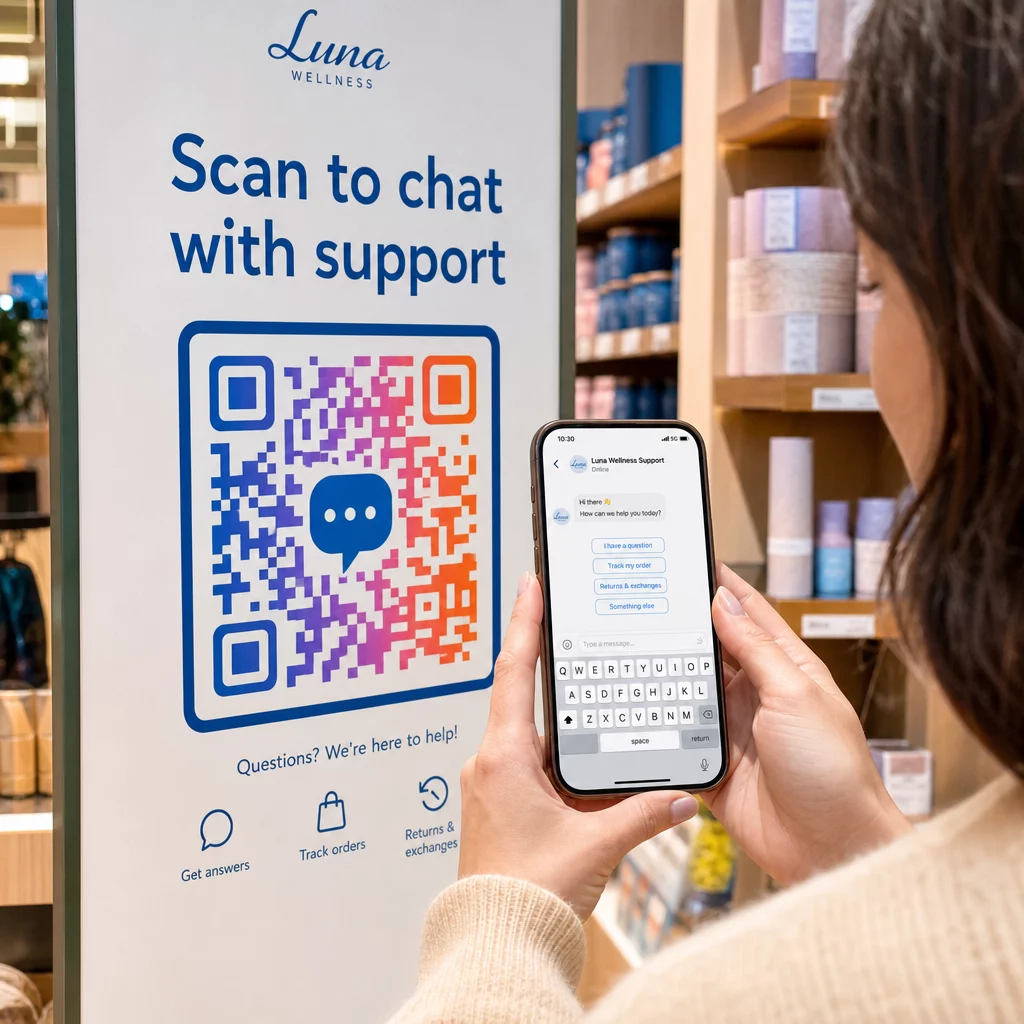
- Üzleten belüli feliratozás – “Beszélgessen velünk” kódok a pénztár vagy ügyfélszolgálati pultok közelében csökkentik a kérdések feltevésének akadályát
- Rendezvényanyagok – asztali kártyák, nyakpántok vagy standkiállítások Telegram vagy Messenger kóddal az azonnali nyomon követéshez
- Nyomtatott hirdetések és brosúrák – egy előre kitöltött SMS kód lehetővé teszi a potenciális ügyfelek számára, hogy azonnal feliratkozzanak a nyomon követő kommunikációra
Bárhová is helyezi a kódot, tegyen mellé egy rövid cselekvésre ösztönző felhívást. A kód önmagában nem magyarázza el az előnyt. Mondja el az embereknek, mit kapnak a beolvasással: “Olvassa be az ügyfélszolgálattal való csevegéshez”, “Olvassa be az árajánlat kéréséhez” vagy “Olvassa be a feliratkozáshoz”.”
Gyakori kérdések
Igen. Egy WhatsApp QR kódhoz a WhatsApp telepítése szükséges a beolvasó eszközén; egy Messenger kódhoz a Messenger alkalmazás vagy egy böngészőn keresztül elérhető Facebook fiók szükséges. Az SMS kódok bármilyen telefonon működnek további alkalmazás nélkül. Ha a közönség alkalmazáshasználata bizonytalan, az SMS kínálja a legszélesebb elérést.
Igen. A WhatsApp támogatja az előre kitöltött üzeneteket a `?text=` paraméter használatával a `wa.me` link formátumban. Az SMS QR-kódok támogatják a törzs (body) paramétert az `sms:` URI-ban, bár a pontos szintaxis kissé eltérhet iOS és Android között. Mindkét platformon történő tesztelés a kód terjesztése előtt ajánlott.
Egy dinamikus QR-kód lehetővé teszi, hogy bármikor frissítse a célhelyet vagy az előre kitöltött üzenetet újra nyomtatás nélkül. Emellett beolvasási analitikát is biztosít – összes beolvasás, beolvasási helyek, eszköz típusok – így mérheti, mely elhelyezések és üzenetek teljesítenek a legjobban. Ez különösen hasznos a hosszú élettartamú nyomtatott anyagokhoz.