Хочете, щоб клієнти надсилали вам повідомлення одним скануванням – без набору тексту, пошуку, без зайвих зусиль? Коли комусь доводиться вручну шукати ваш номер телефону або знаходити ваш контакт у WhatsApp, більшість з них не будуть цим займатися. Цей посібник пояснює, як саме QR-коди працюють з найпоширенішими платформами обміну повідомленнями, щоб ви могли повністю усунути цей бар'єр.
Чому QR-коди та обмін повідомленнями добре працюють разом
QR-коди долають розрив між фізичними матеріалами та цифровими діями. Замість того, щоб просити когось ввести номер телефону або перейти до вікна чату, одне сканування робить усе це автоматично. Результатом є менше тертя, вища конверсія та прямий канал зв'язку, який ви контролюєте.
Це має більше значення, ніж раніше. Майже 83,4 мільйона дорослих користувачів смартфонів у Сполучених Штатах відсканували QR-код у 2022 році – близько 37,5% дорослих власників смартфонів – і прогнозується, що ця частка досягне 42,6% до 2025 року. Серед цих користувачів більшість сканують кілька разів на місяць, а приблизно кожен п'ятий повідомляє про щотижневе сканування. Для маркетологів такий рівень звичної поведінки означає, що добре розміщений QR-код для обміну повідомленнями має реальний шанс бути використаним.
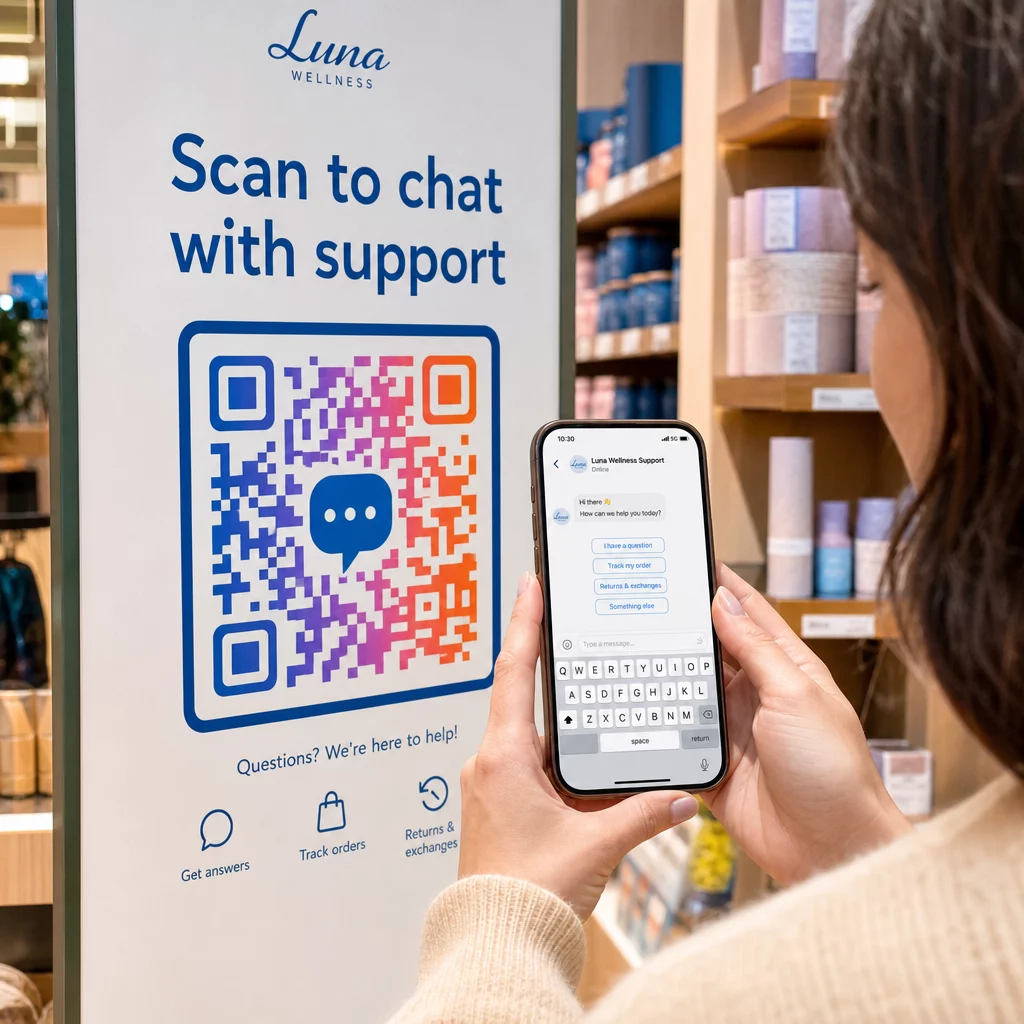
Практичні застосування широкі: QR-код на упаковці продукту, який відкриває чат підтримки клієнтів, плакат на заході, який починає розмову з відділом продажів, або візитна картка, яка дозволяє комусь написати вам у WhatsApp, не зберігаючи ваш номер спочатку. Ви можете вивчити основи налаштування QR-коду перш ніж зануритися в кроки, специфічні для платформи, нижче.
QR-коди для WhatsApp
WhatsApp мав приблизно 75,1 мільйона щомісячних активних користувачів у Сполучених Штатах станом на середину 2023 року, що робить його однією з найбільш широко використовуваних платформ обміну повідомленнями для компаній, орієнтованих на клієнтів, які в першу чергу використовують мобільні пристрої.
Існує два основні способи зв'язати QR-код з WhatsApp: відкриття вікна чату або відкриття вікна чату з уже набраним попередньо заповненим повідомленням. Різниця має значення залежно від того, що ви хочете отримати від взаємодії.
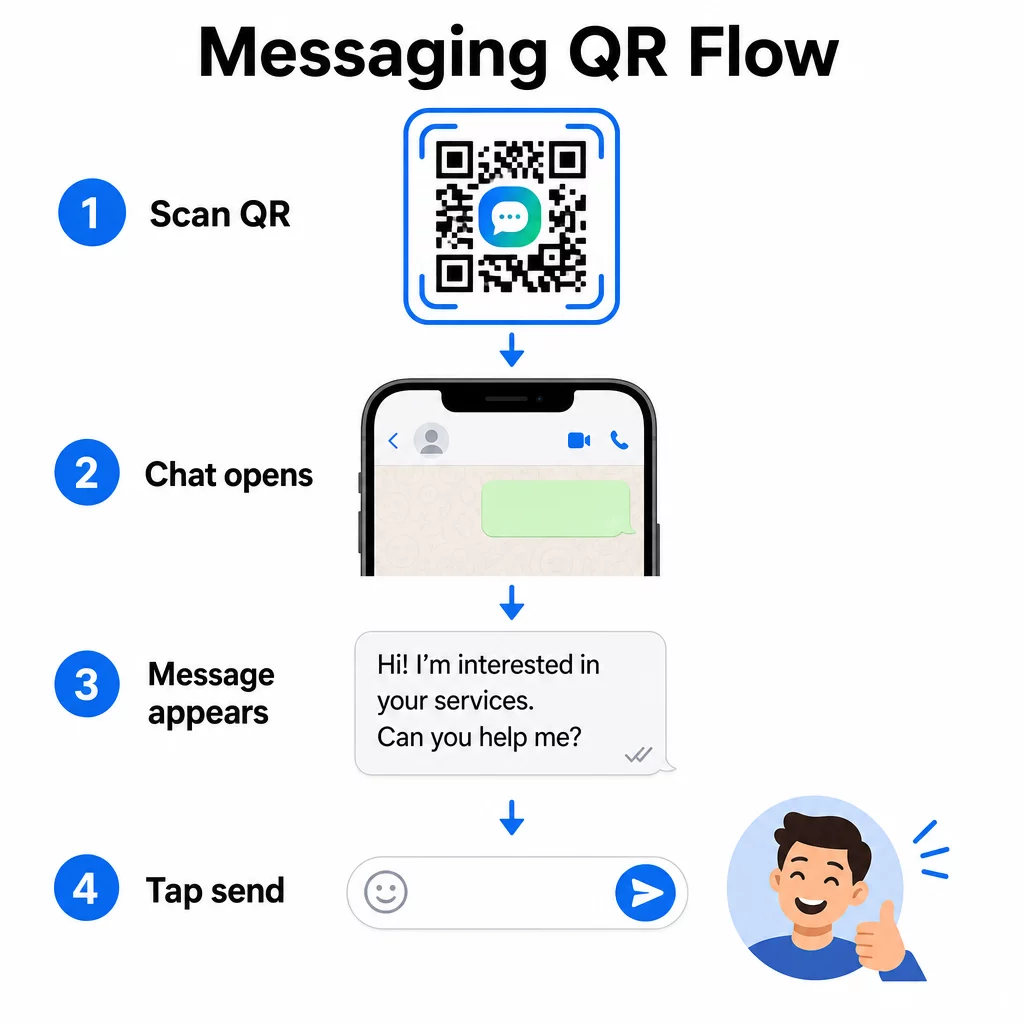
Відкриття вікна чату (Натисніть, щоб поспілкуватися)
Простіший з двох варіантів просто відкриває новий чат між сканером і вашим номером. Використовуйте цей формат як URL-адресу всередині вашого QR-коду:
“`
https://wa.me/YOURNUMBER
“`
Номер телефону має бути в міжнародному форматі без дужок, тире, знаків плюс або початкових нулів. Наприклад, номер у Великому Манчестері (0161 912 3456) у Великій Британії буде відформатований як:
“`
https://wa.me/441619123456
“`
Розберемо: код країни (44) + код міста без початкового нуля (161) + місцевий номер (9123456). Завжди перевіряйте своє посилання, перш ніж друкувати його де-небудь.
Створити QR-код WhatsApp Використовувати QR код WhatsApp створити фірмовий, сканований код з вашим номером та необов'язковим попередньо заповненим повідомленням – без необхідності ручного форматування URL.
Попередньо заповнене повідомлення
Ця опція відкриває чат і заповнює поле повідомлення текстом, який ви визначаєте заздалегідь. Коли хтось сканує, він бачить чернетку повідомлення, готову до надсилання – достатньо натиснути кнопку надсилання. Формат URL такий:
“`
https://wa.me/YOURNUMBER?text=YOURMESSAGE
“`
Replace spaces in your message with `%20` so the URL encodes correctly. For example, the phrase “I would like more information” becomes `I%20would%20like%20more%20information`.
Корисні приклади попередньо заповнених повідомлень включають:
- `I%20would%20like%20to%20subscribe%20to%20your%20newsletter`
- `I%20would%20like%20a%20free%20sample`
- `I%20need%20help%20with%20my%20order`
Якщо ви хочете поділитися попередньо заповненим повідомленням без націлювання на конкретний номер – корисно для обміну контентом, а не для прямого контакту – використовуйте цей формат замість цього:
“`
https://wa.me/?text=YOURMESSAGE
“`
Підхід з попередньо заповненим повідомленням особливо ефективний для генерації лідів. Ви точно знаєте, де хтось сканував (на основі того, який код вони використали), і ви негайно отримуєте їхній номер WhatsApp, коли вони надсилають повідомлення. Ви також можете дізнатися більше про як сканувати QR-код у WhatsApp якщо ви хочете зрозуміти досвід користувача з іншого боку.
QR-коди для Facebook Messenger
Facebook Messenger мав приблизно 139 мільйонів щомісячних користувачів у Сполучених Штатах станом на середину 2023 року, що робить його найпоширенішим мобільним додатком для обміну повідомленнями в країні. Якщо ваша аудиторія є на Facebook, QR-код Messenger може бути прямим шляхом до вхідних повідомлень вашої сторінки.
Формат посилання простий:
“`
http://m.me/PAGENAME
“`
Замініть `PAGENAME` на ім'я користувача вашої сторінки у Facebook – це текст, який з'являється після `facebook.com/` в URL-адресі вашої сторінки, а не відображуване ім'я, показане у верхній частині сторінки. Коли хтось сканує код, Messenger відкриває нову розмову безпосередньо з вашою сторінкою.
Це працює аналогічно опції WhatsApp «натисни, щоб поспілкуватися»: вона відкриває вікно чату, але не заповнює повідомлення заздалегідь. Це означає, що ваш заклик до дії має значення. Де б ви не розмістили код, поєднайте його з коротким закликом, наприклад:
- “Поспілкуйтеся з нами”
- “Поставте нам запитання”
- “Зв'яжіться з нами прямо зараз”
Переконайтеся, що на вашій сторінці ввімкнено сповіщення про повідомлення, щоб ви могли оперативно відповідати. Затримка відповіді зводить нанівець мету миттєвого спілкування.
QR-коди для текстових повідомлень (SMS)
Класичні SMS мають майже універсальне охоплення – вони встановлені на кожному смартфоні і не можуть бути видалені. Для аудиторій, де використання WhatsApp або Messenger є невизначеним, SMS є найбезпечнішим запасним варіантом.
Стандартний формат URI для SMS QR-коду:
“`
sms:PHONENUMBER?body=YOURMESSAGE
“`
Зауважте, що iOS та Android обробляють цей URI дещо по-різному. iOS зазвичай використовує крапку з комою перед `body` замість знака питання, тому, якщо ви орієнтуєтеся на змішану аудиторію, тестування на обох платформах перед розповсюдженням коду є обов'язковим. Більшість генераторів QR-кодів обробляють це автоматично, коли ви використовуєте спеціальний інструмент для SMS QR-кодів.
Цей QR код текст: генератор може кодувати SMS-інструкції, контактні дані або будь-який короткий текстовий рядок у сканований код, тоді як спеціальний SMS-генератор обробляє формат попередньо заповненого повідомлення.
QR-коди для Telegram
Telegram використовує публічні посилання на профілі у форматі `t.me/username` для каналів, груп та профілів. Перетворення цього посилання на QR-код дозволяє комусь приєднатися до вашого каналу або розпочати розмову одним скануванням.
Для приватних груп або каналів, які не мають публічного імені користувача, використовуйте посилання-запрошення, згенероване в програмі. Щоб знайти його: відкрийте групу, торкніться “Додати учасника”, потім виберіть “Запросити в групу за посиланням”. Скопіюйте цю URL-адресу та вставте її в генератор QR-кодів посилань щоб створити свій код. Покрокові інструкції ви можете знайти в цьому посібнику щодо QR-коди для груп Telegram.
QR-коди для електронної пошти
Електронна пошта функціонує інакше, ніж миттєві повідомлення, але вона має ту саму основну ідею: зменшення тертя, щоб потенційному контакту не доводилося нічого вводити. Посилання `mailto:` кодує адресу одержувача, тему та тіло повідомлення безпосередньо в QR-код.
Формат такий:
“`
mailto:[email protected]?subject=Your%20Subject&body=Your%20Message
“`
Like WhatsApp prefilled messages, spaces must be encoded as `%20`. When someone scans the code, their default email client opens with the recipient, subject, and body already populated.
Цей QR код електронної пошти обробляє це форматування автоматично і дозволяє налаштувати вигляд коду перед завантаженням.
Вибір між статичними та динамічними QR-кодами
Кожен приклад QR-коду для обміну повідомленнями вище може бути згенерований як статичний або динамічний код – і цей вибір має практичні наслідки для довгострокових кампаній.
A статичний QR-код кодує цільове посилання назавжди. Якщо ваш номер телефону змінюється, ім'я користувача вашої сторінки змінюється, або ви хочете протестувати інше попередньо заповнене повідомлення, вам доведеться згенерувати та передрукувати новий код.
A динамічний QR-код зберігає коротку URL-адресу перенаправлення, яку ви можете оновити в будь-який час, навіть після того, як код було надруковано. Змініть призначення, поміняйте попередньо заповнене повідомлення або перенаправте на абсолютно іншу платформу – надрукований код залишається незмінним. Динамічні коди також підтримують аналітику сканувань: ви можете відстежувати, скільки людей сканували, коли, де і на якому типі пристрою.
Для друкованих матеріалів, таких як листівки, упаковка продуктів або вітрини магазинів, динамічні коди зазвичай є розумнішим вибором. Ви можете дізнатися більше про компроміси в цьому порівнянні статичними та динамічними QR-кодами, і дізнатися, як налаштувати відстеження в цьому посібнику щодо відстеження QR-кодів.
Відстежуйте кожне сканування у ваших кампаніях обміну повідомленнями Хочете знати, яке розміщення забезпечує найбільше розмов? Генератор QR-кодів дозволяє створювати динамічні QR-коди для обміну повідомленнями з повною аналітикою сканувань – відстежувати продуктивність та оновлювати призначення без передруку.
Де розміщувати QR-коди для обміну повідомленнями
Технічне налаштування – це лише половина справи. QR-код для обміну повідомленнями, який ніхто не бачить, не стимулює розмов. Кілька перевірених місць розміщення:
- Пакування товарів – клієнти із запитанням можуть написати вам безпосередньо з коробки
- Візитні картки – код WhatsApp або Messenger замінює незручність ручного збереження контакту
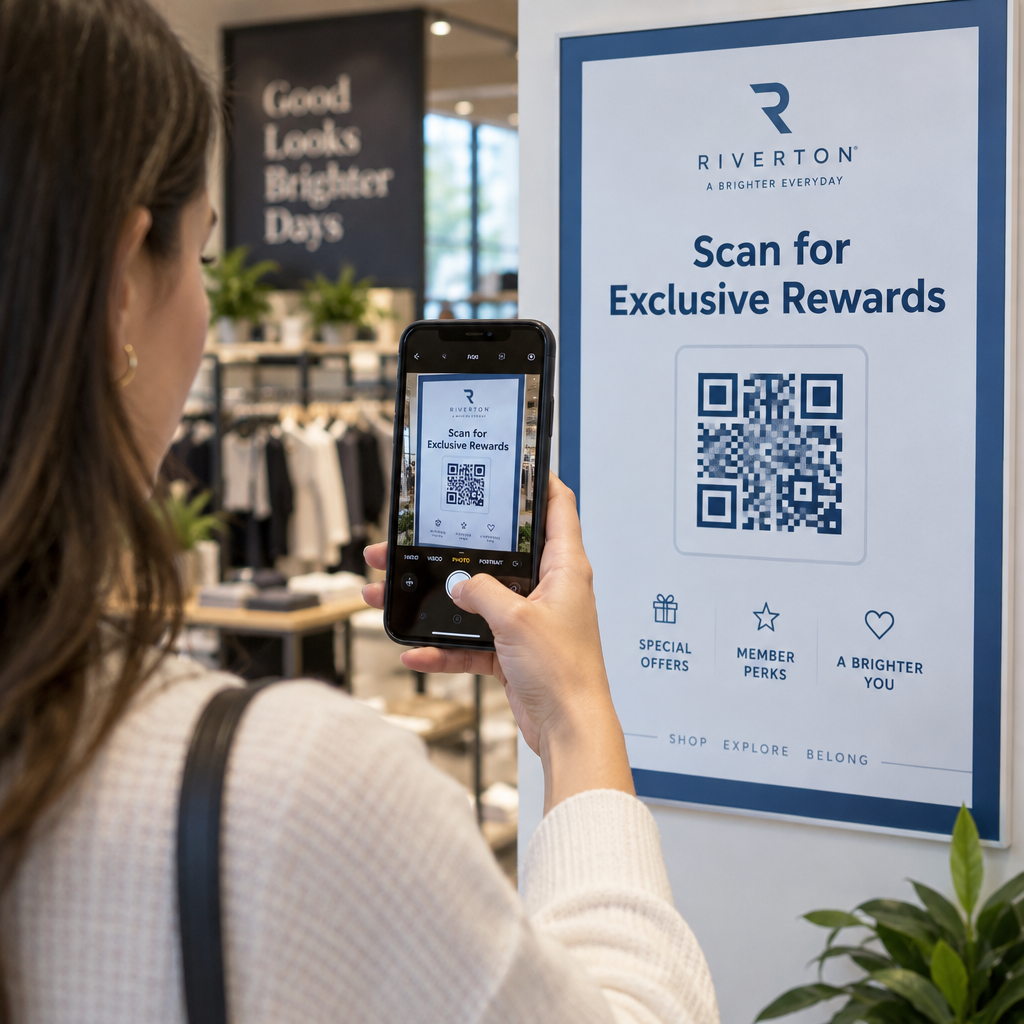
- Вивіски в магазині – Коди “Чат з нами” біля кас або стійок обслуговування знижують бар'єр для запитань
- Матеріали для подій – настільні картки, шнурки або виставкові стенди з кодом Telegram або Messenger для негайного подальшого зв'язку
- Друкована реклама та брошури – попередньо заповнений SMS-код дозволяє потенційним клієнтам миттєво підписатися на подальші повідомлення
Де б ви не розмістили код, додайте короткий заклик до дії безпосередньо поруч із ним. Сам код не пояснює переваги. Розкажіть людям, що вони отримають, відсканувавши: “Скануйте, щоб поспілкуватися з підтримкою”, “Скануйте, щоб отримати пропозицію” або “Скануйте, щоб підписатися”.”
Поширені запитання
Так. QR-код WhatsApp вимагає встановлення WhatsApp на пристрої сканера; код Messenger вимагає програми Messenger або облікового запису Facebook, доступного через браузер. SMS-коди працюють на будь-якому телефоні без додаткової програми. Якщо використання програм вашою аудиторією невизначене, SMS пропонує найширше охоплення.
Так. WhatsApp підтримує попередньо заповнені повідомлення, використовуючи параметр `?text=` у форматі посилання `wa.me`. QR-коди SMS підтримують параметр тіла в URI `sms:`, хоча точний синтаксис може дещо відрізнятися між iOS та Android. Рекомендується тестування на обох платформах перед розповсюдженням коду.
Динамічний QR-код дозволяє оновлювати місце призначення або попередньо заповнене повідомлення в будь-який час без повторного друку. Він також надає аналітику сканувань – загальну кількість сканувань, місця сканування, типи пристроїв – щоб ви могли виміряти, які розміщення та повідомлення працюють найкраще. Це особливо корисно для друкованих матеріалів з тривалим терміном служби.