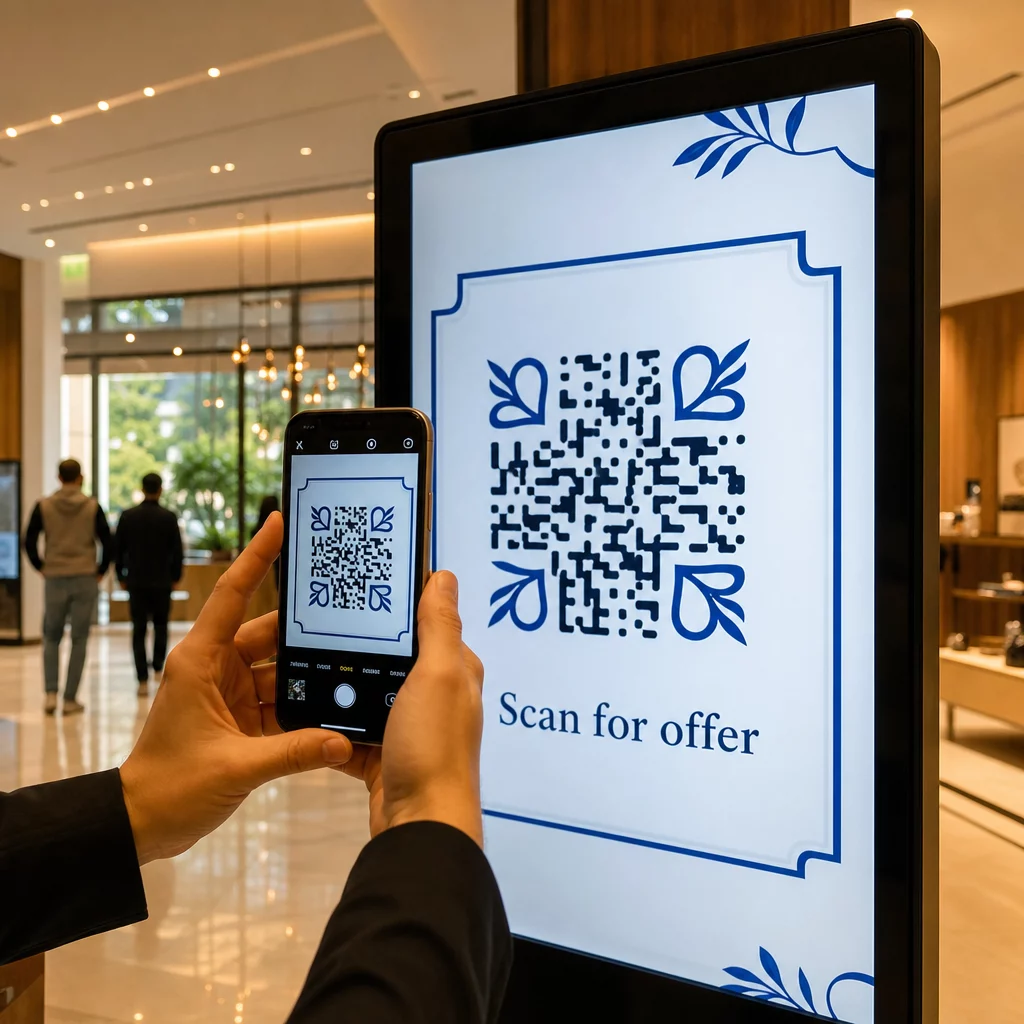
首页 > 使用案例 > How to Use QR Codes on Displays & Screens
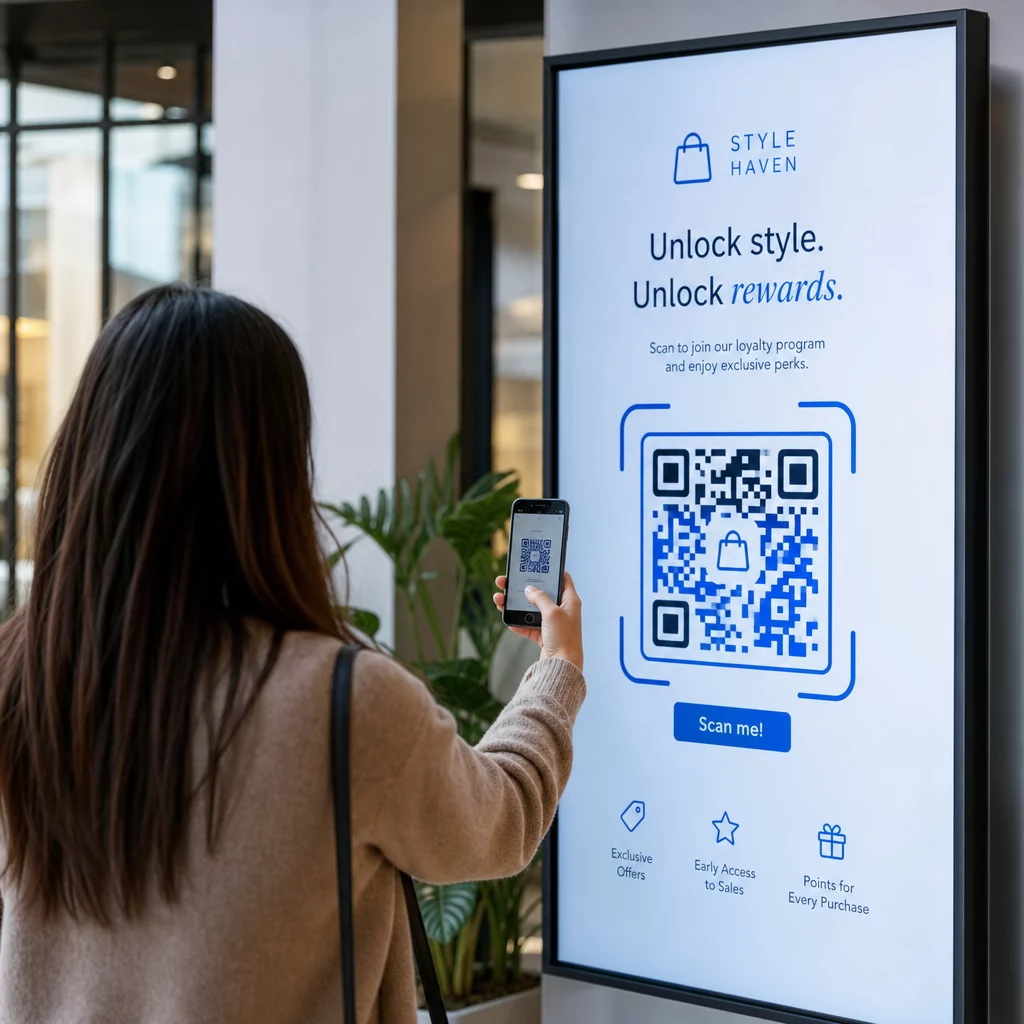
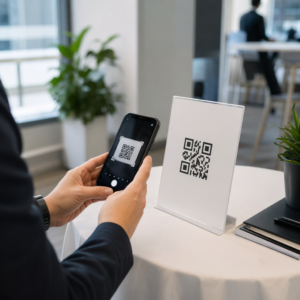
Scanning display QR code

How to Use QR Codes on Displays & Screens

Turn digital displays into interactive tools with QR codes. Learn the 10:1 sizing rule, placement strategies, and how to use dynamic codes to track engagement.
Updated on 6 月 10, 2026
目录

Are your digital displays generating engagement, or just generating impressions? A QR code turns a passive screen into an interactive touchpoint – but only if it’s designed and placed correctly. This guide covers everything you need to know to make QR codes on screens actually work.

Why QR Codes Make Digital Displays More Effective

Digital signage and screens are already good at grabbing attention. What they struggle with is converting that attention into action. A viewer reads your message, feels interested, and then… moves on. There’s no mechanism to bridge the moment of interest with the next step.

A QR code closes that gap. When someone scans a code on your display, they’ve voluntarily chosen to engage further – they’ve signaled intent. That single scan can connect them to a product page, a promotional offer, a sign-up form, or a video, all from the screen they were already looking at.

This is especially useful in situations where your audience doesn’t have a pen handy or won’t remember to search later: trade shows, retail floors, transportation hubs, and public venues. The code does the work even when you’re not present.

Where QR Codes on Displays Work Best

Not every screen environment is equally suited to QR codes. The best placements share a common trait: the viewer has a natural moment to pause, take out their phone, and scan.

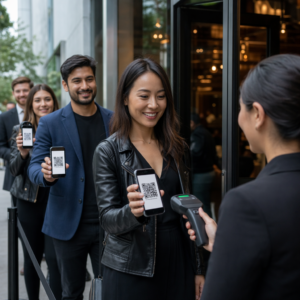
  • Display windows and storefronts give window shoppers access to product details, reviews, pricing, or online purchase options even when the store is closed
  • Trade show and exhibition displays are ideal for converting floor traffic into leads – codes can link to digital brochures, contest entries, social media follows, or exclusive show offers
  • In-store LED screens and kiosks reach high foot-traffic audiences and can drive impulse actions like scanning for a discount or viewing a new product launch
  • Point-of-sale and checkout displays are prime real estate for loyalty sign-ups, digital receipts, or next-purchase promotions
  • Transit and vehicle signage extends your reach to commuters and passersby – a QR code on a branded delivery van, for example, works entirely on its own once deployed

For a deeper look at how in-store placement strategy affects engagement, see 零售店最佳二维码放置位置 and the comparison of QR codes on packaging versus store displays.

Getting the Size Right for Digital Screens

Size is the most common mistake with QR codes on screens. A code that looks large in a design file can become nearly unscannable when displayed on a monitor across a room.

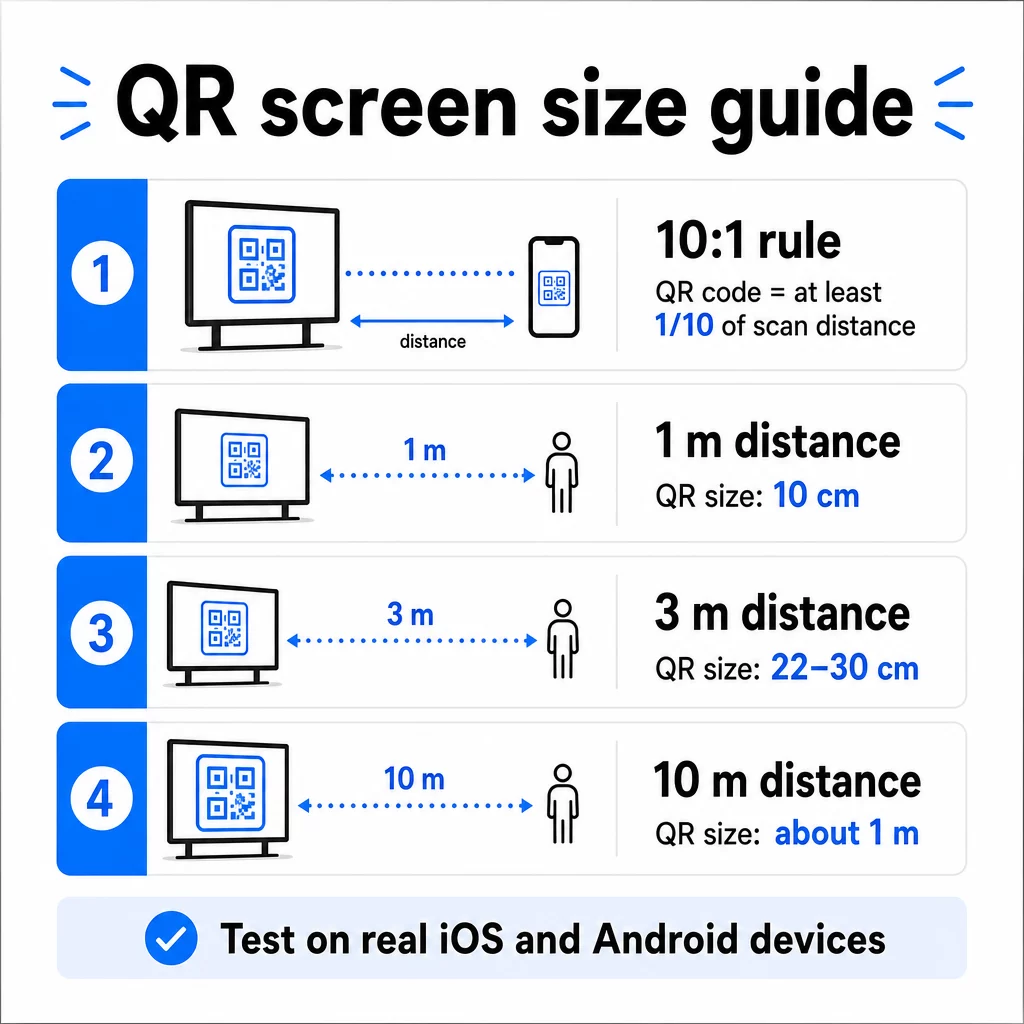
The standard guideline is the 10:1 rule: your QR code should be at least one-tenth of the intended scanning distance. If viewers will be standing 1 meter from the screen, the code needs to be at least 10 cm wide. From 3 meters, aim for 22–30 cm. From 10 meters, you’re looking at a code that needs to be roughly 1 meter on a side.

二维码尺寸指南

For reference on 1080p displays, a minimum of 240 pixels at 72 dpi is a starting baseline for close-range scanning, but that minimum must increase significantly as viewing distance grows. For general digital signage, no QR code should be smaller than roughly 2 × 2 inches – and bigger is always safer when people are scanning from a distance.

Always validate size in real-world conditions. Test the code at the actual display size, from the intended scanning distance, on both iOS and Android devices, before finalizing your design. Consult the full guidance on QR code sizing for different materials and contexts when scaling across formats.

Contrast and Color: What Makes a Code Scannable

A smartphone camera reads a QR code by detecting the contrast between dark modules and a light background. If that contrast is weak, the camera struggles to distinguish the pattern – and the scan fails.

The reliable standard is 浅色背景上的深色前景, with black on white being the most dependable combination. When using brand colors, keep the QR pattern in a dark color and the background light. Avoid reversed color schemes (white code on a black background), as many QR code readers cannot reliably process them.

For screens specifically, contrast becomes more complicated because ambient lighting, screen glare, and refresh rates all affect what the camera sees. Aim for a contrast ratio of at least 4.5:1 between your code and its background – this threshold also supports accessibility for users with low vision. Avoid gradients and shadows within the code area, as these create mid-tones that confuse scanners.

For a full breakdown of color pairings and their scannability outcomes, see the guide on 二维码颜色对比度最佳实践.

The Quiet Zone: The Space That Makes Scanning Possible

The quiet zone is the empty border surrounding a QR code on all four sides. It’s not decorative – it’s functional. Scanners use this blank space to identify where the code begins and ends, separating it from other visual elements like text, images, or background patterns.

The minimum quiet zone is 四个模块宽 on every side, where a module is the width of the smallest square in the code. If you’re scaling the code, the quiet zone must scale proportionally. Cropping or trimming the border – even slightly – can cause consistent scan failures.

On digital displays, where designers are often working against crowded layouts and tight screen real estate, the quiet zone is frequently the first thing to get squeezed. Don’t let it. Keep the quiet zone clear of logos, text, and any design elements, and make sure it matches the background color so it visually separates the code from its surroundings.

More on quiet zone requirements and 二维码可读性最佳实践 is available if you’re optimizing an existing design.

Placement and Layout on the Screen

Where the code sits within the display layout affects both visibility and scan rate. A few principles apply consistently:

  • Place at eye level. Positioning the code at roughly 3.5 to 4.5 feet from the floor keeps it accessible for both standing adults and users in wheelchairs – no crouching or stretching required
  • Put the code in the natural reading flow. Center-screen or bottom-center placements tend to perform well; avoid burying the code in a corner where it competes with other elements
  • Use one code per display when possible. Multiple codes confuse viewers about which to scan and can cause camera apps to focus on the wrong one
  • Keep the surrounding design clean. Too much competing content on screen reduces scan rates; give the code visual breathing room

For digital signage that rotates content, display the QR code for the full duration of its time slot. Viewers need enough time to notice the code, decide to scan, and complete the scan before the slide changes. For more context on placement strategies across environments, the 营销中二维码放置的终极指南 covers layout decisions across print and digital formats.

Writing a Call to Action That Drives Scans

A QR code without context gets ignored. Viewers need to know – before they reach for their phone – what they’ll get by scanning.

Place a short, specific call to action directly adjacent to the code. “Scan for today’s menu,” “Scan to enter the giveaway,” or “Scan for 20% off your next order” all work better than generic prompts like “Scan here.” The more concrete the benefit, the higher the scan rate.

Keep the text brief – two to five words is enough. Larger fonts and high contrast for the CTA text apply the same principles as the code itself: it needs to be readable from the viewer’s likely distance. See additional guidance on 二维码可用性最佳实践 for more on effective framing.

Where the Scan Should Lead

Every scan that doesn’t immediately deliver value is a lost opportunity. Since viewers will arrive via smartphone, the destination needs to be a 移动优化着陆页的零售品牌来说是理想选择 that loads quickly and delivers on the specific promise of the call to action.

Avoid sending users to your homepage or a generic product catalog. If the code is on a checkout display promoting a loyalty program, the landing page should be the loyalty sign-up form – nothing more. If it’s on a trade show display, the destination might be a lead capture form or a downloadable spec sheet.

一种 谷歌表格二维码 is a practical option for feedback collection, event registration, or surveys directly from a display. A 链接二维码 works for any URL-based destination and supports full customization and tracking.

Keep Your Display QR Codes Flexible Need to update what a code links to without changing the code itself? Use the 二维码生成器 to create dynamic codes that let you edit the destination anytime – no reprinting or redesigning required.

Using Dynamic QR Codes for Screens

Static QR codes encode a fixed URL or piece of data that can never change. For displays – especially digital signage that rotates campaigns or promotes time-sensitive offers – this creates a problem. If the linked content changes, you need to recreate and redeploy the code.

动态 QR 码 solve this by encoding a short redirect URL. The actual destination can be updated at any time through your account dashboard, while the code itself stays the same. This means you can:

  • Update a promotional offer without redesigning the screen layout
  • Redirect a single code to different campaigns by season or event
  • Fix a broken link instantly without any display changes

Dynamic codes also unlock scan analytics – data on how many times a code was scanned, from which location, on which device, and at what time. This data helps you determine which display placements are generating real engagement versus which ones are being overlooked.

For screens with rotating content, dynamic codes are particularly valuable because the same visual asset can serve different campaigns over time.

Track Every Scan from Every Screen Want to know which displays are actually driving engagement? Use Pageloot’s dynamic QR code platform to monitor scan rates, locations, and device data in real time – and refine your display strategy based on what the data shows.

Testing Before You Go Live

Even a well-designed QR code can fail in practice due to display brightness, viewing angle, screen refresh rate, or ambient lighting. Before any display goes live:

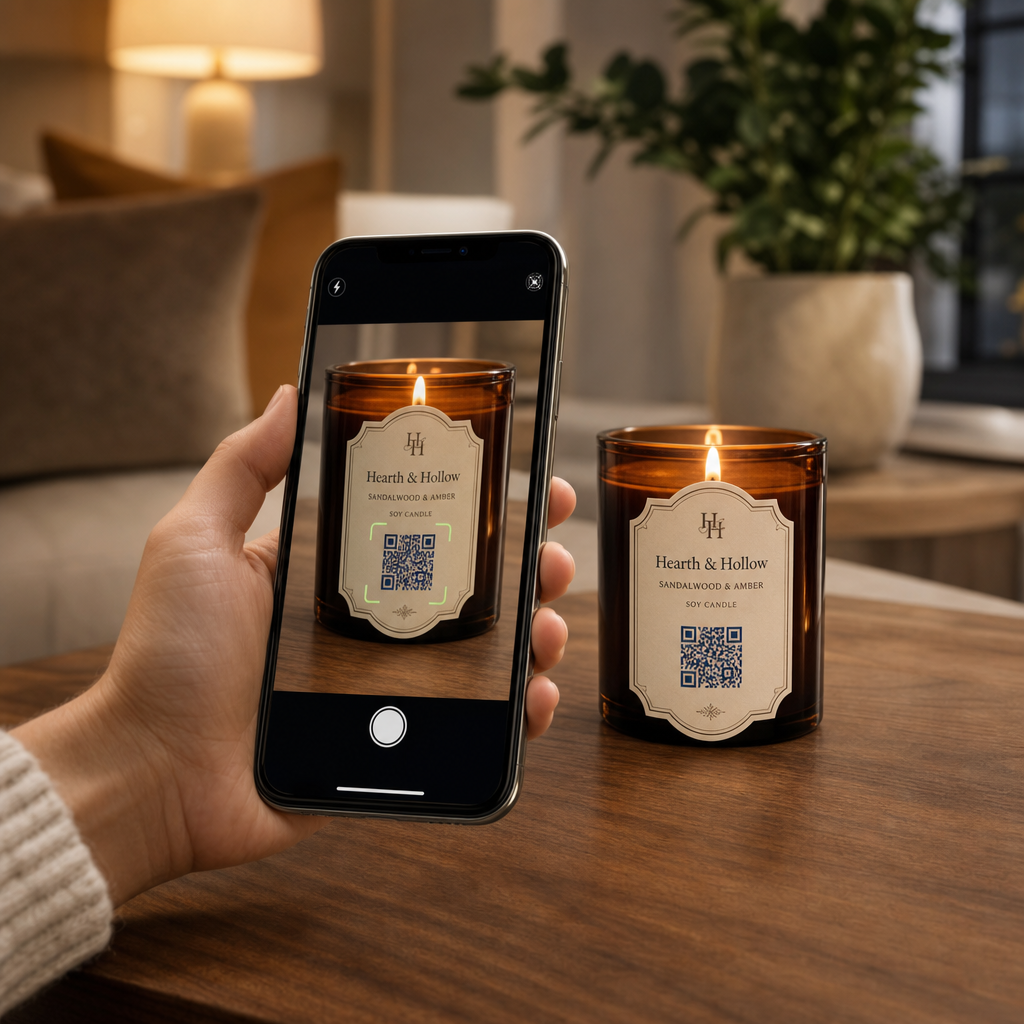
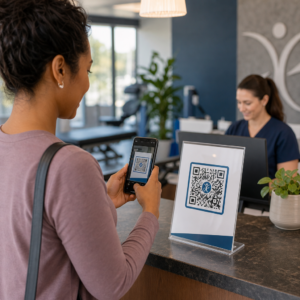
Testing display QR code
  • Test the code at the actual screen size and resolution it will be shown at
  • Scan from the intended minimum and maximum distances
  • Test on multiple devices – at minimum one iOS and one Android phone
  • Test at different times of day if the display is near natural light sources that shift throughout the day
  • Verify that the destination page loads correctly on mobile and delivers the expected experience

QR码扫描仪工具 can be used to verify a code’s content and confirm it resolves correctly before deployment.

Explore the Pageloot features overviewindustry solutions for more on how QR codes can be applied across different display contexts and business sectors. A well-placed, correctly sized QR code with a clear call to action can turn any screen into a conversion point. Get the contrast, quiet zone, size, and destination right – then use dynamic codes and analytics to keep improving. Start with the 二维码生成器 to create your first scannable display code today.

常见问题

How large does a QR code need to be on a digital display?

Use the 10:1 rule: the code should be at least one-tenth of the expected scanning distance. For a display scanned from 1 meter, the code should be at least 10 cm wide. For general digital signage, a minimum of 2 × 2 inches is a reasonable starting point, with size increasing as viewing distance grows. Always test at the actual display size and distance before going live.

Can I change what a QR code on a screen links to without updating the design?

Yes, if you use a dynamic QR code. Dynamic codes use a redirect URL, so you can update the destination in your account dashboard at any time – the code itself stays the same. This is especially useful for digital signage that promotes rotating campaigns or time-sensitive offers, since you avoid redesigning or redeploying the display every time the linked content changes.

Why is my QR code on a screen not scanning reliably?

The most common causes are insufficient contrast between the code and its background, a quiet zone that has been cropped or crowded by surrounding design elements, and a code that is too small for the viewing distance. On screens, display brightness and glare can also interfere. Check that your code uses a dark pattern on a light background, maintains a clear four-module quiet zone on all sides, and meets the size requirements for your expected scanning distance. Test on multiple devices to confirm compatibility.

关于作者

Siim Kostabi 是 Pageloot 的内容主管,负责撰写关于我们创新型二维码生成器服务的文章。凭借五年多来在二维码领域积累的深厚专业知识,Siim 是该领域的专家。他致力于利用二维码技术简化和增强数字交互,并取得了显著的成果。.

类别
了解更多关于
QR QR码的#1解决方案

如果您需要在线创建QR码,则可以 制作二维码 就在这里免费!
Pageloot是 #1转到解决方案 创建和扫描QR码。

QO-08

博客生成器

受到超过 20,000 个品牌的信赖,可获得更多销售、评论和关注者。

客户徽标
受到顶级品牌的信赖
评分为 4.8(共 5)

4.86 / 5 星评级

雨果·劳伦特
雨果·劳伦特
餐馆老板
有史以来最容易和最可靠的QR码生成器。PDF文件可以立即上传。我们的餐厅菜单现在是数字化的。
卢卡斯-詹森
卢卡斯-詹森
房地产开发商
这是一个很好的工具,二维码带你到你想要的地方。我们只使用位置二维码,但有许多有用的功能。
艾玛-莫雷蒂
艾玛-莫雷蒂
零售产品
易于使用和快速。它工作得很好,创造了一个完美的图像,所以员工可以下载我的vCard。
雨果·劳伦特
雨果·劳伦特
餐馆老板
有史以来最容易和最可靠的QR码生成器。PDF文件可以立即上传。我们的餐厅菜单现在是数字化的。
卢卡斯-詹森
卢卡斯-詹森
房地产开发商
这是一个很好的工具,二维码带你到你想要的地方。我们只使用位置二维码,但有许多有用的功能。
艾玛-莫雷蒂
艾玛-莫雷蒂
零售产品
易于使用和快速。它工作得很好,创造了一个完美的图像,所以员工可以下载我的vCard。
查看更多QR码
扫描品牌二维码
如何 嵌入图片
将一切转化为数字体验 不到3分钟。

免费试用 14 天。

无需信用卡。

首次购买可享受 30% 折扣

使用代码:

分享您的 MP3 文件

注册以创建 PDF QR 码

上传和显示你需要的一切。

  • 音频文件
  • 播客
  • 音乐

注册即可享 14 天免费试用。.
试用期结束后,二维码将失效。.

注册以创建音频 mp3 二维码

使用边框获得更多扫描

注册以向您的二维码添加更多框架

呼叫行动框架帮助您的客户与QR码轻松互动。试试吧!

注册即可享 14 天免费试用。.
试用期结束后,二维码将失效。.

注册以向您的二维码添加更多框架

使用形状添加更多样式

注册以创建更多形状

二维码不一定是方形的。试着改变它以适应你的品牌形象。

注册即可享 14 天免费试用。.
试用期结束后,二维码将失效。.

注册以创建更多形状

为您的二维码添加徽标

注册以将您的徽标添加到二维码中

通过在二维码上添加你的标志和品牌,使你的二维码脱颖而出。

注册即可享 14 天免费试用。.
试用期结束后,二维码将失效。.

注册以将您的徽标添加到二维码中

智能应用商店重定向

注册以创建应用商店二维码

将您的应用程序链接添加到我们的智能应用程序商店QR码。用户会根据他们的设备被重新定向。

注册即可享 14 天免费试用。.
试用期结束后,二维码将失效。.

注册以创建应用商店二维码

将图片上传到二维码

注册以创建图像二维码

轻松分享你的图像。在几秒钟内动态地改变任何图像。

注册即可享 14 天免费试用。.
试用期结束后,二维码将失效。.

注册以创建图像二维码

分享您的 PDF 文件

注册以创建 PDF QR 码

上传和显示你需要的一切。

  • 菜单和价格表
  • 使用说明
  • 任何文件

注册即可享 14 天免费试用。.
试用期结束后,二维码将失效。.

注册以创建 PDF QR 码

稍后编辑,无需打印

注册即可编辑您的二维码,无需再次打印

动态QR码让你改变你的QR码的内容,而不需要打印新的QR码。

注册即可享 14 天免费试用。.
试用期结束后,二维码将失效。.

注册即可编辑您的二维码,无需再次打印

何时?何地?追踪您的二维码扫描

注册以追踪您的二维码

发现你的哪些二维码收到了最多的扫描,以及什么最能让你的客户兴奋。

注册即可享 14 天免费试用。.
试用期结束后,二维码将失效。.

注册以追踪您的二维码

提供可打印文件

注册以创建 PDF 和 SVG 等矢量二维码

.EPS, .PDF, .SVG

想下载高清分辨率的QR码吗?获得矢量或像素格式,可随时打印。

注册即可享 14 天免费试用。.
试用期结束后,二维码将失效。.

注册以创建 PDF 和 SVG 等矢量二维码

请等待。您的二维码是 正在加载... 正在加载...

打造专属

注册以保存您的二维码以供日后使用

通过创建具有不同颜色、标识和行动呼吁框架的出色的QR码,获得更多的扫描。

注册即可享 14 天免费试用。.
试用期结束后,二维码将失效。.

注册以保存您的二维码以供日后使用