Letar du efter sätt att göra ditt museums utställningar mer engagerande utan att göra om hela besöksupplevelsen? Statiska väggskyltar och tryckta broschyrer kan bara göra så mycket – besökare förväntar sig alltmer digital tillgång till rikare innehåll på sina egna enheter. Denna guide täcker de mest praktiska sätten att implementera QR-koder på museer, från ljudguider och digitala kartor till biljettförsäljning och tillgänglighet.
Varför museer anammar QR-koder
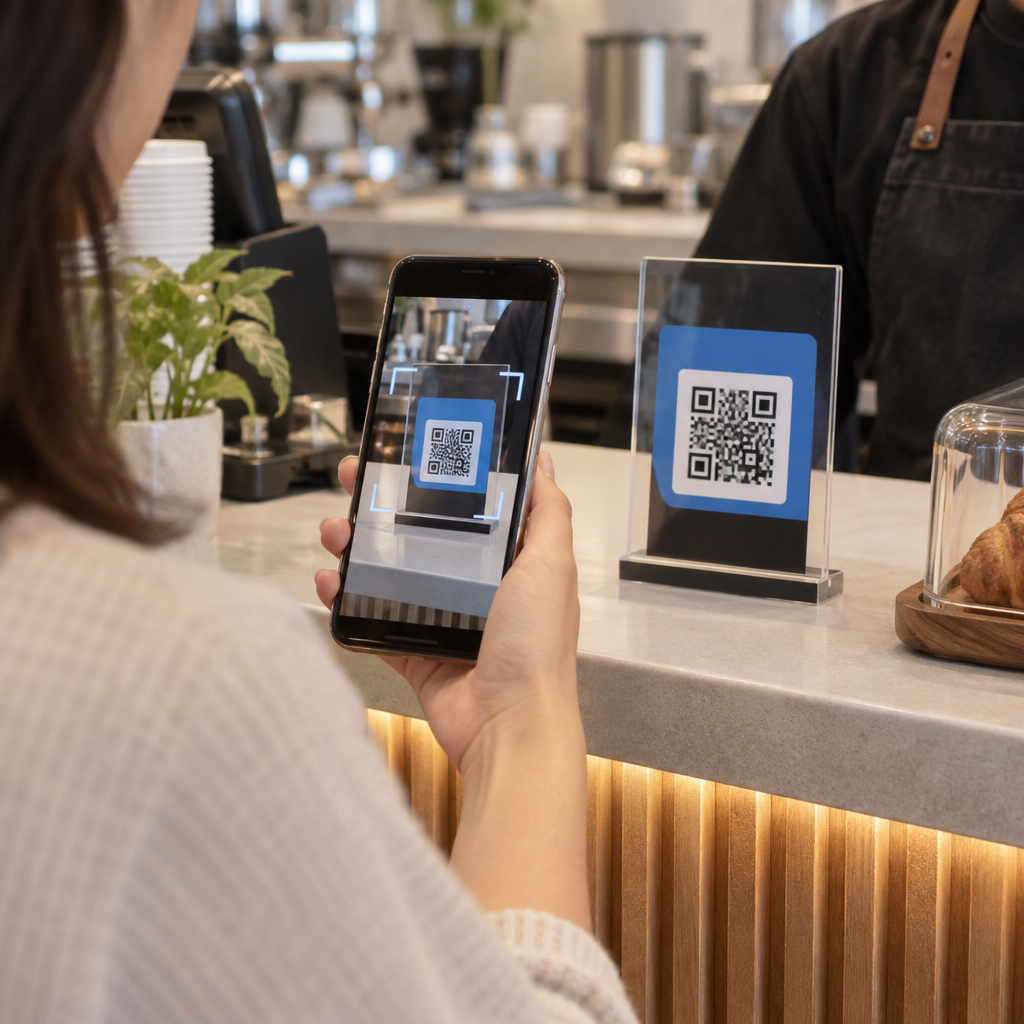
QR-koder ger museer ett billigt sätt att skapa ett skiktat informationssystem som går långt bortom vad som ryms på en fysisk etikett. En besökare som står framför ett föremål kan skanna en kod och omedelbart få tillgång till utökad text, bilder, video, ljudberättelser eller till och med förstärkt verklighet – allt på sin egen smartphone, i sin egen takt.
Kärnan i attraktionskraften är flexibilitet. Museer kan uppdatera innehållet som är kopplat till en kod när som helst utan att trycka om något, vilket gör dynamiska QR-koder särskilt praktiska för roterande utställningar eller säsongsprogram. Utöver innehållsleverans öppnar QR-koder också en direkt kanal för att samla in besökarfeedback, erbjuda flerspråkigt innehåll och koppla fysiska utställningar till virtuella turer och online-samlingar.
Skapa uppdateringsbara QR-koder för museer Behöver du uppdatera utställningsinnehåll utan att trycka om skyltar? Använd Dynamisk QR-kodgenerator för att skapa koder du kan redigera när som helst från en central kontrollpanel.
Vanliga sätt att använda QR-koder på museer
| Användningsfall | Vad det levererar |
|---|---|
| Ljud- och videogudier | Berättade utställningshistorier, konstnärsintervjuer, animerade rekonstruktioner |
| Digitala kartor | Navigerbara planritningar som besökare får tillgång till på sina telefoner |
| Utställningsinformation | Utökad text, historisk kontext, föremålets proveniens |
| Interaktiva upplevelser | Överlägg med förstärkt verklighet, skattjakter, frågesporter |
| Biljettförsäljning | Kontaktlös entré via skanningsbara digitala biljetter |
| WiFi-åtkomst | Omedelbar nätverksanslutning utan att skriva in lösenord |
| Besökares feedback | Enkätformulär åtkomliga direkt från utställningsgolvet |
| Presentbutikskampanjer | Länkar till exklusiva butikserbjudanden eller produktsidor online |
| Donation och medlemskap | Portaler för att ge eller bli medlem åtkomliga med en enda skanning |
Ljud- och videoguider
QR-kodade ljudturer låter besökare skanna en kod vid varje utställning och höra berättelser, kuratorskommentarer eller bakgrundshistorier på sina egna enheter. Detta ersätter skrymmande hyrd ljudutrustning och stöder flexibla, självstyrda rutter genom museet. För institutioner som vill gå längre, AR QR-koder kan förvandla museets berättande genom att lägga lager av 3D-modeller eller animationer direkt över fysiska artefakter när en besökare riktar sin telefon mot utställningen.
Museer kan skapa ljudguider med hjälp av QR-kodgenerator för MP3, som låter dig ladda upp ljudfiler och generera en skanningsbar kod som besökare kan spela direkt från sin enhet. För videoinnehåll – som konstnärsintervjuer eller steg-för-steg-visualiseringar av restaurering – en QR-kodgenerator för YouTube gör det enkelt att länka vilken utställning som helst till en hostad video.
Digitala kartor och självguidade turer
Stora museer kan använda PDF QR-koder att ge besökare en interaktiv digital karta som hjälper dem att navigera sektioner, lokalisera specifika utställningar och planera sitt besök enligt deras intressen. Att placera koder vid utsedda turné-“stopp” som länkar till ljudfiler eller webbsidor som beskriver vad besökaren ser möjliggör helt oberoende utforskning med endast en smartphone.
För en djupare titt på hur man bygger dessa upplevelser, är guide till att använda QR-koder för virtuella turer går igenom hela installationsprocessen, från att hosta ditt innehåll till att designa och placera koder.
Utställningsinformation och interaktiva upplevelser
Att placera QR-koder nära utställningar låter besökare få tillgång till ytterligare sammanhang – historisk bakgrund, konstnärsbiografier, samlingsproveniens – utan att tränga etiketten. Vissa museer tar detta längre genom att skapa skattjakter, där varje kod nära ett föremål ger information om objektet och en ledtråd som pekar mot nästa stopp. Detta format uppmuntrar aktiv utforskning och håller besökare engagerade över flera gallerier.
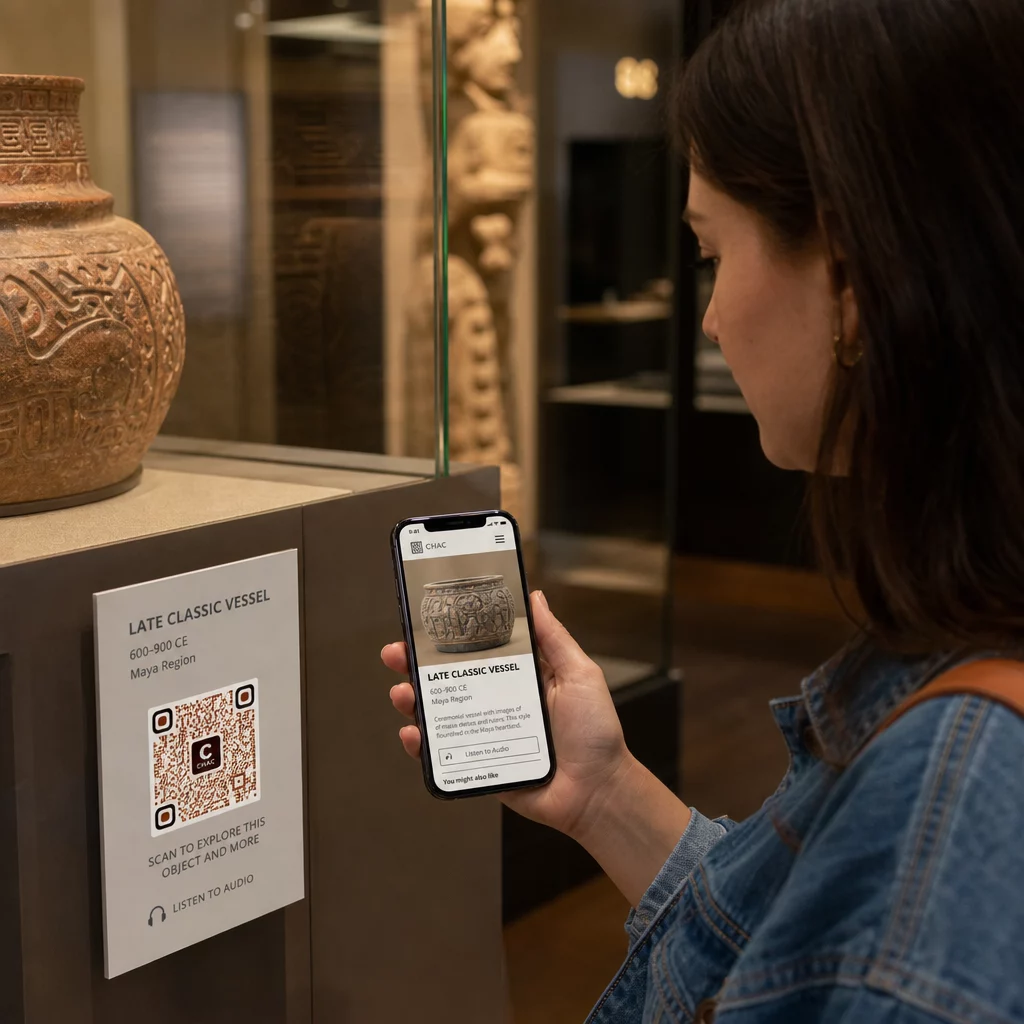
Museer har också använt QR-koder i moderna konstinstallationer för att koppla fysiska verk till digitalt berättande, inklusive spelifierat innehåll och designhistoriska berättelser inbäddade i koderna själva.
Biljetthantering och kontaktlös entré
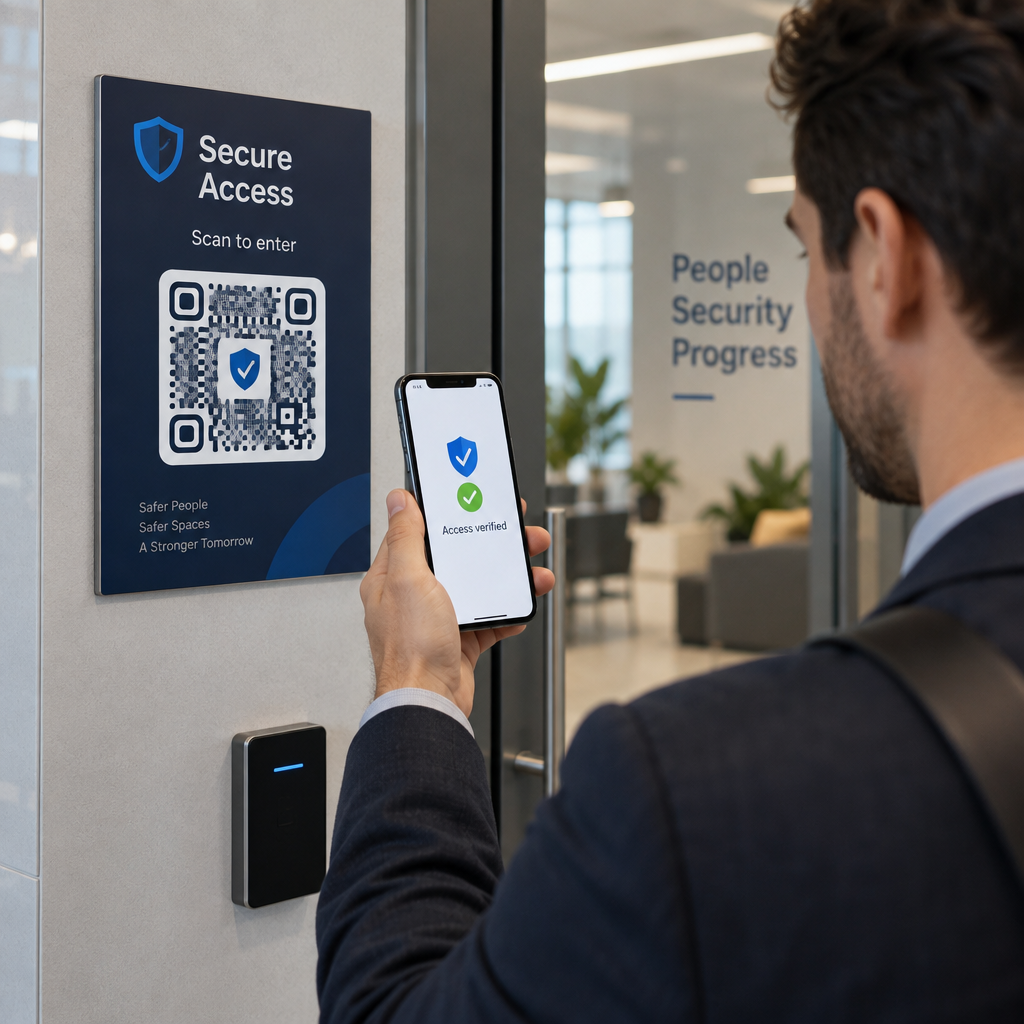
Digital biljetthantering via QR-koder ger besökare skanningsbara biljetter som de kan visa vid entréer direkt från sina telefoner. Detta förenklar antagningshanteringen, minskar köer och eliminerar beroendet av fysiska biljetter – särskilt användbart under perioder med hög trafik.
Besökarfeedback
Att placera QR-koder vid utgångar eller över hela gallerigolvet låter besökare snabbt fylla i ett feedbackformulär utan att få en pappersenkät. Den insamlade datan hjälper museer att förstå besökarnas preferenser, utvärdera utställningar och planera förbättringar. En QR-kod för länk som pekar på ett onlineformulär är det enklaste sättet att ställa in detta.
Tillgänglighetsöverväganden
QR-koder kan på ett meningsfullt sätt förbättra tillgängligheten när de implementeras genomtänkt – men de kan också skapa hinder om dessa behov inte åtgärdas i förväg.
Tillhandahåll ett alternativ. Alla besökare har inte en smartphone eller känner sig bekväma med att skanna en kod. Erbjud alltid ett annat sätt att komma åt samma innehåll, till exempel en närliggande utskriven URL, ett SMS-alternativ eller en personalmedlem som kan hjälpa till. Besökare som är blinda eller har nedsatt syn kan tycka att SMS-åtkomst är mer användbart än QR-skanning.
Designa för kontrast och synlighet. Använd mörka kodelement på en ljus bakgrund och sikta på ett kontrastförhållande på minst 4:1. Detta uppfyller WCAG 2.1-kraven för kontrast för icke-text och säkerställer att koden förblir läsbar för besökare med nedsatt syn. Detaljerad vägledning om hur detta uppnås finns i bästa praxis för användbarhet av QR-koder referensen.
Anpassa kodernas storlek efter skanningsavståndet. En grov tumregel är ett förhållande på 10:1 – för varje 10 cm förväntat skanningsavstånd bör koden vara minst 1 cm bred. Det praktiska minimumet för de flesta museiplaceringar är 2 × 2 cm (cirka 0,8 × 0,8 tum), även om större format är bättre för utställningar som ses på avstånd.
Tänk på placeringshöjden. Montera koder på en höjd och vinkel som besökare i rullstol eller de med kortväxthet bekvämt kan nå och skanna. Placering i ögonhöjd, 3 till 5 fot från golvet, fungerar bra för stående besökare; lägre placeringar kan behövas för fullständig inkludering.
Ge korta, tydliga instruktioner. Alla besökare vet inte hur man skannar en QR-kod. En kort instruktion – “Öppna din kameraapp och rikta den mot denna kod” – eliminerar gissningsleken. Håll instruktionerna konsekventa i hela museet så att besökare inte behöver lära sig interaktionen på nytt vid varje utställning.
Testa med hjälpmedelstekniker. Före lansering, verifiera att det länkade innehållet och eventuella alternativa åtkomstmetoder fungerar korrekt med skärmläsare och förstoringsverktyg som VoiceOver och TalkBack.
För museer som specifikt är intresserade av ljudtillgänglighet, röstaktiverade QR-koder erbjud ett handsfree-alternativ som kopplar skanning till talad berättelse – särskilt användbart för besökare som inte bekvämt kan navigera visuella gränssnitt.
Hur man ställer in QR-koder i ditt museum
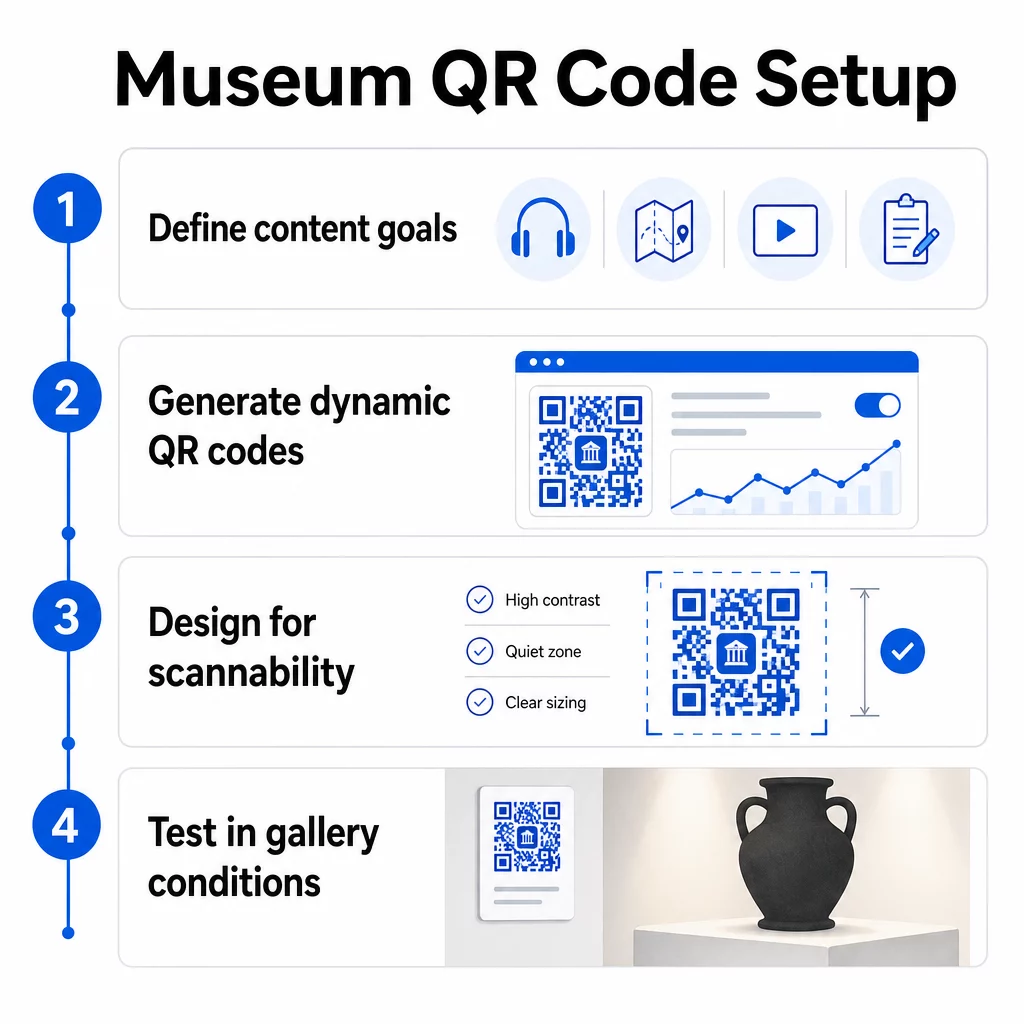
Steg 1: Definiera ditt innehåll och dina mål
Innan du genererar en enda kod, bestäm vad varje kod ska leverera och vem den tjänar. En ljudguide för ett viktigt föremål har andra krav än ett feedbackformulär vid utgången. Kartlägg dina kodtyper – ljud, PDF-karta, video, enkätlänk – och matcha varje med lämpligt innehållsformat.
Steg 2: Generera dina koder
Använd en QR-kodplattform som stöder dynamiska koder så att du kan uppdatera destinationer utan att skriva ut igen. Pageloots QR-kodgenerator låter dig skapa koder för URL:er, PDF-filer, ljudfiler, videor och mer, och sedan hantera dem från en enda instrumentpanel. Dynamiska koder ger också skanningsanalys – spårning av volym, plats, enhetstyp och tidpunkt – så att du kan se vilka utställningar som genererar mest intresse.
Spåra utställningsengagemang Vill du veta vilka föremål besökare engagerar sig mest med? Använd dynamiska QR-koder med inbyggd analys för att övervaka skanningsdata över varje utställning i ditt museum.
Steg 3: Designa för skanningsbarhet
Använd konsekvent varumärkesprofilering – ditt museums färger och logotyp – samtidigt som du bibehåller hög kontrast mellan koden och dess bakgrund. Håll en tydlig tyst zon (tom kant) runt varje kod. För detaljerad designvägledning, bästa praxis för läsbarhet av QR-koder täcker artikeln kontrastförhållanden, tysta zoner, logotypplacering och felkorrigeringsnivåer i praktiska termer.
Steg 4: Skriv ut och placera koder strategiskt
Skriv ut koder i tillräcklig storlek för det förväntade skanningsavståndet, med högupplösta vektorformat (SVG, EPS eller PDF) för att undvika oskärpa. Placera dem i ögonhöjd nära utställningen de refererar till – inte tvärs över rummet. För storskaliga eller komplexa installationer, den ultimata guiden för placering av QR-koder ger miljöspecifika råd som fungerar bra i museimiljöer.
Steg 5: Testa innan du öppnar
Testa varje kod på både iOS- och Android-enheter, under de faktiska ljusförhållandena i ditt galleri. Verifiera att länkade sidor laddas snabbt på mobildata (inte bara WiFi), att ljud- och videoinnehåll spelas upp korrekt, och att eventuella alternativa åtkomstvägar fungerar som avsett.
Populära museer som använder QR-koder
- Smithsonian Nationalmuseum för Naturhistoria har använt QR-länkade förstärkt verklighet-upplevelser för att levandegöra fysiska utställningar med digitala överlägg och 3D-rekonstruktioner.
- Metropolitanmuseet integrerar QR-kodåtkomst i sin standardbesöksupplevelse som ett alternativ för att komma åt sin digitala guide.
- Akropolismuseet erbjuder en QR-baserad audioguide som möjliggör självguidade turer, vilket gör besöket mer flexibelt och informativt för internationella besökare.
- Brittiska museet använder QR-koder så att besökare kan få tillgång till ytterligare innehåll och lära sig mer om utställningar i sin egen takt.
För ett bredare perspektiv på innovativa tillämpningar, guiden till QR-koder för virtuella konstturer dokumenterar hur institutioner använder dessa verktyg för att utöka museiupplevelsen bortom fysiska väggar.
Vanliga frågor
En musei-QR-kod kan länka till nästan vilket digitalt innehåll som helst: ljudberättelser, videoguider, upplevelser med förstärkt verklighet, PDF-kartor, informationssidor om utställningar, flerspråkig text, feedbackformulär, donationsportaler eller virtuella rundturer. Formatet du väljer beror på vad som bäst tjänar varje utställning och besökares behov.
Nej. Moderna iOS- och Android-smartphones kan skanna QR-koder direkt med den inbyggda kameraappen – ingen separat app krävs. Vissa äldre enheter kan behöva en dedikerad QR-skanner, så det är god praxis att nämna detta i dina instruktioner och se till att ditt länkade innehåll laddas snabbt i en vanlig mobilwebbläsare.
Dynamiska QR-koder låter dig uppdatera innehållet en kod pekar på när som helst utan att trycka om den fysiska koden. Detta innebär att du kan uppdatera utställningsbeskrivningar, byta ut ljudfiler för en ny säsong, eller fixa en trasig länk utan att störa din tryckta skyltning. Dynamiska koder tillhandahåller också skanningsanalys – som visar dig vilka utställningar som lockar mest engagemang, vid vilka tider och på vilka enheter – vilket ger ditt team användbar data för utställningsplanering och förbättringar av besöksupplevelsen.