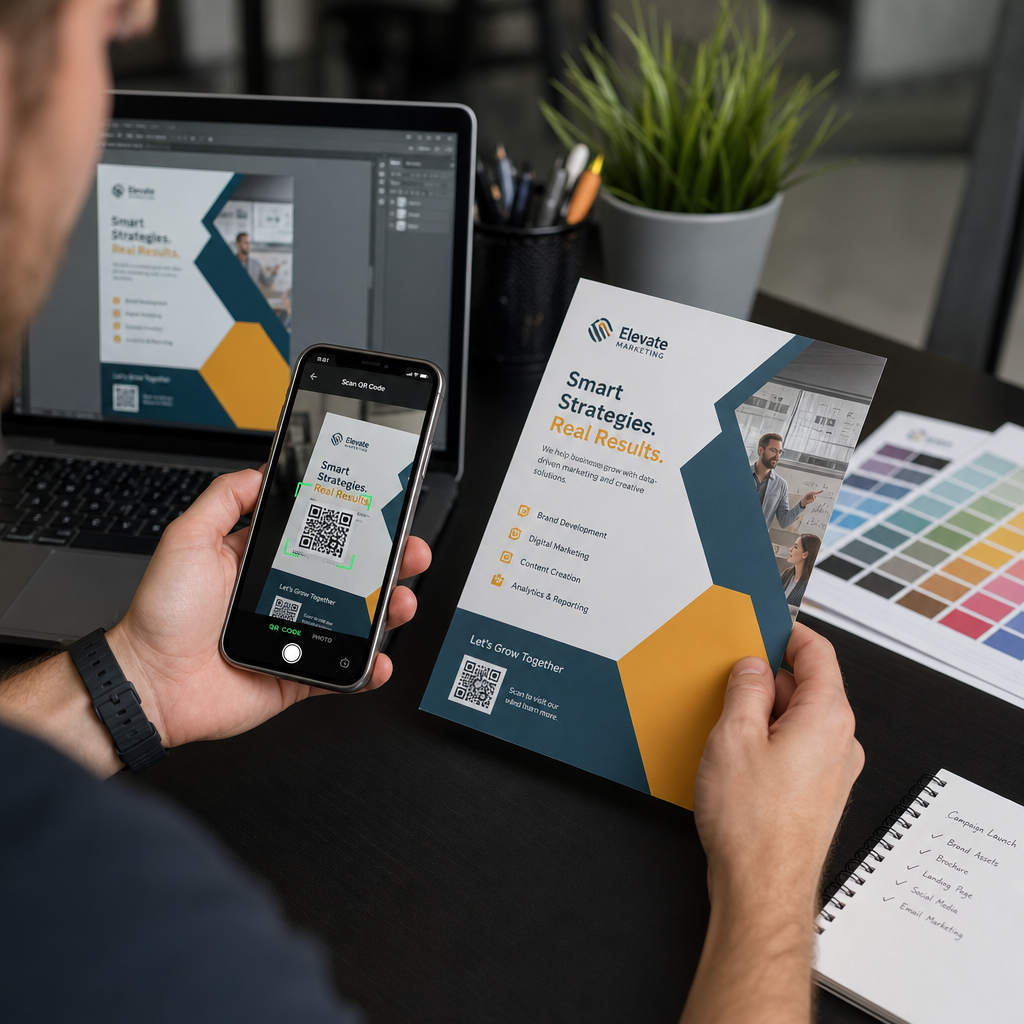
Enviar um código QR para impressão sem testá-lo primeiro é um dos erros mais comuns – e caros – no marketing impresso. Um código que parece perfeito na tela pode falhar completamente assim que chega ao papel, vinil ou embalagem. Este guia o orienta em todas as verificações que você precisa fazer antes de aprovar uma tiragem.
Por Que Códigos QR Falham Após a Impressão
Um código QR que escaneia perfeitamente no seu monitor pode falhar no mundo real por razões que só se tornam visíveis após a impressão. Compreender esses pontos de falha ajuda você a construir uma lista de verificação pré-impressão confiável.
Os culpados mais comuns são:
- Tamanho muito pequeno para a distância de digitalização esperada
- Baixa resolução causando módulos borrados ou pixelizados
- Contraste insuficiente entre o código e seu fundo
- Zona silenciosa ausente (a borda clara que envolve o código)
- Alta densidade de dados criando um padrão muito fino para as câmeras lerem
- Formato de arquivo errado usado para saída de impressão
Cada um desses problemas é totalmente evitável se você o identificar antes que a impressão comece. As seções abaixo abordam cada um em sequência.
Verifique o Tamanho do Seu Código QR em Relação à Distância de Digitalização
O tamanho é a razão mais comum pela qual um código QR impresso falha. A regra padrão é a proporção de 10:1: a largura do código QR deve ser de pelo menos 1 cm (ou 1 polegada) para cada 10 cm (ou 10 polegadas) de distância de digitalização esperada. Um código em um cartão de visita segurado à distância de um braço precisa de um tamanho muito diferente de um em um pôster lido do outro lado de uma sala.
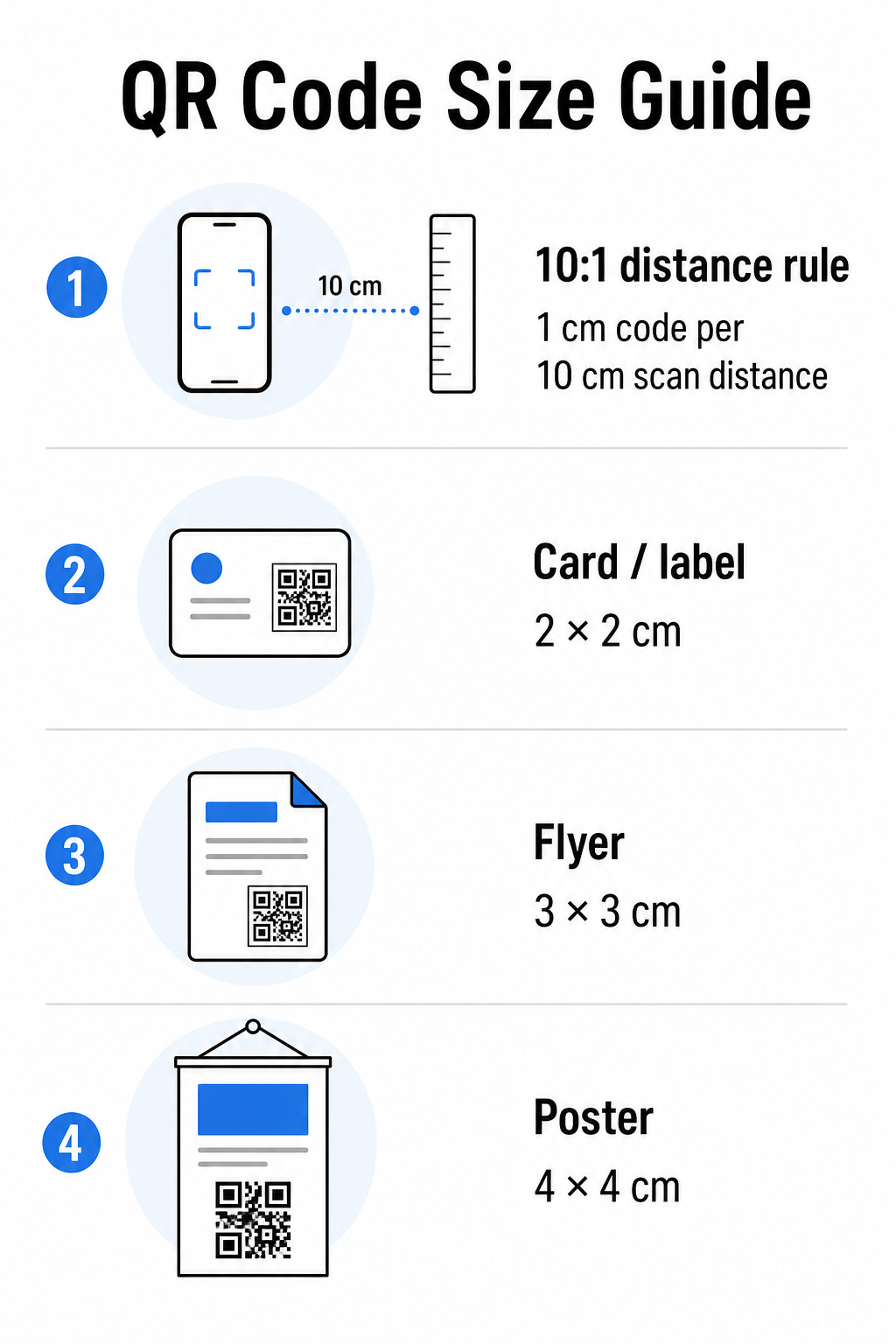
Use esta tabela como ponto de partida para materiais de impressão comuns:
| Material de Impressão | Tamanho Mínimo Recomendado | Distância Típica de Leitura |
|---|---|---|
| Cartão de visita / etiqueta | 2 × 2 cm (0.8 × 0.8 pol) | 20–30 cm (8–12 pol) |
| Brochura / flyer | 3 × 3 cm (1.2 × 1.2 pol) | 30 cm (12 pol) |
| Pôster / sinalização | 4 × 4 cm (1.6 × 1.6 pol) | 40 cm (16 pol) |
| Outdoor / banner | 40 × 40 cm (16 × 16 pol) | 4 m (13 pés) |
Antes de aprovar qualquer arquivo de impressão, confirme se as dimensões do código correspondem ao seu caso de uso esperado. O guia de tamanho de código QR fornece um detalhamento completo por tipo de material, incluindo como a densidade dos dados afeta o tamanho mínimo viável.
Verifique Seu Formato de Arquivo e Resolução de Impressão
O formato que você exporta importa tanto quanto o próprio design. Imagens raster como PNG e JPEG são feitas de pixels. Quando ampliadas para impressão de grande formato, elas ficam borradas e os módulos finos em um código QR perdem suas bordas nítidas – tornando o código difícil ou impossível de digitalizar.
Para qualquer código QR impresso, use formatos vetoriais: SVG, EPS ou PDF. Arquivos vetoriais escalam para qualquer tamanho sem perder qualidade porque são definidos matematicamente em vez de pixel a pixel. Se você precisar usar um formato raster, certifique-se de que a resolução seja de pelo menos 300 DPI no tamanho de impressão pretendido – não no tamanho da pré-visualização da tela.
Uma verificação rápida de resolução: abra seu arquivo de imagem, anote suas dimensões em pixels e divida pelo tamanho de impressão pretendido em polegadas. Se um código QR de 1 polegada for salvo como uma imagem de 100 × 100 pixels, ele terá apenas 100 DPI – bem abaixo do mínimo de 300 DPI e quase garantido para imprimir borrado.
Para uma análise mais aprofundada deste tópico, o guia de resolução de impressão de código QR aborda os requisitos de DPI e as escolhas de formato em detalhes.
Crie Códigos QR Prontos para Impressão em Segundos O Gerador de Código QR Pageloot permite que você baixe seus códigos nos formatos SVG, EPS e PDF – prontos para qualquer tamanho de impressão sem perda de qualidade.
Teste o Contraste Antes de Imprimir
Leitores de código QR funcionam distinguindo módulos escuros de um fundo claro. Quando esse contraste é muito baixo, o leitor não consegue identificar o padrão de forma confiável – mesmo que o código pareça bom para o olho humano.
O parâmetro técnico a ser atingido é um proporção de contraste mínima de 4:1 entre os módulos escuros e o fundo claro. Para aplicações de pagamento ou casos de uso focados em acessibilidade, almeje 5:1 ou superior. Módulos pretos em um fundo branco produzem uma proporção de 21:1 – o padrão ouro contra o qual todas as outras combinações de cores são medidas.
Erros comuns de contraste a serem verificados antes da impressão:
- Módulos cinza claro em branco: contraste insuficiente que falhará em pouca luz
- Cores invertidas (código claro em fundo escuro): alguns leitores lidam com isso, muitos não – nunca confie nele
- Preenchimentos gradientes em módulos: cria contraste irregular que confunde os leitores
- Cores da marca que são muito próximas em tom: teste com uma conversão para escala de cinza para ver o contraste real
Um teste prático pré-impressão é converter sua imagem de código QR para escala de cinza e verificar se os módulos ainda são claramente distinguíveis do fundo. Se eles começarem a se misturar em escala de cinza, falharão em uma ampla gama de câmeras de dispositivos e condições de iluminação. O guia de melhores práticas de contraste de cores de códigos QR inclui uma tabela de combinação de cores mostrando as proporções de contraste e os resultados de digitalização esperados para pares comuns.
Confirme se a Zona de Silêncio Está Intacta
O zona de silêncio é a margem em branco que rodeia os quatro lados de um código QR. Não é uma preferência de design – é um requisito técnico definido pela norma ISO/IEC 18004. Sem ela, os scanners não conseguem localizar onde o código começa e termina, e a leitura falhará.
A zona de silêncio deve ser de pelo menos quatro módulos de largura em todos os lados, onde um módulo é um dos pequenos quadrados na grade do código. Como referência prática:
- Para uma código QR de 1 polegada, permita aproximadamente 0,15 polegadas de espaço livre em todos os lados
- Para uma código QR do cartão de visita, mantenha uma zona de silêncio de pelo menos 0,25 polegadas
Antes de enviar para impressão, amplie o seu arquivo de layout e confirme que nenhum texto, imagem, borda ou padrão de fundo invade esta zona. Colocar um código muito perto da borda de um design ou sobrepô-lo com elementos decorativos é uma das causas mais comuns de falhas de leitura que só aparecem depois que o trabalho é impresso.
Verifique o Nível de Correção de Erros
Os códigos QR têm um sistema de recuperação integrado chamado correção de erro, que permite que o código seja lido mesmo que parte dele esteja danificada, obscurecida ou desgastada. Existem quatro níveis, cada um oferecendo uma compensação diferente entre resiliência e densidade de dados:
| Nível | Capacidade de Recuperação | Melhor caso de uso |
|---|---|---|
| L (Baixo) | ~7% | Superfícies limpas e intactas; densidade máxima de dados |
| M (Médio) | ~15% | Materiais de impressão padrão com algum desgaste |
| Q (Quartil) | ~25% | Códigos com sobreposições de logotipo ou risco moderado de danos |
| H (Alto) | ~30% | Uso externo, embalagens, códigos com grandes sobreposições de logotipo |
Se o seu código QR incluir um logotipo sobreposto ao padrão – uma escolha comum de branding – você precisa de pelo menos nível Q, e idealmente nível H. O logotipo obscurece efetivamente parte do código, então a correção de erros deve compensar. Confirme com qual nível seu código foi gerado antes de finalizar, e sempre teste um código com marca com a sobreposição no lugar. O guia de melhores práticas de legibilidade de código QR aborda como a correção de erros interage com o posicionamento do logotipo em detalhes.
Execute um Teste de Impressão Físico Antes da Execução Completa
Nenhuma quantidade de verificação na tela substitui a impressão de uma prova física. Imprima uma única cópia no tamanho final exato no material exato que você planeja usar, depois teste-o em condições que reflitam o uso no mundo real.
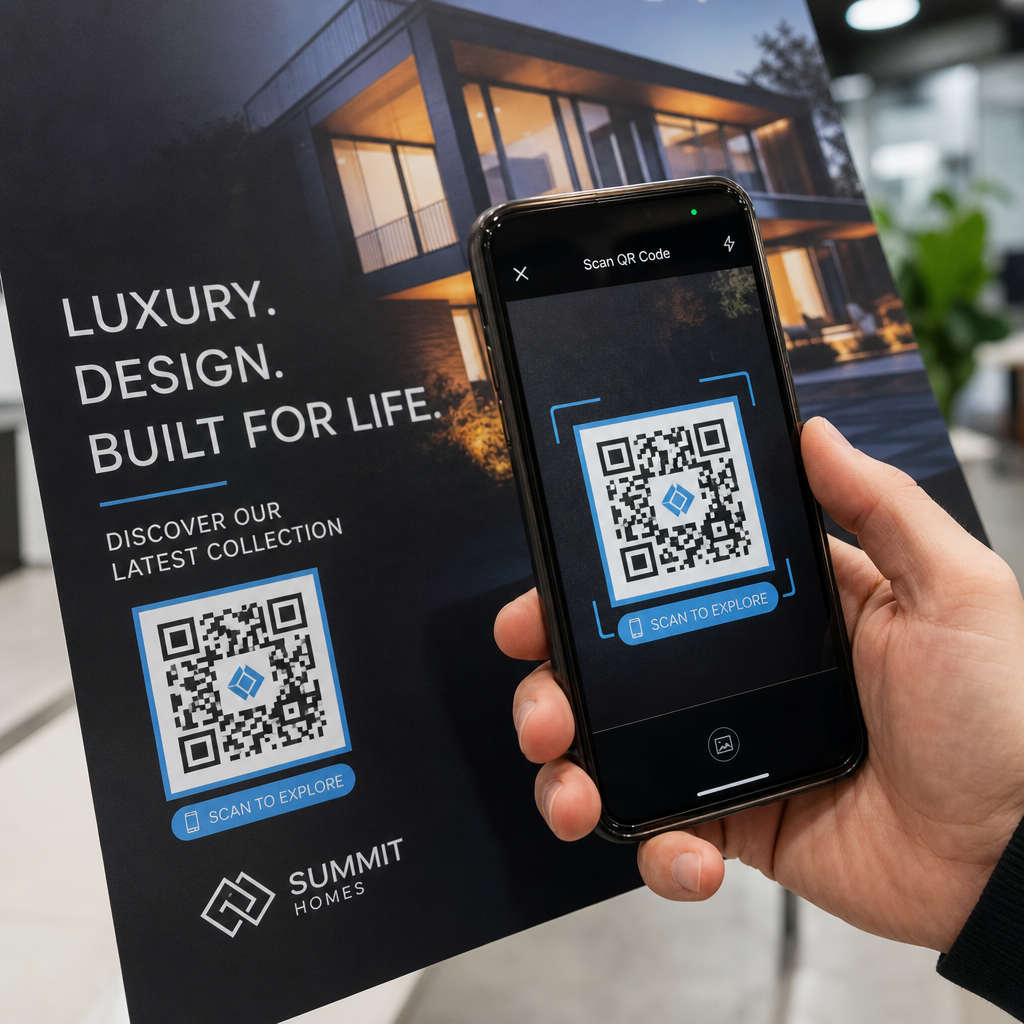
Seu teste físico deve cobrir:
- Vários dispositivos: teste em pelo menos dois smartphones diferentes – um iOS e um Android – usando tanto o aplicativo de câmera nativo quanto um scanner de terceiros
- Várias distâncias: digitalize da distância típica do usuário, e também de um pouco mais longe para confirmar que há margem para erro
- Várias condições de iluminação: teste em luz natural brilhante, iluminação interna padrão, e pouca luz se o código aparecer em qualquer um desses ambientes
- A superfície real: superfícies brilhantes refletem a luz e podem causar falhas de leitura mesmo quando o design do código está correto; acabamentos foscos têm um desempenho mais confiável em todas as condições
Você também pode verificar o código digitalmente carregando uma imagem do seu design para o Pageloot QR Code Scanner para confirmar que ele decodifica corretamente antes de se comprometer com uma execução completa. Se o seu código falhar em qualquer um desses testes, use o guia comum de solução de problemas de código QR para diagnosticar o ponto de falha específico antes de ajustar e retestar.
Para uma visão geral estruturada do que o teste móvel deve cobrir, o guia para testar códigos QR para usabilidade móvel detalha a compatibilidade do dispositivo, ângulos de leitura e desempenho do destino.
Considere Seu Método de Impressão e Superfície
A forma como um código QR é impresso afeta a capacidade de leitura independentemente do design do código em si. Diferentes métodos produzem diferentes níveis de nitidez do módulo, e diferentes superfícies interagem com a luz de maneiras que podem ajudar ou dificultar a leitura.
Principais considerações por método e material:
- Acabamentos foscos difundem a luz em vez de refleti-la, tornando-os quase sempre superiores aos acabamentos brilhantes para a confiabilidade da leitura
- Impressão offset produz bordas de módulo muito nítidas e é bem adequado para tiragens de alto volume
- Impressão digital funciona bem para tiragens curtas e códigos personalizados, mas a qualidade da tinta varia e pode desbotar com o tempo
- Impressão térmica é econômica para etiquetas, mas pode borrar as bordas finas do módulo – aumente o tamanho do código para compensar
- Superfícies texturizadas ou curvas introduzem distorção que pode confundir os scanners; use um código maior para compensar
Para uma análise completa de como cada técnica afeta a capacidade de leitura, o guia sobre como as técnicas de impressão impactam a escaneabilidade do código QR aborda a seleção do método, preparação do substrato e durabilidade da tinta.
Use um Código QR Dinâmico para Proteger Contra Alterações Pós-Impressão
Mesmo um código QR perfeitamente testado pode falhar após a impressão se o URL de destino mudar, a página vinculada for retirada do ar, ou o conteúdo da campanha precisar ser atualizado. Com um código QR estático, qualquer alteração no destino significa reimprimir tudo.
Códigos QR dinâmicos resolve isso codificando um URL de redirecionamento curto em vez do destino final diretamente. O redirecionamento pode ser atualizado a qualquer momento do seu painel, então o código impresso permanece válido mesmo quando sua campanha evolui. Isso também significa que você pode corrigir um link quebrado imediatamente após a distribuição – sem reimprimir uma única peça.
Além da prevenção de erros, os códigos dinâmicos dão a você acesso a análises de leitura: leituras totais, locais de leitura, hora da leitura e tipos de dispositivo. Esses dados dizem se seus materiais impressos estão realmente funcionando no campo, e onde focar a otimização. O guia para usar códigos QR em mídia impressa cobre como os códigos dinâmicos se encaixam na estratégia mais ampla da campanha de impressão.
Proteja Seu Investimento em Impressão Criar um Código QR Dinâmico para manter seus materiais impressos atualizados e rastrear o desempenho de leitura no mundo real – sem nunca voltar à gráfica.
Lista de Verificação de Teste de Código QR Pré-Impressão
Antes de aprovar qualquer código QR para produção de impressão, revise cada um dos seguintes:
- O tamanho do código corresponde à regra de 10:1 para a distância de leitura esperada
- O arquivo é exportado em formato SVG, EPS ou PDF (ou raster com um mínimo de 300 DPI no tamanho final de impressão)
- A taxa de contraste entre módulos e fundo atende a pelo menos 4:1
- A zona de silêncio de pelo menos quatro módulos está clara em todos os lados
- O nível de correção de erro é apropriado (Q ou H se uma sobreposição de logotipo estiver presente)
- O código decodifica corretamente quando lido de uma imagem carregada
- Prova física testada em dispositivos iOS e Android
- Prova física testada em condições de iluminação realistas e no material de impressão real
- O URL de destino está ativo, otimizado para celular e carrega rapidamente
- Código QR dinâmico usado se o destino precisar ser alterado após a impressão
Realizar essas verificações antes de cada trabalho de impressão leva muito menos tempo do que refazer uma tiragem. Um bom desempenho do código QR começa com o arquivo, não com o leitor. Obtenha o tamanho, formato, contraste e zona de silêncio corretos na fase de design, imprima uma prova no material real e teste-o da maneira que seu público realmente o usará.
Perguntas frequentes
O mínimo confiável para digitalização de curto alcance – como em cartões de visita ou rótulos de produtos – é de 2 × 2 cm (0.8 × 0.8 polegadas). Para materiais impressos maiores, aplique a regra 10:1: a largura do código deve ser de pelo menos 1 cm para cada 10 cm de distância de digitalização esperada. Um pôster digitalizado a 1 metro de distância, por exemplo, precisa de um código de pelo menos 10 cm de largura.
Sempre use um formato vetorial – SVG, EPS, ou PDF – para impressão. Arquivos vetoriais escalam para qualquer tamanho sem ficarem borrados ou pixelizados. Se você precisar usar um formato raster como PNG, garanta que a resolução seja de pelo menos 300 DPI no tamanho final de impressão. Arquivos raster de baixa resolução são uma das causas mais comuns de códigos QR impressos ilegíveis.
Imprima uma única prova no tamanho exato pretendido no material exato que você planeja usar, depois teste-a em pelo menos dois dispositivos diferentes (iOS e Android) em condições de iluminação realistas. Você também pode carregar uma imagem do seu código para o Scanner de Código QR Pageloot para verificar se ele decodifica corretamente antes de ir para a impressão. Usar um código QR dinâmico adiciona outra camada de proteção – se algo precisar mudar depois de imprimir, você pode atualizar o destino sem reimprimir.