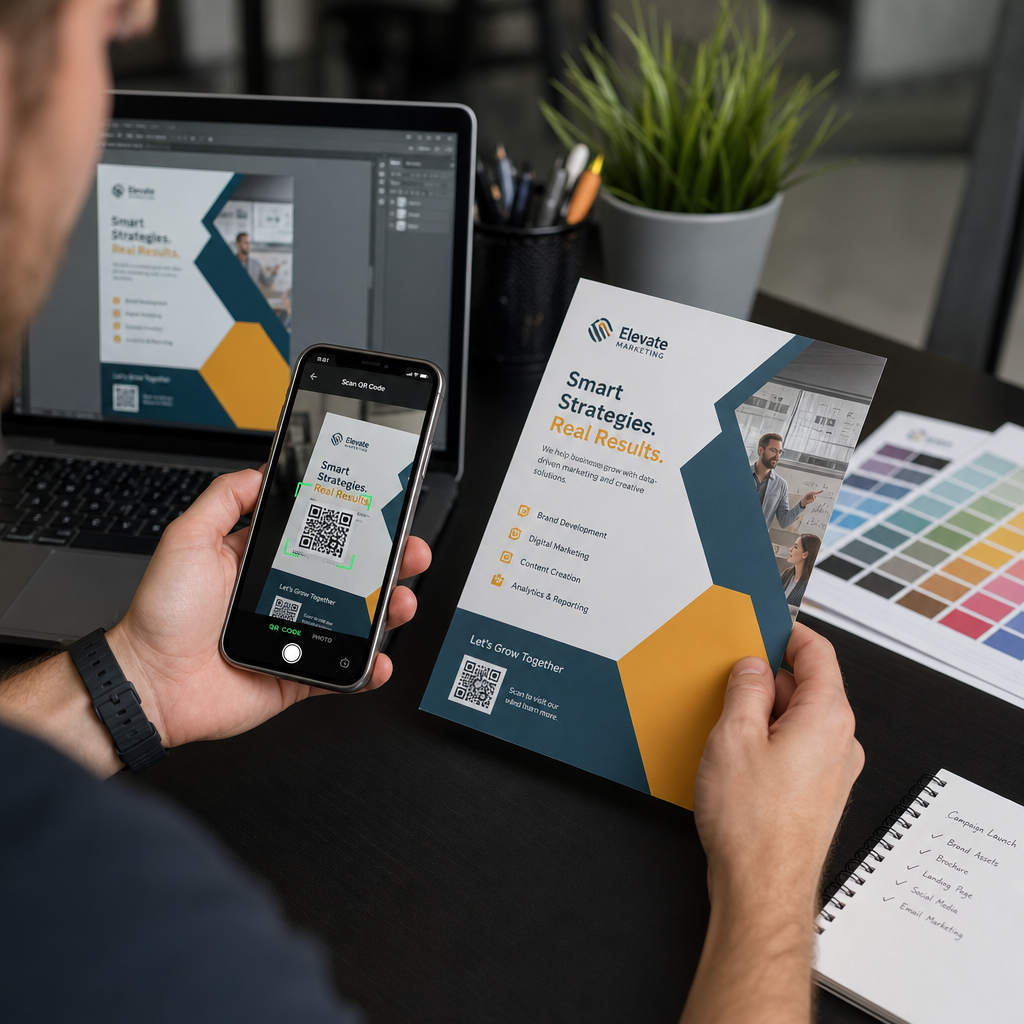
Η αποστολή ενός κωδικού QR για εκτύπωση χωρίς προηγούμενο έλεγχο είναι ένα από τα πιο κοινά – και δαπανηρά – λάθη στο μάρκετινγκ εκτύπωσης. Ένας κωδικός που φαίνεται τέλειος στην οθόνη μπορεί να αποτύχει εντελώς μόλις εκτυπωθεί σε χαρτί, βινύλιο ή συσκευασία. Αυτός ο οδηγός σας καθοδηγεί σε κάθε έλεγχο που πρέπει να κάνετε πριν εγκρίνετε μια εκτύπωση.
Γιατί οι κωδικοί QR αποτυγχάνουν μετά την εκτύπωση
Ένας κωδικός QR που σαρώνεται καθαρά στην οθόνη σας μπορεί να αποτύχει στον πραγματικό κόσμο για λόγους που γίνονται ορατοί μόνο μετά την εκτύπωση. Η κατανόηση αυτών των σημείων αποτυχίας σας βοηθά να δημιουργήσετε μια αξιόπιστη λίστα ελέγχου πριν την εκτύπωση.
Οι πιο κοινοί υπαίτιοι είναι:
- Μέγεθος που είναι πολύ μικρό για την αναμενόμενη απόσταση σάρωσης
- Χαμηλή ανάλυση προκαλώντας θολά ή με εικονοστοιχεία στοιχεία
- Ανεπαρκής αντίθεση μεταξύ του κωδικού και του φόντου του
- Ελλιπής ήσυχης ζώνης (το καθαρό περίγραμμα που περιβάλλει τον κωδικό)
- Υψηλή πυκνότητα δεδομένων δημιουργώντας ένα μοτίβο πολύ λεπτό για να το διαβάσουν οι κάμερες
- Λανθασμένη μορφή αρχείου που χρησιμοποιείται για την εκτύπωση
Κάθε ένα από αυτά τα ζητήματα είναι απολύτως αποτρέψιμο αν το εντοπίσετε πριν ξεκινήσει η εκτύπωση. Οι παρακάτω ενότητες αντιμετωπίζουν το καθένα με τη σειρά.
Ελέγξτε το μέγεθος του κωδικού QR σας σε σχέση με την απόσταση σάρωσης
Το μέγεθος είναι ο μοναδικός πιο κοινός λόγος που ένας εκτυπωμένος κωδικός QR αποτυγχάνει. Ο βασικός κανόνας είναι ο αναλογία 10:1: το πλάτος του κωδικού QR πρέπει να είναι τουλάχιστον 1 cm (ή 1 ίντσα) για κάθε 10 cm (ή 10 ίντσες) αναμενόμενης απόστασης σάρωσης. Ένας κωδικός σε μια επαγγελματική κάρτα που κρατιέται σε απόσταση αναπνοής χρειάζεται πολύ διαφορετικό μέγεθος από έναν σε μια αφίσα που διαβάζεται από την άλλη άκρη του δωματίου.
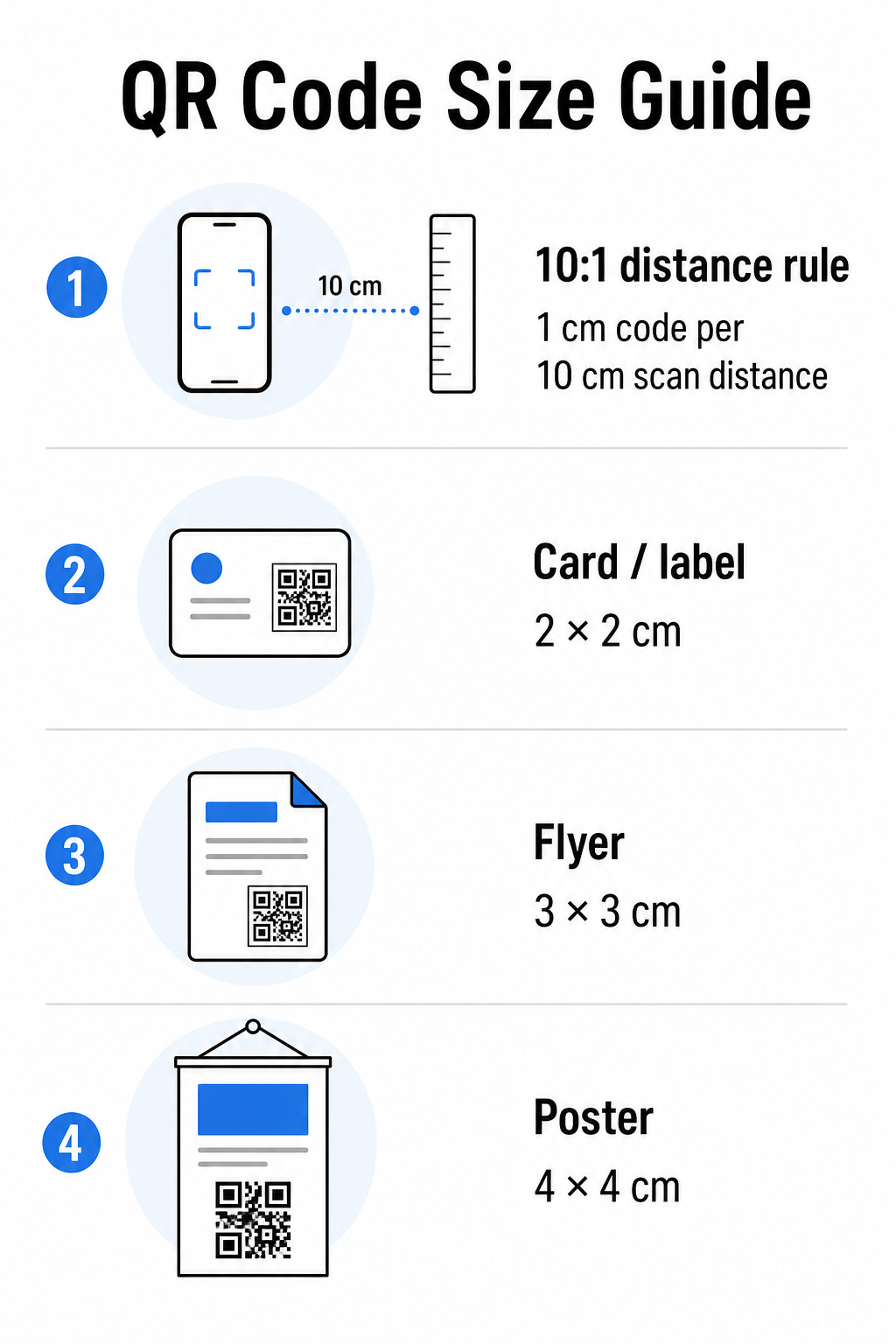
Χρησιμοποιήστε αυτόν τον πίνακα ως σημείο εκκίνησης για κοινά υλικά εκτύπωσης:
| Υλικό Εκτύπωσης | Ελάχιστο Προτεινόμενο Μέγεθος | Τυπική Απόσταση Σάρωσης |
|---|---|---|
| Επαγγελματική κάρτα / ετικέτα | 2 × 2 εκ. (0,8 × 0,8 ίντσες) | 20–30 εκ. (8–12 ίντσες) |
| Φυλλάδιο / διαφημιστικό | 3 × 3 εκ. (1,2 × 1,2 ίντσες) | 30 εκ. (12 ίντσες) |
| Αφίσα / σήμανση | 4 × 4 εκ. (1,6 × 1,6 ίντσες) | 40 εκ. (16 ίντσες) |
| Πινακίδα / πανό | 40 × 40 εκ. (16 × 16 ίντσες) | 4 μ. (13 πόδια) |
Πριν εγκρίνετε οποιοδήποτε αρχείο εκτύπωσης, επιβεβαιώστε ότι οι διαστάσεις του κωδικού ταιριάζουν με την αναμενόμενη περίπτωση χρήσης σας. Το οδηγό μεγέθους κωδικών QR παρέχει μια πλήρη ανάλυση ανά τύπο υλικού, συμπεριλαμβανομένου του τρόπου με τον οποίο η πυκνότητα δεδομένων επηρεάζει το ελάχιστο βιώσιμο μέγεθος.
Επαληθεύστε τη μορφή αρχείου και την ανάλυση εκτύπωσης
Η μορφή που εξάγετε έχει τόση σημασία όσο και ο ίδιος ο σχεδιασμός. Οι εικόνες ράστερ όπως PNG και JPEG αποτελούνται από pixel. Όταν μεγεθύνονται για εκτύπωση μεγάλου μεγέθους, θολώνουν και οι λεπτές μονάδες σε έναν κωδικό QR χάνουν τις αιχμηρές τους άκρες – καθιστώντας τον κωδικό δύσκολο ή αδύνατο να σαρωθεί.
Για οποιονδήποτε εκτυπωμένο κωδικό QR, χρησιμοποιήστε διανυσματικές μορφές: SVG, EPS ή PDF. Τα διανυσματικά αρχεία κλιμακώνονται σε οποιοδήποτε μέγεθος χωρίς απώλεια ποιότητας επειδή ορίζονται μαθηματικά και όχι pixel-προς-pixel. Εάν πρέπει να χρησιμοποιήσετε μορφή ράστερ, βεβαιωθείτε ότι η ανάλυση είναι τουλάχιστον 300 DPI στο προβλεπόμενο μέγεθος εκτύπωσης – όχι στο μέγεθος προεπισκόπησης οθόνης.
Ένας γρήγορος έλεγχος ανάλυσης: ανοίξτε το αρχείο εικόνας σας, σημειώστε τις διαστάσεις των pixel του και διαιρέστε με το προβλεπόμενο μέγεθος εκτύπωσης σε ίντσες. Εάν ένας κωδικός QR 1 ίντσας αποθηκευτεί ως εικόνα 100 × 100 pixel, είναι μόνο 100 DPI – πολύ κάτω από το ελάχιστο των 300 DPI και σχεδόν εγγυημένο ότι θα εκτυπωθεί θολός.
Για μια πιο εις βάθος ματιά σε αυτό το θέμα, το οδηγό ανάλυσης εκτύπωσης κωδικών QR καλύπτει λεπτομερώς τις απαιτήσεις DPI και τις επιλογές μορφής.
Δημιουργήστε έτοιμους για εκτύπωση κωδικούς QR σε δευτερόλεπτα ο Δημιουργία κώδικα Pageloot QR σας επιτρέπει να κατεβάσετε τους κωδικούς σας σε μορφές SVG, EPS και PDF – έτοιμους για οποιοδήποτε μέγεθος εκτύπωσης χωρίς απώλεια ποιότητας.
Ελέγξτε την αντίθεση πριν την εκτύπωση
Οι σαρωτές κωδικών QR λειτουργούν διακρίνοντας τις σκούρες μονάδες από ένα ανοιχτόχρωμο φόντο. Όταν αυτή η αντίθεση είναι πολύ χαμηλή, ο σαρωτής δεν μπορεί να αναγνωρίσει αξιόπιστα το μοτίβο – ακόμα κι αν ο κωδικός φαίνεται εντάξει στο ανθρώπινο μάτι.
Το τεχνικό σημείο αναφοράς που πρέπει να πληροίτε είναι μια ελάχιστη αναλογία αντίθεσης 4:1 μεταξύ των σκούρων μονάδων και του ανοιχτού φόντου. Για εφαρμογές πληρωμών ή περιπτώσεις χρήσης με επίκεντρο την προσβασιμότητα, στοχεύστε σε 5:1 ή υψηλότερη. Οι μαύρες μονάδες σε λευκό φόντο παράγουν αναλογία 21:1 – το χρυσό πρότυπο με το οποίο μετράται κάθε άλλος συνδυασμός χρωμάτων.
Συνηθισμένα λάθη αντίθεσης που πρέπει να ελέγξετε πριν την εκτύπωση:
- Ανοιχτό γκρι μονάδες σε λευκό: ανεπαρκής αντίθεση που θα αποτύχει σε χαμηλό φωτισμό
- Αντεστραμμένα χρώματα (ανοιχτόχρωμος κωδικός σε σκούρο φόντο): ορισμένοι σαρωτές το χειρίζονται, πολλοί όχι – μην βασίζεστε ποτέ σε αυτό
- Γεμίσματα διαβάθμισης στις μονάδες: δημιουργεί ανομοιόμορφη αντίθεση που μπερδεύει τους σαρωτές
- Χρώματα επωνυμίας που είναι πολύ κοντά σε τόνο: δοκιμή με μετατροπή σε κλίμακα του γκρι για να δείτε την πραγματική αντίθεση
Μια πρακτική δοκιμή πριν την εκτύπωση είναι να μετατρέψετε την εικόνα του κωδικού QR σας σε κλίμακα του γκρι και να ελέγξετε αν οι μονάδες εξακολουθούν να διακρίνονται καθαρά από το φόντο. Εάν αρχίσουν να αναμειγνύονται σε κλίμακα του γκρι, θα αποτύχουν σε ένα ευρύ φάσμα καμερών συσκευών και συνθηκών φωτισμού. Το οδηγός βέλτιστων πρακτικών αντίθεσης χρωμάτων κωδικών QR περιλαμβάνει έναν πίνακα συνδυασμών χρωμάτων που δείχνει τις αναλογίες αντίθεσης και τα αναμενόμενα αποτελέσματα σάρωσης για κοινά ζεύγη.
Επιβεβαιώστε ότι η Ήσυχη Ζώνη είναι άθικτη
ο ήσυχη ζώνη είναι το κενό περιθώριο που περιβάλλει και τις τέσσερις πλευρές ενός κώδικα QR. Δεν είναι προτίμηση σχεδιασμού – είναι μια τεχνική απαίτηση που ορίζεται από το πρότυπο ISO/IEC 18004. Χωρίς αυτό, οι σαρωτές δεν μπορούν να εντοπίσουν πού αρχίζει και πού τελειώνει ο κώδικας, και η σάρωση θα αποτύχει.
Η ήσυχη ζώνη πρέπει να είναι τουλάχιστον τέσσερις μονάδες πλάτος σε όλες τις πλευρές, όπου μία μονάδα είναι ένα από τα μικρά τετράγωνα στο πλέγμα του κώδικα. Ως πρακτική αναφορά:
- Για μια κώδικας QR 1 ίντσας, επιτρέψτε περίπου 0,15 ίντσες καθαρού χώρου σε όλες τις πλευρές
- Για μια Κωδικός QR επαγγελματικής κάρτας, διατηρήστε μια ήσυχη ζώνη τουλάχιστον 0,25 ιντσών
Πριν την αποστολή για εκτύπωση, μεγεθύνετε το αρχείο διάταξής σας και επιβεβαιώστε ότι κανένα κείμενο, εικόνα, περίγραμμα ή μοτίβο φόντου δεν παραβιάζει αυτή τη ζώνη. Η τοποθέτηση ενός κώδικα πολύ κοντά στην άκρη ενός σχεδίου ή η επικάλυψή του με διακοσμητικά στοιχεία είναι μία από τις πιο κοινές αιτίες αποτυχιών σάρωσης που εμφανίζονται μόνο μετά την εκτύπωση της εργασίας.
Ελέγξτε το Επίπεδο Διόρθωσης Σφαλμάτων
Οι κώδικες QR διαθέτουν ένα ενσωματωμένο σύστημα ανάκτησης που ονομάζεται διόρθωση σφαλμάτων, το οποίο επιτρέπει την ανάγνωση του κώδικα ακόμα και αν μέρος του είναι κατεστραμμένο, ασαφές ή φθαρμένο. Υπάρχουν τέσσερα επίπεδα, καθένα από τα οποία προσφέρει διαφορετική αντιστάθμιση μεταξύ ανθεκτικότητας και πυκνότητας δεδομένων:
| Επίπεδο | Ικανότητα Ανάκτησης | Καλύτερη περίπτωση χρήσης |
|---|---|---|
| L (χαμηλό) | ~7% | Καθαρές, άθικτες επιφάνειες· μέγιστη πυκνότητα δεδομένων |
| M (Μεσαίο) | ~15% | Τυπικά υλικά εκτύπωσης με κάποια φθορά |
| Q (τεταρτημόριο) | ~25% | Κώδικες με επικαλύψεις λογότυπων ή μέτριο κίνδυνο ζημιάς |
| H (Υψηλή) | ~30% | Εξωτερική χρήση, συσκευασία, κώδικες με μεγάλες επικαλύψεις λογότυπων |
Εάν ο κώδικας QR σας περιλαμβάνει ένα λογότυπο επικαλυμμένο στο μοτίβο – μια κοινή επιλογή branding – χρειάζεστε τουλάχιστον επίπεδο Q, και ιδανικά επίπεδο H. Το λογότυπο αποκρύπτει αποτελεσματικά μέρος του κώδικα, οπότε η διόρθωση σφαλμάτων πρέπει να αντισταθμίσει. Επιβεβαιώστε με ποιο επίπεδο δημιουργήθηκε ο κώδικας σας πριν την οριστικοποίηση, και δοκιμάζετε πάντα έναν κώδικα με branding με την επικάλυψη στη θέση της. Το οδηγός βέλτιστων πρακτικών αναγνωσιμότητας κωδικών QR καλύπτει λεπτομερώς πώς η διόρθωση σφαλμάτων αλληλεπιδρά με την τοποθέτηση λογότυπου.
Εκτελέστε μια Φυσική Δοκιμή Εκτύπωσης Πριν την Πλήρη Εκτύπωση
Καμία ποσότητα ελέγχου στην οθόνη δεν αντικαθιστά την εκτύπωση μιας φυσικής δοκιμής. Εκτυπώστε ένα μόνο αντίγραφο στο ακριβές τελικό μέγεθος στο ακριβές υλικό που σκοπεύετε να χρησιμοποιήσετε, και στη συνέχεια δοκιμάστε το υπό συνθήκες που αντικατοπτρίζουν την πραγματική χρήση.
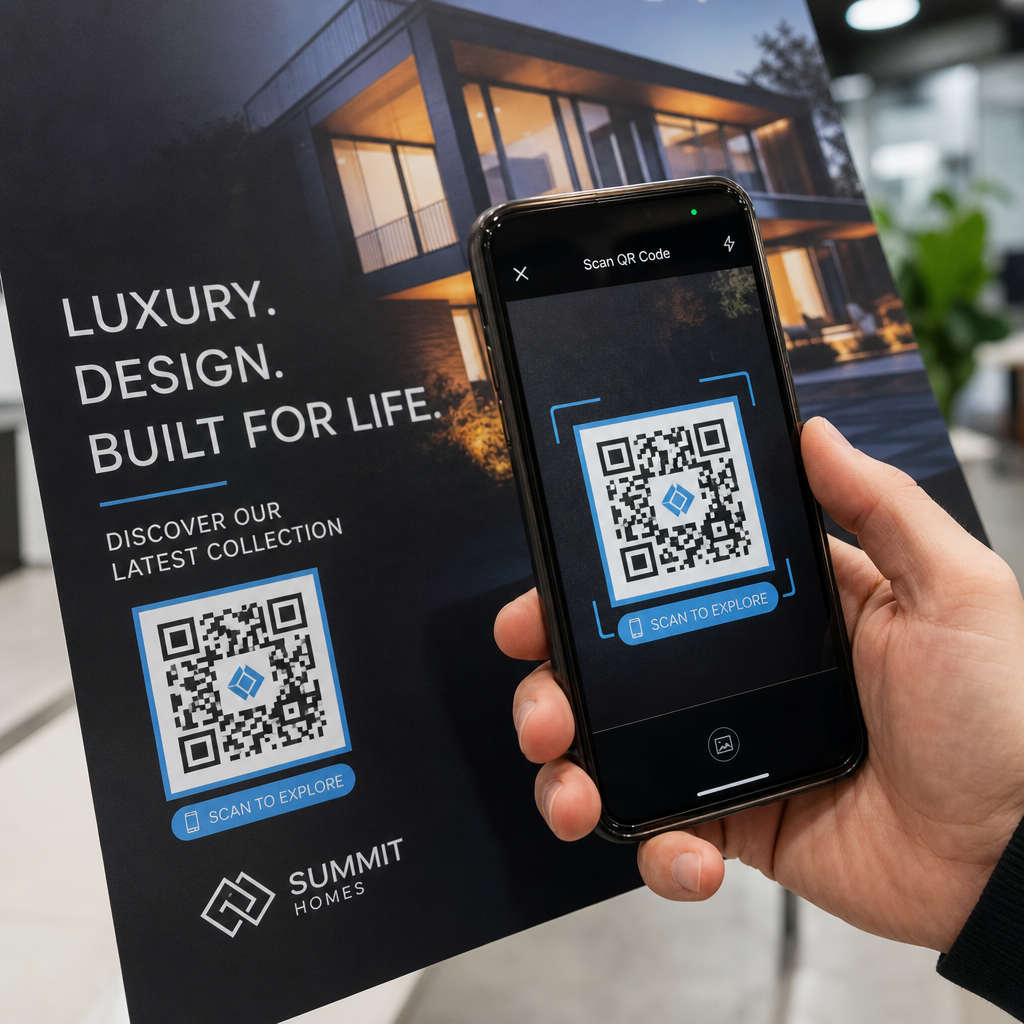
Η φυσική σας δοκιμή πρέπει να καλύπτει:
- Πολλαπλές συσκευές: δοκιμάστε σε τουλάχιστον δύο διαφορετικά smartphones – ένα iOS και ένα Android – χρησιμοποιώντας τόσο την εγγενή εφαρμογή κάμερας όσο και έναν σαρωτή τρίτου μέρους
- Πολλαπλές αποστάσεις: σαρώστε από την τυπική απόσταση χρήστη, και επίσης από λίγο πιο μακριά για να επιβεβαιώσετε ότι υπάρχει περιθώριο σφάλματος
- Πολλαπλές συνθήκες φωτισμού: δοκιμάστε σε έντονο φυσικό φως, τυπικό εσωτερικό φωτισμό, και χαμηλό φως εάν ο κώδικας θα εμφανιστεί σε οποιοδήποτε από αυτά τα περιβάλλοντα
- Η πραγματική επιφάνεια: οι γυαλιστερές επιφάνειες αντανακλούν το φως και μπορούν να προκαλέσουν αποτυχίες σάρωσης ακόμα και όταν ο σχεδιασμός του κώδικα είναι σωστός· τα ματ φινιρίσματα αποδίδουν πιο αξιόπιστα σε όλες τις συνθήκες
Μπορείτε επίσης να επαληθεύσετε τον κώδικα ψηφιακά ανεβάζοντας μια εικόνα του σχεδίου σας στο Σαρωτής κώδικα Pageloot QR για να επιβεβαιώσετε ότι αποκωδικοποιείται σωστά πριν δεσμευτείτε για μια πλήρη εκτύπωση. Εάν ο κώδικας σας αποτύχει σε οποιαδήποτε από αυτές τις δοκιμές, χρησιμοποιήστε τον κοινό οδηγό αντιμετώπισης προβλημάτων κωδικών QR για να διαγνώσετε το συγκεκριμένο σημείο αποτυχίας πριν από την προσαρμογή και την επανεκτέλεση της δοκιμής.
Για μια δομημένη επισκόπηση του τι πρέπει να καλύπτει η δοκιμή κινητών, το οδηγός για τη δοκιμή κωδικών QR για χρηστικότητα σε κινητά αναλύει λεπτομερώς τη συμβατότητα συσκευών, τις γωνίες σάρωσης και την απόδοση προορισμού.
Λάβετε υπόψη τη Μέθοδο Εκτύπωσης και την Επιφάνεια σας
Ο τρόπος εκτύπωσης ενός κώδικα QR επηρεάζει τη δυνατότητα σάρωσης ανεξάρτητα από τον ίδιο τον σχεδιασμό του κώδικα. Διαφορετικές μέθοδοι παράγουν διαφορετικά επίπεδα ευκρίνειας μονάδων, και διαφορετικές επιφάνειες αλληλεπιδρούν με το φως με τρόπους που μπορούν είτε να βοηθήσουν είτε να εμποδίσουν τη σάρωση.
Βασικές εκτιμήσεις ανά μέθοδο και υλικό:
- Ματ φινιρίσματα διαχέουν το φως αντί να το αντανακλούν, καθιστώντας τα σχεδόν πάντα ανώτερα από τα γυαλιστερά φινιρίσματα για την αξιοπιστία σάρωσης
- Εκτύπωση όφσετ παράγει πολύ ευκρινείς άκρες μονάδων και είναι κατάλληλη για εκτυπώσεις μεγάλου όγκου
- Ψηφιακή εκτύπωση λειτουργεί καλά για μικρές εκτυπώσεις και προσαρμοσμένους κώδικες, αλλά η ποιότητα του μελανιού ποικίλλει και μπορεί να ξεθωριάσει με την πάροδο του χρόνου
- Θερμική εκτύπωση είναι οικονομική για ετικέτες αλλά μπορεί να θολώσει τις λεπτές άκρες των μονάδων – αυξήστε το μέγεθος του κώδικα για να αντισταθμίσετε
- Ανάγλυφες ή καμπύλες επιφάνειες εισάγουν παραμόρφωση που μπορεί να μπερδέψει τους σαρωτές· χρησιμοποιήστε έναν μεγαλύτερο κώδικα για να το λάβετε υπόψη
Για μια πλήρη ανάλυση του πώς κάθε τεχνική επηρεάζει τη δυνατότητα σάρωσης, ο οδηγός για πώς οι τεχνικές εκτύπωσης επηρεάζουν την αναγνωσιμότητα των κωδικών QR καλύπτει την επιλογή μεθόδου, την προετοιμασία υποστρώματος και την αντοχή του μελανιού.
Χρησιμοποιήστε έναν Δυναμικό Κώδικα QR για Προστασία από Αλλαγές Μετά την Εκτύπωση
Ακόμη και ένας τέλεια δοκιμασμένος κώδικας QR μπορεί να αποτύχει μετά την εκτύπωση εάν αλλάξει η διεύθυνση URL προορισμού, η συνδεδεμένη σελίδα καταργηθεί, ή το περιεχόμενο της καμπάνιας χρειάζεται ενημέρωση. Με έναν στατικό κώδικα QR, οποιαδήποτε αλλαγή στον προορισμό σημαίνει επανεκτύπωση όλων.
Δυναμικοί κωδικοί QR λύνετε αυτό κωδικοποιώντας μια σύντομη URL ανακατεύθυνσης αντί για τον τελικό προορισμό απευθείας. Η ανακατεύθυνση μπορεί να ενημερωθεί ανά πάσα στιγμή από τον πίνακα ελέγχου σας, έτσι ο εκτυπωμένος κώδικας παραμένει έγκυρος ακόμα και όταν η καμπάνια σας εξελίσσεται. Αυτό σημαίνει επίσης ότι μπορείτε να διορθώσετε έναν χαλασμένο σύνδεσμο αμέσως μετά τη διανομή – χωρίς να επανεκτυπώσετε ούτε ένα κομμάτι.
Πέρα από την πρόληψη σφαλμάτων, οι δυναμικοί κώδικες σάς δίνουν πρόσβαση σε αναλυτικά στοιχεία σάρωσης: συνολικές σαρώσεις, τοποθεσίες σάρωσης, ώρα σάρωσης και τύπους συσκευών. Αυτά τα δεδομένα σάς λένε αν τα έντυπα υλικά σας λειτουργούν πραγματικά στο πεδίο και πού να εστιάσετε τη βελτιστοποίηση. Το οδηγό χρήσης κωδικών QR σε έντυπα μέσα καλύπτει πώς οι δυναμικοί κώδικες εντάσσονται σε μια ευρύτερη στρατηγική εκτυπωτικής καμπάνιας.
Προστατέψτε την Επένδυσή σας στην Εκτύπωση Δημιουργώ ένα Δυναμικός κωδικός QR για να διατηρείτε τα έντυπα υλικά σας ενημερωμένα και να παρακολουθείτε την απόδοση σάρωσης στον πραγματικό κόσμο – χωρίς να χρειάζεται ποτέ να επιστρέψετε στο τυπογραφείο.
Λίστα Ελέγχου Δοκιμών Κώδικα QR πριν την Εκτύπωση
Πριν εγκρίνετε οποιονδήποτε κώδικα QR για εκτυπωτική παραγωγή, ελέγξτε καθένα από τα ακόλουθα:
- Το μέγεθος του κώδικα ταιριάζει με τον κανόνα 10:1 για την αναμενόμενη απόσταση σάρωσης
- Το αρχείο εξάγεται σε μορφή SVG, EPS ή PDF (ή raster με ελάχιστο 300 DPI στο τελικό μέγεθος εκτύπωσης)
- Ο λόγος αντίθεσης μεταξύ των μονάδων και του φόντου είναι τουλάχιστον 4:1
- Η ήσυχη ζώνη τουλάχιστον τεσσάρων μονάδων είναι καθαρή σε όλες τις πλευρές
- Το επίπεδο διόρθωσης σφαλμάτων είναι κατάλληλο (Q ή H εάν υπάρχει επικάλυψη λογότυπου)
- Ο κώδικας αποκωδικοποιείται σωστά όταν σαρώνεται από μια ανεβασμένη εικόνα
- Φυσική δοκιμή σε συσκευές iOS και Android
- Φυσική δοκιμή σε ρεαλιστικές συνθήκες φωτισμού και στο πραγματικό υλικό εκτύπωσης
- Η URL προορισμού είναι ενεργή, βελτιστοποιημένη για κινητά και φορτώνει γρήγορα
- Χρησιμοποιείται δυναμικός κώδικας QR εάν ο προορισμός ενδέχεται να χρειαστεί να αλλάξει μετά την εκτύπωση
Η εκτέλεση αυτών των ελέγχων πριν από κάθε εργασία εκτύπωσης απαιτεί πολύ λιγότερο χρόνο από την επανεκτύπωση μιας παρτίδας. Η καλή απόδοση του κώδικα QR ξεκινά με το αρχείο, όχι με τον σαρωτή. Βρείτε το σωστό μέγεθος, μορφή, αντίθεση και ήσυχη ζώνη στο στάδιο του σχεδιασμού, εκτυπώστε ένα δοκίμιο στο πραγματικό υλικό και δοκιμάστε το με τον τρόπο που θα το χρησιμοποιήσει πραγματικά το κοινό σας.
Συχνές ερωτήσεις
Το αξιόπιστο ελάχιστο για σάρωση από κοντινή απόσταση – όπως σε επαγγελματικές κάρτες ή ετικέτες προϊόντων – είναι 2 × 2 εκ. (0,8 × 0,8 ίντσες). Για μεγαλύτερα έντυπα υλικά, εφαρμόστε τον κανόνα 10:1: το πλάτος του κωδικού θα πρέπει να είναι τουλάχιστον 1 εκ. για κάθε 10 εκ. αναμενόμενης απόστασης σάρωσης. Μια αφίσα που σαρώνεται από απόσταση 1 μέτρου, για παράδειγμα, χρειάζεται έναν κωδικό πλάτους τουλάχιστον 10 εκ.
Πάντα χρησιμοποιείτε μια διανυσματική μορφή – SVG, EPS, ή PDF – για εκτύπωση. Τα διανυσματικά αρχεία κλιμακώνονται σε οποιοδήποτε μέγεθος χωρίς να θολώνουν ή να εμφανίζουν pixel. Εάν πρέπει να χρησιμοποιήσετε μια μορφή raster όπως το PNG, βεβαιωθείτε ότι η ανάλυση είναι τουλάχιστον 300 DPI στο τελικό μέγεθος εκτύπωσης. Τα αρχεία raster χαμηλής ανάλυσης είναι μία από τις πιο κοινές αιτίες μη αναγνώσιμων εκτυπωμένων κωδικών QR.
Εκτυπώστε ένα μόνο δοκίμιο στο ακριβές επιδιωκόμενο μέγεθος στο ακριβές υλικό που σκοπεύετε να χρησιμοποιήσετε, στη συνέχεια δοκιμάστε το σε τουλάχιστον δύο διαφορετικές συσκευές (iOS και Android) σε ρεαλιστικές συνθήκες φωτισμού. Μπορείτε επίσης να ανεβάσετε μια εικόνα του κωδικού σας στον σαρωτή κωδικών QR Pageloot για να επαληθεύσετε ότι αποκωδικοποιείται σωστά πριν πάτε για εκτύπωση. Η χρήση ενός δυναμικού κωδικού QR προσθέτει ένα επιπλέον επίπεδο προστασίας – αν κάτι χρειαστεί να αλλάξει μετά την εκτύπωση, μπορείτε να ενημερώσετε τον προορισμό χωρίς επανεκτύπωση.