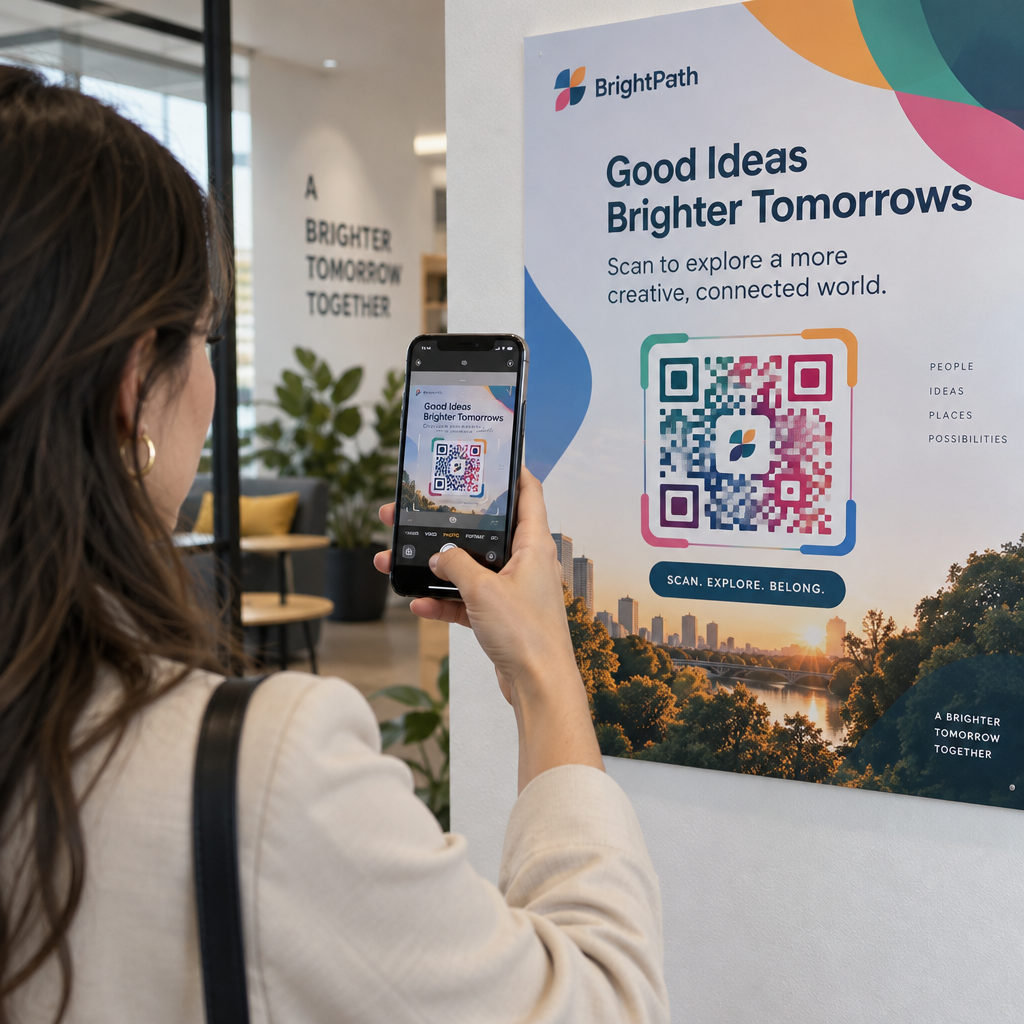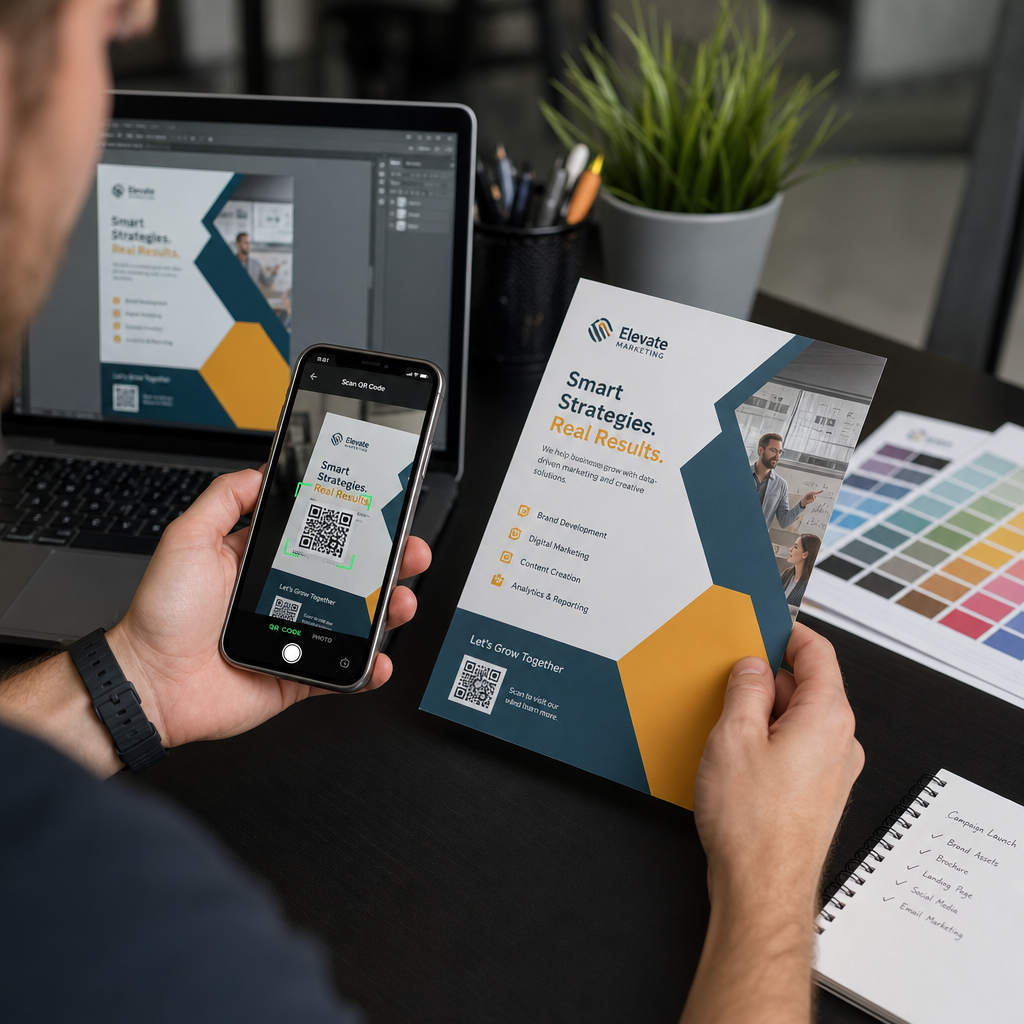
Slanje QR koda na štampanje bez prethodnog testiranja jedna je od najčešćih – i najskupljih – grešaka u štampanom marketingu. Kod koji izgleda savršeno na ekranu može potpuno da zakaže kada se nađe na papiru, vinilu ili pakovanju. Ovaj vodič vas vodi kroz svaku proveru koju treba da izvršite pre odobravanja štampanja.
Zašto QR kodovi ne uspevaju nakon štampanja
QR kod koji se čisto skenira na vašem monitoru može da zakaže u stvarnom svetu iz razloga koji postaju vidljivi tek nakon štampanja. Razumevanje ovih tačaka neuspeha pomaže vam da napravite pouzdanu listu za proveru pre štampanja.
Najčešći krivci su:
- Veličina koja je previše mala za očekivanu udaljenost skeniranja
- Niska rezolucija uzrokujući mutne ili pikselizovane module
- Nedovoljan kontrast između koda i njegove pozadine
- Nedostajuća tiha zona (jasna ivica koja okružuje kod)
- Visoka gustina podataka stvarajući obrazac previše fin da bi ga kamere pročitale
- Pogrešan format datoteke korišćen za štampani izlaz
Svaki od ovih problema je potpuno sprečiv ako ga uočite pre nego što štampa počne. Odeljci ispod obrađuju svaki redom.
Proverite veličinu vašeg QR koda u odnosu na udaljenost skeniranja
Veličina je jedini najčešći razlog zašto štampani QR kod ne uspeva. Standardno pravilo je odnos 10:1: širina QR koda treba da bude najmanje 1 cm (ili 1 inč) za svakih 10 cm (ili 10 inča) očekivane udaljenosti skeniranja. Kod na vizit karti držanoj na dohvat ruke zahteva veoma drugačiju veličinu od onog na posteru čitanog sa drugog kraja sobe.
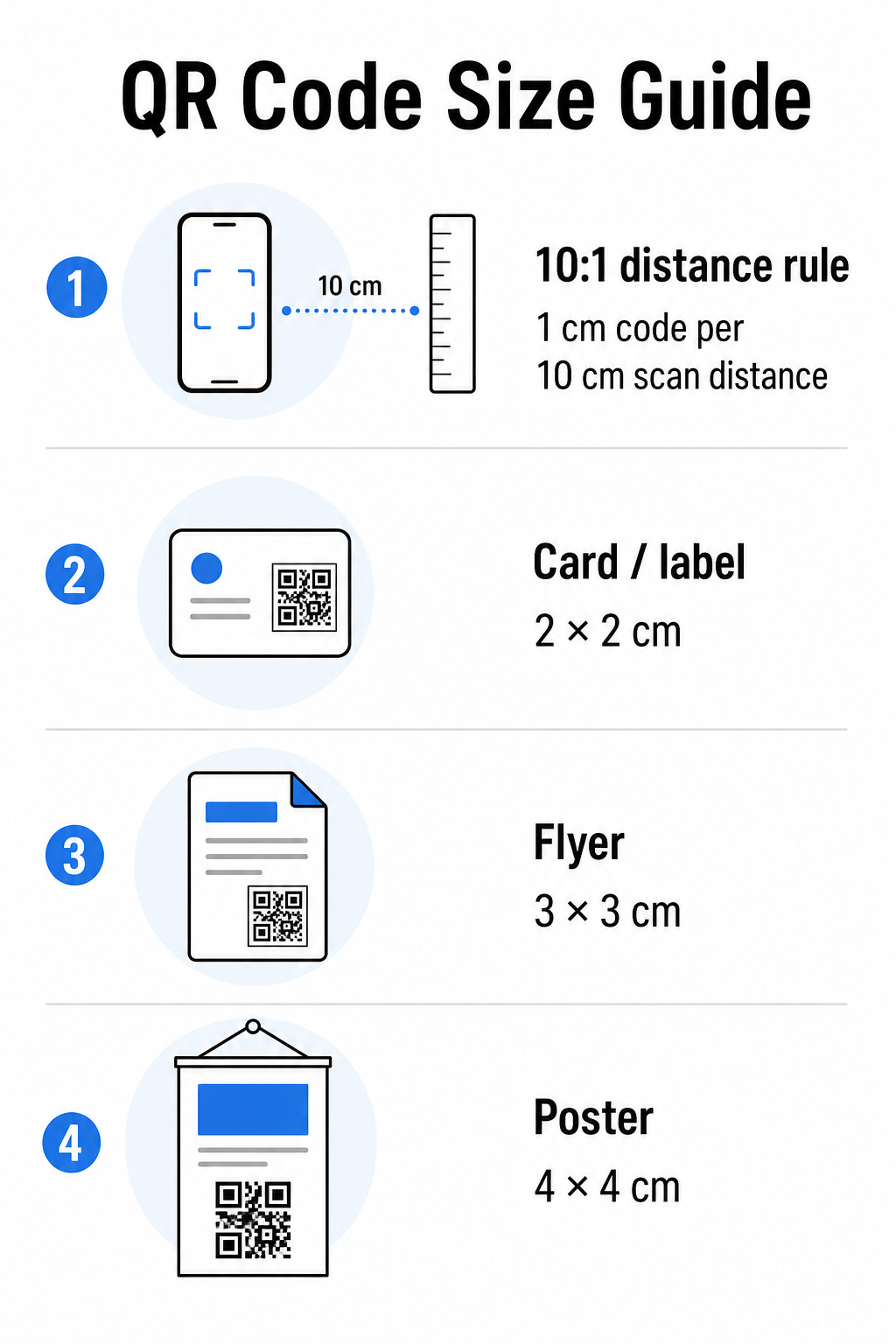
Koristite ovu tabelu kao polaznu tačku za uobičajene štampane materijale:
| Materijal za štampu | Minimalna preporučena veličina | Tipična udaljenost skeniranja |
|---|---|---|
| Vizit karta / etiketa | 2 × 2 cm (0,8 × 0,8 in) | 20–30 cm (8–12 in) |
| Brošura / flajer | 3 × 3 cm (1,2 × 1,2 in) | 30 cm (12 in) |
| Poster / signalizacija | 4 × 4 cm (1,6 × 1,6 in) | 40 cm (16 in) |
| Bilbord / baner | 40 × 40 cm (16 × 16 in) | 4 m (13 ft) |
Pre odobravanja bilo koje datoteke za štampu, potvrdite da dimenzije koda odgovaraju vašem očekivanom scenariju upotrebe. Ovaj vodiču za veličinu QR koda pruža potpunu analizu po vrsti materijala, uključujući kako gustina podataka utiče na minimalnu održivu veličinu.
Proverite vaš format datoteke i rezoluciju štampe
Format koji izvozite je jednako važan kao i sam dizajn. Rasterske slike poput PNG i JPEG sastoje se od piksela. Kada se uvećaju za štampu velikog formata, postaju mutne, a fini moduli u QR kodu gube oštre ivice – čineći kod teškim ili nemogućim za skeniranje.
Za bilo koji štampani QR kod, koristite vektorske formate: SVG, EPS ili PDF. Vektorske datoteke se skaliraju na bilo koju veličinu bez gubitka kvaliteta jer su matematički definisane umesto piksel po piksel. Ako morate koristiti rasterski format, osigurajte da je rezolucija najmanje 300 DPI na željenoj veličini štampe – ne na veličini prikaza na ekranu.
Brza provera rezolucije: otvorite datoteku slike, zabeležite njene dimenzije piksela i podelite sa željenom veličinom štampe u inčima. Ako je QR kod od 1 inča sačuvan kao slika od 100 × 100 piksela, to je samo 100 DPI – daleko ispod minimuma od 300 DPI i gotovo garantovano će biti mutno pri štampanju.
Za dublji uvid u ovu temu, ovaj vodiču za rezoluciju štampe QR koda pokriva zahteve za DPI i izbor formata detaljno.
Kreirajte QR kodove spremne za štampu za nekoliko sekundi Тхе Пагелоот генератор КР кодова omogućava vam da preuzmete svoje kodove u SVG, EPS i PDF formatima – spremne za bilo koju veličinu štampe bez gubitka kvaliteta.
Testirajte kontrast pre nego što ode u štampu
Skeneri QR kodova rade razlikovanjem tamnih modula od svetle pozadine. Kada je taj kontrast previše nizak, skener ne može pouzdano identifikovati obrazac – čak i ako kod izgleda dobro ljudskom oku.
Tehnički standard koji treba ispuniti je minimalnom kontrastnom odnosu od 4:1 između tamnih modula i svetle pozadine. Za aplikacije za plaćanje ili slučajeve upotrebe fokusirane na pristupačnost, ciljajte na 5:1 ili više. Crni moduli na beloj pozadini proizvode odnos 21:1 – zlatni standard prema kojem se meri svaka druga kombinacija boja.
Uobičajene greške u kontrastu koje treba proveriti pre štampanja:
- Svetlosivi moduli na beloj pozadini: nedovoljan kontrast koji će propasti pri slabom osvetljenju
- Obrnute boje (svetli kod na tamnoj pozadini): neki skeneri ovo obrađuju, mnogi ne – nikada se ne oslanjajte na to
- Prelivi boja na modulima: stvara neujednačen kontrast koji zbunjuje skenere
- Boje brenda koje su previše slične u tonu: testirajte konverzijom u nijanse sive da biste videli pravi kontrast
Praktičan test pre štampanja je da konvertujete sliku vašeg QR koda u nijanse sive i proverite da li su moduli i dalje jasno prepoznatljivi od pozadine. Ako počnu da se stapaju u nijansama sive, oni će propasti u širokom spektru kamera uređaja i uslova osvetljenja. Ova vodič za najbolje prakse kontrasta boja QR koda uključuje tabelu kombinacija boja koja prikazuje odnose kontrasta i očekivane rezultate skeniranja za uobičajene kombinacije.
Potvrdite da je tiha zona netaknuta
Тхе tihu zonu je prazna margina koja okružuje sve četiri strane QR koda. To nije preferencija dizajna – to je tehnički zahtev definisan ISO/IEC 18004 standardom. Bez nje, skeneri ne mogu locirati gde kod počinje i završava, i skeniranje će propasti.
Tiha zona mora biti najmanje četiri modula široka sa svih strana, gde je jedan modul jedan od malih kvadrata u mreži koda. Kao praktična referenca:
- Za QR kod od 1 inča, dozvolite približno 0,15 inča čistog prostora sa svih strana
- Za КР код визиткарте, održavajte tihu zonu od najmanje 0,25 inča
Pre slanja na štampu, zumirajte svoju datoteku rasporeda i potvrdite da nikakav tekst, slike, ivice ili pozadinski uzorak ne zadiru u ovu zonu. Postavljanje koda preblizu ivici dizajna ili preklapanje sa dekorativnim elementima je jedan od najčešćih uzroka neuspeha skeniranja koji se pojavljuju tek nakon što je posao odštampan.
Proverite nivo korekcije grešaka
QR kodovi imaju ugrađen sistem za oporavak nazvan korekcija grešaka, koji omogućava čitanje koda čak i ako je deo oštećen, zaklonjen ili istrošen. Postoje četiri nivoa, svaki nudi drugačiji kompromis između otpornosti i gustine podataka:
| Nivo | Kapacitet oporavka | Најбољи случај употребе |
|---|---|---|
| Л (низак) | ~7% | Čiste, neoštećene površine; maksimalna gustina podataka |
| М (средњи) | ~15% | Standardni štampani materijali sa određenim habanjem |
| К (квартил) | ~25% | Kodovi sa preklapanjem logotipa ili umerenim rizikom od oštećenja |
| Х (високо) | ~30% | Spoljašnja upotreba, pakovanje, kodovi sa velikim preklapanjem logotipa |
Ako vaš QR kod uključuje logotip preklopljen preko uzorka – uobičajen izbor brendiranja – potrebno vam je najmanje nivo Q, a idealno nivo H. Logotip efikasno zaklanja deo koda, tako da korekcija grešaka mora kompenzovati. Potvrdite sa kojim nivoom je vaš kod generisan pre finalizacije, i uvek testirajte brendirani kod sa postavljenim preklapanjem. The vodič za najbolje prakse čitljivosti QR kodova pokriva kako korekcija grešaka interaguje sa postavljanjem logotipa detaljno.
Izvršite fizički test štampe pre pune serije
Nikakva količina provere na ekranu ne zamenjuje štampanje fizičke probe. Odštampajte jednu kopiju u tačnoj konačnoj veličini na tačnom materijalu koji planirate da koristite, zatim ga testirajte pod uslovima koji odražavaju upotrebu u stvarnom svetu.
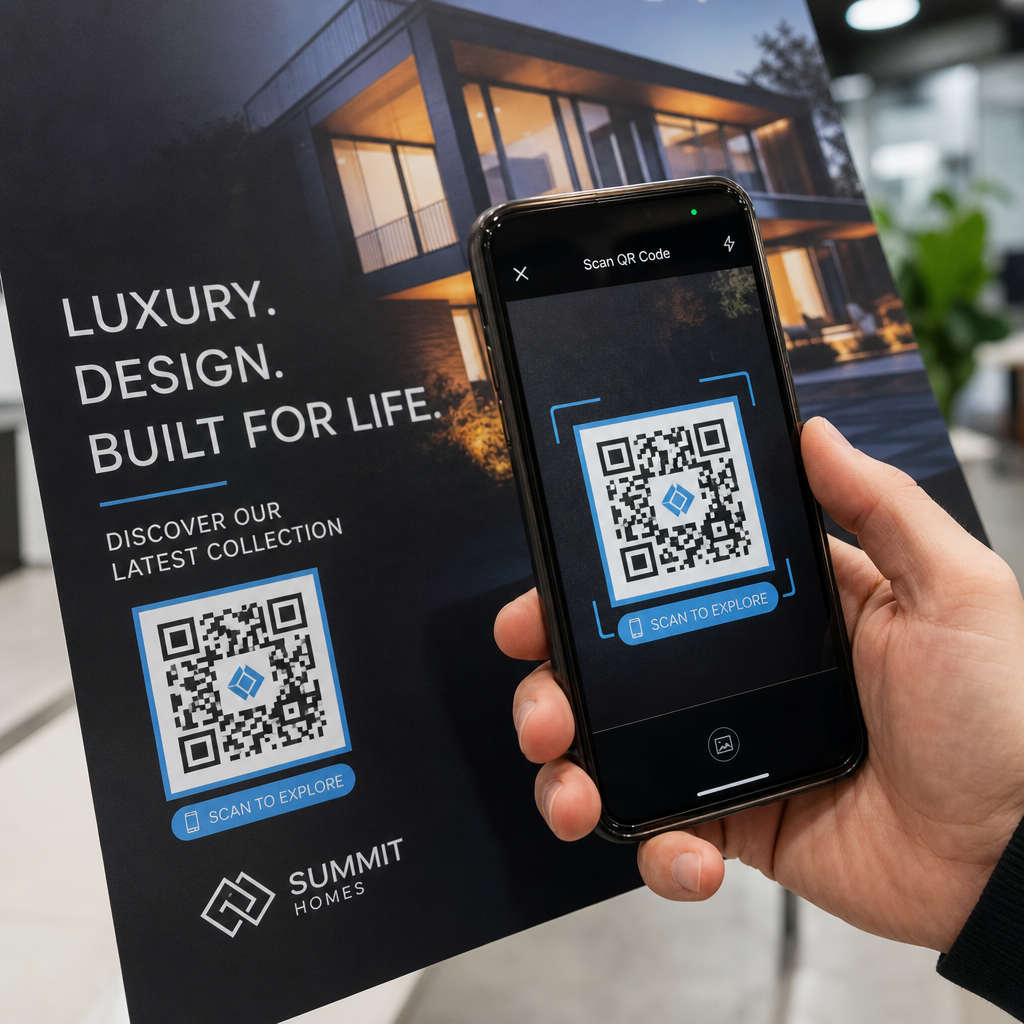
Vaš fizički test treba da obuhvati:
- Više uređaja: testirajte na najmanje dva različita pametna telefona – jedan iOS i jedan Android – koristeći i izvornu aplikaciju kamere i skener treće strane
- Više udaljenosti: skenirajte sa tipične korisničke udaljenosti, i takođe sa nešto veće udaljenosti da potvrdite da postoji margina za grešku
- Više svetlosnih uslova: testirajte pri jakom prirodnom svetlu, standardnom unutrašnjem osvetljenju, i slabom svetlu ako će se kod pojaviti u bilo kom od tih okruženja
- Stvarna površina: sjajne površine reflektuju svetlost i mogu izazvati neuspehe skeniranja čak i kada je dizajn koda ispravan; mat završne obrade rade pouzdanije u različitim uslovima
Kod možete proveriti i digitalno tako što ćete otpremiti sliku svog dizajna na the Пагелоот скенер КР кода da potvrdite da se ispravno dekodira pre nego što se obavežete na punu seriju. Ako vaš kod ne prođe bilo koji od ovih testova, koristite the uobičajeni vodič za rešavanje problema sa QR kodom da dijagnostikujete specifičnu tačku kvara pre podešavanja i ponovnog testiranja.
Za strukturirani pregled šta mobilno testiranje treba da obuhvati, the vodič za testiranje QR kodova za mobilnu upotrebljivost detaljno objašnjava kompatibilnost uređaja, uglove skeniranja i performanse odredišta.
Uzmite u obzir vašu metodu štampanja i površinu
Način na koji se QR kod štampa utiče na mogućnost skeniranja nezavisno od samog dizajna koda. Različite metode proizvode različite nivoe oštrine modula, i različite površine interaguju sa svetlom na načine koji mogu pomoći ili ometati skeniranje.
Ključna razmatranja po metodi i materijalu:
- Mat završne obrade raspršuju svetlost umesto da je reflektuju, čineći ih skoro uvek superiornijim u odnosu na sjajne završne obrade za pouzdanost skeniranja
- Ofset štampa proizvodi vrlo oštre ivice modula i dobro je prilagođena za štampanje velikih serija
- Digitalna štampa dobro funkcioniše za male serije i prilagođene kodove, ali kvalitet mastila varira i može izbledeti tokom vremena
- Termalna štampa je ekonomična za etikete ali može zamagliti fine ivice modula – povećajte veličinu koda da biste kompenzovali
- Teksturirane ili zakrivljene površine uvode izobličenje koje može zbuniti skenere; koristite veći kod da biste to uzeli u obzir
Za potpunu analizu kako svaka tehnika utiče na mogućnost skeniranja, vodič o kako tehnike štampanja utiču na skeniranje QR koda pokriva izbor metode, pripremu podloge i trajnost mastila.
Koristite dinamički QR kod za zaštitu od promena nakon štampanja
Čak i savršeno testiran QR kod može propasti nakon štampanja ako se URL odredišta promeni, povezana stranica bude uklonjena ili sadržaj kampanje treba ažurirati. Sa statičkim QR kodom, svaka promena odredišta znači ponovno štampanje svega.
Динамички КР кодови rešite ovo kodiranjem kratke URL adrese za preusmeravanje umesto direktno konačne destinacije. Preusmeravanje se može ažurirati u bilo kom trenutku sa vaše kontrolne table, tako da odštampani kod ostaje važeći čak i kada se vaša kampanja razvija. To takođe znači da možete odmah popraviti pokvarenu vezu nakon distribucije – bez ponovnog štampanja ijednog komada.
Pored sprečavanja grešaka, dinamički kodovi vam daju pristup analitici skeniranja: ukupnom broju skeniranja, lokacijama skeniranja, vremenu skeniranja i tipovima uređaja. Ovi podaci vam govore da li vaši štampani materijali zaista funkcionišu na terenu i gde da se fokusirate na optimizaciju. The vodiču za korišćenje QR kodova u štampanim medijima pokriva kako se dinamički kodovi uklapaju u širu strategiju štampanih kampanja.
Zaštitite svoju investiciju u štampu Створити Динамички КР код da vaši štampani materijali budu ažurni i da pratite performanse skeniranja u stvarnom svetu – bez ponovnog odlaska u štampu.
Kontrolna lista za testiranje QR koda pre štampanja
Pre nego što odobrite bilo koji QR kod za štampu, prođite kroz svaku od sledećih stavki:
- Veličina koda odgovara pravilu 10:1 za očekivanu udaljenost skeniranja
- Datoteka je izvezena u SVG, EPS ili PDF formatu (ili rasteru sa minimalno 300 DPI na konačnoj veličini štampe)
- Odnos kontrasta između modula i pozadine je najmanje 4:1
- Tiha zona od najmanje četiri modula je čista sa svih strana
- Nivo korekcije grešaka je odgovarajući (Q ili H ako je prisutan preklop logotipa)
- Kod se ispravno dekodira kada se skenira sa otpremljene slike
- Fizički dokaz testiran na iOS i Android uređajima
- Fizički dokaz testiran u realističnim uslovima osvetljenja i na stvarnom materijalu za štampu
- Odredišna URL adresa je aktivna, optimizovana za mobilne uređaje i brzo se učitava
- Dinamički QR kod se koristi ako odredište možda treba da se promeni nakon štampanja
Prolazak kroz ove provere pre svakog posla štampanja traje mnogo manje vremena nego ponovno naručivanje serije za štampu. Dobre performanse QR koda počinju sa datotekom, a ne sa skenerom. Podesite veličinu, format, kontrast i tihu zonu ispravno u fazi dizajna, odštampajte probni otisak na stvarnom materijalu i testirajte ga na način na koji će ga vaša publika zaista koristiti.
Često postavljana pitanja
Pouzdan minimum za skeniranje izbliza – kao što je na vizit kartama ili etiketama proizvoda – je 2 × 2 cm (0,8 × 0,8 inča). Za veće štampane materijale, primenite pravilo 10:1: širina koda treba da bude najmanje 1 cm za svakih 10 cm očekivane udaljenosti skeniranja. Poster skeniran sa udaljenosti od 1 metra, na primer, zahteva kod širok najmanje 10 cm.
Uvek koristite vektorski format – SVG, EPS, ili PDF – za štampu. Vektorske datoteke se skaliraju na bilo koju veličinu bez zamućenja ili pikselizacije. Ako morate koristiti rasterski format poput PNG-a, osigurajte da je rezolucija najmanje 300 DPI na konačnoj veličini štampe. Rasterske datoteke niske rezolucije su jedan od najčešćih uzroka nečitljivih štampanih QR kodova.
Odštampajte jedan probni otisak u tačnoj predviđenoj veličini na tačnom materijalu koji planirate da koristite, zatim ga testirajte na najmanje dva različita uređaja (iOS i Android) u realističnim svetlosnim uslovima. Takođe možete da otpremite sliku vašeg koda na Pageloot QR Code Skener da biste proverili da li se ispravno dekodira pre nego što ode u štampu. Korišćenje dinamičkog QR koda dodaje još jedan sloj zaštite – ako nešto treba da se promeni nakon štampanja, možete ažurirati odredište bez ponovnog štampanja.