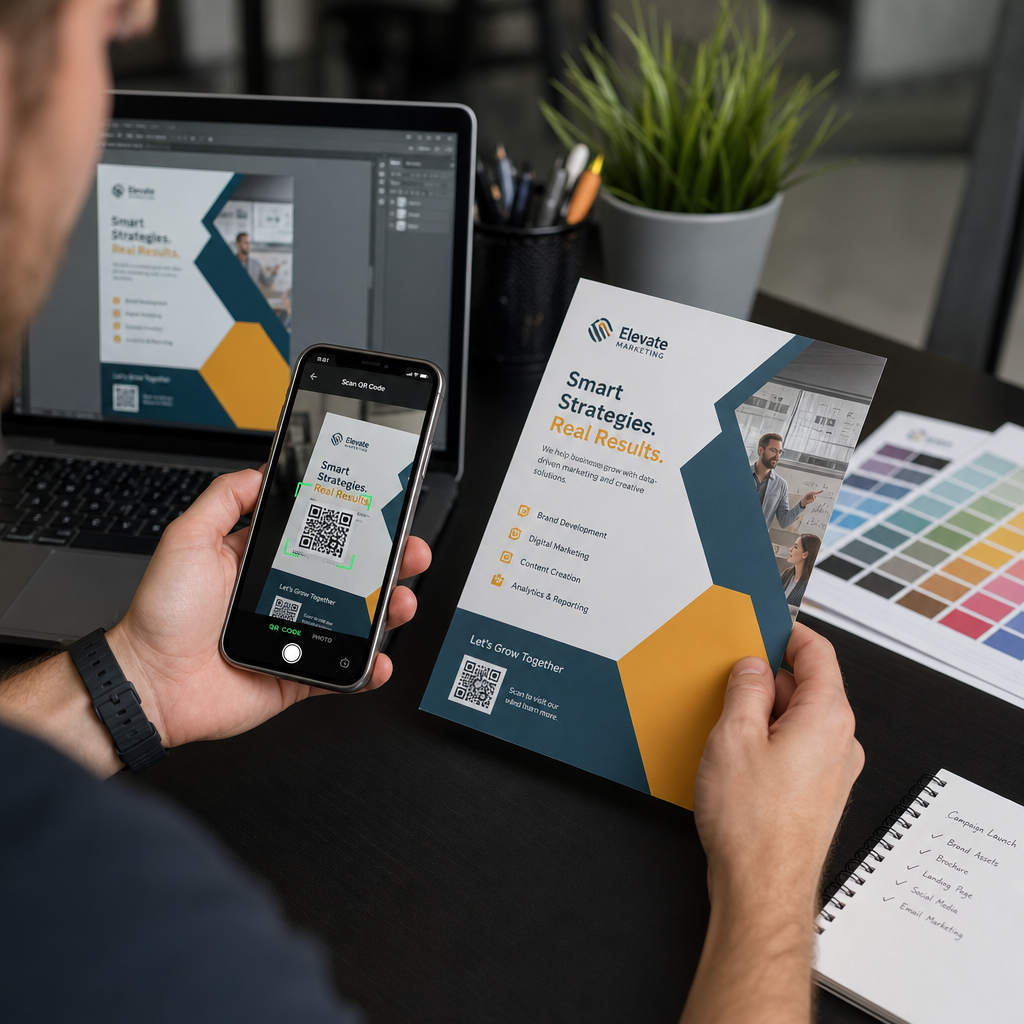
Изпращането на QR код за печат без предварително тестване е една от най-честите – и скъпи – грешки в печатния маркетинг. Код, който изглежда перфектно на екрана, може да се провали напълно, след като попадне на хартия, винил или опаковка. Това ръководство ви превежда през всяка проверка, която трябва да направите, преди да одобрите печатен тираж.
Защо QR кодовете се провалят след печат
QR код, който се сканира чисто на вашия монитор, може да се провали в реалния свят по причини, които стават видими едва след печат. Разбирането на тези точки на отказ ви помага да изградите надежден предпечатен контролен списък.
Най-честите виновници са:
- Размер, който е твърде малък за очакваното разстояние за сканиране
- Ниска резолюция причиняваща размазани или пикселизирани модули
- Недостатъчен контраст между кода и неговия фон
- Липсваща тиха зона (ясната граница около кода)
- Висока плътност на данните създаваща твърде фин модел за четене от камери
- Грешен файлов формат използван за печатен изход
Всеки от тези проблеми е напълно предотвратим, ако го забележите, преди да започне печатът. Разделите по-долу разглеждат всеки един последователно.
Проверете размера на вашия QR код спрямо разстоянието за сканиране
Размерът е единствената най-честа причина за провал на отпечатан QR код. Стандартното правило е съотношение 10:1: ширината на QR кода трябва да бъде поне 1 см (или 1 инч) за всеки 10 см (или 10 инча) очаквано разстояние за сканиране. Код на визитка, държана на една ръка разстояние, се нуждае от много различен размер от този на плакат, четен от другия край на стаята.
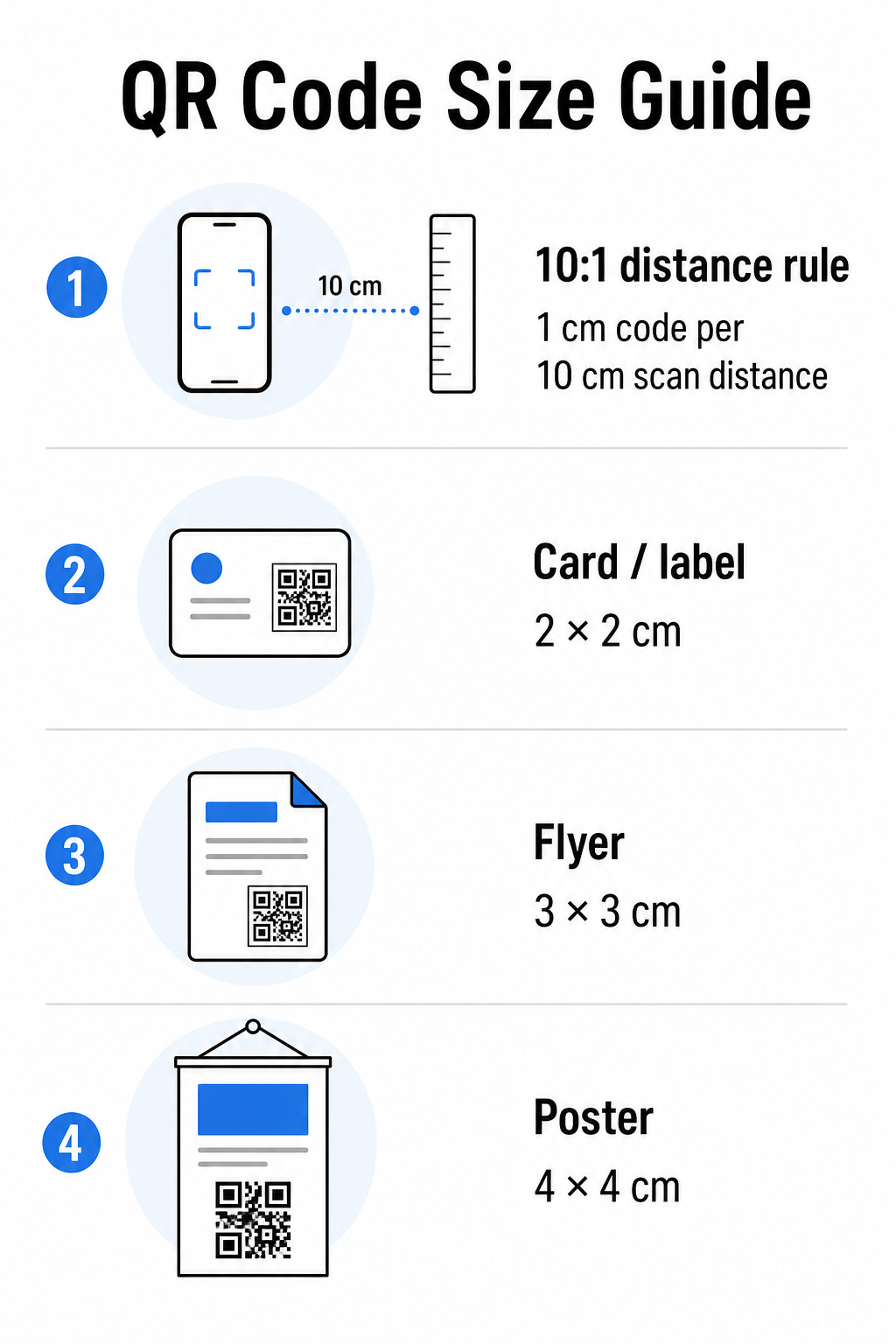
Използвайте тази таблица като отправна точка за често срещани печатни материали:
| Печатен материал | Минимален препоръчителен размер | Типично разстояние за сканиране |
|---|---|---|
| Визитка / етикет | 2 × 2 см (0.8 × 0.8 инча) | 20–30 см (8–12 инча) |
| Брошура / флаер | 3 × 3 см (1.2 × 1.2 инча) | 30 см (12 инча) |
| Плакат / табела | 4 × 4 см (1.6 × 1.6 инча) | 40 см (16 инча) |
| Билборд / банер | 40 × 40 см (16 × 16 инча) | 4 м (13 фута) |
Преди да одобрите който и да е печатен файл, потвърдете, че размерите на кода съответстват на очаквания ви случай на употреба. ръководство за размер на QR код предоставя пълна разбивка по тип материал, включително как плътността на данните влияе на минималния жизнеспособен размер.
Проверете файловия си формат и разделителна способност за печат
Форматът, в който експортирате, е също толкова важен, колкото и самият дизайн. Растерните изображения като PNG и JPEG са съставени от пиксели. Когато се увеличат за широкоформатен печат, те стават размазани и фините модули в QR кода губят своите остри ръбове – което прави кода труден или невъзможен за сканиране.
За всеки отпечатан QR код използвайте векторни формати: SVG, EPS или PDF. Векторните файлове се мащабират до всякакъв размер, без да губят качество, защото са дефинирани математически, а не пиксел по пиксел. Ако трябва да използвате растерeн формат, уверете се, че разделителната способност е поне 300 DPI при предвидения размер за печат – не при размера за предварителен преглед на екрана.
Бърза проверка на разделителната способност: отворете файла с изображението си, отбележете неговите пикселни размери и разделете на предвидения размер за печат в инчове. Ако QR код с размер 1 инч е запазен като изображение 100 × 100 пиксела, той е само 100 DPI – доста под минимума от 300 DPI и почти гарантирано ще се отпечата размазано.
За по-задълбочен поглед върху тази тема, ръководство за разделителна способност на QR код за печат обхваща изискванията за DPI и избора на формат в детайли.
Създайте готови за печат QR кодове за секунди На Генератор на QR кодове на PageLoot ви позволява да изтеглите вашите кодове във формати SVG, EPS и PDF – готови за всякакъв размер на печат без загуба на качество.
Тествайте контраста, преди да отиде за печат
Скенерите за QR кодове работят, като различават тъмните модули от светъл фон. Когато този контраст е твърде нисък, скенерът не може надеждно да идентифицира модела – дори ако кодът изглежда добре за човешкото око.
Техническият еталон, който трябва да се спазва, е минимално съотношение на контраст 4:1 между тъмните модули и светлия фон. За платежни приложения или случаи на употреба, фокусирани върху достъпността, се стремете към 5:1 или по-високо. Черни модули на бял фон произвеждат съотношение 21:1 – златният стандарт, спрямо който се измерва всяка друга цветова комбинация.
Често срещани грешки в контраста, които да проверите преди печат:
- Светлосиви модули на бял фон: недостатъчен контраст, който ще се провали при слаба светлина
- Обърнати цветове (светъл код на тъмен фон): някои скенери се справят с това, много не – никога не разчитайте на него
- Градиентни запълвания на модули: създава неравномерен контраст, който обърква скенерите
- Цветове на марката, които са твърде близки по тон: тествайте с преобразуване в сива скала, за да видите истинския контраст
Практически предпечатен тест е да преобразувате изображението на QR кода си в сива скала и да проверите дали модулите все още са ясно различими от фона. Ако започнат да се сливат в сива скала, те ще се провалят при широк спектър от камери на устройства и условия на осветление. ръководство за най-добри практики за цветови контраст на QR кодове включва таблица с цветови комбинации, показваща съотношенията на контраст и очакваните резултати от сканиране за често срещани комбинации.
Потвърдете, че тихата зона е непокътната
На тиха зона е празното поле, обграждащо всичките четири страни на QR код. Това не е дизайнерско предпочитание – това е техническо изискване, дефинирано от стандарта ISO/IEC 18004. Без него скенерите не могат да локализират къде започва и свършва кодът, и сканирането ще се провали.
Тихата зона трябва да бъде поне четири модула широка от всички страни, където един модул е едно от малките квадратчета в мрежата на кода. Като практическа справка:
- За 1-инчов QR код, оставете приблизително 0,15 инча чисто пространство от всички страни
- За QR код на визитка, поддържайте тиха зона от поне 0,25 инча
Преди да изпратите за печат, увеличете файла с оформлението си и потвърдете, че никакъв текст, изображения, рамка или фонов модел не навлизат в тази зона. Поставянето на код твърде близо до ръба на дизайна или припокриването му с декоративни елементи е една от най-честите причини за неуспешни сканирания, които се проявяват едва след отпечатването на работата.
Проверете нивото на корекция на грешки
QR кодовете имат вградена система за възстановяване, наречена корекция на грешки, която позволява кодът да бъде прочетен, дори ако част от него е повредена, скрита или износена. Има четири нива, всяко от които предлага различен компромис между устойчивост и плътност на данните:
| Ниво | Капацитет за възстановяване | Най-добър случай на използване |
|---|---|---|
| L (ниска) | ~7% | Чисти, неповредени повърхности; максимална плътност на данните |
| M (Среден) | ~15% | Стандартни печатни материали с известно износване |
| Q (Квартил) | ~25% | Кодове с наслагвания на лого или умерен риск от повреда |
| H (високо) | ~30% | Употреба на открито, опаковки, кодове с големи наслагвания на лого |
Ако вашият QR код включва лого, наслагвано върху шаблона – често срещан избор за брандиране – имате нужда от поне ниво Q, и в идеалния случай ниво H. Логото ефективно скрива част от кода, така че корекцията на грешки трябва да компенсира. Потвърдете с какво ниво е генериран вашият код преди финализиране и винаги тествайте брандиран код с наслагването на място. ръководство за най-добри практики за четливост на QR кодове обхваща подробно как корекцията на грешки взаимодейства с поставянето на лого.
Извършете физически тест за печат преди пълния тираж
Никакво количество проверка на екрана не замества отпечатването на физическа проба. Отпечатайте едно копие в точния краен размер върху точния материал който планирате да използвате, след това го тествайте при условия, които отразяват реалната употреба.
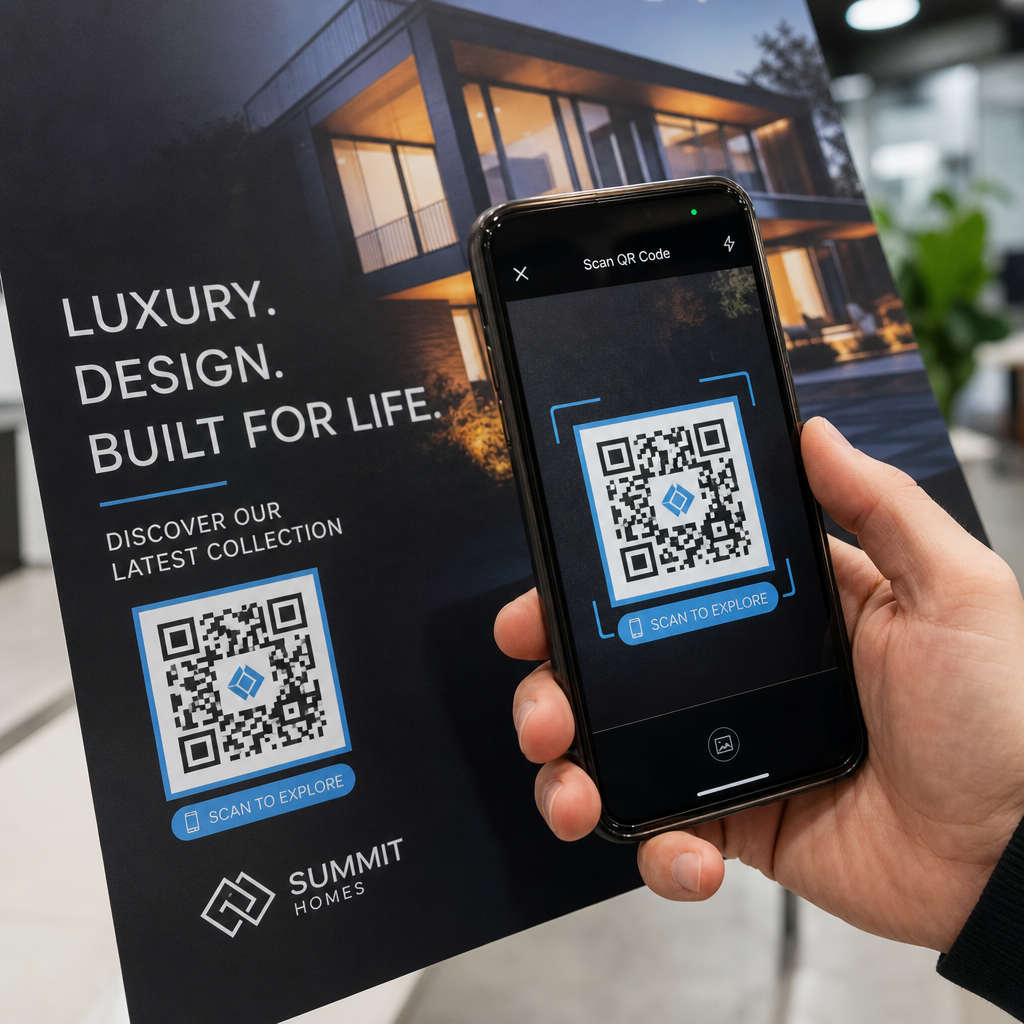
Вашият физически тест трябва да обхваща:
- Множество устройства: тествайте на поне два различни смартфона – един iOS и един Android – използвайки както родното приложение за камера, така и скенер на трета страна
- Множество разстояния: сканирайте от типичното потребителско разстояние, а също и от малко по-далеч, за да потвърдите, че има запас за грешка
- Множество условия на осветление: тествайте при ярка естествена светлина, стандартно вътрешно осветление и слаба светлина, ако кодът ще се появи в някоя от тези среди
- Действителната повърхност: гланцовите повърхности отразяват светлината и могат да причинят неуспешни сканирания, дори когато дизайнът на кода е правилен; матовите покрития работят по-надеждно при различни условия
Можете също така да проверите кода цифрово, като качите изображение на вашия дизайн в Скенер за QR код на PageLoot за да потвърдите, че се декодира правилно, преди да се ангажирате с пълен тираж. Ако вашият код се провали на някой от тези тестове, използвайте ръководство за отстраняване на често срещани проблеми с QR кодове за да диагностицирате конкретната точка на отказ, преди да коригирате и тествате отново.
За структуриран преглед на това какво трябва да обхваща мобилното тестване, ръководство за тестване на QR кодове за мобилна използваемост разглежда подробно съвместимостта на устройствата, ъглите на сканиране и производителността на дестинацията.
Вземете предвид метода на печат и повърхността
Начинът, по който се отпечатва QR код, влияе на възможността за сканиране, независимо от самия дизайн на кода. Различните методи произвеждат различни нива на острота на модулите, а различните повърхности взаимодействат със светлината по начини, които могат или да подпомогнат, или да попречат на сканирането.
Основни съображения по метод и материал:
- Матови покрития разсейват светлината, вместо да я отразяват, което ги прави почти винаги превъзхождащи гланцовите покрития за надеждност на сканирането
- Офсетов печат произвежда много остри ръбове на модулите и е добре подходящ за големи тиражи
- Дигитален печат работи добре за къси тиражи и персонализирани кодове, но качеството на мастилото варира и може да избледнее с течение на времето
- Термопечат е икономичен за етикети, но може да замъгли фините ръбове на модулите – увеличете размера на кода, за да компенсирате
- Текстурирани или извити повърхности въвеждат изкривяване, което може да обърка скенерите; използвайте по-голям код, за да го отчетете
За пълен анализ на това как всяка техника влияе на възможността за сканиране, ръководството за как техниките за печат влияят на сканируемостта на QR кода обхваща избора на метод, подготовката на субстрата и издръжливостта на мастилото.
Използвайте динамичен QR код за защита срещу промени след печат
Дори перфектно тестван QR код може да се провали след отпечатване, ако целевият URL адрес се промени, свързаната страница бъде премахната или съдържанието на кампанията се нуждае от актуализация. При статичен QR код всяка промяна на дестинацията означава препечатване на всичко.
Динамични QR кодове решават това, като кодират кратък URL за пренасочване, вместо директно крайната дестинация. Пренасочването може да бъде актуализирано по всяко време от вашето табло за управление, така че отпечатаният код остава валиден, дори когато вашата кампания се развива. Това също означава, че можете да поправите счупена връзка веднага след разпространението – без да препечатвате нито едно парче.
Отвъд предотвратяването на грешки, динамичните кодове ви дават достъп до анализи на сканиранията: общ брой сканирания, места на сканиране ръководството за използване на QR кодове в печатни медии обхваща как динамичните кодове се вписват в по-широката стратегия за печатни кампании.
Защитете Вашата инвестиция в печат Създавам Динамичен QR код за да поддържате печатните си материали актуални и да проследявате ефективността на сканиране в реалния свят – без изобщо да се връщате към печат.
Контролен списък за тестване на QR код преди печат
Преди да одобрите който и да е QR код за печатна продукция, преминете през всяко от следните:
- Размерът на кода съответства на правилото 10:1 за очаквано разстояние на сканиране
- Файлът е експортиран във формат SVG, EPS или PDF (или растерно изображение с минимум 300 DPI при краен размер за печат)
- Контрастното съотношение между модулите и фона е поне 4:1
- Тихата зона от поне четири модула е ясна от всички страни
- Нивото на корекция на грешки е подходящо (Q или H, ако има наслагване на лого)
- Кодът се декодира правилно при сканиране от качено изображение
- Физическо доказателство, тествано както на iOS, така и на Android устройства
- Физическо доказателство, тествано при реалистични условия на осветление и върху действителния печатен материал
- Целевият URL адрес е активен, оптимизиран за мобилни устройства и се зарежда бързо
- Използван е динамичен QR код, ако дестинацията може да се наложи да бъде променена след отпечатване
Извършването на тези проверки преди всяка печатна задача отнема много по-малко време, отколкото повторното поръчване на тираж. Добрата производителност на QR кода започва с файла, а не със скенера. Настройте правилно размера, формата, контраста и тихата зона още на етапа на проектиране, отпечатайте проба върху реалния материал и я тествайте по начина, по който вашата аудитория действително ще я използва.
Често задавани въпроси
Надеждният минимум за сканиране от близко разстояние – като например на визитки или продуктови етикети – е 2 × 2 cm (0.8 × 0.8 инча). За по-големи печатни материали приложете правилото 10:1: ширината на кода трябва да бъде поне 1 cm за всеки 10 cm очаквано разстояние за сканиране. Например, плакат, сканиран от 1 метър разстояние, се нуждае от код с ширина поне 10 cm.
Винаги използвайте векторен формат – SVG, EPS, или PDF – за печат. Векторни файлове се мащабират до всякакъв размер, без да стават размазани или пикселизирани. Ако трябва да използвате растерeн формат като PNG, уверете се, че разделителната способност е поне 300 DPI при крайния размер за печат. Растерните файлове с ниска разделителна способност са една от най-честите причини за нечетими отпечатани QR кодове.
Отпечатайте еднократно доказателство в точния предвиден размер върху точния материал, който планирате да използвате, след това го тествайте на поне две различни устройства (iOS и Android) при реалистични условия на осветление. Можете също така да качите изображение на вашия код в Pageloot QR Code Scanner, за да проверите дали се декодира правилно, преди да отидете на печат. Използването на динамичен QR код добавя още един слой защита – ако нещо трябва да се промени след отпечатването, можете да актуализирате дестинацията без повторно отпечатване.