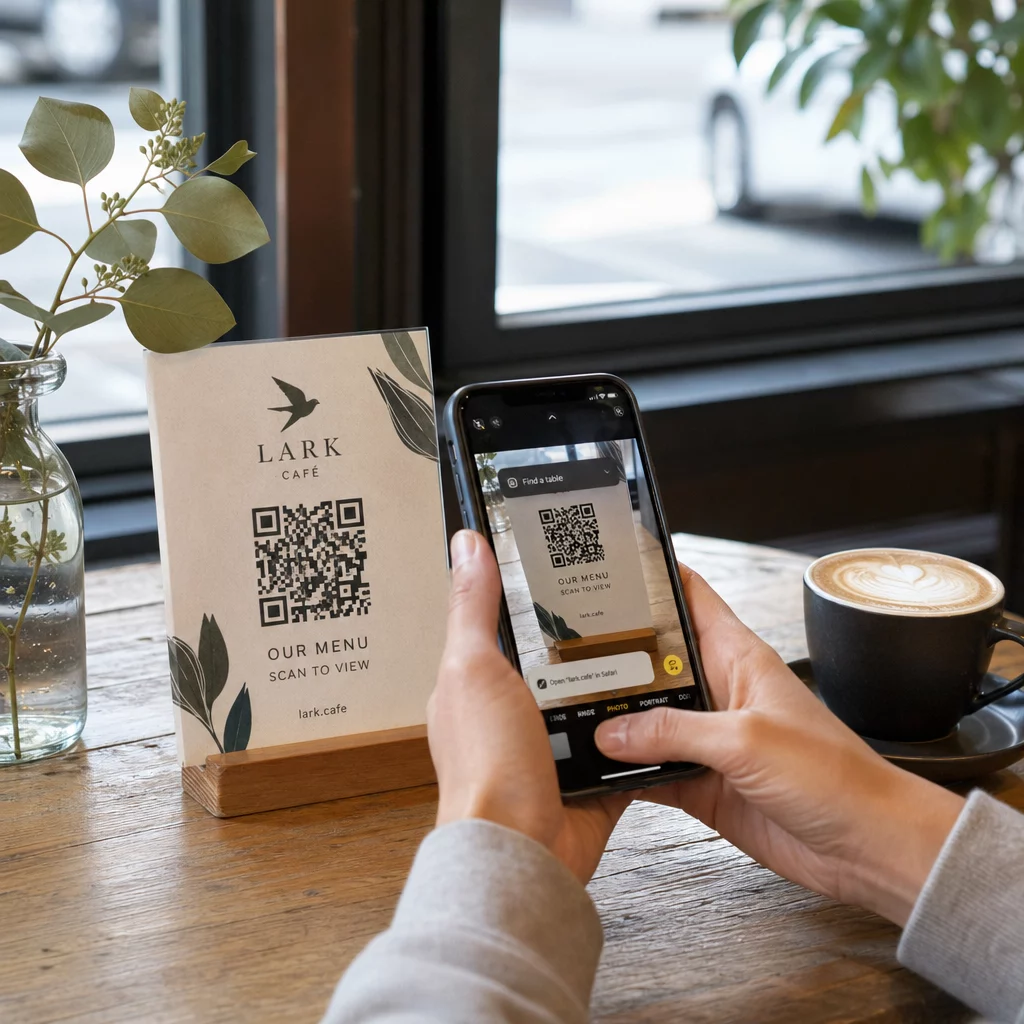
Pošiljanje QR kode v tisk brez predhodnega testiranja je ena izmed najpogostejših – in najdražjih – napak v tiskarskem marketingu. Koda, ki izgleda popolno na zaslonu, lahko popolnoma odpove, ko pride na papir, vinil ali embalažo. Ta vodnik vas popelje skozi vsako preverjanje, ki ga morate opraviti pred odobritvijo tiska.
Zakaj QR kode odpovejo po tiskanju
QR koda, ki se čisto skenira na vašem monitorju, lahko odpove v resničnem svetu zaradi razlogov, ki postanejo vidni šele po tiskanju. Razumevanje teh točk odpovedi vam pomaga sestaviti zanesljiv kontrolni seznam pred tiskanjem.
Najpogostejši krivci so:
- Premajhna velikost za pričakovano razdaljo skeniranja
- Nizka ločljivost povzroča zamegljene ali pikselizirane module
- Nezadosten kontrast med kodo in njenim ozadjem
- Manjkajoča mirna cona (jasna obroba, ki obdaja kodo)
- Visoka gostota podatkov ustvarja vzorec, ki je pretanek za branje s kamerami
- Napačen format datoteke uporabljen za tisk
Vsaka od teh težav je popolnoma preprečljiva, če jo odkrijete, preden se začne tisk. Spodnji razdelki obravnavajo vsako posebej.
Preverite velikost vaše QR kode glede na razdaljo skeniranja
Velikost je edini najpogostejši razlog, zakaj tiskana QR koda odpove. Standardno pravilo je razmerje 10:1: širina QR kode mora biti vsaj 1 cm (ali 1 palec) za vsakih 10 cm (ali 10 palcev) pričakovane razdalje skeniranja. Koda na vizitki, ki jo držite na dosegu roke, potrebuje zelo drugačno velikost kot tista na plakatu, ki se bere iz drugega konca sobe.
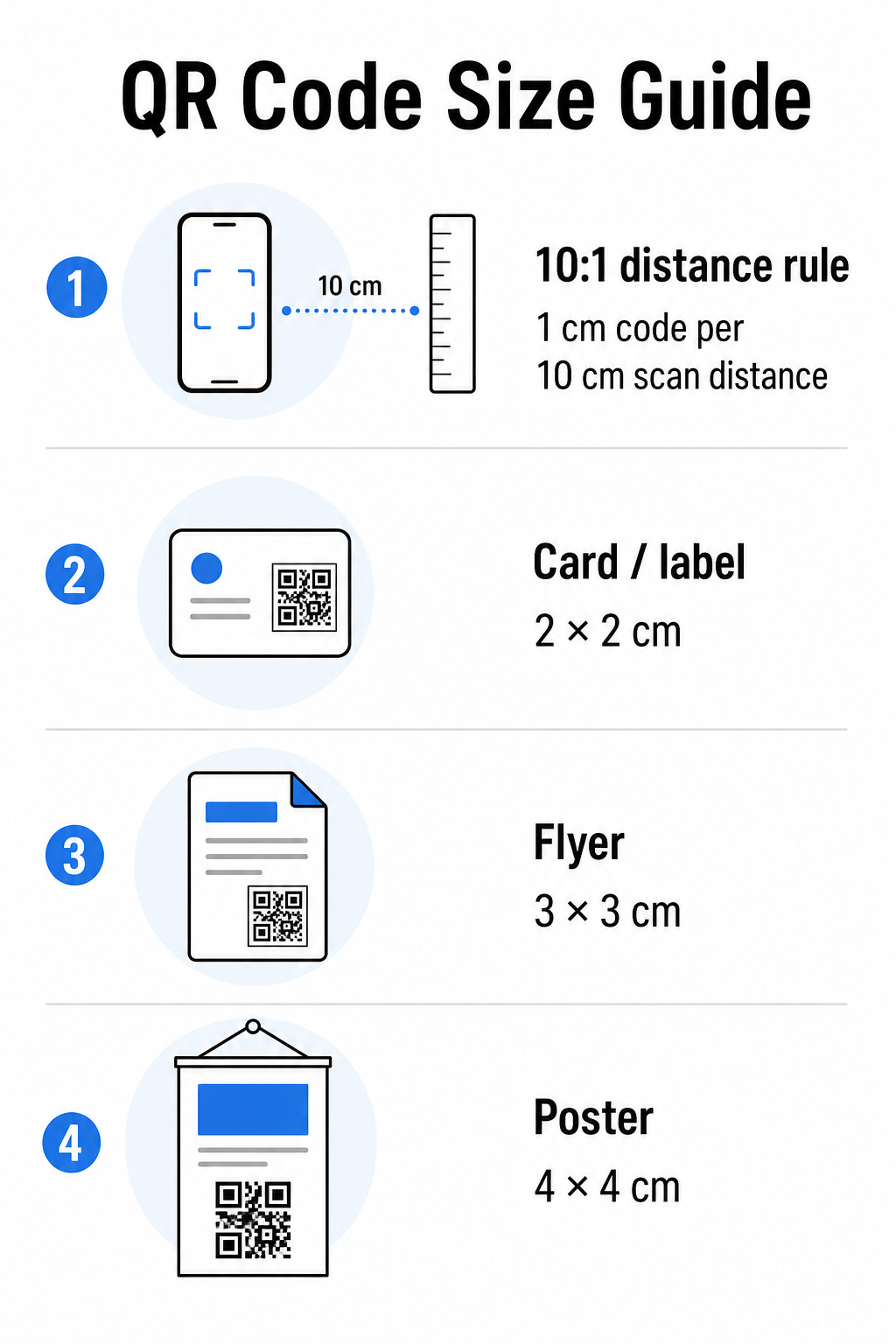
Uporabite to tabelo kot izhodišče za pogoste tiskane materiale:
| Tiskovni material | Minimalna priporočena velikost | Tipična razdalja skeniranja |
|---|---|---|
| Vizitka / nalepka | 2 × 2 cm (0,8 × 0,8 in) | 20–30 cm (8–12 palcev) |
| Brošura / letak | 3 × 3 cm (1,2 × 1,2 in) | 30 cm (12 palcev) |
| Plakat / signalizacija | 4 × 4 cm (1,6 × 1,6 in) | 40 cm (16 palcev) |
| Jumbo plakat / pasica | 40 × 40 cm (16 × 16 palcev) | 4 m (13 čevljev) |
Preden odobrite katero koli tiskovno datoteko, potrdite, da se dimenzije kode ujemajo z vašim pričakovanim primerom uporabe. vodniku po velikosti QR kod ponuja popolno razčlenitev po vrsti materiala, vključno s tem, kako gostota podatkov vpliva na minimalno izvedljivo velikost.
Preverite format datoteke in ločljivost tiska
Format, ki ga izvozite, je enako pomemben kot sam dizajn. Rastrske slike, kot sta PNG in JPEG, so sestavljene iz slikovnih pik. Ko se povečajo za tiskanje velikega formata, postanejo zamegljene in fini moduli v QR kodi izgubijo ostre robove – zaradi česar je kodo težko ali nemogoče skenirati.
Za katero koli tiskano QR kodo uporabite vektorske formate: SVG, EPS ali PDF. Vektorske datoteke se prilagodijo kateri koli velikosti, ne da bi izgubile kakovost, ker so matematično definirane in ne slikovno piko za piko. Če morate uporabiti rastrski format, se prepričajte, da je ločljivost vsaj 300 DPI pri predvideni velikosti tiska – ne pri velikosti predogleda na zaslonu.
Hitra preverba ločljivosti: odprite slikovno datoteko, zabeležite njene dimenzije v slikovnih pikah in delite z predvideno velikostjo tiska v palcih. Če je 1-palčna QR koda shranjena kot slika 100 × 100 slikovnih pik, je to le 100 DPI – precej pod minimalnimi 300 DPI in skoraj zagotovo se bo natisnila zamegljeno.
Za podrobnejši vpogled v to temo, vodniku za ločljivost tiskanja QR kod podrobno obravnava zahteve glede DPI in izbire formata.
Ustvarite QR kode, pripravljene za tisk, v nekaj sekundah Vprašanje Generator QR kode Pageloot vam omogoča prenos kod v formatih SVG, EPS in PDF – pripravljenih za katero koli velikost tiska brez izgube kakovosti.
Preizkusite kontrast, preden gre v tisk
Skenerji QR kod delujejo tako, da razlikujejo temne module od svetlega ozadja. Ko je ta kontrast prenizek, skener ne more zanesljivo prepoznati vzorca – tudi če koda človeškemu očesu izgleda v redu.
Tehnični standard, ki ga je treba izpolniti, je minimalno kontrastno razmerje 4:1 med temnimi moduli in svetlim ozadjem. Za plačilne aplikacije ali primere uporabe, osredotočene na dostopnost, si prizadevajte za 4,5:1 ali več. Črni moduli na belem ozadju ustvarjajo razmerje 21:1 – zlati standard, proti kateremu se merijo vse druge barvne kombinacije.
Pogoste napake pri kontrastu, ki jih je treba preveriti pred tiskanjem:
- Svetlo sivi moduli na belem: nezadosten kontrast, ki bo odpovedal pri šibki svetlobi
- Obrnjene barve (svetla koda na temnem ozadju): nekateri skenerji to obvladajo, mnogi ne – nikoli se ne zanašajte na to
- Prehodi barv na modulih: ustvarja neenakomeren kontrast, ki zmede skenerje
- Barve blagovne znamke, ki so preveč podobne v tonu: preizkusite s pretvorbo v sivine, da vidite pravi kontrast
Praktičen preizkus pred tiskanjem je pretvorba slike QR kode v sivine in preverjanje, ali so moduli še vedno jasno ločljivi od ozadja. Če se začnejo v sivinah zlivati, bodo odpovedali pri širokem naboru kamer naprav in svetlobnih pogojih. vodnik za najboljše prakse barvnega kontrasta QR kode vključuje tabelo barvnih kombinacij, ki prikazuje razmerja kontrasta in pričakovane rezultate skeniranja za pogoste pare.
Potrdite, da je tiha cona nedotaknjena
Vprašanje tiho cono je prazna margina, ki obdaja vse štiri strani QR kode. To ni oblikovna preferenca – je tehnična zahteva, opredeljena s standardom ISO/IEC 18004. Brez nje skenerji ne morejo določiti, kje se koda začne in konča, in skeniranje bo neuspešno.
Mirna cona mora biti široka vsaj štiri module na vseh straneh, kjer je en modul eden izmed majhnih kvadratkov v mreži kode. Kot praktična referenca:
- Za 1-palčna QR koda, dovolite približno 0,15 palca čistega prostora na vseh straneh
- Za QR kodo vizitke, ohranite mirno cono vsaj 0,25 palca
Preden pošljete v tisk, povečajte svojo datoteko postavitve in potrdite, da nobeno besedilo, slika, obroba ali vzorec ozadja ne posega v to cono. Postavitev kode preblizu roba dizajna ali prekrivanje z dekorativnimi elementi je eden najpogostejših vzrokov za neuspešno skeniranje, ki se pokažejo šele po tiskanju.
Preverite raven popravljanja napak
QR kode imajo vgrajen sistem za obnovitev, imenovan popravljanje napak, ki omogoča branje kode, tudi če je delno poškodovana, zakrita ali obrabljena. Obstajajo štiri ravni, vsaka ponuja drugačno razmerje med odpornostjo in gostoto podatkov:
| Raven | Zmogljivost obnovitve | Najboljši primer uporabe |
|---|---|---|
| L (nizko) | ~7% | Čiste, nepoškodovane površine; največja gostota podatkov |
| M (srednje) | ~15% | Standardni tiskovni materiali z nekaj obrabe |
| Q (kvartil) | ~25% | Kode s prekrivnimi logotipi ali zmernim tveganjem za poškodbe |
| H (visoko) | ~30% | Zunanja uporaba, embalaža, kode z velikimi prekrivnimi logotipi |
Če vaša QR koda vključuje logotip, prekriven na vzorcu – pogosta izbira blagovne znamke – potrebujete vsaj raven Q, in idealno raven H. Logotip učinkovito zakrije del kode, zato mora popravljanje napak to nadomestiti. Pred dokončanjem potrdite, s katero ravnjo je bila vaša koda ustvarjena, in vedno preizkusite kodo z blagovno znamko z nameščenim prekrivnim elementom. vodnik za najboljše prakse berljivosti QR kod podrobno obravnava, kako popravljanje napak vpliva na postavitev logotipa.
Izvedite fizični tiskovni test pred celotnim tiskom
Nobena količina preverjanja na zaslonu ne more nadomestiti tiskanja fizičnega dokaza. Natisnite eno kopijo v točni končni velikosti na točnem materialu , ki ga nameravate uporabiti, nato ga preizkusite v pogojih, ki odražajo resnično uporabo.
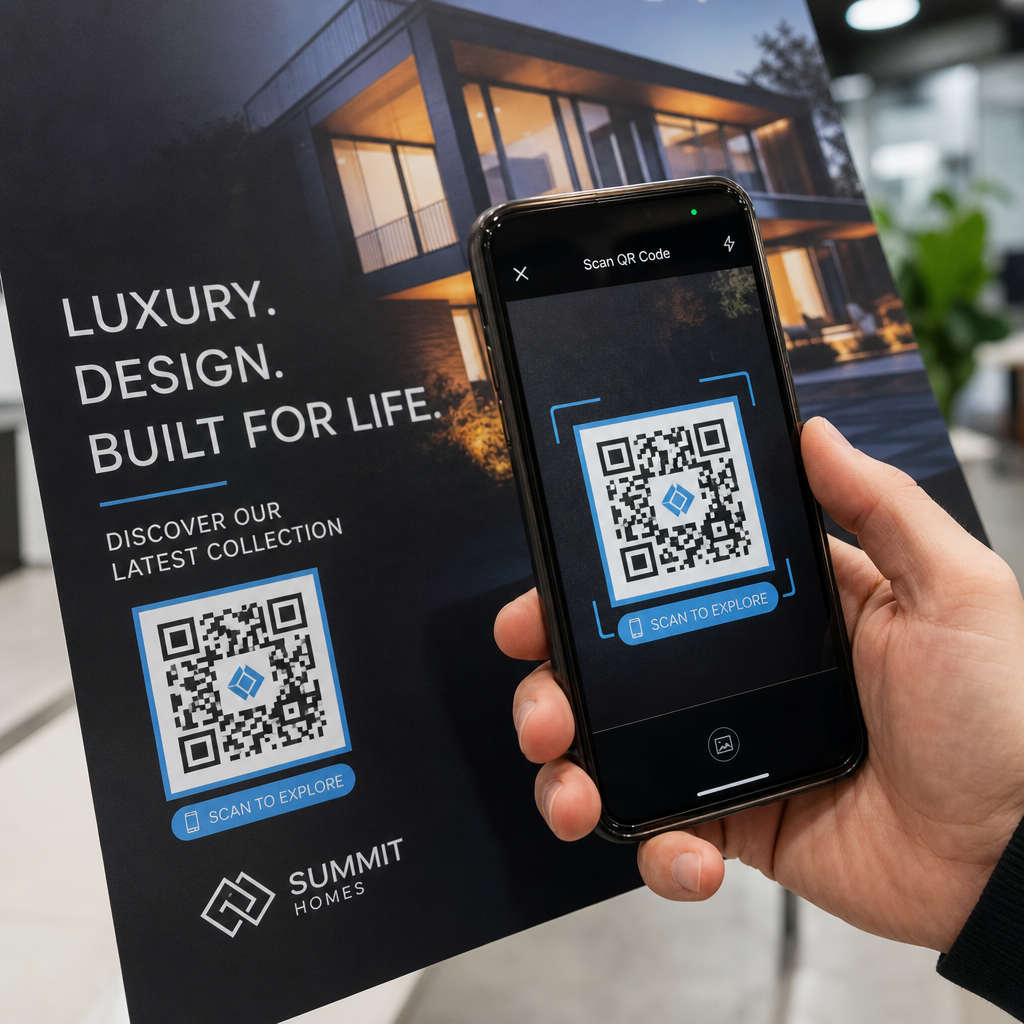
Vaš fizični test naj zajema:
- Več naprav: preizkusite na vsaj dveh različnih pametnih telefonih – enem iOS in enem Android – z uporabo tako izvorne aplikacije kamere kot tudi skenerja tretje osebe
- Več razdalj: skenirajte z običajne uporabniške razdalje in tudi z nekoliko večje razdalje, da potrdite, da obstaja toleranca za napake
- Več svetlobnih pogojev: preizkusite pri močni naravni svetlobi, standardni notranji razsvetljavi in pri šibki svetlobi, če se bo koda pojavila v katerem koli od teh okolij
- Dejanska površina: sijajne površine odbijajo svetlobo in lahko povzročijo neuspešno skeniranje, tudi če je zasnova kode pravilna; mat površine delujejo zanesljiveje v različnih pogojih
Kodo lahko preverite tudi digitalno tako, da naložite sliko svojega dizajna na Pageloot QR Scanner , da potrdite, da se pravilno dekodira, preden se zavežete k celotnemu tisku. Če vaša koda ne uspe na katerem koli od teh testov, uporabite splošni vodnik za odpravljanje težav z QR kodami za diagnosticiranje specifične točke napake pred prilagoditvijo in ponovnim testiranjem.
Za strukturiran pregled, kaj naj zajema mobilno testiranje, vodnik za testiranje QR kod za mobilno uporabnost podrobno obravnava združljivost naprav, kote skeniranja in delovanje destinacije.
Upoštevajte svojo metodo tiskanja in površino
Način tiskanja QR kode vpliva na možnost skeniranja neodvisno od same zasnove kode. Različne metode proizvajajo različne ravni ostrine modulov, in različne površine interagirajo s svetlobo na načine, ki lahko pomagajo ali ovirajo skeniranje.
Ključni dejavniki po metodi in materialu:
- Mat površine razpršijo svetlobo namesto da bi jo odbijale, zaradi česar so skoraj vedno boljše od sijajnih površin za zanesljivost skeniranja
- Ofsetni tisk proizvaja zelo ostre robove modulov in je dobro primeren za visokonakladne tiske
- Digitalni tisk dobro deluje za majhne naklade in prilagojene kode, vendar se kakovost črnila razlikuje in lahko sčasoma zbledi
- Termalni tisk je ekonomičen za etikete, vendar lahko zamegli fine robove modulov – povečajte velikost kode za kompenzacijo
- Teksturirane ali ukrivljene površine uvajajo popačenje, ki lahko zmede skenerje; uporabite večjo kodo, da to upoštevate
Za popolno razčlenitev, kako vsaka tehnika vpliva na možnost skeniranja, vodnik o kako tiskarske tehnike vplivajo na skenirljivost QR kode zajema izbiro metode, pripravo podlage in obstojnost črnila.
Uporabite dinamično QR kodo za zaščito pred spremembami po tiskanju
Tudi popolnoma preizkušena QR koda lahko po tiskanju odpove, če se ciljni URL spremeni, povezana stran je odstranjena ali je treba posodobiti vsebino kampanje. Pri statični QR kodi vsaka sprememba destinacije pomeni ponovno tiskanje vsega.
Dinamične kode QR to rešite s kodiranjem kratkega preusmeritvenega URL-ja namesto neposredne končne destinacije. Preusmeritev lahko kadar koli posodobite iz svoje nadzorne plošče, tako da natisnjena koda ostane veljavna, tudi ko se vaša kampanja razvija. To tudi pomeni, da lahko pokvarjeno povezavo popravite takoj po distribuciji – brez ponovnega tiskanja enega samega kosa.
Poleg preprečevanja napak, vam dinamične kode omogočajo dostop do analitike skeniranja: skupno število skeniranj, lokacije skeniranja, čas skeniranja in vrste naprav. Ti podatki vam povedo, ali vaši natisnjeni materiali dejansko delujejo na terenu, in kam usmeriti optimizacijo. To vodniku za uporabo QR kod v tiskanih medijih pokriva, kako se dinamične kode vključujejo v širšo strategijo tiskarskih kampanj.
Zaščitite svojo naložbo v tisk Ustvariti Dinamična QR koda da ohranite svoje natisnjene materiale posodobljene in spremljate dejansko uspešnost skeniranja – ne da bi se kdaj vrnili v tiskarno.
Kontrolni seznam za testiranje QR kode pred tiskom
Preden odobrite katero koli QR kodo za tiskarsko produkcijo, preverite vsako od naslednjih točk:
- Velikost kode ustreza pravilu 10:1 za pričakovano razdaljo skeniranja
- Datoteka je izvožena v formatu SVG, EPS ali PDF (ali rastrska z najmanj 300 DPI pri končni velikosti tiska)
- Kontrastno razmerje med moduli in ozadjem dosega vsaj 4:1
- Tiha cona vsaj štirih modulov je jasna na vseh straneh
- Raven popravljanja napak je ustrezna (Q ali H, če je prisoten prekrivni logotip)
- Koda se pravilno dekodira, ko je skenirana iz naložene slike
- Fizični dokaz testiran na napravah iOS in Android
- Fizični dokaz testiran v realističnih svetlobnih pogojih in na dejanskem tiskarskem materialu
- Ciljni URL je aktiven, optimiziran za mobilne naprave in se hitro naloži
- Uporabljena dinamična QR koda, če se bo destinacija morda morala spremeniti po tiskanju
Izvedba teh preverjanj pred vsakim tiskarskim delom vzame veliko manj časa kot ponovno naročanje.
Pogosta vprašanja
Zanesljiv minimum za skeniranje od blizu – kot so vizitke ali etikete izdelkov – je 2 × 2 cm (0,8 × 0,8 palca). Za večje tiskovine uporabite pravilo 10:1: širina kode naj bo vsaj 1 cm za vsakih 10 cm pričakovane razdalje skeniranja. Plakat, skeniran z razdalje 1 metra, na primer, potrebuje kodo, široko vsaj 10 cm.
Vedno uporabite vektorski format – SVG, EPS ali PDF – za tisk. Vektorske datoteke se prilagodijo poljubni velikosti, ne da bi postale zamegljene ali pikselizirane. Če morate uporabiti rastrski format, kot je PNG, zagotovite, da je ločljivost vsaj 300 DPI pri končni velikosti tiska. Rastrski datoteke z nizko ločljivostjo so eden najpogostejših vzrokov za nečitljive natisnjene QR kode.
Natisnite eno samo preizkusno kopijo v natančno predvideni velikosti na točno določenem materialu, ki ga nameravate uporabiti, nato ga preizkusite na vsaj dveh različnih napravah (iOS in Android) v realističnih svetlobnih pogojih. Prav tako lahko naložite sliko svoje kode v Pageloot QR Code Scanner, da preverite, ali se pravilno dekodira, preden gre v tisk. Uporaba dinamične QR kode doda še eno plast zaščite – če je treba kaj spremeniti po tiskanju, lahko posodobite destinacijo brez ponovnega tiskanja.