Czy Twoja witryna sklepowa pracuje dla Ciebie po godzinach zamknięcia? Większość witryn milknie w momencie zgaszenia świateł, tracąc każdego potencjalnego klienta, który przechodzi obok. Umieszczenie kodu QR na Twojej witrynie zamienia to szkło w zawsze aktywny punkt kontaktu marketingowego, który natychmiast łączy przechodniów z Twoimi treściami cyfrowymi.
Dlaczego witryny sklepowe są niedocenianą przestrzenią marketingową
Większość firm handlowych traktuje swoje witryny jako dekorację. W rzeczywistości witryna wychodząca na ruchliwą ulicę to jedno z najbardziej widocznych miejsc, jakie są dla Ciebie dostępne – a dodanie do niej kodu QR nie kosztuje nic dodatkowo.
Klienci oglądający witryny są już zainteresowani. Zwolnili, spojrzeli na Twoją ekspozycję i zastanawiają się, czy zaangażować się dalej. Kod QR daje im natychmiastowy kolejny krok: zeskanuj, aby zobaczyć menu, przejrzeć katalog, odebrać zniżkę lub przeczytać recenzje. Bez niego ten moment zainteresowania mija, a klient idzie dalej.
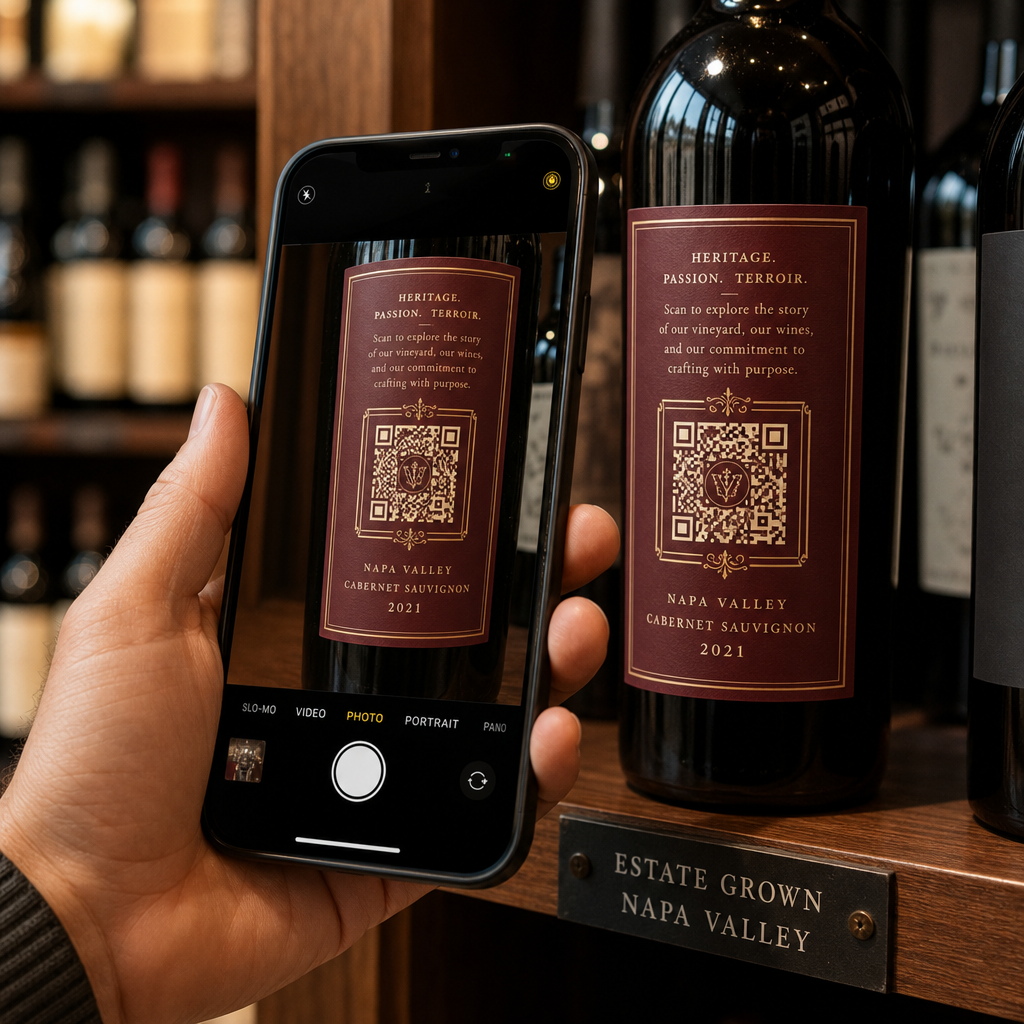
Marki takie jak Heinz i Nestlé wykorzystały dynamiczne kody QR na fizycznych opakowaniach, aby tworzyć stałe relacje z klientami. Ta sama logika dotyczy witryn sklepowych. Witryna to nie tylko bariera między wnętrzem a zewnętrzem – to powierzchnia, która może połączyć Twoją obecność offline z całym Twoim cyfrowym ekosystemem.
Jak wyświetlić kod QR na witrynie sklepowej
Istnieje kilka praktycznych formatów umieszczania kodu QR na witrynie, w zależności od budżetu i tego, jak często musisz zmieniać zawartość.
- Folie okienne przylepne to usuwalne naklejki winylowe, które przylegają bezpośrednio do szkła. Są łatwe w montażu, wyglądają profesjonalnie i można je wymieniać, gdy zmienia się Twoja promocja.
- Naklejki okienne lub kalkomanie są podobne do folii przylepnych, ale mogą być bardziej trwałe. Sprawdzają się dobrze w przypadku kodów, które prowadzą do długoterminowych miejsc docelowych, takich jak Twoja strona internetowa lub strona z recenzjami Google.
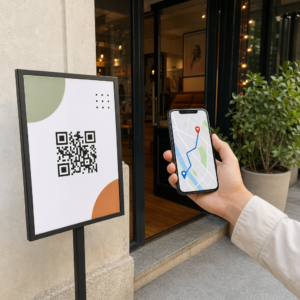
- Potykacze (stojaki reklamowe) umieszczone tuż przed wejściem pozwalają na wymianę plakatów z kodami QR bez dotykania witryny. Jest to przydatne do promowania codziennych promocji lub ofert ograniczonych czasowo.
- Monitor lub ekran w witrynie może dynamicznie wyświetlać kod QR, co jest szczególnie skuteczne, jeśli rotujesz promocje lub chcesz mieć cyfrowy wyświetlacz o wysokiej widoczności.
Dla każdego z tych formatów użyj kodu QR PNG o wysokiej rozdzielczości aby upewnić się, że wydrukowany lub wyświetlony kod pozostaje wyraźny w wymaganym rozmiarze.
Utwórz gotowy do druku kod QR dla Twojej witryny Wygeneruj markowy kod QR o wysokiej rozdzielczości w kilka sekund za pomocą Pageloot Generator kodów QR. Pobierz w formacie PNG, SVG lub PDF – gotowy do naklejek na okna, folii samoprzylepnych lub stojaków reklamowych.
Wybór między statycznymi a dynamicznymi kodami QR
To jedna z najważniejszych decyzji, którą podejmiesz przed wydrukowaniem czegokolwiek na swojej witrynie.
Statyczne kody QR są stałe. Po wydrukowaniu miejsca docelowego nie można zmienić. Nadają się do stałych linków, takich jak strona główna Twojej firmy lub mapa lokalizacji – treści, które nigdy nie będą wymagały aktualizacji.
Dynamiczne kody QR pozwalają zmieniać docelowy link w dowolnym momencie, nawet po wydrukowaniu i wyświetleniu kodu. Jeśli Twoja naklejka na okno promuje wyprzedaż sezonową, która kończy się w marcu, możesz zaktualizować miejsce docelowe na nową promocję w kwietniu bez wymiany fizycznego kodu. Kody dynamiczne obsługują również analitykę, dzięki czemu możesz zobaczyć, ile osób zeskanowało, kiedy i z jakiej lokalizacji.
W przypadku większości umieszczeń na oknach i szyldach, dynamiczne kody QR są lepszym wyborem. Elastyczność aktualizacji treści bez ponownego drukowania oszczędza pieniądze i daje możliwość utrzymania aktualności Twojej witryny. Dowiedz się więcej o opcjach kodów QR dla znaków i banerów aby zrozumieć, który format pasuje do Twojego przypadku użycia.
Utrzymaj swój kod okienny zawsze aktualny Z Dynamiczne kody QR Pageloot, możesz zaktualizować docelowy adres URL swojej witryny w dowolnym momencie – bez konieczności ponownego drukowania. Rozpocznij bezpłatny 14-dniowy okres próbny, aby uzyskać pełny dostęp do śledzenia i edycji.
Wytyczne dotyczące umieszczenia i rozmiaru
Kod QR, którego nie można zeskanować, to zmarnowana okazja. Postępuj zgodnie z tymi praktycznymi wytycznymi, aby upewnić się, że Twój kod okienny faktycznie działa.
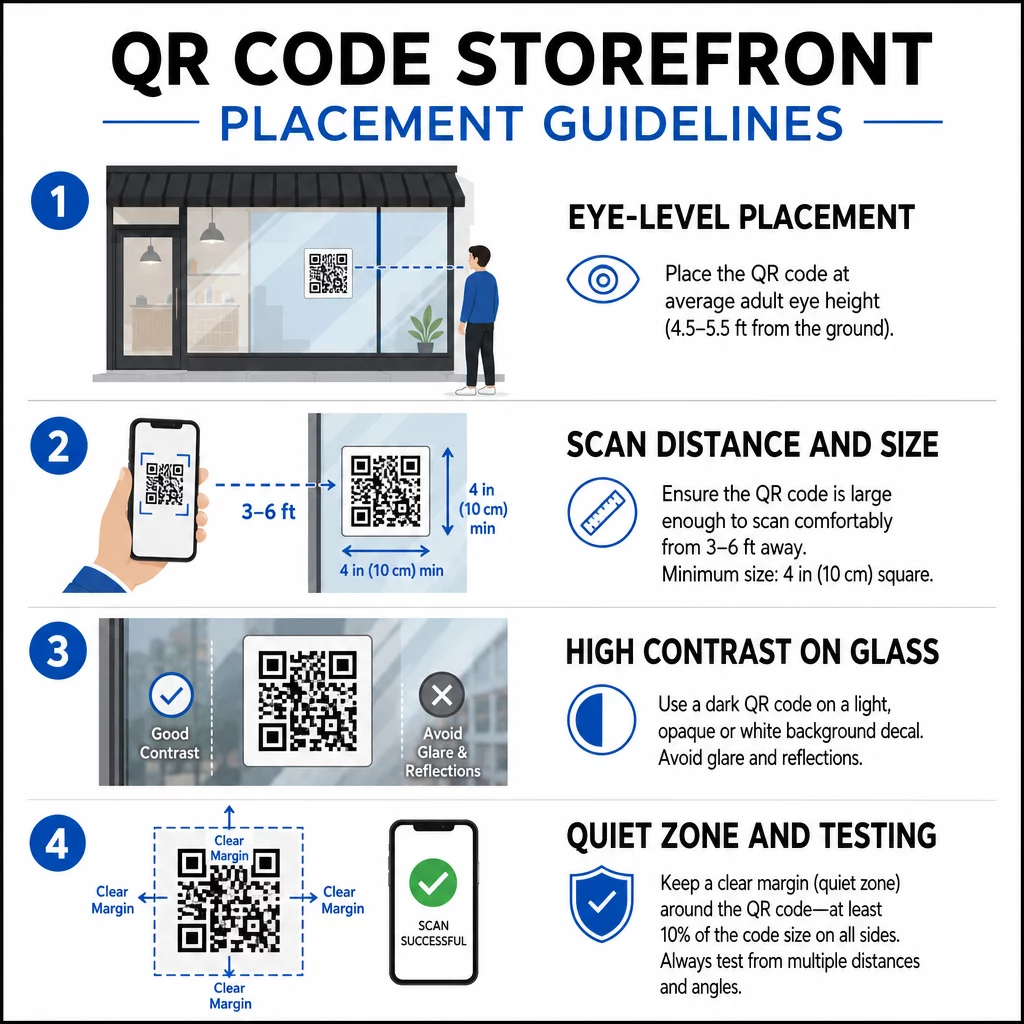
Umieszczenie na wysokości wzroku jest standardową rekomendacją. Celuj w około pięć stóp od ziemi, gdzie większość dorosłych naturalnie patrzy, przechodząc obok. Kody umieszczone zbyt wysoko, zbyt nisko lub zasłonięte przez inne oznakowanie są łatwe do zignorowania i trudniejsze do zeskanowania.
Rozmiar dostosowany do oczekiwanej odległości skanowania ma większe znaczenie, niż ludzie się spodziewają. Ogólna zasada: na każde 10 cm odległości skanowania dodaj 1 cm do długości boku kodu. W przypadku kodu okiennego, który ma być skanowany z odległości od czterech do siedmiu stóp, odpowiedni jest kod o wymiarach około 8 × 8 cali. Unikaj rozmiarów mniejszych niż 2 × 2 cm dla zastosowań z bliskiej odległości.
Wysoki kontrast między kodem a jego tłem jest kluczowy. Użyj ciemnego kodu na jasnym tle. Unikaj odwróconych schematów (jasny kod na ciemnym tle), ponieważ niektóre czytniki QR nie są w stanie ich niezawodnie dekodować. Podczas naklejania naklejki na szkło, przetestuj ją po instalacji – szkło może tworzyć odblaski, które zakłócają skanowanie.
Strefy ciszy (biały margines wokół kodu) powinien być zachowany. Pozostaw co najmniej 0,25 cala wolnej przestrzeni z każdej strony, wolnej od tekstu, obrazów lub elementów graficznych. Bez tego bufora skanery mogą nie wykryć, gdzie kod się zaczyna i kończy.
Przetestuj przed zatwierdzeniem. Zeskanuj kod w ostatecznym rozmiarze wydruku z rzeczywistej odległości, z której stałby klient, używając wielu urządzeń. Ten krok pozwala wychwycić problemy, zanim dotrą do Twojej witryny sklepowej. Aby uzyskać więcej szczegółów na temat najlepsze praktyki czytelności kodów QR, w tym współczynników kontrastu i stref ciszy, pełny przewodnik obejmuje wszystkie wymagania techniczne.
Do czego linkować kod QR na witrynie
Miejsce docelowe ma takie samo znaczenie jak sam kod. Zwykłe linkowanie do strony głównej to opcja o najniższej wartości. Osoby skanujące kod na witrynie są już w Twojej lokalizacji – chcą czegoś bardziej konkretnego.
Rozważ te miejsca docelowe o wyższej wartości:
- A Katalog produktów w formacie PDF pokazujący dostępne produkty, rozmiary i ceny, dzięki czemu klienci mogą przeglądać ofertę nawet wtedy, gdy sklep jest zamknięty. A Kod QR PDF ułatwia konfigurację i aktualizację.
- A rabat lub kupon na ich następną wizytę, zachęcając do powrotu.
- A link do recenzji do Twojego profilu Google Moja Firma, ułatwiając zadowolonym klientom pozostawienie opinii.
- Narzędzie ekskluzywna promocja lub loteria, dając ludziom powód do natychmiastowego zeskanowania, zamiast przechodzić obojętnie.
- Media społecznościowe lub formularz rejestracyjny, zamieniając jednorazowego przechodnia w długoterminowego obserwatora lub subskrybenta.
A kod QR URL może wskazywać na dowolne z tych miejsc, a dzięki dynamicznemu kodowi możesz zmieniać swoją ofertę bez zmiany fizycznego wyświetlacza.
Zawsze dodawaj wezwanie do działania
Nigdy nie zakładaj, że ludzie wiedzą, co zrobić z kodem QR i dlaczego mieliby się tym przejmować. Krótka instrukcja obok kodu eliminuje to tarcie. Zwroty takie jak “Otwórz aparat i zeskanuj, aby otrzymać 10% zniżki” lub “Zeskanuj, aby zobaczyć dzisiejsze menu” mówią klientowi dokładnie, czego się spodziewać.
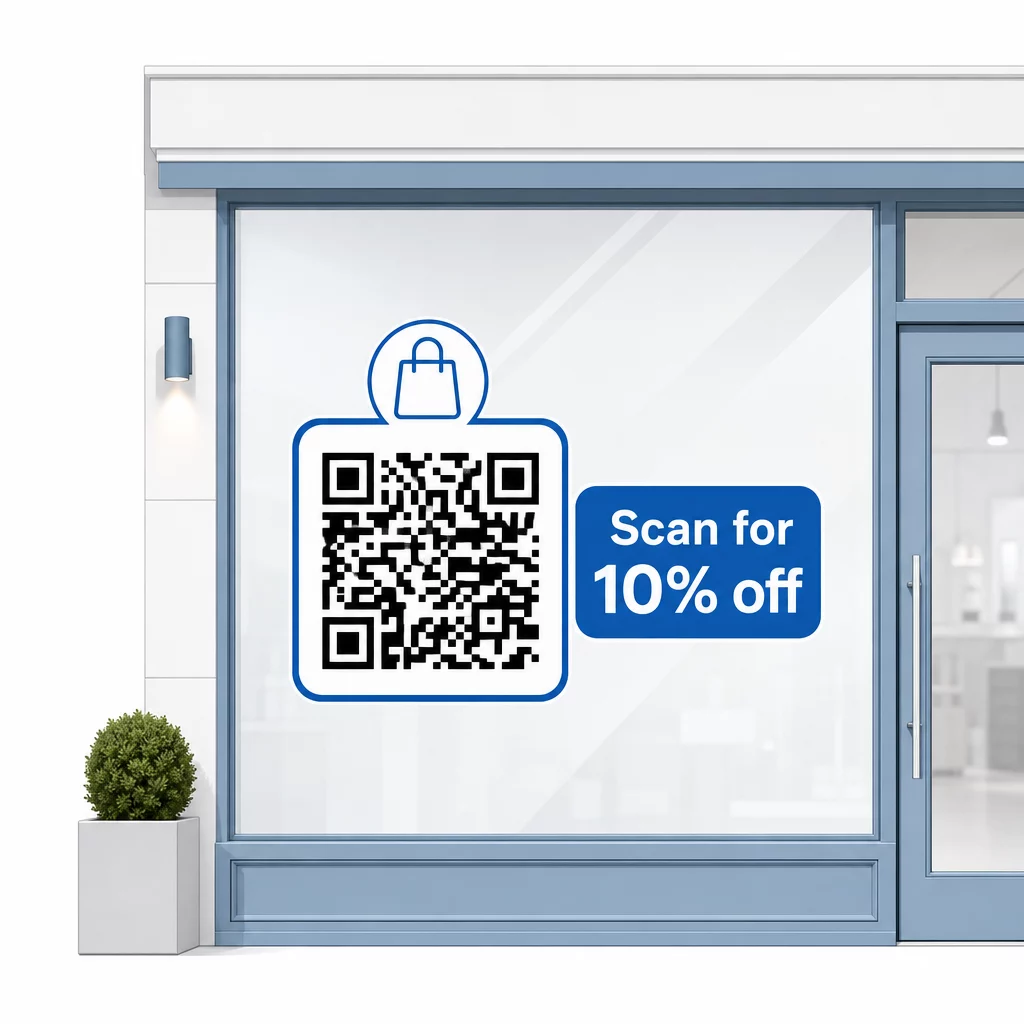
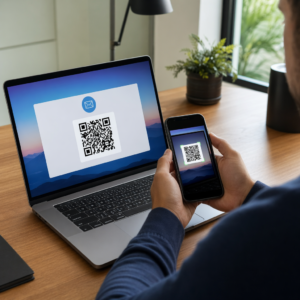
Zachowaj krótki komunikat – maksymalnie dwie linijki. Im jaśniejsze i bardziej szczegółowe Twoje wezwanie do działania, tym wyższy będzie wskaźnik skanowania. Jeśli Twoja publiczność może obejmować klientów nieznających skanowania kodów QR, dodaj krótką notatkę, taką jak “skieruj aparat telefonu na ten kod”. Aby uzyskać wskazówki dotyczące skanowania kodów QR na różnych urządzeniach, w tym laptopach i komputerach stacjonarnych, możesz skierować klientów do prostych instrukcji.
Śledź i ulepszaj z czasem
Jedną z zalet dynamicznych kodów QR w porównaniu ze statycznymi jest wbudowana analityka. Możesz zobaczyć, ile osób zeskanowało Twój kod okienny każdego dnia, o jakich porach i czy występują skoki wokół konkretnych promocji.
Te dane pozwalają podejmować świadome decyzje. Jeśli liczba skanów spada po zakończeniu promocji, zaktualizuj miejsce docelowe na coś świeżego. Jeśli jedno umieszczenie na oknie działa lepiej niż inne, wiesz, gdzie się skupić. Możesz również porównać aplikacje do skanowania kodów QR aby zrozumieć, w jaki sposób klienci prawdopodobnie uzyskują dostęp do Twoich kodów i zapewnić kompatybilność.
Użyj Przegląd funkcji Pageloot aby zapoznać się z pełnym zakresem narzędzi analitycznych, edycyjnych i dostosowywania dostępnych do zarządzania kodami okiennymi wraz ze wszystkimi innymi kampaniami QR.
Dobrze umieszczony, dobrze zaprojektowany kod QR na witrynie sklepowej może generować znaczące zaangażowanie przez całą dobę – nie tylko w godzinach pracy. Zacznij od jasnego celu, wybierz dynamiczny kod, aby móc aktualizować treści, przestrzegaj wytycznych dotyczących umieszczania i rozmiaru, i zawsze dawaj klientom powód do skanowania.
Zacznij śledzić skany z okien Użyj Pageloot Generator kodów QR aby stworzyć śledzalny, edytowalny kod QR dla Twojej witryny sklepowej. Bezpłatny 14-dniowy okres próbny, karta kredytowa nie jest wymagana.
Najczęściej zadawane pytania
Tak, jeśli używasz dynamicznego kodu QR. Kody dynamiczne pozwalają aktualizować docelowy adres URL w dowolnym momencie po wydrukowaniu, więc fizyczny kod na Twojej witrynie pozostaje taki sam, podczas gdy treść, do której prowadzi, zmienia się z każdą promocją. Kody statyczne są stałe i wymagałyby ponownego drukowania za każdym razem.
Dla kodu okiennego, który ma być skanowany z odległości od czterech do siedmiu stóp, odpowiedni jest rozmiar około 8 × 8 cali. Ogólna zasada to dodawanie 1 cm rozmiaru kodu na każde 10 cm odległości skanowania. Zawsze testuj kod w rzeczywistym rozmiarze wydruku z zamierzonej odległości przed ostatecznym zatwierdzeniem wyświetlacza.
Unikaj prostego linkowania do swojej strony głównej. Bardziej efektywne miejsca docelowe to m.in. plik PDF z katalogiem produktów, zniżka lub kupon, link do recenzji Google, strona w mediach społecznościowych lub formularz rejestracyjny. Wyraźne wezwanie do działania obok kodu, informujące klientów, co otrzymają po zeskanowaniu, znacznie zwiększa prawdopodobieństwo, że go użyją.