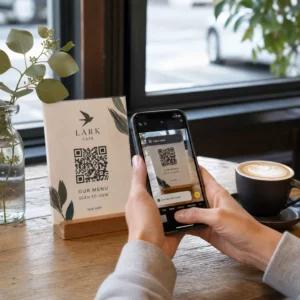
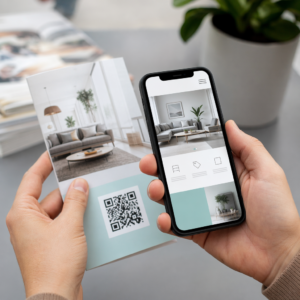
Radi li vaš izlog za vas nakon radnog vremena? Većina izloga utihne onog trenutka kada se svjetla ugase, propuštajući svakog potencijalnog kupca koji prođe. Postavljanjem QR koda na vaš izlog pretvarate to staklo u uvijek aktivnu marketinšku dodirnu točku koja prolaznike trenutačno povezuje s vašim digitalnim sadržajem.
Zašto su izlozi nedovoljno iskorišten prostor za marketing
Većina maloprodajnih poduzeća tretira svoje izloge kao dekoraciju. U stvarnosti, izlog okrenut prometnoj ulici jedno je od najvidljivijih mjesta koje vam je dostupno – a dodavanje QR koda na njega ne košta ništa dodatno.
Kupci koji razgledavaju izloge već su zainteresirani. Usporili su, pogledali vaš izlog i razmišljaju hoće li se dalje angažirati. QR kod im daje trenutačan sljedeći korak: skenirajte da biste vidjeli jelovnik, pregledali katalog, zatražili popust ili pročitali recenzije. Bez njega, taj trenutak interesa prođe i kupac nastavi dalje.
Brendovi poput Heinza i Nestléa koristili su dinamični QR kodovi na fizičkoj ambalaži za stvaranje trajnih odnosa s kupcima. Ista logika vrijedi i za izloge. Izlog nije samo prepreka između unutrašnjosti i vanjštine – to je površina koja može povezati vašu offline prisutnost s cijelim vašim digitalnim ekosustavom.
Kako prikazati QR kod na izlogu trgovine
Postoji nekoliko praktičnih formata za postavljanje QR koda na izlog, ovisno o vašem proračunu i koliko često trebate mijenjati sadržaj.
- Naljepnice za prozore su uklonjive vinilne naljepnice koje se izravno lijepe na staklo. Lako se postavljaju, izgledaju profesionalno i mogu se zamijeniti kada se vaša promocija promijeni.
- Prozorske naljepnice ili dekali slične su naljepnicama za prozore, ali mogu biti trajnije. Dobro funkcioniraju za kodove koji vode do dugoročnih odredišta poput vaše web stranice ili stranice za Google recenzije.
- A-okviri postavljeni neposredno ispred vašeg ulaza omogućuju vam zamjenu plakata s QR kodom bez dodirivanja izloga. Ovo je korisno za promicanje dnevnih akcija ili vremenski ograničenih ponuda.
- Monitor ili zaslon u izlogu može dinamički prikazivati QR kod, što je posebno učinkovito ako rotirate promocije ili želite digitalni zaslon visoke vidljivosti.
Za bilo koji od ovih formata, koristite PNG QR kod visoke rezolucije kako biste osigurali da ispisani ili prikazani kod ostane jasan u veličini koja vam je potrebna.
Izradite QR kod spreman za ispis za vaš prozor Generirajte brendirani QR kod visoke rezolucije u sekundama pomoću Pageloot Generator QR kodova. Preuzmite u PNG, SVG ili PDF formatu – spremno za naljepnice za prozore, folije ili A-okvirne znakove.
Odabir između statičnih i dinamičnih QR kodova
Ovo je jedna od najvažnijih odluka koju ćete donijeti prije ispisa bilo čega na vašem prozoru.
Statički QR kodovi su fiksni. Jednom ispisani, odredište se ne može promijeniti. Prikladni su za trajne veze poput početne stranice vašeg poslovanja ili karte lokacije – sadržaj koji nikada neće trebati ažurirati.
Dinamički QR kodovi omogućuju vam promjenu povezanog odredišta u bilo kojem trenutku, čak i nakon što je kod već ispisan i prikazan. Ako vaša naljepnica za prozor promovira sezonsku rasprodaju koja završava u ožujku, možete ažurirati odredište na novu promociju u travnju bez zamjene fizičkog koda. Dinamički kodovi također podržavaju analitiku, tako da možete vidjeti koliko je ljudi skeniralo, kada i s koje lokacije.
Za većinu postavljanja na prozore i natpise, dinamički QR kodovi su bolji izbor. Fleksibilnost ažuriranja sadržaja bez ponovnog ispisa štedi novac i daje vam mogućnost da vaš prozor ostane relevantan. Saznajte više o opcijama QR koda za znakove i bannere kako biste razumjeli koji format odgovara vašem slučaju upotrebe.
Neka vaš kod za prozor bude uvijek aktualan S Pagelootovi dinamički QR kodovi, možete ažurirati odredišni URL vašeg prozora u bilo kojem trenutku – nije potrebno ponovno ispisivanje. Započnite besplatno 14-dnevno probno razdoblje kako biste dobili potpuni pristup praćenju i uređivanju.
Smjernice za postavljanje i veličinu
QR kod koji se ne može skenirati je propuštena prilika. Slijedite ove praktične smjernice kako biste bili sigurni da vaš kod za prozor stvarno radi.
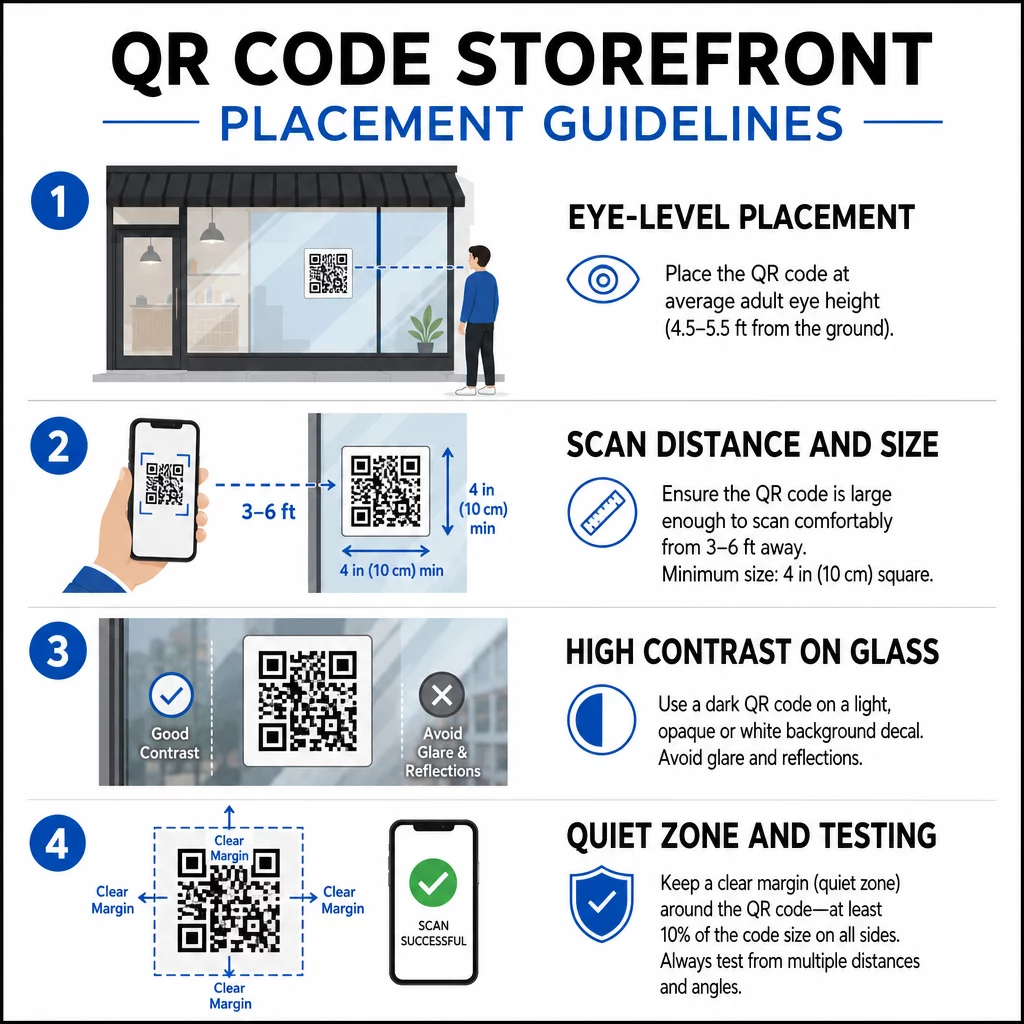
Postavljanje u razini očiju je standardna preporuka. Ciljajte na otprilike pet stopa od tla, gdje većina odraslih prirodno gleda dok prolazi. Kodovi postavljeni previsoko, prenisko ili zaklonjeni drugim natpisima lako se ignoriraju i teže skeniraju.
Veličina za očekivanu udaljenost skeniranja važnija je nego što ljudi očekuju. Opće pravilo: za svakih 10 cm udaljenosti skeniranja, dodajte 1 cm duljini stranice koda. Za kod na prozoru koji se očekuje skenirati s udaljenosti od četiri do sedam stopa, kod veličine oko 8 × 8 inča je prikladan. Izbjegavajte ići manje od 2 × 2 cm za bilo koju primjenu izbliza.
Visok kontrast između koda i njegove pozadine je ključan. Koristite tamni kod na svijetloj pozadini. Izbjegavajte obrnute sheme (svijetli kod na tamnoj pozadini) jer ih neki QR čitači ne mogu pouzdano dekodirati. Prilikom postavljanja naljepnice na staklo, testirajte je nakon instalacije – staklo može stvoriti odsjaj koji ometa skeniranje.
Tihe zone (bijela margina oko koda) treba se održavati. Omogućite najmanje 0,25 inča slobodnog prostora sa svih strana, bez teksta, slika ili dizajnerskih elemenata. Bez ovog međuspremnika, skeneri možda neće uspjeti detektirati gdje kod počinje i završava.
Testirajte prije objave. Skenirajte kod u konačnoj ispisanoj veličini s stvarne udaljenosti na kojoj bi kupac stajao, koristeći više uređaja. Ovaj korak hvata probleme prije nego što stignu do vaše trgovine. Za više detalja o najbolje prakse čitljivosti QR kodova, uključujući omjere kontrasta i tihe zone, potpuni vodič pokriva sve tehničke zahtjeve.
Na što povezati svoj QR kod na prozoru
Odredište je jednako važno kao i sam kod. Jednostavno povezivanje na vašu početnu stranicu je opcija najniže vrijednosti. Ljudi koji skeniraju kod na prozoru već su na vašoj lokaciji – žele nešto specifičnije.
Razmotrite ova odredišta veće vrijednosti:
- A PDF katalog proizvoda koji prikazuje dostupne artikle, veličine i cijene, tako da kupci mogu pregledavati čak i kada je trgovina zatvorena. A PDF QR kod čini ovo jednostavnim za postavljanje i ažuriranje.
- A popust ili kupon za njihov sljedeći posjet, potičući povratni promet.
- A poveznica za recenziju na vaš Google Business profil, čineći ostavljanje povratnih informacija zadovoljnim korisnicima jednostavnim.
- 14. Alat ekskluzivna promocija ili nagradna igra, dajući ljudima razlog da odmah skeniraju umjesto da prođu pored.
- Društvene mreže ili obrazac za prijavu, pretvarajući jednokratnog prolaznika u dugoročnog pratitelja ili pretplatnika.
A QR kod URL-a može voditi do bilo koje od ovih destinacija, a s dinamičnim kodom možete mijenjati ono što nudite bez promjene fizičkog prikaza.
Uvijek dodajte poziv na akciju
Nikada nemojte pretpostavljati da ljudi znaju što učiniti s QR kodom ili zašto bi se trebali truditi. Kratka uputa pored koda uklanja tu prepreku. Fraze poput “Otvorite kameru i skenirajte za 10% popusta” ili “Skenirajte za pregled današnjeg jelovnika” govore kupcu točno što može očekivati.
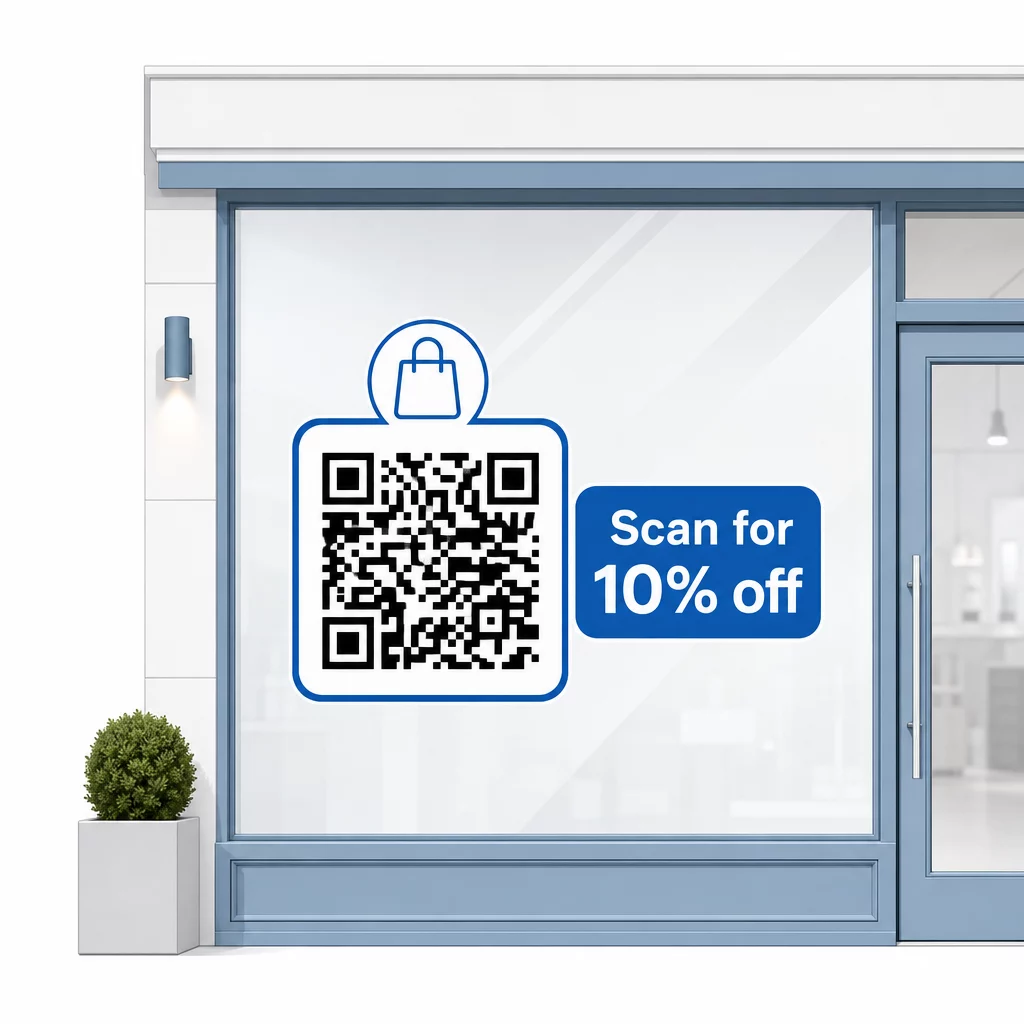
Poruku neka bude kratka – najviše dva retka. Što je vaš CTA jasniji i specifičniji, to će vaša stopa skeniranja biti veća. Ako vaša publika može uključivati kupce koji nisu upoznati sa skeniranjem QR kodova, dodajte kratku napomenu poput “usmjerite kameru telefona na ovaj kod.” Za smjernice o skeniranju QR kodova na različitim uređajima, uključujući prijenosna i stolna računala, kupce možete uputiti na jednostavne upute.
Pratite i poboljšavajte s vremenom
Jedna prednost dinamičkih QR kodova u odnosu na statičke je ugrađena analitika. Možete vidjeti koliko je ljudi skeniralo vaš prozor kod svaki dan, u koje vrijeme i postoje li skokovi oko određenih promocija.
Ovi podaci omogućuju vam donošenje informiranih odluka. Ako se broj skeniranja smanji nakon završetka promocije, ažurirajte odredište nečim novim. Ako jedno postavljanje prozora nadmašuje drugo, znate gdje se usredotočiti. Također možete usporediti aplikacije za skeniranje QR kodova kako biste razumjeli kako korisnici vjerojatno pristupaju vašim kodovima i osigurali kompatibilnost.
Koristiti Pregled značajki Pageloota kako biste istražili cijeli niz alata za analitiku, uređivanje i prilagodbu dostupnih za upravljanje vašim kodovima na prozorima uz sve ostale vaše QR kampanje.
Dobro postavljen, dobro dizajniran QR kod na izlogu vaše trgovine može generirati značajan angažman danonoćno – ne samo tijekom radnog vremena. Započnite s jasnim ciljem, odaberite dinamički kod kako biste sadržaj mogli održavati ažurnim, slijedite smjernice za postavljanje i veličinu i uvijek dajte kupcima razlog za skeniranje.
Započnite pratiti skeniranja vaših prozora Koristiti Pageloot Generator QR kodova za izradu QR koda koji se može pratiti i uređivati za izlog vaše trgovine. Besplatno 14-dnevno probno razdoblje, kreditna kartica nije potrebna.
Često postavljana pitanja
Da, ako koristite dinamički QR kod. Dinamički kodovi omogućuju vam ažuriranje odredišnog URL-a u bilo kojem trenutku nakon ispisa, tako da fizički kod na vašem prozoru ostaje isti dok se sadržaj na koji se povezuje mijenja sa svakom promocijom. Statički kodovi su fiksni i zahtijevali bi ponovni ispis svaki put.
Za kod na prozoru koji se očekuje skenirati s udaljenosti od četiri do sedam stopa, prikladna je veličina od približno 8 × 8 inča. Opća smjernica je dodati 1 cm veličine koda za svakih 10 cm udaljenosti skeniranja. Uvijek testirajte kod u stvarnoj ispisanoj veličini s namjeravane udaljenosti prije finaliziranja prikaza.
Izbjegavajte jednostavno povezivanje na vašu početnu stranicu. Učinkovitije destinacije uključuju PDF katalog proizvoda, popust ili kupon, poveznicu za Google recenziju, stranicu društvenih medija ili obrazac za prijavu. Jasan poziv na akciju pored koda koji kupcima govori što će dobiti kada skeniraju značajno povećava vjerojatnost da će ga koristiti.