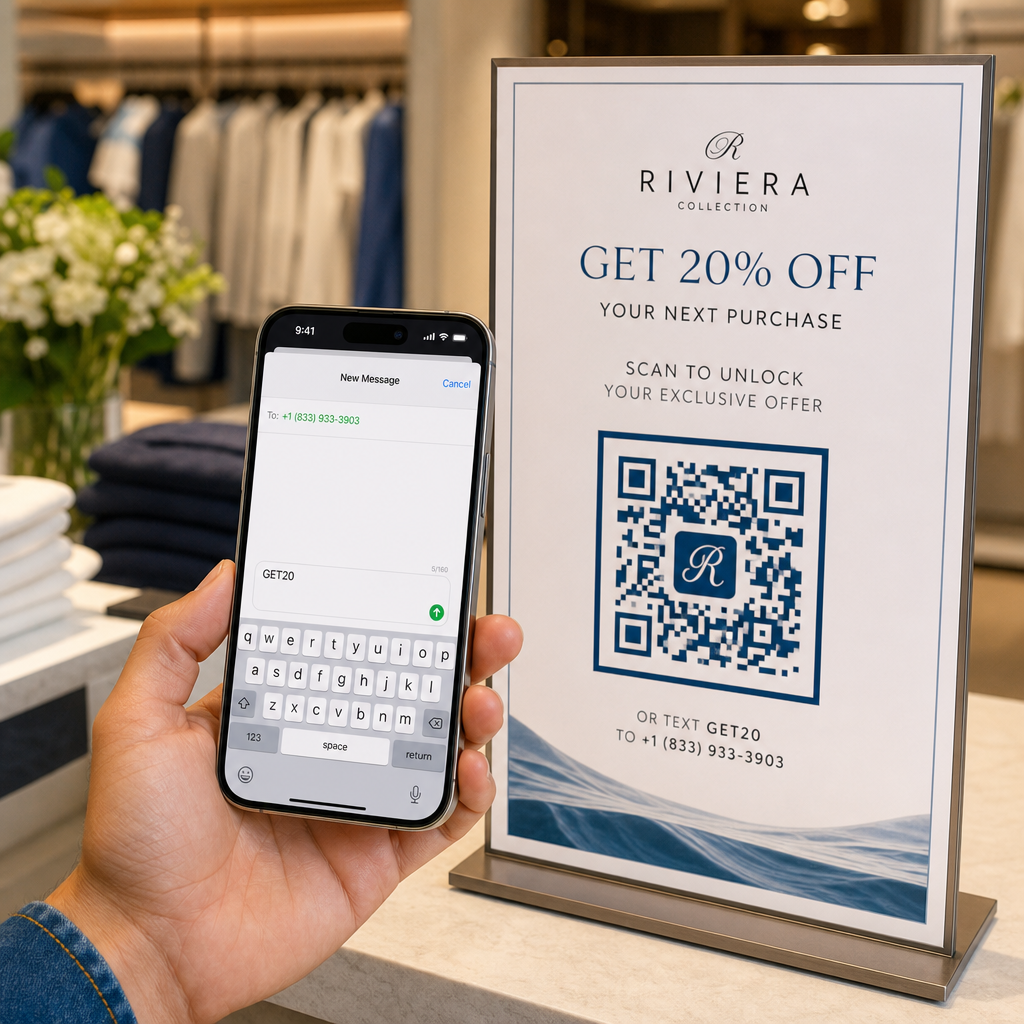
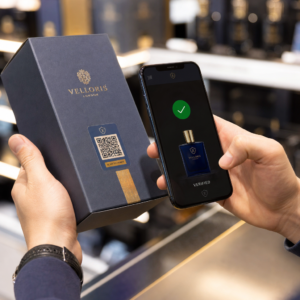
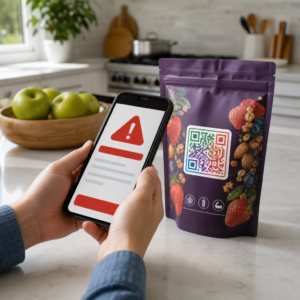
Vai jūsu veikala skatlogs strādā jūsu labā pēc slēgšanas laika? Lielākā daļa veikalu skatlogu kļūst klusi brīdī, kad izslēdzas gaismas, palaižot garām katru potenciālo klientu, kurš iet garām. Novietojot QR kodu uz jūsu skatloga, šis stikls pārvēršas par vienmēr aktīvu mārketinga saskares punktu, kas nekavējoties savieno garāmgājējus ar jūsu digitālo saturu.
Kāpēc veikalu skatlogi ir nepietiekami izmantota mārketinga telpa
Lielākā daļa mazumtirdzniecības uzņēmumu savus skatlogus uzskata par dekorāciju. Patiesībā skatlogs, kas vērsts pret rosīgu ielu, ir viena no visredzamākajām jums pieejamajām izvietošanas vietām – un QR koda pievienošana tam nemaksā neko papildus.
Skatlogu pircēji jau ir ieinteresēti. Viņi ir palēninājuši gaitu, apskatījuši jūsu ekspozīciju un apsver, vai iesaistīties tālāk. QR kods dod viņiem tūlītēju nākamo soli: skenēt, lai apskatītu ēdienkarti, pārlūkotu katalogu, pieprasītu atlaidi vai lasītu atsauksmes. Bez tā šis intereses brīdis paiet un klients dodas tālāk.
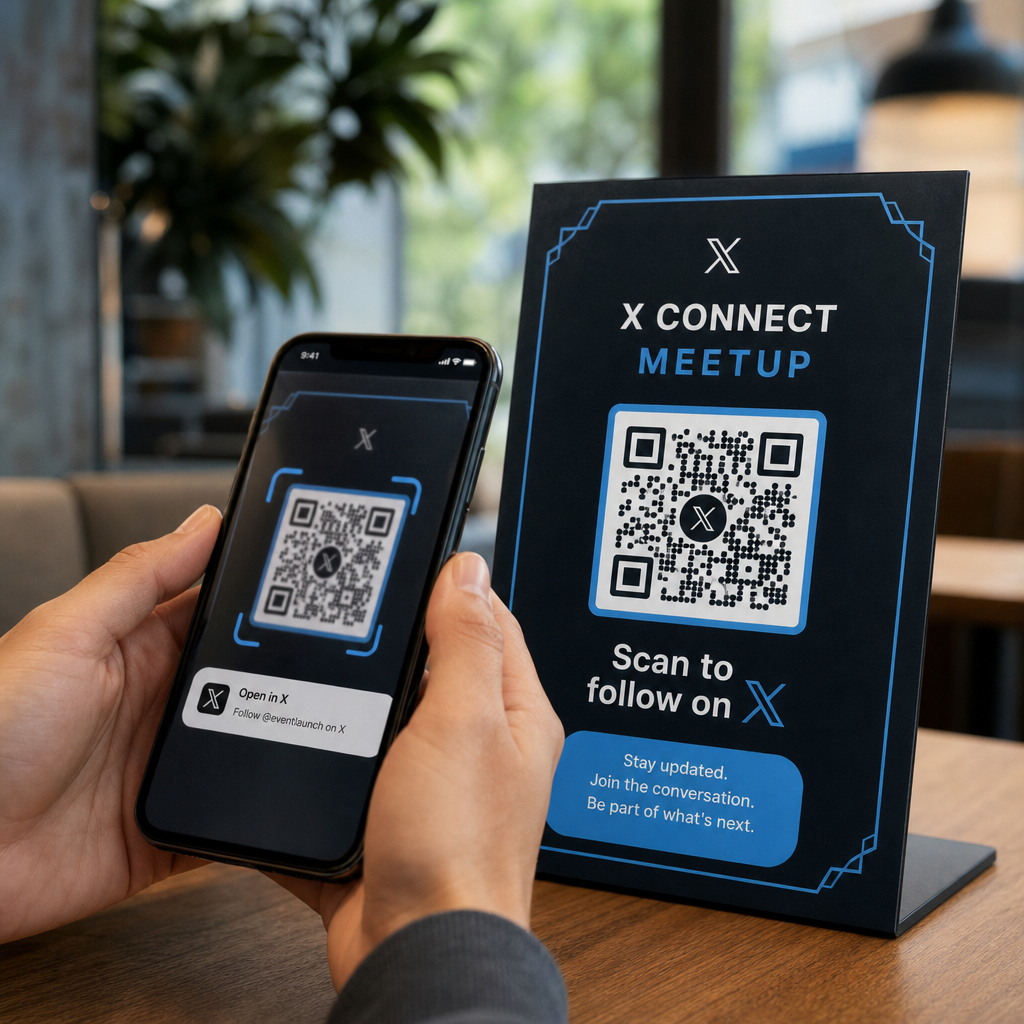
Zīmoli, piemēram, Heinz un Nestlé, ir izmantojuši dinamiskie QR kodi uz fiziskā iepakojuma, lai veidotu pastāvīgas attiecības ar klientiem. Tāda pati loģika attiecas uz veikalu skatlogiem. Skatlogs nav tikai barjera starp iekšpusi un ārpusi – tā ir virsma, kas var savienot jūsu bezsaistes klātbūtni ar visu jūsu digitālo ekosistēmu.
Kā izvietot QR kodu veikala skatlogā
Ir vairāki praktiski formāti QR koda novietošanai uz skatloga, atkarībā no jūsu budžeta un tā, cik bieži jums jāmaina saturs.
- Logu uzlīmes (pašlīmējošās) ir noņemamas vinila uzlīmes, kas tieši pielīp pie stikla. Tās ir viegli uzstādāmas, izskatās profesionāli un var tikt nomainītas, kad mainās jūsu akcija.
- Logu uzlīmes vai dekori ir līdzīgas pašlīmējošajām uzlīmēm, bet var būt pastāvīgākas. Tās labi der kodiem, kas ved uz ilgtermiņa galamērķiem, piemēram, jūsu vietni vai Google atsauksmju lapu.
- A-veida zīmes novietotas tieši pie jūsu ieejas, ļauj jums mainīt QR kodu plakātus, nepieskaroties skatlogam. Tas ir noderīgi ikdienas īpašo piedāvājumu vai laika ziņā ierobežotu piedāvājumu reklamēšanai.
- Monitors vai ekrāns skatlogā var dinamiski attēlot QR kodu, kas ir īpaši efektīvi, ja jūs rotējat akcijas vai vēlaties augstas redzamības digitālo displeju.
Jebkuram no šiem formātiem izmantojiet augstas izšķirtspējas QR koda PNG lai nodrošinātu, ka izdrukātais vai attēlotais kods paliek ass vajadzīgajā izmērā.
Izveidojiet drukāšanai gatavu QR kodu savam logam Ģenerējiet zīmolotu, augstas izšķirtspējas QR kodu dažu sekunžu laikā ar Pageloot QR kodu ģenerators. Lejupielādējiet PNG, SVG vai PDF formātā – gatavs logu uzlīmēm, piekaramajām reklāmām vai A-veida stendiem.
Izvēle starp statiskajiem un dinamiskajiem QR kodiem
Šis ir viens no svarīgākajiem lēmumiem, ko pieņemsiet pirms jebkā drukāšanas uz jūsu loga.
Statiskie QR kodi ir fiksēti. Pēc izdrukāšanas galamērķi nevar mainīt. Tie ir piemēroti pastāvīgām saitēm, piemēram, jūsu uzņēmuma mājaslapai vai atrašanās vietas kartei – saturam, kas nekad nebūs jāatjaunina.
Dinamiskie QR kodi ļauj mainīt saistīto galamērķi jebkurā laikā, pat pēc tam, kad kods jau ir izdrukāts un attēlots. Ja jūsu loga uzlīme reklamē sezonas izpārdošanu, kas beidzas martā, jūs varat atjaunināt galamērķi uz jaunu akciju aprīlī, neaizstājot fizisko kodu. Dinamiskie kodi atbalsta arī analītiku, lai jūs varētu redzēt, cik cilvēku skenēja, kad un no kuras vietas.
Lielākajai daļai logu un izkārtņu izvietojumu dinamiskie QR kodi ir labāka izvēle. Elastība atjaunināt saturu bez atkārtotas drukāšanas ietaupa naudu un dod jums iespēju saglabāt jūsu loga aktualitāti. Uzziniet vairāk par QR koda iespējām izkārtnēm un baneriem lai saprastu, kurš formāts atbilst jūsu lietošanas gadījumam.
Saglabājiet savu loga kodu mūžzaļu Ar Pageloot dinamiskie QR kodi, jūs varat atjaunināt sava loga galamērķa URL jebkurā laikā – nav nepieciešama atkārtota drukāšana. Sāciet bezmaksas 14 dienu izmēģinājuma periodu, lai iegūtu pilnu izsekošanas un rediģēšanas piekļuvi.
Izvietojuma un izmēra vadlīnijas
QR kods, ko nevar skenēt, ir izniekota iespēja. Ievērojiet šīs praktiskās vadlīnijas, lai pārliecinātos, ka jūsu loga kods patiešām darbojas.
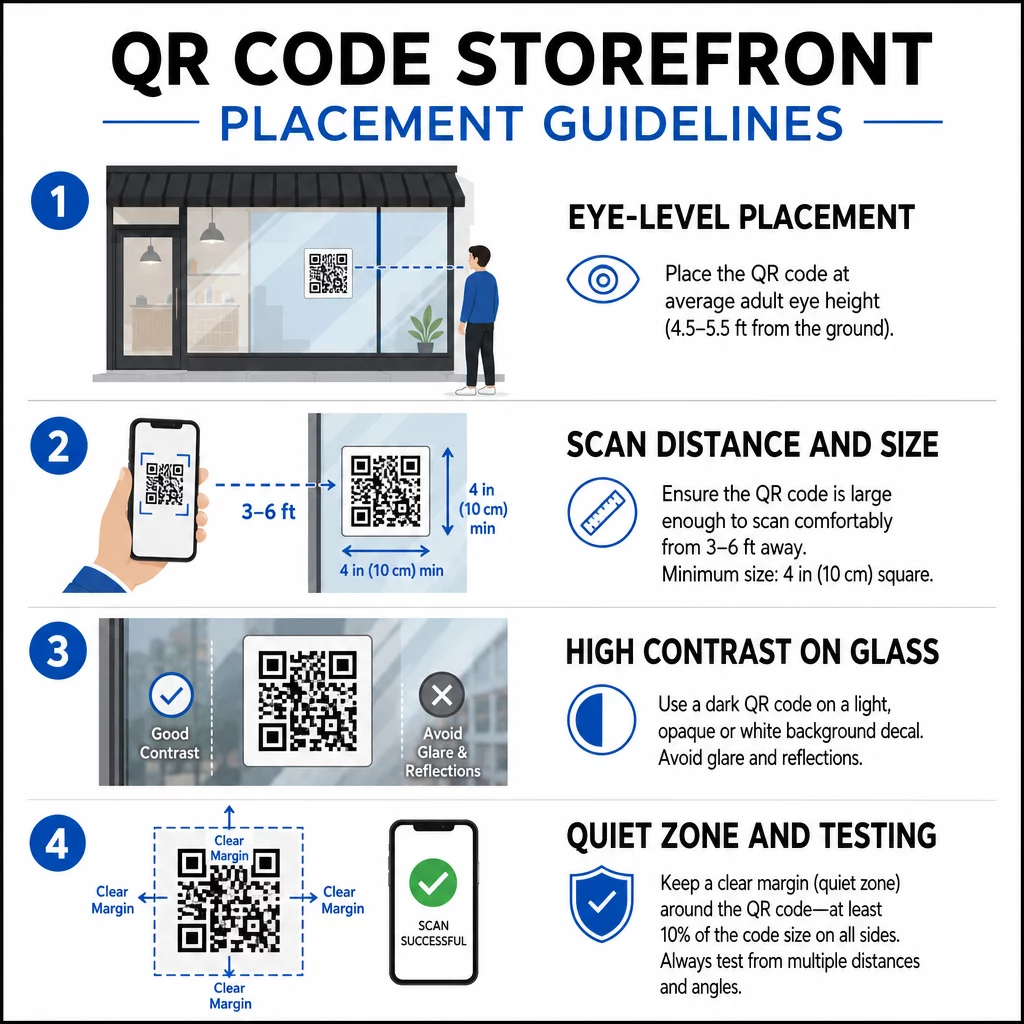
Novietojums acu līmenī ir standarta ieteikums. Mērķējiet uz aptuveni piecu pēdu augstumu no zemes, kur lielākā daļa pieaugušo dabiski skatās, ejot garām. Kodu, kas novietots pārāk augstu, pārāk zemu vai aizsegts ar citām zīmēm, ir viegli ignorēt un grūtāk skenēt.
Izmērs atbilstoši paredzētajam skenēšanas attālumam ir svarīgāks, nekā cilvēki gaida. Vispārējs noteikums: par katriem 10 cm skenēšanas attāluma pievienojiet 1 cm koda malas garumam. Loga kodam, ko paredzēts skenēt no četrām līdz septiņām pēdām, piemērots ir kods aptuveni 8 × 8 collas. Izvairieties no mazāka izmēra par 2 × 2 cm jebkurai tuva diapazona lietošanai.
Augsts kontrasts starp kodu un tā fonu ir būtisks. Izmantojiet tumšu kodu uz gaiša fona. Izvairieties no apgrieztām shēmām (gaišs kods uz tumša fona), jo daži QR lasītāji tās nevar droši atšifrēt. Uzlīmējot uzlīmi uz stikla, pārbaudiet to pēc uzstādīšanas – stikls var radīt atspīdumu, kas traucē skenēšanu.
Klusās zonas (baltā mala ap kodu) ir jāsaglabā. Atstājiet vismaz 0,25 collas brīvas vietas visās malās, bez teksta, attēliem vai dizaina elementiem. Bez šīs buferzonas skeneri var nespēt noteikt, kur kods sākas un beidzas.
Pārbaudiet pirms apstiprināšanas. Skenējiet kodu galīgajā drukātajā izmērā no faktiskā attāluma, kurā stāvētu klients, izmantojot vairākas ierīces. Šis solis palīdz atklāt problēmas, pirms tās sasniedz jūsu veikalu. Lai iegūtu sīkāku informāciju par ar QR kodu lasāmības labāko praksi, ieskaitot kontrasta attiecības un klusās zonas, pilnīga rokasgrāmata aptver visas tehniskās prasības.
Kam piesaistīt jūsu loga QR kodu
Galamērķis ir tikpat svarīgs kā pats kods. Vienkārša saite uz jūsu mājaslapu ir viszemākās vērtības variants. Cilvēki, kas skenē loga kodu, jau atrodas jūsu atrašanās vietā – viņi vēlas kaut ko konkrētāku.
Apsveriet šos augstākas vērtības galamērķus:
- A PDF produktu katalogs ar pieejamajām precēm, izmēriem un cenām, lai klienti varētu pārlūkot pat tad, kad veikals ir slēgts. A PDF QR kods padara to vienkārši iestatāmu un atjaunināmu.
- A atlaide vai kupons nākamajai vizītei, veicinot atkārtotu apmeklējumu.
- A atsauksmes saite uz jūsu Google uzņēmuma profilu, padarot apmierinātiem klientiem vieglu atstāt atsauksmes.
- Viens ekskluzīva akcija vai izloze, dodot cilvēkiem iemeslu skenēt nekavējoties, nevis paiet garām.
- Sociālie mediji vai reģistrācijas veidlapa, pārvēršot vienreizēju garāmgājēju par ilgtermiņa sekotāju vai abonentu.
A URL QR kods var norādīt uz jebkuru no šiem galamērķiem, un ar dinamisku kodu jūs varat mainīt piedāvājumu, nemainot fizisko displeju.
Vienmēr pievienojiet aicinājumu uz darbību
Nekad nepieņemiet, ka cilvēki zina, ko darīt ar QR kodu vai kāpēc viņiem tas būtu jādara. Īsa instrukcija blakus kodam novērš šo berzi. Frāzes, piemēram, “Atveriet kameru un skenējiet, lai saņemtu 10% atlaidi” vai “Skenējiet, lai apskatītu šodienas ēdienkarti”, precīzi pasaka klientam, ko sagaidīt.
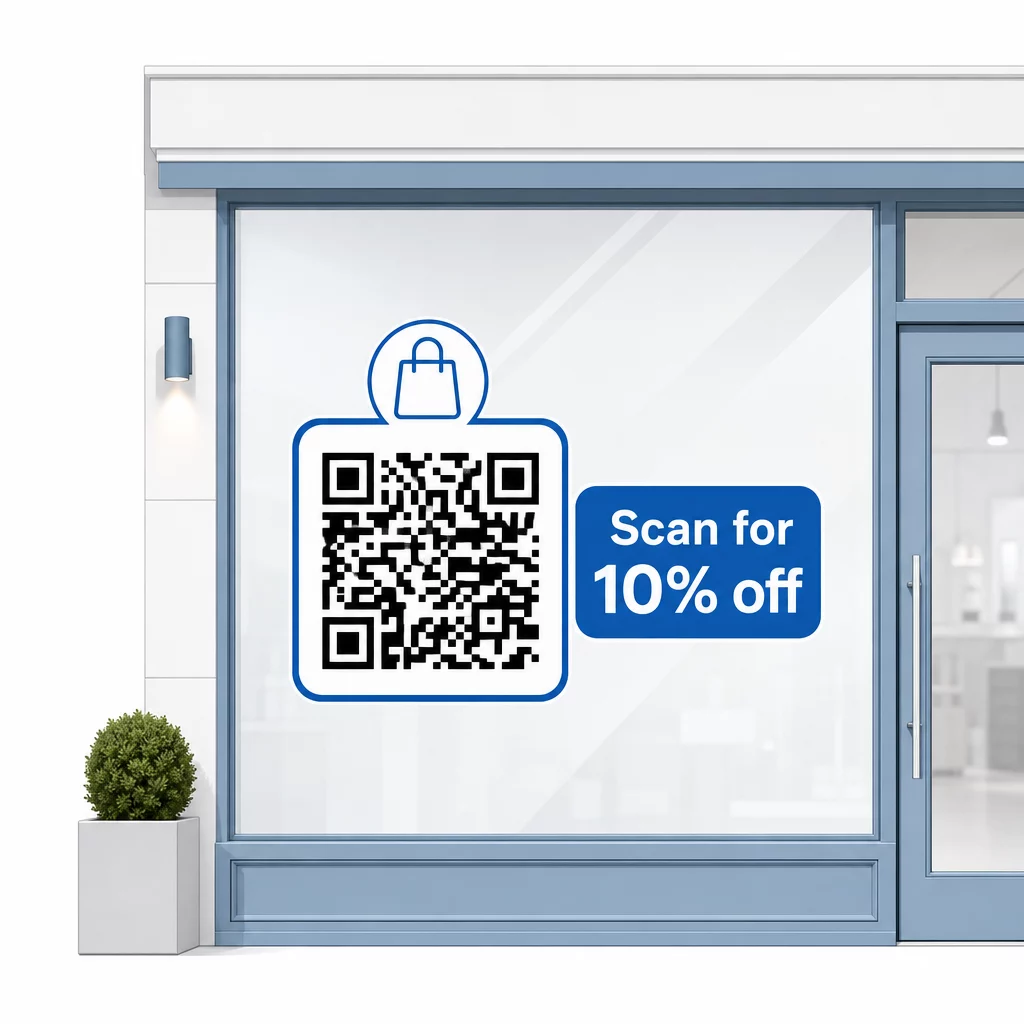
Saglabājiet ziņojumu īsu – maksimāli divas rindiņas. Jo skaidrāks un specifiskāks būs jūsu CTA, jo augstāks būs jūsu skenēšanas rādītājs. Ja jūsu auditorijā var būt klienti, kas nav pazīstami ar QR skenēšanu, pievienojiet īsu piezīmi, piemēram, “pavērsiet tālruņa kameru uz šo kodu.” Norādījumus par QR kodu skenēšana dažādās ierīcēs, tostarp klēpjdatoros un galddatoros, varat novirzīt klientus uz vienkāršām instrukcijām.
Sekojiet līdzi un uzlabojiet laika gaitā
Viena no dinamisko QR kodu priekšrocībām salīdzinājumā ar statiskajiem ir iebūvētā analītika. Jūs varat redzēt, cik cilvēku katru dienu skenēja jūsu loga kodu, kādos laikos un vai ir vērojami pīķi ap konkrētām akcijām.
Šie dati ļauj jums pieņemt apzinātus lēmumus. Ja skenēšanas skaits samazinās pēc akcijas beigām, atjauniniet galamērķi ar kaut ko jaunu. Ja viens loga izvietojums pārspēj citu, jūs zināt, kur koncentrēties. Jūs varat arī salīdzināt QR kodu skenera lietotnes lai saprastu, kā klienti, visticamāk, piekļūst jūsu kodiem un nodrošinātu saderību.
Izmantojiet Pageloot funkciju pārskats lai izpētītu pilnu analītikas, rediģēšanas un pielāgošanas rīku klāstu, kas pieejami jūsu logu kodu pārvaldībai kopā ar visām citām jūsu QR kampaņām.
Labi novietots, labi izstrādāts QR kods jūsu veikala skatlogā var radīt jēgpilnu iesaisti visu diennakti – ne tikai darba laikā. Sāciet ar skaidru mērķi, izvēlieties dinamisku kodu, lai varētu uzturēt saturu aktuālu, ievērojiet izvietojuma un izmēra vadlīnijas un vienmēr dodiet klientiem iemeslu skenēt.
Sāciet izsekot savu logu skenēšanai Izmantojiet Pageloot QR kodu ģenerators lai izveidotu izsekojamu, rediģējamu QR kodu jūsu veikala skatlogam. Bezmaksas 14 dienu izmēģinājums, nav nepieciešama kredītkarte.
Biežāk uzdotie jautājumi
Jā, ja izmantojat dinamisku QR kodu. Dinamiskie kodi ļauj atjaunināt mērķa URL jebkurā laikā pēc drukāšanas, tāpēc fiziskais kods uz jūsu loga paliek nemainīgs, kamēr saturs, uz kuru tas ved, mainās ar katru akciju. Statiskie kodi ir fiksēti un katru reizi būtu jāpārdrukā.
Loga kodam, ko paredzēts skenēt no četru līdz septiņu pēdu attāluma, aptuveni 8 × 8 collu izmērs ir piemērots. Vispārējā vadlīnija ir pievienot 1 cm koda izmēra uz katriem 10 cm skenēšanas attāluma. Vienmēr pārbaudiet kodu faktiskajā izdrukātajā izmērā no paredzētā attāluma pirms displeja pabeigšanas.
Izvairieties vienkārši saistīt ar savu mājaslapu. Efektīvāki galamērķi ietver produktu kataloga PDF, atlaidi vai kuponu, Google atsauksmju saiti, sociālo mediju lapu vai reģistrācijas veidlapu. Skaidrs aicinājums uz darbību blakus kodam, kas klientiem paskaidro, ko viņi iegūs, to skenējot, ievērojami palielina iespējamību, ka viņi to izmantos.