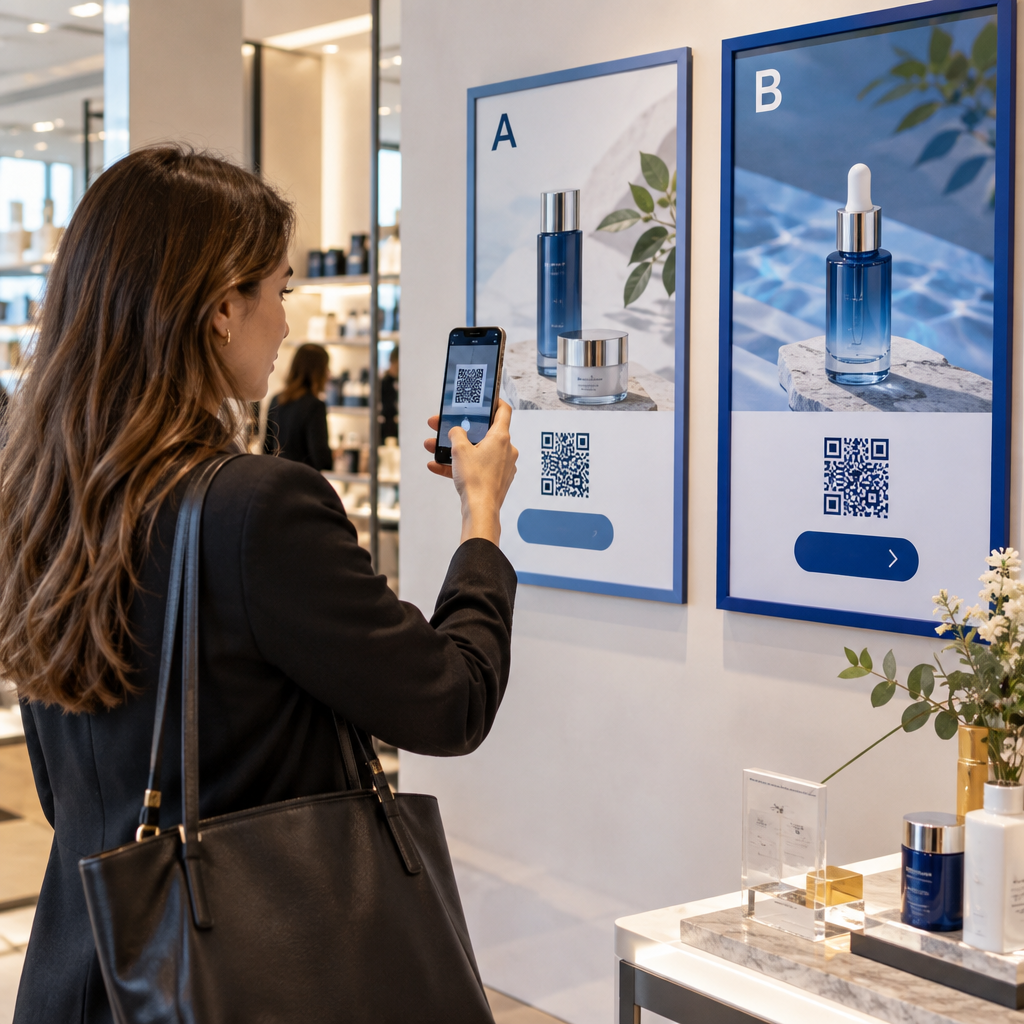
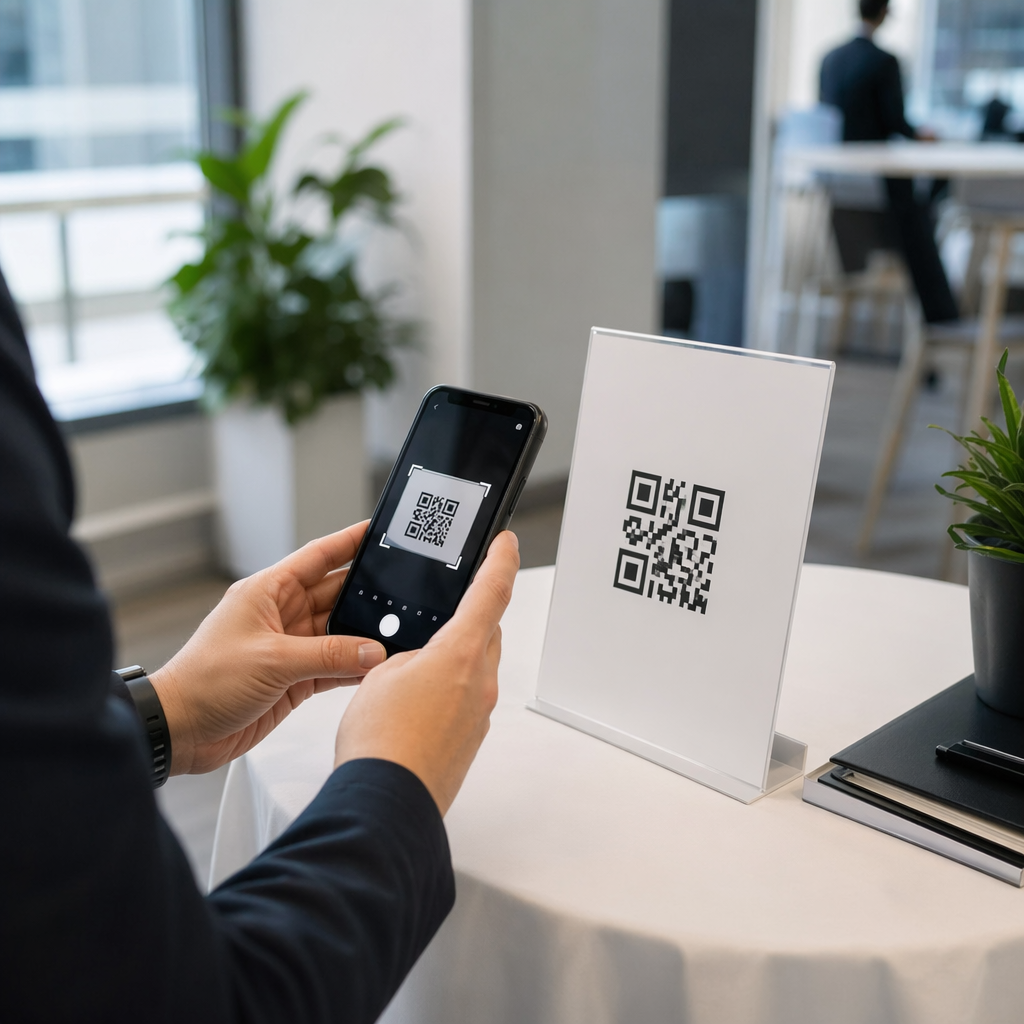
Работает ли ваша витрина на вас после закрытия? Большинство витрин замолкают в тот момент, когда гаснет свет, упуская каждого потенциального клиента, проходящего мимо. Размещение QR-кода на вашей витрине превращает это стекло в постоянно действующую маркетинговую точку контакта, которая мгновенно связывает прохожих с вашим цифровым контентом.
Почему витрины магазинов являются недоиспользуемым маркетинговым пространством
Большинство розничных предприятий относятся к своим витринам как к украшению. На самом деле, витрина, выходящая на оживленную улицу, является одним из самых заметных мест размещения, доступных вам – и добавление QR-кода к ней не стоит ничего дополнительно.
Покупатели, рассматривающие витрины, уже заинтересованы. Они замедлили шаг, посмотрели на вашу витрину и обдумывают, стоит ли продолжать взаимодействие. QR-код дает им немедленный следующий шаг: отсканировать, чтобы посмотреть меню, просмотреть каталог, получить скидку или прочитать отзывы. Без него этот момент интереса проходит, и клиент движется дальше.
Бренды, такие как Heinz и Nestlé, использовали динамические QR-коды на физической упаковке для создания постоянных отношений с клиентами. Та же логика применима и к витринам. Витрина – это не просто барьер между внутренним и внешним пространством – это поверхность, которая может связать ваше офлайн-присутствие со всей вашей цифровой экосистемой.
Как разместить QR-код на витрине магазина
Существует несколько практических форматов для размещения QR-кода на витрине, в зависимости от вашего бюджета и того, как часто вам нужно менять контент.
- Наклейки на окна представляют собой съемные виниловые наклейки, которые приклеиваются непосредственно к стеклу. Их легко установить, они выглядят профессионально и могут быть заменены при изменении вашей акции.
- Наклейки или стикеры на окна похожи на наклейки, но могут быть более постоянными. Они хорошо подходят для кодов, которые ведут к долгосрочным целям, таким как ваш веб-сайт или страница отзывов Google.
- Штендеры размещенные прямо у вашего входа, позволяют менять плакаты с QR-кодами, не касаясь витрины. Это полезно для продвижения ежедневных акций или срочных предложений.
- Монитор или экран в витрине может динамически отображать QR-код, что особенно эффективно, если вы чередуете акции или хотите получить хорошо заметный цифровой дисплей.
Для любого из этих форматов используйте PNG-файл QR-кода высокого разрешения чтобы гарантировать, что напечатанный или отображенный код останется четким при нужном вам размере.
Создайте готовый к печати QR-код для вашего окна Создайте фирменный QR-код высокого разрешения за считанные секунды с помощью Генератор QR-кодов. Загрузите в формате PNG, SVG или PDF – готово для оконных наклеек, пленок или рекламных щитов.
Выбор между статическими и динамическими QR-кодами
Это одно из самых важных решений, которое вы примете, прежде чем печатать что-либо на своем окне.
Статические QR-коды являются фиксированными. После печати пункт назначения изменить нельзя. Они подходят для постоянных ссылок, таких как домашняя страница вашей компании или карта местоположения – контент, который никогда не потребует обновления.
Динамические QR-коды позволяют изменять связанный пункт назначения в любое время, даже после того, как код уже напечатан и отображен. Если ваша оконная наклейка рекламирует сезонную распродажу, которая заканчивается в марте, вы можете обновить пункт назначения на новую акцию в апреле, не заменяя физический код. Динамические коды также поддерживают аналитику, поэтому вы можете видеть, сколько людей сканировали, когда и из какого места.
Для большинства размещений на окнах и вывесках динамические QR-коды являются лучшим выбором. Гибкость обновления контента без повторной печати экономит деньги и дает вам возможность поддерживать актуальность вашего окна. Узнайте больше о вариантах QR-кодов для вывесок и баннеров чтобы понять, какой формат подходит для вашего случая использования.
Сохраняйте актуальность вашего оконного кода С участием Динамические QR-коды Pageloot, вы можете обновить URL-адрес назначения вашего окна в любое время – повторная печать не требуется. Начните бесплатную 14-дневную пробную версию, чтобы получить полный доступ к отслеживанию и редактированию.
Рекомендации по размещению и размеру
QR-код, который невозможно отсканировать, — это упущенная возможность. Следуйте этим практическим рекомендациям, чтобы убедиться, что ваш оконный код действительно работает.
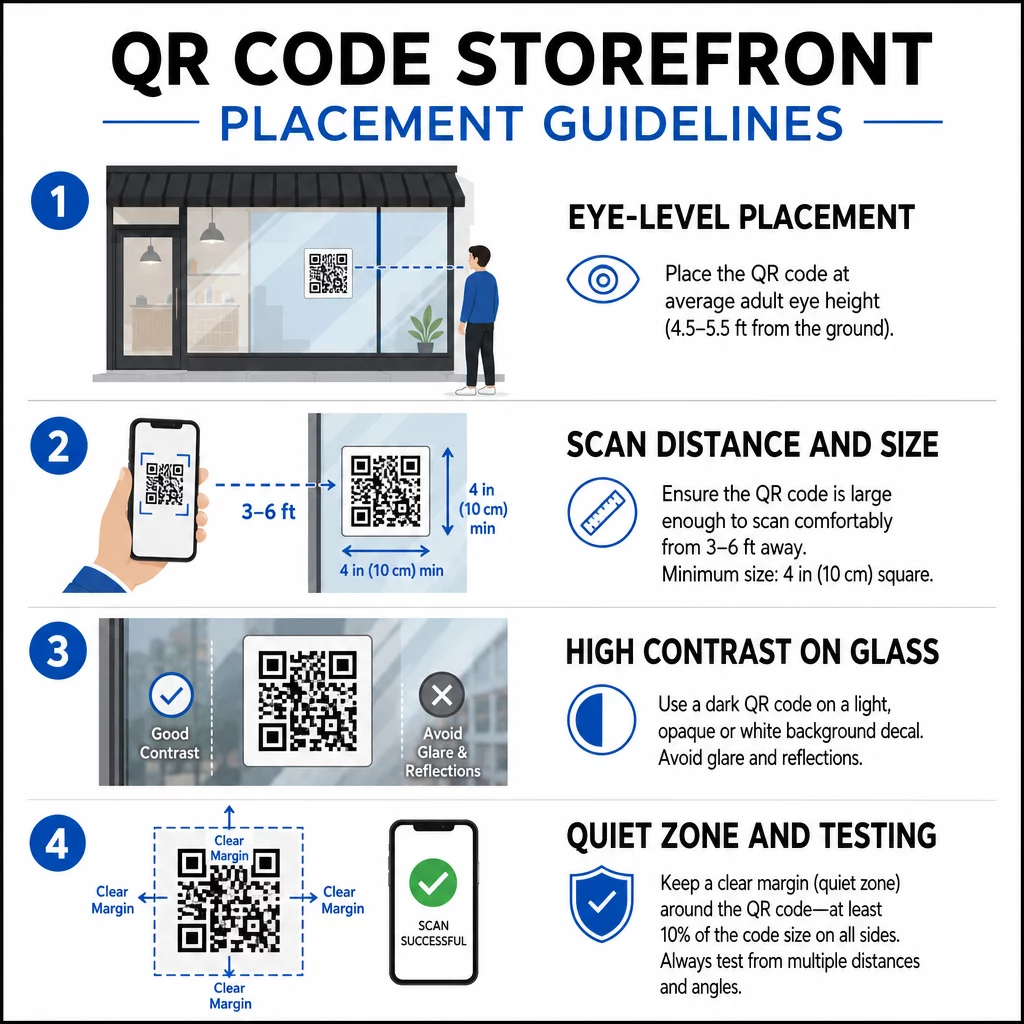
Размещение на уровне глаз является стандартной рекомендацией. Цельтесь примерно на пять футов от земли, куда большинство взрослых естественно смотрят, проходя мимо. Коды, расположенные слишком высоко, слишком низко или скрытые другими вывесками, легко игнорировать и труднее сканировать.
Размер для ожидаемого расстояния сканирования имеет большее значение, чем люди ожидают. Общее правило: на каждые 10 см расстояния сканирования добавляйте 1 см к длине стороны кода. Для оконного кода, который предполагается сканировать с расстояния от четырех до семи футов, код размером около 8 × 8 дюймов является подходящим. Избегайте размеров менее 2 × 2 см для любого применения на близком расстоянии.
Высокий контраст между кодом и его фоном имеет решающее значение. Используйте темный код на светлом фоне. Избегайте инвертированных схем (светлый код на темном фоне), потому что некоторые QR-считыватели не могут надежно их декодировать. При наклеивании наклейки на стекло проверьте ее после установки – стекло может создавать блики, которые мешают сканированию.
Тихие зоны (белое поле вокруг кода) должно быть сохранено. Оставьте не менее 0,25 дюйма свободного пространства со всех сторон, без текста, изображений или элементов дизайна. Без этого буфера сканеры могут не определить, где код начинается и заканчивается.
Протестируйте перед внедрением. Отсканируйте код в окончательном печатном размере с фактического расстояния, на котором будет стоять покупатель, используя несколько устройств. Этот шаг позволяет выявить проблемы до того, как они достигнут вашей витрины. Для получения более подробной информации о лучшими практиками читаемости QR-кодов, включая коэффициенты контрастности и тихие зоны, полное руководство охватывает все технические требования.
К чему привязать ваш оконный QR-код
Пункт назначения имеет такое же значение, как и сам код. Простое связывание с вашей домашней страницей — это вариант с наименьшей ценностью. Люди, которые сканируют оконный код, уже находятся в вашем местоположении — им нужно что-то более конкретное.
Рассмотрите эти более ценные пункты назначения:
- A Каталог товаров в формате PDF с указанием доступных товаров, размеров и цен, чтобы покупатели могли просматривать их даже когда магазин закрыт. А PDF QR-код делает это простым в настройке и обновлении.
- A скидка или купон для их следующего визита, стимулируя повторные посещения.
- A ссылка для отзыва на ваш профиль Google Business, что упрощает для довольных клиентов оставление отзыва.
- Инструмент эксклюзивная акция или розыгрыш, давая людям повод сканировать немедленно, а не проходить мимо.
- Социальные сети или форма регистрации, превращая случайного прохожего в долгосрочного подписчика или фолловера.
A QR-код URL может указывать на любое из этих направлений, и с помощью динамического кода вы можете менять свои предложения, не меняя физического отображения.
Всегда добавляйте призыв к действию
Никогда не предполагайте, что люди знают, что делать с QR-кодом или зачем им это нужно. Краткая инструкция рядом с кодом устраняет это затруднение. Фразы вроде “Откройте камеру и отсканируйте, чтобы получить скидку 10%” или “Отсканируйте, чтобы посмотреть сегодняшнее меню” точно сообщают клиенту, чего ожидать.
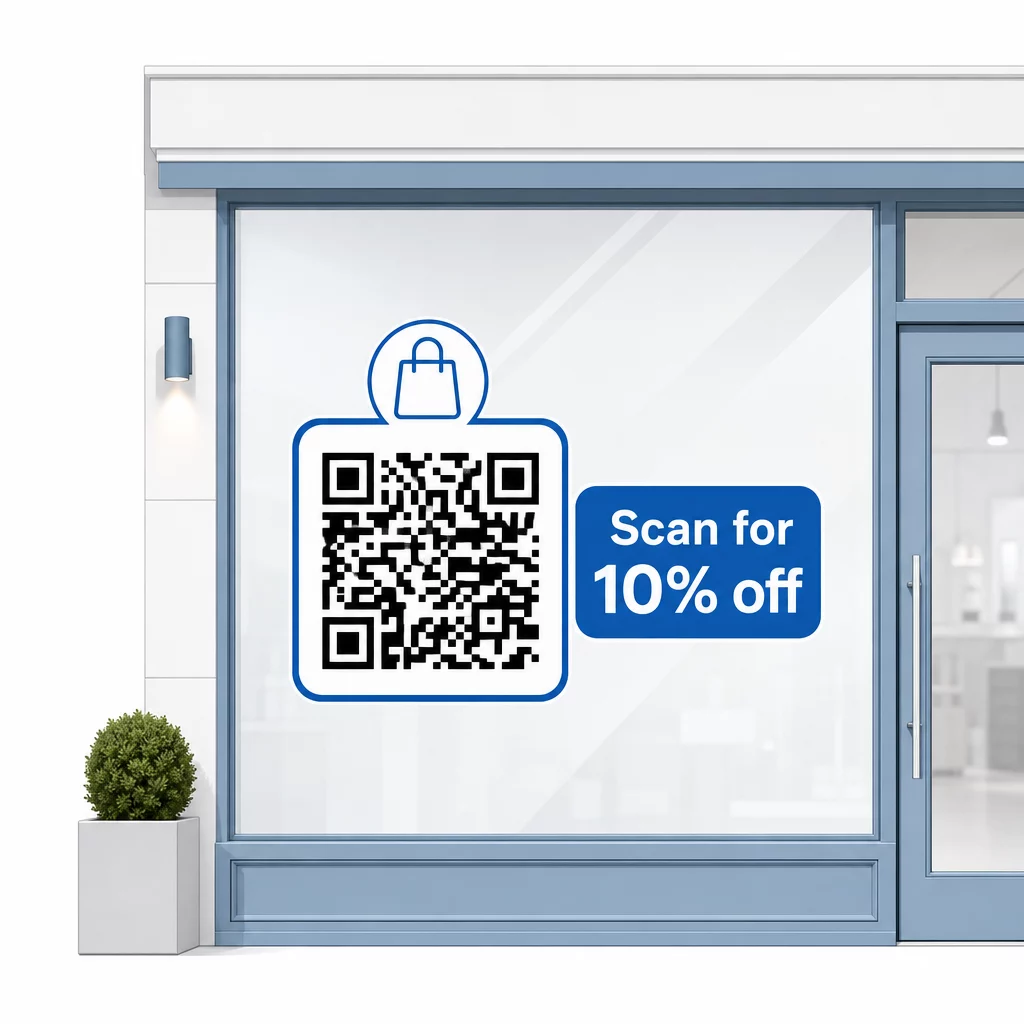
Держите сообщение коротким – максимум две строки. Чем яснее и конкретнее ваш призыв к действию, тем выше будет процент сканирований. Если ваша аудитория может включать клиентов, незнакомых со сканированием QR-кодов, добавьте краткое примечание, например, “наведите камеру телефона на этот код”. Для получения рекомендаций по сканированию QR-кодов на разных устройствах, включая ноутбуки и настольные компьютеры, вы можете направить клиентов к простым инструкциям.
Отслеживайте и улучшайте со временем
Одним из преимуществ динамических QR-кодов перед статическими является встроенная аналитика. Вы можете видеть, сколько людей сканировали ваш оконный код каждый день, в какое время и есть ли всплески вокруг конкретных акций.
Эти данные позволяют принимать обоснованные решения. Если количество сканирований падает после окончания акции, обновите целевую страницу на что-то новое. Если одно размещение на витрине работает лучше другого, вы знаете, куда направить усилия. Вы также можете сравнить приложения для сканирования QR-кодов чтобы понять, как клиенты, вероятно, получают доступ к вашим кодам, и обеспечить совместимость.
Использовать Обзор функций Pageloot чтобы изучить полный спектр инструментов аналитики, редактирования и настройки, доступных для управления вашими кодами на витринах наряду со всеми другими вашими QR-кампаниями.
Хорошо расположенный и продуманный QR-код на витрине вашего магазина может генерировать значительное вовлечение круглосуточно – не только в рабочее время. Начните с четкой цели, выберите динамический код, чтобы вы могли поддерживать актуальность контента, следуйте рекомендациям по размещению и размеру и всегда давайте клиентам повод для сканирования.
Начните отслеживать сканирования с вашей витрины Использовать Генератор QR-кодов чтобы создать отслеживаемый, редактируемый QR-код для вашей витрины. Бесплатная 14-дневная пробная версия, кредитная карта не требуется.
Часто задаваемые вопросы
Да, если вы используете динамический QR-код. Динамические коды позволяют обновлять целевой URL в любое время после печати, так что физический код на вашем окне остается прежним, в то время как содержимое, на которое он ссылается, меняется с каждой акцией. Статические коды фиксированы и потребуют перепечатки каждый раз.
Для оконного кода, который предполагается сканировать с расстояния от четырех до семи футов, подходит размер примерно 8 × 8 дюймов. Общее правило заключается в том, чтобы добавлять 1 см к размеру кода на каждые 10 см расстояния сканирования. Всегда тестируйте код в его фактическом напечатанном размере с предполагаемого расстояния, прежде чем окончательно утвердить его отображение.
Избегайте просто ссылаться на вашу домашнюю страницу. Более эффективные направления включают PDF-каталог продукции, скидку или купон, ссылку на отзыв в Google, страницу в социальной сети или форму регистрации. Четкий призыв к действию рядом с кодом, сообщающий клиентам, что они получат при сканировании, значительно увеличивает вероятность того, что они его используют.