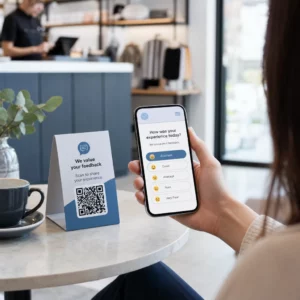
Adakah tingkap kedai anda berfungsi untuk anda selepas waktu tutup? Kebanyakan kedai menjadi senyap sebaik sahaja lampu dipadamkan, terlepas setiap pelanggan berpotensi yang lalu lalang. Meletakkan kod QR pada tingkap anda mengubah kaca itu menjadi titik sentuh pemasaran yang sentiasa aktif yang menghubungkan orang yang lalu lalang dengan kandungan digital anda serta-merta.
Mengapa Tingkap Kedai Adalah Ruang Pemasaran yang Kurang Digunakan
Kebanyakan perniagaan runcit menganggap tingkap mereka sebagai hiasan. Pada hakikatnya, tingkap yang menghadap jalan yang sibuk adalah salah satu penempatan dengan keterlihatan tertinggi yang tersedia untuk anda – dan ia tidak memerlukan kos tambahan untuk menambah kod QR padanya.
Pembeli tingkap sudah berminat. Mereka telah memperlahankan langkah, melihat paparan anda, dan sedang mempertimbangkan sama ada untuk melibatkan diri lebih lanjut. Kod QR memberi mereka langkah seterusnya serta-merta: imbas untuk melihat menu, melayari katalog, menuntut diskaun, atau membaca ulasan. Tanpanya, detik minat itu berlalu dan pelanggan beralih.
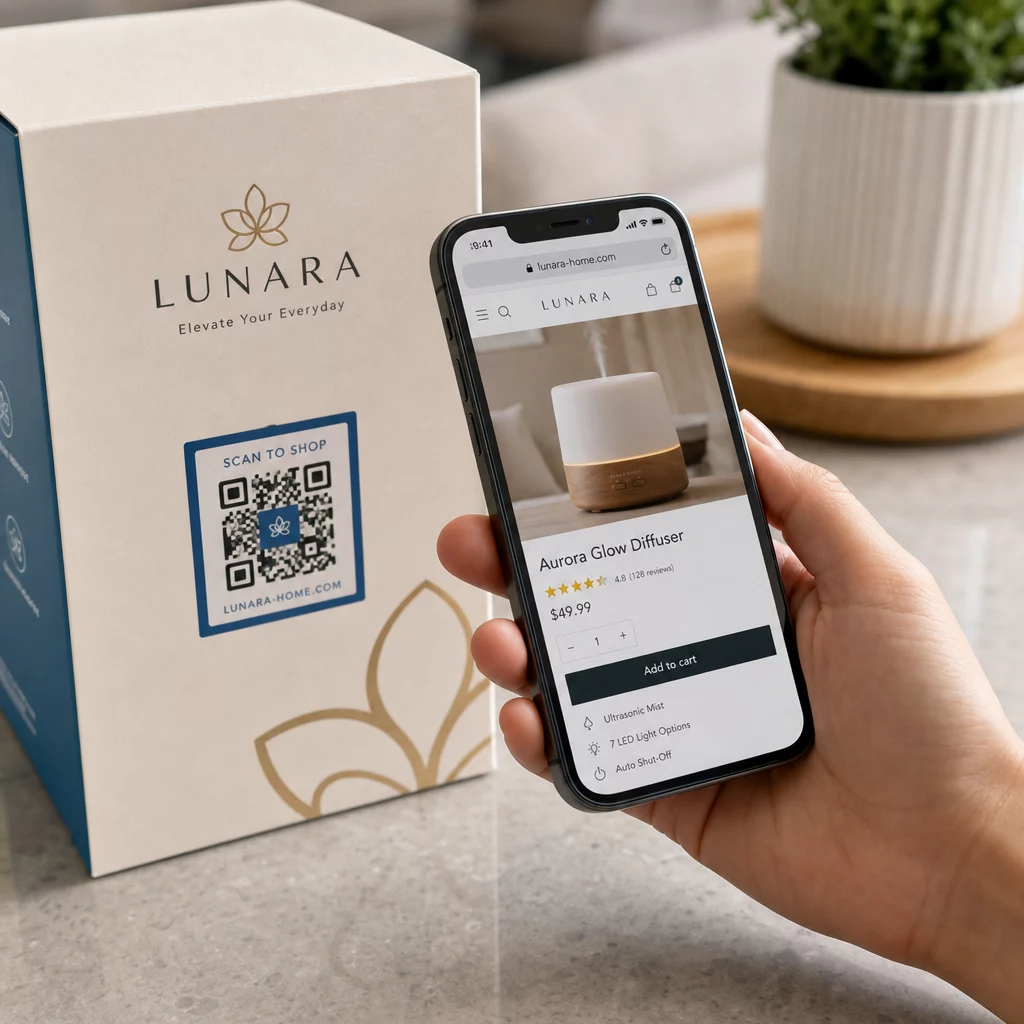
Jenama seperti Heinz dan Nestlé telah menggunakan kod QR dinamik pada pembungkusan fizikal untuk mewujudkan hubungan berterusan dengan pelanggan. Logik yang sama berlaku untuk kedai. Tingkap bukan sekadar penghalang antara dalam dan luar – ia adalah permukaan yang boleh menghubungkan kehadiran luar talian anda ke seluruh ekosistem digital anda.
Cara Memaparkan Kod QR pada Tingkap Kedai
Terdapat beberapa format praktikal untuk meletakkan kod QR pada tingkap, bergantung pada bajet anda dan kekerapan anda perlu menukar kandungan.
- Pelekat tingkap adalah pelekat vinil boleh tanggal yang melekat terus pada kaca. Ia mudah dipasang, kelihatan profesional, dan boleh diganti apabila promosi anda berubah.
- Pelekat atau decal tingkap adalah serupa dengan pelekat tetapi mungkin lebih kekal. Ini berfungsi dengan baik untuk kod yang menghubungkan ke destinasi jangka panjang seperti laman web anda atau halaman ulasan Google.
- Papan tanda A-frame yang diletakkan di luar pintu masuk anda membolehkan anda menukar poster kod QR tanpa menyentuh tingkap sama sekali. Ini berguna untuk mempromosikan tawaran harian atau tawaran terhad masa.
- Monitor atau skrin di tingkap boleh memaparkan kod QR secara dinamik, yang sangat berkesan jika anda menukar promosi atau mahukan paparan digital yang berketelusan tinggi.
Untuk mana-mana format ini, gunakan PNG kod QR resolusi tinggi untuk memastikan kod yang dicetak atau dipaparkan kekal jelas pada saiz yang anda perlukan.
Cipta Kod QR Sedia Cetak untuk Tingkap Anda Jana kod QR berjenama, resolusi tinggi dalam beberapa saat dengan Penjana Kod Pageloot QR. Muat turun dalam format PNG, SVG, atau PDF – sedia untuk pelekat tingkap, pelekat statik, atau papan tanda A-frame.
Memilih Antara Kod QR Statik dan Dinamik
Ini adalah salah satu keputusan paling penting yang akan anda buat sebelum mencetak apa-apa pada tingkap anda.
Kod QR statik adalah tetap. Setelah dicetak, destinasi tidak boleh diubah. Ia sesuai untuk pautan kekal seperti halaman utama perniagaan anda atau peta lokasi – kandungan yang tidak akan memerlukan kemas kini.
Kod QR dinamik membolehkan anda menukar destinasi yang dipautkan pada bila-bila masa, walaupun selepas kod sudah dicetak dan dipaparkan. Jika pelekat tingkap anda mempromosikan jualan bermusim yang berakhir pada bulan Mac, anda boleh mengemas kini destinasi kepada promosi baharu pada bulan April tanpa menggantikan kod fizikal. Kod dinamik juga menyokong analitik, jadi anda boleh melihat berapa ramai orang yang mengimbas, bila, dan dari lokasi mana.
Untuk kebanyakan penempatan tingkap dan papan tanda, kod QR dinamik adalah pilihan yang lebih baik. Fleksibiliti untuk mengemas kini kandungan tanpa mencetak semula menjimatkan wang dan memberi anda keupayaan untuk memastikan tingkap anda relevan. Ketahui lebih lanjut tentang pilihan kod QR untuk papan tanda dan sepanduk untuk memahami format mana yang sesuai dengan kes penggunaan anda.
Pastikan Kod Tingkap Anda Kekal Relevan Dengan kod QR dinamik Pageloot, anda boleh mengemas kini URL destinasi tingkap anda pada bila-bila masa – tiada pencetakan semula diperlukan. Mulakan percubaan percuma 14 hari untuk mendapatkan akses penjejakan dan penyuntingan penuh.
Garis Panduan Penempatan dan Saiz
Kod QR yang tidak boleh diimbas adalah peluang yang terbuang. Ikuti garis panduan praktikal ini untuk memastikan kod tingkap anda benar-benar berfungsi.
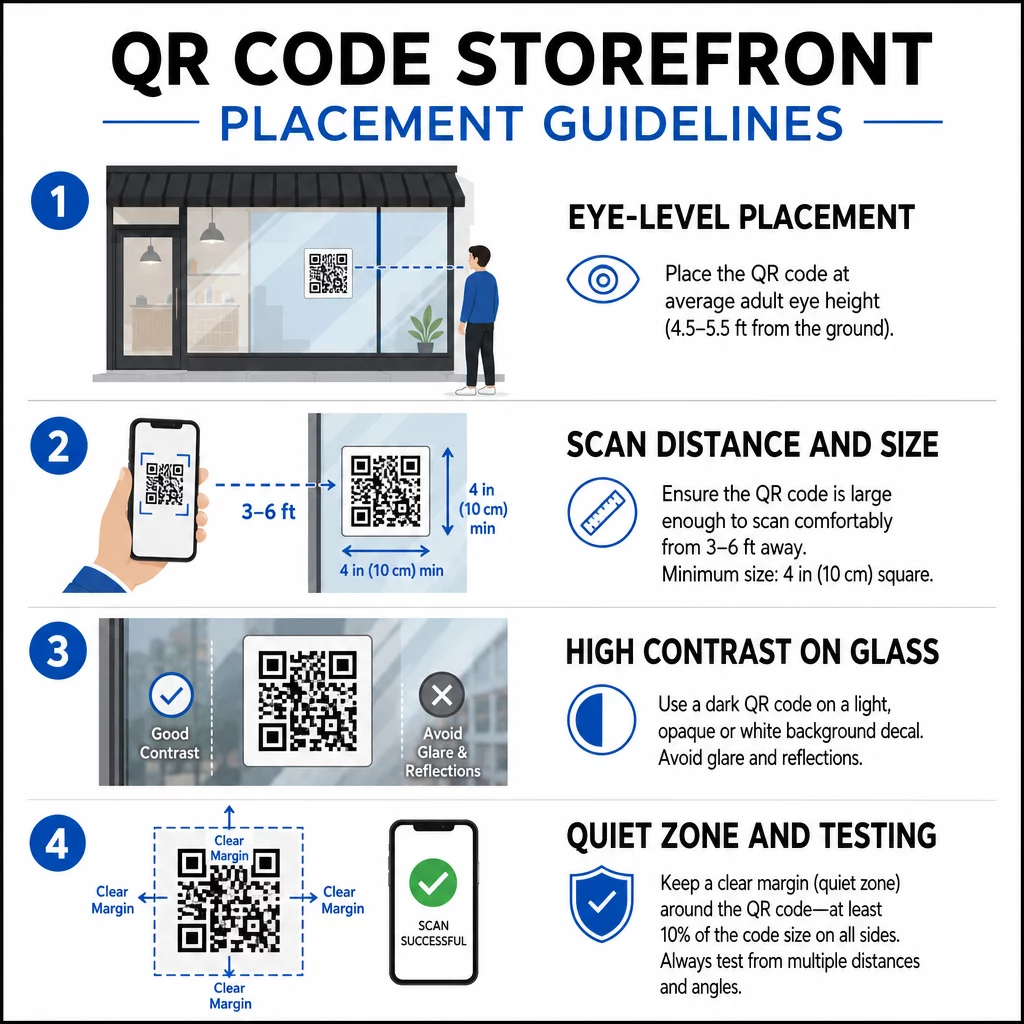
Penempatan paras mata adalah cadangan standard. Sasarkan kira-kira lima kaki dari tanah, di mana kebanyakan orang dewasa secara semula jadi melihat semasa mereka berjalan lalu. Kod yang diletakkan terlalu tinggi, terlalu rendah, atau terhalang oleh papan tanda lain mudah diabaikan dan lebih sukar untuk diimbas.
Saiz untuk jarak imbasan yang dijangkakan lebih penting daripada yang dijangkakan. Peraturan umum: untuk setiap 10 cm jarak imbasan, tambah 1 cm pada panjang sisi kod. Untuk kod tingkap yang dijangka diimbas dari empat hingga tujuh kaki jauhnya, kod sekitar 8 × 8 inci adalah sesuai. Elakkan saiz lebih kecil daripada 2 × 2 cm untuk sebarang aplikasi jarak dekat.
Kontras tinggi antara kod dan latar belakangnya adalah penting. Gunakan kod gelap pada latar belakang terang. Elakkan skema terbalik (kod terang pada latar belakang gelap) kerana sesetengah pembaca QR tidak dapat menyahkodnya dengan pasti. Apabila melekatkan pelekat pada kaca, ujinya selepas pemasangan – kaca boleh menghasilkan silau yang mengganggu pengimbasan.
Zon senyap (margin putih di sekeliling kod) perlu dikekalkan. Benarkan sekurang-kurangnya 0.25 inci ruang kosong di semua sisi, bebas daripada teks, imej, atau elemen reka bentuk. Tanpa penampan ini, pengimbas mungkin gagal mengesan di mana kod bermula dan berakhir.
Uji sebelum melakukan. Imbas kod pada saiz cetakan akhir dari jarak sebenar pelanggan akan berdiri, menggunakan pelbagai peranti. Langkah ini mengesan masalah sebelum ia sampai ke kedai anda. Untuk butiran lanjut mengenai amalan terbaik kebolehbacaan kod QR, termasuk nisbah kontras dan zon senyap, panduan penuh merangkumi semua keperluan teknikal.
Apa yang Perlu Dipautkan Kod QR Tingkap Anda
Destinasi adalah sama pentingnya dengan kod itu sendiri. Hanya memautkan ke halaman utama anda adalah pilihan nilai terendah. Orang yang mengimbas kod tingkap sudah berada di lokasi anda – mereka mahukan sesuatu yang lebih spesifik.
Pertimbangkan destinasi bernilai lebih tinggi ini:
- A Katalog produk PDF menunjukkan item, saiz, dan harga yang tersedia, supaya pelanggan boleh melayari walaupun kedai ditutup. A Kod QR PDF menjadikannya mudah untuk disediakan dan dikemas kini.
- A diskaun atau kupon untuk kunjungan mereka yang seterusnya, menggalakkan kunjungan berulang.
- A pautan ulasan ke profil Google Business anda, menjadikannya mudah bagi pelanggan yang berpuas hati untuk meninggalkan maklum balas.
- Seorang promosi eksklusif atau cabutan bertuah, memberikan orang sebab untuk mengimbas serta-merta daripada hanya berlalu pergi.
- Media sosial atau borang pendaftaran, mengubah orang yang lalu-lalang sekali menjadi pengikut atau pelanggan jangka panjang.
A Kod QR URL boleh menunjuk ke mana-mana destinasi ini, dan dengan kod dinamik, anda boleh menukar apa yang anda tawarkan tanpa mengubah paparan fizikal.
Sentiasa Tambah Seruan Tindakan
Jangan sesekali menganggap orang tahu apa yang perlu dilakukan dengan kod QR atau mengapa mereka perlu bersusah payah. Arahan ringkas bersebelahan kod tersebut menghilangkan geseran itu. Frasa seperti “Buka kamera anda dan imbas untuk diskaun 10%” atau “Imbas untuk melihat menu hari ini” memberitahu pelanggan dengan tepat apa yang diharapkan.
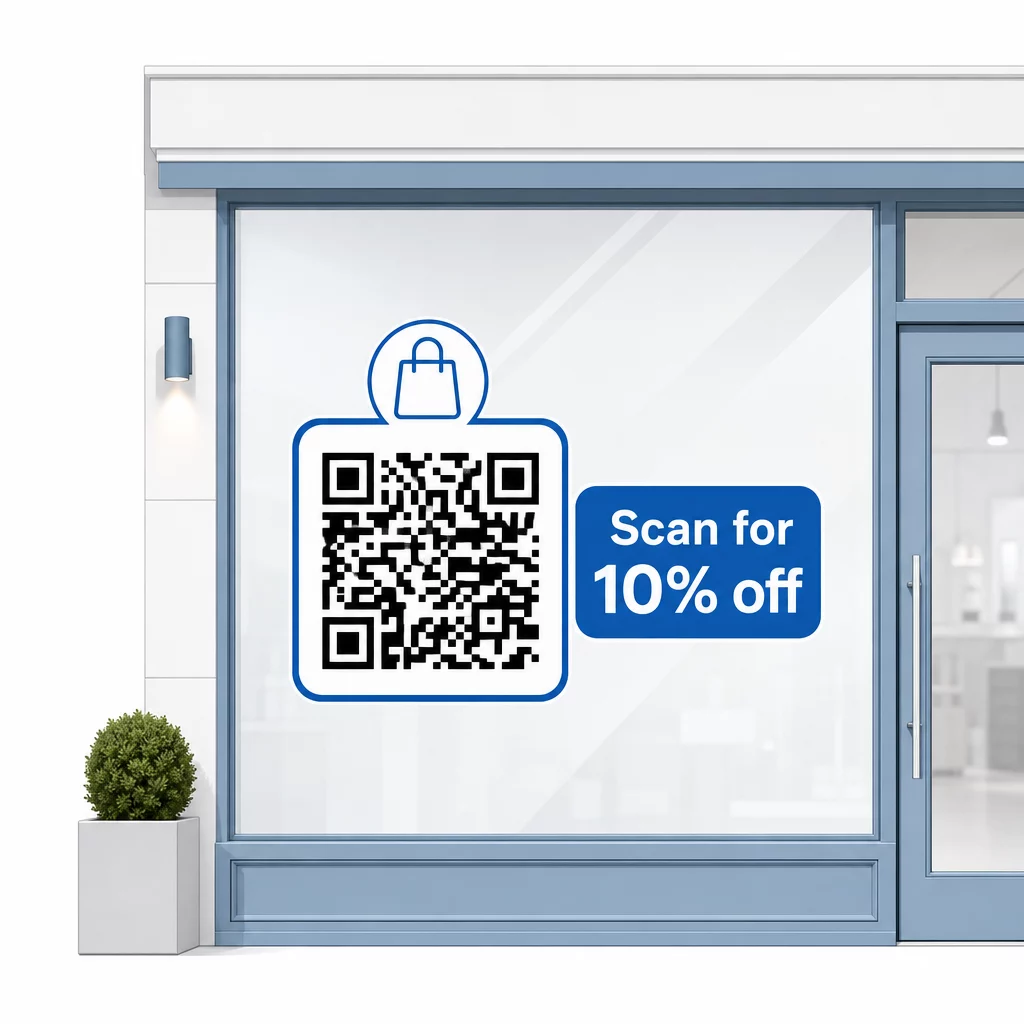
Pastikan mesej ringkas – paling banyak dua baris. Lebih jelas dan spesifik CTA anda, lebih tinggi kadar imbasan anda. Jika audiens anda mungkin termasuk pelanggan yang tidak biasa dengan pengimbasan QR, tambah nota ringkas seperti “halakan kamera telefon anda ke kod ini.” Untuk panduan mengenai mengimbas kod QR pada peranti yang berbeza, termasuk komputer riba dan komputer meja, anda boleh merujuk pelanggan kepada arahan yang mudah difahami.
Jejak dan Perbaiki dari Semasa ke Semasa
Satu kelebihan kod QR dinamik berbanding kod statik ialah analitik terbina dalam. Anda boleh melihat berapa ramai orang mengimbas kod tingkap anda setiap hari, pada waktu bila, dan sama ada terdapat lonjakan sekitar promosi tertentu.
Data ini membolehkan anda membuat keputusan termaklum. Jika imbasan berkurangan selepas promosi tamat, kemas kini destinasi kepada sesuatu yang baharu. Jika satu penempatan tingkap mengatasi yang lain, anda tahu di mana untuk fokus. Anda juga boleh membandingkan aplikasi pengimbas kod QR untuk memahami bagaimana pelanggan kemungkinan besar mengakses kod anda dan memastikan keserasian.
Menggunakan Gambaran keseluruhan ciri Pageloot untuk meneroka pelbagai alat analitik, penyuntingan dan penyesuaian yang tersedia untuk menguruskan kod tingkap anda bersama-sama dengan semua kempen QR anda yang lain.
Kod QR yang diletakkan dengan baik dan direka dengan baik pada tingkap kedai anda boleh menjana penglibatan yang bermakna sepanjang masa – bukan hanya semasa waktu perniagaan. Mulakan dengan matlamat yang jelas, pilih kod dinamik supaya anda boleh memastikan kandungan sentiasa terkini, ikuti garis panduan penempatan dan saiz, dan sentiasa berikan pelanggan sebab untuk mengimbas.
Mula Menjejaki Imbasan Tingkap Anda Menggunakan Penjana Kod Pageloot QR untuk mencipta kod QR yang boleh dijejaki dan boleh diedit untuk tingkap kedai anda. Percubaan percuma 14 hari, tiada kad kredit diperlukan.
Soalan lazim
Ya, jika anda menggunakan kod QR dinamik. Kod dinamik membolehkan anda mengemas kini URL destinasi pada bila-bila masa selepas dicetak, jadi kod fizikal pada tingkap anda kekal sama manakala kandungan yang dipautkannya berubah dengan setiap promosi. Kod statik adalah tetap dan memerlukan pencetakan semula setiap kali.
Untuk kod tingkap yang dijangka diimbas dari empat hingga tujuh kaki jauhnya, saiz kira-kira 8 × 8 inci adalah sesuai. Garis panduan umum adalah untuk menambah 1 cm saiz kod untuk setiap 10 cm jarak imbasan. Sentiasa uji kod pada saiz cetakan sebenar dari jarak yang dimaksudkan sebelum memuktamadkan paparan.
Elakkan hanya memautkan ke halaman utama anda. Destinasi yang lebih berkesan termasuk PDF katalog produk, diskaun atau kupon, pautan ulasan Google, halaman media sosial, atau borang pendaftaran. Seruan tindakan yang jelas di sebelah kod yang memberitahu pelanggan apa yang akan mereka dapat apabila mereka mengimbasnya meningkatkan kemungkinan mereka akan menggunakannya dengan ketara.