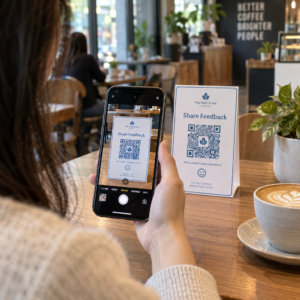
Работи ли ви витрината след работно време? Повечето витрини замлъкват в момента, в който светлините изгаснат, пропускайки всеки потенциален клиент, който минава покрай тях. Поставянето на QR код на витрината превръща това стъкло в постоянно активна маркетингова точка за контакт, която свързва минувачите с вашето цифрово съдържание незабавно.
Защо витрините са недостатъчно използвано маркетингово пространство
Повечето търговски обекти третират витрините си като декорация. В действителност, витрина, гледаща към оживена улица, е едно от най-видимите места, достъпни за вас – и не струва нищо допълнително да добавите QR код към нея.
Минувачите, които разглеждат витрини, вече са заинтересовани. Те са забавили ход, разгледали са вашата изложба и обмислят дали да се ангажират допълнително. QR кодът им дава незабавна следваща стъпка: сканирайте, за да видите менюто, да разгледате каталога, да получите отстъпка или да прочетете отзиви. Без него този момент на интерес отминава и клиентът продължава напред.
Марки като Heinz и Nestlé са използвали динамични QR кодове върху физически опаковки, за да създадат постоянни взаимоотношения с клиентите. Същата логика важи и за витрините. Витрината не е просто бариера между вътре и вън – тя е повърхност, която може да свърже вашето офлайн присъствие с цялата ви цифрова екосистема.
Как да покажете QR код на витрина на магазин
Има няколко практични формата за поставяне на QR код на витрина, в зависимост от вашия бюджет и колко често трябва да променяте съдържанието.
- Самозалепващи фолиа за прозорци са премахващи се винилови стикери, които залепват директно върху стъкло. Те са лесни за инсталиране, изглеждат професионално и могат да бъдат заменени, когато промоцията ви се промени.
- Стикери или лепенки за прозорци са подобни на самозалепващите фолиа, но може да са по-постоянни. Те работят добре за кодове, които водят до дългосрочни дестинации като вашия уебсайт или страница за отзиви в Google.
- А-образни табели поставени точно пред входа ви, ви позволяват да сменяте плакати с QR кодове, без изобщо да докосвате витрината. Това е полезно за промотиране на ежедневни промоции или оферти с ограничено време.
- Монитор или екран във витрината може да показва QR код динамично, което е особено ефективно, ако редувате промоции или искате цифров дисплей с висока видимост.
За всеки от тези формати използвайте PNG QR код с висока резолюция за да сте сигурни, че отпечатаният или показан код остава ясен в размера, от който се нуждаете.
Създайте готов за печат QR код за вашия прозорец Генерирайте брандиран QR код с висока резолюция за секунди с Генератор на QR кодове на PageLoot. Изтеглете във формат PNG, SVG или PDF – готов за стикери за прозорци, залепващи фолиа или А-образни табели.
Избор между статични и динамични QR кодове
Това е едно от най-важните решения, които ще вземете, преди да отпечатате каквото и да е върху вашия прозорец.
Статични QR кодове са фиксирани. Веднъж отпечатани, дестинацията не може да бъде променяна. Те са подходящи за постоянни връзки като началната страница на вашия бизнес или карта на местоположение – съдържание, което никога няма да се нуждае от актуализация.
Динамични QR кодове ви позволяват да променяте свързаната дестинация по всяко време, дори след като кодът вече е отпечатан и показан. Ако вашият стикер за прозорец рекламира сезонна разпродажба, която приключва през март, можете да актуализирате дестинацията към нова промоция през април, без да подменяте физическия код. Динамичните кодове също поддържат анализи, така че можете да видите колко хора са сканирали, кога и от кое местоположение.
За повечето разположения на прозорци и табели, динамичните QR кодове са по-добрият избор. Гъвкавостта да актуализирате съдържанието без повторно отпечатване спестява пари и ви дава възможност да поддържате прозореца си актуален. Научете повече за опциите за QR кодове за табели и банери за да разберете кой формат отговаря на вашия случай на употреба.
Поддържайте кода на прозореца си вечно актуален С Динамичните QR кодове на Pageloot, можете да актуализирате URL адреса на дестинацията на вашия прозорец по всяко време – не е необходимо повторно отпечатване. Започнете безплатен 14-дневен пробен период, за да получите пълен достъп до проследяване и редактиране.
Насоки за разположение и размер
QR код, който не може да бъде сканиран, е пропусната възможност. Следвайте тези практически насоки, за да сте сигурни, че кодът на вашия прозорец наистина работи.
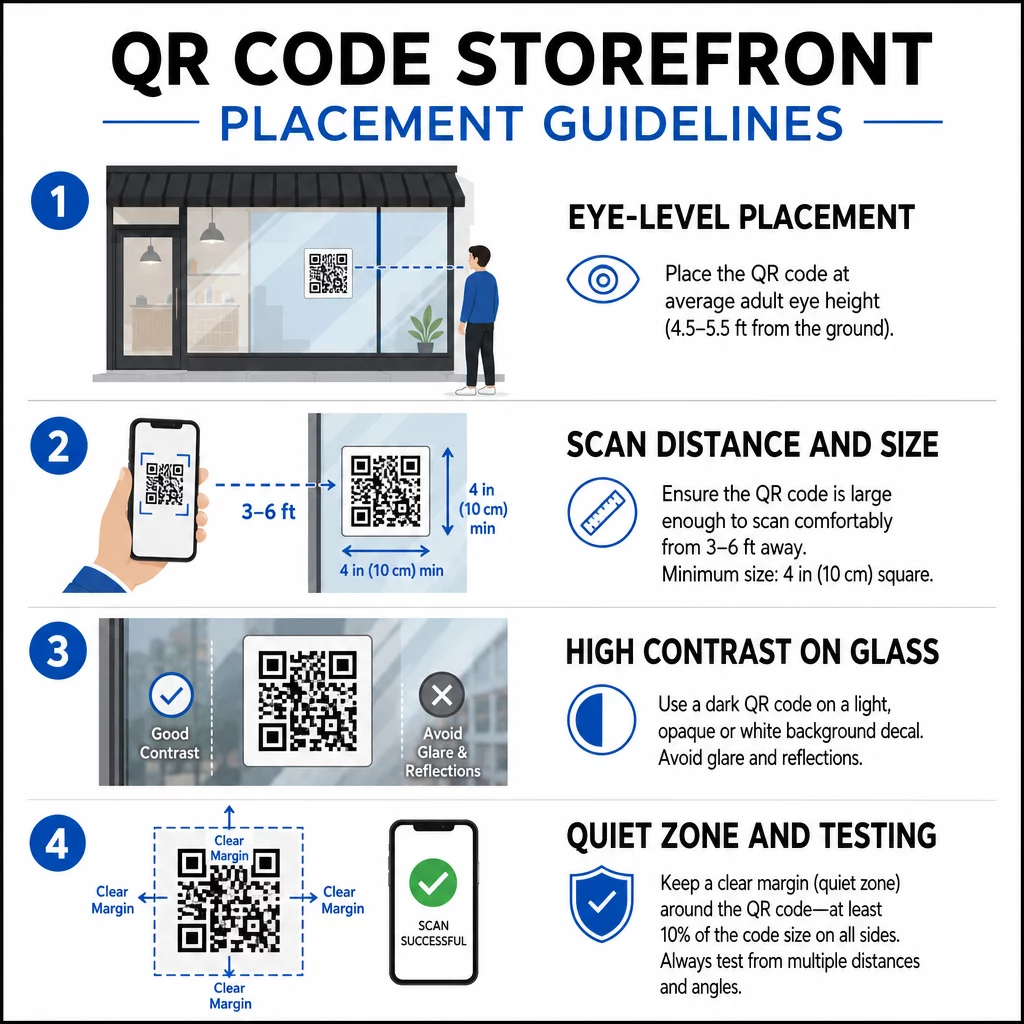
Разположение на нивото на очите е стандартната препоръка. Целете се на около пет фута от земята, където повечето възрастни естествено гледат, докато минават. Кодове, поставени твърде високо, твърде ниско или скрити от други табели, лесно се игнорират и са по-трудни за сканиране.
Размер според очакваното разстояние за сканиране е по-важен, отколкото хората очакват. Общо правило: за всеки 10 см разстояние за сканиране, добавете 1 см към дължината на страната на кода. За код на витрина, който се очаква да бъде сканиран от четири до седем фута разстояние, код около 8 × 8 инча е подходящ. Избягвайте да правите кода по-малък от 2 × 2 см за всяко приложение от близко разстояние.
Висок контраст между кода и неговия фон е от съществено значение. Използвайте тъмен код на светъл фон. Избягвайте инвертирани схеми (светъл код на тъмен фон), защото някои QR четци не могат надеждно да ги декодират. Когато поставяте стикер на стъкло, тествайте го след монтажа – стъклото може да създаде отблясъци, които пречат на сканирането.
Тихи зони (бялото поле около кода) трябва да се поддържа. Осигурете поне 0.25 инча свободно пространство от всички страни, без текст, изображения или дизайнерски елементи. Без този буфер, скенерите може да не успеят да засекат къде започва и свършва кодът.
Тествайте преди да се ангажирате. Сканирайте кода в крайния отпечатан размер от действителното разстояние, на което би стоял клиент, използвайки множество устройства. Тази стъпка улавя проблеми, преди да достигнат до вашата витрина. За повече подробности относно най-добрите практики за четливост на QR кодове, включително контрастни съотношения и тихи зони, пълното ръководство обхваща всички технически изисквания.
Към какво да свържете QR кода на витрината си
Дестинацията е също толкова важна, колкото и самият код. Простото свързване към вашата начална страница е опцията с най-ниска стойност. Хората, които сканират код на витрина, вече са на вашето местоположение – те искат нещо по-специфично.
Разгледайте тези дестинации с по-висока стойност:
- A PDF продуктов каталог показващ налични артикули, размери и цени, така че клиентите да могат да разглеждат, дори когато магазинът е затворен. А PDF QR код прави това лесно за настройка и актуализиране.
- A отстъпка или купон за следващото им посещение, насърчавайки повторен трафик.
- A връзка за отзив към вашия профил в Google Business, което улеснява доволните клиенти да оставят обратна връзка.
- Инструмент за ексклузивна промоция или томбола, давайки на хората причина да сканират веднага, вместо да минават покрай него.
- Социални медии или формуляр за регистрация, превръщайки еднократен минувач в дългосрочен последовател или абонат.
A URL адрес QR код може да сочи към някоя от тези дестинации, а с динамичен код можете да променяте това, което предлагате, без да променяте физическия дисплей.
Винаги добавяйте призив за действие
Никога не предполагайте, че хората знаят какво да правят с QR код или защо трябва да се занимават. Кратка инструкция до кода премахва това затруднение. Фрази като “Отворете камерата си и сканирайте за 10% отстъпка” или “Сканирайте, за да видите днешното меню” казват на клиента какво точно да очаква.
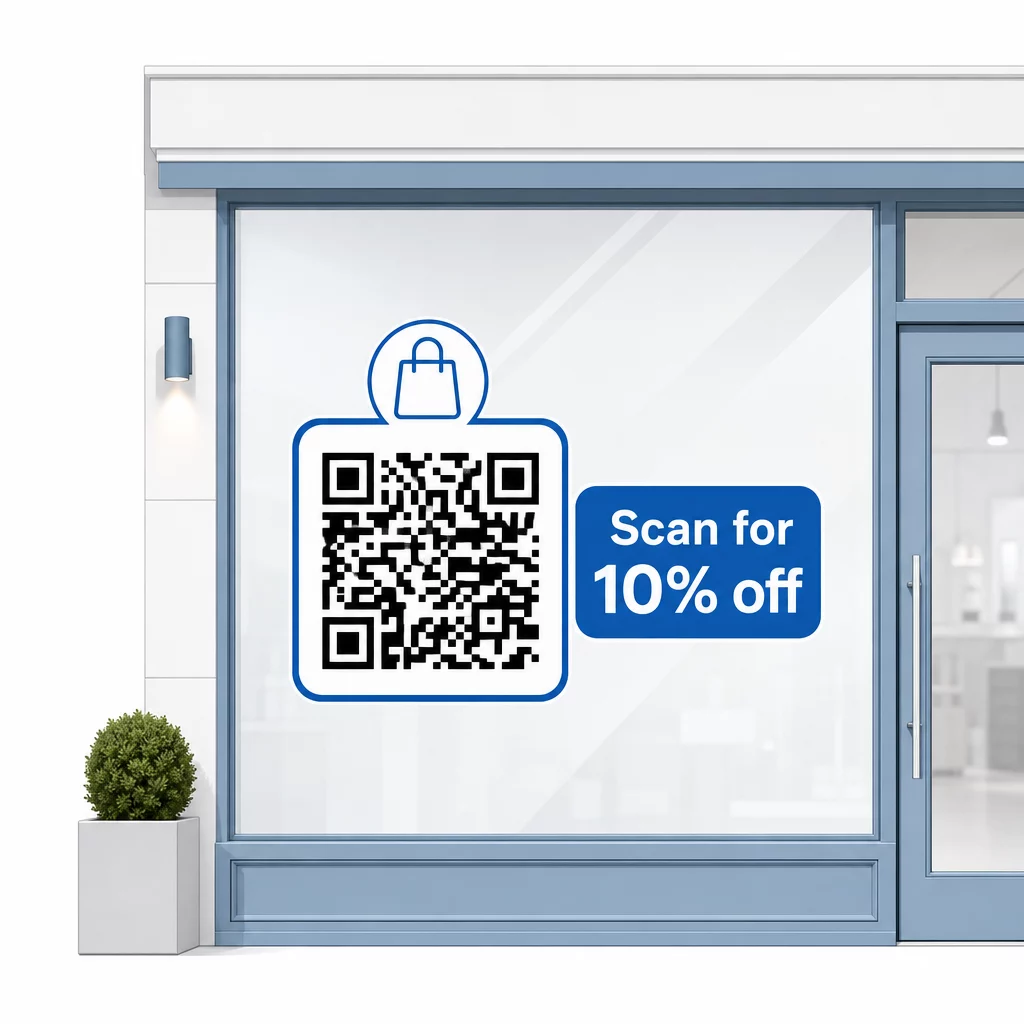
Дръжте съобщението кратко – най-много два реда. Колкото по-ясен и по-специфичен е вашият CTA, толкова по-висока ще бъде честотата на сканиране. Ако вашата аудитория може да включва клиенти, които не са запознати със сканирането на QR, добавете кратка бележка като “насочете камерата на телефона си към този код.” За насоки относно сканиране на QR кодове на различни устройства, включително лаптопи и настолни компютри, можете да насочите клиентите към ясни инструкции.
Проследявайте и подобрявайте с течение на времето
Едно предимство, което динамичните QR кодове имат пред статичните, е вградената аналитика. Можете да видите колко хора са сканирали вашия код на витрината всеки ден, по кое време и дали има пикове около конкретни промоции.
Тези данни ви позволяват да вземате информирани решения. Ако сканиранията намалеят след края на промоцията, актуализирайте дестинацията с нещо ново. Ако едно разположение на прозореца е по-ефективно от друго, знаете къде да се съсредоточите. Можете също така сравните приложения за сканиране на QR кодове за да разберете как клиентите вероятно достъпват вашите кодове и да осигурите съвместимост.
Използвай Преглед на функциите на Pageloot за да проучите пълния набор от инструменти за анализ, редактиране и персонализиране, налични за управление на вашите кодове на прозореца, заедно с всички други ваши QR кампании.
Добре поставен, добре проектиран QR код на витрината на вашия магазин може да генерира значителна ангажираност денонощно – не само по време на работно време. Започнете с ясна цел, изберете динамичен код, за да можете да поддържате съдържанието актуално, следвайте указанията за разположение и размер и винаги давайте на клиентите причина да сканират.
Започнете да проследявате сканиранията на вашите прозорци Използвай Генератор на QR кодове на PageLoot за да създадете проследим, редактируем QR код за витрината на вашия магазин. Безплатен 14-дневен пробен период, не е необходима кредитна карта.
Често задавани въпроси
Да, ако използвате динамичен QR код. Динамичните кодове ви позволяват да актуализирате целевия URL адрес по всяко време след отпечатване, така че физическият код на вашия прозорец остава същият, докато съдържанието, към което води, се променя с всяка промоция. Статичните кодове са фиксирани и биха изисквали препечатване всеки път.
За прозоречен код, който се очаква да бъде сканиран от четири до седем фута разстояние, размер от приблизително 8 × 8 инча е подходящ. Общото правило е да се добавя 1 см към размера на кода за всеки 10 см разстояние за сканиране. Винаги тествайте кода в действителния отпечатан размер от предвиденото разстояние, преди да финализирате показването.
Избягвайте просто да свързвате към началната си страница. По-ефективните дестинации включват PDF каталог на продукти, отстъпка или купон, връзка за преглед в Google, страница в социалните медии или формуляр за регистрация. Ясен призив за действие до кода, който казва на клиентите какво ще получат, когато сканират, значително увеличава вероятността да го използват.