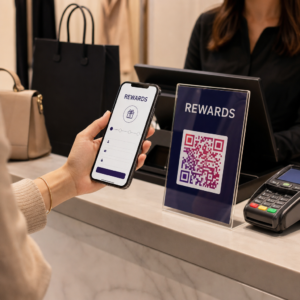
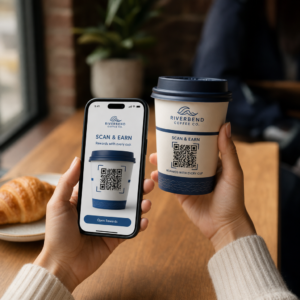
Ali vaše izložbeno okno dela za vas po zaprtju? Večina izložb utihne v trenutku, ko se ugasnejo luči, in tako zamudi vsako potencialno stranko, ki gre mimo. Postavitev QR kode na vaše okno spremeni to steklo v vedno aktivno marketinško stično točko, ki mimoidoče takoj poveže z vašo digitalno vsebino.
Zakaj so izložbena okna premalo izkoriščen marketinški prostor
Večina maloprodajnih podjetij obravnava svoja okna kot dekoracijo. V resnici je okno, obrnjeno proti prometni ulici, ena izmed najbolj vidnih lokacij, ki so vam na voljo – in dodajanje QR kode nanj ne stane nič dodatnega.
Mimoidoči kupci so že zainteresirani. Upočasnili so se, si ogledali vašo razstavo in razmišljajo, ali bi se še bolj angažirali. QR koda jim ponuja takojšen naslednji korak: skenirajte, da si ogledate meni, prebrskate katalog, uveljavite popust ali preberete ocene. Brez nje ta trenutek zanimanja mine in stranka gre naprej.
Blagovne znamke kot Heinz in Nestlé so uporabile dinamične QR kode na fizični embalaži za ustvarjanje trajnih odnosov s strankami. Enaka logika velja za izložbe. Okno ni le pregrada med notranjostjo in zunanjostjo – je površina, ki lahko poveže vašo prisotnost brez povezave z vašim celotnim digitalnim ekosistemom.
Kako prikazati QR kodo na izložbenem oknu
Obstaja več praktičnih formatov za postavitev QR kode na okno, odvisno od vašega proračuna in pogostosti, s katero morate spreminjati vsebino.
- Okenske nalepke (samolepilne folije) so odstranljive vinilne nalepke, ki se neposredno prilepijo na steklo. So enostavne za namestitev, izgledajo profesionalno in jih je mogoče zamenjati, ko se vaša promocija spremeni.
- Okenske nalepke ali dekali so podobne samolepilnim folijam, vendar so lahko bolj trajne. Te dobro delujejo za kode, ki se povezujejo z dolgoročnimi destinacijami, kot so vaše spletno mesto ali stran za Google ocene.
- A-stojala (reklamni panoji) postavljena tik pred vašim vhodom vam omogočajo menjavo plakatov s QR kodami, ne da bi se sploh dotaknili okna. To je uporabno za promocijo dnevnih akcij ali časovno omejenih ponudb.
- Monitor ali zaslon v oknu lahko dinamično prikazuje QR kodo, kar je še posebej učinkovito, če menjate promocije ali želite visoko vidno digitalno prikazovanje.
Za katerega koli od teh formatov uporabite PNG kodo QR visoke ločljivosti da zagotovite, da natisnjena ali prikazana koda ostane ostra pri velikosti, ki jo potrebujete.
Ustvarite kodo QR, pripravljeno za tisk, za vaše okno Ustvarite blagovno znamko, kodo QR visoke ločljivosti v nekaj sekundah z Generator QR kode Pageloot. Prenesite v formatu PNG, SVG ali PDF – pripravljeno za nalepke za okna, folije ali A-stojala.
Izbira med statičnimi in dinamičnimi QR kodami
To je ena najpomembnejših odločitev, ki jo boste sprejeli, preden boste karkoli natisnili na vaše okno.
Statične kode QR so fiksne. Ko so natisnjene, cilja ni mogoče spremeniti. Primerne so za trajne povezave, kot je domača stran vašega podjetja ali zemljevid lokacije – vsebina, ki je nikoli ne bo treba posodabljati.
Dinamične kode QR vam omogočajo, da kadar koli spremenite povezano destinacijo, tudi potem, ko je koda že natisnjena in prikazana. Če vaša okenska nalepka promovira sezonsko razprodajo, ki se konča marca, lahko aprila posodobite destinacijo na novo promocijo, ne da bi zamenjali fizično kodo. Dinamične kode podpirajo tudi analitiko, tako da lahko vidite, koliko ljudi je skeniralo, kdaj in s katere lokacije.
Za večino postavitev oken in napisov so dinamične kode QR boljša izbira. Prilagodljivost posodabljanja vsebine brez ponovnega tiskanja prihrani denar in vam omogoča, da vaše okno ostane relevantno. Izvedite več o možnostih kode QR za znake in transparente da razumete, kateri format ustreza vašemu primeru uporabe.
Naj bo vaša okenska koda vedno zelena S Dinamične QR kode Pageloot, lahko kadar koli posodobite ciljni URL vašega okna – ponovno tiskanje ni potrebno. Začnite brezplačno 14-dnevno preizkusno obdobje za popoln dostop do sledenja in urejanja.
Smernice za postavitev in velikost
Koda QR, ki je ni mogoče skenirati, je zapravljena priložnost. Upoštevajte te praktične smernice, da zagotovite, da vaša okenska koda dejansko deluje.
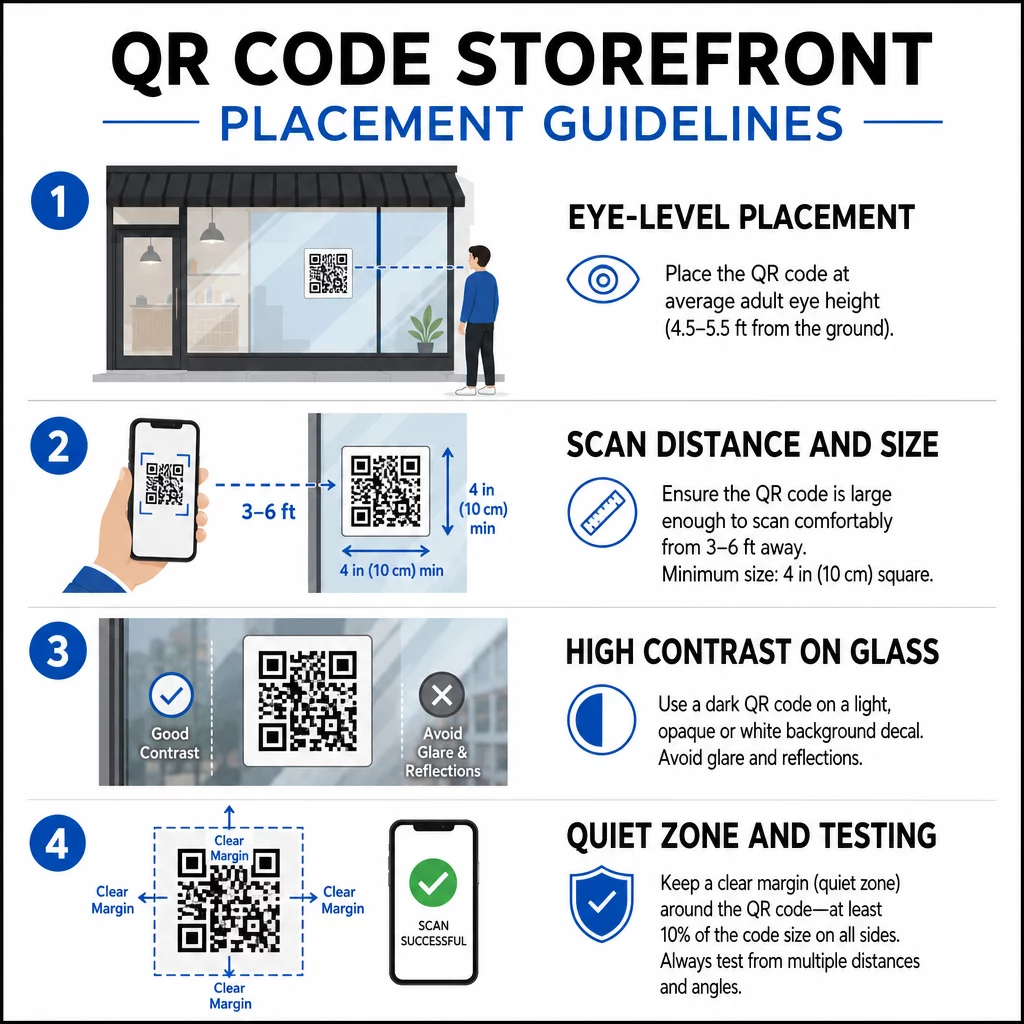
Postavitev v višini oči je standardno priporočilo. Ciljajte na približno pet čevljev od tal, kjer večina odraslih naravno pogleda, ko gredo mimo. Kode, postavljene previsoko, prenizko ali zakrite z drugimi napisi, je enostavno prezreti in jih je težje skenirati.
Velikost za pričakovano razdaljo skeniranja je pomembnejša, kot ljudje pričakujejo. Splošno pravilo: za vsakih 10 cm razdalje skeniranja dodajte 1 cm k dolžini stranice kode. Za okensko kodo, ki naj bi se skenirala z razdalje štirih do sedmih čevljev, je primerna koda velikosti približno 8 × 8 palcev. Izogibajte se manjšim dimenzijam od 2 × 2 cm za katero koli aplikacijo na kratke razdalje.
Visok kontrast med kodo in njenim ozadjem je bistvenega pomena. Uporabite temno kodo na svetlem ozadju. Izogibajte se obrnjenim shemam (svetla koda na temnem ozadju), ker jih nekateri bralniki QR kod ne morejo zanesljivo dekodirati. Pri lepljenju nalepke na steklo jo preizkusite po namestitvi – steklo lahko ustvari bleščanje, ki moti skeniranje.
Tihe cone (beli rob okoli kode) je treba ohraniti. Pustite vsaj 0,25 palca praznega prostora na vseh straneh, brez besedila, slik ali oblikovnih elementov. Brez tega medpomnilnika skenerji morda ne bodo zaznali, kje se koda začne in konča.
Preizkusite pred dokončno objavo. Skenirajte kodo v končni natisnjeni velikosti z dejanske razdalje, s katere bi stala stranka, z uporabo več naprav. Ta korak ujame težave, preden dosežejo vašo trgovino. Za več podrobnosti o najboljšimi praksami za berljivost QR kod, vključno s kontrastnimi razmerji in tihimi conami, celoten vodnik zajema vse tehnične zahteve.
Na kaj povezati svojo okensko QR kodo
Destinacija je enako pomembna kot sama koda. Preprosto povezovanje na vašo domačo stran je možnost z najnižjo vrednostjo. Ljudje, ki skenirajo okensko kodo, so že na vaši lokaciji – želijo nekaj bolj specifičnega.
Razmislite o teh destinacijah z višjo vrednostjo:
- A Katalog izdelkov v PDF-u ki prikazuje razpoložljive artikle, velikosti in cene, tako da lahko stranke brskajo tudi, ko je trgovina zaprta. A Koda QR PDF omogoča enostavno nastavitev in posodabljanje.
- A popust ali kupon za njihov naslednji obisk, s čimer spodbujate ponovne obiske.
- A povezava za oceno na vaš profil Google My Business, kar zadovoljnim strankam olajša oddajo povratnih informacij.
- Orodje za ekskluzivna promocija ali nagradna igra, kar ljudem daje razlog, da takoj skenirajo, namesto da bi šli mimo.
- Družabni mediji ali obrazec za prijavo, s čimer se enkratni mimoidoči spremeni v dolgoročnega sledilca ali naročnika.
A QR koda URL-ja lahko kaže na katero koli od teh destinacij, z dinamično kodo pa lahko spreminjate ponudbo, ne da bi spreminjali fizični prikaz.
Vedno dodajte poziv k dejanju
Nikoli ne predvidevajte, da ljudje vedo, kaj storiti s kodo QR ali zakaj bi se morali potruditi. Kratko navodilo poleg kode odpravi to trenje. Fraze, kot so “Odprite kamero in skenirajte za 10% popusta” ali “Skenirajte za ogled današnjega menija”, stranki natančno povedo, kaj lahko pričakuje.
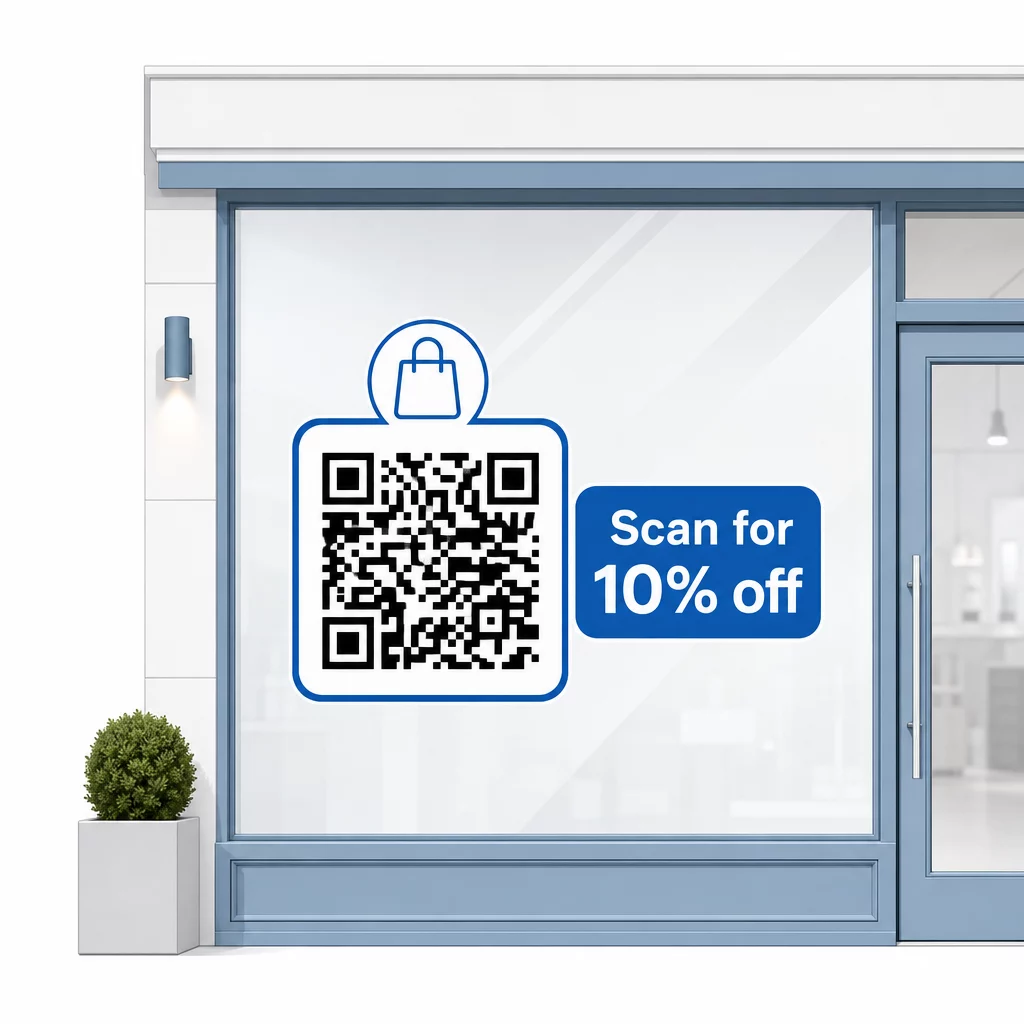
Sporočilo naj bo kratko – največ dve vrstici. Bolj ko je vaš CTA jasen in specifičen, višja bo vaša stopnja skeniranja. Če vaša publika vključuje stranke, ki niso seznanjene s skeniranjem QR, dodajte kratko opombo, kot je “usmerite kamero telefona na to kodo.” Za navodila o skeniranju QR kod na različnih napravah, vključno s prenosniki in namiznimi računalniki, lahko strankam ponudite preprosta navodila.
Spremljajte in izboljšujte skozi čas
Ena prednost dinamičnih QR kod pred statičnimi je vgrajena analitika. Vidite lahko, koliko ljudi je vsak dan skeniralo vašo okensko kodo, ob katerih urah in ali so se pojavili skoki okoli določenih promocij.
Ti podatki vam omogočajo sprejemanje informiranih odločitev. Če se število skeniranj zmanjša po koncu promocije, posodobite destinacijo z nečim svežim. Če ena postavitev okna prekaša drugo, veste, kam se osredotočiti. Prav tako lahko primerjate aplikacije za skeniranje QR kod da razumete, kako stranke verjetno dostopajo do vaših kod, in zagotovite združljivost.
Uporabi Pregled funkcij Pageloot da raziščete celotno paleto orodij za analitiko, urejanje in prilagajanje, ki so na voljo za upravljanje vaših okenskih kod poleg vseh vaših drugih QR kampanj.
Dobro postavljena in oblikovana QR koda na izložbenem oknu lahko ustvari pomembno angažiranost 24 ur na dan – ne le med delovnim časom. Začnite z jasnim ciljem, izberite dinamično kodo, da lahko vsebino ohranjate aktualno, upoštevajte smernice za postavitev in velikost ter strankam vedno dajte razlog za skeniranje.
Začnite spremljati skeniranja vaših oken Uporabi Generator QR kode Pageloot da ustvarite sledljivo, urejevalno QR kodo za vaše izložbeno okno. Brezplačna 14-dnevna preizkusna doba, kreditna kartica ni potrebna.
Pogosta vprašanja
Da, če uporabljate dinamično QR kodo. Dinamične kode vam omogočajo, da posodobite ciljni URL kadar koli po tiskanju, tako da fizična koda na vašem oknu ostane enaka, medtem ko se vsebina, na katero se povezuje, spreminja z vsako promocijo. Statične kode so fiksne in bi vsakič zahtevale ponovno tiskanje.
Za okensko kodo, ki naj bi se skenirala s štirih do sedmih čevljev razdalje, je primerna velikost približno 8 × 8 palcev. Splošno navodilo je dodati 1 cm velikosti kode na vsakih 10 cm razdalje skeniranja. Vedno preizkusite kodo v dejanski natisnjeni velikosti z želene razdalje, preden dokončno določite prikaz.
Izogibajte se zgolj povezovanju na vašo domačo stran. Učinkovitejše destinacije vključujejo PDF katalog izdelkov, popust ali kupon, povezavo za Google oceno, stran družbenih medijev ali obrazec za prijavo. Jasen poziv k dejanju poleg kode, ki strankam pove, kaj bodo dobile, ko jo skenirajo, bistveno poveča verjetnost, da jo bodo uporabile.