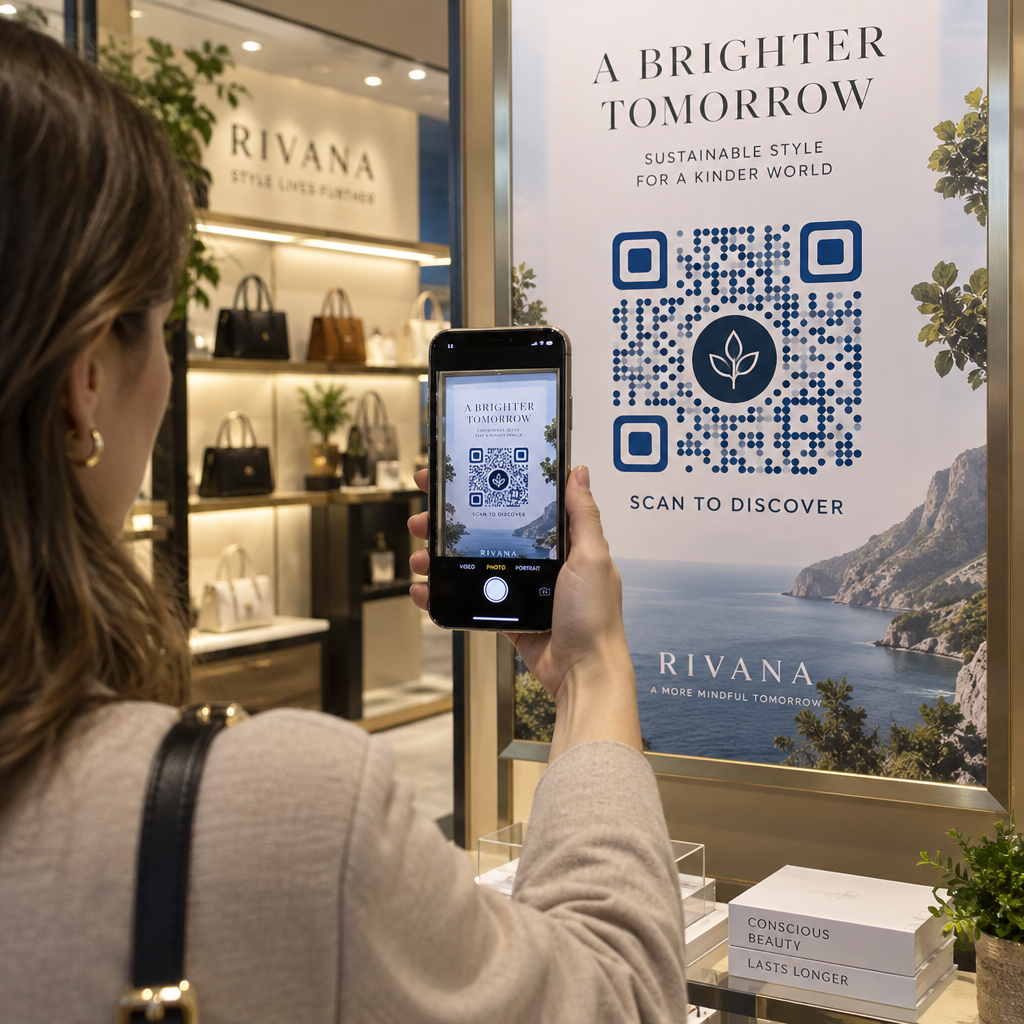
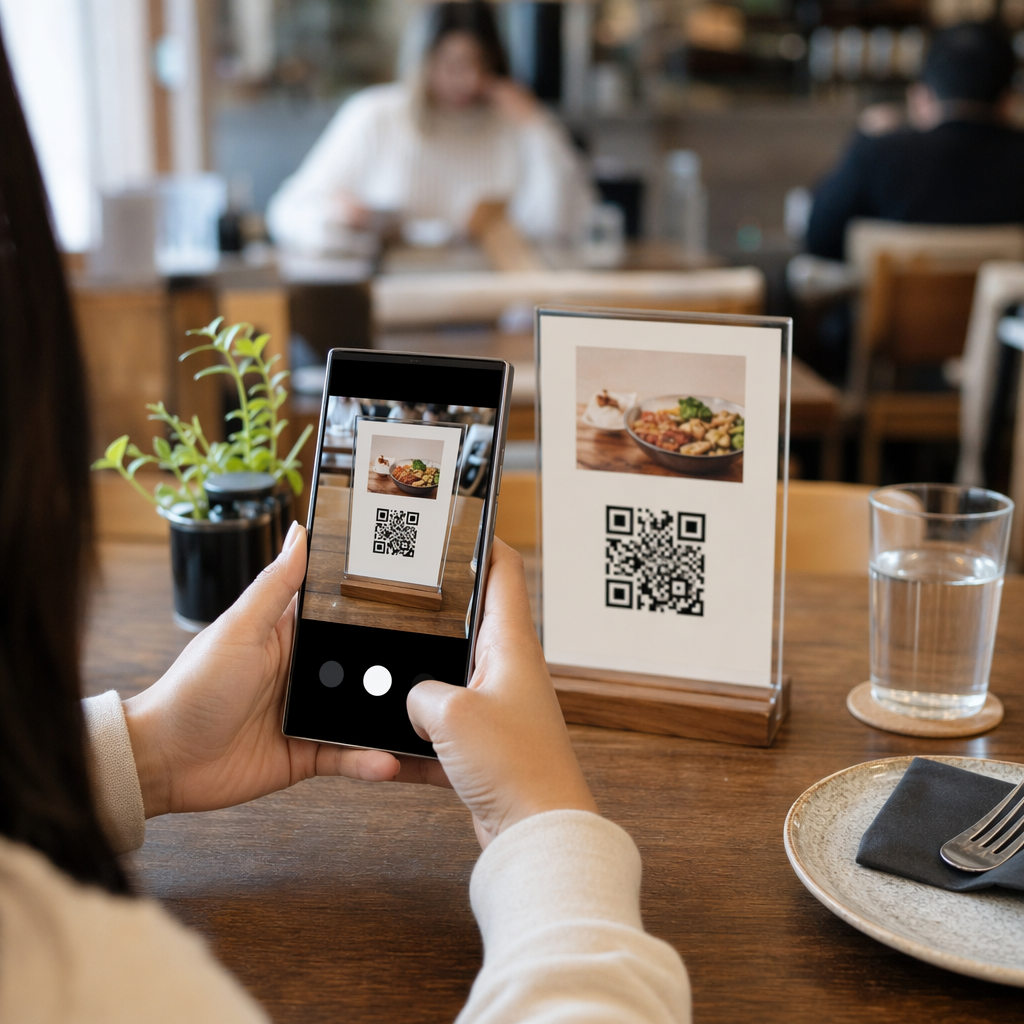
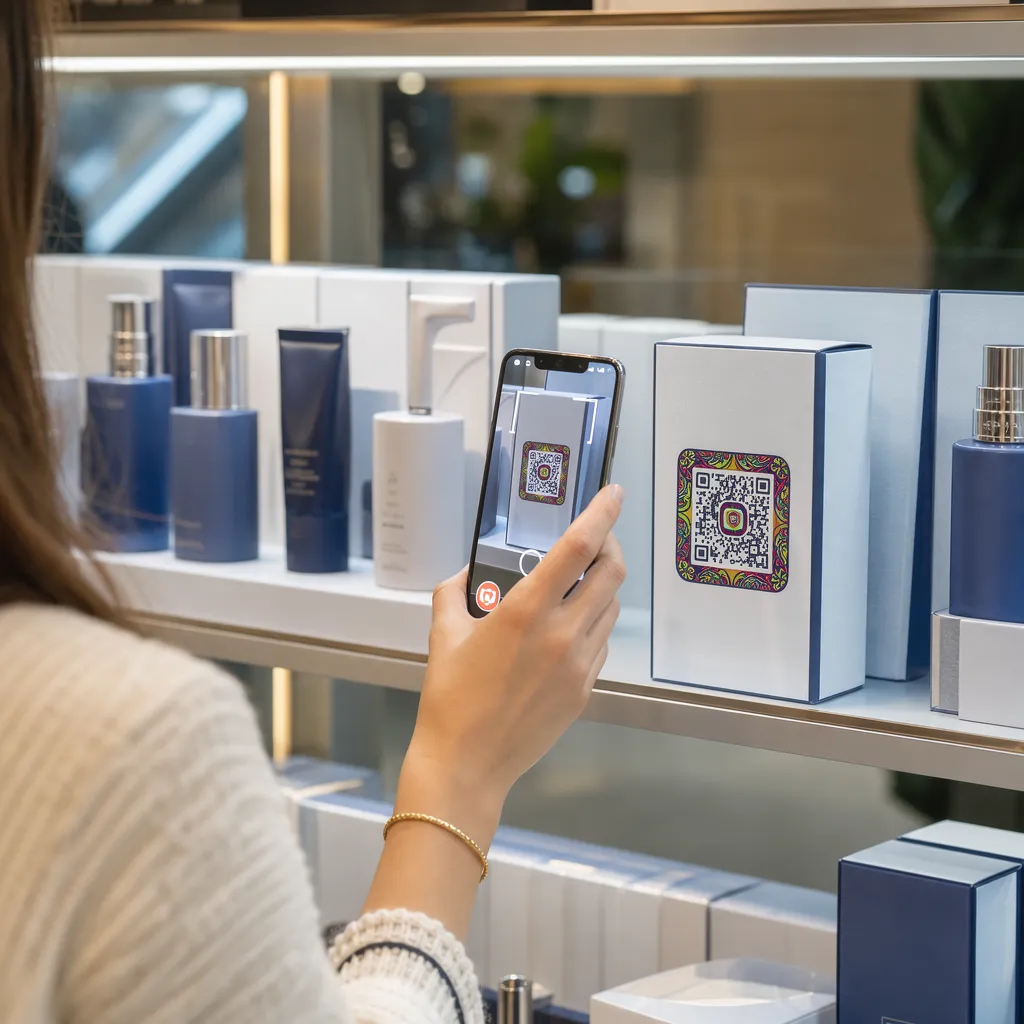
Cửa sổ cửa hàng của bạn có hoạt động hiệu quả cho bạn sau giờ đóng cửa không? Hầu hết các mặt tiền cửa hàng đều im lìm ngay khi đèn tắt, bỏ lỡ mọi khách hàng tiềm năng đi ngang qua. Đặt mã QR trên cửa sổ của bạn biến tấm kính đó thành một điểm tiếp xúc tiếp thị luôn hoạt động, kết nối người qua đường với nội dung kỹ thuật số của bạn ngay lập tức.
Tại sao cửa sổ mặt tiền cửa hàng là không gian tiếp thị bị bỏ quên
Hầu hết các doanh nghiệp bán lẻ coi cửa sổ của họ như vật trang trí. Trên thực tế, một cửa sổ hướng ra đường phố đông đúc là một một trong những vị trí có khả năng hiển thị cao nhất mà bạn có thể có – và việc thêm mã QR vào đó không tốn thêm chi phí nào.
Những người xem hàng qua cửa sổ đã có sự quan tâm. Họ đã đi chậm lại, nhìn vào màn hình trưng bày của bạn và đang cân nhắc xem có nên tương tác thêm hay không. Mã QR cung cấp cho họ một bước tiếp theo ngay lập tức: quét để xem thực đơn, duyệt danh mục, nhận giảm giá hoặc đọc đánh giá. Nếu không có nó, khoảnh khắc quan tâm đó sẽ trôi qua và khách hàng sẽ bỏ đi.
Các thương hiệu như Heinz và Nestlé đã sử dụng mã QR động trên bao bì vật lý để tạo mối quan hệ liên tục với khách hàng. Logic tương tự cũng áp dụng cho mặt tiền cửa hàng. Cửa sổ không chỉ là rào cản giữa bên trong và bên ngoài – nó là một bề mặt có thể kết nối sự hiện diện ngoại tuyến của bạn với toàn bộ hệ sinh thái kỹ thuật số của bạn.
Cách hiển thị mã QR trên cửa sổ cửa hàng
Có một số định dạng thực tế để đặt mã QR trên cửa sổ, tùy thuộc vào ngân sách của bạn và tần suất bạn cần thay đổi nội dung.
- Miếng dán cửa sổ là những miếng dán vinyl có thể tháo rời, dán trực tiếp lên kính. Chúng dễ lắp đặt, trông chuyên nghiệp và có thể thay thế khi chương trình khuyến mãi của bạn thay đổi.
- Nhãn dán hoặc đề can cửa sổ tương tự như miếng dán nhưng có thể bền hơn. Chúng hoạt động tốt cho các mã liên kết đến các điểm đến dài hạn như trang web của bạn hoặc trang đánh giá trên Google.
- Biển chữ A đặt ngay bên ngoài lối vào của bạn cho phép bạn thay đổi các áp phích mã QR mà không cần chạm vào cửa sổ. Điều này hữu ích cho việc quảng bá các ưu đãi đặc biệt hàng ngày hoặc các ưu đãi có thời hạn.
- Màn hình hoặc màn hình hiển thị trong cửa sổ có thể hiển thị mã QR một cách linh hoạt, điều này đặc biệt hiệu quả nếu bạn luân phiên các chương trình khuyến mãi hoặc muốn có một màn hình kỹ thuật số có khả năng hiển thị cao.
Đối với bất kỳ định dạng nào trong số này, hãy sử dụng mã QR PNG độ phân giải cao để đảm bảo mã được in hoặc hiển thị vẫn sắc nét ở kích thước bạn cần.
Tạo Mã QR Sẵn Sàng In cho Cửa Sổ của Bạn Tạo mã QR có thương hiệu, độ phân giải cao trong vài giây với Trình tạo mã QR Pageloot. Tải xuống ở định dạng PNG, SVG hoặc PDF – sẵn sàng cho decal cửa sổ, miếng dán hoặc biển hiệu chữ A.
Lựa chọn giữa mã QR tĩnh và động
Đây là một trong những quyết định quan trọng nhất bạn sẽ đưa ra trước khi in bất cứ thứ gì lên cửa sổ của mình.
Mã QR tĩnh là cố định. Sau khi in, đích đến không thể thay đổi. Chúng phù hợp cho các liên kết vĩnh viễn như trang chủ doanh nghiệp của bạn hoặc bản đồ vị trí – nội dung sẽ không bao giờ cần cập nhật.
Mã QR động cho phép bạn thay đổi đích đến được liên kết bất cứ lúc nào, ngay cả sau khi mã đã được in và hiển thị. Nếu decal cửa sổ của bạn quảng cáo một đợt giảm giá theo mùa kết thúc vào tháng 3, bạn có thể cập nhật đích đến thành một chương trình khuyến mãi mới vào tháng 4 mà không cần thay thế mã vật lý. Mã động cũng hỗ trợ phân tích, vì vậy bạn có thể xem có bao nhiêu người đã quét, khi nào và từ vị trí nào.
Đối với hầu hết các vị trí cửa sổ và biển hiệu, mã QR động là lựa chọn tốt hơn. Sự linh hoạt trong việc cập nhật nội dung mà không cần in lại giúp tiết kiệm tiền và cho phép bạn giữ cho cửa sổ của mình luôn phù hợp. Tìm hiểu thêm về các tùy chọn mã QR cho biển hiệu và biểu ngữ để hiểu định dạng nào phù hợp với trường hợp sử dụng của bạn.
Giữ Mã Cửa Sổ của Bạn Luôn Mới Với Mã QR động của Pageloot, bạn có thể cập nhật URL đích của cửa sổ bất cứ lúc nào – không cần in lại. Bắt đầu dùng thử miễn phí 14 ngày để có quyền truy cập đầy đủ vào tính năng theo dõi và chỉnh sửa.
Hướng Dẫn Về Vị Trí và Kích Thước
Một mã QR không thể quét được là một cơ hội bị lãng phí. Hãy làm theo các hướng dẫn thực tế này để đảm bảo mã cửa sổ của bạn thực sự hoạt động.
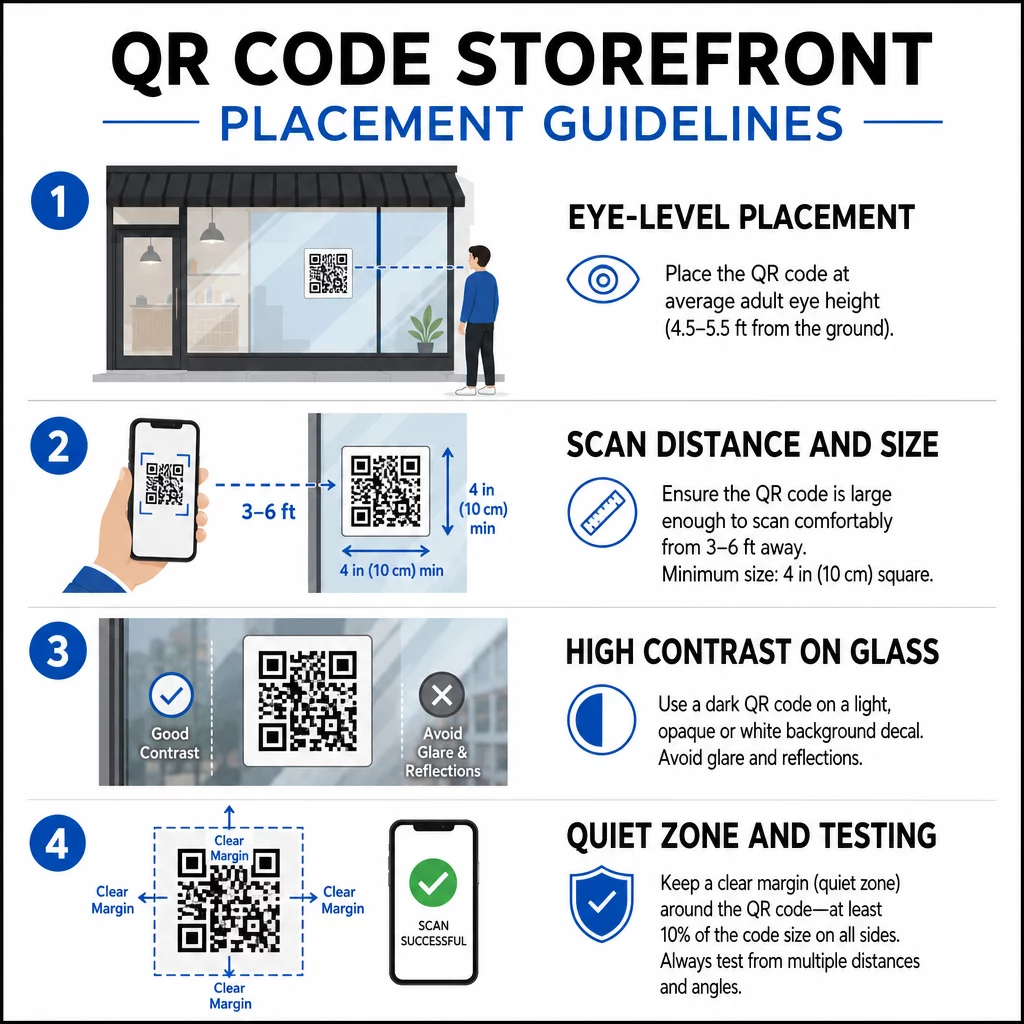
Vị trí ngang tầm mắt là khuyến nghị tiêu chuẩn. Đặt mã ở độ cao khoảng 1,5 mét so với mặt đất, nơi hầu hết người lớn thường nhìn khi đi ngang qua. Các mã đặt quá cao, quá thấp hoặc bị che khuất bởi các biển báo khác rất dễ bị bỏ qua và khó quét hơn.
Kích thước phù hợp với khoảng cách quét dự kiến quan trọng hơn mọi người nghĩ. Một quy tắc chung: cứ mỗi 10 cm khoảng cách quét, hãy thêm 1 cm vào chiều dài cạnh của mã. Đối với mã cửa sổ dự kiến được quét từ khoảng 1,2 đến 2,1 mét, mã có kích thước khoảng 8 × 8 inch là phù hợp. Tránh làm nhỏ hơn 2 × 2 cm cho bất kỳ ứng dụng tầm gần nào.
Độ tương phản cao giữa mã và nền của nó là rất cần thiết. Sử dụng mã tối màu trên nền sáng. Tránh các sơ đồ đảo ngược (mã sáng màu trên nền tối) vì một số đầu đọc QR không thể giải mã chúng một cách đáng tin cậy. Khi dán decal lên kính, hãy kiểm tra sau khi lắp đặt – kính có thể tạo ra ánh sáng chói gây cản trở việc quét.
Vùng yên tĩnh (phần lề trắng xung quanh mã) nên được duy trì. Cho phép ít nhất 0,25 inch không gian trống ở tất cả các cạnh, không có văn bản, hình ảnh hoặc yếu tố thiết kế. Nếu không có vùng đệm này, máy quét có thể không phát hiện được mã bắt đầu và kết thúc ở đâu.
Kiểm tra trước khi thực hiện. Quét mã ở kích thước in cuối cùng từ khoảng cách thực tế mà khách hàng sẽ đứng, sử dụng nhiều thiết bị. Bước này giúp phát hiện các vấn đề trước khi chúng đến cửa hàng của bạn. Để biết thêm chi tiết về các phương pháp hay nhất về khả năng đọc mã QR, bao gồm tỷ lệ tương phản và vùng yên tĩnh, hướng dẫn đầy đủ bao gồm tất cả các yêu cầu kỹ thuật.
Nên liên kết mã QR cửa sổ của bạn đến đâu
Điểm đến quan trọng không kém gì bản thân mã. Đơn giản là liên kết đến trang chủ của bạn là lựa chọn có giá trị thấp nhất. Những người quét mã cửa sổ đã ở địa điểm của bạn – họ muốn một cái gì đó cụ thể hơn.
Hãy xem xét các điểm đến có giá trị cao hơn này:
- A Danh mục sản phẩm PDF hiển thị các mặt hàng, kích cỡ và giá cả có sẵn, để khách hàng có thể duyệt ngay cả khi cửa hàng đóng cửa. Một Mã QR PDF giúp việc thiết lập và cập nhật trở nên đơn giản.
- A giảm giá hoặc phiếu giảm giá cho lần ghé thăm tiếp theo của họ, khuyến khích khách hàng quay lại.
- A liên kết đánh giá đến hồ sơ Google Doanh nghiệp của bạn, giúp khách hàng hài lòng dễ dàng để lại phản hồi.
- Một khuyến mãi độc quyền hoặc rút thăm trúng thưởng, tạo cho mọi người lý do để quét ngay lập tức thay vì đi ngang qua.
- Mạng xã hội hoặc biểu mẫu đăng ký, biến một người qua đường một lần thành người theo dõi hoặc người đăng ký dài hạn.
A mã QR URL có thể dẫn đến bất kỳ điểm đến nào trong số này, và với mã động, bạn có thể xoay vòng những gì bạn cung cấp mà không cần thay đổi màn hình vật lý.
Luôn thêm Kêu gọi hành động
Đừng bao giờ cho rằng mọi người biết phải làm gì với mã QR hoặc tại sao họ phải bận tâm. Một hướng dẫn ngắn gọn bên cạnh mã sẽ loại bỏ sự cản trở đó. Các cụm từ như “Mở máy ảnh của bạn và quét để được giảm giá 10%” hoặc “Quét để xem thực đơn hôm nay” cho khách hàng biết chính xác những gì mong đợi.
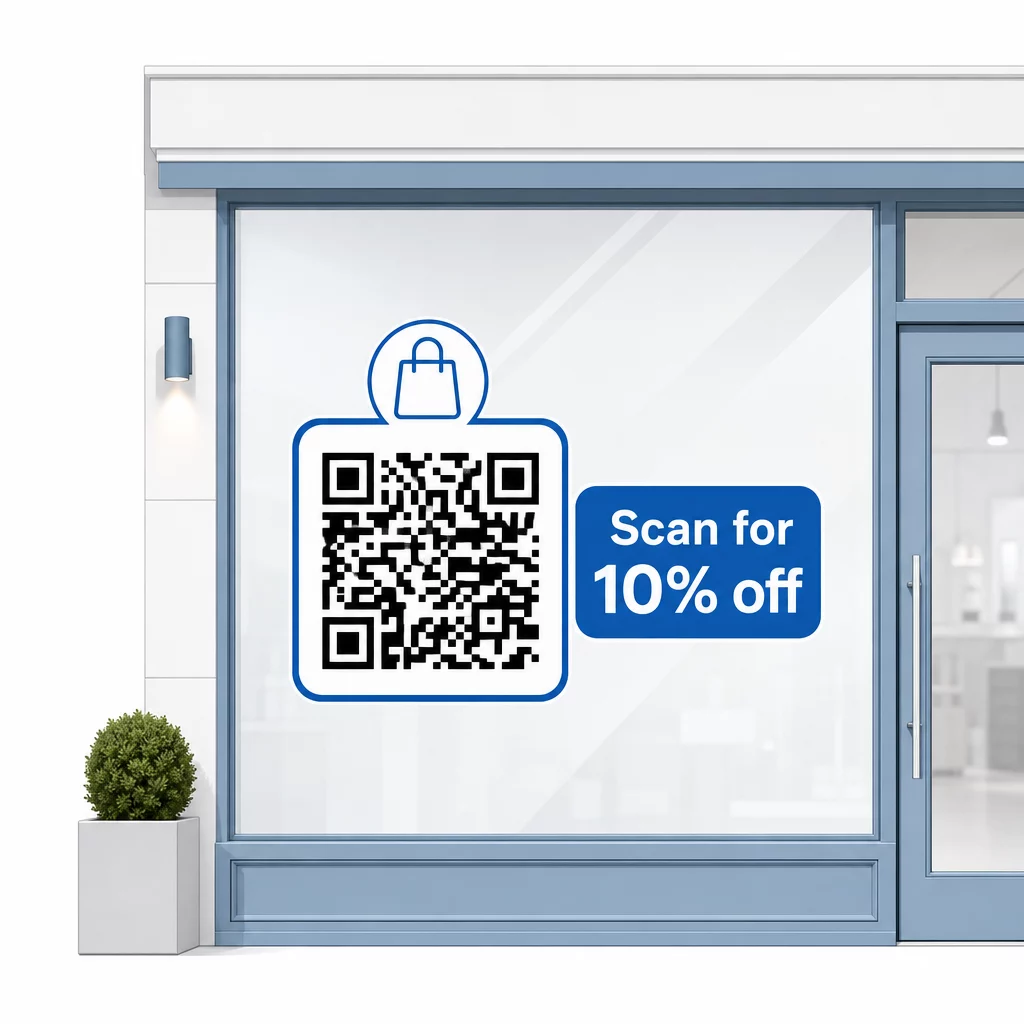
Giữ thông điệp ngắn gọn – tối đa hai dòng. CTA của bạn càng rõ ràng và cụ thể, tỷ lệ quét của bạn sẽ càng cao. Nếu đối tượng của bạn có thể bao gồm những khách hàng không quen thuộc với việc quét QR, hãy thêm một ghi chú ngắn gọn như “hướng camera điện thoại của bạn vào mã này.” Để được hướng dẫn về quét mã QR trên các thiết bị khác nhau, bao gồm máy tính xách tay và máy tính để bàn, bạn có thể hướng dẫn khách hàng đến các hướng dẫn đơn giản.
Theo dõi và cải thiện theo thời gian
Một lợi thế mà mã QR động có so với mã tĩnh là phân tích tích hợp. Bạn có thể xem có bao nhiêu người đã quét mã cửa sổ của bạn mỗi ngày, vào những thời điểm nào và liệu có những đợt tăng đột biến xung quanh các chương trình khuyến mãi cụ thể hay không.
Dữ liệu này cho phép bạn đưa ra các quyết định sáng suốt. Nếu số lượt quét giảm sau khi một chương trình khuyến mãi kết thúc, hãy cập nhật điểm đến thành một nội dung mới mẻ. Nếu một vị trí đặt trên cửa sổ hoạt động hiệu quả hơn vị trí khác, bạn sẽ biết nên tập trung vào đâu. Bạn cũng có thể so sánh các ứng dụng quét mã QR để hiểu cách khách hàng có thể truy cập mã của bạn và đảm bảo khả năng tương thích.
Sử dụng Tổng quan tính năng Pageloot để khám phá toàn bộ các công cụ phân tích, chỉnh sửa và tùy chỉnh có sẵn để quản lý mã trên cửa sổ của bạn cùng với tất cả các chiến dịch QR khác của bạn.
Một mã QR được đặt đúng chỗ, thiết kế tốt trên cửa sổ mặt tiền cửa hàng của bạn có thể tạo ra sự tương tác có ý nghĩa suốt ngày đêm – không chỉ trong giờ làm việc. Bắt đầu với một mục tiêu rõ ràng, chọn một mã động để bạn có thể giữ nội dung luôn cập nhật, tuân thủ các nguyên tắc về vị trí và kích thước, và luôn cung cấp cho khách hàng một lý do để quét.
Bắt đầu theo dõi lượt quét trên cửa sổ của bạn Sử dụng Trình tạo mã QR Pageloot để tạo một mã QR có thể theo dõi, chỉnh sửa cho cửa sổ mặt tiền cửa hàng của bạn. Dùng thử miễn phí 14 ngày, không yêu cầu thẻ tín dụng.
Câu hỏi thường gặp
Vâng, nếu bạn sử dụng mã QR động. Mã động cho phép bạn cập nhật URL đích bất cứ lúc nào sau khi in, vì vậy mã vật lý trên cửa sổ của bạn vẫn giữ nguyên trong khi nội dung mà nó liên kết đến thay đổi theo từng chương trình khuyến mãi. Mã tĩnh là cố định và sẽ yêu cầu in lại mỗi lần.
Đối với mã cửa sổ dự kiến được quét từ khoảng cách bốn đến bảy feet, kích thước khoảng 8 × 8 inch là phù hợp. Nguyên tắc chung là thêm 1 cm kích thước mã cho mỗi 10 cm khoảng cách quét. Luôn kiểm tra mã ở kích thước in thực tế từ khoảng cách dự định trước khi hoàn thiện hiển thị.
Tránh chỉ đơn thuần liên kết đến trang chủ của bạn. Các điểm đến hiệu quả hơn bao gồm tệp PDF danh mục sản phẩm, một ưu đãi giảm giá hoặc phiếu giảm giá, một liên kết đánh giá trên Google, một trang mạng xã hội hoặc một biểu mẫu đăng ký. Một lời kêu gọi hành động rõ ràng bên cạnh mã, cho khách hàng biết họ sẽ nhận được gì khi quét, sẽ tăng đáng kể khả năng họ sử dụng mã đó.