Werkt uw etalage voor u na sluitingstijd? De meeste etalages worden stil zodra de lichten uitgaan, waardoor elke potentiële klant die voorbijloopt wordt gemist. Het plaatsen van een QR-code op uw raam verandert dat glas in een altijd-actief marketingcontactpunt dat voorbijgangers direct verbindt met uw digitale inhoud.
Waarom etalages onderbenutte marketingruimte zijn
De meeste detailhandelsbedrijven behandelen hun ramen als decoratie. In werkelijkheid is een raam aan een drukke straat een van de meest zichtbare plaatsen die u tot uw beschikking heeft – en het kost niets extra om er een QR-code aan toe te voegen.
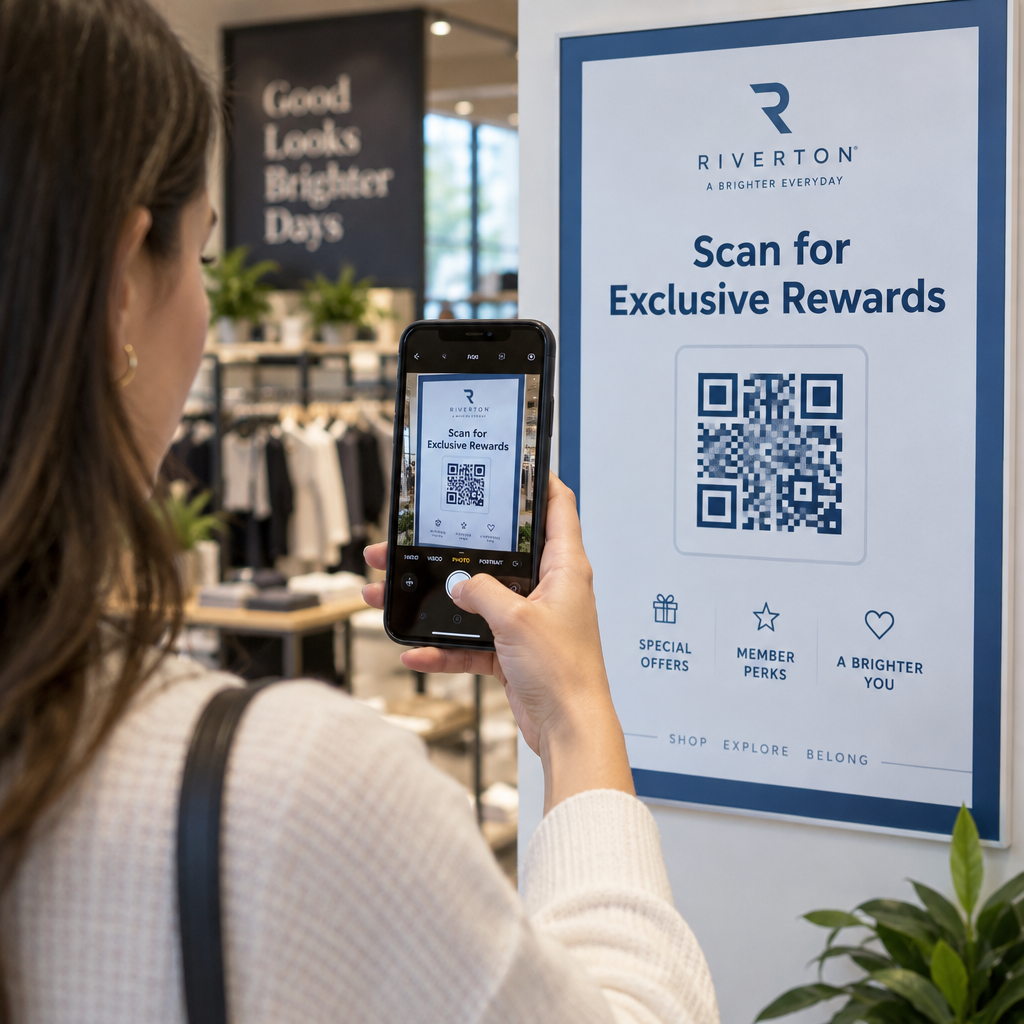
Windowshoppers zijn al geïnteresseerd. Ze zijn langzamer gaan lopen, hebben naar uw display gekeken en overwegen of ze verder willen gaan. Een QR-code geeft hen een onmiddellijke volgende stap: scan om het menu te zien, blader door de catalogus, claim een korting of lees recensies. Zonder dit gaat dat moment van interesse voorbij en gaat de klant verder.
Merken als Heinz en Nestlé hebben gebruikt dynamische QR-codes op fysieke verpakkingen om doorlopende relaties met klanten op te bouwen. Dezelfde logica geldt voor etalages. Het raam is niet alleen een barrière tussen binnen en buiten – het is een oppervlak dat uw offline aanwezigheid kan verbinden met uw hele digitale ecosysteem.
Hoe een QR-code op een etalage te tonen
Er zijn verschillende praktische formaten om een QR-code op een raam te plaatsen, afhankelijk van uw budget en hoe vaak u de inhoud moet wijzigen.
- Raamfolies zijn verwijderbare vinylstickers die direct op glas hechten. Ze zijn eenvoudig te installeren, zien er professioneel uit en kunnen worden vervangen wanneer uw promotie verandert.
- Raamstickers of -decals lijken op raamfolies, maar kunnen permanenter zijn. Deze werken goed voor codes die linken naar langetermijnbestemmingen zoals uw website of Google-recensiepagina.
- Stoepborden die net buiten uw ingang worden geplaatst, laten u QR-codeposters verwisselen zonder het raam aan te raken. Dit is handig voor het promoten van dagspecials of tijdelijke aanbiedingen.
- Een monitor of scherm in de etalage kan dynamisch een QR-code weergeven, wat vooral effectief is als u promoties roteert of een goed zichtbaar digitaal display wilt.
Voor al deze formaten, gebruik een hoge-resolutie QR-code PNG om ervoor te zorgen dat de geprinte of weergegeven code scherp blijft op het formaat dat u nodig heeft.
Maak een printklare QR-code voor uw raam Genereer binnen enkele seconden een branded, hoge-resolutie QR-code met de Pageloot QR-codegenerator. Download in PNG-, SVG- of PDF-formaat – klaar voor raamstickers, statische folies of stoepborden.
Kiezen tussen statische en dynamische QR-codes
Dit is een van de belangrijkste beslissingen die u zult nemen voordat u iets op uw raam print.
Statische QR codes zijn vast. Eenmaal geprint, kan de bestemming niet meer worden gewijzigd. Ze zijn geschikt voor permanente links zoals de homepage van uw bedrijf of een locatiekaart – inhoud die nooit hoeft te worden bijgewerkt.
Dynamische QR codes laten u de gekoppelde bestemming op elk moment wijzigen, zelfs nadat de code al is geprint en weergegeven. Als uw raamsticker een seizoensuitverkoop promoot die in maart eindigt, kunt u de bestemming in april bijwerken naar een nieuwe promotie zonder de fysieke code te vervangen. Dynamische codes ondersteunen ook analyses, zodat u kunt zien hoeveel mensen hebben gescand, wanneer en vanaf welke locatie.
Voor de meeste raam- en signageplaatsingen zijn dynamische QR-codes de betere keuze. De flexibiliteit om inhoud bij te werken zonder opnieuw te printen bespaart geld en geeft u de mogelijkheid om uw raam relevant te houden. Leer meer over QR-code opties voor borden en spandoeken om te begrijpen welk formaat bij uw gebruikssituatie past.
Houd uw raamcode altijd actueel Met De dynamische QR-codes van Pageloot, kunt u de bestemmings-URL van uw raam op elk moment bijwerken – opnieuw printen is niet nodig. Start een gratis proefperiode van 14 dagen om volledige tracking- en bewerkingstoegang te krijgen.
Plaatsings- en formaatrichtlijnen
Een QR-code die niet kan worden gescand, is een gemiste kans. Volg deze praktische richtlijnen om ervoor te zorgen dat uw raamcode daadwerkelijk werkt.
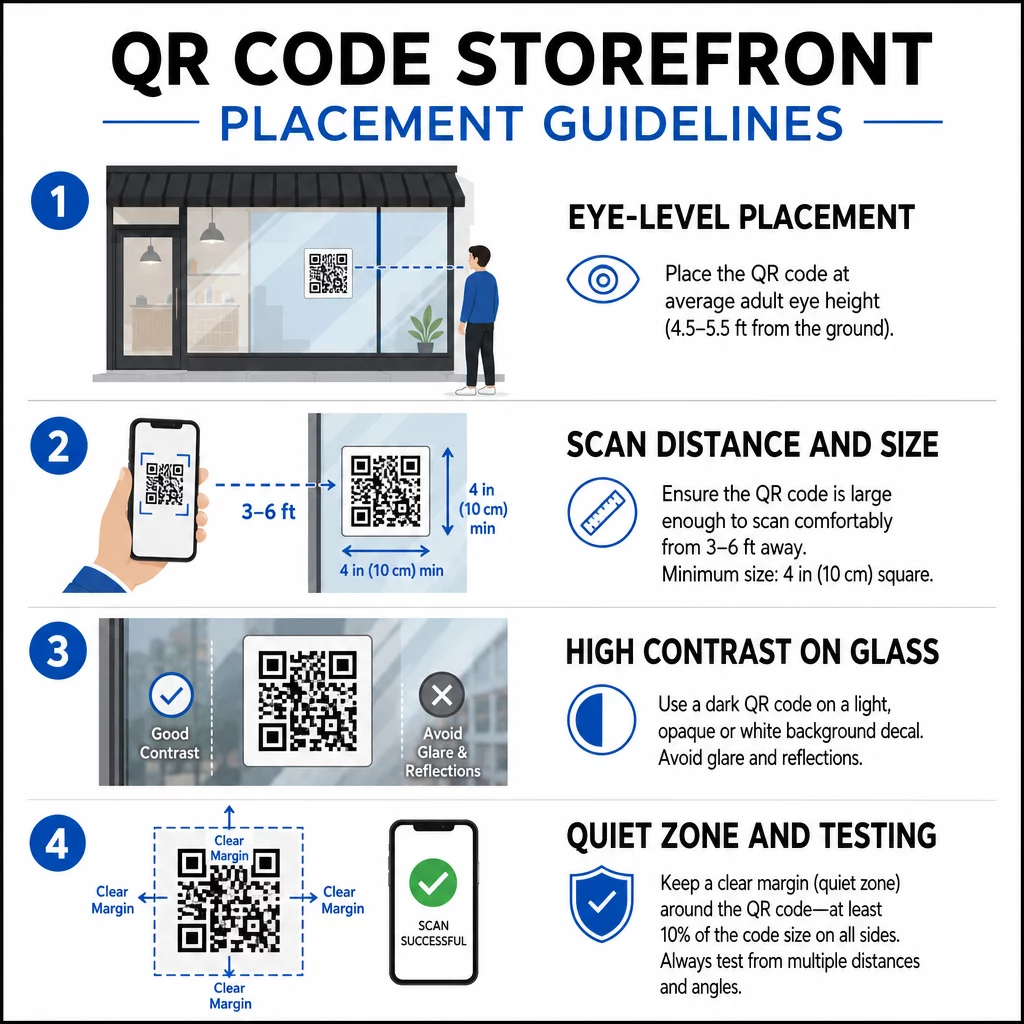
Plaatsing op ooghoogte is de standaard aanbeveling. Richt op ongeveer anderhalve meter van de grond, waar de meeste volwassenen van nature kijken als ze voorbijlopen. Codes die te hoog, te laag of verborgen zijn door andere bewegwijzering zijn gemakkelijk te negeren en moeilijker te scannen.
Grootte voor de verwachte scanafstand is belangrijker dan mensen verwachten. Een algemene regel: voeg voor elke 10 cm scanafstand 1 cm toe aan de zijlengte van de code. Voor een raamcode die naar verwachting van vier tot zeven voet afstand wordt gescand, is een code van ongeveer 8 × 8 inch geschikt. Vermijd kleiner te gaan dan 2 × 2 cm voor elke toepassing op korte afstand.
Hoog contrast tussen de code en de achtergrond is essentieel. Gebruik een donkere code op een lichte achtergrond. Vermijd omgekeerde schema's (lichte code op donkere achtergrond) omdat sommige QR-lezers deze niet betrouwbaar kunnen decoderen. Wanneer u een sticker op glas aanbrengt, test deze dan na installatie – glas kan schittering veroorzaken die het scannen belemmert.
Stille zones (de witte marge rond de code) moet worden gehandhaafd. Zorg voor minstens 0,25 inch vrije ruimte aan alle zijden, vrij van tekst, afbeeldingen of ontwerpelementen. Zonder deze buffer kunnen scanners mogelijk niet detecteren waar de code begint en eindigt.
Test voordat u zich vastlegt. Scan de code op de uiteindelijke afgedrukte grootte vanaf de werkelijke afstand waarop een klant zou staan, met behulp van meerdere apparaten. Deze stap vangt problemen op voordat ze uw winkel bereiken. Voor meer details over best practices voor de leesbaarheid van QR-codes, inclusief contrastverhoudingen en stille zones, behandelt de volledige gids alle technische vereisten.
Waar u uw raam-QR-code aan moet koppelen
De bestemming is net zo belangrijk als de code zelf. Simpelweg linken naar uw homepage is de optie met de laagste waarde. Mensen die een raamcode scannen, zijn al op uw locatie – ze willen iets specifiekers.
Overweeg deze bestemmingen met hogere waarde:
- EEN PDF-productcatalogus met beschikbare artikelen, maten en prijzen, zodat klanten kunnen browsen, zelfs als de winkel gesloten is. Een PDF QR-code maakt dit eenvoudig in te stellen en bij te werken.
- EEN korting of coupon voor hun volgende bezoek, wat terugkerend verkeer stimuleert.
- EEN reviewlink naar je Google Bedrijfsprofiel, waardoor het voor tevreden klanten moeiteloos wordt om feedback achter te laten.
- Een exclusieve promotie of winactie, waardoor mensen een reden krijgen om direct te scannen in plaats van voorbij te lopen.
- Sociale media of een aanmeldformulier, waardoor een eenmalige voorbijganger een langdurige volger of abonnee wordt.
EEN URL QR-code kan naar elk van deze bestemmingen verwijzen, en met een dynamische code kun je je aanbod rouleren zonder de fysieke weergave te wijzigen.
Voeg altijd een Call-to-Action toe
Ga er nooit vanuit dat mensen weten wat ze met een QR-code moeten doen of waarom ze de moeite zouden moeten nemen. Een korte instructie naast de code neemt die frictie weg. Zinnen als “Open je camera en scan voor 10% korting” of “Scan om het menu van vandaag te bekijken” vertellen de klant precies wat hij kan verwachten.
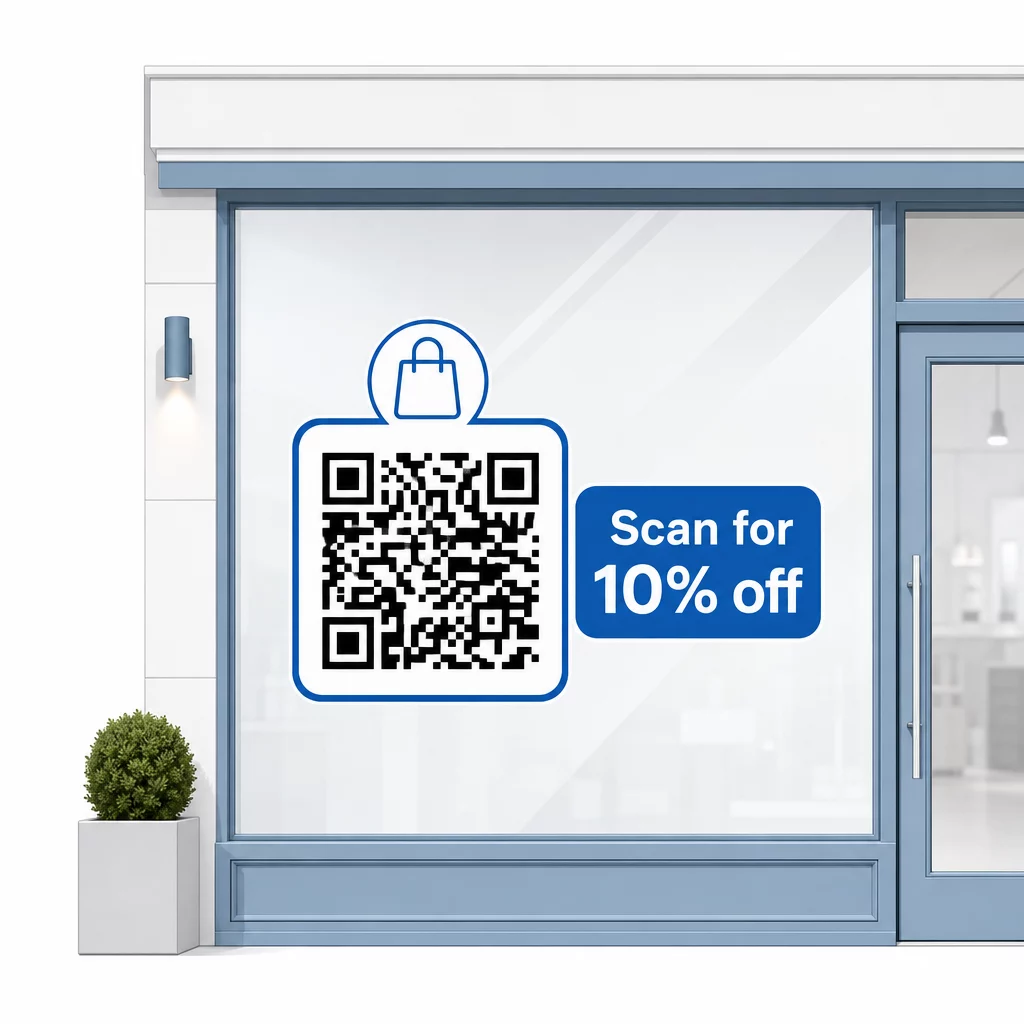
Houd de boodschap kort – maximaal twee regels. Hoe duidelijker en specifieker je CTA, hoe hoger je scanpercentage zal zijn. Als je publiek klanten kan omvatten die onbekend zijn met QR-scannen, voeg dan een korte opmerking toe zoals “richt de camera van je telefoon op deze code.” Voor begeleiding bij het scannen van QR-codes op verschillende apparaten, inclusief laptops en desktops, kun je klanten doorverwijzen naar duidelijke instructies.
Volg en Verbeter Na Verloop van Tijd
Een voordeel dat dynamische QR-codes hebben ten opzichte van statische codes, is ingebouwde analyse. Je kunt zien hoeveel mensen je raamcode elke dag hebben gescand, op welke tijden, en of er pieken zijn rond specifieke promoties.
Deze gegevens stellen u in staat weloverwogen beslissingen te nemen. Als scans afnemen nadat een promotie is afgelopen, update dan de bestemming naar iets nieuws. Als de ene raamplaatsing beter presteert dan de andere, weet u waar u zich op moet richten. U kunt ook QR-codescanner-apps vergelijken om te begrijpen hoe klanten waarschijnlijk uw codes benaderen en compatibiliteit te garanderen.
Gebruik de Pageloot functies overzicht om het volledige scala aan analyse-, bewerkings- en aanpassingstools te verkennen die beschikbaar zijn voor het beheren van uw raamcodes naast al uw andere QR-campagnes.
Een goed geplaatste, goed ontworpen QR-code op uw etalageraam kan 24 uur per dag zinvolle betrokkenheid genereren – niet alleen tijdens openingstijden. Begin met een duidelijk doel, kies een dynamische code zodat u de inhoud actueel kunt houden, volg de plaatsings- en maatrichtlijnen en geef klanten altijd een reden om te scannen.
Begin met het bijhouden van uw raamscans Gebruik de Pageloot QR-codegenerator om een traceerbare, bewerkbare QR-code voor uw etalageraam te maken. Gratis proefperiode van 14 dagen, geen creditcard vereist.
Veelgestelde vragen
Ja, als u een dynamische QR-code gebruikt. Met dynamische codes kunt u de bestemmings-URL op elk moment na het afdrukken bijwerken, zodat de fysieke code op uw raam hetzelfde blijft, terwijl de inhoud waarnaar deze verwijst verandert met elke promotie. Statische codes zijn vast en zouden elke keer opnieuw moeten worden afgedrukt.
Voor een raamcode die naar verwachting van vier tot zeven voet afstand wordt gescand, is een grootte van ongeveer 8 × 8 inch passend. De algemene richtlijn is om 1 cm codegrootte toe te voegen voor elke 10 cm scanafstand. Test de code altijd op de werkelijke afgedrukte grootte vanaf de beoogde afstand voordat u de weergave definitief maakt.
Vermijd simpelweg te linken naar je homepage. Effectievere bestemmingen zijn onder andere een productcatalogus-PDF, een korting of coupon, een Google review-link, een socialmediapagina of een aanmeldformulier. Een duidelijke call-to-action naast de code die klanten vertelt wat ze zullen krijgen wanneer ze scannen, verhoogt aanzienlijk de waarschijnlijkheid dat ze het zullen gebruiken.