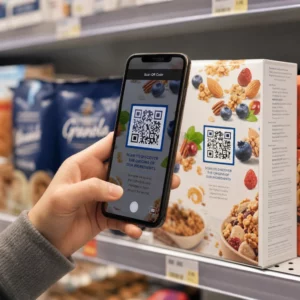
Fungerar ditt skyltfönster för dig efter stängningstid? De flesta butiksfasader blir tysta i samma ögonblick som lamporna släcks, och missar varje potentiell kund som går förbi. Att placera en QR-kod på ditt fönster förvandlar det glaset till en ständigt aktiv marknadsföringskontaktpunkt som omedelbart kopplar samman förbipasserande med ditt digitala innehåll.
Varför skyltfönster är underutnyttjat marknadsföringsutrymme
De flesta detaljhandelsföretag behandlar sina fönster som dekoration. I verkligheten är ett fönster som vetter mot en livlig gata en av de mest synliga placeringarna som finns tillgängliga för dig – och det kostar inget extra att lägga till en QR-kod på det.
Fönstershoppare är redan intresserade. De har saktat ner, tittat på din utställning och överväger om de ska engagera sig ytterligare. En QR-kod ger dem ett omedelbart nästa steg: skanna för att se menyn, bläddra i katalogen, hämta en rabatt eller läsa recensioner. Utan den passerar det ögonblicket av intresse och kunden går vidare.
Varumärken som Heinz och Nestlé har använt dynamiska QR-koder på fysiska förpackningar för att skapa pågående relationer med kunder. Samma logik gäller för skyltfönster. Fönstret är inte bara en barriär mellan insida och utsida – det är en yta som kan koppla din offline-närvaro till hela ditt digitala ekosystem.
Hur man visar en QR-kod i ett skyltfönster
Det finns flera praktiska format för att placera en QR-kod i ett fönster, beroende på din budget och hur ofta du behöver ändra innehållet.
- Fönsterdekaler är avtagbara vinyldekaler som fäster direkt på glas. De är lätta att installera, ser professionella ut och kan bytas ut när din kampanj ändras.
- Fönsterklistermärken eller dekaler liknar fönsterdekaler men kan vara mer permanenta. Dessa fungerar bra för koder som länkar till långsiktiga destinationer som din webbplats eller Google-recensionssida.
- Gatupratare placerade precis utanför din entré låter dig byta ut QR-kodaffischer utan att röra fönstret alls. Detta är användbart för att marknadsföra dagliga erbjudanden eller tidsbegränsade kampanjer.
- En monitor eller skärm i fönstret kan visa en QR-kod dynamiskt, vilket är särskilt effektivt om du roterar kampanjer eller vill ha en digital display med hög synlighet.
För alla dessa format, använd en högupplöst QR-kod PNG för att säkerställa att den tryckta eller visade koden förblir skarp i den storlek du behöver.
Skapa en utskriftsklar QR-kod för ditt fönster Generera en märkesanpassad, högupplöst QR-kod på några sekunder med Pageloot QR-kodgenerator. Ladda ner i PNG-, SVG- eller PDF-format – redo för fönsterdekaler, klistermärken eller A-skyltar.
Välja mellan statiska och dynamiska QR-koder
Detta är ett av de viktigaste besluten du kommer att fatta innan du trycker något på ditt fönster.
Statiska QR-koder är fasta. När de väl är tryckta kan destinationen inte ändras. De är lämpliga för permanenta länkar som din företagets hemsida eller en platskarta – innehåll som aldrig kommer att behöva uppdateras.
Dynamiska QR-koder låter dig ändra den länkade destinationen när som helst, även efter att koden redan är tryckt och visad. Om din fönsterdekal marknadsför en säsongsrea som slutar i mars, kan du uppdatera destinationen till en ny kampanj i april utan att byta ut den fysiska koden. Dynamiska koder stöder också analys, så du kan se hur många personer som skannade, när och från vilken plats.
För de flesta fönster- och skyltplaceringar är dynamiska QR-koder det bättre valet. Flexibiliteten att uppdatera innehåll utan att trycka om sparar pengar och ger dig möjlighet att hålla ditt fönster relevant. Läs mer om QR-kodalternativ för skyltar och banderoller för att förstå vilket format som passar ditt användningsfall.
Håll din fönsterkod ständigt aktuell Med Pageloots dynamiska QR-koder, kan du uppdatera ditt fönsters destinations-URL när som helst – ingen omtryckning krävs. Starta en gratis 14-dagars provperiod för att få full spårnings- och redigeringsåtkomst.
Riktlinjer för placering och storlek
En QR-kod som inte kan skannas är ett bortkastat tillfälle. Följ dessa praktiska riktlinjer för att säkerställa att din fönsterkod faktiskt fungerar.
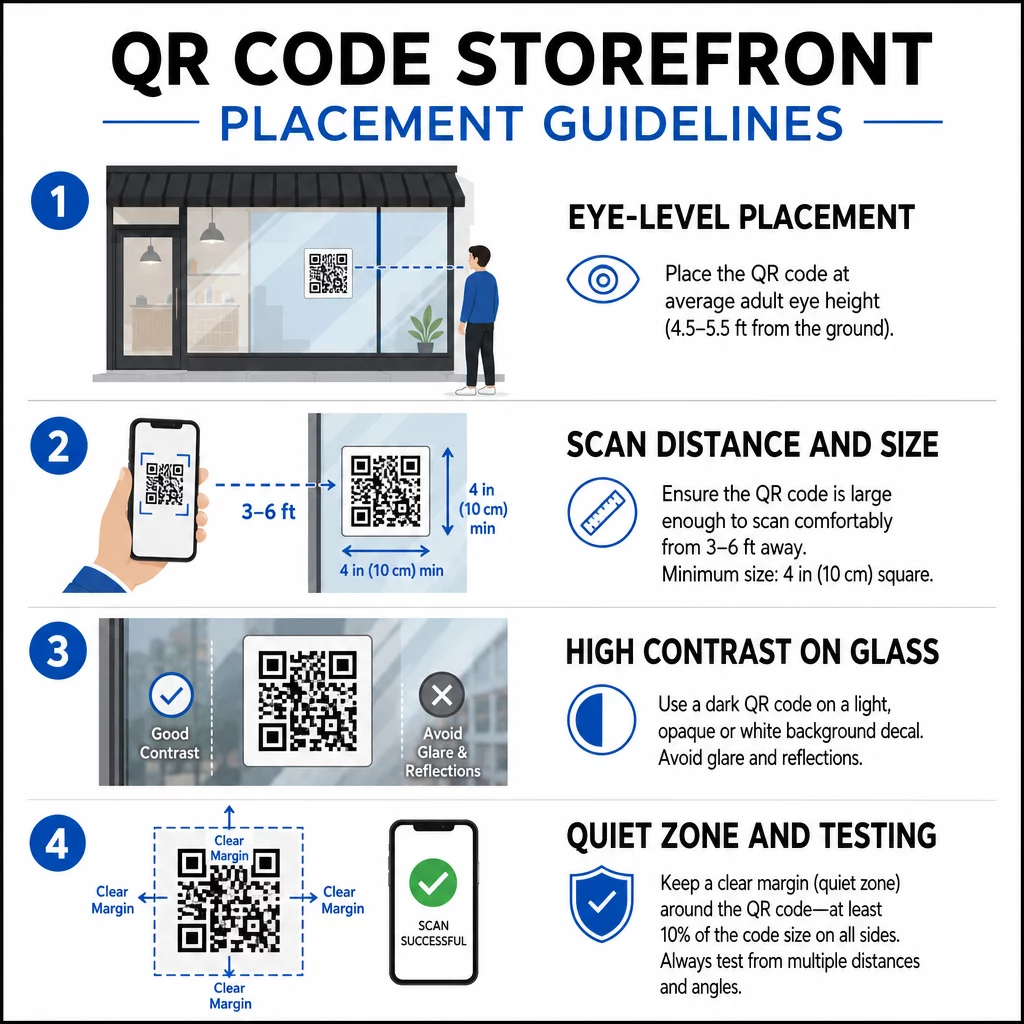
Placering i ögonhöjd är standardrekommendationen. Sikta på cirka fem fot från marken, där de flesta vuxna naturligt tittar när de går förbi. Koder som placeras för högt, för lågt eller skyms av annan skyltning är lätta att ignorera och svårare att skanna.
Storlek för det förväntade skanningsavståndet spelar större roll än folk förväntar sig. En allmän regel: för varje 10 cm skanningsavstånd, lägg till 1 cm till kodens sidlängd. För en fönsterkod som förväntas skannas från fyra till sju fot bort, är en kod på cirka 8 × 8 tum lämplig. Undvik att gå mindre än 2 × 2 cm för någon närbildsapplikation.
Hög kontrast mellan koden och dess bakgrund är avgörande. Använd en mörk kod på en ljus bakgrund. Undvik inverterade scheman (ljus kod på mörk bakgrund) eftersom vissa QR-läsare inte tillförlitligt kan avkoda dem. När du applicerar en dekal på glas, testa den efter installationen – glas kan skapa bländning som stör skanningen.
Tysta zoner (den vita marginalen runt koden) bör bibehållas. Tillåt minst 0,25 tum fritt utrymme på alla sidor, fritt från text, bilder eller designelement. Utan denna buffert kan skannrar misslyckas med att upptäcka var koden börjar och slutar.
Testa innan du bestämmer dig. Skanna koden i den slutliga utskriftsstorleken från det faktiska avståndet en kund skulle stå, med hjälp av flera enheter. Detta steg fångar problem innan de når din butik. För mer detaljer om bästa praxis för läsbarhet av QR-koder, inklusive kontrastförhållanden och tysta zoner, täcker den fullständiga guiden alla tekniska krav.
Vad du ska länka din fönster-QR-kod till
Destinationen spelar lika stor roll som koden i sig. Att bara länka till din hemsida är det alternativ med lägst värde. Personer som skannar en fönsterkod är redan på din plats – de vill ha något mer specifikt.
Överväg dessa destinationer med högre värde:
- A PDF-produktkatalog som visar tillgängliga varor, storlekar och priser, så att kunder kan bläddra även när butiken är stängd. En PDF QR-kod gör detta enkelt att ställa in och uppdatera.
- A rabatt eller kupong för deras nästa besök, vilket uppmuntrar återkommande trafik.
- A recensionslänk till din Google Företagsprofil, vilket gör det friktionsfritt för nöjda kunder att lämna feedback.
- En exklusiv kampanj eller tävling, vilket ger människor en anledning att skanna omedelbart istället för att bara gå förbi.
- Sociala medier eller ett anmälningsformulär, vilket förvandlar en engångsbesökare till en långsiktig följare eller prenumerant.
A URL QR-kod kan peka på någon av dessa destinationer, och med en dynamisk kod kan du rotera vad du erbjuder utan att ändra den fysiska displayen.
Lägg alltid till en uppmaning till handling
Anta aldrig att folk vet vad de ska göra med en QR-kod eller varför de ska bry sig. En kort instruktion intill koden tar bort den friktionen. Fraser som “Öppna din kamera och skanna för 10% rabatt” eller “Skanna för att se dagens meny” berättar för kunden exakt vad de kan förvänta sig.
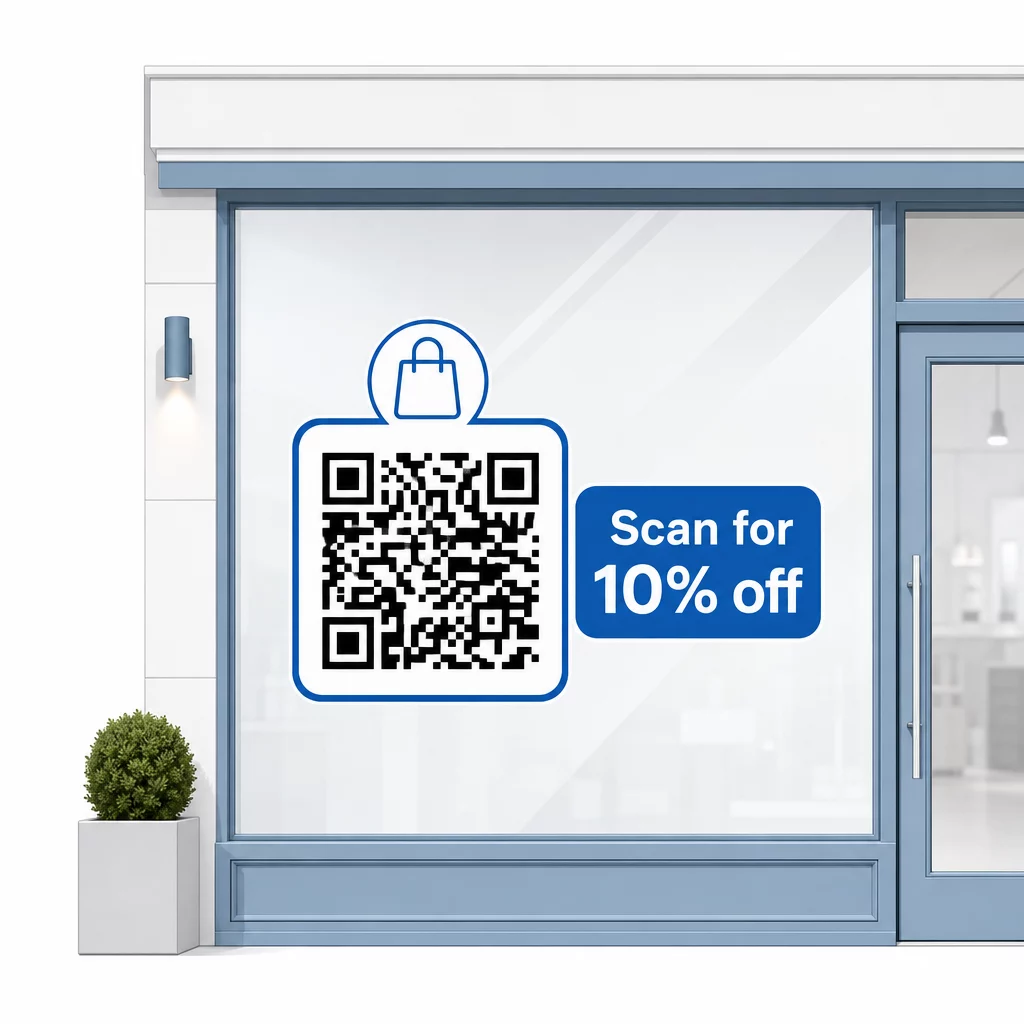
Håll meddelandet kort – högst två rader. Ju tydligare och mer specifik din CTA är, desto högre blir din skanningsfrekvens. Om din publik kan inkludera kunder som är obekanta med QR-skanning, lägg till en kort anteckning som “rikta din telefonkamera mot denna kod.” För vägledning om skanna QR-koder på olika enheter, inklusive bärbara datorer och stationära datorer, kan du hänvisa kunder till enkla instruktioner.
Spåra och förbättra över tid
En fördel dynamiska QR-koder har jämfört med statiska är inbyggd analys. Du kan se hur många personer som skannade din fönsterkod varje dag, vid vilka tider, och om det finns toppar kring specifika kampanjer.
Denna data låter dig fatta välgrundade beslut. Om skanningar minskar efter att en kampanj avslutas, uppdatera destinationen till något nytt. Om en fönsterplacering presterar bättre än en annan, vet du var du ska fokusera. Du kan också jämföra appar för QR-kodskanning för att förstå hur kunder sannolikt kommer åt dina koder och säkerställa kompatibilitet.
Använd Pageloot funktionsöversikt för att utforska hela utbudet av analys-, redigerings- och anpassningsverktyg som finns tillgängliga för att hantera dina fönsterkoder tillsammans med alla dina andra QR-kampanjer.
En välplacerad, väldesignad QR-kod på ditt skyltfönster kan generera meningsfullt engagemang dygnet runt – inte bara under öppettider. Börja med ett tydligt mål, välj en dynamisk kod så att du kan hålla innehållet aktuellt, följ riktlinjerna för placering och storlek, och ge alltid kunderna en anledning att skanna.
Börja spåra dina fönsterskanningar Använd Pageloot QR-kodgenerator för att skapa en spårbar, redigerbar QR-kod för ditt skyltfönster. Gratis 14-dagars provperiod, inget kreditkort krävs.
Vanliga frågor
Ja, om du använder en dynamisk QR-kod. Dynamiska koder låter dig uppdatera destinations-URL:en när som helst efter utskrift, så den fysiska koden på ditt fönster förblir densamma medan innehållet den länkar till ändras med varje kampanj. Statiska koder är fasta och skulle kräva omtryckning varje gång.
För en fönsterkod som förväntas skannas från fyra till sju fot bort, är en storlek på cirka 8 × 8 tum lämplig. Den allmänna riktlinjen är att lägga till 1 cm kodstorlek för varje 10 cm skanningsavstånd. Testa alltid koden i den faktiska utskrivna storleken från det avsedda avståndet innan du slutför visningen.
Undvik att bara länka till din hemsida. Mer effektiva destinationer inkluderar en produktkatalog i PDF-format, en rabatt eller kupong, en länk för Google-recensioner, en sida på sociala medier eller ett anmälningsformulär. En tydlig uppmaning till handling bredvid koden som berättar för kunderna vad de får när de skannar ökar avsevärt sannolikheten att de kommer att använda den.