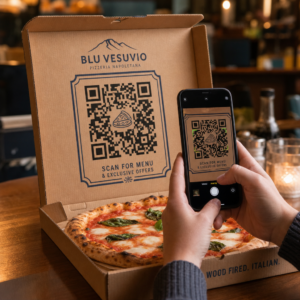
Votre vitrine fonctionne-t-elle pour vous après la fermeture ? La plupart des vitrines deviennent silencieuses dès que les lumières s'éteignent, manquant chaque client potentiel qui passe. Placer un code QR sur votre vitrine transforme ce verre en un point de contact marketing toujours actif qui connecte instantanément les passants à votre contenu numérique.
Pourquoi les vitrines sont un espace marketing sous-utilisé
La plupart des commerces de détail traitent leurs vitrines comme de la décoration. En réalité, une vitrine donnant sur une rue passante est l'un des emplacements les plus visibles à votre disposition – et cela ne coûte rien de plus d'y ajouter un code QR.
Les lèche-vitrines sont déjà intéressés. Ils ont ralenti, regardé votre étalage et envisagent de s'engager davantage. Un code QR leur offre une prochaine étape immédiate : scanner pour voir le menu, parcourir le catalogue, réclamer une réduction ou lire les avis. Sans cela, ce moment d'intérêt passe et le client continue son chemin.
Des marques comme Heinz et Nestlé ont utilisé les codes QR dynamiques sur les emballages physiques pour créer des relations continues avec les clients. La même logique s'applique aux vitrines. La vitrine n'est pas seulement une barrière entre l'intérieur et l'extérieur – c'est une surface qui peut connecter votre présence hors ligne à tout votre écosystème numérique.
Comment afficher un code QR sur une vitrine de magasin
Il existe plusieurs formats pratiques pour placer un code QR sur une vitrine, en fonction de votre budget et de la fréquence à laquelle vous devez modifier le contenu.
- Autocollants électrostatiques pour vitres sont des autocollants en vinyle amovibles qui adhèrent directement au verre. Ils sont faciles à installer, ont un aspect professionnel et peuvent être remplacés lorsque votre promotion change.
- Autocollants ou décalcomanies pour vitres sont similaires aux autocollants électrostatiques mais peuvent être plus permanents. Ceux-ci fonctionnent bien pour les codes qui renvoient à des destinations à long terme comme votre site web ou votre page d'avis Google.
- Chevalets placés juste devant votre entrée vous permettent de changer les affiches de codes QR sans toucher la vitrine. C'est utile pour promouvoir les offres du jour ou les offres à durée limitée.
- Un moniteur ou un écran dans la vitrine peut afficher un code QR de manière dynamique, ce qui est particulièrement efficace si vous alternez les promotions ou si vous souhaitez un affichage numérique très visible.
Pour n'importe lequel de ces formats, utilisez un code QR PNG haute résolution pour vous assurer que le code imprimé ou affiché reste net à la taille dont vous avez besoin.
Créez un code QR prêt à imprimer pour votre vitrine Générez un code QR de marque, haute résolution en quelques secondes avec le Générateur de code QR Pageloot. Téléchargez au format PNG, SVG ou PDF – prêt pour les autocollants de vitrine, les films adhésifs ou les chevalets.
Choisir entre les codes QR statiques et dynamiques
C'est l'une des décisions les plus importantes que vous prendrez avant d'imprimer quoi que ce soit sur votre vitrine.
Codes QR statiques sont fixes. Une fois imprimée, la destination ne peut pas être modifiée. Ils conviennent aux liens permanents comme la page d'accueil de votre entreprise ou une carte de localisation – du contenu qui n'aura jamais besoin d'être mis à jour.
Codes QR dynamiques vous permettent de modifier la destination liée à tout moment, même après que le code est déjà imprimé et affiché. Si votre autocollant de vitrine promeut une vente saisonnière qui se termine en mars, vous pouvez mettre à jour la destination vers une nouvelle promotion en avril sans remplacer le code physique. Les codes dynamiques prennent également en charge l'analyse, vous permettant de voir combien de personnes ont scanné, quand et depuis quel emplacement.
Pour la plupart des emplacements de vitrines et de signalisation, les codes QR dynamiques sont le meilleur choix. La flexibilité de mettre à jour le contenu sans réimpression permet d'économiser de l'argent et vous donne la possibilité de maintenir la pertinence de votre vitrine. En savoir plus sur les options de code QR pour les enseignes et les bannières pour comprendre quel format correspond à votre cas d'utilisation.
Gardez votre code de vitrine toujours pertinent Avec Les codes QR dynamiques de Pageloot, vous pouvez mettre à jour l'URL de destination de votre vitrine à tout moment – aucune réimpression requise. Commencez un essai gratuit de 14 jours pour obtenir un accès complet au suivi et à l'édition.
Directives de placement et de taille
Un code QR qui ne peut pas être scanné est une opportunité gâchée. Suivez ces directives pratiques pour vous assurer que votre code de vitrine fonctionne réellement.
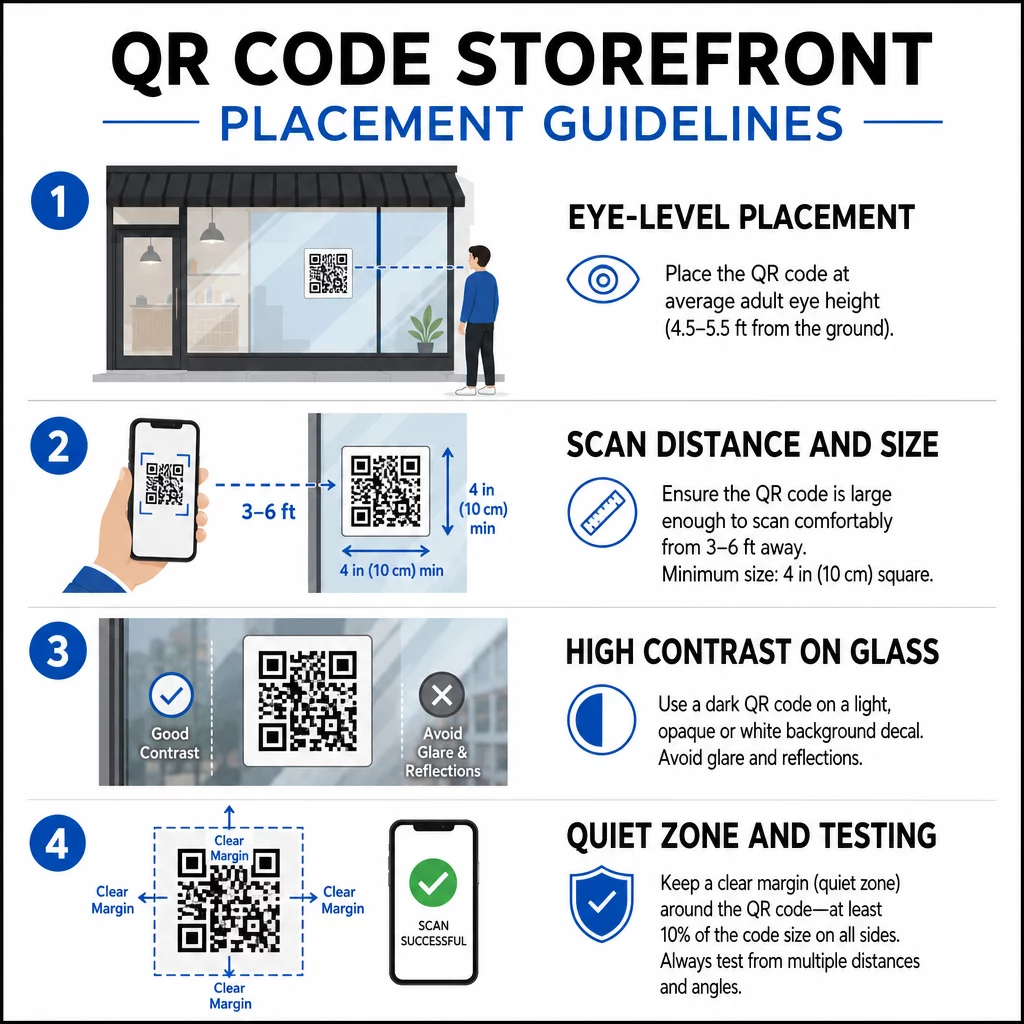
Placement à hauteur des yeux est la recommandation standard. Visez environ cinq pieds du sol, là où la plupart des adultes regardent naturellement en passant. Les codes placés trop haut, trop bas ou obscurcis par d'autres panneaux sont faciles à ignorer et plus difficiles à scanner.
Taille pour la distance de balayage attendue importe plus que les gens ne l'imaginent. Règle générale : pour chaque 10 cm de distance de balayage, ajoutez 1 cm à la longueur du côté du code. Pour un code de fenêtre censé être scanné à une distance de quatre à sept pieds, un code d'environ 8 × 8 pouces est approprié. Évitez de descendre en dessous de 2 × 2 cm pour toute application à courte portée.
Contraste élevé entre le code et son arrière-plan est essentiel. Utilisez un code sombre sur un fond clair. Évitez les schémas inversés (code clair sur fond sombre) car certains lecteurs de QR ne peuvent pas les décoder de manière fiable. Lors de l'application d'un autocollant sur du verre, testez-le après l'installation – le verre peut créer un éblouissement qui interfère avec le balayage.
Zones de silence (la marge blanche autour du code) doit être maintenue. Laissez au moins 0,25 pouce d'espace clair sur tous les côtés, sans texte, images ou éléments de design. Sans cette zone tampon, les scanners risquent de ne pas détecter où le code commence et se termine.
Testez avant de vous engager. Scannez le code à la taille d'impression finale depuis la distance réelle à laquelle un client se tiendrait, en utilisant plusieurs appareils. Cette étape permet de détecter les problèmes avant qu'ils n'atteignent votre vitrine. Pour plus de détails sur les meilleures pratiques de lisibilité des codes QR, y compris les rapports de contraste et les zones de silence, le guide complet couvre toutes les exigences techniques.
À quoi lier votre code QR de fenêtre
La destination est aussi importante que le code lui-même. Le simple fait de créer un lien vers votre page d'accueil est l'option la moins intéressante. Les personnes qui scannent un code de fenêtre sont déjà à votre emplacement – elles veulent quelque chose de plus spécifique.
Considérez ces destinations à plus forte valeur ajoutée :
- UNE Catalogue de produits PDF présentant les articles disponibles, les tailles et les prix, afin que les clients puissent naviguer même lorsque le magasin est fermé. Un PDF Code QR rend cela simple à configurer et à mettre à jour.
- UNE remise ou coupon pour leur prochaine visite, encourageant le retour des clients.
- UNE lien d'avis vers votre profil Google Business, facilitant ainsi le dépôt d'avis pour les clients satisfaits.
- Un promotion exclusive ou tirage au sort, donnant aux gens une raison de scanner immédiatement plutôt que de passer leur chemin.
- Réseaux sociaux ou un formulaire d'inscription, transformant un passant occasionnel en un abonné ou un suiveur à long terme.
UNE code QR URL peut pointer vers n'importe laquelle de ces destinations, et avec un code dynamique, vous pouvez faire pivoter ce que vous proposez sans modifier l'affichage physique.
Toujours ajouter un appel à l'action
Ne supposez jamais que les gens savent quoi faire avec un code QR ou pourquoi ils devraient s'en soucier. Une courte instruction adjacente au code supprime cette friction. Des phrases comme “ Ouvrez votre appareil photo et scannez pour 10% de réduction ” ou “ Scannez pour voir le menu du jour ” indiquent au client exactement à quoi s'attendre.
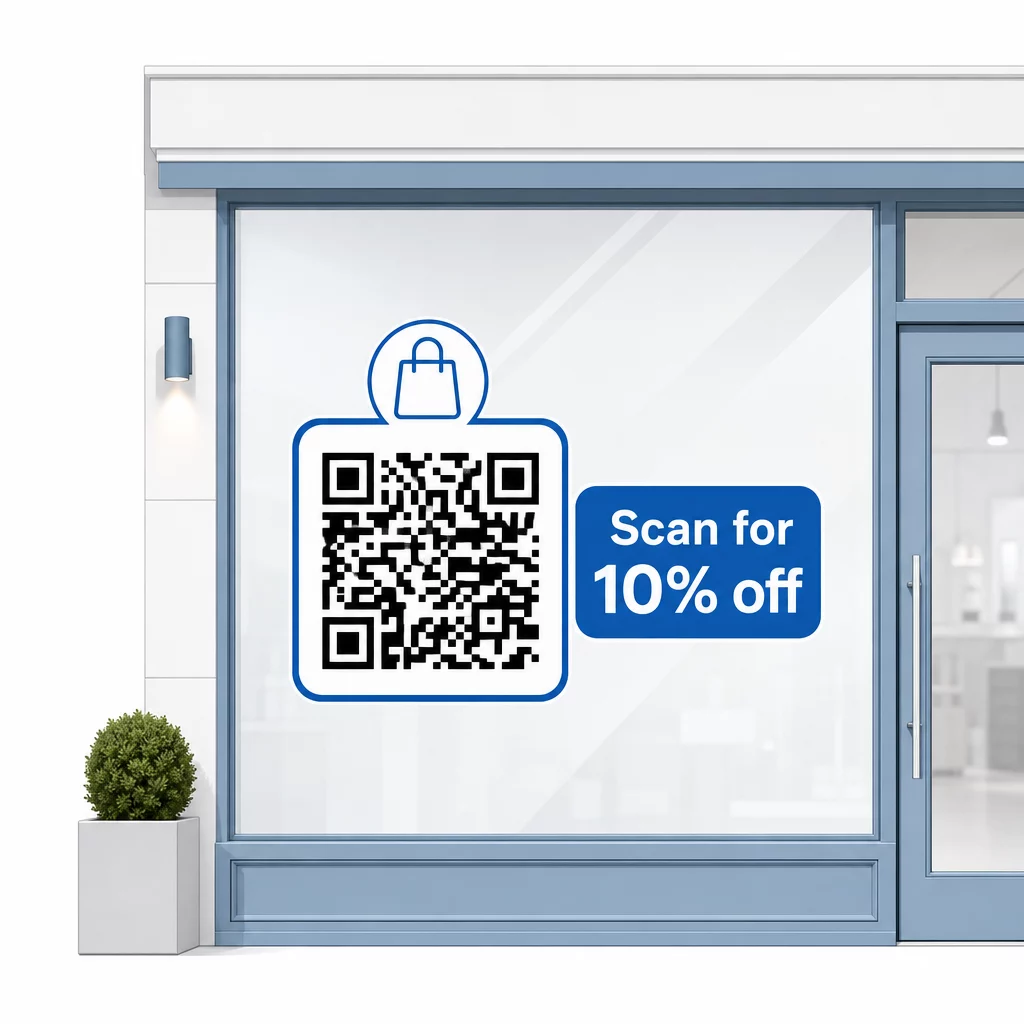
Gardez le message court – deux lignes au maximum. Plus votre CTA est clair et spécifique, plus votre taux de scan sera élevé. Si votre public peut inclure des clients peu familiers avec le scan de QR codes, ajoutez une brève note telle que “ pointez l'appareil photo de votre téléphone vers ce code ”. Pour des conseils sur la numérisation de codes QR sur différents appareils, y compris les ordinateurs portables et de bureau, vous pouvez orienter les clients vers des instructions simples.
Suivre et améliorer au fil du temps
Un avantage des codes QR dynamiques par rapport aux codes statiques est l'analyse intégrée. Vous pouvez voir combien de personnes ont scanné votre code de fenêtre chaque jour, à quelles heures, et s'il y a des pics autour de promotions spécifiques.
Ces données vous permettent de prendre des décisions éclairées. Si les scans diminuent après la fin d'une promotion, mettez à jour la destination avec quelque chose de nouveau. Si un emplacement de fenêtre est plus performant qu'un autre, vous savez où vous concentrer. Vous pouvez également comparer les applications de scan de codes QR pour comprendre comment les clients accèdent probablement à vos codes et assurer la compatibilité.
Utilisez le Vue d'ensemble des fonctionnalités de Pageloot pour explorer la gamme complète d'outils d'analyse, d'édition et de personnalisation disponibles pour gérer vos codes de fenêtre ainsi que toutes vos autres campagnes QR.
Un code QR bien placé et bien conçu sur la vitrine de votre magasin peut générer un engagement significatif 24 heures sur 24 – pas seulement pendant les heures d'ouverture. Commencez par un objectif clair, choisissez un code dynamique pour pouvoir maintenir le contenu à jour, suivez les directives de placement et de taille, et donnez toujours aux clients une raison de scanner.
Commencez à Suivre Vos Scans de Fenêtre Utilisez le Générateur de code QR Pageloot pour créer un code QR traçable et modifiable pour la vitrine de votre magasin. Essai gratuit de 14 jours, aucune carte de crédit requise.
Questions fréquentes
Oui, si vous utilisez un code QR dynamique. Les codes dynamiques vous permettent de mettre à jour l'URL de destination à tout moment après l'impression, de sorte que le code physique sur votre fenêtre reste le même tandis que le contenu auquel il renvoie change à chaque promotion. Les codes statiques sont fixes et nécessiteraient une réimpression à chaque fois.
Pour un code de fenêtre destiné à être scanné à une distance de quatre à sept pieds, une taille d'environ 8 × 8 pouces est appropriée. La règle générale est d'ajouter 1 cm à la taille du code pour chaque 10 cm de distance de scan. Toujours tester le code à sa taille d'impression réelle et à la distance prévue avant de finaliser l'affichage.
Évitez de simplement créer un lien vers votre page d'accueil. Des destinations plus efficaces incluent un PDF de catalogue de produits, une réduction ou un coupon, un lien d'avis Google, une page de médias sociaux ou un formulaire d'inscription. Un appel à l'action clair à côté du code, indiquant aux clients ce qu'ils obtiendront en le scannant, augmente considérablement la probabilité qu'ils l'utilisent.