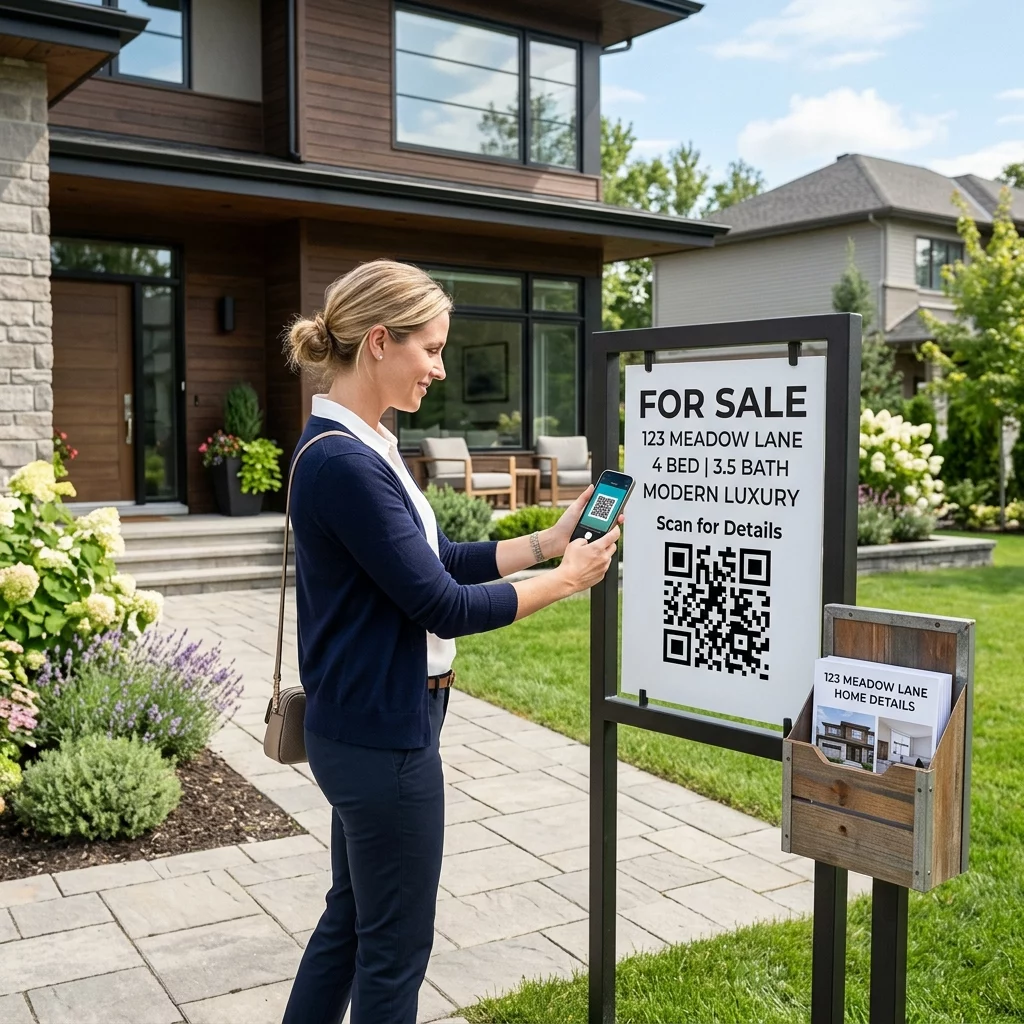
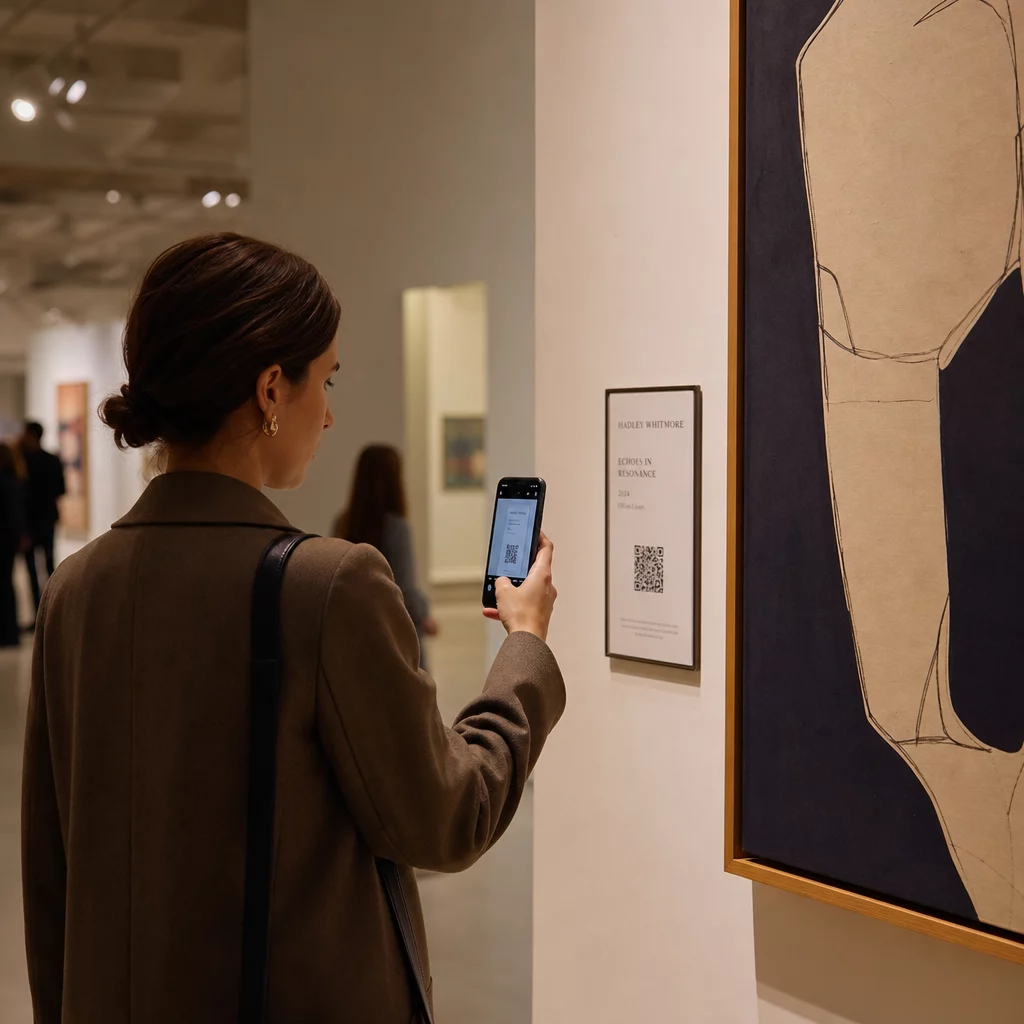
Funguje váš výklad pre vás aj po záverečnej? Väčšina výkladov stíchne v momente, keď zhasnú svetlá, a premešká každého potenciálneho zákazníka, ktorý prejde okolo. Umiestnenie QR kódu na váš výklad premení toto sklo na neustále aktívny marketingový kontaktný bod, ktorý okamžite spojí okoloidúcich s vaším digitálnym obsahom.
Prečo sú výklady nedostatočne využívaným marketingovým priestorom
Väčšina maloobchodných podnikov považuje svoje výklady za dekoráciu. V skutočnosti je výklad smerujúci na rušnú ulicu jedným z najviditeľnejších umiestnení, ktoré máte k dispozícii – a pridanie QR kódu k nemu nestojí nič navyše.
Zákazníci, ktorí si prezerajú výklad, už majú záujem. Spomalili, pozreli si váš výklad a zvažujú, či sa zapoja ďalej. QR kód im poskytuje okamžitý ďalší krok: naskenujte si menu, prezrite si katalóg, uplatnite si zľavu alebo si prečítajte recenzie. Bez neho tento moment záujmu pominie a zákazník prejde ďalej.
Značky ako Heinz a Nestlé použili dynamické QR kódy na fyzickom balení na vytváranie trvalých vzťahov so zákazníkmi. Rovnaká logika platí aj pre výklady. Výklad nie je len bariérou medzi interiérom a exteriérom – je to povrch, ktorý môže prepojiť vašu offline prítomnosť s celým vaším digitálnym ekosystémom.
Ako zobraziť QR kód na výklade obchodu
Existuje niekoľko praktických formátov na umiestnenie QR kódu na výklad, v závislosti od vášho rozpočtu a toho, ako často potrebujete meniť obsah.
- Statické fólie na okná sú odnímateľné vinylové nálepky, ktoré sa priamo prilepia na sklo. Ľahko sa inštalujú, vyzerajú profesionálne a dajú sa vymeniť, keď sa zmení vaša propagácia.
- Okenné nálepky alebo obtlačky sú podobné statickým fóliám, ale môžu byť trvalejšie. Tieto fungujú dobre pre kódy, ktoré odkazujú na dlhodobé destinácie, ako je vaša webová stránka alebo stránka s recenziami Google.
- A-stojany umiestnené hneď pred vaším vchodom vám umožňujú vymieňať plagáty s QR kódmi bez toho, aby ste sa vôbec dotkli okna. To je užitočné na propagáciu denných špecialít alebo časovo obmedzených ponúk.
- Monitor alebo obrazovka vo výklade môže dynamicky zobrazovať QR kód, čo je obzvlášť efektívne, ak striedate propagačné akcie alebo chcete digitálny displej s vysokou viditeľnosťou.
Pre ktorýkoľvek z týchto formátov použite PNG QR kódu vo vysokom rozlíšení aby ste zabezpečili, že vytlačený alebo zobrazený kód zostane ostrý v požadovanej veľkosti.
Vytvorte QR kód pripravený na tlač pre vaše okno Vygenerujte značkový QR kód vo vysokom rozlíšení za pár sekúnd pomocou Generátor QR kódov Pageloot. Stiahnite si vo formáte PNG, SVG alebo PDF – pripravené pre okenné nálepky, fólie alebo A-stojany.
Výber medzi statickými a dynamickými QR kódmi
Toto je jedno z najdôležitejších rozhodnutí, ktoré urobíte pred tlačou čohokoľvek na vaše okno.
Statické kódy QR sú pevné. Po vytlačení sa cieľ nedá zmeniť. Sú vhodné pre trvalé odkazy, ako je domovská stránka vašej firmy alebo mapa polohy – obsah, ktorý nikdy nebude potrebné aktualizovať.
Dynamické kódy QR vám umožňujú kedykoľvek zmeniť prepojený cieľ, aj keď je kód už vytlačený a zobrazený. Ak vaša okenná nálepka propaguje sezónny výpredaj, ktorý končí v marci, môžete aktualizovať cieľ na novú akciu v apríli bez výmeny fyzického kódu. Dynamické kódy tiež podporujú analýzy, takže môžete vidieť, koľko ľudí skenovalo, kedy a z akého miesta.
Pre väčšinu umiestnení na oknách a značkách sú dynamické QR kódy lepšou voľbou. Flexibilita aktualizácie obsahu bez opätovnej tlače šetrí peniaze a dáva vám možnosť udržať vaše okno relevantné. Zistite viac o možnostiach QR kódov pre značky a bannery aby ste pochopili, ktorý formát vyhovuje vášmu prípadu použitia.
Udržujte svoj okenný kód vždy aktuálny S Dynamické QR kódy Pageloot, môžete kedykoľvek aktualizovať cieľovú URL adresu vášho okna – bez nutnosti opätovnej tlače. Začnite bezplatnú 14-dňovú skúšobnú verziu a získajte plný prístup k sledovaniu a úpravám.
Pokyny pre umiestnenie a veľkosť
QR kód, ktorý sa nedá naskenovať, je premrhaná príležitosť. Dodržujte tieto praktické pokyny, aby ste sa uistili, že váš okenný kód skutočne funguje.
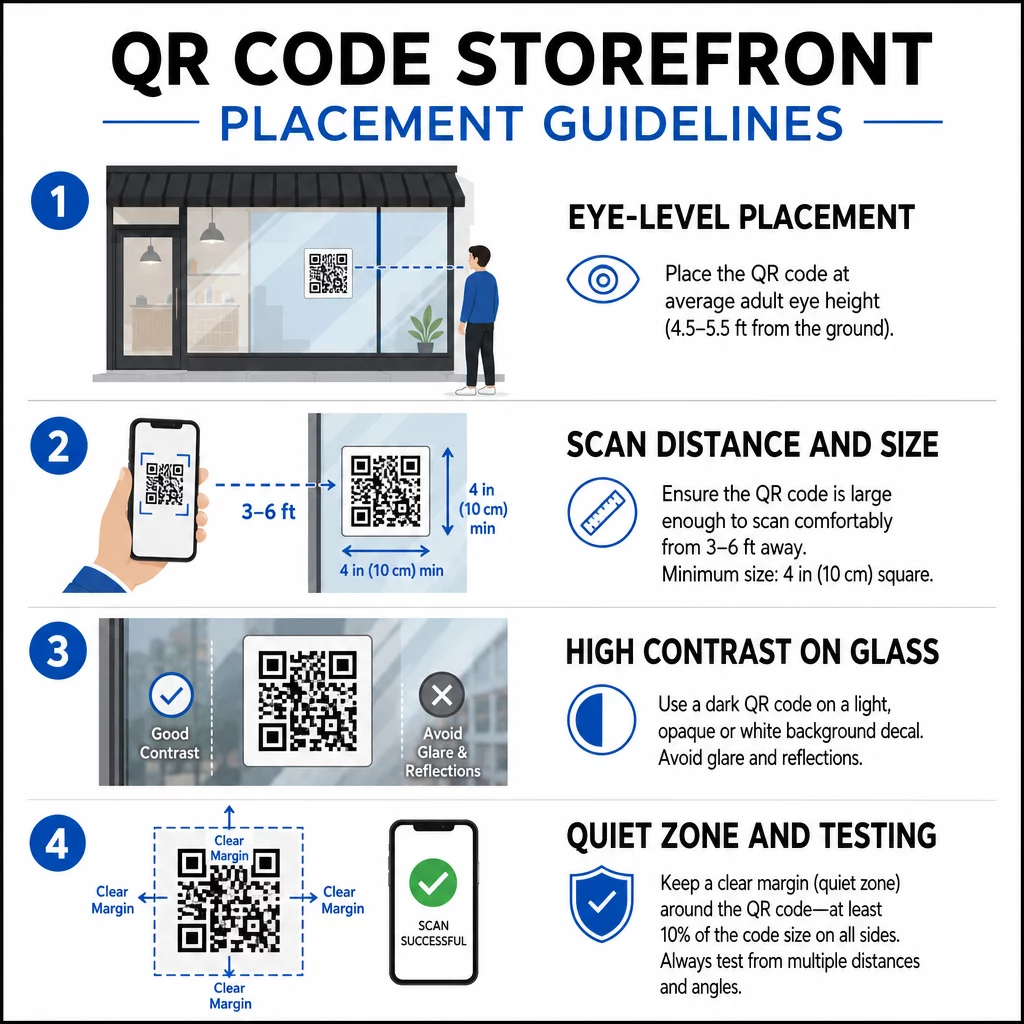
Umiestnenie vo výške očí je štandardné odporúčanie. Zamerajte sa na približne päť stôp od zeme, kam sa väčšina dospelých prirodzene pozerá, keď prechádza okolo. Kódy umiestnené príliš vysoko, príliš nízko alebo zakryté iným označením sa ľahko ignorujú a ťažšie sa skenujú.
Veľkosť pre očakávanú vzdialenosť skenovania záleží viac, než ľudia očakávajú. Všeobecné pravidlo: na každých 10 cm vzdialenosti skenovania pridajte 1 cm k dĺžke strany kódu. Pre okenný kód, ktorý sa má skenovať zo vzdialenosti štyroch až siedmich stôp, je vhodný kód s rozmermi približne 8 × 8 palcov. Vyhnite sa menším rozmerom ako 2 × 2 cm pre akúkoľvek aplikáciu na krátku vzdialenosť.
Vysoký kontrast medzi kódom a jeho pozadím je nevyhnutný. Použite tmavý kód na svetlom pozadí. Vyhnite sa invertovaným schémam (svetlé kódy na tmavom pozadí), pretože niektoré čítačky QR kódov ich nedokážu spoľahlivo dekódovať. Pri aplikácii nálepky na sklo ju po inštalácii otestujte – sklo môže vytvárať odlesky, ktoré rušia skenovanie.
Tiché zóny (biely okraj okolo kódu) by sa mal zachovať. Ponechajte aspoň 0,25 palca voľného priestoru na všetkých stranách, bez textu, obrázkov alebo dizajnových prvkov. Bez tohto nárazníka môžu skenery zlyhať pri detekcii, kde sa kód začína a končí.
Otestujte pred spustením. Naskenujte kód v konečnej vytlačenej veľkosti zo skutočnej vzdialenosti, z ktorej by stál zákazník, pomocou viacerých zariadení. Tento krok zachytí problémy skôr, ako sa dostanú do vášho obchodu. Pre viac podrobností o osvedčené postupy čitateľnosti QR kódov, vrátane kontrastných pomerov a tichých zón, kompletný sprievodca pokrýva všetky technické požiadavky.
Na čo odkazovať váš okenný QR kód
Cieľ je rovnako dôležitý ako samotný kód. Jednoduché prepojenie na vašu domovskú stránku je možnosť s najnižšou hodnotou. Ľudia, ktorí skenujú okenný kód, sú už na vašom mieste – chcú niečo konkrétnejšie.
Zvážte tieto ciele s vyššou hodnotou:
- A PDF katalóg produktov zobrazujúci dostupné položky, veľkosti a ceny, aby si zákazníci mohli prezerať aj keď je obchod zatvorený. A Kód QR vo formáte PDF to uľahčuje nastavenie a aktualizáciu.
- A zľava alebo kupón na ich ďalšiu návštevu, čím podporíte opakované návštevy.
- A odkaz na recenziu na váš profil Google Moja firma, čím spokojným zákazníkom uľahčíte zanechanie spätnej väzby.
- Nástroj exkluzívna akcia alebo súťaž, čo dáva ľuďom dôvod okamžite skenovať, namiesto toho, aby prešli okolo.
- Sociálne médiá alebo registračný formulár, čím sa z jednorazového okoloidúceho stane dlhodobý sledovateľ alebo odberateľ.
A QR kód URL môže odkazovať na ktorúkoľvek z týchto destinácií a s dynamickým kódom môžete meniť to, čo ponúkate, bez zmeny fyzického zobrazenia.
Vždy pridajte výzvu na akciu
Nikdy nepredpokladajte, že ľudia vedia, čo robiť s QR kódom alebo prečo by sa mali obťažovať. Krátka inštrukcia vedľa kódu odstraňuje túto prekážku. Frázy ako “Otvorte fotoaparát a naskenujte pre 10% zľavu” alebo “Naskenujte pre zobrazenie dnešného menu” zákazníkovi presne povedia, čo má očakávať.
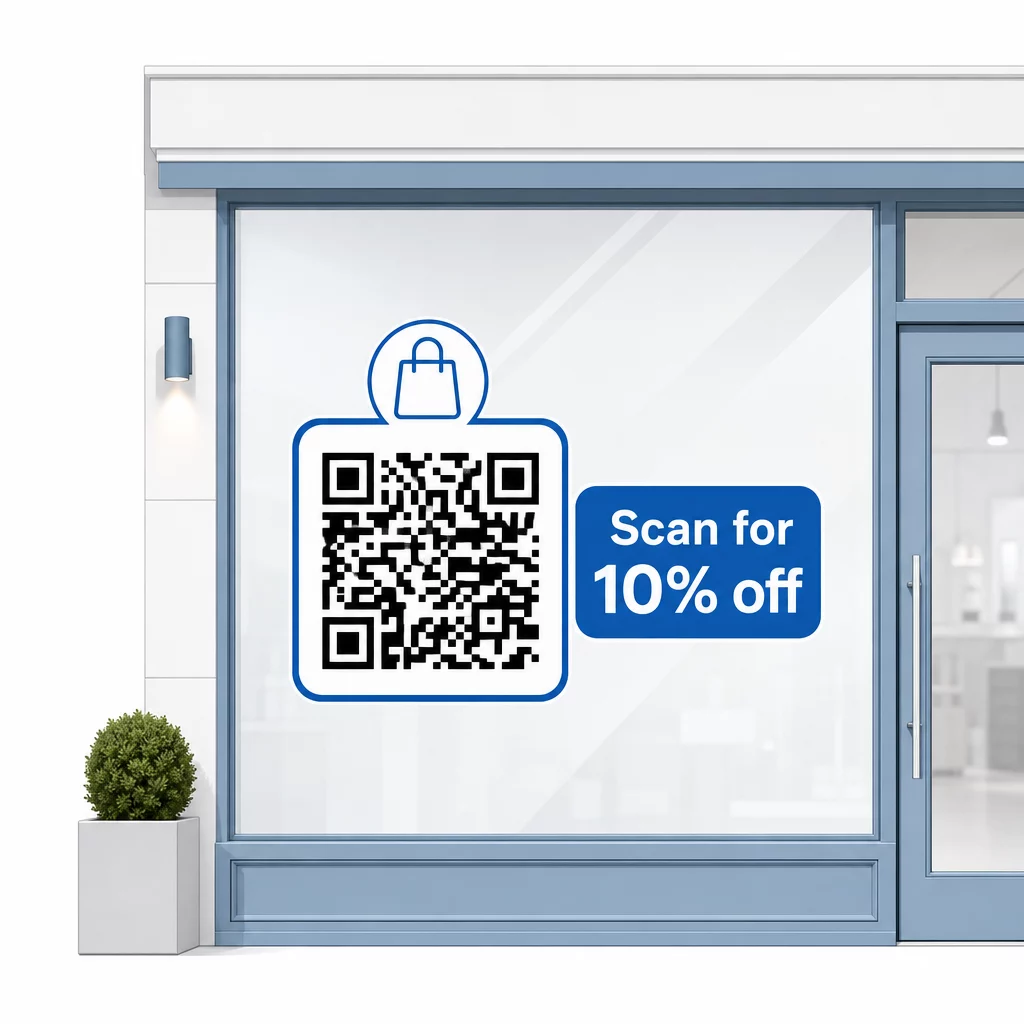
Správu udržujte krátku – maximálne dva riadky. Čím jasnejšia a špecifickejšia je vaša výzva na akciu, tým vyššia bude miera skenovania. Ak vaše publikum môže zahŕňať zákazníkov, ktorí nie sú oboznámení so skenovaním QR kódov, pridajte krátku poznámku, napríklad “namierte fotoaparát telefónu na tento kód.” Pre pokyny k skenovaniu QR kódov na rôznych zariadeniach, vrátane notebookov a stolných počítačov, môžete zákazníkov odkázať na jednoduché pokyny.
Sledujte a zlepšujte sa v priebehu času
Jednou z výhod dynamických QR kódov oproti statickým je vstavaná analytika. Môžete vidieť, koľko ľudí naskenovalo váš okenný kód každý deň, v akých časoch a či existujú špičky okolo konkrétnych akcií.
Tieto údaje vám umožnia robiť informované rozhodnutia. Ak počet skenov klesne po skončení akcie, aktualizujte cieľ na niečo nové. Ak jedno umiestnenie na okne prekoná iné, viete, kam sa zamerať. Môžete tiež porovnať aplikácie na skenovanie QR kódov aby ste pochopili, ako zákazníci pravdepodobne pristupujú k vašim kódom a zabezpečili kompatibilitu.
Použi Prehľad funkcií Pageloot aby ste preskúmali celú škálu analytických, editačných a prispôsobovacích nástrojov dostupných na správu vašich okenných kódov spolu so všetkými ostatnými QR kampaňami.
Dobre umiestnený a navrhnutý QR kód na výklade vášho obchodu môže generovať zmysluplnú angažovanosť nepretržite – nielen počas otváracích hodín. Začnite s jasným cieľom, vyberte si dynamický kód, aby ste mohli udržiavať obsah aktuálny, dodržujte pokyny pre umiestnenie a veľkosť a vždy dajte zákazníkom dôvod na skenovanie.
Začnite sledovať skeny vášho okna Použi Generátor QR kódov Pageloot na vytvorenie sledovateľného, upraviteľného QR kódu pre výklad vášho obchodu. Bezplatná 14-dňová skúšobná verzia, nie je potrebná kreditná karta.
Často kladené otázky
Áno, ak použijete dynamický QR kód. Dynamické kódy vám umožňujú aktualizovať cieľovú URL adresu kedykoľvek po vytlačení, takže fyzický kód na vašom okne zostáva rovnaký, zatiaľ čo obsah, na ktorý odkazuje, sa mení s každou propagáciou. Statické kódy sú pevné a vyžadovali by si opätovnú tlač zakaždým.
Pre okenný kód určený na skenovanie zo vzdialenosti štyroch až siedmich stôp je vhodná veľkosť približne 8 × 8 palcov. Všeobecné pravidlo je pridať 1 cm k veľkosti kódu na každých 10 cm skenovacej vzdialenosti. Vždy otestujte kód v skutočnej vytlačenej veľkosti zo zamýšľanej vzdialenosti pred dokončením zobrazenia.
Vyhnite sa jednoduchému odkazovaniu na vašu domovskú stránku. Efektívnejšie destinácie zahŕňajú PDF katalóg produktov, zľavu alebo kupón, odkaz na recenziu Google, stránku sociálnych médií alebo registračný formulár. Jasná výzva na akciu vedľa kódu, ktorá zákazníkom hovorí, čo získajú po naskenovaní, výrazne zvyšuje pravdepodobnosť, že ho použijú.