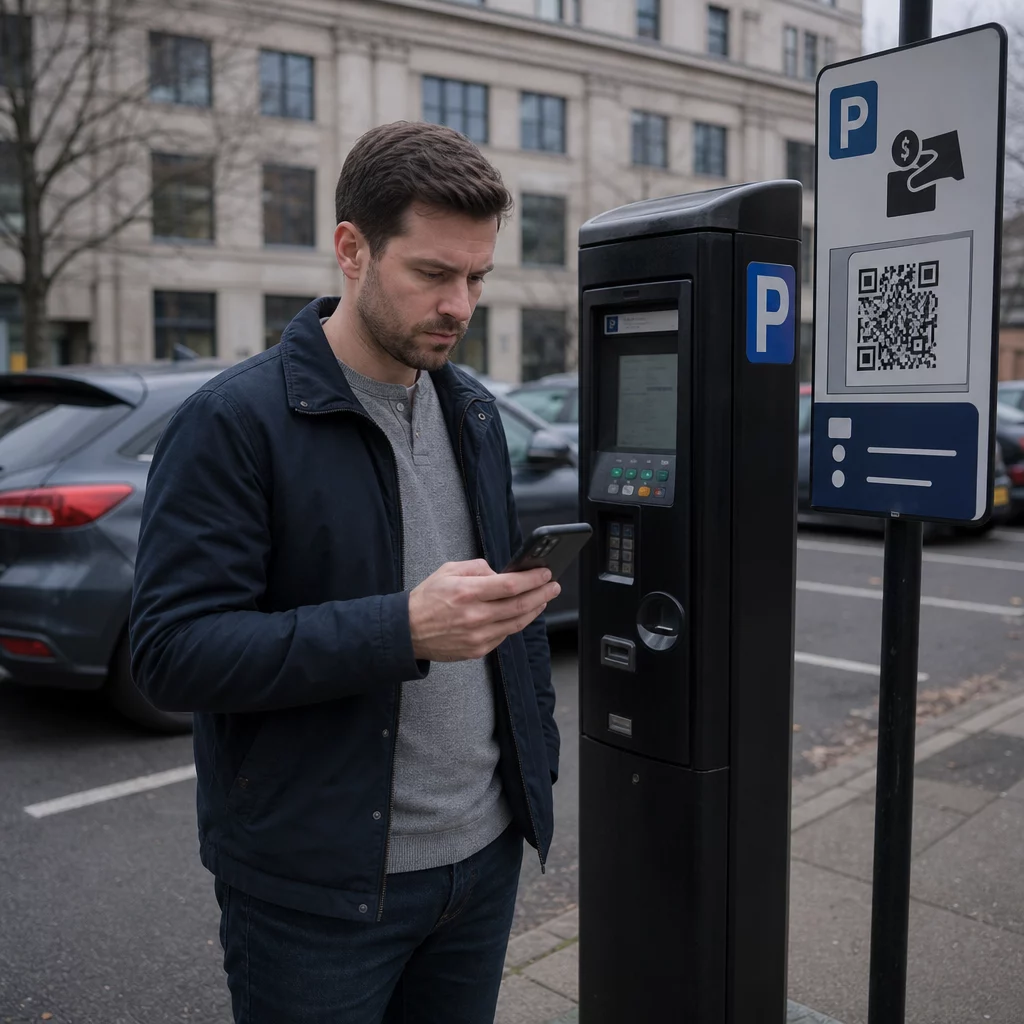
Weet u zeker dat die QR-code op de parkeermeter legitiem is? Valse QR-codestickers die op parkeermachines en bewegwijzering zijn geplaatst, stelen kaartgegevens van duizenden Britse chauffeurs – en de oplichting verspreidt zich snel. Deze gids legt precies uit hoe deze oplichting werkt, op welke waarschuwingssignalen u moet letten en welke praktische stappen u kunt nemen om uzelf te beschermen.
Hoe de Britse parkeer-QR-code-oplichting werkt
De fraudetechniek staat bekend als “quishing” – een samentrekking van QR-code en phishing. Criminelen printen valse QR-codestickers en plaatsen deze direct over, of naast, legitieme bewegwijzering op parkeerautomaten, slagbomen van parkeergarages en betaalborden. Volgens een Freedom of Information-enquête meldden 123 van de 373 Britse lokale autoriteiten dat hun parkeergarages in één jaar tijd waren getroffen, waarbij de gemeenteraad van Sheffield alleen al meldde dat al zijn 370 parkeerautomaten waren getroffen.
Wanneer een bestuurder de valse code scant, wordt deze omgeleid naar een overtuigende maar frauduleuze website die een echt parkeerbetaalplatform nabootst. De site toont doorgaans bekende branding – logo's, kleuren en lay-outs gekopieerd van legitieme diensten zoals PayByPhone – om een illusie van authenticiteit te creëren. Zodra slachtoffers hun betaalkaartgegevens invoeren, leggen criminelen die informatie vast en gebruiken deze om ongeautoriseerde opnames te doen.
De oplichting stopt niet bij één gestolen betaling. Rapporten beschrijven een terugkerend patroon waarbij een initiële kleine “parkeer”-kosten wordt gevolgd door grotere terugkerende opnames die worden gefactureerd als valse online abonnementen. Action Fraud ontving bijna 800 QR-fraudemeldingen in de 12 maanden tot april 2025, met een totale schade van ongeveer £3,5 miljoen.
Bestuurders lopen een dubbel risico: niet alleen worden hun financiële gegevens rechtstreeks aan oplichters overhandigd, maar omdat ze niet via officiële kanalen hebben betaald, kunnen ze ook een legitieme boete ontvangen wegens niet-betaling.
Welke gebieden en locaties zijn getroffen
Parkeer-QR-code-oplichting is gemeld in steden en dorpen in het hele VK, waaronder York, de Royal Borough of Kensington and Chelsea in Londen, het West Bay-gebied van Dorset, en vele andere. De gemeenteraad van York bevestigde dat meerdere parkeergarages waren getroffen – waaronder Castle, Nunnery Lane, St George’s Field, Bootham Row, Monk Bar, Marygate, Union Terrace en Bishopthorpe Road, waarbij sommige slachtoffers individuele verliezen tot £400 meldden.
Naast gemeentelijke parkeergarages hebben oplichters ook meer dan 20 parkeergarages van Britse ziekenhuizen getroffen. Overal waar bestuurders tijdsdruk ervaren en afhankelijk zijn van snelle betaalmethoden, wordt beschouwd als een potentieel doelwit.
Waarschuwingssignalen van een valse parkeer-QR-code
Weten waar u op moet letten, is uw eerste verdedigingslinie. Let op deze rode vlaggen voordat u iets scant:
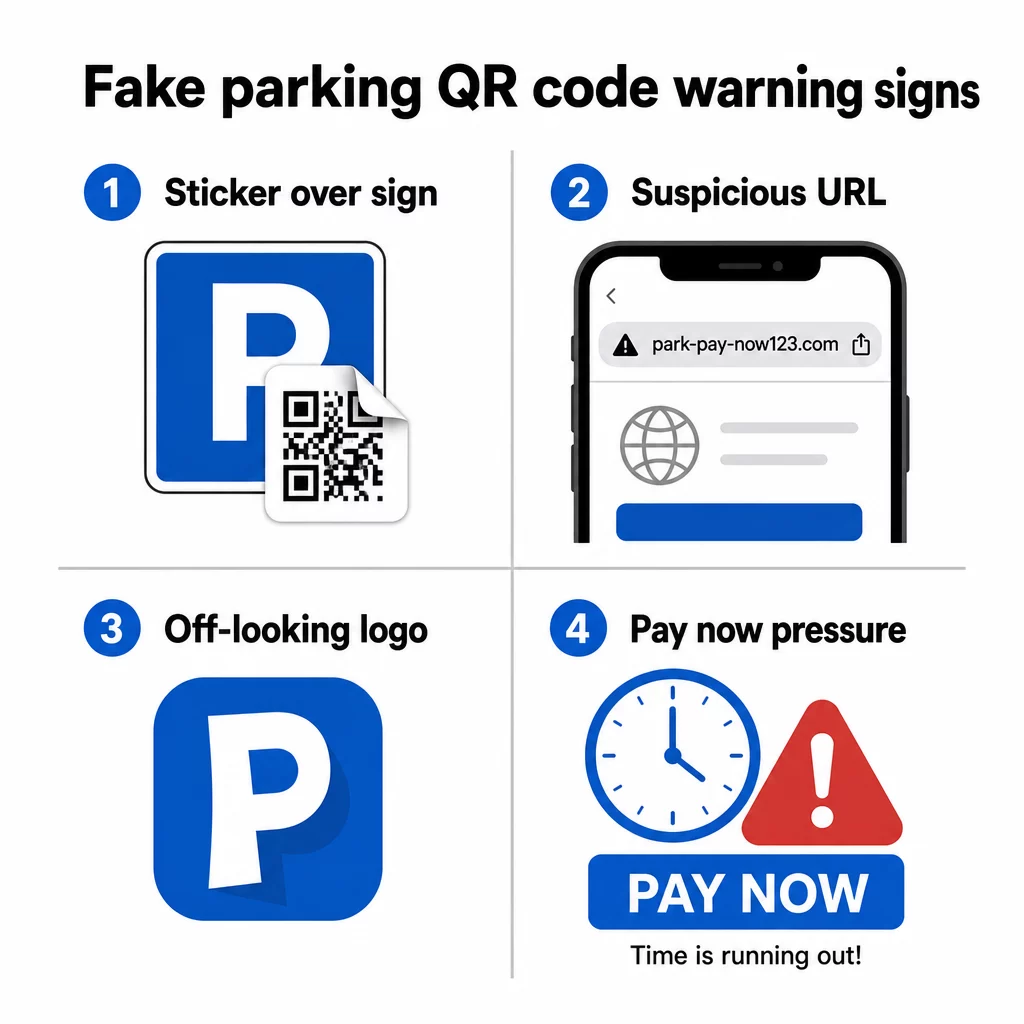
- Een QR-codesticker geplaatst over bestaande bewegwijzering – legitieme parkeerbeheerders installeren bewegwijzering professioneel; een overlappende sticker is een sterke indicator van manipulatie
- QR-codes bij gemeenten of exploitanten die ze niet gebruiken – Kensington and Chelsea Council, Dorset Council, en vele anderen hebben expliciet verklaard dat hun parkeersystemen helemaal geen QR-codes gebruiken; elke QR-code op die locaties leidt naar oplichters
- Logo's die er een beetje afwijkend uitzien – frauduleuze stickers kopiëren vaak de huisstijl van diensten zoals PayByPhone, maar de afdrukkwaliteit of de logo-verhoudingen kunnen inconsistent zijn
- Een URL die niet overeenkomt met de officiële dienst – voordat u een link opent, bekijk het bestemmingsadres; legitieme parkeerdiensten gebruiken herkenbare, officiële domeinen (en officiële gemeentepagina's bevatten altijd “gov.uk”)
- Verzoeken om betaling via een onbekende website – als de site waarop u terechtkomt om kaartgegevens vraagt, maar de URL niet overeenkomt met de app of dienst die u verwachtte, sluit deze dan onmiddellijk
John Wilmot, algemeen directeur van autolease-vergelijkingswebsite LeaseLoco, zei het duidelijk: “Veel van deze oplichtingspraktijken zullen u aansporen om snel een vergoeding te betalen om grotere boetes te voorkomen. Wanneer we zoiets zien, haasten we ons vaak om de betaling te doen in plaats van te stoppen en de legitimiteit van het bericht of de brief te controleren.”
Die urgentie is gecreëerd. 30 seconden de tijd nemen om te controleren voordat u scant, is voldoende om de meeste van deze aanvallen te voorkomen.
Hoe veilig te betalen voor parkeren
De veiligste aanpak is om het scannen van QR-codes bij parkeerautomaten helemaal te vermijden, en meerdere Britse gemeenten en consumentenorganisaties bevelen nu precies dat aan.
- Download de officiële parkeerapp voordat u deze nodig heeft – apps zoals RingGo en PayByPhone zijn de beoogde betaalmethode voor de meeste Britse parkeergarages; stel ze thuis in, zodat u niet gehaast bent bij de automaat
- Betaal via telefoon, sms of PayPoint – de meeste gemeenten bieden meerdere betaalopties; gebruik een officiële methode die het scannen van een code ter plaatse niet vereist
- Typ de URL direct in – als een betaalwebsite als tekst op de bewegwijzering is afgedrukt, typ deze dan handmatig in uw browser in in plaats van te vertrouwen op een QR-code om u om te leiden
- Controleer op fysieke manipulatie – haal uw vinger over de bewegwijzering; een opstaande stickerrand is een teken dat er iets over het oorspronkelijke oppervlak is geplaatst
- Bekijk de URL voordat u deze volgt – de ingebouwde camera-app van uw telefoon toont u het bestemmingsadres voordat u het opent; als iets er verdacht uitziet, ga dan niet verder
- Gebruik de ingebouwde camera van uw telefoon in plaats van een scan-app van derden – afzonderlijke QR-codescanner-apps kunnen het risico op malware of misleidende omleidingen vergroten
Scan QR-codes veiliger Weet u niet zeker of een QR-code legitiem is voordat u deze scant? Gebruik de gratis online QR-codescanner om een code van een geüploade afbeelding te decoderen en de bestemmings-URL te inspecteren voordat u deze bezoekt.
Wat te doen als u al een valse code heeft gescand
Als u kaartgegevens heeft ingevoerd op een site die u via een verdachte QR-code heeft bereikt, handel dan snel:
- Neem onmiddellijk contact op met uw bank – meld de transactie als fraude en vraag een nieuwe kaart aan; de meeste Britse banken zullen ongeautoriseerde betalingen terugbetalen wanneer deze tijdig worden gemeld
- Meld het bij Action Fraud – de nationale fraudemeldingdienst van het VK (actionfraud.police.uk) behandelt QR-code- en online betaalfraude
- Melden bij het Nationaal Cyber Security Centrum – verdachte oplichtingswebsites kunnen worden gemeld via report.ncsc.gov.uk
- Informeer de gemeente of parkeerbeheerder – informeer uw lokale gemeente zodat zij valse stickers kunnen verwijderen en andere bestuurders kunnen waarschuwen; u moet het ook melden bij de politie
- Controleer uw afschriften – controleer uw rekening de komende weken op terugkerende kosten van onbekende abonnementsdiensten
De nep-parkeerboete sms-oplichting
Een gerelateerde oplichting betreft sms-berichten of e-mails waarin wordt beweerd dat bestuurders een onbetaalde parkeerboete hebben ontvangen, met een link of QR-code die leidt naar een nep-betaalsite. Rugby Borough Council heeft bewoners gewaarschuwd voor dit soort berichten, die officiële overheidscommunicatie nabootsen maar worden gehost op niet-gerelateerde domeinen.
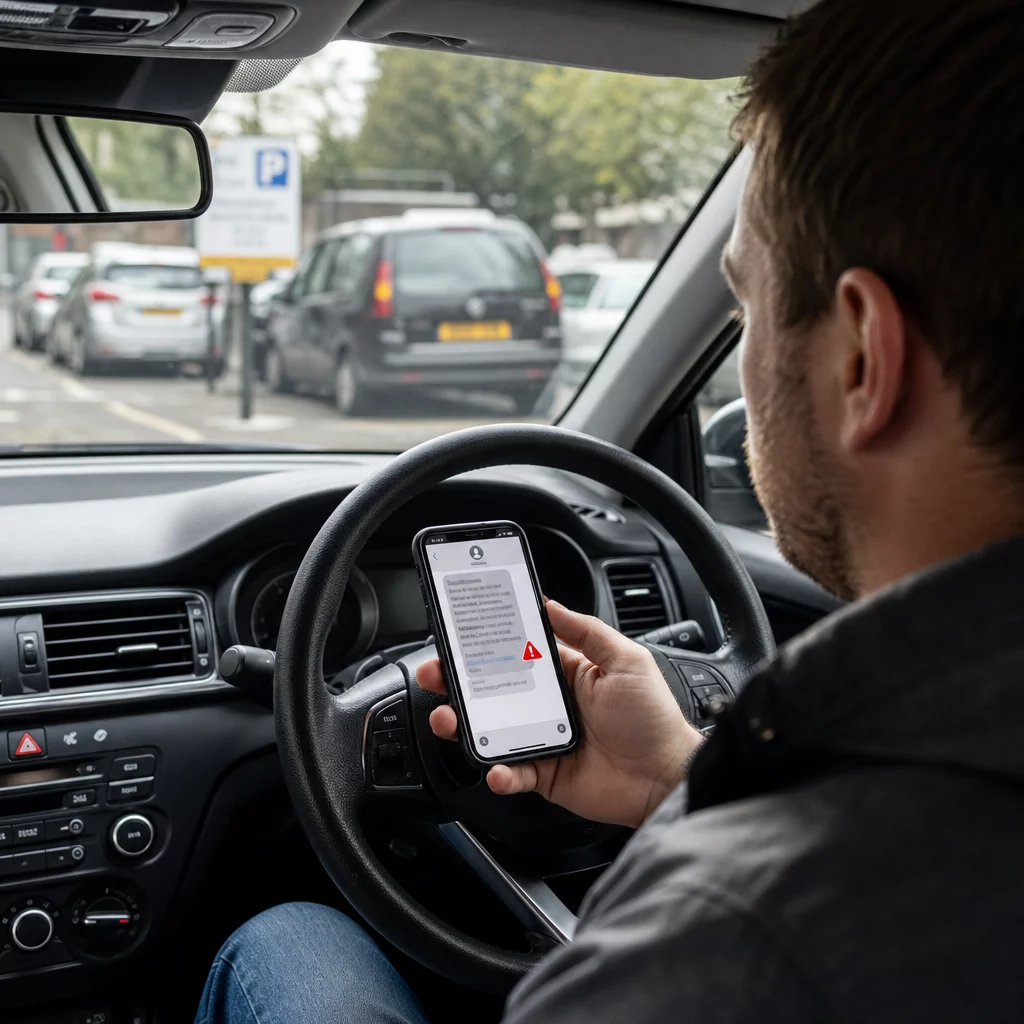
De gemeenteraad van York (City of York Council) en andere autoriteiten hebben bevestigd dat legitieme boetes (Penalty Charge Notices) zijn nooit uitgegeven via sms. Officiële PCN's worden ofwel aan het voertuig bevestigd, persoonlijk aan de bestuurder overhandigd, of per post naar de geregistreerde voertuigeigenaar gestuurd. Elk sms-bericht dat onmiddellijke betaling van een parkeerboete eist, moet als frauduleus worden behandeld totdat het via officiële kanalen is geverifieerd. Neem bij twijfel rechtstreeks contact op met de parkeerafdeling van uw lokale gemeente via het nummer dat op hun officiële website staat vermeld.
Waarom deze oplichtingspraktijken moeilijk te herkennen zijn
Een deel van wat parkeer-QR-codefraude zo effectief maakt, is dat risico's van QR-codebetalingen niet op het eerste gezicht duidelijk zijn. In tegenstelling tot een verdachte e-mail waar u over een link kunt zweven, geeft een QR-code u geen zichtbare informatie over de bestemming totdat u deze hebt gescand. Onderzoek aangehaald door Pageloot toont aan dat bijna 21% van alle gescande QR-codes kwaadaardig is, en quishing maakte 51% uit van alle phishingaanvallen in 2023.
Oplichters buiten deze ondoorzichtigheid opzettelijk uit. De gekloonde websites die zij bouwen zijn vaak visueel identiek aan legitieme diensten, met als enige verschil de domeinnaam – iets wat de meeste mensen niet zorgvuldig controleren wanneer ze haast hebben om te betalen voor parkeren voordat hun tijd om is.
Begrijpen privacyrisico's van QR-codes meer in het algemeen kan u helpen betere scan-gewoonten te ontwikkelen in alledaagse situaties, niet alleen bij parkeerautomaten.
Wat Legitieme Bedrijven Anders Doen
Het is de moeite waard om te begrijpen hoe betrouwbare QR-code implementaties eruitzien, zodat u het verschil kunt zien wanneer er iets niet klopt. Legitieme bedrijven en gemeenten die QR-codes gebruiken voor betalingen of informatie:
- Gebruiken professioneel gedrukte bewegwijzering, geen handmatig aangebrachte stickers
- Linken naar domeinen die overeenkomen met hun officiële website of een bekende, benoemde betalingsprovider
- Dwingen u niet om een QR-code te scannen als de enige betaaloptie
- Bieden duidelijk zichtbare alternatieve betaalmethoden naast elke QR-code
Organisaties die QR-codes verantwoordelijk implementeren gebruiken ook dynamische QR-codes in plaats van statische. Dynamische codes kunnen worden bijgewerkt, gecontroleerd op ongebruikelijke activiteit en onmiddellijk gedeactiveerd als manipulatie wordt gedetecteerd – iets wat statische stickercodes niet kunnen. Als u een bedrijf bent dat QR-codes in openbare ruimtes implementeert, is begrip van best practices voor QR-codebeveiliging essentieel om uw klanten te beschermen.
Bescherm Uw Zakelijke Klanten Tegen QR-fraude Als uw bedrijf QR-codes gebruikt op bewegwijzering, menu's of betaalpunten, laten dynamische codes u scanactiviteit monitoren en gecompromitteerde codes direct deactiveren. Lees meer over Je bedrijf beschermen tegen QR-code scams en verken de Pageloot QR-codegenerator om veilige, traceerbare codes te creëren die uw klanten kunnen vertrouwen.
Veilig blijven bij de parkeerautomaat
De basisregel is eenvoudig: scan geen QR-codes bij parkeerautomaten. Gebruik de officiële app, bel het nummer op het bord, of betaal bij een PayPoint. Als u toch een code scant ergens in het openbaar, bekijk dan altijd de bestemmings-URL in de camera van uw telefoon voordat u doorklikt, controleer op fysieke manipulatie, en vertrouw op uw instinct als er iets niet klopt.
Even de tijd nemen om te controleren voordat u betaalt, kan verliezen voorkomen die, in sommige gevallen, honderden ponden hebben bedragen – en uw kaartgegevens beschermen tegen herhaalde frauduleuze kosten, lang na het oorspronkelijke incident.
Veelgestelde vragen
Let op stickers die over bestaande bewegwijzering lijken te zijn geplakt, scheef geplaatste of slecht afgedrukte logo's, en elke code die verschijnt op apparatuur van een gemeente of exploitant die officieel geen QR-codes gebruikt voor betaling. Voordat u iets scant, gebruik de native camera van uw telefoon om de bestemmings-URL te bekijken – als het adres niet overeenkomt met de officiële parkeerservice, ga dan niet verder.
Neem onmiddellijk contact op met uw bank om fraude te melden en een kaartvervanging aan te vragen. Doe aangifte bij Action Fraud (actionfraud.police.uk) en meld de oplichtingswebsite bij het National Cyber Security Centre via report.ncsc.gov.uk. Breng ook uw gemeente op de hoogte, zodat de valse sticker kan worden verwijderd. Controleer uw bankafschriften de komende weken nauwlettend op onverwachte abonnementskosten.
De veiligste aanpak, aanbevolen door meerdere Britse gemeenten en consumentenorganisaties, is om het gebruik van QR-codes bij parkeerautomaten volledig te vermijden en in plaats daarvan te betalen via de officiële parkeerapp, telefoon of sms-betaaldienst. Als u toch een QR-code gebruikt, verifieer dan altijd de bestemmings-URL voordat u een betaling voltooit, en controleer de bewegwijzering zorgvuldig op tekenen van manipulatie.