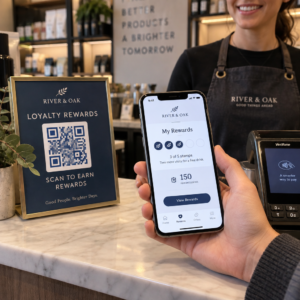
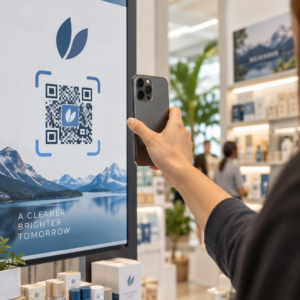
Heeft u moeite om uw gedrukte publicaties te verbinden met de digitale ervaringen die lezers steeds meer verwachten? Statische pagina's kunnen maar zoveel doen – en uitgevers die alleen op print vertrouwen, riskeren de betrokkenheid van lezers te verliezen aan volledig digitale concurrenten. Deze gids laat u precies zien hoe u die kloof kunt overbruggen met behulp van QR-codes in boeken, tijdschriften en kranten.
Waarom uitgevers QR-codes toevoegen aan print
Lezers verwachten tegenwoordig meer dan tekst op een pagina. Ze willen audio, video, aanvullende inhoud en manieren om te communiceren met auteurs en uitgevers – allemaal vanaf hun smartphones. QR-codes geven uitgevers een direct kanaal om die ervaring te bieden zonder het gedrukte product te vervangen waar lezers al van houden.
De cijfers weerspiegelen een echte gedragsverandering. Naar schatting 89 miljoen Amerikanen scanden een QR-code in 2025, en dat aantal zal naar verwachting de 100 miljoen overschrijden in 2026. Cruciaal is dat 43% van de smartphonegebruikers minstens één QR-code per week scant – een gedragspatroon dat goed aansluit bij betrokken lezers die regelmatig een boek of tijdschrift oppakken.
Voor uitgevers specifiek is de aantrekkingskracht eenvoudig: een enkele gedrukte code kan een lezer verbinden met een video-interview met de auteur, een begeleidende website, een downloadbare bron of een abonnementaanbieding – zonder extra drukkosten.
Maak traceerbare QR-codes voor uw publicaties Wilt u precies weten welke pagina's en edities de meeste betrokkenheid genereren? Gebruik de Dynamische QR code generator om codes te maken die u kunt bijwerken en volgen zonder één exemplaar opnieuw te drukken.
Welke soorten publicaties profiteren het meest
QR-codes voegen meetbare waarde toe aan vrijwel elk publicatieformaat, maar sommige categorieën zien bijzonder sterke rendementen:
- Reisboeken en gidsen – Verbind lezers direct met fotogalerijen, kaarten, bestemmingswebsites of videotours van de plaatsen die op elke pagina worden beschreven
- Educatieve studieboeken – Verbind studenten met quizzen, aanvullende video's, antwoordsleutels of examenvoorbereidingsbronnen naast elk hoofdstuk
- Kookboeken – Link naar techniekvideo's, gidsen voor ingrediëntenvervanging of interactieve boodschappenlijstjes
- Kinderboeken – Breid het verhaal uit met audionarratie, geanimeerde scènes of interactieve spellen
- Taalboeken – Speel audio-uitspraken of video-uitleg van grammaticaconcepten af, inline met de tekst
- Tijdschriften en kranten – Leid lezers van printadvertenties en redactionele inhoud naar abonnementspagina's, video-inhoud, feedbackformulieren of exclusieve aanbiedingen
Voor een diepere blik op hoe kranten en tijdschriften QR-codes effectief kunnen gebruiken, zie de gids voor QR-codes in kranten en tijdschriften. Als uw focus specifiek op boeken ligt, dan is de gids voor QR-codes in boeken behandelt plaatsing, scannen en inhoudstypen in detail.
Praktische ideeën voor het gebruik van QR-codes in publicaties
De meest effectieve QR-codes van uitgevers dienen een duidelijk doel voor de lezer. Hier zijn bewezen benaderingen:
- Voeg een video toe bij hoofdstukonderbrekingen in non-fictieboeken die een specifieke gebeurtenis vertelt of de daadwerkelijke locatie toont waar het plaatsvond – bijzonder effectief voor geschiedenis, reizen en memoires
- Link naar interviews met auteurs of achter-de-schermen-inhoud die lezers beloont die het boek uitlezen
- Plaats een code op de achterkaft of binnenkant van de voorkaft, zodat lezers beoordelingen en recensies direct op uw voorkeursplatform kunnen achterlaten
- Deel een kortingscode voor de volgende aankoop van de lezer, inwisselbaar door een code in de huidige titel te scannen
- Sta lezers toe het eerste hoofdstuk van het volgende boek van de auteur te downloaden voordat het wordt gepubliceerd
- Voeg codes toe aan etalages of POS-materialen die aankomende releases of lanceringsevenementen promoten
- Koppel in tijdschriften QR-codes in advertenties aan landingspagina's, abonnementsaanbiedingen of video-inhoud die de gedrukte advertentie uitbreidt
Plaats de code, specifiek voor kranten en tijdschriften, prominent binnen de inhoud in plaats van deze in een hoekje te stoppen. Combineer het met een korte, specifieke call-to-action – “Scan om het volledige interview te bekijken” is effectiever dan een algemene “Scan hier.”
Koppel gedrukte advertenties aan digitale bestemmingen Gebruik de Link QR-codegenerator om elke gedrukte pagina te verbinden met een URL, landingspagina of digitale bron – geen technische installatie vereist.
Statische versus dynamische QR-codes voor uitgevers
Dit onderscheid is van groot belang voor uitgevers die grote oplages drukken. Een statische QR-code codeert een vaste bestemming direct in het codepatroon. Als de gekoppelde pagina verplaatst of de inhoud verandert, wordt de code nutteloos – en u kunt deze niet bijwerken zonder opnieuw te drukken.
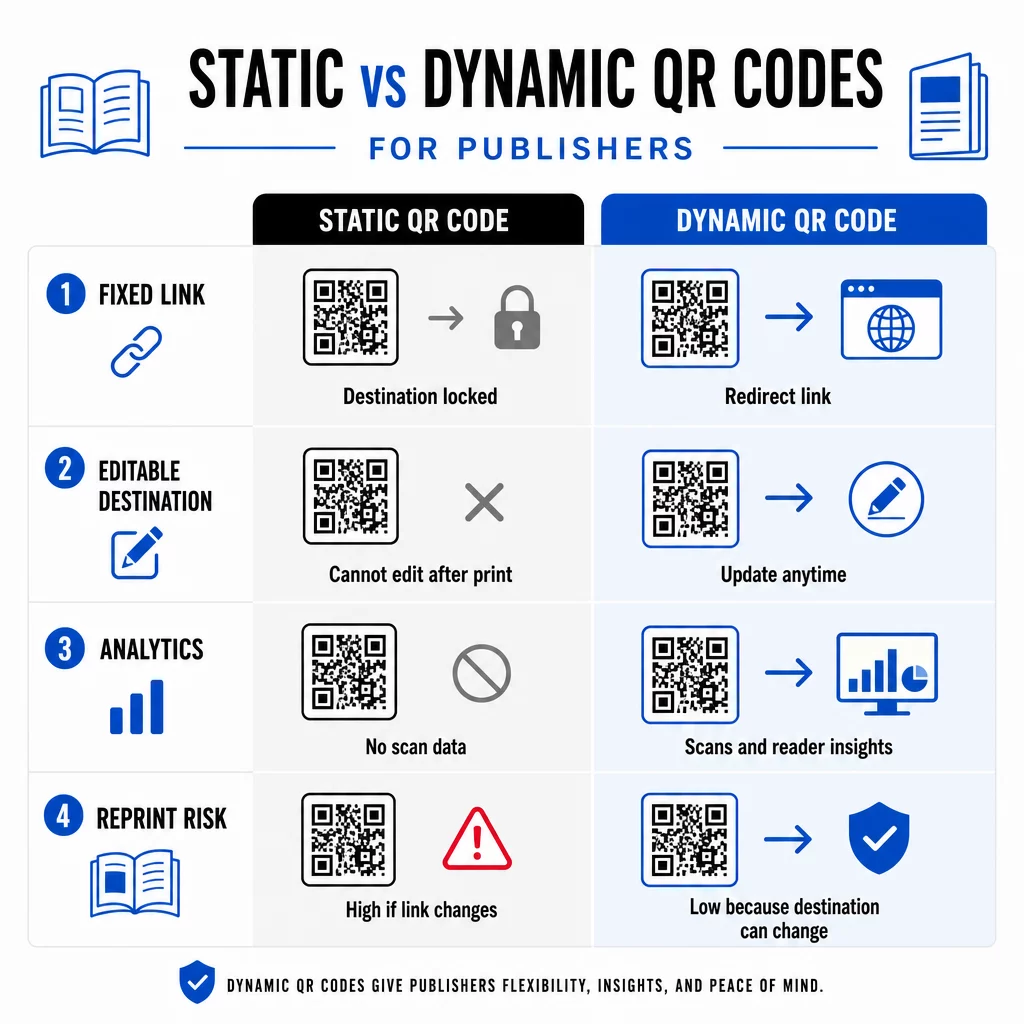
EEN dynamische QR-code, daarentegen, verwijst naar een korte omleidings-URL die u beheert. U kunt de bestemming op elk moment bijwerken nadat de code is afgedrukt en verspreid. Voor uitgevers betekent dit:
- Een dit jaar gedrukt leerboek kan over vijf jaar nog steeds bijgewerkte inhoudslinks aanbieden
- Een tijdschriftadvertentie kan halverwege de campagne worden bijgewerkt om een nieuwe aanbieding weer te geven zonder opnieuw te drukken
- Verouderde auteurwebsites of kapotte links kunnen worden gerepareerd zonder de drukoplage aan te tasten
Dynamische codes bieden ook ingebouwde analyses. U kunt bijhouden hoe vaak elke code wordt gescand, waar lezers zich bevinden en welke apparaten ze gebruiken – gegevens die anders onzichtbaar zijn in traditioneel uitgeven. Om de volledige afwegingen te begrijpen, de vergelijking van statische versus dynamische QR-codes is het waard om te bekijken voordat u zich aan een formaat verbindt.
Welke inhoud u kunt koppelen aan uw QR-codes
De inhoud achter de code bepaalt of lezers een tweede keer scannen. Enkele formaten die bijzonder goed werken voor uitgevers:
- PDF-documenten – Link naar begeleidende gidsen, leeslijsten, uitgebreide bijlagen of academische referenties met behulp van een PDF QR-code
- YouTube-video's – Verbind gedrukte inhoud met interviews met auteurs, documentairefragmenten of instructieve walkthroughs met behulp van een YouTube QR code maken
- Landingspagina's – Gebruik een branded landingspagina om meerdere opties te presenteren vanuit één scan – links naar de website van de auteur, een recensiepagina, sociale profielen en een abonnementsformulier, allemaal toegankelijk via één code
- Afbeeldingen en galerijen – Vul reis- of kunstboeken aan met full-color fotogalerijen die de gedrukte editie niet kan bevatten
Welk formaat u ook kiest, zorg ervoor dat de bestemming mobiel-geoptimaliseerd is. De meeste scans gebeuren op smartphones, dus een pagina die slecht wordt weergegeven op een klein scherm zal de waarde van de code volledig ondermijnen.
QR-codes afdrukken die daadwerkelijk scannen
Een QR-code die niet scant, schaadt het vertrouwen van de lezer – en een lezer die één keer scant en een foutmelding krijgt, zal waarschijnlijk niet opnieuw proberen. Volg deze richtlijnen om betrouwbare prestaties in drukwerk te garanderen:
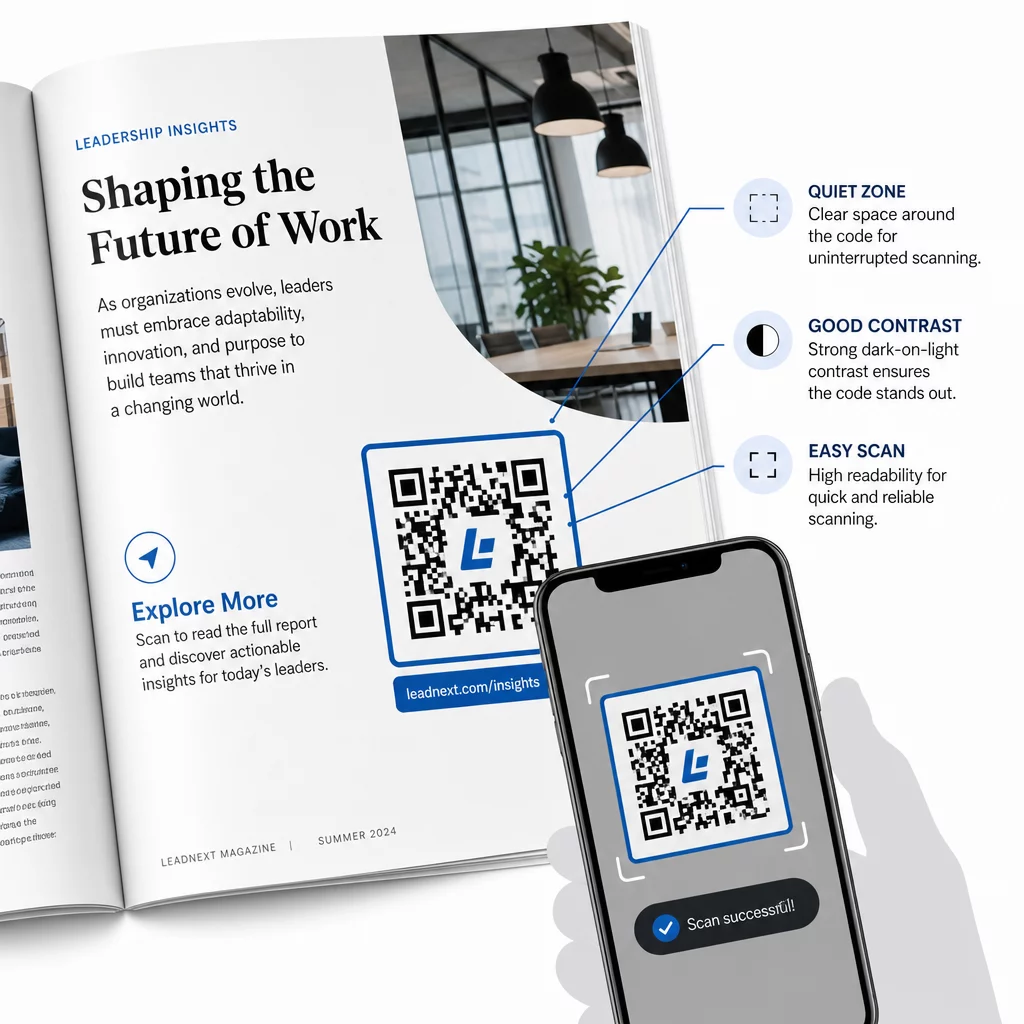
- Minimale grootte – Druk QR-codes af met een minimum van 0,8 × 0,8 inch (20 mm) voor de meeste publicatieformaten. Gebruik voor posters en point-of-sale-reclame minimaal 1,2 × 1,2 inch (30 mm)
- Stille zone – Houd een duidelijke rand van minimaal vier modules breed aan alle vier zijden van de code vrij van tekst, afbeeldingen of ontwerpelementen
- Contrast – Gebruik een donkere code op een lichte achtergrond. Streef naar een minimale contrastverhouding van 3:1; 4:1 of hoger is betrouwbaarder onder verschillende leesomstandigheden
- Bestandsformaat – Download codes als SVG- of EPS-vectorbestanden voor afdrukken, in plaats van PNG of JPG, om pixelatie bij schalen te voorkomen. richtlijnen voor de grootte van QR-codes voor drukwerk dit in meer detail behandelen
- PLAATSING – Vermijd het plaatsen van codes over vouwen, ruggen, naden of zwaar gestructureerde oppervlakken waar scannen onbetrouwbaar wordt. Voor verdere begeleiding, de Plaatsingsgids voor QR-codes voor marketingmateriaal behandelt positie, zichtbaarheid en context diepgaand
Voor een complete checklist over het scanbaar maken van codes onder verschillende afdrukcondities, zie best practices voor de leesbaarheid van QR-codes.
Lezersbetrokkenheid volgen gedurende uw oplage
Een van de meest onderbenutte voordelen van QR-codes in de uitgeverij is de analysemogelijkheid. Met dynamische codes kunt u zien:
- Welke pagina's of secties de meeste scans genereren
- Hoe de betrokkenheid varieert tussen verschillende edities of geografische markten
- Of een bepaald type gekoppelde inhoud (video vs. PDF vs. landingspagina) meer interactie stimuleert
- Scantrends over tijd – nuttig voor het begrijpen van de houdbaarheid van een titel
Deze gegevens bieden uitgevers iets werkelijk nieuws: een feedbackloop vanuit print die voorheen alleen beschikbaar was voor digitale producten. Gebruik het om beslissingen over toekomstige edities te onderbouwen, te identificeren welke inhoudsformaten aanspreken en betrokkenheidsstatistieken aan auteurs en adverteerders te tonen.
Het platform van Pageloot consolideert codecreatie, contentbeheer en analyses in één dashboard, zodat u QR-codes in een hele catalogus kunt beheren zonder meerdere tools te hoeven gebruiken. Ontdek het volledige aanbod van QR-code oplossingen per branche om te zien hoe andere sectoren dezelfde aanpak toepassen.
Begin met het opbouwen van uw QR-strategie voor publicaties Maak binnen enkele minuten uw eerste branded, traceerbare QR-code met de QR-codegenerator. Gratis proefperiode van 14 dagen, geen creditcard vereist.
Veelgestelde vragen
Niet als u een dynamische QR-code gebruikt. Dynamische codes verwijzen naar een omleidings-URL die u beheert, zodat u de bestemming – of het nu een nieuwe video, een herziene landingspagina of een gecorrigeerde link is – op elk moment na het afdrukken kunt bijwerken, zonder een nieuwe code te genereren of de printrun aan te raken.
Je kunt linken naar vrijwel elke digitale inhoud: YouTube-video's, PDF-documenten, webpagina's, afbeeldingengalerijen, audiobestanden, inschrijfformulieren of branded landingspagina's die meerdere links combineren. De beste keuze hangt af van wat op dat moment in de publicatie de meeste waarde toevoegt voor je lezers.
Dynamische QR-codes bevatten ingebouwde analyses die het aantal scans, scan-tijdstippen, locaties van lezers en apparaattypen registreren. Dit geeft u een duidelijk beeld van welke codes presteren en welke plaatsingen of inhoudstypen de meeste betrokkenheid genereren – gegevens die statische codes niet kunnen bieden.