Adakah bahan pemasaran bercetak anda tidak menjana trafik yang boleh diukur? Titik sentuhan fizikal seperti risalah, pembungkusan, dan papan tanda sukar untuk dihubungkan dengan hasil digital – melainkan anda menggunakan kod QR secara strategik. Panduan ini merangkumi cara menjana kod QR pemasaran dan menggunakannya untuk menjejaki prestasi, meningkatkan penglibatan, dan merapatkan jurang antara luar talian dan dalam talian.
Mengapa Perniagaan Menggunakan Kod QR dalam Pemasaran
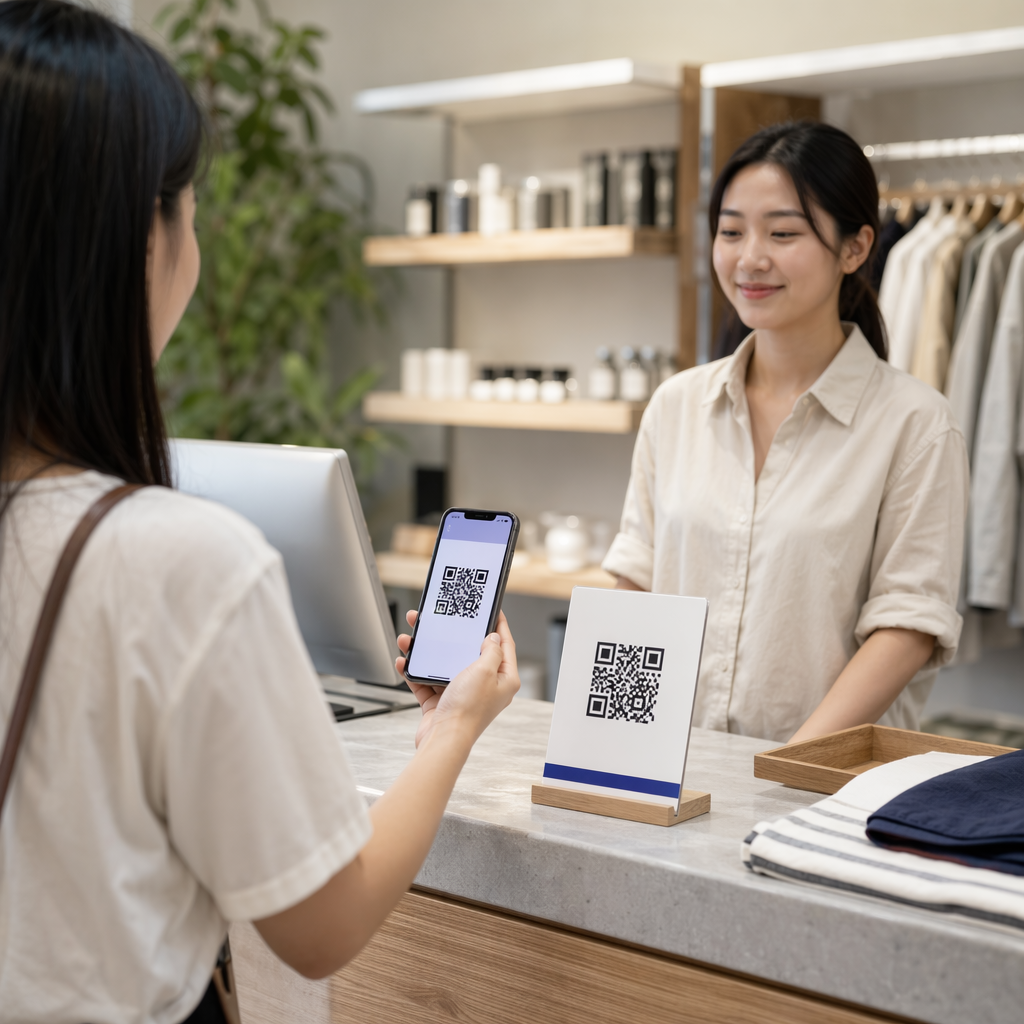
Kod QR menyelesaikan masalah geseran asas dalam pemasaran: membawa seseorang dari permukaan fizikal ke destinasi digital tanpa menaip. Imbasan mengambil masa kurang dari satu saat. Kemudahan akses itu diterjemahkan secara langsung kepada penglibatan yang lebih tinggi – itulah sebabnya penerimaan telah melonjak jauh melebihi pelancaran awal yang gagal pada tahun 2011.
Ketika itu, Best Buy dan Macy's adalah antara jenama pertama yang menguji kod QR secara besar-besaran. Teknologi itu bukan masalahnya – internet mudah alih yang perlahan, penembusan telefon pintar yang terhad, dan halaman pendaratan khusus desktop membunuh pengalaman sebelum ia bermula. Hari ini, halangan-halangan itu telah tiada. Internet mudah alih berkelajuan tinggi, pengimbasan kamera asli pada iOS dan Android, dan pengalaman web yang dioptimumkan untuk mudah alih telah menjadikan kod QR benar-benar praktikal.
Dari perspektif pemasaran, kelebihan sebenar bukan hanya kemudahan – ia adalah data. Apabila anda menggunakan kod QR dinamik, setiap imbasan menjana rekod: bila ia berlaku, di mana, pada peranti apa, dan melalui kempen mana. Itulah jenis data atribusi yang pernah eksklusif untuk saluran digital sahaja.
Mula Menjejaki Kempen Kod QR Anda Ingin melihat data imbasan masa nyata, pecahan geografi, dan analitik peranti untuk setiap kod yang anda gunakan? Gunakan Penjana Kod QR untuk mencipta kod yang boleh dijejak, boleh diedit dengan papan pemuka prestasi terbina dalam.
Kod QR Statik lwn. Dinamik: Yang Mana Patut Anda Gunakan?
Sebelum anda menjana kod, anda perlu memilih jenis yang betul. Perbezaan ini sangat penting untuk kegunaan pemasaran.
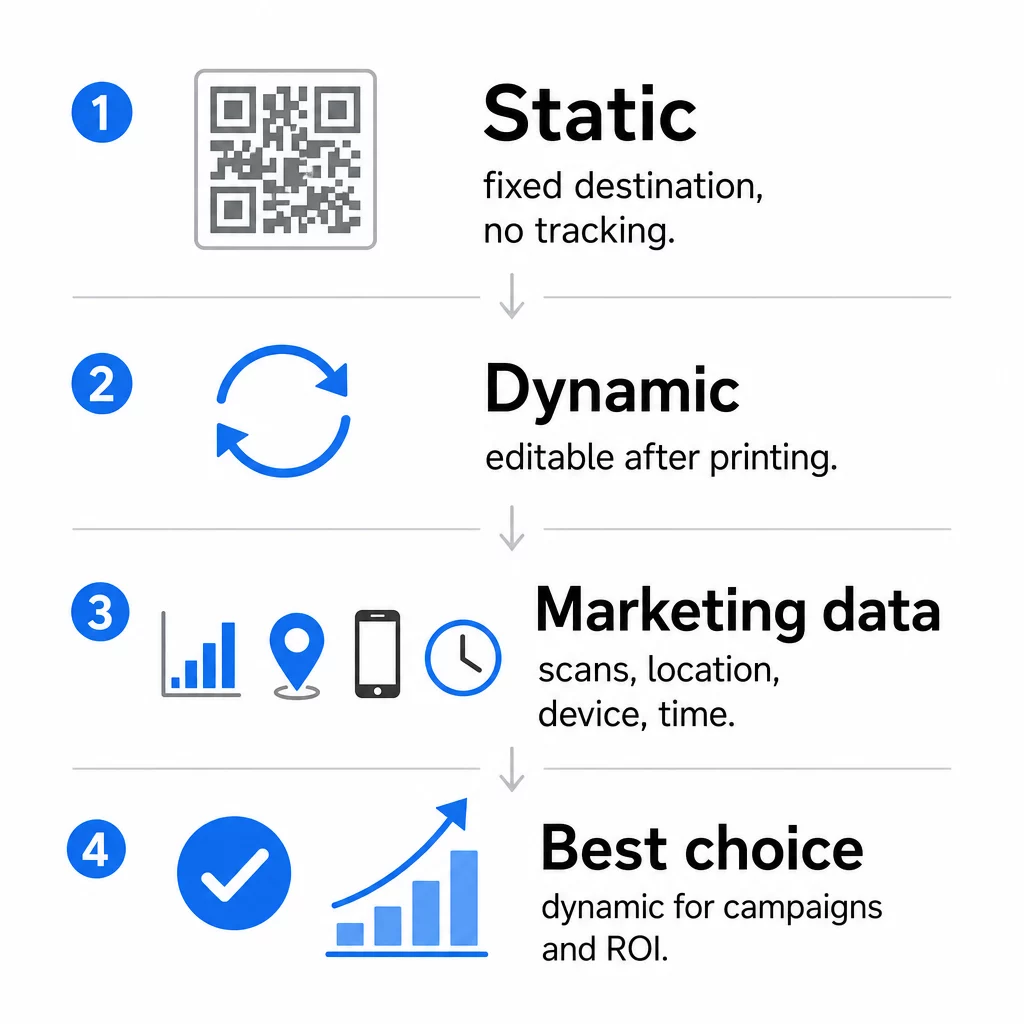
Kod QR statik mengekod data secara langsung ke dalam corak itu sendiri. Setelah dicetak, destinasi tidak boleh diubah. Ia tidak mempunyai penjejakan terbina dalam, menjana corak yang lebih padat untuk URL yang kompleks, dan tidak menawarkan fleksibiliti selepas penggunaan. Ia berfungsi dengan baik untuk kes penggunaan kekal, berisiko rendah seperti kata laluan Wi-Fi atau kad kenalan tetap.
Kod QR dinamik mengekod URL pengalihan pendek. Destinasi sebenar disimpan dalam platform pengurusan dan boleh dikemas kini pada bila-bila masa – walaupun selepas dicetak. Ini bermakna anda boleh membetulkan pautan yang rosak, menukar halaman pendaratan bermusim, atau mengalihkan ke promosi baharu tanpa mencetak semula sebarang bahan cagaran.
Untuk kempen pemasaran, kod QR dinamik hampir selalu menjadi pilihan yang lebih baik. Ia menyokong analitik masa nyata, ujian A/B, penjejakan parameter UTM, dan penyasaran geo. Jika anda mengukur ROI pada bahan cetak, kod dinamik inilah yang membolehkannya.
Cara Menjana Kod QR untuk Pemasaran
Mencipta kod QR untuk kempen mengambil masa kurang daripada lima minit. Berikut ialah cara proses itu berfungsi menggunakan Pageloot:
- Pilih jenis kod QR anda – Pilih jenis kandungan yang sepadan dengan matlamat anda: URL, PDF, vCard, borang, pautan kedai aplikasi, kelayakan Wi-Fi, video, atau format lain. The penjana kod QR pautan ialah titik permulaan yang paling biasa untuk trafik kempen.
- Masukkan destinasi anda – Tampal URL atau muat naik fail yang anda mahu kod itu tuju. Untuk tujuan penjejakan, gunakan URL bertanda UTM supaya imbasan muncul sebagai sumber yang berbeza dalam Google Analytics.
- Sesuaikan reka bentuk – Tambah logo anda, tetapkan warna jenama, pilih gaya bingkai, dan tulis seruan bertindak. Kod QR berjenama secara konsisten mengatasi kod hitam-putih generik kerana ia membina kepercayaan visual dan menonjol pada bahan bercetak. The QR code with logo menjadikan ini mudah.
- Muat turun dalam format yang betul – Untuk cetakan, muat turun fail vektor (EPS, PDF, atau SVG) untuk memastikan output yang tajam pada sebarang saiz. Jangan sekali-kali menggunakan imej raster resolusi rendah untuk pengeluaran cetakan.
- Uji sebelum anda mencetak – Imbas kod itu sendiri menggunakan pelbagai peranti dan keadaan pencahayaan. Jika ia gagal pada Android lama atau dalam cahaya malap, laraskan reka bentuk sebelum melakukan cetakan.
Cipta Kod QR Berjenama dalam Minit Yang QR code with logo membolehkan anda menyesuaikan warna, menambah logo anda, dan menggunakan bingkai seruan bertindak – semuanya dari satu papan pemuka.
Sembilan Cara Menggunakan Kod QR dalam Pemasaran Anda
Hala Trafik ke Halaman Pendaratan
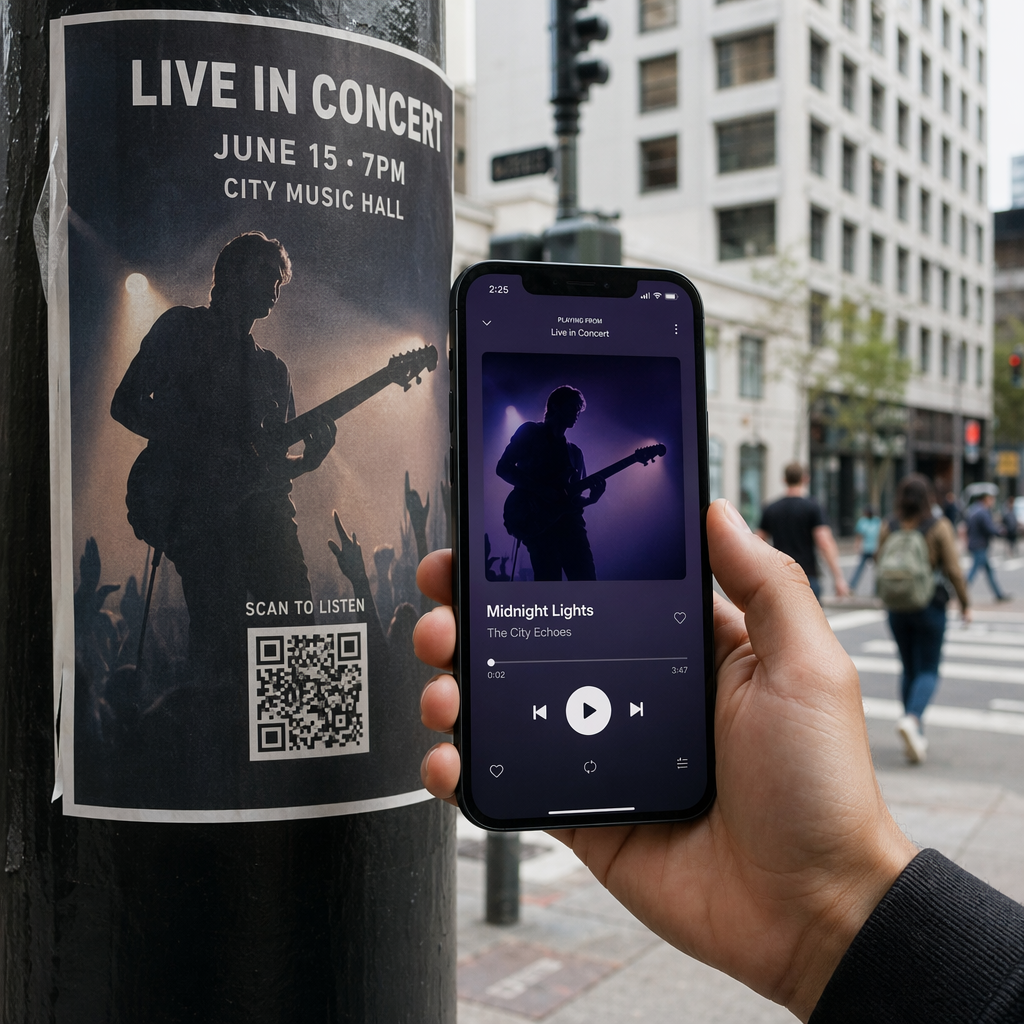
Kod QR menghilangkan setiap halangan antara titik sentuhan fizikal dan halaman pendaratan kempen anda. Pelanggan tidak perlu menaip URL atau mencari jenama anda – satu imbasan membawa mereka terus ke tempat yang anda perlukan. Sentiasa pasangkan kod itu dengan seruan bertindak yang jelas yang menerangkan apa yang akan mereka dapat dengan mengimbas: diskaun, panduan, borang tempahan, atau kandungan eksklusif.
Hantar Mesej Langsung
Kod QR boleh mencetuskan mesej pra-isi melalui SMS, WhatsApp, Telegram, atau Facebook Messenger. Ini adalah salah satu aplikasi pemasaran yang paling kurang digunakan. Kadar buka pada mesej telefon pintar langsung adalah jauh lebih tinggi daripada e-mel, menjadikannya laluan yang berkesan untuk promosi, peringatan janji temu, atau aliran sokongan pelanggan.
Kumpul Ulasan dan Maklum Balas
Lebih daripada 90% pembeli dalam talian merujuk ulasan sebelum membuat pembelian. Kod QR pada resit, pembungkusan, atau papan tanda boleh menghantar pelanggan terus ke profil Google Business anda, halaman ulasan produk, atau tinjauan maklum balas. Untuk meningkatkan kadar respons, tawarkan kod diskaun atau insentif kecil sebagai pertukaran untuk input mereka.
Kongsi Lokasi Perniagaan Anda
Kod QR yang memaut ke penyenaraian Google Maps anda menjimatkan pelanggan daripada kesukaran mencari secara manual. Ini amat berguna pada bahan bercetak seperti menu bawa pulang, paparan pameran perdagangan, atau balutan kenderaan di mana menaip alamat tidak praktikal.
Kembangkan Pengikut Media Sosial Anda
Halakan kod QR terus ke profil sosial anda, atau gunakan halaman perantara yang memaparkan pautan ke semua saluran anda. Anda juga boleh mengkonfigurasi kod untuk mencetuskan gesaan Suka Facebook atau Langgan YouTube secara automatik selepas imbasan – cara geseran rendah untuk membina khalayak anda dari titik sentuh fizikal.
Promosikan Muat Turun Aplikasi
Gunakan kod QR kedai aplikasi pintar yang mengesan peranti pengguna dan menghantar mereka ke kedai yang betul – Apple App Store atau Google Play – secara automatik. Ini menghilangkan satu langkah dan menghapuskan kekecewaan mendarat di platform yang salah. Anda juga boleh menggunakan halaman kandungan perantara untuk "memanaskan" pengguna sebelum permintaan muat turun.
Hantar E-mel Pra-Isi
Kod QR boleh membuka klien e-mel pengguna dengan alamat penerima, baris subjek, dan teks badan yang telah diisi. Ini berfungsi dengan baik untuk permintaan sokongan pelanggan, pertanyaan rakan kongsi, atau RSVP acara di mana anda mahukan respons berstruktur tanpa membina borang.
Paut ke Produk E-Dagang
Kod QR pada pembungkusan, paparan rak, atau brosur bercetak boleh memaut terus ke halaman butiran produk, video arahan, pendaftaran waranti, atau ulasan pelanggan. Ini mengurangkan jumlah teks yang perlu anda cetak pada pembungkusan sambil memberikan pelanggan akses kepada maklumat yang lebih kaya atas permintaan.
Kongsi Akses Wi-Fi
Kod QR Wi-Fi membolehkan pelanggan menyambung ke rangkaian anda dengan satu imbasan – tiada penaipan kata laluan diperlukan. Letakkannya di dalam lokasi anda untuk memastikan pelanggan secara fizikal memasuki ruang sebelum menyambung. Butiran kecil ini memanjangkan masa tinggal dan mencipta lebih banyak peluang untuk penglibatan dalam kedai.
Prinsip Reka Bentuk dan Penempatan yang Mempengaruhi Kadar Imbasan
Kod QR yang tiada siapa imbas mempunyai nilai sifar. Pilihan reka bentuk dan penempatan secara langsung menentukan sama ada kod anda digunakan.
Saiz penting. Untuk bahan jarak dekat seperti kad perniagaan dan risalah, saiz minimum kira-kira 1 inci (2.5 cm) persegi adalah asas. Poster harus menggunakan sekurang-kurangnya 2 inci (5 cm). Untuk papan tanda luar, gunakan peraturan 10:1: lebar kod hendaklah sekurang-kurangnya satu persepuluh daripada jarak imbasan yang dijangkakan.
Kontras tidak boleh dirunding. Corak gelap pada latar belakang cerah adalah kombinasi yang paling boleh dipercayai. Reka bentuk kontras rendah atau terbalik menyebabkan kegagalan imbasan, terutamanya di bawah pencahayaan yang berubah-ubah. Uji sebarang kombinasi warna bukan standard dengan teliti sebelum mencetak secara besar-besaran.
Zon senyap diperlukan. Setiap kod QR memerlukan margin kosong sekurang-kurangnya empat modul lebar di semua sisi. Tanpa itu, pengimbas sukar membezakan kod daripada elemen grafik di sekelilingnya, dan kadar kegagalan imbasan meningkat.
Permukaan dan kemasan mempengaruhi prestasi. Permukaan yang sangat berkilat, memantul, atau bergaris boleh memesongkan corak QR dan mengurangkan kejayaan imbasan. Permukaan rata yang tidak memantul pada substrat yang tidak luntur secara konsisten lebih boleh dipercayai.
Penempatan menentukan keterlihatan. Penempatan paras mata – kira-kira 3.5 hingga 5.5 kaki dari tanah pada papan tanda – memaksimumkan kebolehcapaian. Elakkan meletakkan kod berhampiran lipatan, tepi, atau kawasan yang kerap terhalang. Untuk pecahan penuh strategi penempatan mengikut jenis bahan, lihat panduan muktamad penempatan kod QR dalam pemasaran.
Cara Menjejaki Prestasi Kod QR
Menjana kod hanyalah separuh daripada kerja. Mengukur apa yang berlaku selepas imbasan adalah di mana pengoptimuman kempen bermula.
Dengan kod QR dinamik, setiap imbasan menghasilkan data yang boleh dijejak: jumlah imbasan, imbasan unik, cap masa, lokasi geografi, jenis peranti, dan sistem pengendalian. Ini membolehkan anda menjawab soalan seperti: Bahan bercetak manakah yang sebenarnya menjana trafik? Lokasi manakah yang menunjukkan prestasi terbaik? Pukul berapa pelanggan berinteraksi?
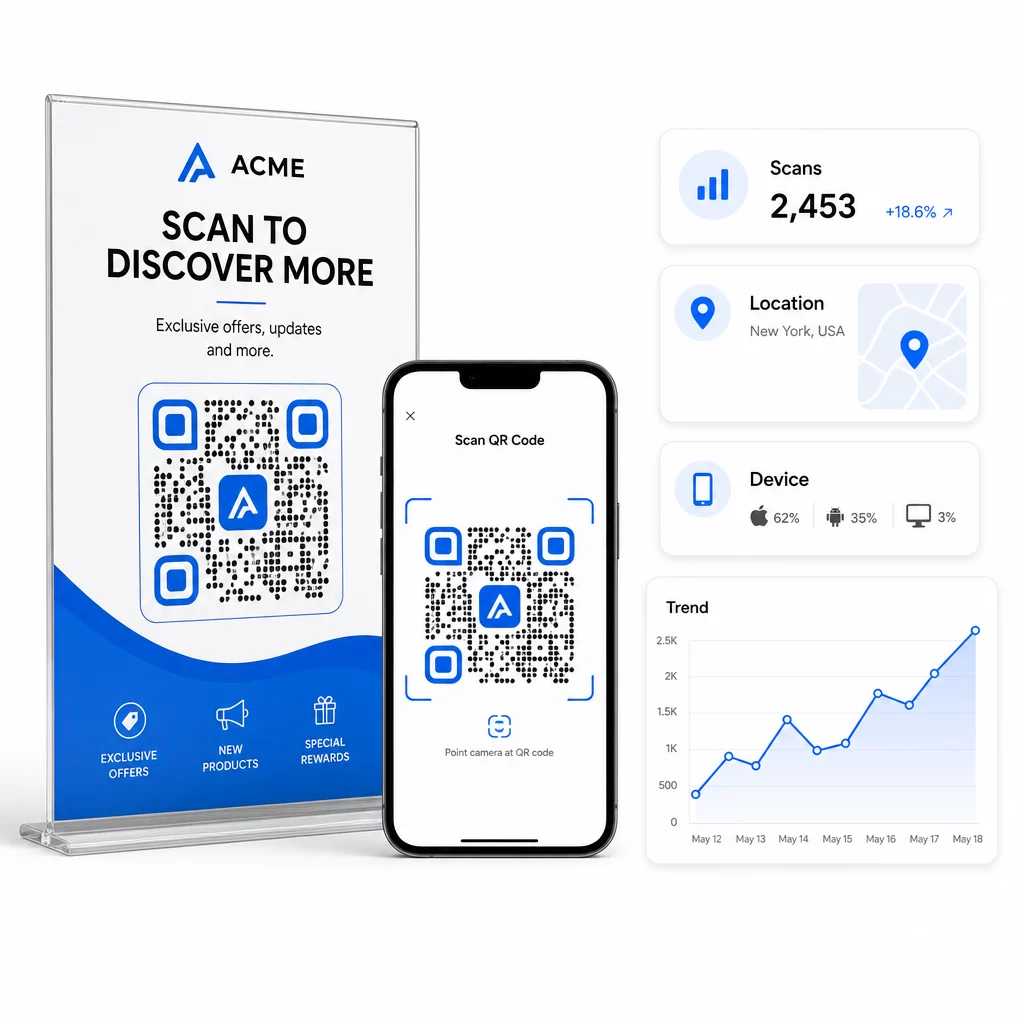
Untuk atribusi yang lebih mendalam, tambahkan parameter UTM pada URL destinasi anda sebelum membenamkannya dalam kod QR. Ini menghalakan trafik yang didorong oleh QR ke Google Analytics sebagai sumber yang berbeza, di mana anda boleh menganalisis penglibatan, kadar penukaran, dan tingkah laku secara berasingan daripada saluran lain. Konvensyen penamaan yang konsisten – contohnya, `utmmedium=qrcode` dan `utmsource=storedisplay` – menjadikan pelaporan bersih dan boleh dibandingkan merentasi kempen. Untuk panduan persediaan terperinci, lihat artikel parameter UTM untuk kod QR.
Papan pemuka terbina dalam Pageloot menyatukan data ini di satu tempat: kiraan imbasan, pecahan geografi, laporan peranti, dan perbandingan peringkat kempen – tanpa memerlukan persediaan analitik berasingan untuk metrik asas.
Pantau Setiap Imbasan dalam Masa Nyata Yang Penjana dynamic QR code memberikan anda papan pemuka prestasi penuh dengan data geografi, pecahan peranti, dan trend imbasan. Kemas kini destinasi tanpa mencetak semula pada bila-bila masa kempen anda berubah.
Bina Strategi Pemasaran Kod QR yang Boleh Diskala
Kod QR sekali guna adalah titik permulaan. Strategi yang diselaraskan adalah apa yang menjana pulangan berganda.
Sebelum menjana kod, tentukan apa yang setiap satu bertujuan untuk dicapai – dan pastikan destinasi memenuhi janji tersebut. Kod yang menghantar seseorang ke halaman yang tidak dioptimumkan untuk mudah alih, 404, atau halaman utama yang tidak relevan akan menghakis kepercayaan dan menghapuskan sebarang sebab untuk mengimbas semula.
Gunakan kod QR dinamik untuk kempen dengan tarikh mula dan tamat yang ditetapkan, promosi berputar, atau lokasi yang berkongsi bahan merentasi musim. Keupayaan untuk mengemas kini destinasi tanpa mencetak semula bermakna cagaran fizikal anda kekal terkini walaupun kempen anda berubah.
Untuk pendekatan langkah demi langkah dalam merancang dan melaksanakan kempen kod QR, Senarai semak pemasaran kod QR untuk perniagaan kecil merangkumi penetapan matlamat, pemilihan jenis kod, amalan terbaik reka bentuk, dan pengoptimuman selepas pelancaran dalam format berstruktur.
Jenama yang melihat hasil sebenar daripada kod QR menganggapnya sebagai saluran prestasi – di mana penempatan, reka bentuk, destinasi, dan penjejakan semuanya dirancang terlebih dahulu. Disiplin itulah yang membezakan kadar imbasan 0.5% daripada yang patut dilaporkan.
Soalan lazim
Kod QR statik mengekod destinasi secara langsung ke dalam coraknya dan tidak boleh diubah selepas penciptaan. Ia juga tidak menyediakan data imbasan. Kod QR dinamik menyimpan URL pengalihan pendek, yang bermaksud anda boleh mengemas kini destinasi pada bila-bila masa – walaupun selepas dicetak – dan menjejaki setiap imbasan dengan data mengenai lokasi, peranti, dan masa. Untuk kebanyakan kempen pemasaran, kod QR dinamik adalah pilihan yang lebih baik kerana ia menyokong penjejakan, ujian A/B, dan kemas kini kempen tanpa perlu mencetak semula.
Anda memerlukan kod QR dinamik yang disambungkan ke platform penjejakan. Apabila seseorang mengimbas kod tersebut, platform merekodkan peristiwa itu dan menangkap data termasuk kiraan imbasan, cap masa, lokasi geografi, dan jenis peranti. Anda juga boleh menambah parameter UTM pada URL destinasi anda supaya trafik yang didorong oleh QR muncul sebagai sumber yang berasingan dan boleh dikenal pasti dalam Google Analytics. Papan pemuka Pageloot menyediakan data ini dalam masa nyata tanpa memerlukan konfigurasi analitik yang berasingan untuk metrik asas.
Untuk kad perniagaan dan risalah, gunakan saiz minimum kira-kira 1 inci (2.5 cm) persegi. Untuk menu dan brosur, sasarkan sekurang-kurangnya 1.5 inci (3.8 cm). Untuk poster, gunakan sekurang-kurangnya 2 inci (5 cm). Untuk papan iklan dan papan tanda luar, gunakan peraturan 10:1: lebar kod hendaklah sekurang-kurangnya satu persepuluh daripada jarak imbasan maksimum yang dijangkakan. Sentiasa kekalkan zon senyap kosong sekurang-kurangnya empat modul lebar di semua sisi, dan gunakan kontras tinggi – corak gelap pada latar belakang cerah – untuk memastikan pengimbasan yang boleh dipercayai.