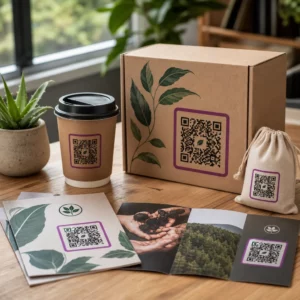
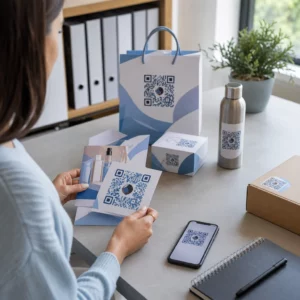
Materialele tale de marketing tipărite generează zero trafic măsurabil? Punctele de contact fizice precum fluturașii, ambalajele și semnalizarea sunt dificil de conectat la rezultate digitale – cu excepția cazului în care folosești coduri QR strategic. Acest ghid acoperă cum să generezi coduri QR de marketing și să le folosești pentru a urmări performanța, a crește implicarea și a face legătura între offline și online.
De ce folosesc companiile coduri QR în marketing
Codurile QR rezolvă un punct fundamental de fricțiune în marketing: ducerea cuiva de pe o suprafață fizică la o destinație digitală fără a tasta. O scanare durează mai puțin de o secundă. Această ușurință de acces se traduce direct printr-o implicare mai mare – motiv pentru care adoptarea a crescut mult peste lansările timpurii, eșuate, din 2011.
Atunci, Best Buy și Macy’s au fost printre primele branduri care au testat codurile QR la scară largă. Tehnologia nu a fost problema – internetul mobil lent, penetrarea limitată a smartphone-urilor și paginile de destinație doar pentru desktop au ucis experiența înainte de a începe. Astăzi, aceste bariere au dispărut. Internetul mobil de mare viteză, scanarea nativă cu camera pe iOS și Android și experiențele web optimizate pentru mobil au făcut codurile QR cu adevărat practice.
Dintr-o perspectivă de marketing, avantajul real nu este doar comoditatea – sunt datele. Când folosești codurile QR dinamice, fiecare scanare generează o înregistrare: când s-a întâmplat, unde, pe ce dispozitiv și prin ce campanie. Acesta este genul de date de atribuire care erau odată exclusive canalelor doar digitale.
Începeți să urmăriți campaniile dvs. cu coduri QR Vrei să vezi date de scanare în timp real, defalcări geografice și analize ale dispozitivelor pentru fiecare cod pe care îl implementezi? Folosește Generator de coduri QR pentru a crea coduri urmăribile, editabile, cu un tablou de bord de performanță încorporat.
Coduri QR statice vs. dinamice: Pe care ar trebui să le utilizați?
Înainte de a genera un cod, trebuie să alegi tipul potrivit. Distincția contează semnificativ pentru utilizarea în marketing.
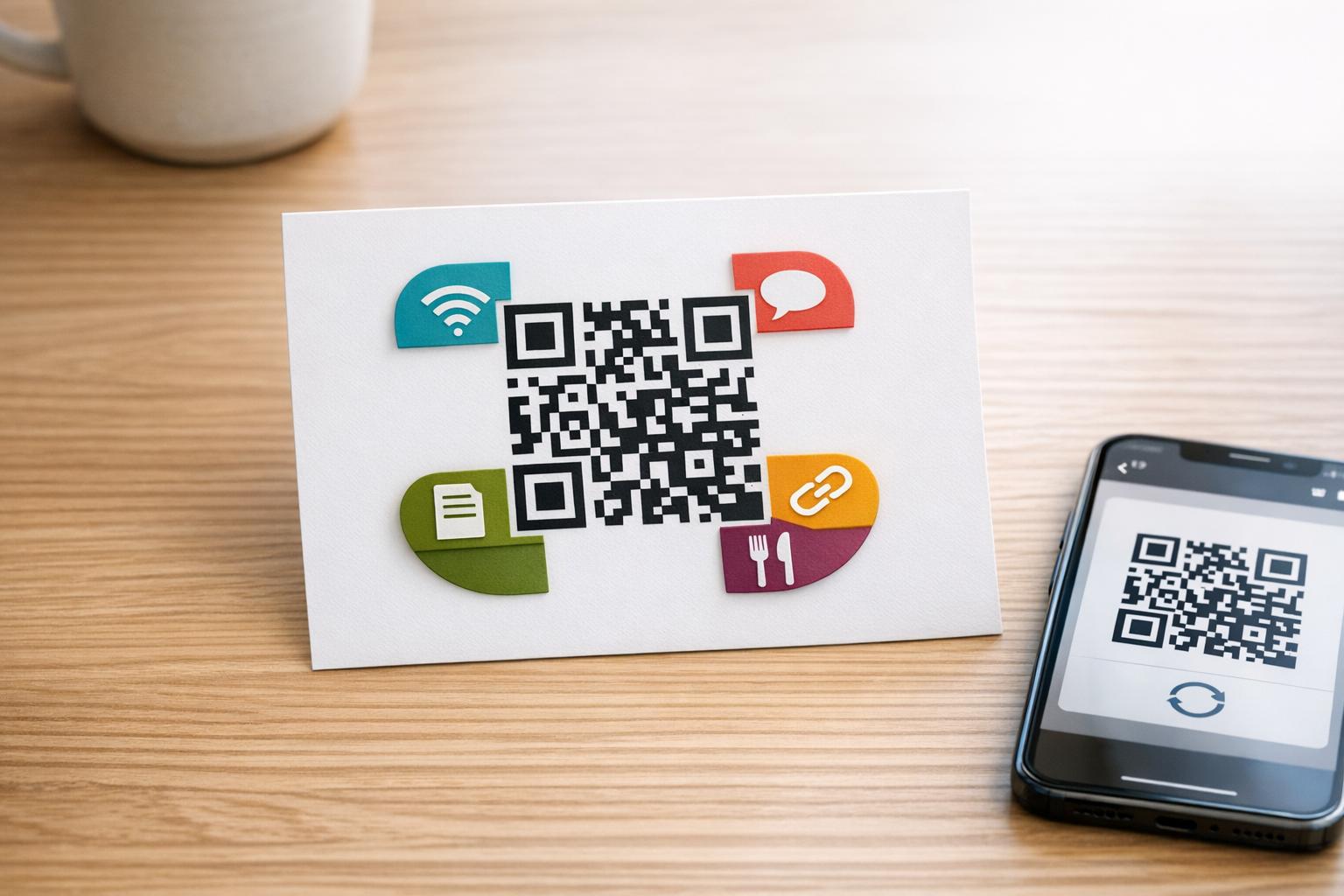
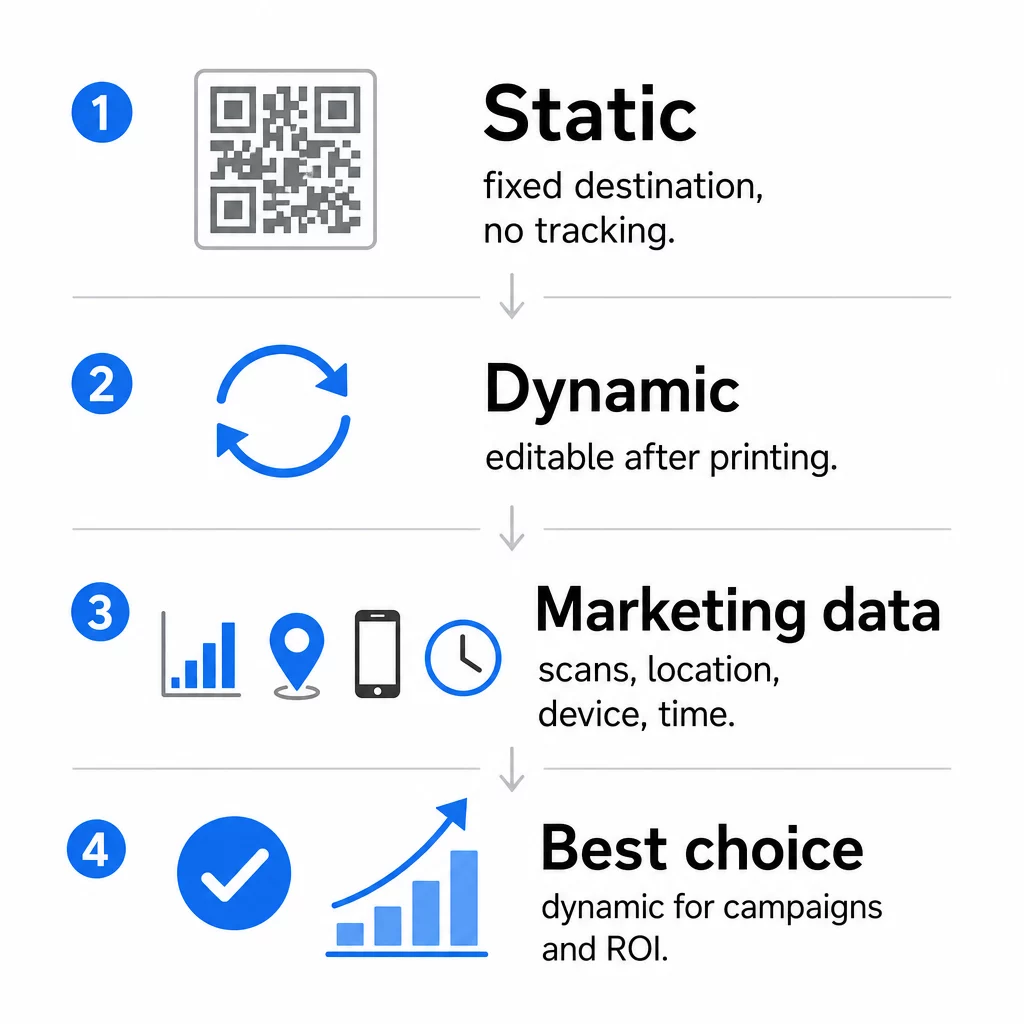
Coduri QR statice codifică datele direct în modelul în sine. Odată tipărită, destinația nu poate fi schimbată. Nu au urmărire încorporată, generează modele mai dense pentru URL-uri complexe și nu oferă flexibilitate după implementare. Funcționează bine pentru cazuri de utilizare permanente, cu risc scăzut, cum ar fi o parolă Wi-Fi sau o carte de contact fixă.
Coduri QR dinamice codifică un URL scurt de redirecționare. Destinația reală este stocată într-o platformă de management și poate fi actualizată oricând – chiar și după tipărire. Aceasta înseamnă că poți repara un link rupt, poți schimba o pagină de destinație sezonieră sau poți redirecționa către o nouă promoție fără a retipări niciun material colateral.
Pentru campaniile de marketing, codurile QR dinamice sunt aproape întotdeauna alegerea mai bună. Acestea suportă analize în timp real, testare A/B, urmărirea parametrilor UTM și geo-targetare. Dacă măsori ROI-ul materialelor tipărite, codurile dinamice sunt cele care fac acest lucru posibil.
Cum să generezi un cod QR pentru marketing
Crearea unui cod QR pentru o campanie durează mai puțin de cinci minute. Iată cum funcționează procesul folosind Pageloot:
- Alegeți tipul de cod QR – Selectați tipul de conținut care se potrivește obiectivului dvs.: un URL, PDF, vCard, formular, link către magazinul de aplicații, credențiale Wi-Fi, video sau un alt format. generatorul de coduri QR pentru link-uri URL-ul este cel mai comun punct de plecare pentru traficul campaniei.
- Introduceți destinația – Inserați URL-ul sau încărcați fișierul către care doriți să indice codul. Pentru scopuri de urmărire, utilizați un URL cu etichetă UTM, astfel încât scanările să apară ca o sursă distinctă în Google Analytics.
- Personalizați designul – Adăugați logo-ul dvs., setați culorile mărcii, alegeți un stil de cadru și scrieți un apel la acțiune. Codurile QR personalizate depășesc în mod constant pe cele generice alb-negru, deoarece construiesc încredere vizuală și se evidențiază pe materialele tipărite. Creare cod QR cu logo Pageloot face acest lucru simplu.
- Descărcați în formatul corect – Pentru tipar, descărcați un fișier vectorial (EPS, PDF sau SVG) pentru a asigura o ieșire clară la orice dimensiune. Nu utilizați niciodată o imagine raster de rezoluție scăzută pentru producția tipografică.
- Testează înainte de tipărire – Scanați codul dvs. folosind mai multe dispozitive și condiții de iluminare. Dacă eșuează pe un Android mai vechi sau în lumină slabă, ajustați designul înainte de a vă angaja într-o serie de tipar.
Creați un cod QR personalizat în câteva minute Cel Creare cod QR cu logo Pageloot vă permite să personalizați culorile, să adăugați logo-ul dvs. și să aplicați cadre cu apel la acțiune – totul dintr-un singur tablou de bord.
Nouă moduri de a utiliza codurile QR în marketingul dvs.
Generați trafic către o pagină de destinație
Un cod QR elimină orice barieră între un punct de contact fizic și pagina de destinație a campaniei dvs. Clienții nu trebuie să tasteze un URL sau să caute marca dvs. – o singură scanare îi duce direct acolo unde aveți nevoie de ei. Asociați întotdeauna codul cu un apel la acțiune clar care explică ce vor obține prin scanare: o reducere, un ghid, un formular de rezervare sau conținut exclusiv.
Trimite un mesaj direct
Codurile QR pot declanșa mesaje pre-completate prin SMS, WhatsApp, Telegram sau Facebook Messenger. Aceasta este una dintre cele mai subutilizate aplicații de marketing. Ratele de deschidere ale mesajelor directe pe smartphone sunt substanțial mai mari decât cele ale e-mailurilor, făcând din aceasta o rută eficientă pentru promoții, mementouri de programări sau fluxuri de asistență pentru clienți.
Colectează recenzii și feedback
Peste 90% dintre cumpărătorii online consultă recenziile înainte de a cumpăra. Codurile QR de pe bonuri, ambalaje sau semnalistică pot trimite clienții direct la profilul dvs. Google Business, la pagina de recenzii a produselor sau la un sondaj de feedback. Pentru a crește ratele de răspuns, oferiți un cod de reducere sau un mic stimulent în schimbul contribuției lor.
Partajează locația afacerii tale
Un cod QR care face legătura cu înregistrarea dvs. pe Google Maps scutește clienții de efortul de a căuta manual. Acest lucru este util în special pe materialele tipărite, cum ar fi meniurile de livrare, standurile de expoziție sau colantările auto, unde tastarea unei adrese nu este practică.
Crește-ți numărul de urmăritori pe rețelele sociale
Îndreptați un cod QR direct către profilul dvs. social sau utilizați o pagină intermediară care afișează linkuri către toate canalele dvs. Puteți, de asemenea, configura codurile să declanșeze automat o solicitare de Like pe Facebook sau de Abonare pe YouTube la scanare – o modalitate cu frecare redusă de a vă construi audiența din puncte de contact fizice.
Promovează descărcările de aplicații
Utilizați un cod QR inteligent pentru magazinul de aplicații care detectează dispozitivul utilizatorului și îi direcționează automat către magazinul corect – Apple App Store sau Google Play. Acest lucru elimină un pas și frustrarea de a ajunge pe platforma greșită. Puteți utiliza, de asemenea, o pagină de conținut intermediară pentru a pregăti utilizatorul înainte de solicitarea de descărcare.
Trimite un e-mail pre-completat
Un cod QR poate deschide clientul de e-mail al utilizatorului cu o adresă de destinatar, un subiect și un text pre-completate. Acest lucru funcționează bine pentru solicitările de asistență pentru clienți, întrebările partenerilor sau confirmările de participare la evenimente unde doriți răspunsuri structurate fără a construi un formular.
Link către produse de comerț electronic
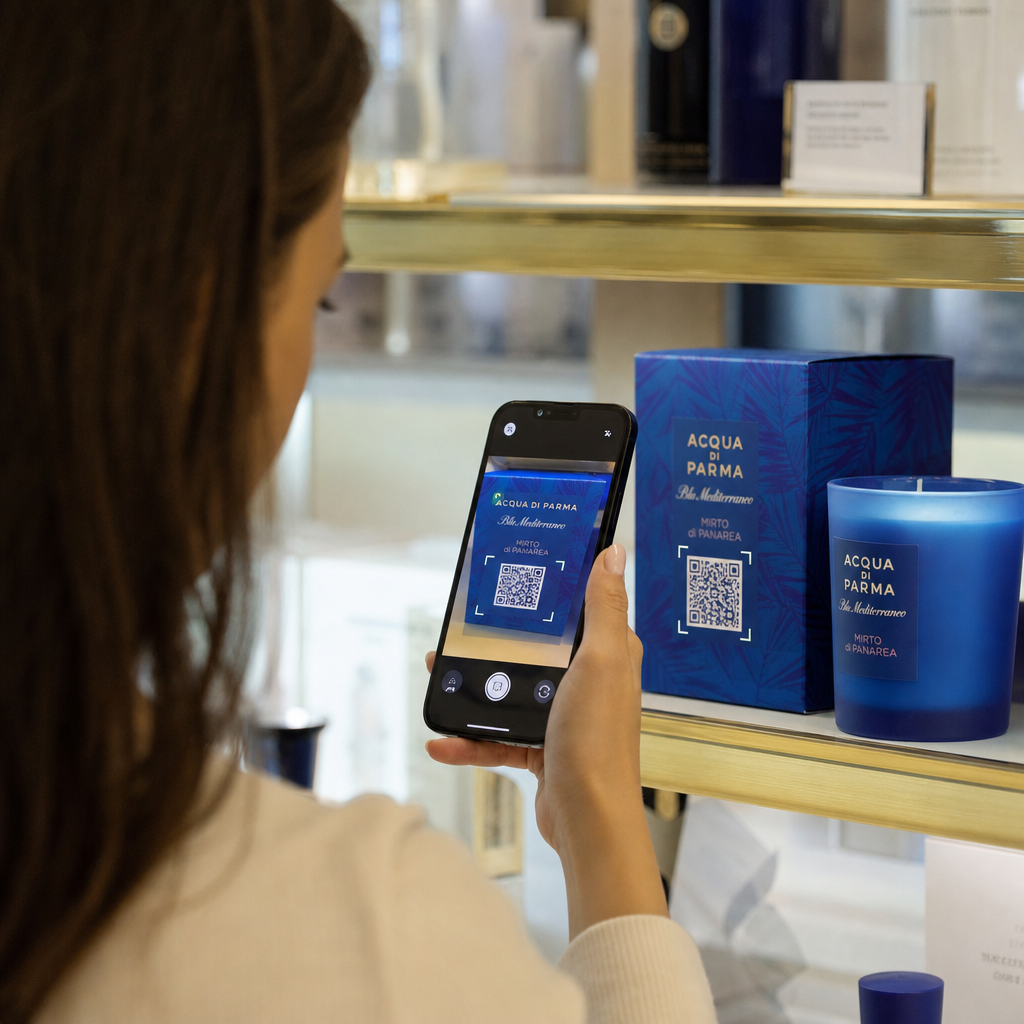
Codurile QR de pe ambalaje, display-uri de raft sau broșuri tipărite pot face legătura direct cu paginile de detalii ale produselor, videoclipuri instructive, înregistrarea garanției sau recenziile clienților. Acest lucru reduce cantitatea de text pe care trebuie să o imprimați pe ambalaj, oferind în același timp clienților acces la informații mai bogate la cerere.
Partajează accesul Wi-Fi
Un cod QR Wi-Fi permite clienților să se conecteze la rețeaua dvs. cu o singură scanare – nu este necesară tastarea parolei. Plasați-l în interiorul locației dvs. pentru a vă asigura că clienții intră fizic în spațiu înainte de a se conecta. Acest mic detaliu prelungește timpul de ședere și creează mai multe oportunități pentru implicarea în magazin.
Principii de design și plasare care afectează ratele de scanare
Un cod QR pe care nimeni nu-l scanează are valoare zero. Alegerile de design și plasare determină direct dacă codul tău este utilizat.
Dimensiunea contează. Pentru materiale de proximitate, cum ar fi cărțile de vizită și fluturașii, o dimensiune minimă de aproximativ 1 inch (2,5 cm) pătrat este linia de bază. Posterele ar trebui să utilizeze cel puțin 2 inci (5 cm). Pentru semnalizarea exterioară, aplicați regula 10:1: lățimea codului ar trebui să fie de cel puțin o zecime din distanța de scanare așteptată.
Contrastul este nenegociabil. Modelul închis pe fundal deschis este cea mai fiabilă combinație. Designurile cu contrast scăzut sau inversate introduc eșecuri de scanare, mai ales în condiții de iluminare variabilă. Testați riguros orice combinație de culori non-standard înainte de a imprima la scară.
Zona de liniște este necesară. Fiecare cod QR are nevoie de o margine goală de cel puțin patru module lățime pe toate părțile. Fără aceasta, scanerele se luptă să distingă codul de elementele grafice înconjurătoare, iar ratele de eșec la scanare cresc.
Suprafața și finisajul afectează performanța. Suprafețele foarte lucioase, reflectorizante sau striate pot distorsiona modelul QR și pot reduce succesul scanării. Suprafețele plate, nereflectorizante, pe substraturi care nu sângerează, sunt în mod constant mai fiabile.
Plasarea determină vizibilitatea. Plasarea la nivelul ochilor – aproximativ 3,5 până la 5,5 picioare de la sol pe semnalizare – maximizează accesibilitatea. Evitați plasarea codurilor lângă pliuri, margini sau zone care sunt în mod regulat obturate. Pentru o defalcare completă a strategiei de plasare în funcție de tipul de material, consultați ghidul suprem pentru plasarea codurilor QR în marketing.
Cum să urmărești performanța codurilor QR
Generarea unui cod este doar jumătate din muncă. Măsurarea a ceea ce se întâmplă după scanare este locul unde începe optimizarea campaniei.
Cu codurile QR dinamice, fiecare scanare produce date urmăribile: scanări totale, scanări unice, marcaje temporale, locație geografică, tip de dispozitiv și sistem de operare. Acest lucru vă permite să răspundeți la întrebări precum: Ce materiale tipărite generează de fapt trafic? Ce locații funcționează cel mai bine? La ce oră din zi interacționează clienții?
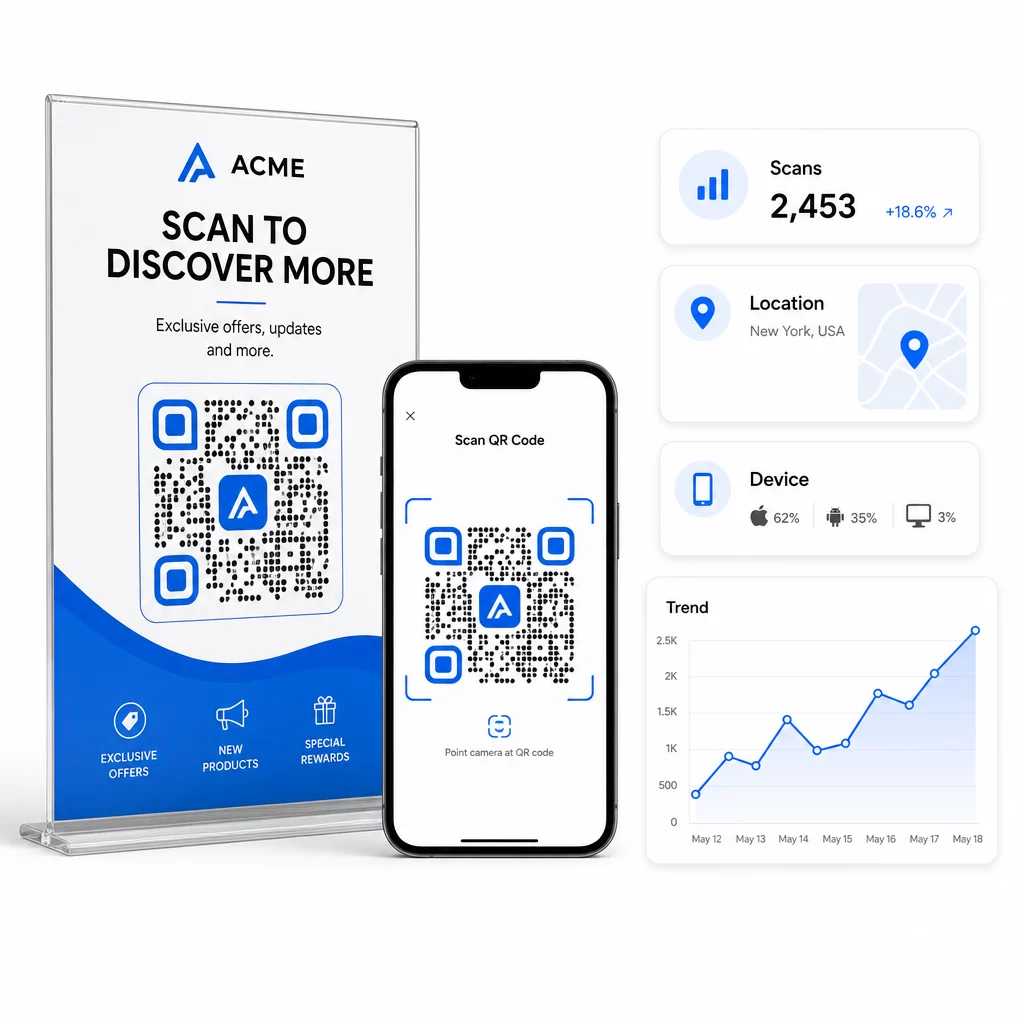
Pentru o atribuire mai profundă, adăugați parametri UTM la URL-urile de destinație înainte de a le încorpora în codul QR. Acest lucru direcționează traficul generat de QR în Google Analytics ca o sursă distinctă, unde puteți analiza implicarea, ratele de conversie și comportamentul separat de alte canale. O convenție de denumire consecventă – de exemplu, `utmmediu=qrcode` și `utmsource=storedisplay` – face raportarea clară și comparabilă între campanii. Pentru un ghid detaliat de configurare, consultați articolul Parametrii UTM pentru codurile QR.
Tabloul de bord încorporat al Pageloot consolidează aceste date într-un singur loc: numărul de scanări, defalcări geografice, rapoarte de dispozitive și comparații la nivel de campanie – fără a necesita o configurare separată de analiză pentru metricile de bază.
Monitorizați fiecare scanare în timp real Cel Generator cod QR dinamic vă oferă un tablou de bord complet de performanță cu date geografice, defalcări pe dispozitive și tendințe de scanare. Actualizați destinațiile fără a retipări oricând campania dvs. se modifică.
Construiți o strategie de marketing cu coduri QR care se scalează
Codurile QR unice sunt un punct de plecare. O strategie coordonată este ceea ce generează randamente compuse.
Înainte de a genera coduri, definiți ce este menit să realizeze fiecare – și asigurați-vă că destinația respectă această promisiune. Un cod care trimite pe cineva la o pagină neoptimizată pentru mobil, o eroare 404 sau o pagină de pornire irelevantă va eroda încrederea și va elimina orice motiv de a scana din nou.
Utilizare coduri QR dinamice pentru campanii cu date de început și de sfârșit definite, promoții rotative sau locații care partajează materiale pe parcursul sezoanelor. Abilitatea de a actualiza destinația fără a retipări înseamnă că materialele dvs. fizice rămân actuale chiar și atunci când campania dvs. se modifică.
Pentru o abordare pas cu pas a planificării și executării unei campanii cu coduri QR, Lista de verificare pentru marketing cu coduri QR pentru afaceri mici acoperă stabilirea obiectivelor, selecția tipului de cod, cele mai bune practici de design și optimizarea post-lansare într-un format structurat.
Brandurile care văd rezultate reale din codurile QR le tratează ca pe un canal de performanță – unul în care plasarea, designul, destinația și urmărirea sunt toate planificate în avans. Această disciplină este ceea ce separă o rată de scanare de 0,5% de una demnă de raportat.
Întrebări frecvente
Un cod QR static codifică destinația direct în modelul său și nu poate fi modificat după creare. De asemenea, nu oferă date de scanare. Un cod QR dinamic stochează o adresă URL scurtă de redirecționare, ceea ce înseamnă că puteți actualiza destinația oricând – chiar și după imprimare – și puteți urmări fiecare scanare cu date despre locație, dispozitiv și momentul scanării. Pentru majoritatea campaniilor de marketing, codurile QR dinamice sunt alegerea mai bună, deoarece acestea acceptă urmărirea, testarea A/B și actualizările campaniei fără a fi nevoie de reimprimare.
Ai nevoie de un cod QR dinamic conectat la o platformă de urmărire. Când cineva scanează codul, platforma înregistrează evenimentul și captează date, inclusiv numărul de scanări, marcajul temporal, locația geografică și tipul dispozitivului. De asemenea, poți adăuga parametri UTM la URL-ul de destinație, astfel încât traficul generat de QR să apară ca o sursă separată, identificabilă în Google Analytics. Tabloul de bord Pageloot oferă aceste date în timp real, fără a necesita o configurare separată de analiză pentru metricile de bază.
Pentru cărți de vizită și fluturași, folosește o dimensiune minimă de aproximativ 1 inch (2,5 cm) pătrat. Pentru meniuri și broșuri, vizează cel puțin 1,5 inch (3,8 cm). Pentru postere, folosește cel puțin 2 inch (5 cm). Pentru panouri publicitare și semnalizare exterioară, aplică regula 10:1: lățimea codului ar trebui să fie de cel puțin o zecime din distanța maximă de scanare așteptată. Menține întotdeauna o zonă liniștită goală de cel puțin patru module lățime pe toate părțile și folosește un contrast ridicat – model întunecat pe un fundal deschis – pentru a asigura o scanare fiabilă.