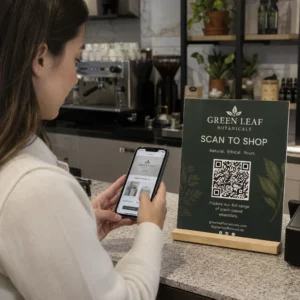
Da li vaš štampani marketinški materijal generiše nula merljivog saobraćaja? Fizičke dodirne tačke poput flajera, ambalaže i signalizacije teško je povezati sa digitalnim ishodima – osim ako strateški ne koristite QR kodove. Ovaj vodič pokriva kako generisati marketinške QR kodove i koristiti ih za praćenje performansi, povećanje angažmana i premošćavanje jaza između oflajn i onlajn sveta.
Zašto preduzeća koriste QR kodove u marketingu
QR kodovi rešavaju fundamentalnu tačku trenja u marketingu: prebacivanje nekoga sa fizičke površine na digitalnu destinaciju bez kucanja. Skeniranje traje manje od sekunde. Ta lakoća pristupa direktno se prevodi u veći angažman – zbog čega je usvajanje naglo poraslo daleko iznad ranih, neuspelih uvođenja iz 2011. godine.
Tada su Best Buy i Macy’s bili među prvim brendovima koji su testirali QR kodove u velikom obimu. Tehnologija nije bila problem – spor mobilni internet, ograničena penetracija pametnih telefona i odredišne stranice samo za desktop ubile su iskustvo pre nego što je počelo. Danas su te prepreke nestale. Brzi mobilni internet, izvorno skeniranje kamerom na iOS-u i Androidu, i veb iskustva optimizovana za mobilne uređaje učinili su QR kodove zaista praktičnim.
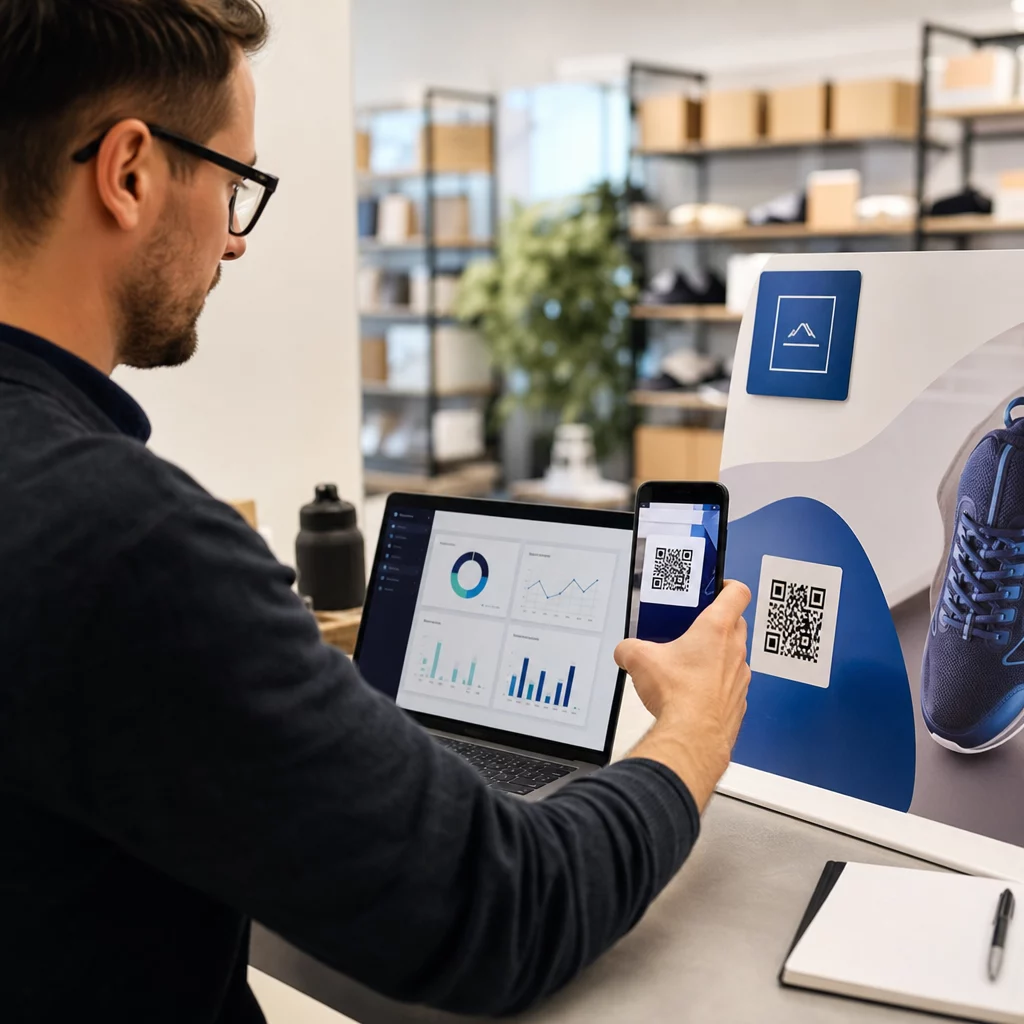
Iz marketinške perspektive, prava prednost nije samo pogodnost – to su podaci. Kada koristite dinamički QR kodovi, svako skeniranje generiše zapis: kada se dogodilo, gde, na kom uređaju i putem koje kampanje. To je vrsta podataka o atribuciji koja je nekada bila ekskluzivna za isključivo digitalne kanale.
Započnite praćenje svojih QR kod kampanja Želite da vidite podatke o skeniranju u realnom vremenu, geografske preglede i analitiku uređaja za svaki kod koji primenite? Koristite Генератор QR kodova za kreiranje kodova koji se mogu pratiti i uređivati, sa ugrađenom kontrolnom tablom performansi.
Statički naspram dinamičkih QR kodova: Koje bi trebalo da koristite?
Pre nego što generišete kod, morate izabrati pravi tip. Razlika je značajna za marketinšku upotrebu.
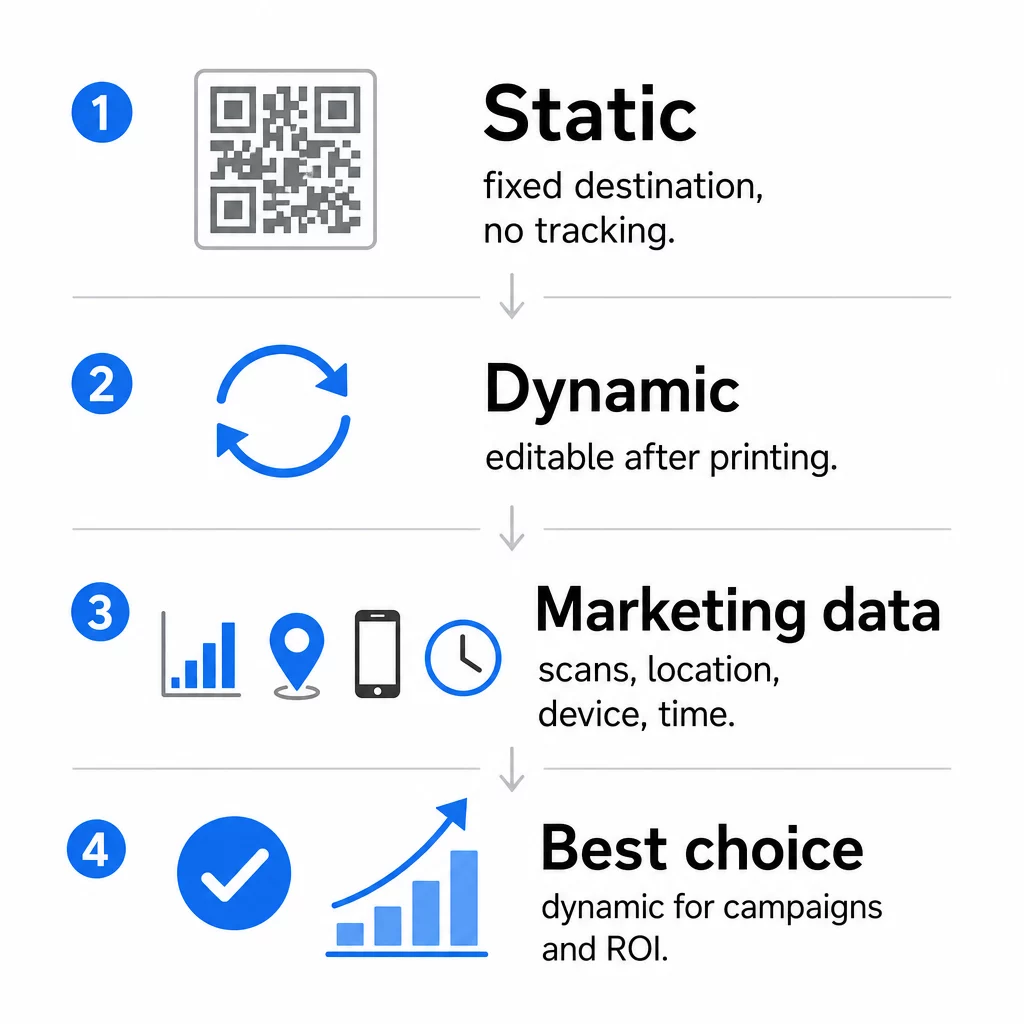
Статички КР кодови kodiraju podatke direktno u sam obrazac. Jednom odštampana, destinacija se ne može promeniti. Nemaju ugrađeno praćenje, generišu gušće obrasce za složene URL adrese i ne nude fleksibilnost nakon primene. Dobro funkcionišu za trajne slučajeve upotrebe niskog rizika, kao što su lozinka za Wi-Fi ili fiksna kontakt kartica.
Динамички КР кодови kodiraju kratku URL adresu za preusmeravanje. Stvarna destinacija se čuva na platformi za upravljanje i može se ažurirati u bilo kom trenutku – čak i nakon štampanja. To znači da možete popraviti pokvarenu vezu, zameniti sezonsku odredišnu stranicu ili preusmeriti na novu promociju bez ponovnog štampanja ijednog komada materijala.
Za marketinške kampanje, dinamički QR kodovi su skoro uvek bolji izbor. Oni podržavaju analitiku u realnom vremenu, A/B testiranje, praćenje UTM parametara i geo-ciljanje. Ako merite ROI na štampanim materijalima, dinamički kodovi su ono što to omogućava.
Kako generisati QR kod za marketing
Kreiranje QR koda za kampanju traje manje od pet minuta. Evo kako proces funkcioniše koristeći Pageloot:
- Изаберите свој тип КР кода – Izaberite tip sadržaja koji odgovara vašem cilju: URL, PDF, vCard, obrazac, link do prodavnice aplikacija, Wi-Fi akreditive, video ili drugi format. The link generatora QR kodova je najčešća polazna tačka za saobraćaj kampanje.
- Unesite svoju destinaciju – Nalepite URL ili otpremite datoteku na koju želite da kod pokazuje. U svrhe praćenja, koristite URL sa UTM oznakom kako bi skeniranja bila prikazana kao poseban izvor u Google Analytics-u.
- Прилагодите дизајн – Dodajte svoj logo, podesite boje brenda, izaberite stil okvira i napišite poziv na akciju. Brendirani QR kodovi dosledno nadmašuju generičke crno-bele jer grade vizuelno poverenje i ističu se na štampanim materijalima. The QR kod generator sa logom čini ovo jednostavnim.
- Preuzmite u pravom formatu – Za štampu, preuzmite vektorsku datoteku (EPS, PDF ili SVG) kako biste osigurali oštar izlaz u bilo kojoj veličini. Nikada ne koristite rastersku sliku niske rezolucije za štampu.
- Testirajte pre štampanja – Skenirajte kod sami koristeći više uređaja i uslova osvetljenja. Ako ne radi na starijem Androidu ili pri slabom svetlu, prilagodite dizajn pre nego što se obavežete na štampanje.
Kreirajte brendirani QR kod za nekoliko minuta Тхе QR kod generator sa logom omogućava vam da prilagodite boje, dodate svoj logo i primenite okvire sa pozivom na akciju – sve sa jedne kontrolne table.
Devet načina za korišćenje QR kodova u vašem marketingu
Usmerite saobraćaj na odredišnu stranicu
QR kod uklanja svaku prepreku između fizičke dodirne tačke i vaše odredišne stranice kampanje. Kupci ne moraju da kucaju URL ili pretražuju vaš brend – jedno skeniranje ih vodi direktno tamo gde vam trebaju. Uvek uparite kod sa jasnim pozivom na akciju koji objašnjava šta će dobiti skeniranjem: popust, vodič, obrazac za rezervaciju ili ekskluzivni sadržaj.
Pošaljite direktnu poruku
QR kodovi mogu pokrenuti unapred popunjene poruke putem SMS-a, WhatsApp-a, Telegrama ili Facebook Messenger-a. Ovo je jedna od najnedovoljnije korišćenih marketinških aplikacija. Stope otvaranja direktnih poruka na pametnim telefonima su znatno veće od e-pošte, što ovo čini efikasnim putem za promocije, podsetnike na sastanke ili tokove korisničke podrške.
Prikupljajte recenzije i povratne informacije
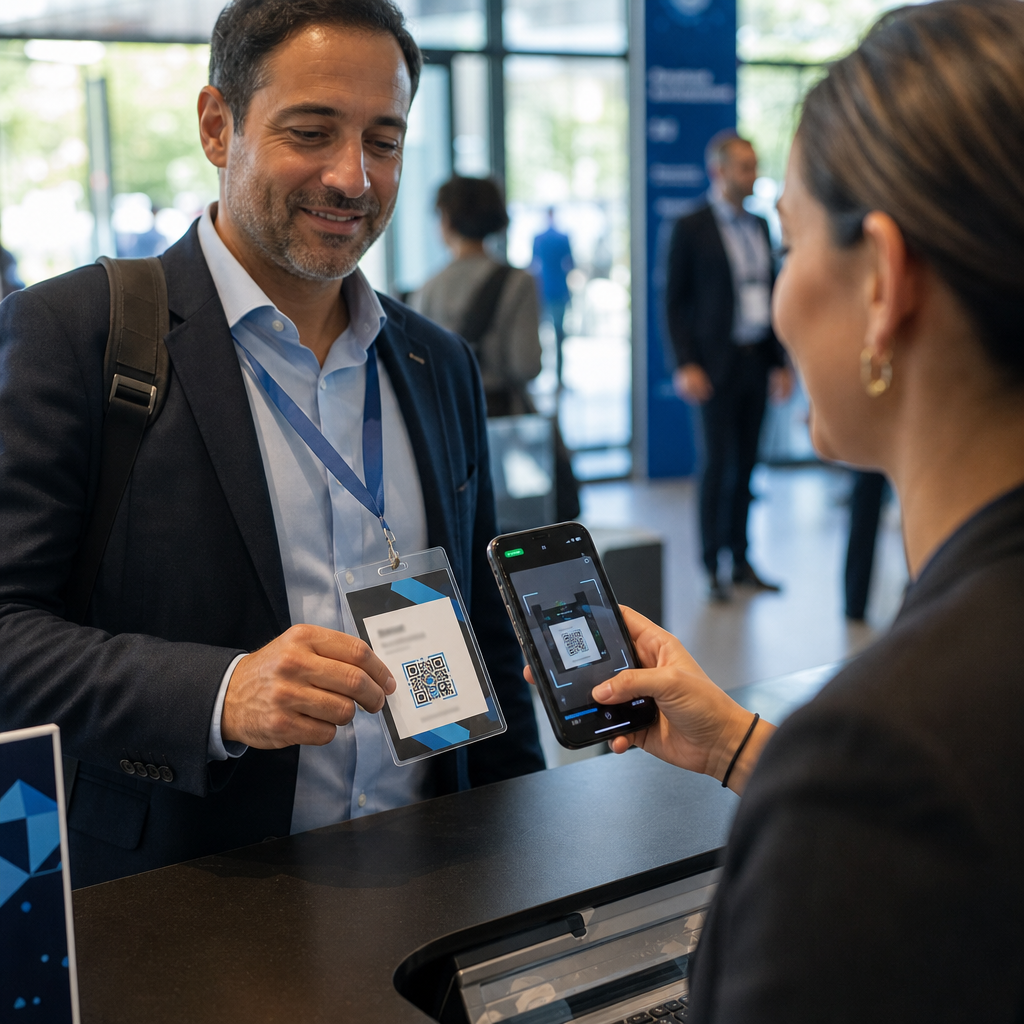
Više od 90% online kupaca konsultuje recenzije pre kupovine. QR kodovi na računima, ambalaži ili natpisima mogu poslati kupce direktno na vaš Google Business profil, stranicu za recenzije proizvoda ili anketu za povratne informacije. Da biste povećali stope odgovora, ponudite kod za popust ili mali podsticaj u zamenu za njihov doprinos.
Podelite lokaciju vašeg poslovanja
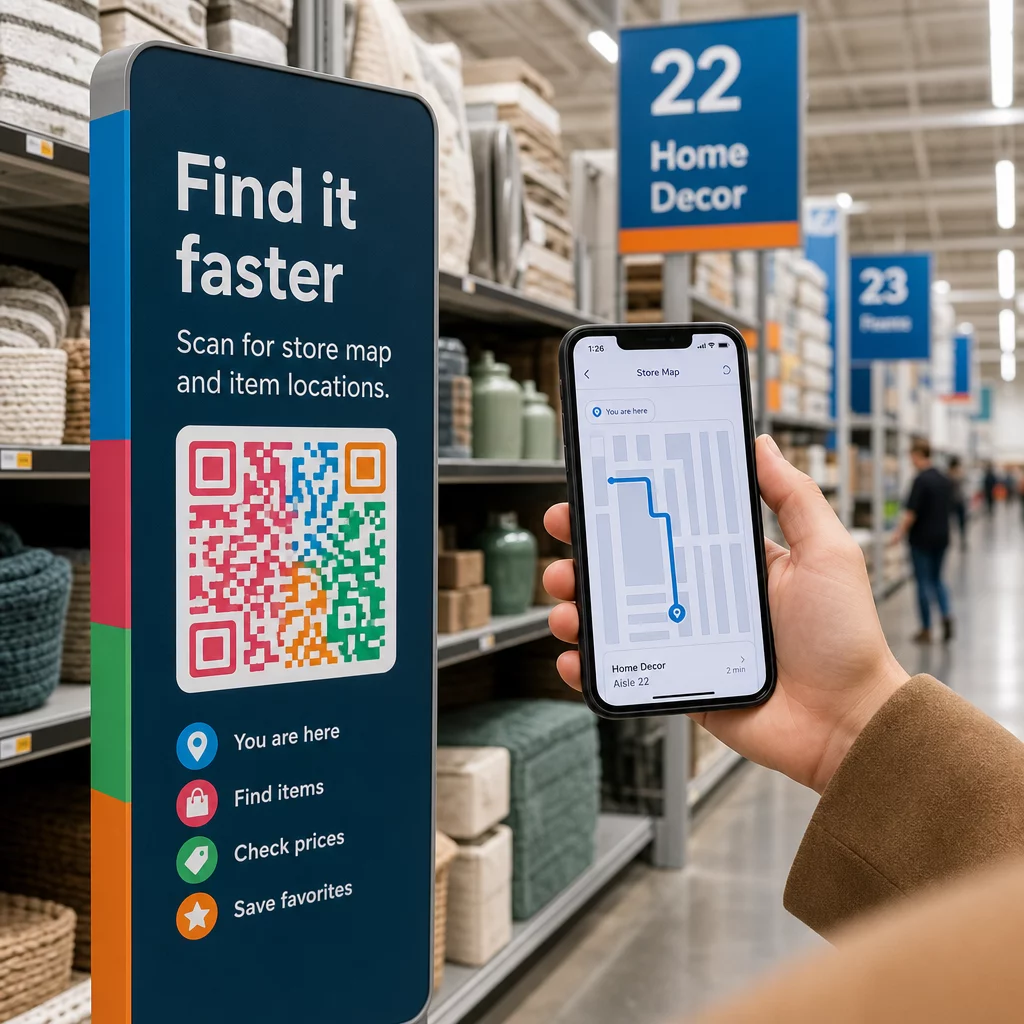
QR kod koji vodi do vaše Google Maps liste štedi kupcima muku ručnog pretraživanja. Ovo je posebno korisno na štampanim materijalima kao što su meniji za poneti, izložbeni štandovi ili obloge vozila gde kucanje adrese nije praktično.
Povećajte broj pratilaca na društvenim mrežama
Usmjerite QR kod direktno na vaš društveni profil, ili koristite posrednu stranicu koja prikazuje linkove ka svim vašim kanalima. Takođe možete konfigurisati kodove da automatski pokrenu Facebook Like ili YouTube Subscribe upit prilikom skeniranja – način sa niskim trenjem za izgradnju vaše publike sa fizičkih dodirnih tačaka.
Promovišite preuzimanja aplikacija
Koristite pametni QR kod za prodavnicu aplikacija koji detektuje uređaj korisnika i automatski ih usmerava na ispravnu prodavnicu – Apple App Store ili Google Play. Ovo uklanja jedan korak i eliminiše frustraciju sletanja na pogrešnu platformu. Takođe možete koristiti posrednu stranicu sa sadržajem da zagrejete korisnika pre zahteva za preuzimanje.
Pošaljite unapred popunjenu e-poštu
QR kod može otvoriti klijent e-pošte korisnika sa unapred popunjenom adresom primaoca, naslovom i tekstom poruke. Ovo dobro funkcioniše za zahteve korisničke podrške, upite partnera ili RSVP-ove za događaje gde želite strukturirane odgovore bez kreiranja obrasca.
Povežite se sa e-commerce proizvodima
QR kodovi na ambalaži, izložbenim policama ili štampanim brošurama mogu direktno voditi do stranica sa detaljima proizvoda, video uputstava, registracije garancije ili recenzija kupaca. Ovo smanjuje količinu teksta koju treba da odštampate na ambalaži, istovremeno pružajući kupcima pristup bogatijim informacijama na zahtev.
Podelite Wi-Fi pristup
Wi-Fi QR kod omogućava kupcima da se povežu na vašu mrežu jednim skeniranjem – nije potrebno kucanje lozinke. Postavite ga unutar vaše lokacije kako biste osigurali da kupci fizički uđu u prostor pre povezivanja. Ovaj mali detalj produžava vreme zadržavanja i stvara više mogućnosti za angažovanje u prodavnici.
Dizajn i principi postavljanja koji utiču na stope skeniranja
QR kod koji niko ne skenira ima nultu vrednost. Izbori dizajna i postavljanja direktno određuju da li će vaš kod biti korišćen.
Veličina je bitna. Za materijale izbliza kao što su vizit karte i flajeri, minimalna veličina od približno 1 inča (2,5 cm) kvadratno je osnovna. Posterima je potrebno najmanje 2 inča (5 cm). Za spoljašnje natpise, primenite pravilo 10:1: širina koda treba da bude najmanje jedna desetina očekivane udaljenosti skeniranja.
Kontrast je neupitan. Tamni uzorak na svetloj pozadini je najpouzdanija kombinacija. Dizajni sa niskim kontrastom ili invertovani dizajni dovode do neuspeha skeniranja, posebno pod promenljivim osvetljenjem. Rigorozno testirajte bilo koju nestandardnu kombinaciju boja pre štampanja u velikom obimu.
Tiha zona je obavezna. Svaki QR kod zahteva praznu marginu široku najmanje četiri modula sa svih strana. Bez nje, skeneri se bore da razlikuju kod od okolnih grafičkih elemenata, a stope neuspeha skeniranja se povećavaju.
Površina i završna obrada utiču na performanse. Visoko sjajne, reflektujuće ili rebraste površine mogu izobličiti QR obrazac i smanjiti uspeh skeniranja. Nereflektujuće, ravne površine na podlogama koje ne propuštaju boju su dosledno pouzdanije.
Postavljanje određuje vidljivost. Postavljanje u visini očiju – otprilike 3,5 do 5,5 stopa od zemlje na natpisima – maksimizira pristupačnost. Izbegavajte postavljanje kodova blizu nabora, ivica ili područja koja su redovno zaklonjena. Za potpunu analizu strategije postavljanja po vrsti materijala, pogledajte ultimativni vodič za postavljanje QR kodova u marketingu.
Kako pratiti performanse QR koda
Generisanje koda je samo pola posla. Merenje onoga što se dešava nakon skeniranja je mesto gde počinje optimizacija kampanje.
Sa dinamičkim QR kodovima, svako skeniranje proizvodi podatke koji se mogu pratiti: ukupni skenovi, jedinstveni skenovi, vremenske oznake, geografska lokacija, tip uređaja i operativni sistem. Ovo vam omogućava da odgovorite na pitanja kao što su: Koji štampani materijali zaista generišu saobraćaj? Koje lokacije najbolje funkcionišu? U koje doba dana se kupci angažuju?
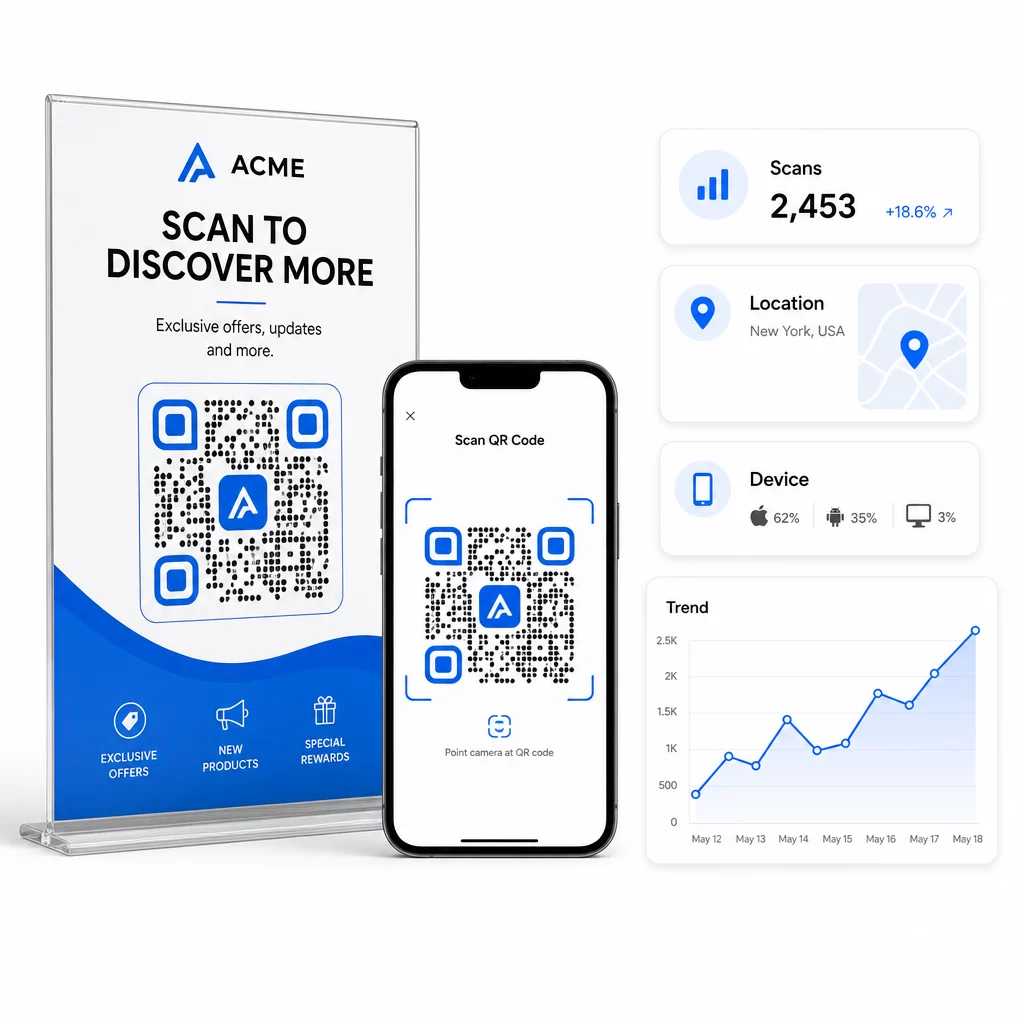
Za dublje atribucije, dodajte UTM parametre svojim odredišnim URL-ovima pre nego što ih ugradite u QR kod. Ovo usmerava saobraćaj generisan QR kodom u Google Analytics kao poseban izvor, gde možete analizirati angažovanje, stope konverzije i ponašanje odvojeno od drugih kanala. Dosledna konvencija imenovanja – na primer, `utmmedium=qrcode` i `utmsource=prodavnicadisplay` – čini izveštavanje jasnim i uporedivim u svim kampanjama. Za detaljan vodič za podešavanje, pogledajte članak o UTM parametrima za QR kodove.
Pageloot-ova ugrađena kontrolna tabla objedinjuje ove podatke na jednom mestu: broj skeniranja, geografske analize, izveštaje o uređajima i poređenja na nivou kampanje – bez potrebe za posebnim podešavanjem analitike za osnovne metrike.
Pratite svako skeniranje u realnom vremenu Тхе Dinamički QR kod generator pruža vam potpunu kontrolnu tablu performansi sa geografskim podacima, analizama uređaja i trendovima skeniranja. Ažurirajte odredišta bez ponovnog štampanja kad god se vaša kampanja promeni.
Izgradite marketinšku strategiju QR kodova koja se skalira
Jednokratni QR kodovi su početna tačka. Koordinisana strategija je ono što generiše složene povrate.
Pre generisanja kodova, definišite šta svaki od njih treba da postigne – i uverite se da odredište ispunjava to obećanje. Kod koji nekoga šalje na stranicu koja nije optimizovana za mobilne uređaje, 404 grešku ili nebitnu početnu stranicu, narušiće poverenje i eliminisati svaki razlog za ponovno skeniranje.
Користите dinamički QR kodovi za kampanje sa definisanim datumima početka i završetka, rotirajućim promocijama ili lokacijama koje dele materijale tokom sezona. Mogućnost ažuriranja odredišta bez ponovnog štampanja znači da vaš fizički materijal ostaje aktuelan čak i kada se vaša kampanja promeni.
Za pristup planiranju i izvršavanju kampanje QR kodova korak po korak, QR kod marketing kontrolna lista za mala preduzeća pokriva postavljanje ciljeva, odabir tipa koda, najbolje prakse dizajna i optimizaciju nakon pokretanja u strukturiranom formatu.
Brendovi koji vide stvarne rezultate od QR kodova tretiraju ih kao kanal performansi – onaj gde su postavljanje, dizajn, odredište i praćenje unapred planirani. Ta disciplina je ono što odvaja stopu skeniranja od 0.5% od one vredne izveštavanja.
Često postavljana pitanja
Statički QR kod kodira destinaciju direktno u svoj obrazac i ne može se menjati nakon kreiranja. Takođe ne pruža podatke o skeniranju. Dinamički QR kod čuva kratak URL za preusmeravanje, što znači da možete ažurirati destinaciju bilo kada – čak i nakon štampanja – i pratiti svako skeniranje sa podacima o lokaciji, uređaju i vremenu. Za većinu marketinških kampanja, dinamički QR kodovi su bolji izbor jer podržavaju praćenje, A/B testiranje i ažuriranja kampanje bez ponovnog štampanja.
Potreban vam je dinamički QR kod povezan sa platformom za praćenje. Kada neko skenira kod, platforma beleži događaj i prikuplja podatke uključujući broj skeniranja, vremensku oznaku, geografsku lokaciju i tip uređaja. Takođe možete dodati UTM parametre vašem odredišnom URL-u tako da saobraćaj generisan QR kodom bude prikazan kao poseban, prepoznatljiv izvor u Google Analytics-u. Pageloot-ova kontrolna tabla pruža ove podatke u realnom vremenu bez potrebe za zasebnom konfiguracijom analitike za osnovne metrike.
Za vizit karte i flajere, koristite minimalnu veličinu od oko 1 inča (2,5 cm) kvadratno. Za menije i brošure, ciljajte na najmanje 1,5 inča (3,8 cm). Za postere, koristite najmanje 2 inča (5 cm). Za bilborde i spoljne reklame, primenite pravilo 10:1: širina koda treba da bude najmanje jedna desetina maksimalne očekivane udaljenosti skeniranja. Uvek održavajte praznu tihu zonu širine najmanje četiri modula sa svih strana, i koristite visok kontrast – tamni uzorak na svetloj pozadini – kako biste osigurali pouzdano skeniranje.