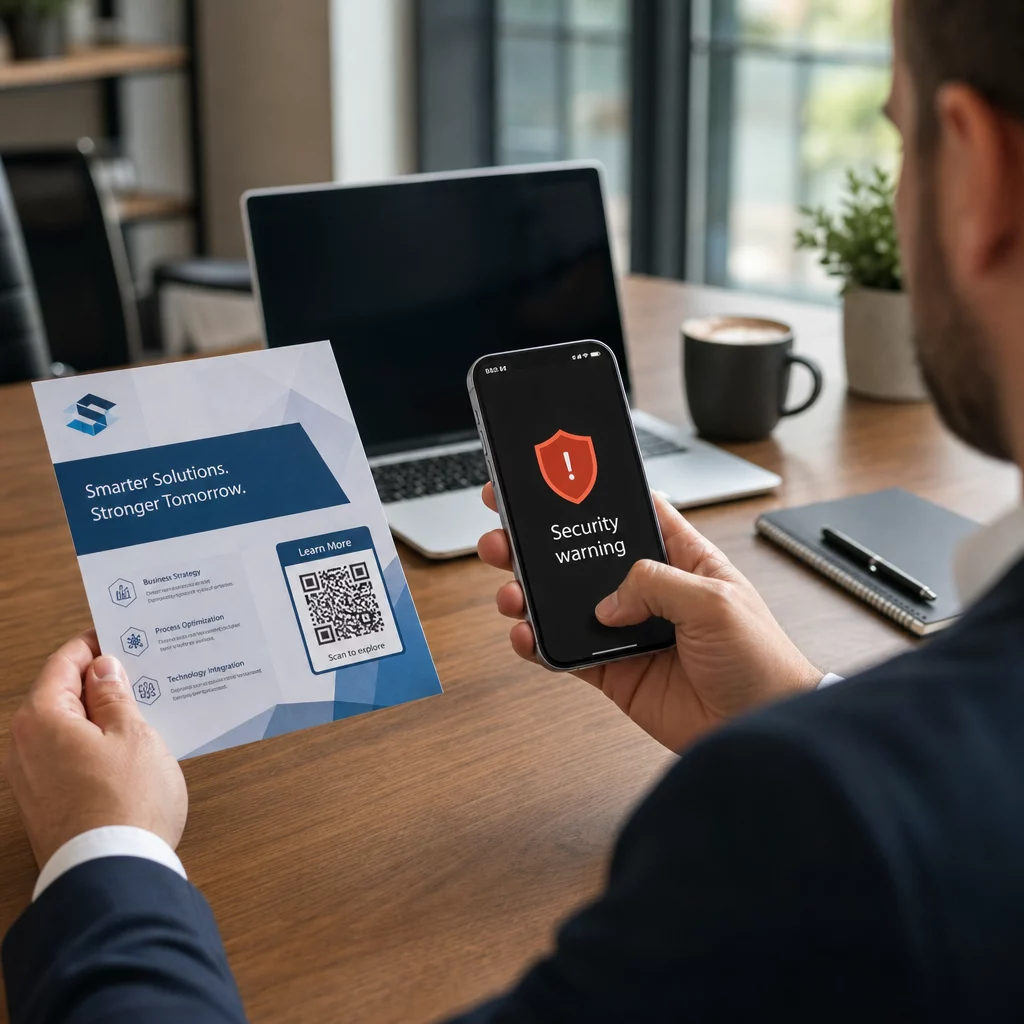
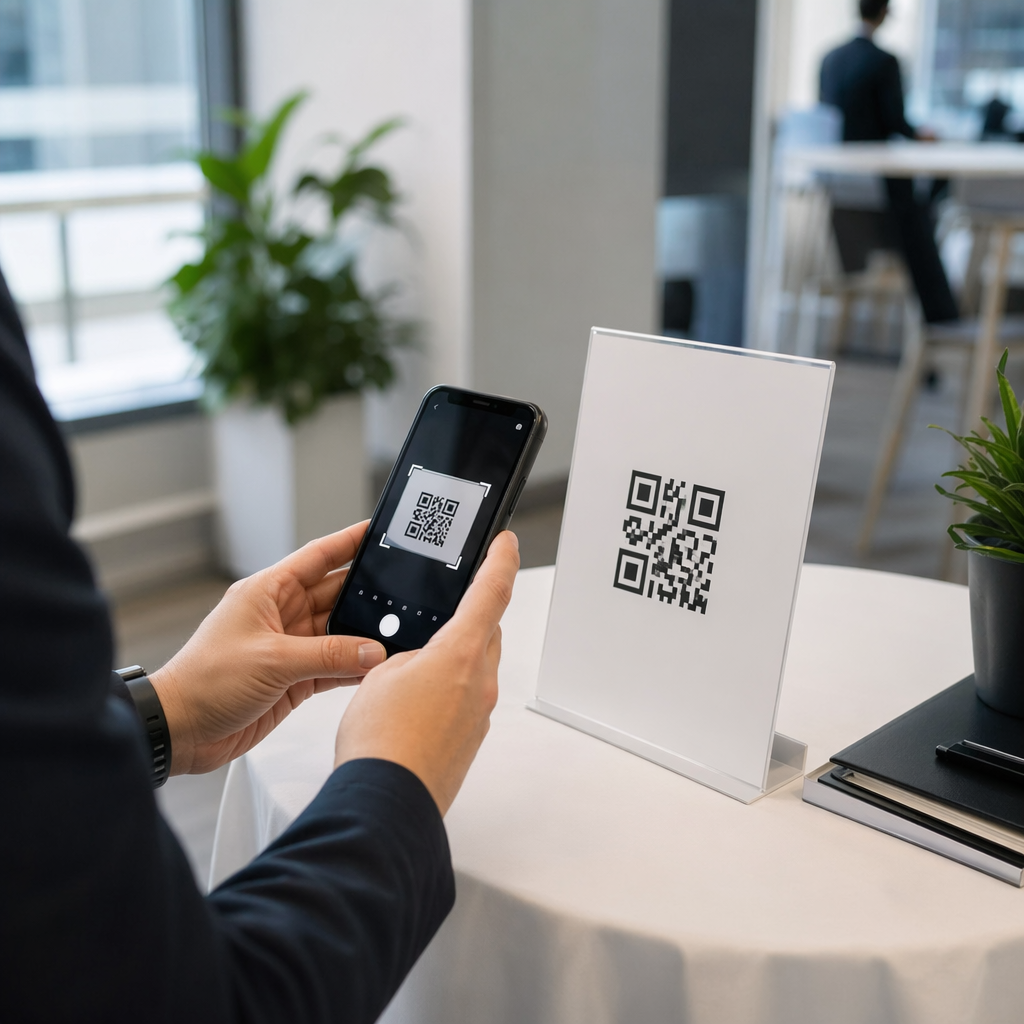
Poháňa váš tlačený marketingový materiál nulovú merateľnú návštevnosť? Fyzické kontaktné body ako letáky, obaly a nápisy je ťažké prepojiť s digitálnymi výsledkami – pokiaľ strategicky nepoužívate QR kódy. Táto príručka popisuje, ako generovať marketingové QR kódy a používať ich na sledovanie výkonu, zvýšenie angažovanosti a premostenie medzery medzi offline a online svetom.
Prečo firmy používajú QR kódy v marketingu
QR kódy riešia zásadný problém v marketingu: dostať niekoho z fyzického povrchu na digitálnu destináciu bez písania. Skenovanie trvá menej ako sekundu. Táto jednoduchosť prístupu sa priamo premieta do vyššej angažovanosti – a preto sa ich prijatie výrazne zvýšilo nad rámec skorých, neúspešných zavedení z roku 2011.
Vtedy boli Best Buy a Macy’s medzi prvými značkami, ktoré testovali QR kódy vo veľkom. Technológia nebola problémom – pomalý mobilný internet, obmedzená penetrácia smartfónov a pristávacie stránky len pre stolné počítače zabili zážitok skôr, než začal. Dnes sú tieto bariéry preč. Vysokorýchlostný mobilný internet, natívne skenovanie fotoaparátom na iOS a Android a webové zážitky optimalizované pre mobilné zariadenia urobili QR kódy skutočne praktickými.
Z marketingového hľadiska nie je skutočnou výhodou len pohodlie – sú to dáta. Keď použijete dynamické QR kódy, každé skenovanie generuje záznam: kedy sa to stalo, kde, na akom zariadení a prostredníctvom ktorej kampane. To je typ atribučných dát, ktoré boli kedysi exkluzívne pre digitálne kanály.
Začnite sledovať svoje kampane s QR kódmi Chcete vidieť údaje o skenovaní v reálnom čase, geografické rozdelenie a analýzu zariadení pre každý kód, ktorý nasadíte? Použite Generátor QR kódov na vytvorenie sledovateľných, upraviteľných kódov so vstavaným panelom výkonu.
Statické vs. dynamické QR kódy: Ktoré by ste mali použiť?
Predtým, ako vygenerujete kód, musíte si vybrať správny typ. Rozdiel je pre marketingové použitie veľmi dôležitý.
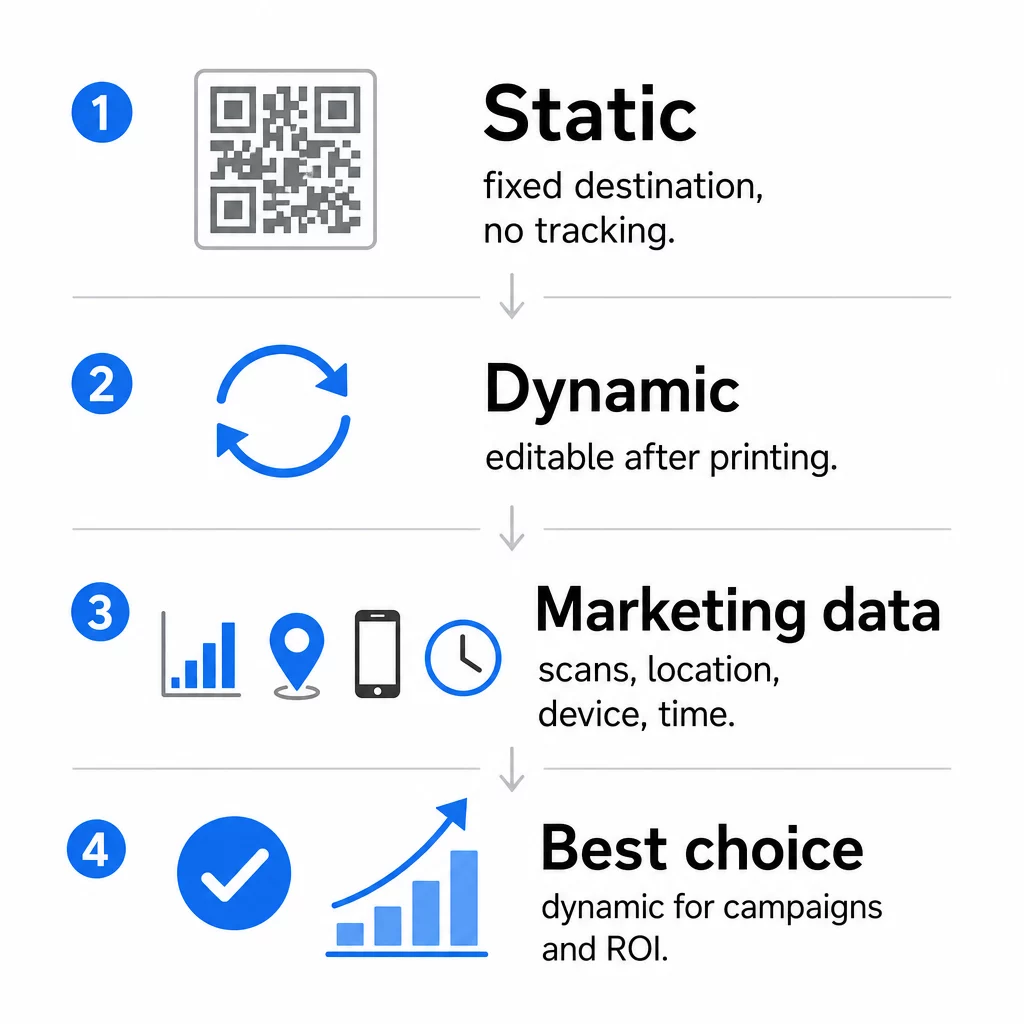
Statické kódy QR kódujú dáta priamo do samotného vzoru. Po vytlačení sa cieľ nedá zmeniť. Nemajú vstavané sledovanie, generujú hustejšie vzory pre komplexné URL adresy a neponúkajú žiadnu flexibilitu po nasadení. Fungujú dobre pre trvalé, nízkorizikové prípady použitia, ako je heslo Wi-Fi alebo pevná kontaktná karta.
Dynamické kódy QR kódujú krátku presmerovaciu URL adresu. Skutočný cieľ je uložený v platforme na správu a môže byť kedykoľvek aktualizovaný – dokonca aj po vytlačení. To znamená, že môžete opraviť nefunkčný odkaz, vymeniť sezónnu pristávaciu stránku alebo presmerovať na novú propagáciu bez opätovného vytlačenia jediného kusu materiálu.
Pre marketingové kampane, sú dynamické QR kódy takmer vždy lepšou voľbou. Podporujú analýzu v reálnom čase, A/B testovanie, sledovanie parametrov UTM a geografické cielenie. Ak meriate návratnosť investícií do tlačových materiálov, dynamické kódy sú to, čo to umožňuje.
Ako vygenerovať QR kód pre marketing
Vytvorenie QR kódu pre kampaň trvá menej ako päť minút. Tu je postup, ako proces funguje pomocou Pageloot:
- Vyberte si typ kódu QR – Vyberte typ obsahu, ktorý zodpovedá vášmu cieľu: URL, PDF, vCard, formulár, odkaz na obchod s aplikáciami, prihlasovacie údaje k Wi-Fi, video alebo iný formát. The generátor QR kódov odkazov je najbežnejším východiskovým bodom pre návštevnosť kampane.
- Zadajte svoj cieľ – Prilepte URL alebo nahrajte súbor, na ktorý má kód odkazovať. Na účely sledovania použite URL s UTM tagmi, aby sa skeny zobrazovali ako odlišný zdroj v Google Analytics.
- Prispôsobenie dizajnu – Pridajte svoje logo, nastavte farby značky, vyberte štýl rámčeka a napíšte výzvu na akciu. Značkové QR kódy neustále prekonávajú generické čiernobiele, pretože budujú vizuálnu dôveru a vynikajú na tlačených materiáloch. The Logo QR kód: generátor QR kódov s logom robí to jednoduchým.
- Stiahnite si v správnom formáte – Pre tlač si stiahnite vektorový súbor (EPS, PDF alebo SVG), aby ste zabezpečili ostrý výstup v akejkoľvek veľkosti. Nikdy nepoužívajte rastrový obrázok s nízkym rozlíšením pre tlačovú produkciu.
- Otestujte pred tlačou – Naskenujte kód sami pomocou viacerých zariadení a svetelných podmienok. Ak zlyhá na staršom Androide alebo pri slabom osvetlení, upravte dizajn predtým, ako sa zaviazate k tlačovej sérii.
Vytvorte značkový QR kód za pár minút Ten Logo QR kód: generátor QR kódov s logom vám umožňuje prispôsobiť farby, pridať vaše logo a použiť rámčeky s výzvou na akciu – všetko z jedného ovládacieho panela.
Deväť spôsobov, ako použiť QR kódy vo vašom marketingu
Zvýšte návštevnosť vstupnej stránky
QR kód odstraňuje každú bariéru medzi fyzickým kontaktným bodom a vstupnou stránkou vašej kampane. Zákazníci nemusia zadávať URL ani hľadať vašu značku – jedno naskenovanie ich zavedie priamo tam, kam potrebujete. Vždy spárujte kód s jasnou výzvou na akciu, ktorá vysvetľuje, čo získajú naskenovaním: zľavu, sprievodcu, rezervačný formulár alebo exkluzívny obsah.
Pošlite priamu správu
QR kódy môžu spúšťať predvyplnené správy cez SMS, WhatsApp, Telegram alebo Facebook Messenger. Toto je jedna z najmenej využívaných marketingových aplikácií. Miera otvorenia priamych správ na smartfónoch je podstatne vyššia ako pri e-mailoch, čo z toho robí efektívnu cestu pre propagácie, pripomienky stretnutí alebo toky zákazníckej podpory.
Zbierajte recenzie a spätnú väzbu
Viac ako 90 % online nakupujúcich si pred nákupom prečíta recenzie. QR kódy na účtenkách, obaloch alebo vývesných štítoch môžu zákazníkov poslať priamo na váš profil Google Moja firma, stránku s recenziami produktov alebo prieskum spätnej väzby. Ak chcete zvýšiť mieru odozvy, ponúknite zľavový kód alebo malú motiváciu výmenou za ich príspevok.
Zdieľajte polohu vašej firmy
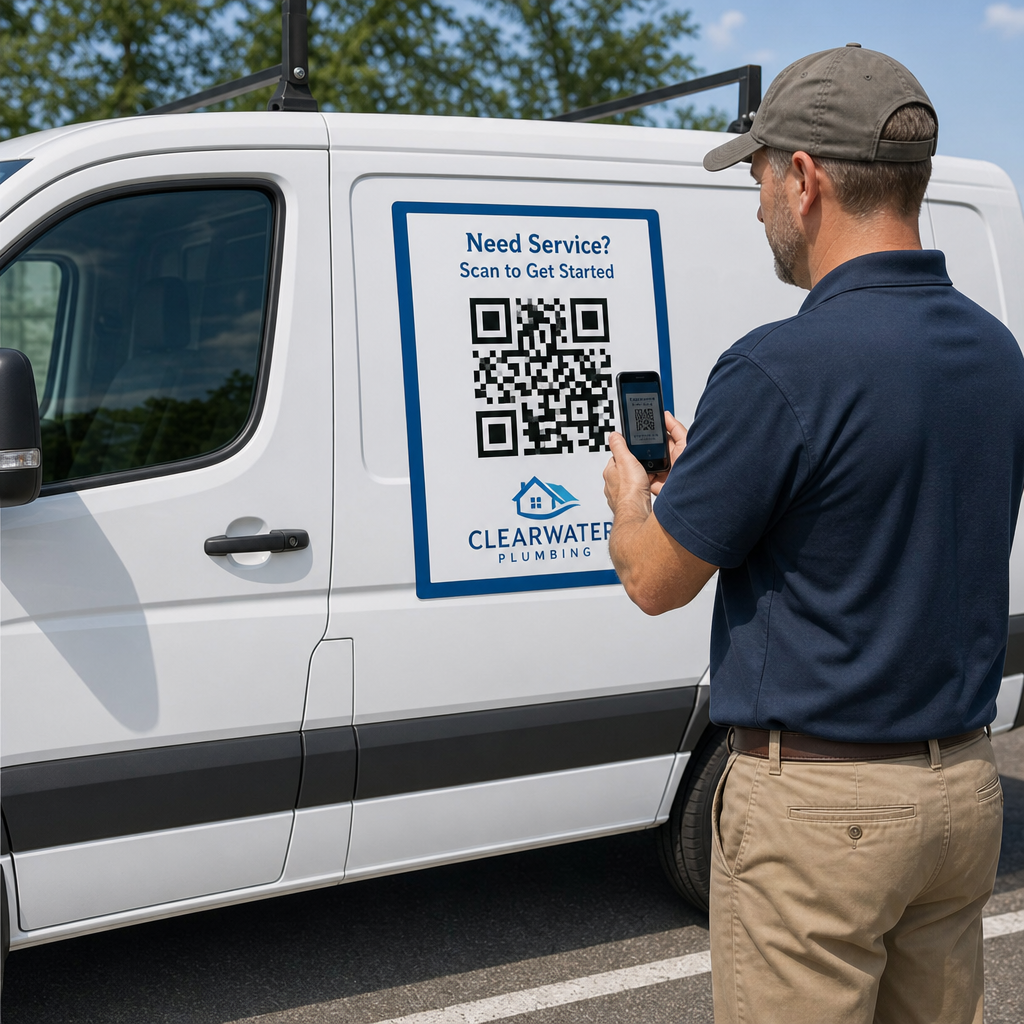
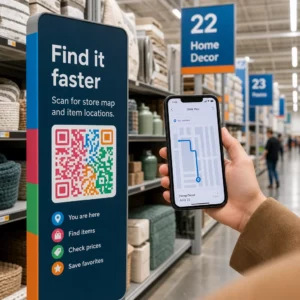
QR kód odkazujúci na váš záznam v Google Maps šetrí zákazníkom námahu s manuálnym vyhľadávaním. Toto je obzvlášť užitočné na tlačených materiáloch, ako sú menu so sebou, výstavné stánky alebo polepy vozidiel, kde zadávanie adresy nie je praktické.
Zvýšte počet svojich sledovateľov na sociálnych sieťach
Nasmerujte QR kód priamo na váš sociálny profil alebo použite prechodnú stránku, ktorá zobrazuje odkazy na všetky vaše kanály. Kódy môžete tiež nakonfigurovať tak, aby po naskenovaní automaticky spustili výzvu na „Páči sa mi to“ na Facebooku alebo „Odber“ na YouTube – čo je spôsob s nízkym trením na budovanie vášho publika z fyzických kontaktných bodov.
Propagujte sťahovanie aplikácií
Použite inteligentný QR kód obchodu s aplikáciami, ktorý automaticky rozpozná zariadenie používateľa a presmeruje ho do správneho obchodu – Apple App Store alebo Google Play. Tým sa odstráni jeden krok a eliminuje frustrácia z pristátia na nesprávnej platforme. Môžete tiež použiť prechodnú obsahovú stránku na „zahriatie“ používateľa pred požiadavkou na stiahnutie.
Pošlite predvyplnený e-mail
QR kód môže otvoriť e-mailového klienta používateľa s predvyplnenou adresou príjemcu, predmetom a textom správy. Toto funguje dobre pre požiadavky zákazníckej podpory, partnerské dopyty alebo RSVP na udalosti, kde chcete štruktúrované odpovede bez vytvárania formulára.
Odkaz na produkty e-commerce
QR kódy na obaloch, regálových displejoch alebo tlačených brožúrach môžu odkazovať priamo na stránky s podrobnosťami o produkte, inštruktážne videá, registráciu záruky alebo zákaznícke recenzie. Tým sa znižuje množstvo textu, ktorý musíte vytlačiť na obal, a zároveň zákazníkom poskytuje prístup k bohatším informáciám na požiadanie.
Zdieľajte prístup k Wi-Fi
QR kód pre Wi-Fi umožňuje zákazníkom pripojiť sa k vašej sieti jediným skenovaním – bez nutnosti zadávania hesla. Umiestnite ho do vašej prevádzky, aby ste zabezpečili, že zákazníci fyzicky vstúpia do priestoru pred pripojením. Tento malý detail predlžuje čas strávený v obchode a vytvára viac príležitostí pre interakciu v predajni.
Princípy dizajnu a umiestnenia, ktoré ovplyvňujú mieru skenovania
QR kód, ktorý nikto neskenuje, má nulovú hodnotu. Voľby dizajnu a umiestnenia priamo určujú, či sa váš kód použije.
Na veľkosti záleží. Pre materiály na blízko, ako sú vizitky a letáky, je minimálna veľkosť približne 1 palec (2,5 cm) štvorcový základom. Plagáty by mali používať aspoň 2 palce (5 cm). Pre vonkajšie značenie použite pravidlo 10:1: šírka kódu by mala byť aspoň jedna desatina očakávanej vzdialenosti skenovania.
Kontrast je nevyhnutný. Tmavý vzor na svetlom pozadí je najspoľahlivejšia kombinácia. Nízky kontrast alebo invertované dizajny spôsobujú zlyhanie skenovania, najmä pri premenlivom osvetlení. Pred hromadnou tlačou dôkladne otestujte akúkoľvek neštandardnú farebnú kombináciu.
Tichá zóna je potrebná. Každý QR kód potrebuje prázdny okraj široký aspoň štyri moduly na všetkých stranách. Bez neho majú skenery problém rozlíšiť kód od okolitých grafických prvkov a miera zlyhania skenovania sa zvyšuje.
Povrch a úprava ovplyvňujú výkon. Vysoko lesklé, reflexné alebo rebrované povrchy môžu skresliť vzor QR kódu a znížiť úspešnosť skenovania. Nereflexné, ploché povrchy na nepriepustných podkladoch sú konzistentne spoľahlivejšie.
Umiestnenie určuje viditeľnosť. Umiestnenie vo výške očí – približne 3,5 až 5,5 stôp od zeme na značení – maximalizuje dostupnosť. Vyhnite sa umiestňovaniu kódov v blízkosti záhybov, okrajov alebo oblastí, ktoré sú pravidelne zakryté. Pre úplný rozpis stratégie umiestnenia podľa typu materiálu pozrite kompletný sprievodca umiestnením QR kódu v marketingu.
Ako sledovať výkon QR kódu
Generovanie kódu je len polovica práce. Meranie toho, čo sa stane po skenovaní, je miesto, kde začína optimalizácia kampane.
S dynamickými QR kódmi, každé skenovanie produkuje sledovateľné dáta: celkový počet skenov, unikátne skeny, časové pečiatky, geografická poloha, typ zariadenia a operačný systém. To vám umožní odpovedať na otázky ako: Ktoré tlačené materiály skutočne generujú návštevnosť? Ktoré lokality fungujú najlepšie? V akom čase dňa sa zákazníci zapájajú?
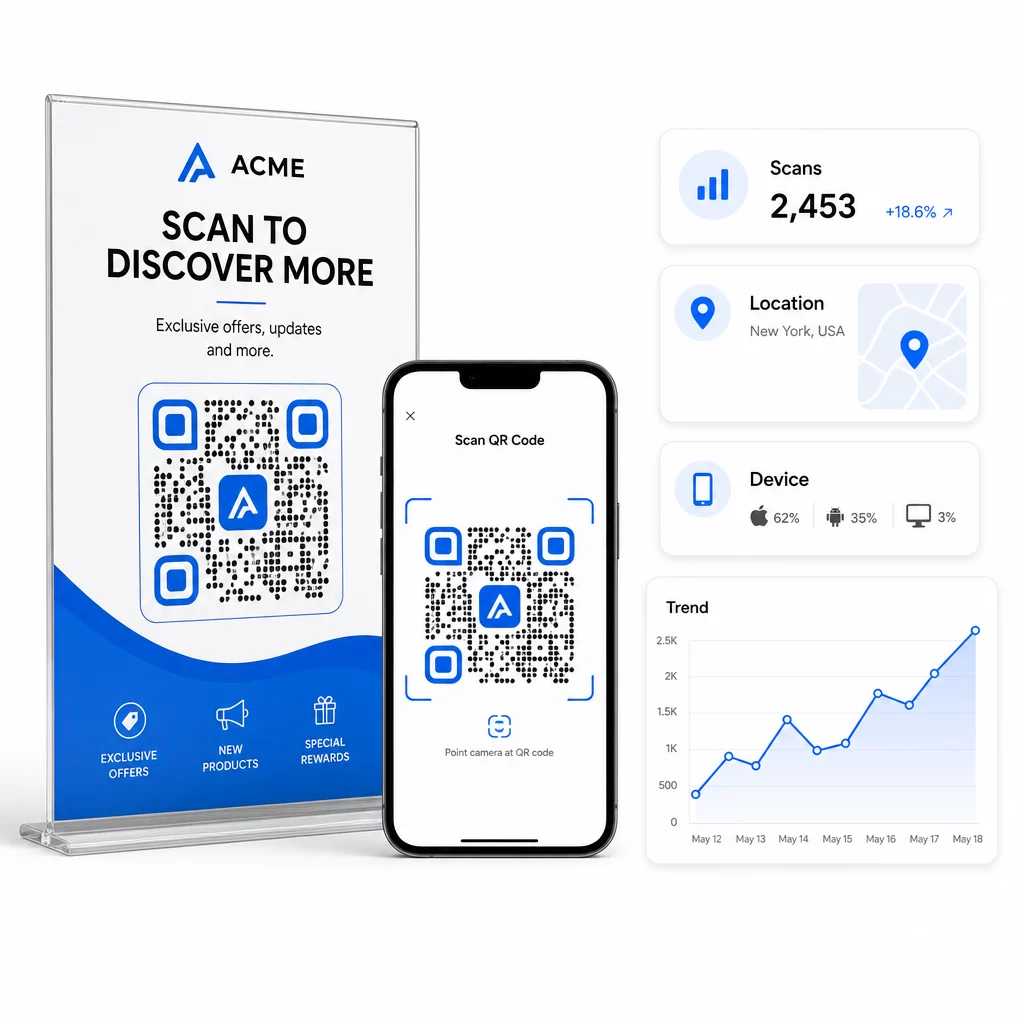
Pre hlbšiu atribúciu pridajte parametre UTM do vašich cieľových URL adries predtým, ako ich vložíte do QR kódu. Týmto sa prenáša návštevnosť generovaná QR kódom do Google Analytics ako samostatný zdroj, kde môžete analyzovať zapojenie, konverzné pomery a správanie oddelene od iných kanálov. Konzistentná konvencia pomenovania – napríklad `utmmedium=qrcode` a `utmsource=storedisplay` – robí reportovanie prehľadným a porovnateľným naprieč kampaňami. Podrobný sprievodca nastavením nájdete v článku o parametroch UTM pre QR kódy.
Vstavaný panel Pageloot konsoliduje tieto údaje na jednom mieste: počty skenov, geografické rozdelenia, správy o zariadeniach a porovnania na úrovni kampaní – bez potreby samostatného nastavenia analýzy pre základné metriky.
Monitorujte každý sken v reálnom čase Ten Dynamický QR kód generátor vám poskytuje kompletný výkonnostný panel s geografickými údajmi, rozdelením podľa zariadení a trendmi skenovania. Aktualizujte ciele bez opätovnej tlače kedykoľvek sa vaša kampaň zmení.
Vybudujte marketingovú stratégiu QR kódov, ktorá sa škáluje
Jednorazové QR kódy sú len začiatok. Koordinovaná stratégia je to, čo generuje kumulatívne výnosy.
Pred generovaním kódov definujte, čo má každý z nich dosiahnuť – a uistite sa, že cieľová stránka tento sľub splní. Kód, ktorý pošle niekoho na stránku neoptimalizovanú pre mobilné zariadenia, 404 chybu alebo irelevantnú domovskú stránku, naruší dôveru a odstráni akýkoľvek dôvod na opätovné skenovanie.
Použite dynamické QR kódy pre kampane s definovanými dátumami začiatku a konca, rotujúcimi akciami alebo lokalitami, ktoré zdieľajú materiály naprieč ročnými obdobiami. Možnosť aktualizovať cieľ bez opätovnej tlače znamená, že vaše fyzické materiály zostanú aktuálne, aj keď sa vaša kampaň zmení.
Pre podrobný prístup k plánovaniu a realizácii kampane s QR kódmi, QR kód marketingový kontrolný zoznam pre malé podniky pokrýva stanovenie cieľov, výber typu kódu, osvedčené postupy dizajnu a optimalizáciu po spustení v štruktúrovanom formáte.
Značky, ktoré vidia skutočné výsledky z QR kódov, ich považujú za výkonnostný kanál – taký, kde umiestnenie, dizajn, cieľ a sledovanie sú vopred naplánované. Táto disciplína je to, čo oddeľuje mieru skenovania 0,5 % od takej, ktorá stojí za zmienku.
Často kladené otázky
Statický QR kód kóduje cieľ priamo do svojho vzoru a po vytvorení ho nemožno zmeniť. Neposkytuje ani žiadne údaje o skenovaní. Dynamický QR kód ukladá krátku presmerovaciu URL adresu, čo znamená, že cieľ môžete kedykoľvek aktualizovať – dokonca aj po vytlačení – a sledovať každé skenovanie s údajmi o polohe, zariadení a čase. Pre väčšinu marketingových kampaní sú dynamické QR kódy lepšou voľbou, pretože podporujú sledovanie, A/B testovanie a aktualizácie kampaní bez potreby opätovnej tlače.
Potrebujete dynamický QR kód pripojený k sledovacej platforme. Keď niekto naskenuje kód, platforma zaznamená udalosť a zachytí údaje vrátane počtu skenov, časovej pečiatky, geografickej polohy a typu zariadenia. Môžete tiež pridať parametre UTM do cieľovej adresy URL, aby sa prevádzka generovaná QR kódom zobrazovala ako samostatný, identifikovateľný zdroj v službe Google Analytics. Dashboard Pageloot poskytuje tieto údaje v reálnom čase bez potreby samostatnej konfigurácie analýzy pre základné metriky.
Pre vizitky a letáky použite minimálnu veľkosť približne 1 palec (2,5 cm) štvorcový. Pre menu a brožúry sa zamerajte na minimálne 1,5 palca (3,8 cm). Pre plagáty použite minimálne 2 palce (5 cm). Pre billboardy a vonkajšie značenie aplikujte pravidlo 10:1: šírka kódu by mala byť aspoň jedna desatina maximálnej očakávanej vzdialenosti skenovania. Vždy udržujte prázdnu tichú zónu širokú aspoň štyri moduly na všetkých stranách a používajte vysoký kontrast – tmavý vzor na svetlom pozadí – na zabezpečenie spoľahlivého skenovania.