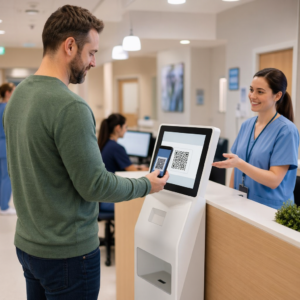
Drijft uw gedrukte marketingmateriaal nul meetbaar verkeer? Fysieke contactpunten zoals flyers, verpakkingen en bewegwijzering zijn moeilijk te verbinden met digitale resultaten – tenzij u QR-codes strategisch gebruikt. Deze gids behandelt hoe u marketing-QR-codes genereert en deze gebruikt om prestaties te volgen, betrokkenheid te vergroten en de kloof tussen offline en online te overbruggen.
Waarom bedrijven QR-codes gebruiken in marketing
QR-codes lossen een fundamenteel knelpunt in marketing op: iemand van een fysiek oppervlak naar een digitale bestemming krijgen zonder te typen. Een scan duurt minder dan een seconde. Dat gebruiksgemak vertaalt zich direct in hogere betrokkenheid – daarom is de adoptie ver voorbij de vroege, mislukte uitrol van 2011 gestegen.
Destijds waren Best Buy en Macy's een van de eerste merken die QR-codes op grote schaal testten. De technologie was niet het probleem – traag mobiel internet, beperkte smartphonepenetratie en alleen-desktop landingspagina's doodden de ervaring voordat deze begon. Vandaag de dag zijn die barrières verdwenen. Snel mobiel internet, native camerascanning op iOS en Android, en mobiel-geoptimaliseerde webervaringen hebben QR-codes echt praktisch gemaakt.
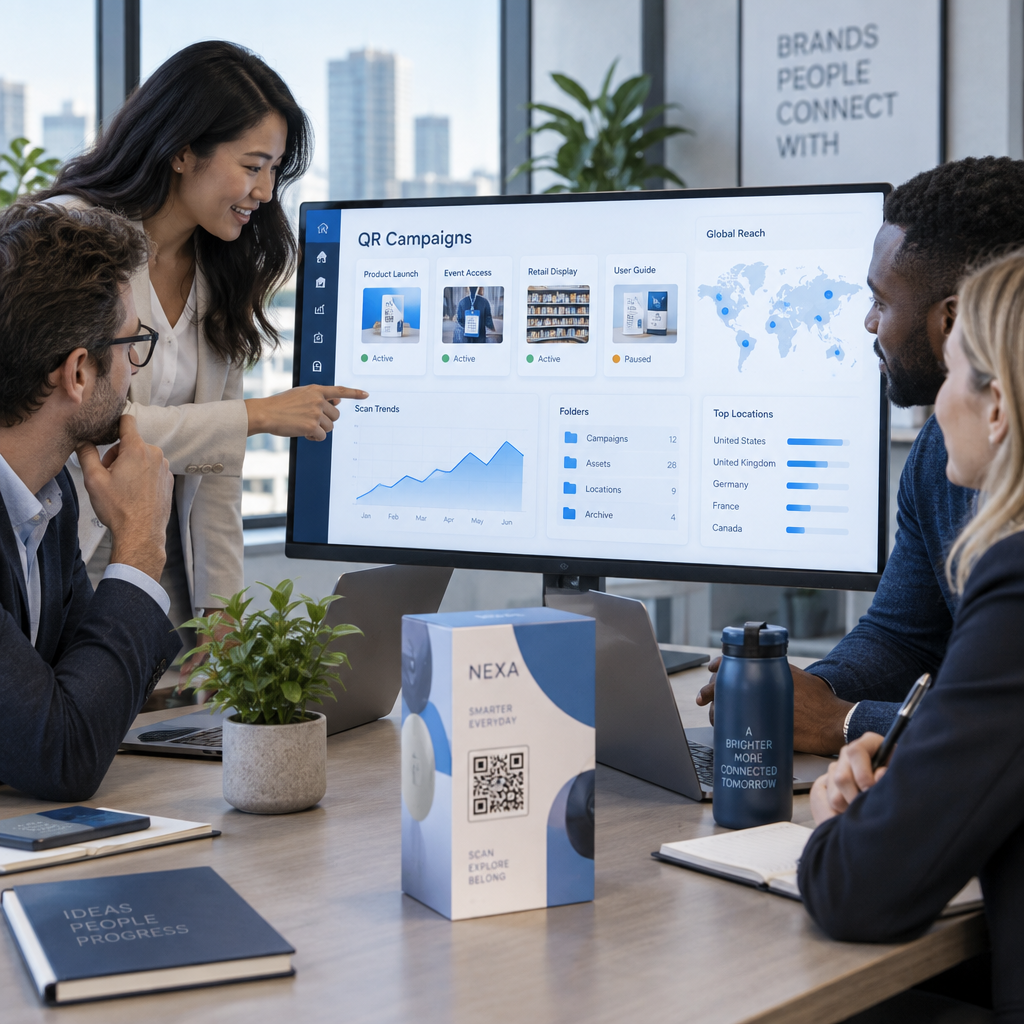
Vanuit een marketingperspectief is het echte voordeel niet alleen gemak – het zijn gegevens. Wanneer u gebruikt dynamische QR-codes, genereert elke scan een record: wanneer het gebeurde, waar, op welk apparaat en via welke campagne. Dat is het soort attributiegegevens dat ooit exclusief was voor uitsluitend digitale kanalen.
Begin met het volgen van uw QR-codecampagnes Wilt u real-time scangegevens, geografische uitsplitsingen en apparaatanalyses zien voor elke code die u implementeert? Gebruik de QR-codegenerator om traceerbare, bewerkbare codes te maken met een ingebouwd prestatiedashboard.
Statische versus dynamische QR-codes: welke moet u gebruiken?
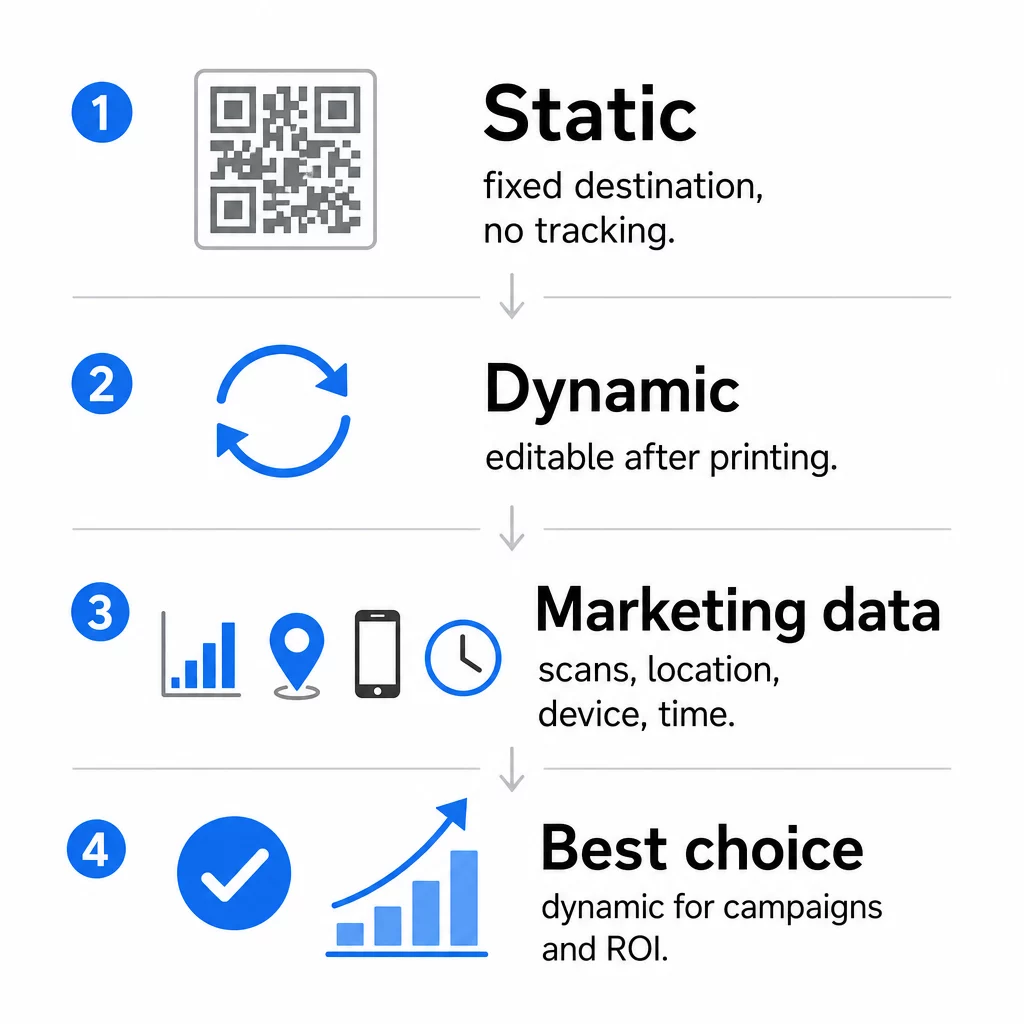
Voordat u een code genereert, moet u het juiste type kiezen. Het onderscheid is significant voor marketinggebruik.
Statische QR codes coderen gegevens direct in het patroon zelf. Eenmaal afgedrukt, kan de bestemming niet worden gewijzigd. Ze hebben geen ingebouwde tracking, genereren dichtere patronen voor complexe URL's en bieden geen flexibiliteit na implementatie. Ze werken prima voor permanente, laagdrempelige gebruiksscenario's zoals een Wi-Fi-wachtwoord of een vaste contactkaart.
Dynamische QR codes coderen een korte omleidings-URL. De daadwerkelijke bestemming wordt opgeslagen in een beheerplatform en kan op elk moment worden bijgewerkt – zelfs na het afdrukken. Dit betekent dat u een kapotte link kunt repareren, een seizoensgebonden landingspagina kunt vervangen of kunt omleiden naar een nieuwe promotie zonder één enkel stuk promotiemateriaal opnieuw af te drukken.
Voor marketingcampagnes, zijn dynamische QR-codes bijna altijd de betere keuze. Ze ondersteunen real-time analyses, A/B-testen, UTM-parametertracking en geo-targeting. Als u de ROI van printmaterialen meet, zijn dynamische codes wat dat mogelijk maakt.
Hoe een QR-code te genereren voor marketing
Een QR-code maken voor een campagne duurt minder dan vijf minuten. Zo werkt het proces met Pageloot:
- Kies je QR code type – Selecteer het inhoudstype dat bij uw doel past: een URL, PDF, vCard, formulier, app store-link, Wi-Fi-gegevens, video of een ander formaat. De link QR-codegenerator is het meest voorkomende startpunt voor campagnetraffic.
- Voer uw bestemming in – Plak de URL of upload het bestand waarnaar de code moet verwijzen. Gebruik voor trackingdoeleinden een UTM-getagde URL, zodat scans als een afzonderlijke bron verschijnen in Google Analytics.
- Ontwerp aanpassen – Voeg uw logo toe, stel merkkleuren in, kies een framestijl en schrijf een call-to-action. Branded QR-codes presteren consequent beter dan generieke zwart-witcodes, omdat ze visueel vertrouwen opbouwen en opvallen op gedrukt materiaal. De QR code met logo maken maakt dit eenvoudig.
- Download in het juiste formaat – Voor print, download een vectorbestand (EPS, PDF of SVG) om een scherpe uitvoer op elk formaat te garanderen. Gebruik nooit een rasterafbeelding met lage resolutie voor printproductie.
- Test voordat je print – Scan de code zelf met meerdere apparaten en onder verschillende lichtomstandigheden. Als het mislukt op een oudere Android of bij weinig licht, pas dan het ontwerp aan voordat u een printrun uitvoert.
Maak binnen enkele minuten een Branded QR-code De QR code met logo maken laat u kleuren aanpassen, uw logo toevoegen en call-to-action-frames toepassen – alles vanuit één dashboard.
Negen manieren om QR-codes te gebruiken in uw marketing
Leid verkeer naar een landingspagina
Een QR-code verwijdert elke barrière tussen een fysiek contactpunt en uw campagnelandingspagina. Klanten hoeven geen URL te typen of naar uw merk te zoeken – één scan brengt hen direct waar u ze nodig heeft. Combineer de code altijd met een duidelijke call-to-action die uitlegt wat ze krijgen door te scannen: een korting, een gids, een boekingsformulier of exclusieve inhoud.
Stuur een Direct Bericht
QR-codes kunnen vooraf ingevulde berichten activeren via sms, WhatsApp, Telegram of Facebook Messenger. Dit is een van de meest onderbenutte marketingtoepassingen. Openingspercentages van directe smartphonemeldingen zijn aanzienlijk hoger dan die van e-mail, waardoor dit een effectieve route is voor promoties, afspraakherinneringen of klantenserviceprocessen.
Verzamel Recensies en Feedback
Meer dan 90% van de online shoppers raadpleegt recensies voordat ze een aankoop doen. QR-codes op bonnen, verpakkingen of bewegwijzering kunnen klanten rechtstreeks naar uw Google Bedrijfsprofiel, productrecensiepagina of een feedbackenquête sturen. Om de responspercentages te verhogen, kunt u een kortingscode of een kleine stimulans aanbieden in ruil voor hun input.
Deel Uw Bedrijfslocatie
Een QR-code die linkt naar uw Google Maps-vermelding bespaart klanten de moeite van handmatig zoeken. Dit is bijzonder handig op gedrukt materiaal zoals afhaalmenu's, beursstands of voertuigbelettering waar het typen van een adres niet praktisch is.
Vergroot Uw Sociale Media Volgers
Richt een QR-code rechtstreeks op uw sociale profiel, of gebruik een tussenpagina die links naar al uw kanalen toont. U kunt codes ook configureren om automatisch een Facebook Like- of YouTube Abonneren-prompt te activeren bij het scannen – een laagdrempelige manier om uw publiek op te bouwen vanuit fysieke contactpunten.
Promoot App Downloads
Gebruik een slimme app store QR-code die het apparaat van de gebruiker detecteert en hen automatisch naar de juiste winkel leidt – Apple App Store of Google Play. Dit verwijdert een stap en elimineert de frustratie van het landen op het verkeerde platform. U kunt ook een tussenliggende contentpagina gebruiken om de gebruiker voor te bereiden op het downloadverzoek.
Stuur een Vooraf Ingevulde E-mail
Een QR-code kan de e-mailclient van de gebruiker openen met een vooraf ingevuld ontvangeradres, onderwerpregel en hoofdtekst. Dit werkt goed voor klantenserviceverzoeken, partneraanvragen of RSVP's voor evenementen waarbij u gestructureerde antwoorden wilt zonder een formulier te bouwen.
Link naar E-commerce Producten
QR-codes op verpakkingen, schapdisplays of gedrukte brochures kunnen rechtstreeks linken naar productdetailpagina's, instructievideo's, garantieregistratie of klantrecensies. Dit vermindert de hoeveelheid tekst die u op verpakkingen hoeft af te drukken, terwijl klanten toegang krijgen tot rijkere informatie op aanvraag.
Deel Wi-Fi Toegang
Een Wi-Fi QR-code laat klanten met één scan verbinding maken met uw netwerk – geen wachtwoord hoeft te worden getypt. Plaats deze binnen uw locatie om ervoor te zorgen dat klanten fysiek de ruimte betreden voordat ze verbinding maken. Dit kleine detail verlengt de verblijftijd en creëert meer mogelijkheden voor in-store betrokkenheid.
Ontwerp- en plaatsingsprincipes die de scanpercentages beïnvloeden
Een QR-code die niemand scant, heeft geen waarde. Ontwerp- en plaatsingskeuzes bepalen direct of uw code wordt gebruikt.
Grootte is belangrijk. Voor materialen op korte afstand, zoals visitekaartjes en flyers, is een minimale grootte van ongeveer 1 inch (2,5 cm) vierkant de basislijn. Posters moeten minstens 2 inch (5 cm) gebruiken. Voor buitenreclame geldt de 10:1-regel: de breedte van de code moet minstens een tiende zijn van de verwachte scanafstand.
Contrast is niet onderhandelbaar. Donker patroon op lichte achtergrond is de meest betrouwbare combinatie. Ontwerpen met laag contrast of omgekeerde ontwerpen leiden tot scanfouten, vooral bij variabele verlichting. Test elke niet-standaard kleurencombinatie grondig voordat u op grote schaal print.
Stille zone is vereist. Elke QR-code heeft aan alle zijden een blanco marge van minstens vier modules breed nodig. Zonder deze marge hebben scanners moeite om de code te onderscheiden van omringende grafische elementen, en nemen de scanfouten toe.
Oppervlak en afwerking beïnvloeden de prestaties. Hoogglanzende, reflecterende of geribbelde oppervlakken kunnen het QR-patroon vervormen en het succes van de scan verminderen. Niet-reflecterende, vlakke oppervlakken op niet-doorbloedende substraten zijn consequent betrouwbaarder.
Plaatsing bepaalt de zichtbaarheid. Plaatsing op ooghoogte – ongeveer 1,05 tot 1,65 meter van de grond op bewegwijzering – maximaliseert de toegankelijkheid. Vermijd het plaatsen van codes in de buurt van vouwen, randen of gebieden die regelmatig worden verduisterd. Voor een volledig overzicht van de plaatsingsstrategie per materiaalsoort, zie de ultieme gids voor de plaatsing van QR-codes in marketing.
Hoe de prestaties van QR-codes te volgen
Een code genereren is slechts de helft van het werk. Meten wat er na de scan gebeurt, is waar campagne-optimalisatie begint.
Met dynamische QR-codes, produceert elke scan traceerbare gegevens: totaal aantal scans, unieke scans, tijdstempels, geografische locatie, apparaattype en besturingssysteem. Dit stelt u in staat vragen te beantwoorden zoals: Welke gedrukte materialen genereren daadwerkelijk verkeer? Welke locaties presteren het beste? Op welk tijdstip van de dag zijn klanten betrokken?
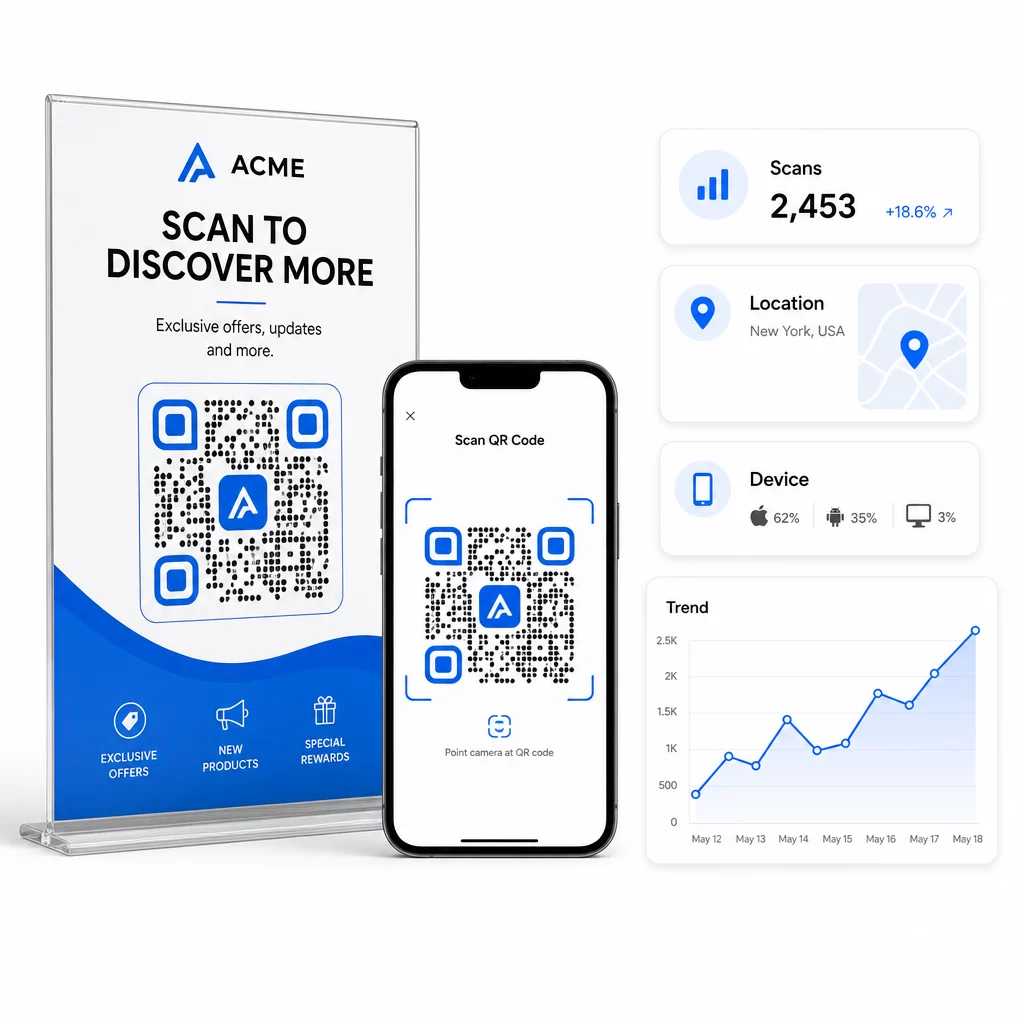
Voor diepere attributie voegt u UTM-parameters toe aan uw bestemmings-URL's voordat u ze in de QR-code insluit. Dit leidt QR-gestuurd verkeer naar Google Analytics als een afzonderlijke bron, waar u betrokkenheid, conversiepercentages en gedrag afzonderlijk van andere kanalen kunt analyseren. Een consistente naamgevingsconventie – bijvoorbeeld, `utmmedium=qrcode` en `utmsource=winkeldisplay` – maakt rapportage over campagnes heen duidelijk en vergelijkbaar. Voor een gedetailleerde installatiehandleiding, zie de artikel over UTM-parameters voor QR-codes.
Het ingebouwde dashboard van Pageloot consolideert deze gegevens op één plek: aantal scans, geografische uitsplitsingen, apparaatrapporten en vergelijkingen op campagneniveau – zonder dat een aparte analyse-instelling nodig is voor basisstatistieken.
Monitor elke scan in realtime De Dynamische QR code generator geeft u een volledig prestatiedashboard met geografische gegevens, apparaatoverzichten en scantrends. Werk bestemmingen bij zonder opnieuw te printen, telkens wanneer uw campagne verandert.
Bouw een QR-code marketingstrategie die schaalbaar is
Eenmalige QR-codes zijn een startpunt. Een gecoördineerde strategie genereert samengestelde rendementen.
Voordat u codes genereert, definieert u wat elke code moet bereiken – en zorgt u ervoor dat de bestemming die belofte waarmaakt. Een code die iemand naar een niet-mobiel-geoptimaliseerde pagina, een 404, of een irrelevante homepage stuurt, zal het vertrouwen ondermijnen en elke reden om opnieuw te scannen wegnemen.
Gebruik dynamische QR-codes voor campagnes met gedefinieerde start- en einddatums, roterende promoties, of locaties die materialen delen over seizoenen heen. De mogelijkheid om de bestemming bij te werken zonder opnieuw te printen betekent dat uw fysieke promotiemateriaal actueel blijft, zelfs wanneer uw campagne verandert.
Voor een stapsgewijze aanpak voor het plannen en uitvoeren van een QR-code campagne, de QR-code marketing checklist voor kleine bedrijven behandelt doelstellingen, selectie van codetypen, best practices voor ontwerp en optimalisatie na de lancering in een gestructureerd formaat.
De merken die echte resultaten zien van QR-codes behandelen ze als een prestatiekanaal – een waarbij plaatsing, ontwerp, bestemming en tracking allemaal van tevoren worden gepland. Die discipline is wat een scanpercentage van 0,5% onderscheidt van een dat het waard is om te rapporteren.
Veelgestelde vragen
Een statische QR-code codeert de bestemming direct in zijn patroon en kan na creatie niet meer worden gewijzigd. Het levert ook geen scangegevens op. Een dynamische QR-code slaat een korte omleidings-URL op, wat betekent dat u de bestemming op elk moment kunt bijwerken – zelfs na het afdrukken – en elke scan kunt volgen met gegevens over locatie, apparaat en timing. Voor de meeste marketingcampagnes zijn dynamische QR-codes de betere keuze, omdat ze tracking, A/B-testen en campagne-updates ondersteunen zonder opnieuw te hoeven afdrukken.
Je hebt een dynamische QR-code nodig die is gekoppeld aan een trackingplatform. Wanneer iemand de code scant, registreert het platform de gebeurtenis en legt het gegevens vast, waaronder het aantal scans, tijdstempel, geografische locatie en apparaattype. Je kunt ook UTM-parameters toevoegen aan je bestemmings-URL, zodat QR-gestuurd verkeer verschijnt als een afzonderlijke, identificeerbare bron in Google Analytics. Het dashboard van Pageloot biedt deze gegevens in realtime, zonder dat een aparte analyseconfiguratie nodig is voor basisstatistieken.
Voor visitekaartjes en flyers, gebruik een minimale grootte van ongeveer 1 inch (2,5 cm) vierkant. Voor menu's en brochures, streef naar minimaal 1,5 inch (3,8 cm). Voor posters, gebruik minimaal 2 inch (5 cm). Voor billboards en buitenreclame, pas de 10:1 regel toe: de breedte van de code moet minstens een tiende zijn van de maximaal verwachte scanafstand. Handhaaf altijd een blanco stille zone van minimaal vier modules breed aan alle zijden, en gebruik een hoog contrast – donker patroon op een lichte achtergrond – om betrouwbaar scannen te garanderen.