¿Su material de marketing impreso genera cero tráfico medible? Los puntos de contacto físicos como folletos, empaques y señalización son difíciles de conectar con resultados digitales, a menos que utilice códigos QR estratégicamente. Esta guía cubre cómo generar códigos QR de marketing y usarlos para rastrear el rendimiento, aumentar el compromiso y cerrar la brecha entre lo offline y lo online.
Por qué las empresas utilizan códigos QR en marketing
Los códigos QR resuelven un punto de fricción fundamental en el marketing: llevar a alguien de una superficie física a un destino digital sin escribir. Un escaneo tarda menos de un segundo. Esa facilidad de acceso se traduce directamente en un mayor compromiso, razón por la cual la adopción ha aumentado mucho más allá de los primeros y fallidos lanzamientos de 2011.
En aquel entonces, Best Buy y Macy's fueron de las primeras marcas en probar los códigos QR a gran escala. La tecnología no era el problema: el internet móvil lento, la penetración limitada de smartphones y las páginas de destino solo para escritorio mataron la experiencia antes de que comenzara. Hoy, esas barreras han desaparecido. El internet móvil de alta velocidad, el escaneo nativo de la cámara en iOS y Android, y las experiencias web optimizadas para dispositivos móviles han hecho que los códigos QR sean realmente prácticos.
Desde una perspectiva de marketing, la verdadera ventaja no es solo la comodidad, son los datos. Cuando utilizas códigos QR dinámicos, cada escaneo genera un registro: cuándo ocurrió, dónde, en qué dispositivo y a través de qué campaña. Ese es el tipo de datos de atribución que antes era exclusivo de los canales puramente digitales.
Empiece a rastrear sus campañas de códigos QR ¿Quiere ver datos de escaneo en tiempo real, desgloses geográficos y análisis de dispositivos para cada código que implemente? Utilice el Generador de códigos QR para crear códigos rastreables y editables con un panel de rendimiento integrado.
Códigos QR estáticos vs. dinámicos: ¿Cuáles debería usar?
Antes de generar un código, debe elegir el tipo correcto. La distinción es significativamente importante para el uso en marketing.
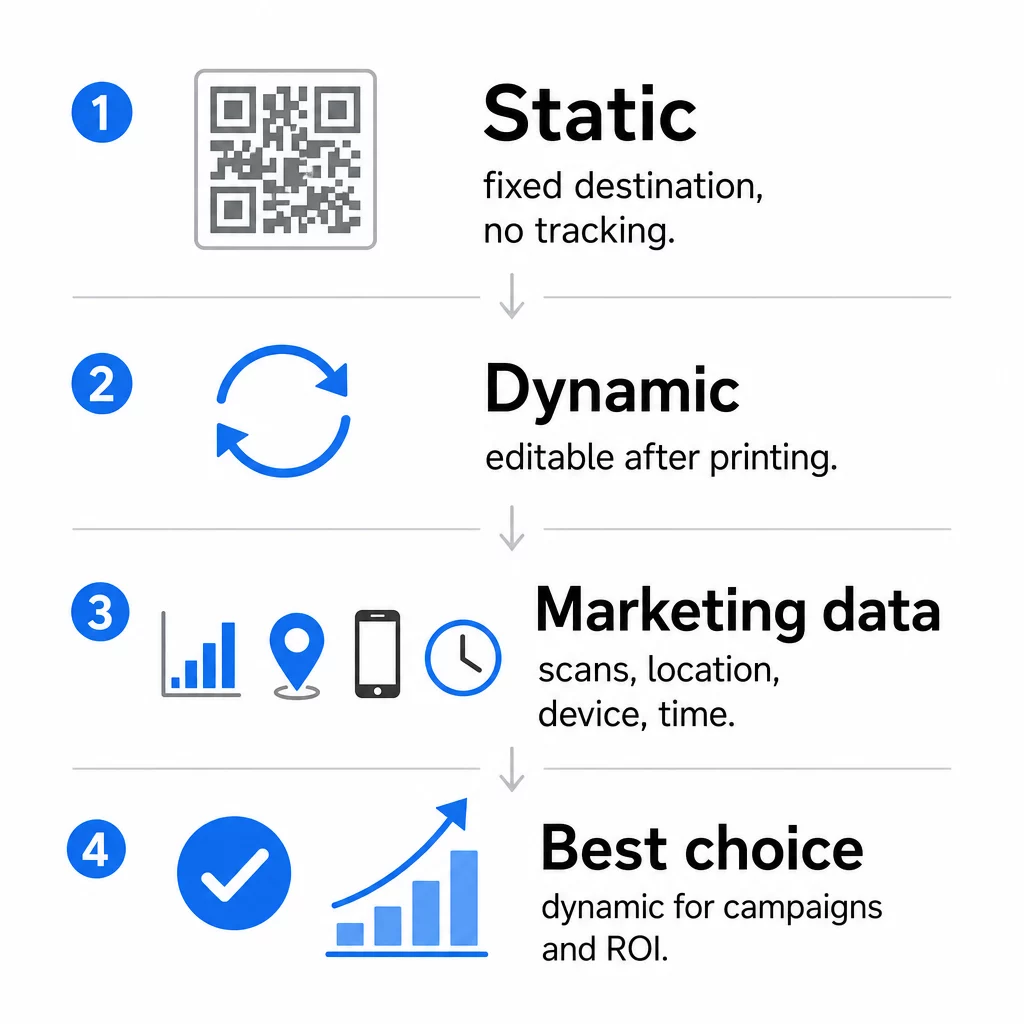
Códigos QR estáticos codifican datos directamente en el patrón mismo. Una vez impreso, el destino no se puede cambiar. No tienen seguimiento incorporado, generan patrones más densos para URL complejas y no ofrecen flexibilidad después de la implementación. Funcionan bien para casos de uso permanentes y de bajo riesgo, como una contraseña de Wi-Fi o una tarjeta de contacto fija.
Códigos QR dinámicos codifican una URL de redirección corta. El destino real se almacena en una plataforma de gestión y se puede actualizar en cualquier momento, incluso después de la impresión. Esto significa que puede corregir un enlace roto, cambiar una página de destino estacional o redirigir a una nueva promoción sin reimprimir una sola pieza de material.
Para campañas de marketing, los códigos QR dinámicos son casi siempre la mejor opción. Admiten análisis en tiempo real, pruebas A/B, seguimiento de parámetros UTM y geolocalización. Si está midiendo el ROI de los materiales impresos, los códigos dinámicos son lo que lo hace posible.
Cómo generar un código QR para marketing
Crear un código QR para una campaña lleva menos de cinco minutos. Así es como funciona el proceso usando Pageloot:
- Elija su tipo de código QR – Seleccione el tipo de contenido que coincida con su objetivo: una URL, PDF, vCard, formulario, enlace a la tienda de aplicaciones, credenciales de Wi-Fi, video u otro formato. El generador de códigos QR de enlaces es el punto de partida más común para el tráfico de la campaña.
- Introduzca su destino – Pegue la URL o suba el archivo al que desea que apunte el código. Para fines de seguimiento, use una URL con etiquetas UTM para que los escaneos aparezcan como una fuente distinta en Google Analytics.
- Personaliza el diseño – Añada su logotipo, establezca los colores de la marca, elija un estilo de marco y escriba una llamada a la acción. Los códigos QR de marca superan consistentemente a los genéricos en blanco y negro porque generan confianza visual y destacan en los materiales impresos. El Generador de código QR con logo hace esto sencillo.
- Descargar en el formato correcto – Para impresión, descargue un archivo vectorial (EPS, PDF o SVG) para asegurar una salida nítida en cualquier tamaño. Nunca use una imagen rasterizada de baja resolución para la producción de impresión.
- Prueba antes de imprimir – Escanee el código usted mismo usando múltiples dispositivos y condiciones de iluminación. Si falla en un Android antiguo o con poca luz, ajuste el diseño antes de comprometerse con una tirada de impresión.
Cree un Código QR de Marca en Minutos El Generador de código QR con logo le permite personalizar colores, añadir su logotipo y aplicar marcos de llamada a la acción, todo desde un único panel de control.
Nueve Formas de Usar Códigos QR en su Marketing
Dirija Tráfico a una Página de Aterrizaje
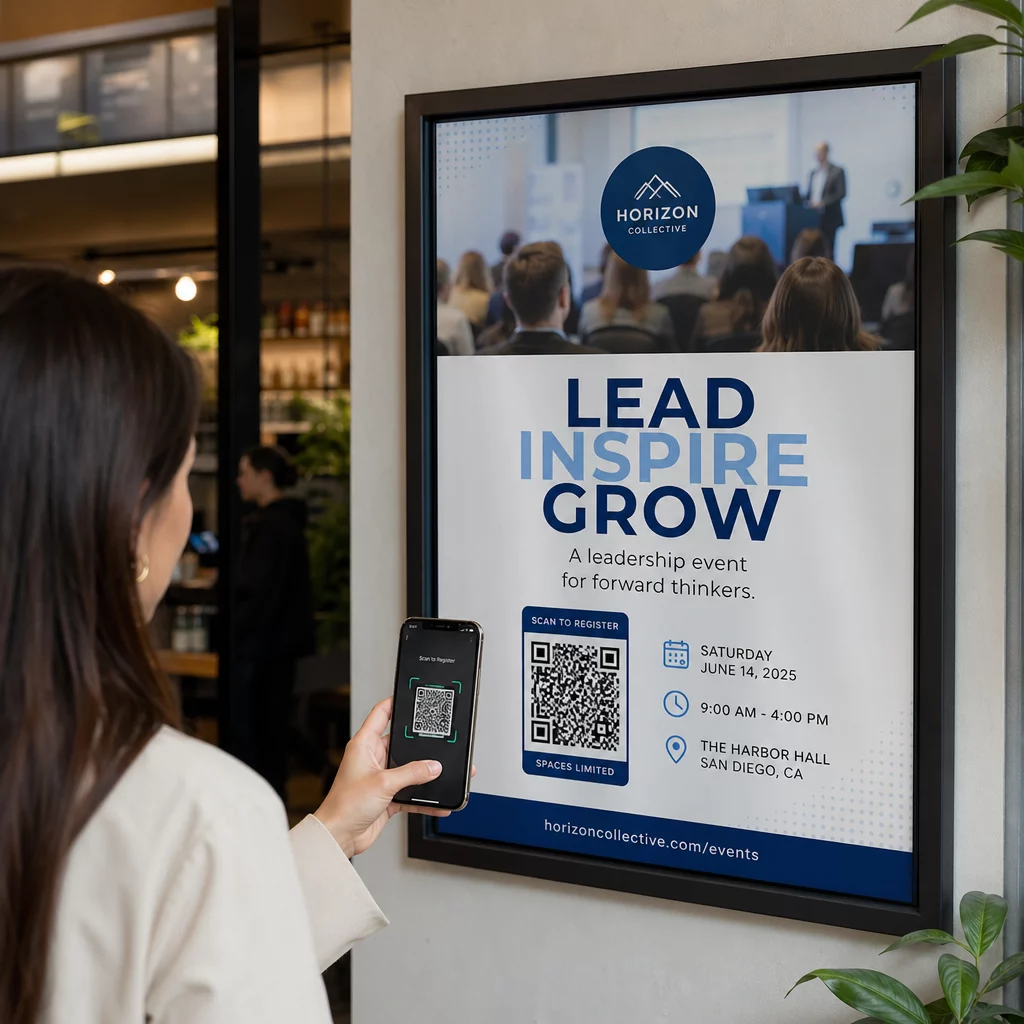
Un código QR elimina todas las barreras entre un punto de contacto físico y la página de aterrizaje de su campaña. Los clientes no necesitan escribir una URL ni buscar su marca; un solo escaneo los lleva directamente a donde usted los necesita. Siempre combine el código con una llamada a la acción clara que explique lo que obtendrán al escanear: un descuento, una guía, un formulario de reserva o contenido exclusivo.
Enviar un Mensaje Directo
Los códigos QR pueden activar mensajes prellenados a través de SMS, WhatsApp, Telegram o Facebook Messenger. Esta es una de las aplicaciones de marketing más infrautilizadas. Las tasas de apertura de los mensajes directos de smartphone son sustancialmente más altas que las del correo electrónico, lo que la convierte en una ruta eficaz para promociones, recordatorios de citas o flujos de atención al cliente.
Recopilar Reseñas y Comentarios
Más del 90% de los compradores en línea consultan las reseñas antes de comprar. Los códigos QR en recibos, empaques o señalización pueden enviar a los clientes directamente a su perfil de Google Business, página de reseñas de productos o una encuesta de comentarios. Para aumentar las tasas de respuesta, ofrezca un código de descuento o un pequeño incentivo a cambio de su opinión.
Compartir la Ubicación de su Negocio
Un código QR que enlace a su listado de Google Maps ahorra a los clientes la fricción de buscar manualmente. Esto es particularmente útil en materiales impresos como menús para llevar, exhibiciones de ferias comerciales o rotulaciones de vehículos donde escribir una dirección no es práctico.
Aumentar sus Seguidores en Redes Sociales
Apunte un código QR directamente a su perfil social, o use una página intermedia que muestre enlaces a todos sus canales. También puede configurar códigos para activar automáticamente un aviso de "Me gusta" en Facebook o "Suscribirse" en YouTube al escanear, una forma de baja fricción para construir su audiencia desde puntos de contacto físicos.
Promocionar Descargas de Aplicaciones
Utilice un código QR inteligente de tienda de aplicaciones que detecte el dispositivo del usuario y lo dirija a la tienda correcta (Apple App Store o Google Play) automáticamente. Esto elimina un paso y la frustración de aterrizar en la plataforma equivocada. También puede usar una página de contenido intermedia para preparar al usuario antes de la solicitud de descarga.
Enviar un Correo Electrónico Prellenado
Un código QR puede abrir el cliente de correo electrónico del usuario con una dirección de destinatario, línea de asunto y texto del cuerpo prellenados. Esto funciona bien para solicitudes de atención al cliente, consultas de socios o confirmaciones de asistencia a eventos donde desea respuestas estructuradas sin construir un formulario.
Enlazar a Productos de Comercio Electrónico
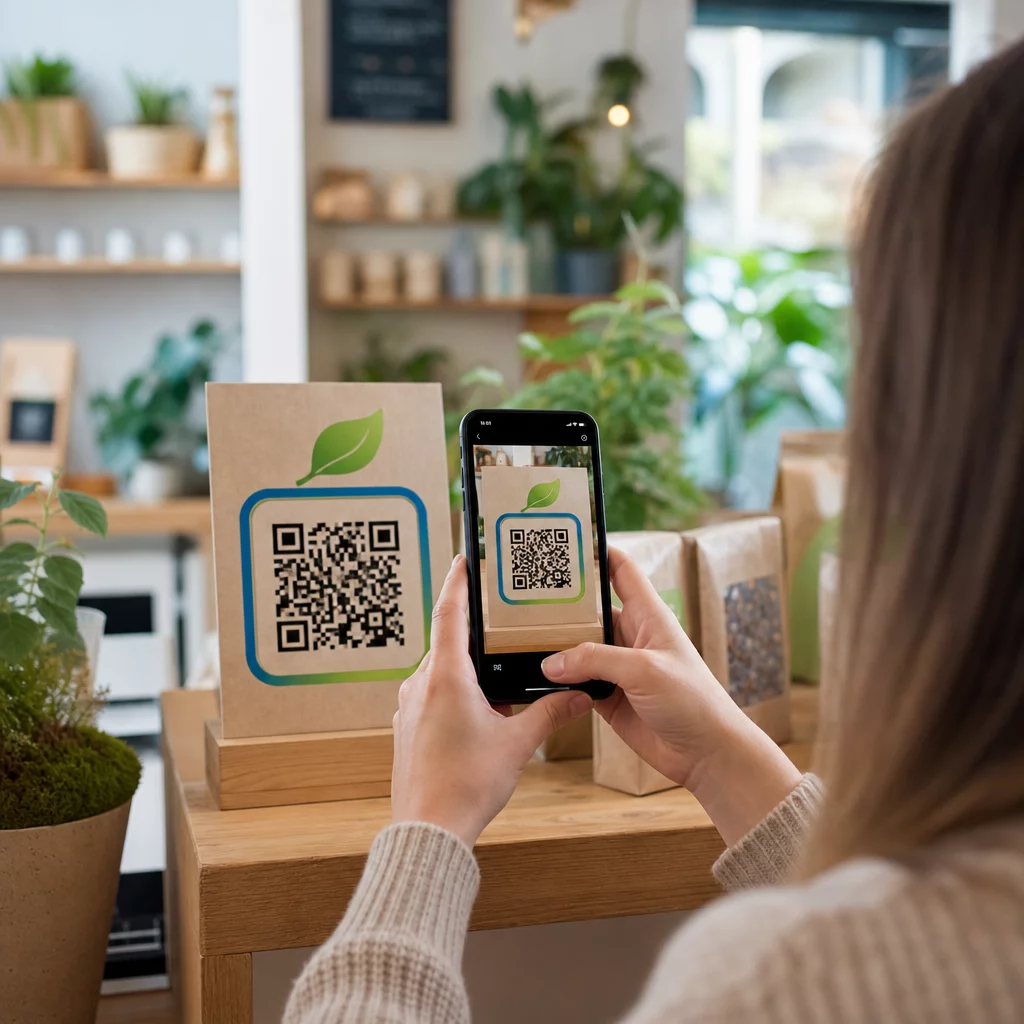
Los códigos QR en empaques, exhibidores de estantes o folletos impresos pueden enlazar directamente a páginas de detalles de productos, videos instructivos, registro de garantía o reseñas de clientes. Esto reduce la cantidad de texto que necesita imprimir en el empaque mientras brinda a los clientes acceso a información más rica bajo demanda.
Compartir Acceso Wi-Fi
Un código QR de Wi-Fi permite a los clientes conectarse a su red con un solo escaneo, sin necesidad de escribir la contraseña. Colóquelo dentro de su ubicación para asegurarse de que los clientes entren físicamente al espacio antes de conectarse. Este pequeño detalle extiende el tiempo de permanencia y crea más oportunidades para la interacción en la tienda.
Principios de Diseño y Ubicación que Afectan las Tasas de Escaneo
Un código QR que nadie escanea tiene valor cero. Las decisiones de diseño y ubicación determinan directamente si su código se utiliza.
El tamaño importa. Para materiales de corto alcance como tarjetas de visita y folletos, un tamaño mínimo de aproximadamente 1 pulgada (2,5 cm) cuadrada es la base. Los carteles deben usar al menos 2 pulgadas (5 cm). Para señalización exterior, aplique la regla 10:1: el ancho del código debe ser al menos una décima parte de la distancia de escaneo esperada.
El contraste no es negociable. Un patrón oscuro sobre un fondo claro es la combinación más fiable. Los diseños de bajo contraste o invertidos provocan fallos de escaneo, especialmente bajo iluminación variable. Pruebe rigurosamente cualquier combinación de colores no estándar antes de imprimir a gran escala.
Se requiere zona de silencio. Cada código QR necesita un margen en blanco de al menos cuatro módulos de ancho en todos los lados. Sin él, los escáneres tienen dificultades para distinguir el código de los elementos gráficos circundantes, y las tasas de fallo de escaneo aumentan.
La superficie y el acabado afectan el rendimiento. Las superficies muy brillantes, reflectantes o acanaladas pueden distorsionar el patrón QR y reducir el éxito del escaneo. Las superficies planas no reflectantes sobre sustratos que no se desangran son consistentemente más fiables.
La ubicación determina la visibilidad. La ubicación a la altura de los ojos –aproximadamente de 3,5 a 5,5 pies del suelo en la señalización– maximiza la accesibilidad. Evite colocar códigos cerca de pliegues, bordes o áreas que se oscurecen regularmente. Para un desglose completo de la estrategia de ubicación por tipo de material, consulte el guía definitiva para la colocación de códigos QR en marketing.
Cómo Rastrear el Rendimiento de los Códigos QR
Generar un código es solo la mitad del trabajo. Medir lo que sucede después del escaneo es donde comienza la optimización de la campaña.
Con los códigos QR dinámicos, cada escaneo produce datos rastreables: escaneos totales, escaneos únicos, marcas de tiempo, ubicación geográfica, tipo de dispositivo y sistema operativo. Esto le permite responder preguntas como: ¿Qué materiales impresos están realmente generando tráfico? ¿Qué ubicaciones funcionan mejor? ¿A qué hora del día interactúan los clientes?
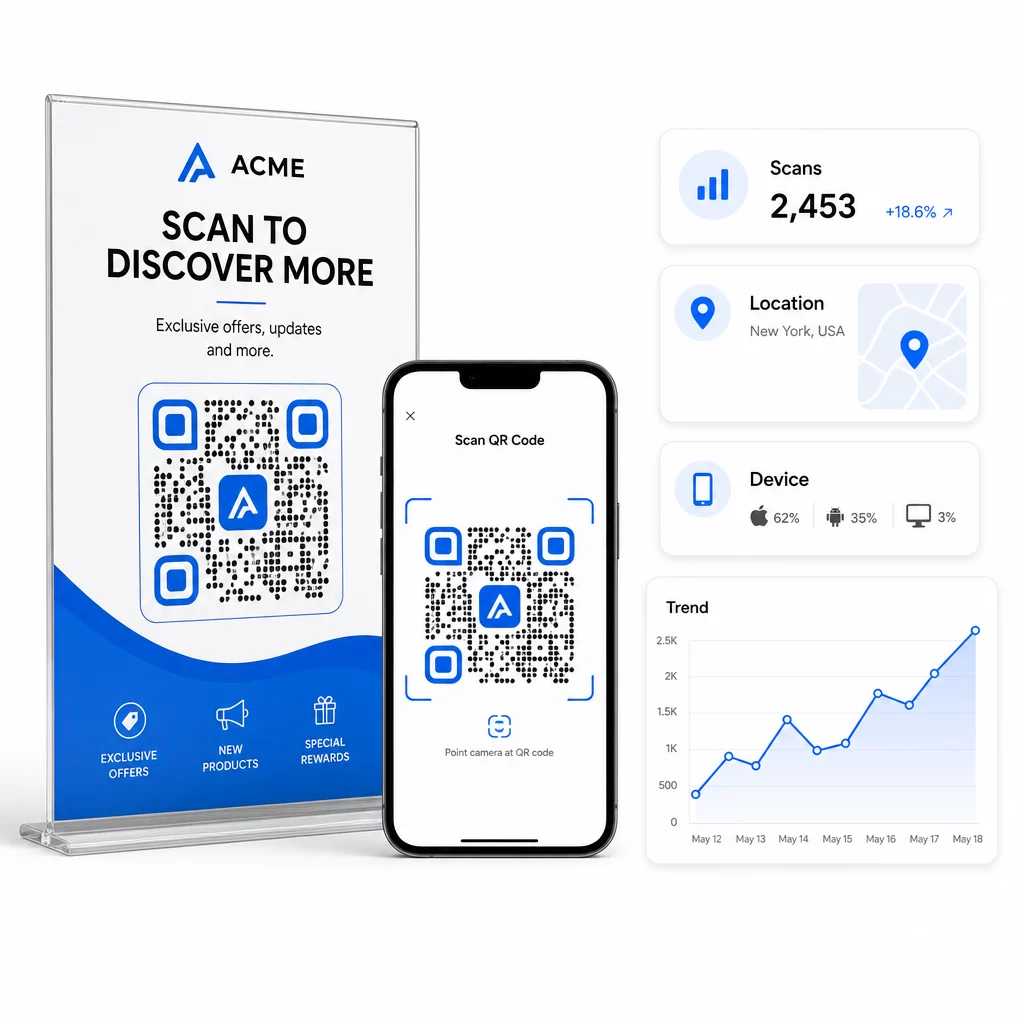
Para una atribución más profunda, añada parámetros UTM a sus URL de destino antes de incrustarlos en el código QR. Esto dirige el tráfico impulsado por QR a Google Analytics como una fuente distinta, donde puede analizar la interacción, las tasas de conversión y el comportamiento por separado de otros canales. Una convención de nomenclatura consistente – por ejemplo, `utmmedio=qrcode` y `utmsource=storedisplay` – hace que los informes sean claros y comparables entre campañas. Para una guía de configuración detallada, consulte el artículo sobre parámetros UTM para códigos QR.
El panel de control integrado de Pageloot consolida estos datos en un solo lugar: recuentos de escaneos, desgloses geográficos, informes de dispositivos y comparaciones a nivel de campaña, sin necesidad de una configuración de análisis separada para métricas básicas.
Monitoree Cada Escaneo en Tiempo Real El Generador de códigos QR dinámicos le ofrece un panel de rendimiento completo con datos geográficos, desgloses de dispositivos y tendencias de escaneo. Actualice los destinos sin reimprimir cada vez que su campaña cambie.
Construya una Estrategia de Marketing con Códigos QR que Escala
Los códigos QR únicos son un punto de partida. Una estrategia coordinada es lo que genera rendimientos compuestos.
Antes de generar códigos, defina lo que cada uno debe lograr, y asegúrese de que el destino cumpla esa promesa. Un código que envía a alguien a una página no optimizada para móviles, un error 404 o una página de inicio irrelevante erosionará la confianza y eliminará cualquier razón para escanear de nuevo.
Utilice códigos QR dinámicos para campañas con fechas de inicio y fin definidas, promociones rotativas o ubicaciones que comparten materiales a lo largo de las estaciones. La capacidad de actualizar el destino sin reimprimir significa que su material físico se mantiene actualizado incluso cuando su campaña cambia.
Para un enfoque paso a paso en la planificación y ejecución de una campaña de códigos QR, el Lista de marketing con códigos QR para pequeñas empresas cubre el establecimiento de objetivos, la selección del tipo de código, las mejores prácticas de diseño y la optimización posterior al lanzamiento en un formato estructurado.
Las marcas que ven resultados reales de los códigos QR los tratan como un canal de rendimiento, uno donde la ubicación, el diseño, el destino y el seguimiento se planifican con antelación. Esa disciplina es lo que separa una tasa de escaneo del 0.5% de una que vale la pena informar.
Preguntas frecuentes
Un código QR estático codifica el destino directamente en su patrón y no se puede cambiar después de su creación. Tampoco proporciona datos de escaneo. Un código QR dinámico almacena una URL de redirección corta, lo que significa que puedes actualizar el destino en cualquier momento – incluso después de imprimir – y rastrear cada escaneo con datos sobre la ubicación, el dispositivo y el momento. Para la mayoría de las campañas de marketing, los códigos QR dinámicos son la mejor opción porque permiten el seguimiento, las pruebas A/B y las actualizaciones de campaña sin necesidad de reimprimir.
Necesitas un código QR dinámico conectado a una plataforma de seguimiento. Cuando alguien escanea el código, la plataforma registra el evento y captura datos como el número de escaneos, la marca de tiempo, la ubicación geográfica y el tipo de dispositivo. También puedes añadir parámetros UTM a tu URL de destino para que el tráfico generado por QR aparezca como una fuente separada e identificable en Google Analytics. El panel de control de Pageloot proporciona estos datos en tiempo real sin necesidad de una configuración de análisis separada para las métricas básicas.
Para tarjetas de visita y folletos, utiliza un tamaño mínimo de aproximadamente 1 pulgada (2,5 cm) cuadrada. Para menús y folletos, apunta a al menos 1,5 pulgadas (3,8 cm). Para carteles, utiliza al menos 2 pulgadas (5 cm). Para vallas publicitarias y señalización exterior, aplica la regla 10:1: el ancho del código debe ser al menos una décima parte de la distancia máxima de escaneo esperada. Mantén siempre una zona de silencio en blanco de al menos cuatro módulos de ancho en todos los lados, y utiliza un alto contraste – patrón oscuro sobre un fondo claro – para asegurar un escaneo fiable.