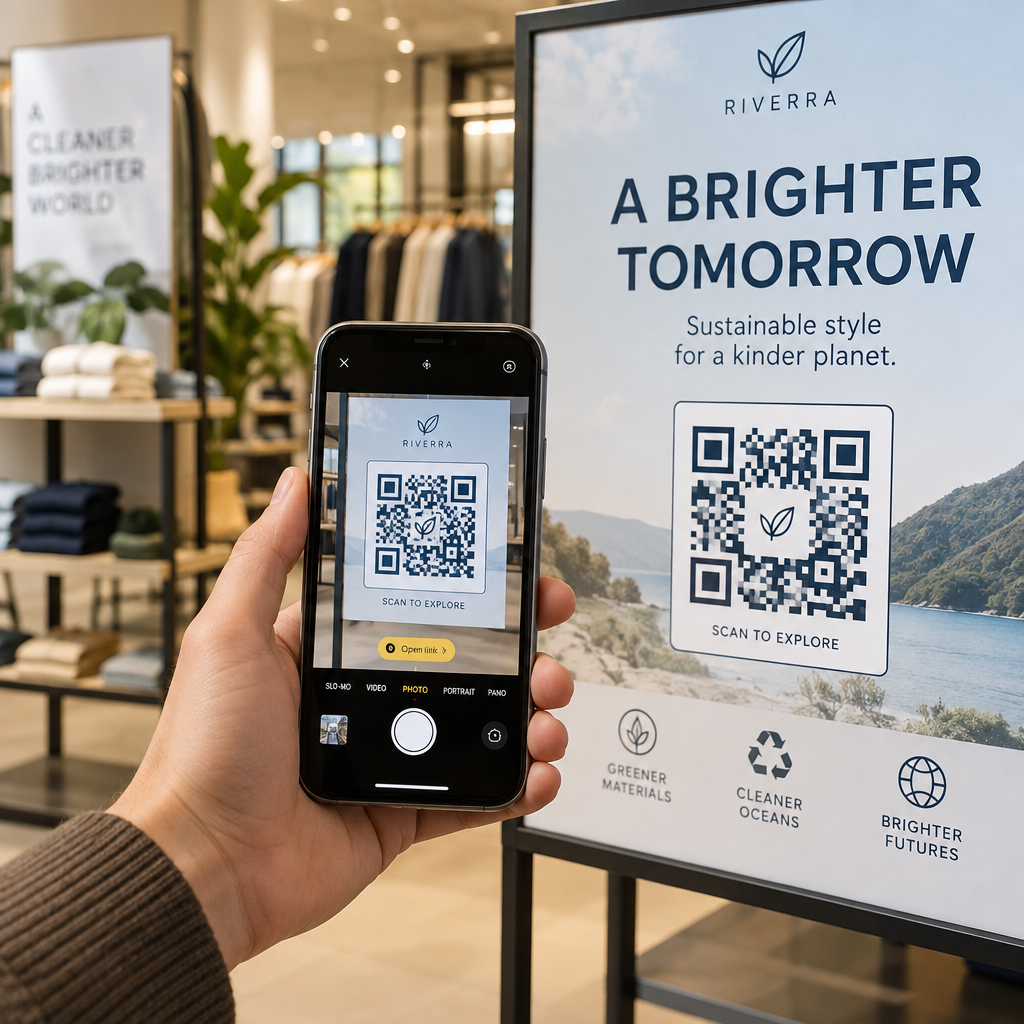
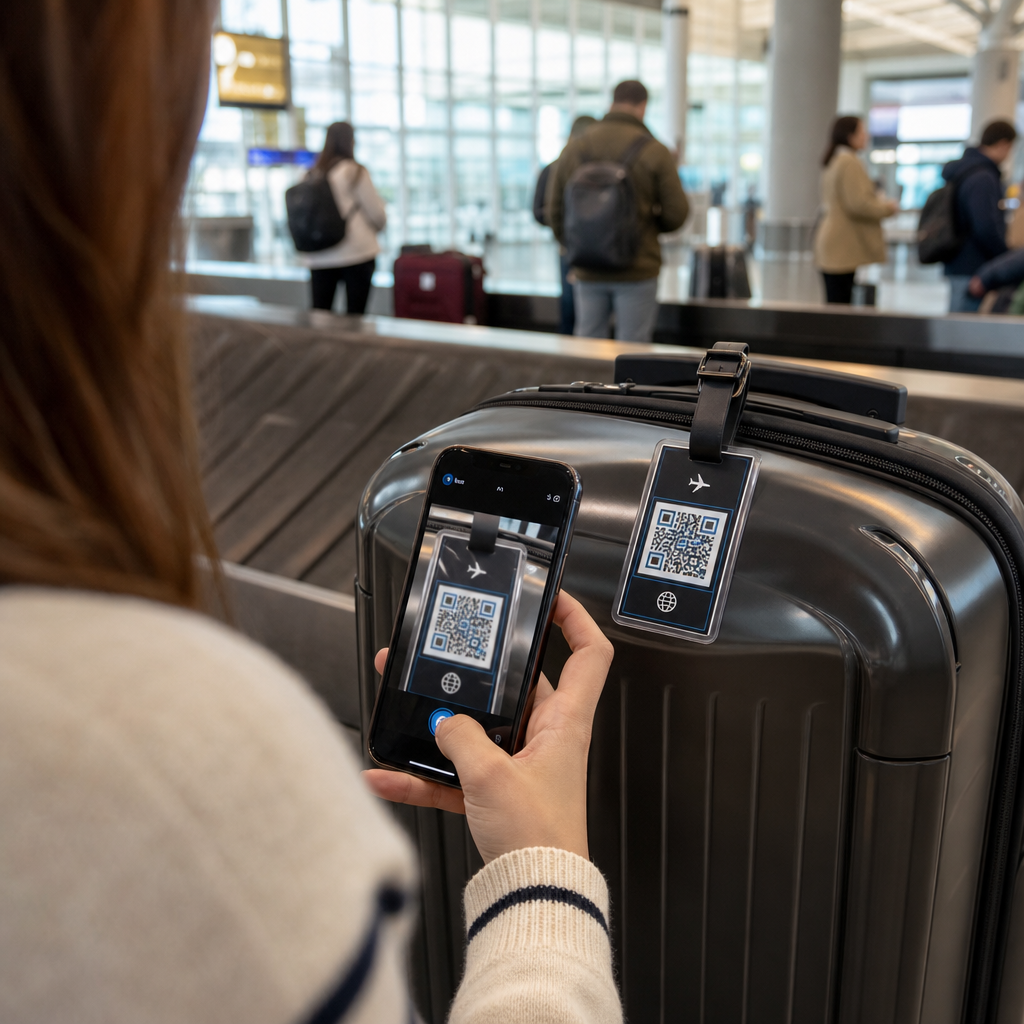
Drivs ditt tryckta marknadsföringsmaterial med noll mätbar trafik? Fysiska kontaktpunkter som flygblad, förpackningar och skyltar är svåra att koppla till digitala resultat – om du inte använder QR-koder strategiskt. Denna guide täcker hur man genererar marknadsförings-QR-koder och använder dem för att spåra prestanda, öka engagemanget och överbrygga klyftan mellan offline och online.
Varför företag använder QR-koder i marknadsföring
QR-koder löser en grundläggande friktionspunkt inom marknadsföring: att få någon från en fysisk yta till en digital destination utan att skriva. En skanning tar mindre än en sekund. Denna enkla åtkomst översätts direkt till högre engagemang – vilket är anledningen till att antagandet har ökat långt bortom de tidiga, misslyckade lanseringarna 2011.
Då var Best Buy och Macy's bland de första varumärkena att testa QR-koder i stor skala. Tekniken var inte problemet – långsamt mobilt internet, begränsad smartphone-penetration och endast skrivbordsanpassade landningssidor dödade upplevelsen innan den ens började. Idag är dessa hinder borta. Höghastighets mobilt internet, inbyggd kamerasökning på iOS och Android, och mobiloptimerade webbupplevelser har gjort QR-koder genuint praktiska.
Ur ett marknadsföringsperspektiv är den verkliga fördelen inte bara bekvämlighet – det är data. När du använder dynamiska QR-koder, genererar varje skanning en post: när det hände, var, på vilken enhet och genom vilken kampanj. Det är den typen av attribueringsdata som en gång var exklusiv för endast digitala kanaler.
Börja spåra dina QR-kodkampanjer Vill du se skanningsdata i realtid, geografiska uppdelningar och enhetsanalys för varje kod du distribuerar? Använd QR-kodgenerator för att skapa spårbara, redigerbara koder med en inbyggd prestandaöversikt.
Statiska vs. Dynamiska QR-koder: Vilken ska du använda?
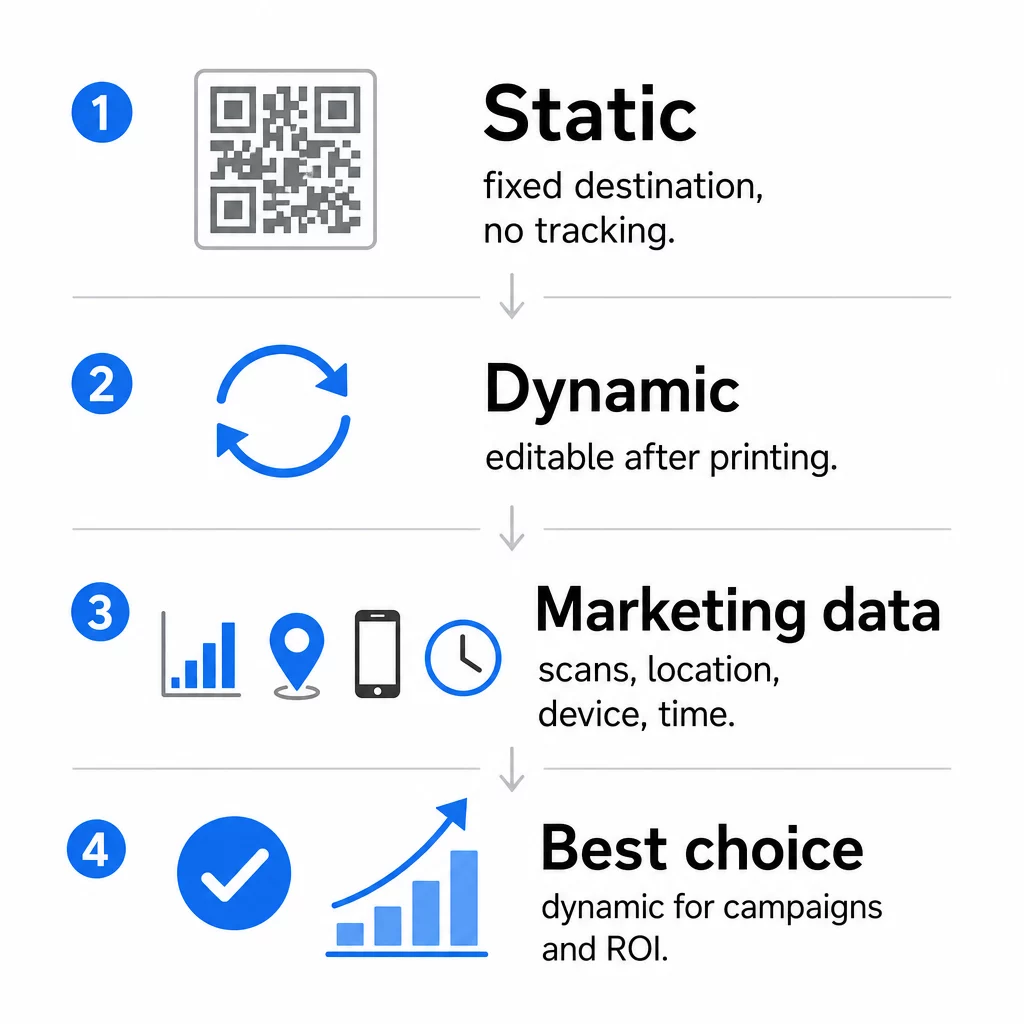
Innan du genererar en kod måste du välja rätt typ. Skillnaden är betydande för marknadsföringsanvändning.
Statiska QR-koder kodar data direkt i själva mönstret. När de väl är utskrivna kan destinationen inte ändras. De har ingen inbyggd spårning, genererar tätare mönster för komplexa URL:er och erbjuder ingen flexibilitet efter distribution. De fungerar bra för permanenta, lågrisk-användningsfall som ett Wi-Fi-lösenord eller ett fast kontaktkort.
Dynamiska QR-koder kodar en kort omdirigerings-URL. Den faktiska destinationen lagras i en hanteringsplattform och kan uppdateras när som helst – även efter utskrift. Detta innebär att du kan fixa en trasig länk, byta ut en säsongsbetonad landningssida eller omdirigera till en ny kampanj utan att trycka om ett enda marknadsföringsmaterial.
För marknadsföringskampanjer, är dynamiska QR-koder nästan alltid det bättre valet. De stöder realtidsanalys, A/B-testning, spårning av UTM-parametrar och geo-targeting. Om du mäter ROI på tryckt material är det dynamiska koder som gör det möjligt.
Hur man genererar en QR-kod för marknadsföring
Att skapa en QR-kod för en kampanj tar mindre än fem minuter. Så här fungerar processen med Pageloot:
- Välj din QR-kodtyp – Välj den innehållstyp som matchar ditt mål: en URL, PDF, vCard, formulär, länk till appbutik, Wi-Fi-uppgifter, video eller ett annat format. Den länk-QR-kodgenerator är den vanligaste utgångspunkten för kampanjtrafik.
- Ange din destination – Klistra in URL:en eller ladda upp filen du vill att koden ska peka till. För spårningsändamål, använd en UTM-taggad URL så att skanningar visas som en distinkt källa i Google Analytics.
- Anpassa designen – Lägg till din logotyp, ställ in varumärkesfärger, välj en ramstil och skriv en uppmaning till handling. Varumärkesanpassade QR-koder presterar konsekvent bättre än generiska svartvita eftersom de bygger visuellt förtroende och sticker ut på tryckt material. Den QR-kodgenerator med logotyp gör detta enkelt.
- Ladda ner i rätt format – För tryck, ladda ner en vektorfil (EPS, PDF eller SVG) för att säkerställa skarp utskrift i alla storlekar. Använd aldrig en lågupplöst rasterbild för tryckproduktion.
- Testa innan du skriver ut – Skanna koden själv med flera enheter och ljusförhållanden. Om den misslyckas på en äldre Android eller i dåligt ljus, justera designen innan du beställer en tryckning.
Skapa en varumärkesanpassad QR-kod på några minuter De QR-kodgenerator med logotyp låter dig anpassa färger, lägga till din logotyp och applicera ramar med uppmaningar till handling – allt från en enda instrumentpanel.
Nio sätt att använda QR-koder i din marknadsföring
Driv trafik till en landningssida
En QR-kod tar bort alla hinder mellan en fysisk kontaktpunkt och din kampanjlandningssida. Kunder behöver inte skriva in en URL eller söka efter ditt varumärke – en skanning tar dem direkt dit du vill ha dem. Koppla alltid koden till en tydlig uppmaning till handling som förklarar vad de får genom att skanna: en rabatt, en guide, ett bokningsformulär eller exklusivt innehåll.
Skicka ett direktmeddelande
QR-koder kan utlösa förifyllda meddelanden via SMS, WhatsApp, Telegram eller Facebook Messenger. Detta är en av de mest underutnyttjade marknadsföringsapplikationerna. Öppningsfrekvensen för direkta smartphonemeddelanden är betydligt högre än för e-post, vilket gör detta till en effektiv väg för kampanjer, påminnelser om möten eller kundsupportflöden.
Samla in recensioner och feedback
Mer än 90 % av online-shoppare konsulterar recensioner innan de köper. QR-koder på kvitton, förpackningar eller skyltar kan skicka kunder direkt till din Google Företagsprofil, produktsida för recensioner eller en feedbackundersökning. För att öka svarsfrekvensen, erbjud en rabattkod eller ett litet incitament i utbyte mot deras input.
Dela din företagsplats
En QR-kod som länkar till din Google Maps-listning sparar kunderna besväret med att söka manuellt. Detta är särskilt användbart på tryckt material som hämtmenyer, mässmontrar eller fordonsfoliering där det inte är praktiskt att skriva in en adress.
Öka ditt följe på sociala medier
Rikta en QR-kod direkt mot din sociala profil, eller använd en mellansida som visar länkar till alla dina kanaler. Du kan också konfigurera koder för att automatiskt utlösa en Facebook Gilla- eller YouTube Prenumerera-uppmaning vid skanning – ett friktionsfritt sätt att bygga din publik från fysiska kontaktpunkter.
Främja appnedladdningar
Använd en smart QR-kod för appbutiker som upptäcker användarens enhet och automatiskt dirigerar dem till rätt butik – Apple App Store eller Google Play. Detta tar bort ett steg och eliminerar frustrationen över att hamna på fel plattform. Du kan också använda en mellansida med innehåll för att förbereda användaren innan nedladdningsförfrågan.
Skicka ett förifyllt e-postmeddelande
En QR-kod kan öppna användarens e-postklient med en förifylld mottagaradress, ämnesrad och brödtext. Detta fungerar bra för kundsupportförfrågningar, partnerförfrågningar eller evenemangs-RSVP där du vill ha strukturerade svar utan att bygga ett formulär.
Länka till e-handelsprodukter
QR-koder på förpackningar, hyllskyltar eller tryckta broschyrer kan länka direkt till produktdetaljsidor, instruktionsvideor, garantiregistrering eller kundrecensioner. Detta minskar mängden text du behöver trycka på förpackningen samtidigt som kunderna får tillgång till rikare information vid behov.
Dela Wi-Fi-åtkomst
En Wi-Fi QR-kod låter kunder ansluta till ditt nätverk med en enda skanning – inget lösenord behöver skrivas in. Placera den inne i din lokal för att säkerställa att kunderna fysiskt går in i utrymmet innan de ansluter. Denna lilla detalj förlänger vistelsetiden och skapar fler möjligheter för engagemang i butiken.
Design och placeringsprinciper som påverkar skanningsfrekvensen
En QR-kod som ingen skannar har noll värde. Val av design och placering avgör direkt om din kod används.
Storleken spelar roll. För material på nära håll som visitkort och flygblad är en minsta storlek på cirka 1 tum (2,5 cm) kvadratisk baslinjen. Affischer bör använda minst 2 tum (5 cm). För utomhusskyltar, tillämpa 10:1-regeln: kodens bredd bör vara minst en tiondel av det förväntade skanningsavståndet.
Kontrast är icke förhandlingsbart. Mörkt mönster på ljus bakgrund är den mest pålitliga kombinationen. Lågkontrast eller inverterade designer leder till skanningsfel, särskilt under varierande ljusförhållanden. Testa alla icke-standardiserade färgkombinationer noggrant innan massutskrift.
Tyst zon krävs. Varje QR-kod behöver en tom marginal på minst fyra moduler bred på alla sidor. Utan den har skannrar svårt att skilja koden från omgivande grafiska element, och antalet skanningsfel ökar.
Yta och finish påverkar prestandan. Mycket glansiga, reflekterande eller räfflade ytor kan förvränga QR-mönstret och minska skanningsframgången. Icke-reflekterande, plana ytor på icke-blödande underlag är konsekvent mer pålitliga.
Placering avgör synligheten. Placering i ögonhöjd – ungefär 1,0 till 1,7 meter från marken på skyltar – maximerar tillgängligheten. Undvik att placera koder nära veck, kanter eller områden som regelbundet skyms. För en fullständig genomgång av placeringsstrategi per materialtyp, se ultimat guide för placering av QR-koder inom marknadsföring.
Hur man spårar QR-kodprestanda
Att generera en kod är bara halva jobbet. Att mäta vad som händer efter skanningen är där kampanjoptimeringen börjar.
Med dynamiska QR-koder, varje skanning producerar spårbar data: totalt antal skanningar, unika skanningar, tidsstämplar, geografisk plats, enhetstyp och operativsystem. Detta låter dig svara på frågor som: Vilka tryckta material driver faktiskt trafik? Vilka platser presterar bäst? Vilken tid på dygnet engagerar sig kunderna?
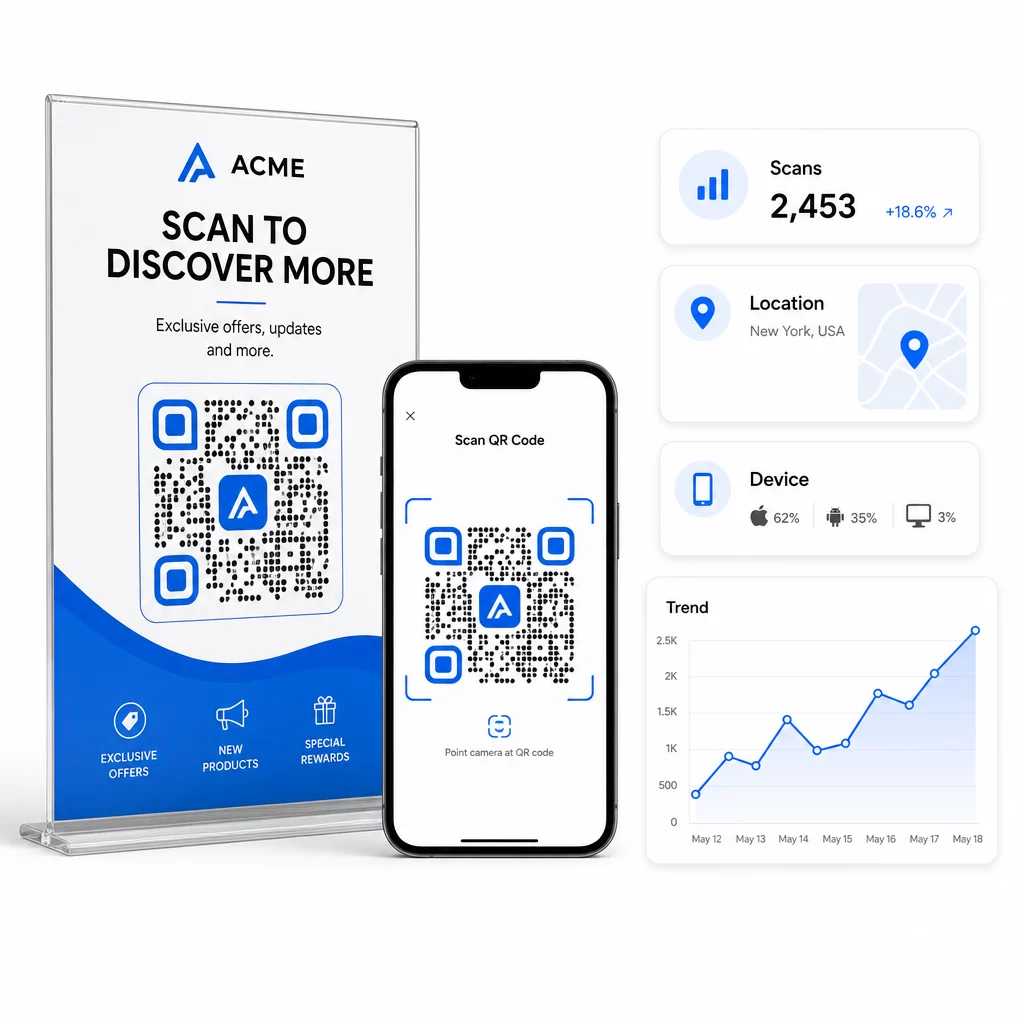
För djupare attribuering, lägg till UTM-parametrar till dina destinations-URL:er innan du bäddar in dem i QR-koden. Detta dirigerar QR-driven trafik till Google Analytics som en distinkt källa, där du kan analysera engagemang, konverteringsfrekvenser och beteende separat från andra kanaler. En konsekvent namngivningskonvention – till exempel, `utm`medium=qrcode` och `utm`source=butikdisplay` – gör rapporteringen tydlig och jämförbar över kampanjer. För en detaljerad installationsguide, se` artikeln om UTM-parametrar för QR-koder.
Pageloots inbyggda instrumentpanel konsoliderar denna data på ett ställe: antal skanningar, geografiska uppdelningar, enhetsrapporter och jämförelser på kampanjnivå – utan att kräva en separat analysinställning för grundläggande mätvärden.
Övervaka varje skanning i realtid De Dynamisk QR-kodgenerator ger dig en komplett prestandapanel med geografisk data, enhetsuppdelningar och skanningstrender. Uppdatera destinationer utan att trycka om när som helst din kampanj ändras.
Bygg en QR-kodmarknadsföringsstrategi som skalar
Engångs-QR-koder är en startpunkt. En samordnad strategi är det som genererar sammansatta avkastningar.
Innan du genererar koder, definiera vad var och en är avsedd att åstadkomma – och se till att destinationen levererar på det löftet. En kod som skickar någon till en icke-mobiloptimerad sida, en 404, eller en irrelevant startsida kommer att urholka förtroendet och eliminera varje anledning att skanna igen.
Använda sig av dynamiska QR-koder för kampanjer med definierade start- och slutdatum, roterande kampanjer, eller platser som delar material över säsonger. Möjligheten att uppdatera destinationen utan att trycka om innebär att ditt fysiska material förblir aktuellt även när din kampanj ändras.
För en steg-för-steg-metod för att planera och genomföra en QR-kodkampanj, Checklista för QR-kodsmarknadsföring i småföretag täcker målsättning, val av kodtyp, bästa designpraxis och optimering efter lansering i ett strukturerat format.
De varumärken som ser verkliga resultat från QR-koder behandlar dem som en prestandakanal – en där placering, design, destination och spårning alla planeras i förväg. Den disciplinen är det som skiljer en skanningsfrekvens på 0,5% från en som är värd att rapportera.
Vanliga frågor
En statisk QR-kod kodar destinationen direkt i sitt mönster och kan inte ändras efter skapandet. Den ger heller ingen skanningsdata. En dynamisk QR-kod lagrar en kort omdirigerings-URL, vilket innebär att du kan uppdatera destinationen när som helst – även efter utskrift – och spåra varje skanning med data om plats, enhet och tidpunkt. För de flesta marknadsföringskampanjer är dynamiska QR-koder det bättre valet eftersom de stöder spårning, A/B-testning och kampanjuppdateringar utan att behöva tryckas om.
Du behöver en dynamisk QR-kod kopplad till en spårningsplattform. När någon skannar koden registrerar plattformen händelsen och samlar in data inklusive antal skanningar, tidsstämpel, geografisk plats och enhetstyp. Du kan också lägga till UTM-parametrar till din destinations-URL så att QR-driven trafik visas som en separat, identifierbar källa i Google Analytics. Pageloots kontrollpanel tillhandahåller denna data i realtid utan att kräva en separat analyskonfiguration för grundläggande mätvärden.
För visitkort och flygblad, använd en minsta storlek på cirka 1 tum (2,5 cm) kvadrat. För menyer och broschyrer, sikta på minst 1,5 tum (3,8 cm). För affischer, använd minst 2 tum (5 cm). För reklamskyltar och utomhusskyltar, tillämpa 10:1-regeln: kodens bredd bör vara minst en tiondel av det maximala förväntade skanningsavståndet. Bibehåll alltid en tom tyst zon på minst fyra moduler bred på alla sidor, och använd hög kontrast – mörkt mönster på ljus bakgrund – för att säkerställa tillförlitlig skanning.