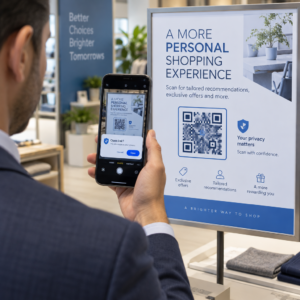
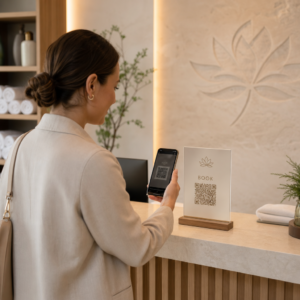
Führt Ihr gedrucktes Marketingmaterial zu null messbarem Traffic? Physische Berührungspunkte wie Flyer, Verpackungen und Beschilderungen sind schwer mit digitalen Ergebnissen zu verbinden – es sei denn, Sie verwenden QR-Codes strategisch. Dieser Leitfaden behandelt, wie man Marketing-QR-Codes generiert und sie verwendet, um die Leistung zu verfolgen, das Engagement zu steigern und die Lücke zwischen Offline und Online zu schließen.
Warum Unternehmen QR-Codes im Marketing verwenden
QR-Codes lösen einen grundlegenden Reibungspunkt im Marketing: jemanden von einer physischen Oberfläche ohne Tippen an ein digitales Ziel zu bringen. Ein Scan dauert weniger als eine Sekunde. Diese einfache Zugänglichkeit führt direkt zu höherem Engagement – weshalb die Akzeptanz weit über die frühen, gescheiterten Einführungen von 2011 hinaus stark angestiegen ist.
Damals gehörten Best Buy und Macy’s zu den ersten Marken, die QR-Codes in großem Maßstab testeten. Die Technologie war nicht das Problem – langsames mobiles Internet, begrenzte Smartphone-Penetration und nur für Desktops optimierte Landing Pages töteten das Erlebnis, bevor es begann. Heute sind diese Barrieren verschwunden. Hochgeschwindigkeits-Mobilfunkinternet, natives Kamerascan auf iOS und Android sowie mobiloptimierte Weberlebnisse haben QR-Codes wirklich praktisch gemacht.
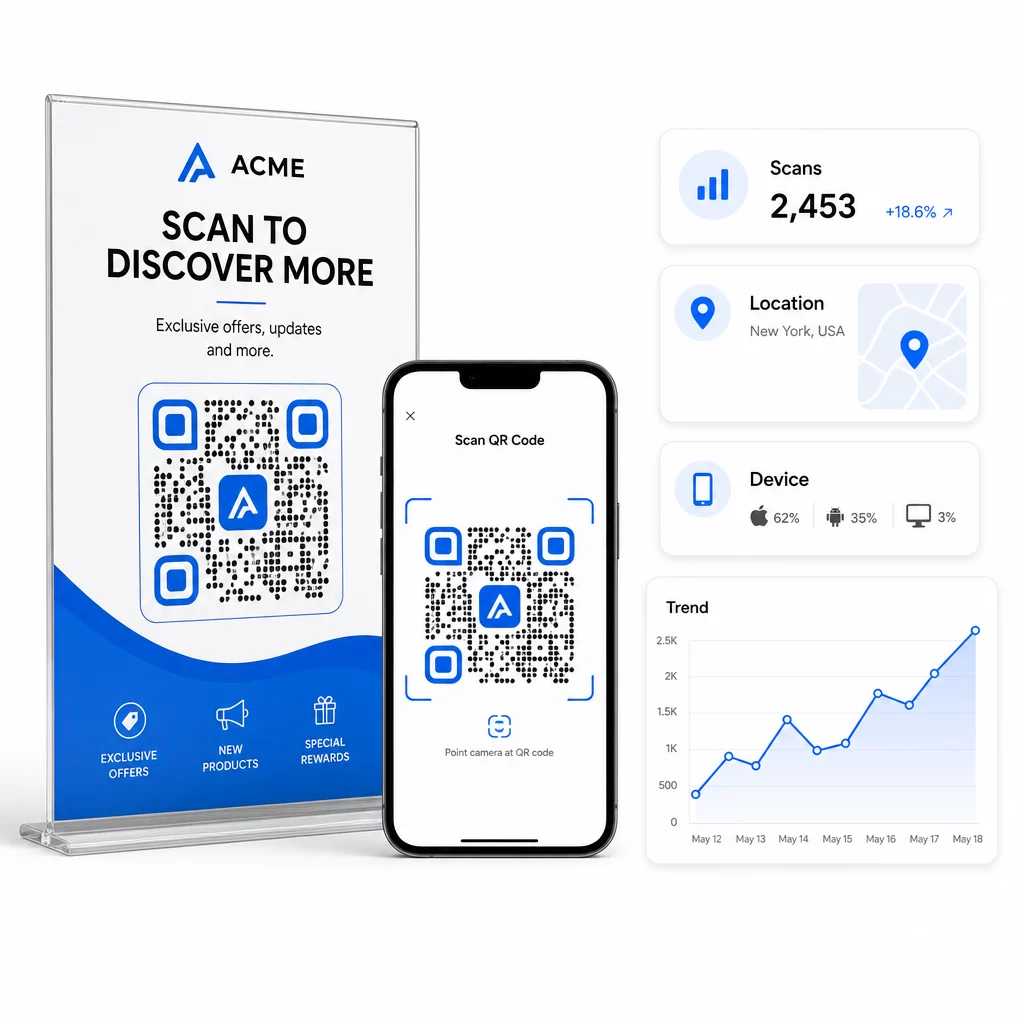
Aus Marketingsicht ist der wahre Vorteil nicht nur Bequemlichkeit – es sind Daten. Wenn Sie dynamische QR-Codes, generiert jeder Scan einen Datensatz: wann es geschah, wo, auf welchem Gerät und über welche Kampagne. Das ist die Art von Attributionsdaten, die einst ausschließlich digitalen Kanälen vorbehalten war.
Beginnen Sie mit der Verfolgung Ihrer QR-Code-Kampagnen Möchten Sie Echtzeit-Scan-Daten, geografische Aufschlüsselungen und Geräteanalysen für jeden von Ihnen eingesetzten Code sehen? Verwenden Sie den QR-Code-Generator , um verfolgbare, bearbeitbare Codes mit einem integrierten Leistungs-Dashboard zu erstellen.
Statische vs. dynamische QR-Codes: Welche sollten Sie verwenden?
Bevor Sie einen Code generieren, müssen Sie den richtigen Typ auswählen. Der Unterschied ist für die Marketingnutzung von großer Bedeutung.
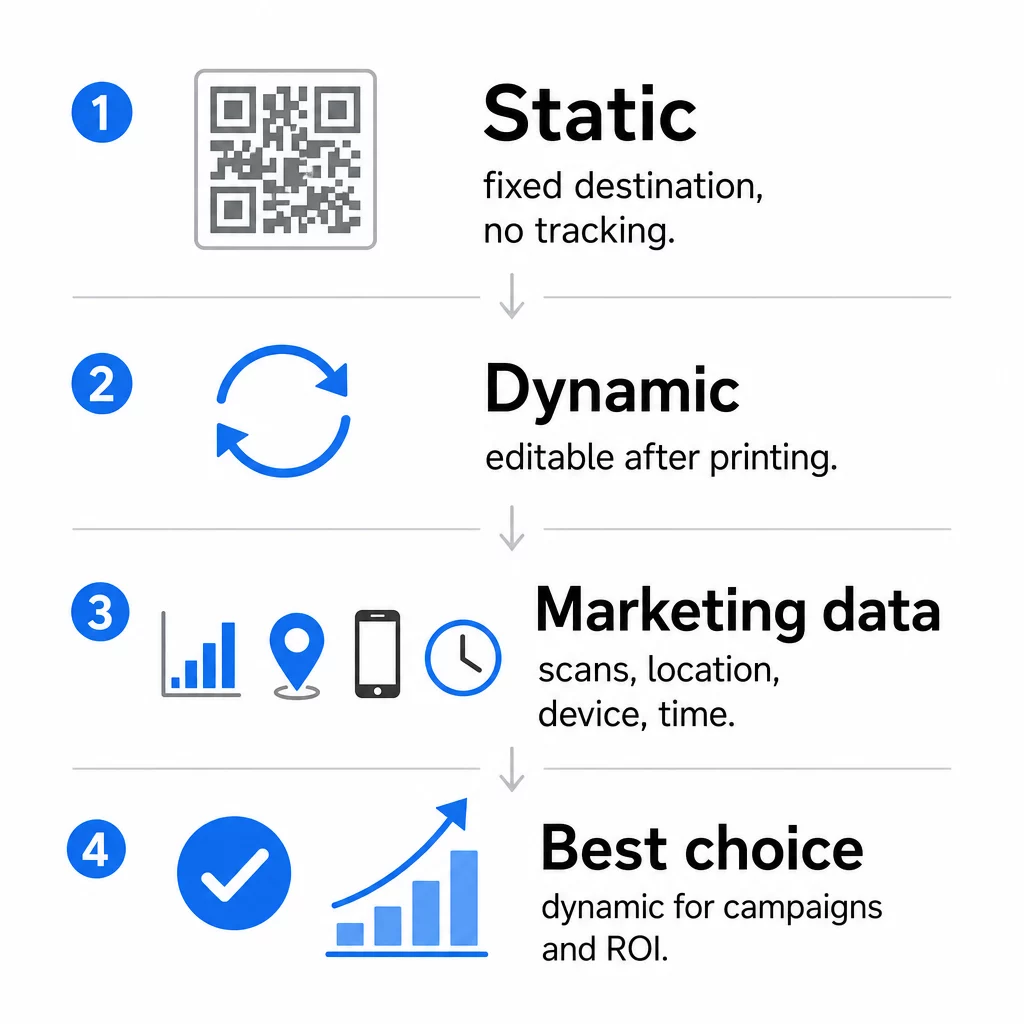
Statische QR-Codes kodieren Daten direkt in das Muster selbst. Einmal gedruckt, kann das Ziel nicht mehr geändert werden. Sie haben keine integrierte Nachverfolgung, erzeugen dichtere Muster für komplexe URLs und bieten nach der Bereitstellung keine Flexibilität. Sie eignen sich gut für dauerhafte, risikoarme Anwendungsfälle wie ein Wi-Fi-Passwort oder eine feste Visitenkarte.
Dynamische QR-Codes kodieren eine kurze Weiterleitungs-URL. Das tatsächliche Ziel wird in einer Verwaltungsplattform gespeichert und kann jederzeit aktualisiert werden – auch nach dem Druck. Das bedeutet, Sie können einen defekten Link reparieren, eine saisonale Landing Page austauschen oder auf eine neue Aktion umleiten, ohne ein einziges Stück Werbematerial neu drucken zu müssen.
Für Marketingkampagnen, sind dynamische QR-Codes fast immer die bessere Wahl. Sie unterstützen Echtzeit-Analysen, A/B-Tests, UTM-Parameter-Tracking und Geo-Targeting. Wenn Sie den ROI von Printmaterialien messen, sind dynamische Codes das, was dies ermöglicht.
So generieren Sie einen QR-Code für das Marketing
Einen QR-Code für eine Kampagne zu erstellen, dauert weniger als fünf Minuten. So funktioniert der Prozess mit Pageloot:
- Wählen Sie Ihren QR-Code-Typ – Wählen Sie den Inhaltstyp, der Ihrem Ziel entspricht: eine URL, PDF, vCard, ein Formular, einen App-Store-Link, WLAN-Zugangsdaten, ein Video oder ein anderes Format. Die Link-QR-Code-Generator ist der häufigste Ausgangspunkt für Kampagnen-Traffic.
- Geben Sie Ihr Ziel ein – Fügen Sie die URL ein oder laden Sie die Datei hoch, auf die der Code verweisen soll. Verwenden Sie zu Tracking-Zwecken eine UTM-getaggte URL, damit Scans als eindeutige Quelle in Google Analytics erscheinen.
- Anpassen des Designs – Fügen Sie Ihr Logo hinzu, legen Sie Markenfarben fest, wählen Sie einen Rahmenstil und schreiben Sie einen Call-to-Action. Branded QR-Codes übertreffen generische Schwarz-Weiß-Codes durchweg, da sie visuelles Vertrauen aufbauen und auf gedruckten Materialien hervorstechen. Die QR-Code Generator mit Logo macht dies unkompliziert.
- Im richtigen Format herunterladen – Laden Sie für den Druck eine Vektordatei (EPS, PDF oder SVG) herunter, um eine scharfe Ausgabe in jeder Größe zu gewährleisten. Verwenden Sie niemals ein niedrigauflösendes Rasterbild für die Druckproduktion.
- Vor dem Druck testen – Scannen Sie den Code selbst mit mehreren Geräten und unter verschiedenen Lichtverhältnissen. Wenn er auf einem älteren Android-Gerät oder bei schlechten Lichtverhältnissen fehlschlägt, passen Sie das Design an, bevor Sie einen Druckauftrag erteilen.
Erstellen Sie einen gebrandeten QR-Code in Minuten Die QR-Code Generator mit Logo ermöglicht es Ihnen, Farben anzupassen, Ihr Logo hinzuzufügen und Call-to-Action-Rahmen anzuwenden – alles von einem einzigen Dashboard aus.
Neun Wege, QR-Codes in Ihrem Marketing zu nutzen
Traffic auf eine Landing Page leiten
Ein QR-Code beseitigt jede Barriere zwischen einem physischen Berührungspunkt und Ihrer Kampagnen-Landingpage. Kunden müssen keine URL eingeben oder nach Ihrer Marke suchen – ein Scan bringt sie direkt dorthin, wo Sie sie haben möchten. Kombinieren Sie den Code immer mit einem klaren Call-to-Action, der erklärt, was sie durch das Scannen erhalten: einen Rabatt, einen Leitfaden, ein Buchungsformular oder exklusive Inhalte.
Eine Direktnachricht senden
QR-Codes können vorausgefüllte Nachrichten per SMS, WhatsApp, Telegram oder Facebook Messenger auslösen. Dies ist eine der am meisten unterschätzten Marketinganwendungen. Die Öffnungsraten bei direkten Smartphone-Nachrichten sind wesentlich höher als bei E-Mails, was dies zu einem effektiven Weg für Werbeaktionen, Terminerinnerungen oder Kundensupport-Abläufe macht.
Bewertungen und Feedback sammeln
Mehr als 90 % der Online-Käufer konsultieren Bewertungen vor dem Kauf. QR-Codes auf Quittungen, Verpackungen oder Beschilderungen können Kunden direkt zu Ihrem Google Business-Profil, Ihrer Produktbewertungsseite oder einer Feedback-Umfrage leiten. Um die Rücklaufquoten zu erhöhen, bieten Sie einen Rabattcode oder einen kleinen Anreiz im Austausch für deren Beitrag an.
Ihren Geschäftsstandort teilen
Ein QR-Code, der auf Ihren Google Maps-Eintrag verweist, erspart Kunden die mühsame manuelle Suche. Dies ist besonders nützlich auf gedruckten Materialien wie Speisekarten zum Mitnehmen, Messeständen oder Fahrzeugfolierungen, wo die Eingabe einer Adresse unpraktisch ist.
Ihre Social-Media-Reichweite erhöhen
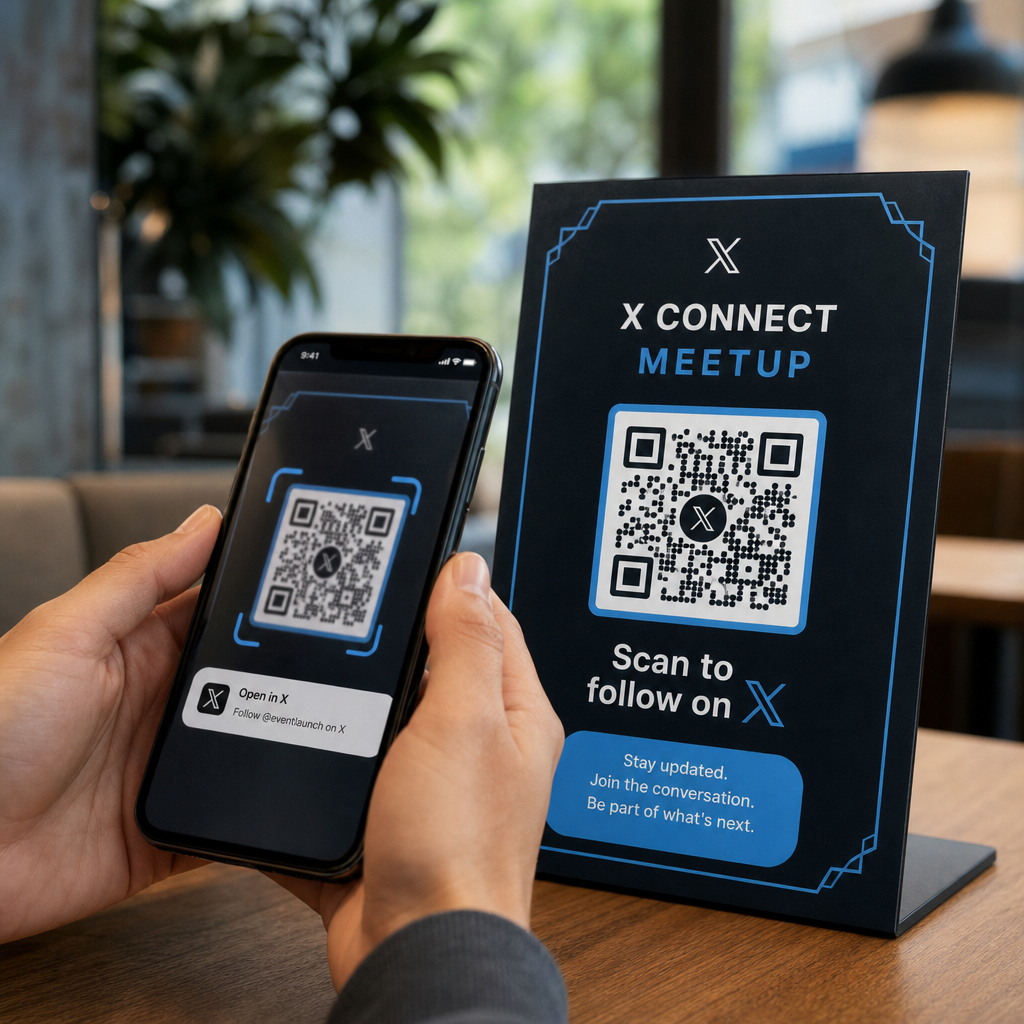
Richten Sie einen QR-Code direkt auf Ihr soziales Profil oder verwenden Sie eine Zwischenseite, die Links zu all Ihren Kanälen anzeigt. Sie können Codes auch so konfigurieren, dass sie beim Scannen automatisch eine Facebook-Like- oder YouTube-Abonnieren-Aufforderung auslösen – eine reibungsarme Methode, um Ihr Publikum von physischen Kontaktpunkten aus aufzubauen.
App-Downloads bewerben
Verwenden Sie einen intelligenten App-Store-QR-Code, der das Gerät des Benutzers erkennt und ihn automatisch zum richtigen Store – Apple App Store oder Google Play – leitet. Dies spart einen Schritt und eliminiert die Frustration, auf der falschen Plattform zu landen. Sie können auch eine Zwischenseite mit Inhalten verwenden, um den Benutzer vor der Download-Anfrage aufzuwärmen.
Eine vorausgefüllte E-Mail senden
Ein QR-Code kann den E-Mail-Client des Benutzers mit einer vorausgefüllten Empfängeradresse, Betreffzeile und Textkörper öffnen. Dies funktioniert gut für Kundensupportanfragen, Partneranfragen oder Event-RSVPs, bei denen Sie strukturierte Antworten wünschen, ohne ein Formular erstellen zu müssen.
Auf E-Commerce-Produkte verlinken
QR-Codes auf Verpackungen, Regaldisplays oder gedruckten Broschüren können direkt auf Produktdetailseiten, Anleitungsvideos, Garantieregistrierungen oder Kundenbewertungen verlinken. Dies reduziert die Menge an Text, die Sie auf Verpackungen drucken müssen, und bietet Kunden gleichzeitig bei Bedarf Zugang zu umfassenderen Informationen.
WLAN-Zugang teilen
Ein WLAN-QR-Code ermöglicht es Kunden, sich mit einem einzigen Scan mit Ihrem Netzwerk zu verbinden – keine Passworteingabe erforderlich. Platzieren Sie ihn in Ihrem Geschäft, um sicherzustellen, dass Kunden den Raum physisch betreten, bevor sie sich verbinden. Dieses kleine Detail verlängert die Verweildauer und schafft mehr Möglichkeiten für die Interaktion im Geschäft.
Design- und Platzierungsprinzipien, die die Scanraten beeinflussen
Ein QR-Code, den niemand scannt, hat keinen Wert. Design- und Platzierungsentscheidungen bestimmen direkt, ob Ihr Code verwendet wird.
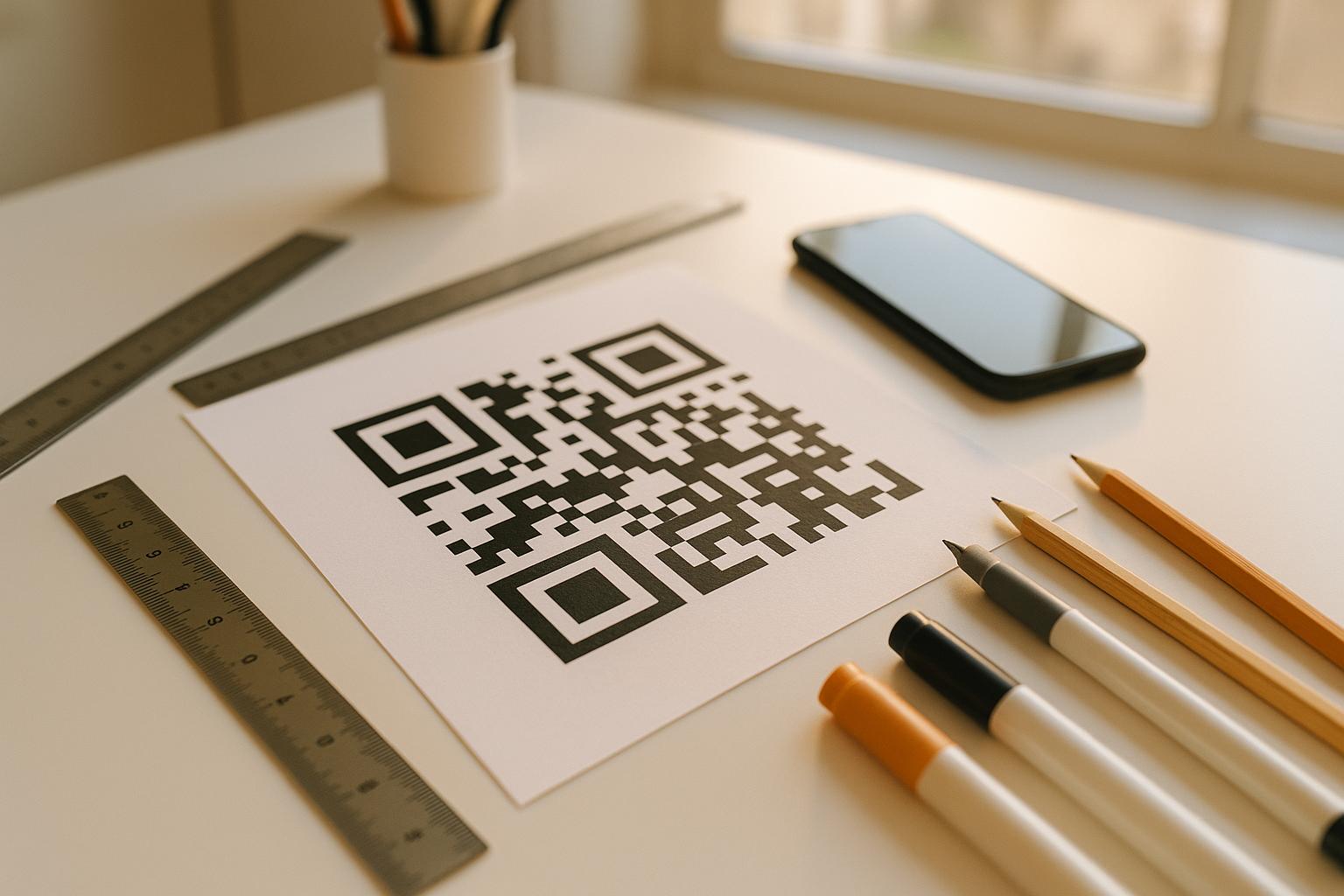
Größe zählt. Für Materialien im Nahbereich wie Visitenkarten und Flyer ist eine Mindestgröße von etwa 1 Zoll (2,5 cm) im Quadrat die Basis. Plakate sollten mindestens 2 Zoll (5 cm) verwenden. Für Außenwerbung gilt die 10:1-Regel: Die Breite des Codes sollte mindestens ein Zehntel der erwarteten Scannentfernung betragen.
Kontrast ist nicht verhandelbar. Dunkles Muster auf hellem Hintergrund ist die zuverlässigste Kombination. Kontrastarme oder invertierte Designs führen zu Scanfehlern, insbesondere bei wechselnden Lichtverhältnissen. Testen Sie jede nicht-standardmäßige Farbkombination gründlich, bevor Sie in großem Maßstab drucken.
Ruhezone ist erforderlich. Jeder QR-Code benötigt einen leeren Rand von mindestens vier Modulen Breite auf allen Seiten. Ohne diesen haben Scanner Schwierigkeiten, den Code von umgebenden grafischen Elementen zu unterscheiden, und die Scanfehlerraten steigen.
Oberfläche und Beschaffenheit beeinflussen die Leistung. Hochglänzende, reflektierende oder gerippte Oberflächen können das QR-Muster verzerren und den Scanerfolg reduzieren. Nicht-reflektierende, flache Oberflächen auf nicht-blutenden Substraten sind durchweg zuverlässiger.
Platzierung bestimmt die Sichtbarkeit. Platzierung auf Augenhöhe – etwa 3,5 bis 5,5 Fuß über dem Boden auf Beschilderungen – maximiert die Zugänglichkeit. Vermeiden Sie es, Codes in der Nähe von Falten, Kanten oder regelmäßig verdeckten Bereichen zu platzieren. Eine vollständige Aufschlüsselung der Platzierungsstrategie nach Materialtyp finden Sie unter ultimativer Leitfaden zur Platzierung von QR-Codes im Marketing.
So verfolgen Sie die Leistung von QR-Codes
Einen Code zu generieren ist nur die halbe Arbeit. Das Messen dessen, was nach dem Scan passiert, ist der Punkt, an dem die Kampagnenoptimierung beginnt.
Mit dynamischen QR-Codes, jeder Scan erzeugt verfolgbare Daten: Gesamtscans, einzigartige Scans, Zeitstempel, geografischer Standort, Gerätetyp und Betriebssystem. So können Sie Fragen beantworten wie: Welche gedruckten Materialien generieren tatsächlich Traffic? Welche Standorte performen am besten? Zu welcher Tageszeit interagieren Kunden?
Für eine tiefere Attribution fügen Sie UTM-Parameter zu Ihren Ziel-URLs hinzu, bevor Sie diese in den QR-Code einbetten. Dies leitet QR-gesteuerten Traffic als separate Quelle in Google Analytics, wo Sie Engagement, Konversionsraten und Verhalten getrennt von anderen Kanälen analysieren können. Eine konsistente Namenskonvention – zum Beispiel `utm`medium=qrcode` und `utm`source=storedisplay` – macht das Reporting sauber und vergleichbar über Kampagnen hinweg. Eine detaillierte Einrichtungsanleitung finden Sie im Artikel zu UTM-Parametern für QR-Codes.
Das integrierte Dashboard von Pageloot konsolidiert diese Daten an einem Ort: Scan-Zahlen, geografische Aufschlüsselungen, Geräterapporte und Vergleiche auf Kampagnenebene – ohne dass eine separate Analyse-Einrichtung für grundlegende Metriken erforderlich ist.
Jeden Scan in Echtzeit überwachen Die Dynamischer QR-Code Generator bietet Ihnen ein vollständiges Performance-Dashboard mit geografischen Daten, Geräteaufschlüsselungen und Scan-Trends. Aktualisieren Sie Ziele ohne Neudruck, wann immer sich Ihre Kampagne ändert.
Eine skalierbare QR-Code-Marketingstrategie aufbauen
Einmalige QR-Codes sind ein Ausgangspunkt. Eine koordinierte Strategie ist das, was kumulative Erträge generiert.
Bevor Sie Codes generieren, definieren Sie, was jeder einzelne erreichen soll – und stellen Sie sicher, dass das Ziel dieses Versprechen einhält. Ein Code, der jemanden auf eine nicht für Mobilgeräte optimierte Seite, eine 404-Fehlerseite oder eine irrelevante Startseite sendet, wird das Vertrauen untergraben und jeden Grund für einen erneuten Scan eliminieren.
Verwenden Sie . dynamische QR-Codes für Kampagnen mit definierten Start- und Enddaten, wechselnden Aktionen oder Standorten, die Materialien über verschiedene Jahreszeiten hinweg teilen. Die Möglichkeit, das Ziel ohne Neudruck zu aktualisieren, bedeutet, dass Ihre physischen Werbemittel aktuell bleiben, selbst wenn sich Ihre Kampagne ändert.
Für einen Schritt-für-Schritt-Ansatz zur Planung und Durchführung einer QR-Code-Kampagne, der QR-Code Marketing Checkliste für kleine Unternehmen deckt Zielsetzung, Auswahl des Codetyps, Best Practices für das Design und Post-Launch-Optimierung in einem strukturierten Format ab.
Marken, die echte Ergebnisse mit QR-Codes erzielen, behandeln diese als Performance-Kanal – einen, bei dem Platzierung, Design, Ziel und Tracking alle im Voraus geplant werden. Diese Disziplin ist es, die eine Scanrate von 0,5 % von einer berichtenswerten trennt.
Häufig gestellte Fragen
Ein statischer QR-Code kodiert das Ziel direkt in sein Muster und kann nach der Erstellung nicht mehr geändert werden. Er liefert auch keine Scandaten. Ein dynamischer QR-Code speichert eine kurze Weiterleitungs-URL, was bedeutet, dass Sie das Ziel jederzeit – auch nach dem Drucken – aktualisieren und jeden Scan mit Daten zu Standort, Gerät und Zeitpunkt verfolgen können. Für die meisten Marketingkampagnen sind dynamische QR-Codes die bessere Wahl, da sie Tracking, A/B-Tests und Kampagnenaktualisierungen ohne Neudruck unterstützen.
Sie benötigen einen dynamischen QR-Code, der mit einer Tracking-Plattform verbunden ist. Wenn jemand den Code scannt, zeichnet die Plattform das Ereignis auf und erfasst Daten wie Scan-Anzahl, Zeitstempel, geografischer Standort und Gerätetyp. Sie können auch UTM-Parameter zu Ihrer Ziel-URL hinzufügen, damit der durch QR-Codes generierte Traffic als separate, identifizierbare Quelle in Google Analytics erscheint. Das Dashboard von Pageloot stellt diese Daten in Echtzeit bereit, ohne dass eine separate Analysekonfiguration für grundlegende Metriken erforderlich ist.
Für Visitenkarten und Flyer verwenden Sie eine Mindestgröße von etwa 1 Zoll (2,5 cm) im Quadrat. Für Speisekarten und Broschüren streben Sie mindestens 1,5 Zoll (3,8 cm) an. Für Plakate verwenden Sie mindestens 2 Zoll (5 cm). Für Werbetafeln und Außenwerbung wenden Sie die 10:1-Regel an: Die Breite des Codes sollte mindestens ein Zehntel der maximal erwarteten Scan-Entfernung betragen. Halten Sie immer eine leere Ruhezone von mindestens vier Modulen Breite auf allen Seiten ein und verwenden Sie einen hohen Kontrast – dunkles Muster auf hellem Hintergrund –, um ein zuverlässiges Scannen zu gewährleisten.