ホーム > QRニュース > How to Create a QR Code Generator for Marketing
Marketing QR code scan

How to Create a QR Code Generator for Marketing

Learn to generate QR codes for marketing to track performance and bridge the offline-online gap. Master dynamic codes, custom designs, and scan data analytics.
Updated on 6月 10, 2026
目次

Does your printed marketing material drive zero measurable traffic? Physical touchpoints like flyers, packaging, and signage are difficult to connect to digital outcomes – unless you use QR codes strategically. This guide covers how to generate marketing QR codes and use them to track performance, boost engagement, and bridge the gap between offline and online.

Why Businesses Use QR Codes in Marketing

QR codes solve a fundamental friction point in marketing: getting someone from a physical surface to a digital destination without typing. A scan takes under a second. That ease of access translates directly into higher engagement – which is why adoption has surged well beyond the early, failed rollouts of 2011.

Back then, Best Buy and Macy’s were among the first brands to test QR codes at scale. The technology wasn’t the problem – slow mobile internet, limited smartphone penetration, and desktop-only landing pages killed the experience before it started. Today, those barriers are gone. High-speed mobile internet, native camera scanning on iOS and Android, and mobile-optimized web experiences have made QR codes genuinely practical.

From a marketing perspective, the real advantage isn’t just convenience – it’s data. When you use ダイナミックQRコード, every scan generates a record: when it happened, where, on what device, and through which campaign. That’s the kind of attribution data that was once exclusive to digital-only channels.

Start Tracking Your QR Code Campaigns Want to see real-time scan data, geographic breakdowns, and device analytics for every code you deploy? Use the QRコードジェネレーター to create trackable, editable codes with a built-in performance dashboard.

静的QRコード vs. 動的QRコード:どちらを使うべきか?

Before you generate a code, you need to choose the right type. The distinction matters significantly for marketing use.

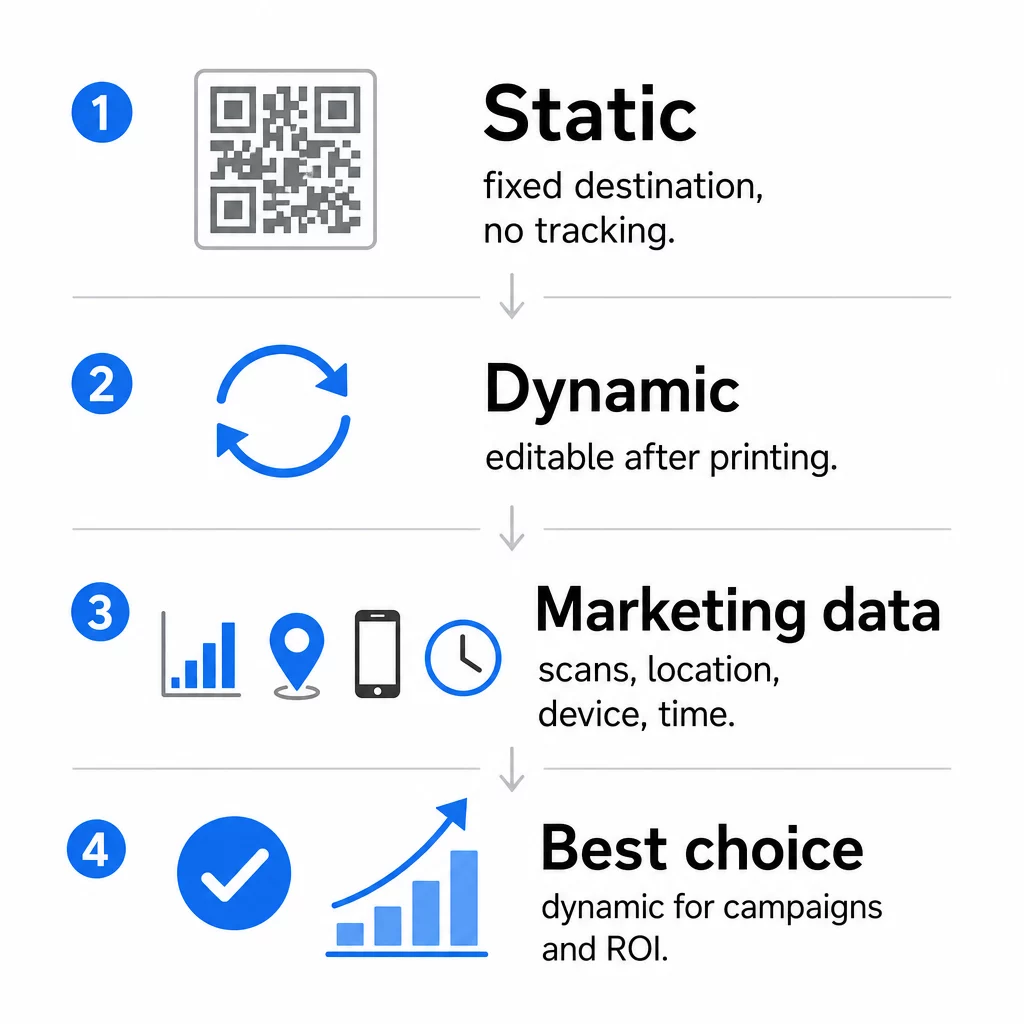
静的QRコード encode data directly into the pattern itself. Once printed, the destination cannot be changed. They have no built-in tracking, generate denser patterns for complex URLs, and offer no flexibility after deployment. They work fine for permanent, low-stakes use cases like a Wi-Fi password or a fixed contact card.

ダイナミックQRコード encode a short redirect URL. The actual destination is stored in a management platform and can be updated at any time – even after printing. This means you can fix a broken link, swap out a seasonal landing page, or redirect to a new promotion without reprinting a single piece of collateral.

For marketing campaigns, dynamic QR codes are almost always the better choice. They support real-time analytics, A/B testing, UTM parameter tracking, and geo-targeting. If you’re measuring ROI on print materials, dynamic codes are what make that possible.

静的QRと動的QR

How to Generate a QR Code for Marketing

Creating a QR code for a campaign takes less than five minutes. Here’s how the process works using Pageloot:

  • QRコードの種類を選ぶ – Select the content type that matches your goal: a URL, PDF, vCard, form, app store link, Wi-Fi credentials, video, or another format. The リンクQRコードジェネレーター is the most common starting point for campaign traffic.
  • Enter your destination – Paste the URL or upload the file you want the code to point to. For tracking purposes, use a UTM-tagged URL so scans appear as a distinct source in Google Analytics.
  • デザインをカスタマイズする – Add your logo, set brand colors, choose a frame style, and write a call-to-action. Branded QR codes consistently outperform generic black-and-white ones because they build visual trust and stand out on printed materials. The ロゴ付きQRコードジェネレーター makes this straightforward.
  • Download in the right format – For print, download a vector file (EPS, PDF, or SVG) to ensure sharp output at any size. Never use a low-resolution raster image for print production.
  • Test before you print – Scan the code yourself using multiple devices and lighting conditions. If it fails on an older Android or in low light, adjust the design before committing to a print run.

Create a Branded QR Code in Minutesロゴ付きQRコードジェネレーター lets you customize colors, add your logo, and apply call-to-action frames – all from a single dashboard.

Nine Ways to Use QR Codes in Your Marketing

Drive Traffic to a Landing Page

A QR code removes every barrier between a physical touchpoint and your campaign landing page. Customers don’t need to type a URL or search for your brand – one scan takes them directly where you need them. Always pair the code with a clear call-to-action that explains what they’ll get by scanning: a discount, a guide, a booking form, or exclusive content.

Send a Direct Message

QR codes can trigger pre-filled messages via SMS, WhatsApp, Telegram, or Facebook Messenger. This is one of the most underused marketing applications. Open rates on direct smartphone messages are substantially higher than email, making this an effective route for promotions, appointment reminders, or customer support flows.

Collect Reviews and Feedback

More than 90% of online shoppers consult reviews before purchasing. QR codes on receipts, packaging, or signage can send customers directly to your Google Business profile, product review page, or a feedback survey. To increase response rates, offer a discount code or small incentive in exchange for their input.

Share Your Business Location

A QR code linking to your Google Maps listing saves customers the friction of searching manually. This is particularly useful on printed materials like takeout menus, trade show displays, or vehicle wraps where typing an address isn’t practical.

Grow Your Social Media Following

Point a QR code directly at your social profile, or use an intermediate page that displays links to all your channels. You can also configure codes to trigger a Facebook Like or YouTube Subscribe prompt automatically upon scan – a low-friction way to build your audience from physical touchpoints.

Promote App Downloads

Use a smart app store QR code that detects the user’s device and routes them to the correct store – Apple App Store or Google Play – automatically. This removes a step and eliminates the frustration of landing on the wrong platform. You can also use an intermediate content page to warm up the user before the download request.

Send a Pre-Filled Email

A QR code can open the user’s email client with a pre-populated recipient address, subject line, and body text. This works well for customer support requests, partner inquiries, or event RSVPs where you want structured responses without building a form.

Link to E-Commerce Products

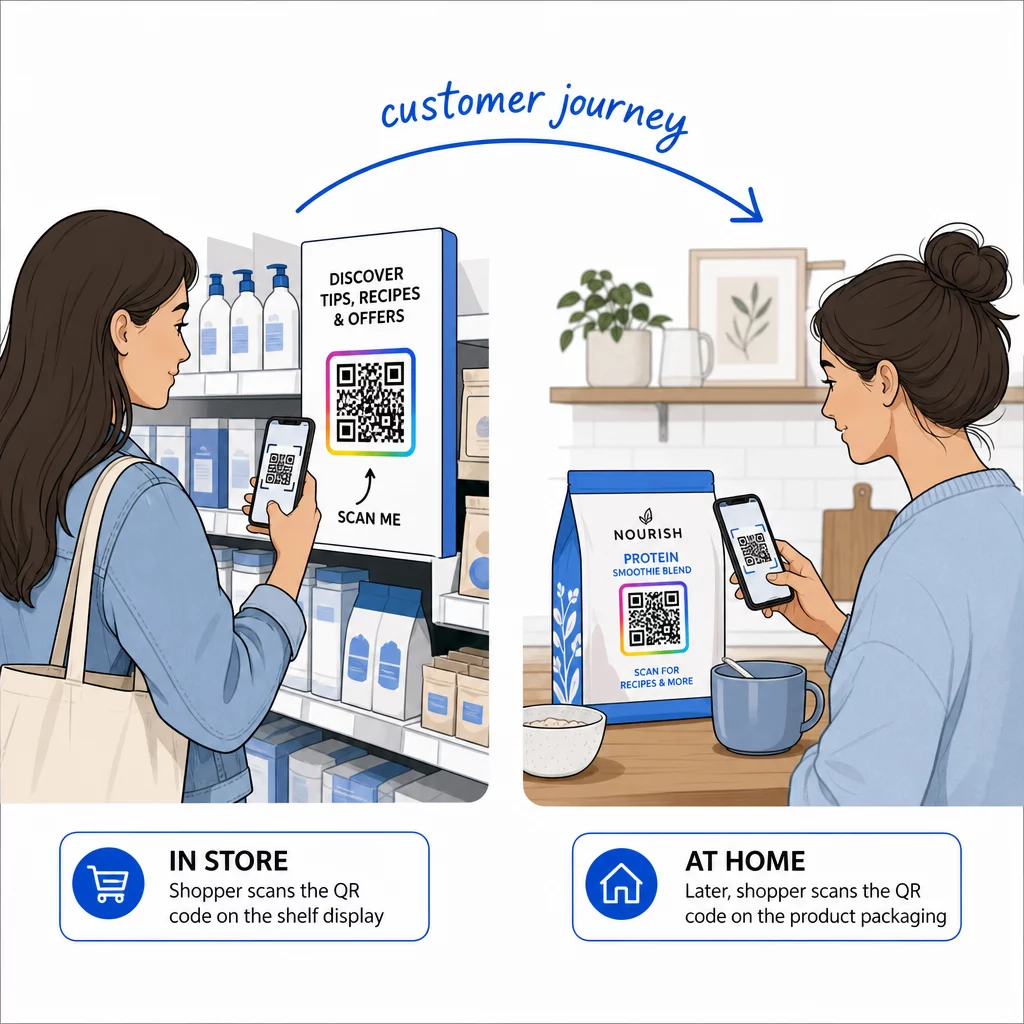
QR codes on packaging, shelf displays, or printed brochures can link directly to product detail pages, instructional videos, warranty registration, or customer reviews. This reduces the amount of text you need to print on packaging while giving customers access to richer information on demand.

Share Wi-Fi Access

A Wi-Fi QR code lets customers connect to your network with a single scan – no password typing required. Place it inside your location to ensure customers physically enter the space before connecting. This small detail extends dwell time and creates more opportunities for in-store engagement.

Design and Placement Principles That Affect Scan Rates

A QR code that nobody scans has zero value. Design and placement choices directly determine whether your code gets used.

Size matters. For close-range materials like business cards and flyers, a minimum size of approximately 1 inch (2.5 cm) square is the baseline. Posters should use at least 2 inches (5 cm). For outdoor signage, apply the 10:1 rule: the code’s width should be at least one-tenth of the expected scanning distance.

Contrast is non-negotiable. Dark pattern on light background is the most reliable combination. Low-contrast or inverted designs introduce scanning failure, especially under variable lighting. Test any non-standard color combination rigorously before printing at scale.

Quiet zone is required. Every QR code needs a blank margin at least four modules wide on all sides. Without it, scanners struggle to distinguish the code from surrounding graphic elements, and scan failure rates increase.

Surface and finish affect performance. Highly glossy, reflective, or ribbed surfaces can distort the QR pattern and reduce scan success. Non-reflective, flat surfaces on non-bleeding substrates are consistently more reliable.

Placement determines visibility. Eye-level placement – roughly 3.5 to 5.5 feet from the ground on signage – maximizes accessibility. Avoid placing codes near folds, edges, or areas that are regularly obscured. For a full breakdown of placement strategy by material type, see the マーケティングにおけるQRコード配置の究極ガイド.

How to Track QR Code Performance

Generating a code is only half the work. Measuring what happens after the scan is where campaign optimization begins.

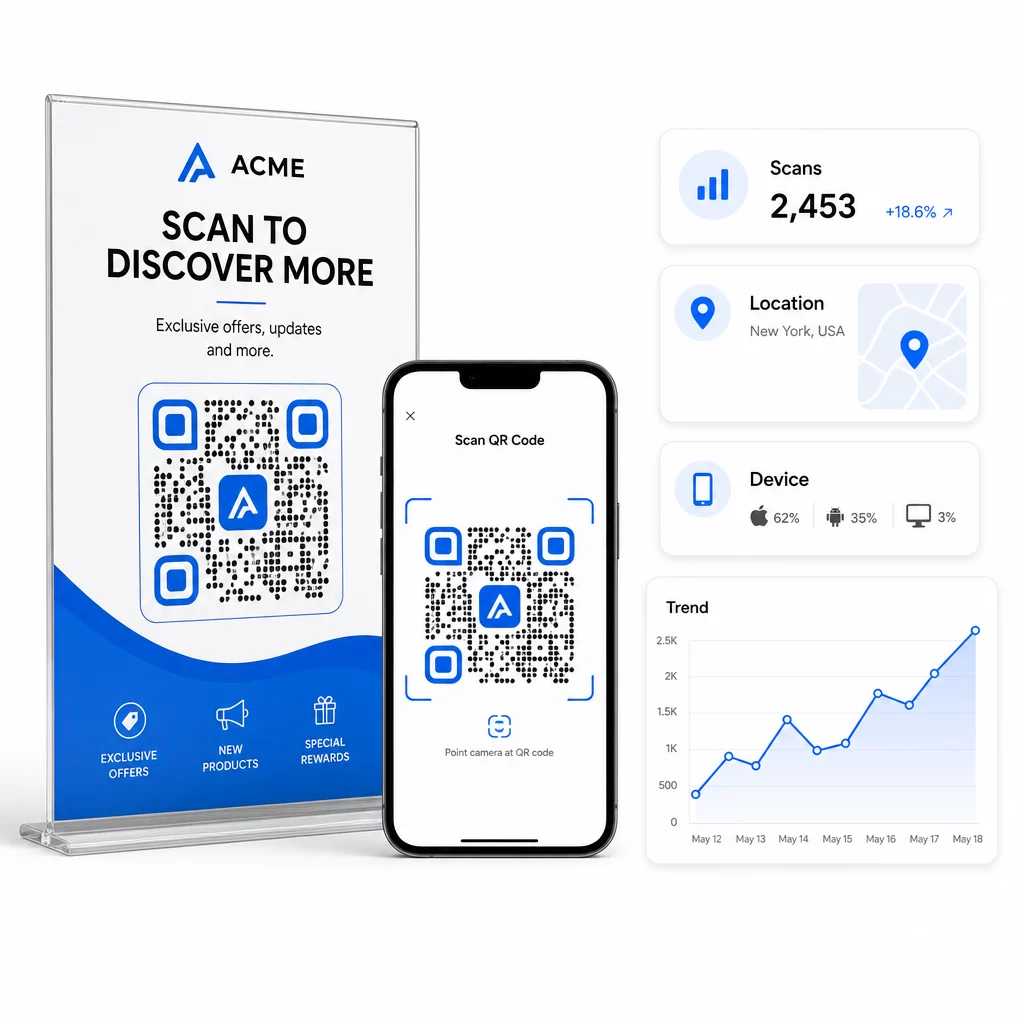
With dynamic QR codes, every scan produces trackable data: total scans, unique scans, timestamps, geographic location, device type, and operating system. This lets you answer questions like: Which printed materials are actually driving traffic? Which locations perform best? What time of day do customers engage?

QRスキャン分析

For deeper attribution, add UTM parameters to your destination URLs before embedding them in the QR code. This routes QR-driven traffic into Google Analytics as a distinct source, where you can analyze engagement, conversion rates, and behavior separately from other channels. A consistent naming convention – for example, `utm媒体=qrcode` and `utmsource=storedisplay` – makes reporting clean and comparable across campaigns. For a detailed setup guide, see the UTM parameters for QR codes article.

Pageloot’s built-in dashboard consolidates this data in one place: scan counts, geographic breakdowns, device reports, and campaign-level comparisons – without requiring a separate analytics setup for basic metrics.

Monitor Every Scan in Real TimeダイナミックQRコードジェネレーター gives you a full performance dashboard with geographic data, device breakdowns, and scan trends. Update destinations without reprinting anytime your campaign changes.

Build a QR Code Marketing Strategy That Scales

One-off QR codes are a starting point. A coordinated strategy is what generates compounding returns.

Before generating codes, define what each one is meant to accomplish – and make sure the destination delivers on that promise. A code that sends someone to a non-mobile-optimized page, a 404, or an irrelevant homepage will erode trust and eliminate any reason to scan again.

使用 dynamic QR codes for campaigns with defined start and end dates, rotating promotions, or locations that share materials across seasons. The ability to update the destination without reprinting means your physical collateral stays current even when your campaign changes.

For a step-by-step approach to planning and executing a QR code campaign, the 中小企業向けQRコードマーケティングチェックリスト covers goal-setting, code type selection, design best practices, and post-launch optimization in a structured format.

The brands that see real results from QR codes treat them as a performance channel – one where placement, design, destination, and tracking are all planned in advance. That discipline is what separates a scan rate of 0.5% from one worth reporting.

よくある質問

What is the difference between a static and a dynamic QR code for marketing?

A static QR code encodes the destination directly into its pattern and cannot be changed after creation. It also provides no scan data. A dynamic QR code stores a short redirect URL, which means you can update the destination anytime – even after printing – and track every scan with data on location, device, and timing. For most marketing campaigns, dynamic QR codes are the better choice because they support tracking, A/B testing, and campaign updates without reprinting.

How do I track how many people scan my QR code?

You need a dynamic QR code connected to a tracking platform. When someone scans the code, the platform records the event and captures data including scan count, timestamp, geographic location, and device type. You can also add UTM parameters to your destination URL so that QR-driven traffic appears as a separate, identifiable source in Google Analytics. Pageloot’s dashboard provides this data in real time without requiring a separate analytics configuration for basic metrics.

What size should a QR code be on printed marketing materials?

For business cards and flyers, use a minimum size of about 1 inch (2.5 cm) square. For menus and brochures, aim for at least 1.5 inches (3.8 cm). For posters, use at least 2 inches (5 cm). For billboards and outdoor signage, apply the 10:1 rule: the code’s width should be at least one-tenth of the maximum expected scanning distance. Always maintain a blank quiet zone of at least four modules wide on all sides, and use high contrast – dark pattern on a light background – to ensure reliable scanning.

著者について

Siim KostabiはPagelootのコンテンツリードです。Pagelootの革新的なQRコード生成サービスについて執筆しています。5年以上にわたるQRコードに関する深い専門知識を持つSiimは、この分野の専門家です。QRテクノロジーを活用してデジタルインタラクションを簡素化・拡張する上で、大きな進歩を遂げています。.

カテゴリー
について詳しくはこちら
✅ QRコードの#1ソリューション

オンラインでQRコードを作成する必要がある場合は QRコードを作る ここで無料で
ページルートは #1のGo-Toソリューション でQRコードを作成してスキャンすることができます。

QRN-009

ブログジェネ

売上、レビュー、フォロワーを増やすために 20,000 を超えるブランドから信頼されています。

クライアントのロゴ
トップブランドから信頼される
5 のうち 4.8 と評価しました

4.86 / 5つ星評価

ユーゴ・ローラン
ユーゴ・ローラン
レストランオーナー
最も簡単で信頼性の高いQRコードジェネレータです。PDFファイルを即座にアップロードできます。レストランのメニューがデジタル化されました。
ルーカス・ジャンセン
ルーカス・ジャンセン
不動産開発業者
これは優れたツールで、QRコードでちょうど欲しいところに連れて行ってくれます。私たちは位置情報のQRコードしか使っていませんが、とても便利な機能がたくさんあります。
エマ・モレッティ
エマ・モレッティ
小売製品
使いやすいし、早い。素晴らしい機能で、完璧な画像を作成してくれるので、社員は私のvCardをダウンロードすることができます。
ユーゴ・ローラン
ユーゴ・ローラン
レストランオーナー
最も簡単で信頼性の高いQRコードジェネレータです。PDFファイルを即座にアップロードできます。レストランのメニューがデジタル化されました。
ルーカス・ジャンセン
ルーカス・ジャンセン
不動産開発業者
これは優れたツールで、QRコードでちょうど欲しいところに連れて行ってくれます。私たちは位置情報のQRコードしか使っていませんが、とても便利な機能がたくさんあります。
エマ・モレッティ
エマ・モレッティ
小売製品
使いやすいし、早い。素晴らしい機能で、完璧な画像を作成してくれるので、社員は私のvCardをダウンロードすることができます。
QRコードをもっと見る
クリプトを送るためのQRコード
のQRコードクリプトカレンシー
QRコードを使ったネットワーキング
のQRコードを作る連絡先
あらゆるものをデジタル体験に変えよう 3分以内に。

14日間の無料トライアル。

クレジットカードは必要ありません。

初回購入で30%オフ

次のコードを使用してください:

MP3ファイルを共有

PDF QRコードを作成するにはサインアップしてください

必要なものをすべてアップロードして表示する。

  • オーディオファイル
  • ポッドキャスト
  • 音楽

サインアップで14日間無料トライアル。.
トライアル終了後、QRコードは期限切れになります。.

オーディオmp3 QRコードを作成するにはサインアップしてください

フレームでより多くのスキャンを獲得

QRコードにフレームを追加するにはサインアップしてください

コールトゥアクションフレームは、お客様が簡単にQRコードと対話できるようにします。ぜひお試しください。

サインアップで14日間無料トライアル。.
トライアル終了後、QRコードは期限切れになります。.

QRコードにフレームを追加するにはサインアップしてください

シェイプでスタイルを追加

より多くの図形を作成するにはサインアップしてください

QRコードは四角いものである必要はありません。あなたのブランドのイメージに合わせて変えてみてください。

サインアップで14日間無料トライアル。.
トライアル終了後、QRコードは期限切れになります。.

より多くの図形を作成するにはサインアップしてください

QRコードにロゴを追加

QRコードにロゴを追加するにはサインアップしてください

QRコードにロゴやブランドを入れることで、目立たせることができます。

サインアップで14日間無料トライアル。.
トライアル終了後、QRコードは期限切れになります。.

QRコードにロゴを追加するにはサインアップしてください

スマートなApp Storeリダイレクト

アプリストアのQRコードを作成するにはサインアップしてください

スマートなApp StoreのQRコードに、あなたのアプリのリンクを追加します。ユーザーは、デバイスに応じてリダイレクトされます。

サインアップで14日間無料トライアル。.
トライアル終了後、QRコードは期限切れになります。.

アプリストアのQRコードを作成するにはサインアップしてください

QRコードに画像をアップロード

画像QRコードを作成するにはサインアップしてください

画像を簡単に共有できます。どんな画像も、数秒でダイナミックに変化します。

サインアップで14日間無料トライアル。.
トライアル終了後、QRコードは期限切れになります。.

画像QRコードを作成するにはサインアップしてください

PDFファイルを共有

PDF QRコードを作成するにはサインアップしてください

必要なものをすべてアップロードして表示する。

  • メニュー&プライスリスト
  • 指示
  • 任意の書類

サインアップで14日間無料トライアル。.
トライアル終了後、QRコードは期限切れになります。.

PDF QRコードを作成するにはサインアップしてください

印刷せずに後で編集

再度印刷せずにQRコードを編集するにはサインアップしてください

ダイナミックQRコードは、新たにQRコードを印刷することなく、QRコードの内容を変更することができます。

サインアップで14日間無料トライアル。.
トライアル終了後、QRコードは期限切れになります。.

再度印刷せずにQRコードを編集するにはサインアップしてください

いつ?どこで?QRコードのスキャンを追跡

QRコードを追跡するにはサインアップしてください

どのQRコードが最も多くスキャンされ、何が最も顧客を喜ばせているのかを知ることができます。

サインアップで14日間無料トライアル。.
トライアル終了後、QRコードは期限切れになります。.

QRコードを追跡するにはサインアップしてください

印刷可能なファイルが利用可能

PDFやSVGのようなベクターQRコードを作成するにはサインアップしてください

.eps、.pdf、.svg

QRコードをHD解像度でダウンロードしたいですか?すぐに印刷できるベクターまたはピクセル形式を入手しましょう。

サインアップで14日間無料トライアル。.
トライアル終了後、QRコードは期限切れになります。.

PDFやSVGのようなベクターQRコードを作成するにはサインアップしてください

しばらくお待ちください。あなたのQRコードは ロード... ロード...

あなただけのものに

サインアップしてQRコードを後で保存してください

異なる色、ロゴ、コールトゥアクションフレームで素晴らしいQRコードを作成することで、より多くのスキャンを得ることができます。

サインアップで14日間無料トライアル。.
トライアル終了後、QRコードは期限切れになります。.

サインアップしてQRコードを後で保存してください