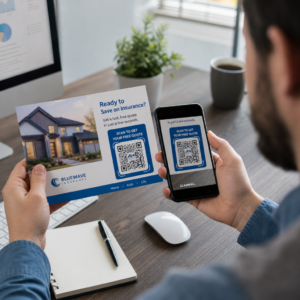
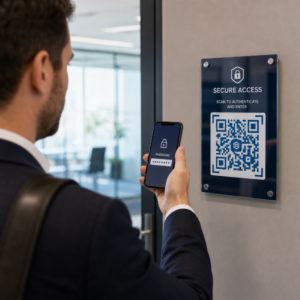
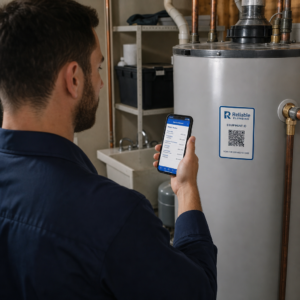
Apakah materi pemasaran cetak Anda tidak menghasilkan lalu lintas yang terukur sama sekali? Titik sentuh fisik seperti pamflet, kemasan, dan papan nama sulit dihubungkan dengan hasil digital – kecuali jika Anda menggunakan kode QR secara strategis. Panduan ini membahas cara membuat kode QR pemasaran dan menggunakannya untuk melacak kinerja, meningkatkan keterlibatan, dan menjembatani kesenjangan antara offline dan online.
Mengapa Bisnis Menggunakan Kode QR dalam Pemasaran
Kode QR memecahkan titik gesekan fundamental dalam pemasaran: membawa seseorang dari permukaan fisik ke tujuan digital tanpa mengetik. Sebuah pemindaian membutuhkan waktu kurang dari satu detik. Kemudahan akses itu secara langsung diterjemahkan menjadi keterlibatan yang lebih tinggi – itulah sebabnya adopsi telah melonjak jauh melampaui peluncuran awal yang gagal pada tahun 2011.
Saat itu, Best Buy dan Macy's termasuk di antara merek pertama yang menguji kode QR dalam skala besar. Teknologi bukanlah masalahnya – internet seluler yang lambat, penetrasi ponsel cerdas yang terbatas, dan halaman arahan khusus desktop membunuh pengalaman sebelum dimulai. Hari ini, hambatan-hambatan itu telah hilang. Internet seluler berkecepatan tinggi, pemindaian kamera asli di iOS dan Android, dan pengalaman web yang dioptimalkan untuk seluler telah membuat kode QR benar-benar praktis.
Dari perspektif pemasaran, keuntungan sebenarnya bukan hanya kenyamanan – melainkan data. Saat Anda menggunakan kode QR dinamis, setiap pemindaian menghasilkan catatan: kapan terjadi, di mana, di perangkat apa, dan melalui kampanye mana. Itulah jenis data atribusi yang dulunya eksklusif untuk saluran khusus digital.
Mulai Lacak Kampanye Kode QR Anda Ingin melihat data pemindaian real-time, rincian geografis, dan analitik perangkat untuk setiap kode yang Anda sebarkan? Gunakan Generator Kode QR untuk membuat kode yang dapat dilacak dan diedit dengan dasbor kinerja bawaan.
Kode QR Statis vs. Dinamis: Mana yang Harus Anda Gunakan?
Sebelum Anda membuat kode, Anda perlu memilih jenis yang tepat. Perbedaan ini sangat penting untuk penggunaan pemasaran.
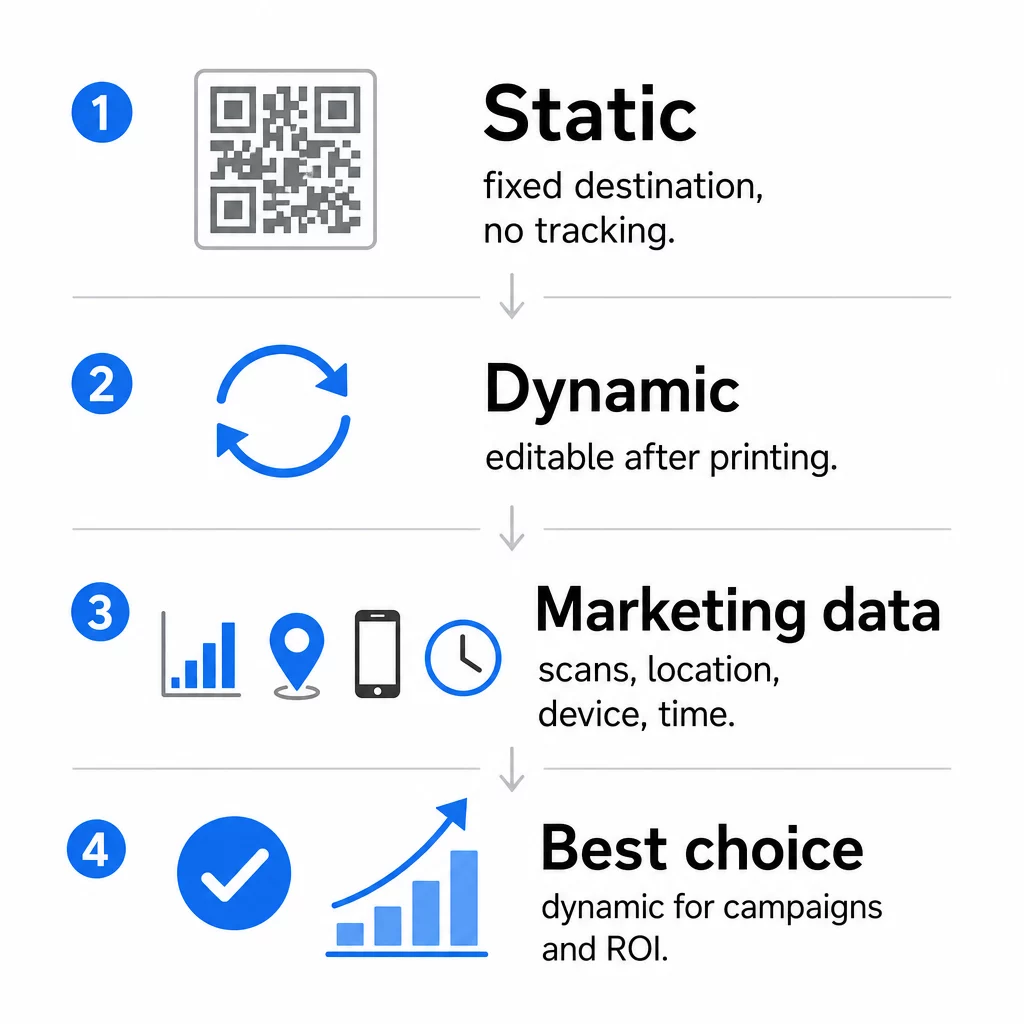
Kode QR statis menyandikan data langsung ke dalam pola itu sendiri. Setelah dicetak, tujuan tidak dapat diubah. Mereka tidak memiliki pelacakan bawaan, menghasilkan pola yang lebih padat untuk URL yang kompleks, dan tidak menawarkan fleksibilitas setelah penyebaran. Mereka berfungsi dengan baik untuk kasus penggunaan permanen dan berisiko rendah seperti kata sandi Wi-Fi atau kartu kontak tetap.
Kode QR dinamis menyandikan URL pengalihan singkat. Tujuan sebenarnya disimpan dalam platform manajemen dan dapat diperbarui kapan saja – bahkan setelah dicetak. Ini berarti Anda dapat memperbaiki tautan yang rusak, mengganti halaman arahan musiman, atau mengarahkan ke promosi baru tanpa mencetak ulang satu pun materi promosi.
Untuk kampanye pemasaran, kode QR dinamis hampir selalu merupakan pilihan yang lebih baik. Mereka mendukung analitik real-time, pengujian A/B, pelacakan parameter UTM, dan penargetan geografis. Jika Anda mengukur ROI pada materi cetak, kode dinamis inilah yang memungkinkan hal itu.
Cara Membuat Kode QR untuk Pemasaran
Membuat kode QR untuk kampanye membutuhkan waktu kurang dari lima menit. Berikut cara kerjanya menggunakan Pageloot:
- Pilih jenis kode QR Anda – Pilih jenis konten yang sesuai dengan tujuan Anda: URL, PDF, vCard, formulir, tautan toko aplikasi, kredensial Wi-Fi, video, atau format lainnya. The pembuat kode QR tautan adalah titik awal paling umum untuk lalu lintas kampanye.
- Masukkan tujuan Anda – Tempel URL atau unggah file yang Anda inginkan untuk dituju oleh kode tersebut. Untuk tujuan pelacakan, gunakan URL yang ditandai UTM agar pemindaian muncul sebagai sumber yang berbeda di Google Analytics.
- Menyesuaikan desain – Tambahkan logo Anda, atur warna merek, pilih gaya bingkai, dan tulis ajakan bertindak. Kode QR bermerek secara konsisten mengungguli kode hitam-putih generik karena membangun kepercayaan visual dan menonjol pada materi cetak. The Generator QR Code dengan Logo membuat ini mudah.
- Unduh dalam format yang tepat – Untuk cetak, unduh file vektor (EPS, PDF, atau SVG) untuk memastikan hasil yang tajam pada ukuran berapa pun. Jangan pernah menggunakan gambar raster beresolusi rendah untuk produksi cetak.
- Uji sebelum dicetak – Pindai kode itu sendiri menggunakan beberapa perangkat dan kondisi pencahayaan. Jika gagal pada Android lama atau dalam cahaya redup, sesuaikan desain sebelum melakukan pencetakan.
Buat Kode QR Bermerek dalam Hitungan Menit Itu Generator QR Code dengan Logo memungkinkan Anda menyesuaikan warna, menambahkan logo Anda, dan menerapkan bingkai ajakan bertindak – semuanya dari satu dasbor.
Sembilan Cara Menggunakan Kode QR dalam Pemasaran Anda
Arahkan Lalu Lintas ke Halaman Arahan
Kode QR menghilangkan setiap penghalang antara titik sentuh fisik dan halaman arahan kampanye Anda. Pelanggan tidak perlu mengetik URL atau mencari merek Anda – satu pemindaian membawa mereka langsung ke tempat yang Anda inginkan. Selalu pasangkan kode dengan ajakan bertindak yang jelas yang menjelaskan apa yang akan mereka dapatkan dengan memindai: diskon, panduan, formulir pemesanan, atau konten eksklusif.
Kirim Pesan Langsung
Kode QR dapat memicu pesan yang sudah terisi sebelumnya melalui SMS, WhatsApp, Telegram, atau Facebook Messenger. Ini adalah salah satu aplikasi pemasaran yang paling kurang dimanfaatkan. Tingkat buka pesan langsung di ponsel pintar jauh lebih tinggi daripada email, menjadikannya rute yang efektif untuk promosi, pengingat janji temu, atau alur dukungan pelanggan.
Kumpulkan Ulasan dan Masukan
Lebih dari 90% pembeli online melihat ulasan sebelum membeli. Kode QR pada struk, kemasan, atau papan nama dapat mengirim pelanggan langsung ke profil Google Bisnis Anda, halaman ulasan produk, atau survei masukan. Untuk meningkatkan tingkat respons, tawarkan kode diskon atau insentif kecil sebagai imbalan atas masukan mereka.
Bagikan Lokasi Bisnis Anda
Kode QR yang menautkan ke daftar Google Maps Anda menghemat pelanggan dari kesulitan mencari secara manual. Ini sangat berguna pada materi cetak seperti menu makanan dibawa pulang, pajangan pameran dagang, atau pembungkus kendaraan di mana mengetik alamat tidak praktis.
Kembangkan Pengikut Media Sosial Anda
Arahkan kode QR langsung ke profil sosial Anda, atau gunakan halaman perantara yang menampilkan tautan ke semua saluran Anda. Anda juga dapat mengonfigurasi kode untuk memicu permintaan Suka Facebook atau Langganan YouTube secara otomatis saat dipindai – cara yang mudah untuk membangun audiens Anda dari titik kontak fisik.
Promosikan Unduhan Aplikasi
Gunakan kode QR toko aplikasi pintar yang mendeteksi perangkat pengguna dan mengarahkan mereka ke toko yang benar – Apple App Store atau Google Play – secara otomatis. Ini menghilangkan satu langkah dan menghilangkan frustrasi mendarat di platform yang salah. Anda juga dapat menggunakan halaman konten perantara untuk mempersiapkan pengguna sebelum permintaan unduhan.
Kirim Email yang Sudah Terisi
Kode QR dapat membuka klien email pengguna dengan alamat penerima, baris subjek, dan teks isi yang sudah terisi. Ini berfungsi dengan baik untuk permintaan dukungan pelanggan, pertanyaan mitra, atau RSVP acara di mana Anda menginginkan respons terstruktur tanpa membuat formulir.
Tautkan ke Produk E-Commerce
Kode QR pada kemasan, pajangan rak, atau brosur cetak dapat menautkan langsung ke halaman detail produk, video instruksional, pendaftaran garansi, atau ulasan pelanggan. Ini mengurangi jumlah teks yang perlu Anda cetak pada kemasan sambil memberikan pelanggan akses ke informasi yang lebih kaya sesuai permintaan.
Bagikan Akses Wi-Fi
Kode QR Wi-Fi memungkinkan pelanggan terhubung ke jaringan Anda dengan satu pemindaian – tidak perlu mengetik kata sandi. Tempatkan di dalam lokasi Anda untuk memastikan pelanggan secara fisik memasuki ruang sebelum terhubung. Detail kecil ini memperpanjang waktu tinggal dan menciptakan lebih banyak peluang untuk keterlibatan di dalam toko.
Prinsip Desain dan Penempatan yang Memengaruhi Tingkat Pemindaian
Kode QR yang tidak dipindai oleh siapa pun tidak memiliki nilai. Pilihan desain dan penempatan secara langsung menentukan apakah kode Anda akan digunakan.
Ukuran itu penting. Untuk materi jarak dekat seperti kartu nama dan pamflet, ukuran minimum sekitar 1 inci (2,5 cm) persegi adalah patokan. Poster harus menggunakan setidaknya 2 inci (5 cm). Untuk papan nama luar ruangan, terapkan aturan 10:1: lebar kode harus setidaknya sepersepuluh dari jarak pemindaian yang diharapkan.
Kontras tidak bisa ditawar. Pola gelap pada latar belakang terang adalah kombinasi yang paling andal. Desain dengan kontras rendah atau terbalik dapat menyebabkan kegagalan pemindaian, terutama dalam pencahayaan yang bervariasi. Uji kombinasi warna non-standar apa pun secara ketat sebelum mencetak dalam skala besar.
Zona tenang diperlukan. Setiap kode QR membutuhkan margin kosong setidaknya selebar empat modul di semua sisi. Tanpa itu, pemindai kesulitan membedakan kode dari elemen grafis di sekitarnya, dan tingkat kegagalan pemindaian meningkat.
Permukaan dan hasil akhir memengaruhi kinerja. Permukaan yang sangat mengkilap, reflektif, atau bergaris dapat mendistorsi pola QR dan mengurangi keberhasilan pemindaian. Permukaan datar non-reflektif pada substrat yang tidak luntur secara konsisten lebih andal.
Penempatan menentukan visibilitas. Penempatan setinggi mata – kira-kira 3,5 hingga 5,5 kaki dari tanah pada papan nama – memaksimalkan aksesibilitas. Hindari menempatkan kode di dekat lipatan, tepi, atau area yang sering terhalang. Untuk rincian lengkap strategi penempatan berdasarkan jenis materi, lihat panduan utama penempatan kode QR dalam pemasaran.
Cara Melacak Kinerja Kode QR
Membuat kode hanyalah separuh pekerjaan. Mengukur apa yang terjadi setelah pemindaian adalah tempat optimasi kampanye dimulai.
Dengan kode QR dinamis, setiap pemindaian menghasilkan data yang dapat dilacak: total pemindaian, pemindaian unik, stempel waktu, lokasi geografis, jenis perangkat, dan sistem operasi. Ini memungkinkan Anda menjawab pertanyaan seperti: Materi cetak mana yang benar-benar mendorong lalu lintas? Lokasi mana yang berkinerja terbaik? Pukul berapa pelanggan berinteraksi?
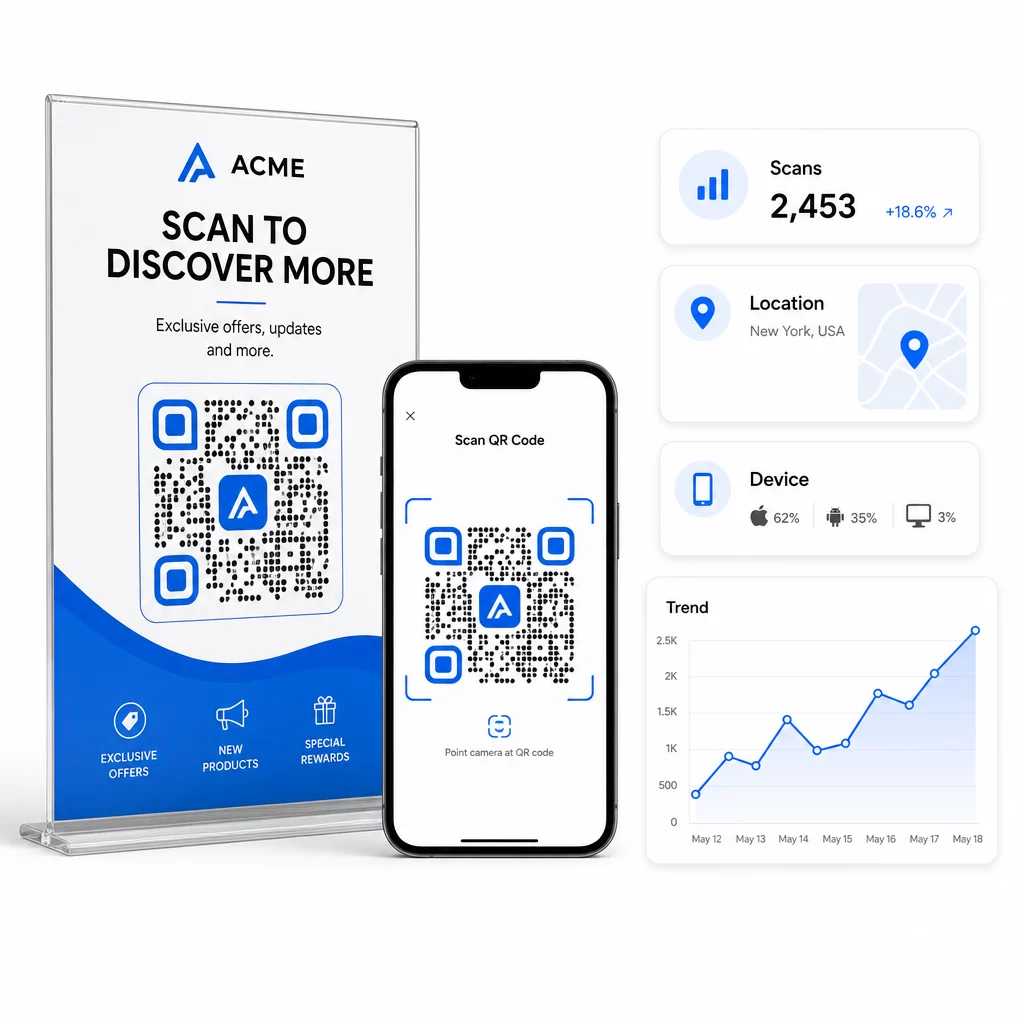
Untuk atribusi yang lebih mendalam, tambahkan parameter UTM ke URL tujuan Anda sebelum menyematkannya di kode QR. Ini mengarahkan lalu lintas yang didorong QR ke Google Analytics sebagai sumber yang berbeda, di mana Anda dapat menganalisis keterlibatan, tingkat konversi, dan perilaku secara terpisah dari saluran lain. Konvensi penamaan yang konsisten – misalnya, `utm`media=qrkode` dan `utm`source=storetampilan` – membuat pelaporan bersih dan sebanding di seluruh kampanye. Untuk panduan pengaturan terperinci, lihat artikel parameter UTM untuk kode QR.
Dasbor bawaan Pageloot mengkonsolidasikan data ini di satu tempat: jumlah pemindaian, rincian geografis, laporan perangkat, dan perbandingan tingkat kampanye – tanpa memerlukan pengaturan analitik terpisah untuk metrik dasar.
Pantau Setiap Pemindaian Secara Real Time Itu Generator QR Code Dinamis memberi Anda dasbor kinerja lengkap dengan data geografis, rincian perangkat, dan tren pemindaian. Perbarui tujuan tanpa mencetak ulang kapan pun kampanye Anda berubah.
Bangun Strategi Pemasaran Kode QR yang Dapat Diskala
Kode QR sekali pakai adalah titik awal. Strategi terkoordinasi adalah yang menghasilkan pengembalian majemuk.
Sebelum membuat kode, tentukan apa yang ingin dicapai oleh masing-masing kode – dan pastikan tujuan memenuhi janji tersebut. Kode yang mengirim seseorang ke halaman yang tidak dioptimalkan untuk seluler, halaman 404, atau beranda yang tidak relevan akan mengikis kepercayaan dan menghilangkan alasan untuk memindai lagi.
Menggunakan kode QR dinamis untuk kampanye dengan tanggal mulai dan berakhir yang ditentukan, promosi bergilir, atau lokasi yang berbagi materi antar musim. Kemampuan untuk memperbarui tujuan tanpa mencetak ulang berarti materi fisik Anda tetap terkini bahkan ketika kampanye Anda berubah.
Untuk pendekatan langkah demi langkah dalam merencanakan dan melaksanakan kampanye kode QR, Daftar periksa pemasaran kode QR untuk usaha kecil mencakup penetapan tujuan, pemilihan jenis kode, praktik terbaik desain, dan optimasi pasca-peluncuran dalam format terstruktur.
Merek-merek yang melihat hasil nyata dari kode QR memperlakukannya sebagai saluran kinerja – di mana penempatan, desain, tujuan, dan pelacakan semuanya direncanakan terlebih dahulu. Disiplin itulah yang memisahkan tingkat pemindaian 0,5% dari yang layak dilaporkan.
Pertanyaan yang sering diajukan
Kode QR statis menyandikan tujuan langsung ke dalam polanya dan tidak dapat diubah setelah dibuat. Ini juga tidak menyediakan data pemindaian. Kode QR dinamis menyimpan URL pengalihan singkat, yang berarti Anda dapat memperbarui tujuan kapan saja – bahkan setelah dicetak – dan melacak setiap pemindaian dengan data lokasi, perangkat, dan waktu. Untuk sebagian besar kampanye pemasaran, kode QR dinamis adalah pilihan yang lebih baik karena mendukung pelacakan, pengujian A/B, dan pembaruan kampanye tanpa perlu mencetak ulang.
Anda memerlukan kode QR dinamis yang terhubung ke platform pelacakan. Ketika seseorang memindai kode, platform mencatat peristiwa tersebut dan menangkap data termasuk jumlah pemindaian, stempel waktu, lokasi geografis, dan jenis perangkat. Anda juga dapat menambahkan parameter UTM ke URL tujuan Anda sehingga lalu lintas yang didorong oleh QR muncul sebagai sumber terpisah yang dapat diidentifikasi di Google Analytics. Dasbor Pageloot menyediakan data ini secara real time tanpa memerlukan konfigurasi analitik terpisah untuk metrik dasar.
Untuk kartu nama dan pamflet, gunakan ukuran minimum sekitar 1 inci (2,5 cm) persegi. Untuk menu dan brosur, targetkan setidaknya 1,5 inci (3,8 cm). Untuk poster, gunakan setidaknya 2 inci (5 cm). Untuk papan reklame dan rambu luar ruangan, terapkan aturan 10:1: lebar kode harus setidaknya sepersepuluh dari jarak pemindaian maksimum yang diharapkan. Selalu pertahankan zona tenang kosong setidaknya empat modul lebar di semua sisi, dan gunakan kontras tinggi – pola gelap pada latar belakang terang – untuk memastikan pemindaian yang andal.