Přemýšleli jste někdy, co ten čtvercový nebo pruhovaný kód na vašem palubním lístku skutečně dělá? Jeho pochopení vám může ušetřit frustrující zdržení na bezpečnostní kontrole nebo u brány. Tento průvodce přesně vysvětluje, jak kódy palubních lístků fungují a co očekávat, když je naskenujete na letišti.
Jaký typ kódu je na palubním lístku
Ne všechny kódy palubních lístků jsou stejné a rozdíl je důležitý, když stojíte u skeneru.
Letecké společnosti dodržují globální standard nazývaný IATA Palubní vstupenka s čárovým kódem (BCBP), definovaný pod Rezolucí 792. Tento standard specifikuje, jaké formáty čárových kódů mohou letecké společnosti používat a jak musí být data uvnitř nich strukturována, aby jakýkoli letištní skener na světě mohl přečíst stejný lístek.
Podle tohoto standardu se používají dvě široké rodiny kódů:
- PDF417 – Obdélníkový, skládaný čárový kód, který vypadá jako řada vodorovných čar rozdělených do sloupců. Toto je výchozí formát pro tištěné palubní lístky a je to nejběžnější formát, který uvidíte na papíře.
- 2D maticové kódy (Aztec, Data Matrix, QR code) – Čtvercové nebo kompaktní kódy založené na mřížce. Toto jsou standardní formáty pro mobilní palubní lístky zobrazené na obrazovce telefonu, i když se mohou objevit i na tištěných lístcích podle aktuální verze standardu BCBP.
Takže zatímco mnoho lidí to nazývá “QR kódem”, váš palubní lístek může technicky nést Aztec kód, Data Matrix kód nebo PDF417 čárový kód v závislosti na letecké společnosti a na tom, zda používáte mobilní nebo tištěnou verzi. Klíčovým bodem je, že všechny kódují stejná strukturovaná data. Chcete-li se dozvědět více o tom, jak se QR kódy konkrétně používají napříč leteckými společnostmi a letišti, QR kódů pro letecké společnosti a letiště přehled je užitečným referenčním zdrojem.
Jaká data jsou uložena uvnitř kódu
Čárový kód na vašem palubním lístku není jen číslo letenky. Kóduje strukturovanou datovou zprávu, která obsahuje specifickou sadu povinných polí, včetně:
- Vaše celé jméno cestujícího
- Ten PNR (Záznam jména cestujícího) – váš rezervační kód
- Kódy letišť odletu a příletu (např. JFK → LAX)
- Kód provozujícího dopravce a číslo letu
- Datum letu
- Číslo sedadla a kód cestovní třídy
- Pořadové číslo odbavení
- Status cestujícího
Standard také podporuje kódování více letových úseků do jednoho čárového kódu, což je důvod, proč se spojovací itinerář může někdy objevit jako jeden skenovatelný kód na vašem palubním lístku namísto dvou samostatných.
Některé letecké společnosti také zahrnují volitelné bezpečnostní pole obsahující digitální podpis. To umožňuje letištním systémům ověřit, že čárový kód nebyl změněn nebo padělán, čímž se přidává vrstva ochrany proti padělaným lístkům.
Jak funguje proces skenování na letišti
Když předložíte svůj palubní lístek na kontrolním bodě nebo u brány, skener přečte všechna tato zakódovaná pole za zlomek sekundy. Zde je, co se děje v každé fázi.
Na bezpečnostní kontrole TSA: Úředník nebo automatizovaný čtečka zkontroluje vaši identitu a potvrdí, že máte platnou, odbavenou rezervaci pro odletový let. Na více než 225 amerických letištích TSA nainstalovala technologii ověřování pověření (CAT), která dokáže zobrazit vaše letové detaily pouhým naskenováním vašeho státem vydaného průkazu totožnosti – což znamená, že na bezpečnostní kontrole možná vůbec nebudete muset ukazovat palubní lístek. Pokud však zařízení CAT na dané lince není k dispozici, úředník může stále požádat o váš palubní lístek.
U nástupní brány: Zde se skenování vždy provádí, bez ohledu na to, na kterém letišti jste. Skener agenta u brány přečte kód vašeho palubního lístku, potvrdí vaše sedadlo a status cestujícího a zaznamená, že jste nastoupili. V tomto okamžiku budete vždy potřebovat svůj palubní lístek – mobilní nebo tištěný.
Okamžitě naskenujte jakýkoli formát palubního lístku Potřebujete ověřit, co je zakódováno v QR nebo čárovém kódu? Použijte Skener QR kódů Pageloot nebo Čtečka kódů k přečtení a dekódování jakéhokoli podporovaného formátu přímo z vašeho prohlížeče – není potřeba žádná aplikace.
Mobilní vs. Tištěné palubní lístky: Praktické rozdíly
Oba formáty kódují identická data. Rozdíl spočívá výhradně v tom, jak spolehlivě lze tato data číst v reálných letištních podmínkách.
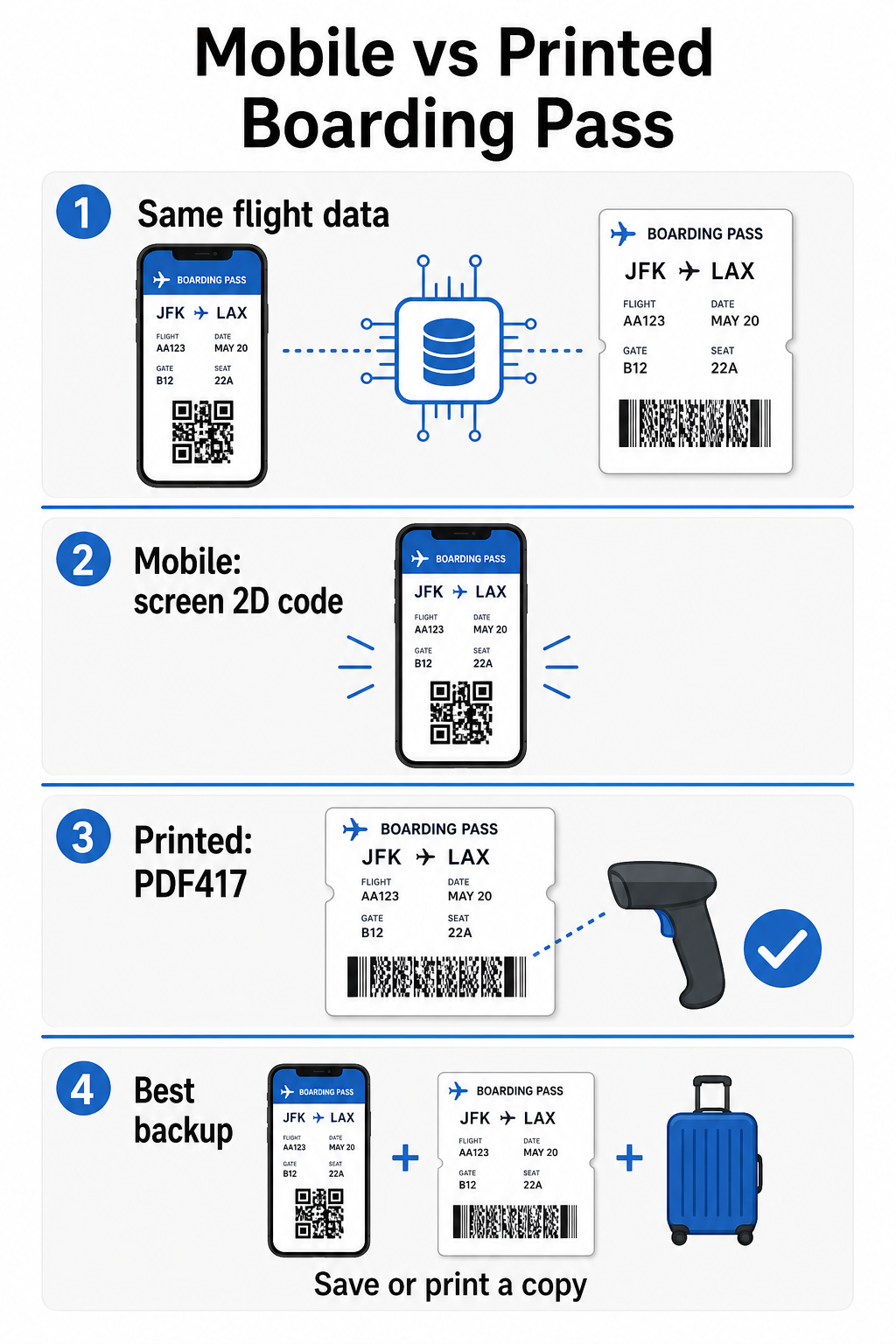
| Faktor | Mobilní palubní lístek | Tištěný palubní lístek |
|---|---|---|
| Akceptovaný formát | Aztec, Data Matrix, nebo QR code | PDF417 (výchozí); také Aztec, Data Matrix, QR |
| Kompatibilita se skenerem | Většina moderních 2D skenerů; některé starší laserové skenery mohou mít potíže | Široce kompatibilní se všemi letištními skenery |
| Riziko odlesků obrazovky | Ano – jasné letištní osvětlení může způsobovat odrazy | Žádné |
| Riziko moiré vzoru | Ano – LCD/LED obrazovky mohou vytvářet vizuální interferenční pruhy | Žádné |
| Riziko fyzického poškození | Prasklá nebo špinavá obrazovka může bránit čtení kódu | Papír se může zmačkat, roztrhnout nebo rozmazat |
| Pohodlí | Není potřeba tisknout; vždy ve vašem telefonu | Funguje všude, nevyžaduje baterii |
| Akceptace na letišti | Není univerzální – některá letiště v USA vyžadují tištěné palubní lístky | Akceptováno na všech letištích |
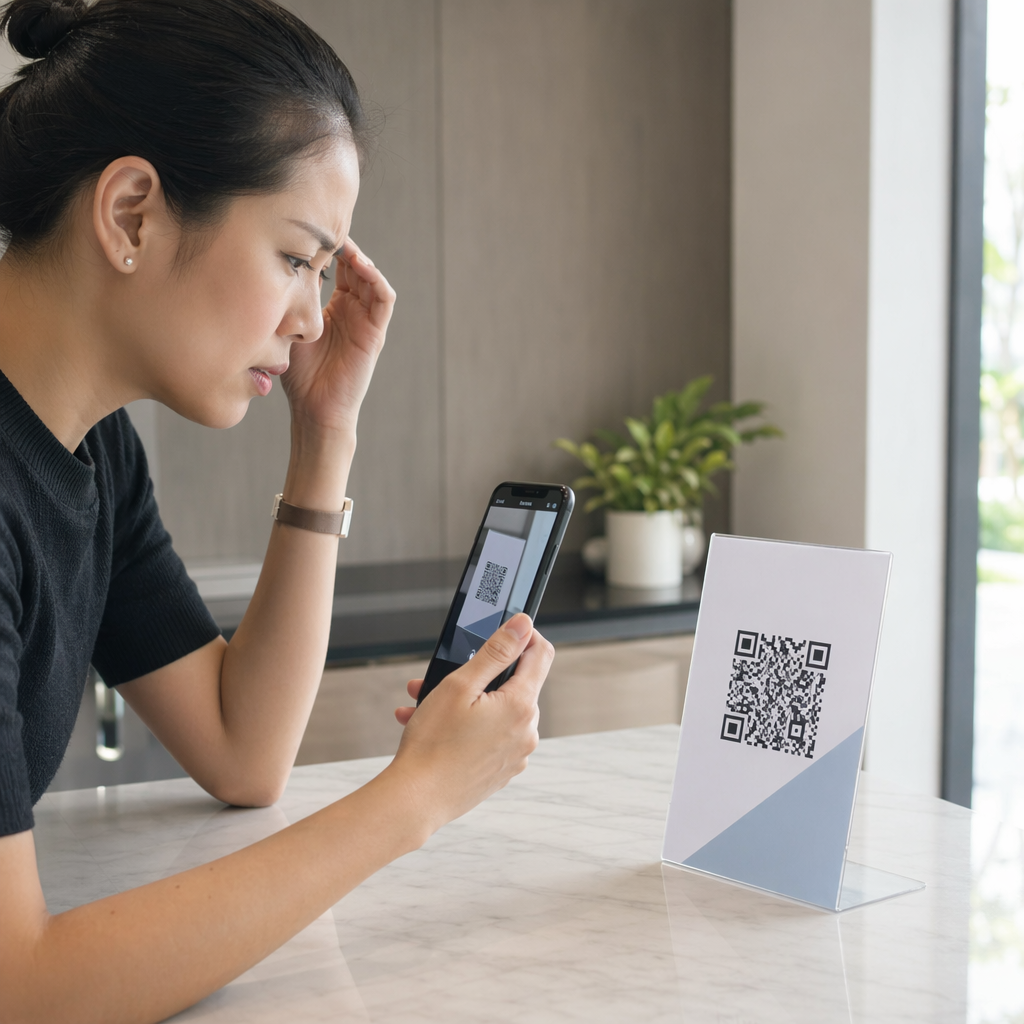
Hlavní problém s mobilními palubními lístky spočívá v tom, že tradiční laserové skenery jsou optimalizovány pro světlo odražené od papíru, nikoli pro světlo vyzařované z obrazovky. Když držíte telefon pod jasným osvětlením terminálu, obrazovka může vytvářet odlesky nebo reflexní rušení, které snižuje kontrast potřebný pro přesné dekódování čárového kódu skenerem. Moiré vzory – vizuální pruhy, které mohou produkovat LCD a LED obrazovky – jsou dalším zdrojem rušení, které tištěné lístky jednoduše nemají.
Chcete-li minimalizovat tyto problémy při používání mobilního palubního lístku:
- Maximalizujte jas obrazovky před přiblížením ke skeneru
- Vyčistěte obrazovku – otisky prstů a šmouhy přímo nad čárovým kódem narušují dekódování
- Udržujte celý čárový kód viditelný na obrazovce, aniž by byl oříznut nebo částečně skryt oznamovacími lištami
- Otočte, pokud je to nutné – některé skenery preferují kód v určité orientaci
Více o tom, co obecně ovlivňuje čitelnost čárových kódů, najdete v osvědčené postupy pro čitelnost QR kódů průvodce podrobně popisuje kontrast, velikost a faktory prostředí.
Kdy byste měli mít tištěný palubní lístek
Mobilní lístek funguje hladce na drtivé většině velkých letišť v USA. Existují však specifické situace, kdy je bezpečnější volbou mít tištěnou kopii:
- Menší regionální letiště která dosud neupgradovala své skenery tak, aby spolehlivě četly kódy z mobilních obrazovek
- Mezinárodní přestupy, kde se zásady přijímání palubních lístků výrazně liší podle země a dopravce
- Dlouhé cesty nebo cestování do oblastí s omezeným přístupem k nabíjení, kde může být problémem baterie vašeho telefonu
- Starší nebo poškozená zařízení kde praskliny na obrazovce nebo nízký jas ztěžují čtení kódu
Pokud si nejste jisti, zda vaše odletové letiště přijímá mobilní průkazy, ověřte si to přímo u své letecké společnosti před cestou. Některé letecké společnosti výslovně uvádějí kompatibilitu letišť na svých stránkách s mobilními palubními lístky. Pokud vás zajímá, jak se stejné principy QR kódů uplatňují u jiných typů jízdenek a vstupenek na akce, pak QR kódy na vstupenkách stránka podrobně pokrývá tento případ použití.
Co se stane, když se váš palubní lístek nenačte
Pokud skener odmítne váš palubní lístek – mobilní nebo tištěný – je dobré znát nejčastější příčiny, než se ocitnete v čele rušné fronty na nástup.
Odlesky obrazovky nebo nízký jas jsou hlavním viníkem u mobilních průkazů. Zkuste telefon mírně naklonit nebo si rukou zakrýt obrazovku, abyste zablokovali okolní světlo, a vždy nastavte displej na plný jas, než se přiblížíte ke skeneru. Otisky prstů nebo šmouhy přes čárový kód jsou dalším častým problémem, který lze rychle vyřešit otřením. U tištěných průkazů se silně pomačkaný nebo částečně roztržený čárový kód nemusí správně dekódovat, proto je vhodné vyhnout se skládání papírového průkazu přímo přes kód.
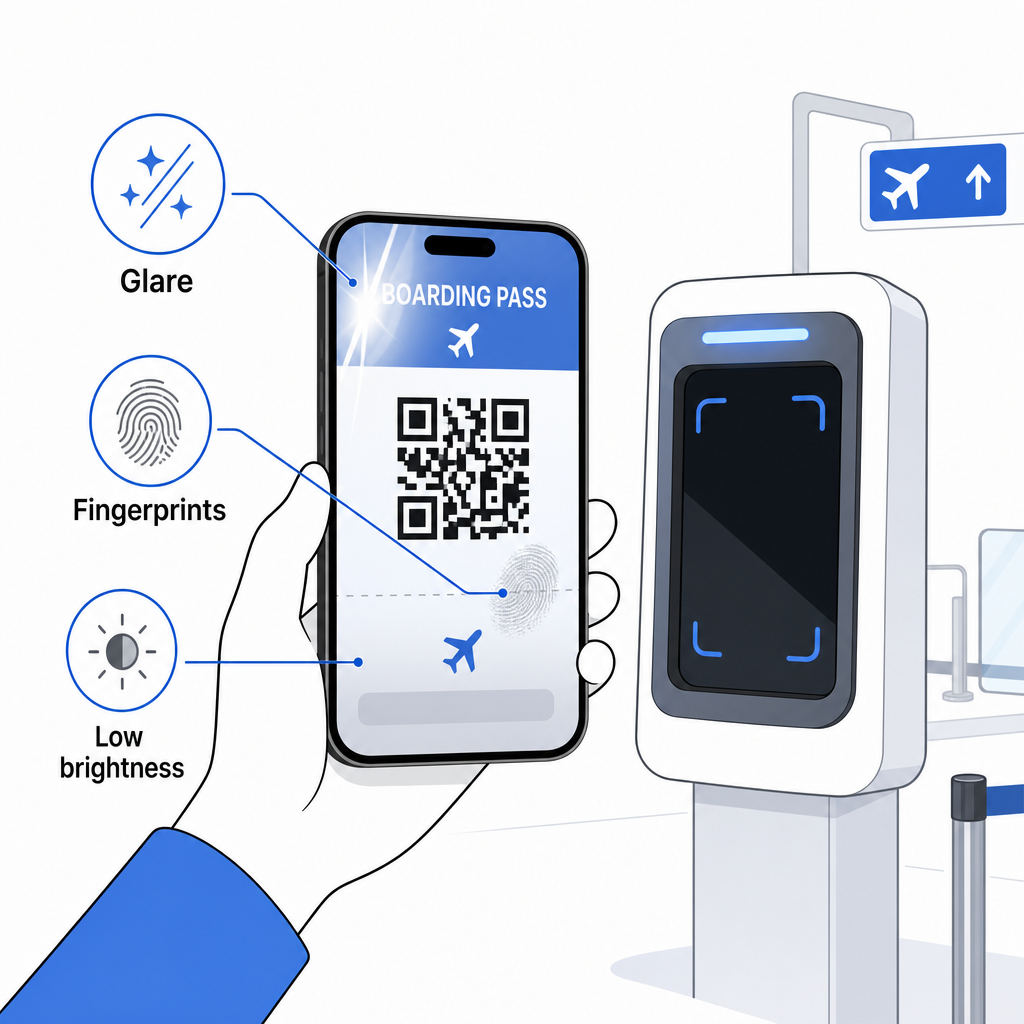
Neúplné zobrazení je také častým problémem – ujistěte se, že je celý kód viditelný a není zakrytý pouzdrem telefonu nebo oznamovacím pruhem. Pracovníci u brány se s chybami skenování setkávají běžně a mohou vaši rezervaci vyhledat ručně pomocí vašeho jména a PNR. Neúspěšné skenování je zřídka vážným problémem, ale zpomaluje to proces během nástupu s vysokým provozem.
Pochopení jak QR kódy zlepšují cestovní zážitky v širším smyslu vám také může pomoci co nejlépe využít digitální nástroje, které letecké společnosti nyní nabízejí po celou dobu cesty.
Čárový kód vašeho palubního lístku – ať už jde o QR kód, Aztec kód nebo proužek PDF417 – nese přesný, standardizovaný datový obsah, na který se spoléhají letištní systémy k ověření vaší identity a přidělení sedadla v reálném čase. Mobilní lístky jsou pohodlné a dobře fungují na většině hlavních letišť v USA, ale tištěné lístky zůstávají nejuniverzálněji kompatibilní možností. Nejbezpečnější přístup je znát svá letiště předem a mít k dispozici záložní možnost při cestování po méně známých trasách.
Pokud chcete dekódovat, co je skutečně uloženo v čárovém kódu palubního lístku, následující Pageloot Barcode Scanner vám umožní číst jakýkoli podporovaný formát přímo z vašeho prohlížeče bez instalace aplikace.
Často kladené otázky
Ne vždy. Tištěné palubní vstupenky nejčastěji používají čárový kód PDF417 – obdélníkový pruhovaný formát – jako výchozí podle standardu IATA BCBP. Mobilní palubní vstupenky používají formáty 2D matice, jako je Aztec, Data Matrix nebo QR kód. Všechny tyto kódují stejná strukturovaná data o cestujících; formát se liší podle média a letecké společnosti.
Ne nutně. Na více než 225 amerických letištích vybavených technologií TSA Credential Authentication Technology (CAT) stačí váš státem vydaný průkaz totožnosti k potvrzení vašich letových údajů na bezpečnostní kontrole – palubní lístek není vyžadován. Nicméně, stále se musíte odbavit u vaší letecké společnosti, abyste získali palubní lístek (mobilní nebo tištěný), a vždy jej budete muset naskenovat u nástupní brány, když nastoupíte do letadla.
Nejčastější příčiny jsou odlesky obrazovky z jasného letištního osvětlení, otisky prstů nebo šmouhy přes čárový kód, nízký jas obrazovky a moiré vzory, které mohou produkovat LCD nebo LED obrazovky. Pro zlepšení spolehlivosti vyčistěte svou obrazovku před dosažením skeneru, nastavte svůj jas na maximum a ujistěte se, že celý čárový kód je plně viditelný a ničím nezakrytý.