Pernahkah Anda bertanya-tanya apa fungsi kode persegi atau bergaris itu pada boarding pass Anda? Memahaminya dapat menyelamatkan Anda dari penundaan yang membuat frustrasi di keamanan atau gerbang. Panduan ini menjelaskan secara tepat bagaimana kode boarding pass bekerja dan apa yang diharapkan saat Anda memindainya di bandara.
Jenis Kode Apa yang Ada di Boarding Pass
Tidak semua kode boarding pass sama, dan perbedaannya penting saat Anda berdiri di depan pemindai.
Maskapai penerbangan mengikuti standar global yang disebut IATA Boarding Pass Berkode Batang (BCBP), yang didefinisikan di bawah Resolusi 792. Standar ini menentukan format barcode mana yang dapat digunakan maskapai penerbangan dan bagaimana data di dalamnya harus terstruktur sehingga pemindai bandara mana pun di dunia dapat membaca pass yang sama.
Di bawah standar ini, dua keluarga kode besar digunakan:
- PDF417 – Barcode persegi panjang, bertumpuk yang terlihat seperti serangkaian garis horizontal yang dibagi menjadi kolom. Ini adalah format default untuk boarding pass cetak dan merupakan format paling umum yang akan Anda lihat di kertas.
- Kode matriks 2D (Aztec, Data Matrix, QR code) – Kode berbasis kisi persegi atau ringkas. Ini adalah format standar untuk boarding pass seluler yang ditampilkan di layar ponsel, meskipun mereka juga dapat muncul di pass cetak di bawah versi standar BCBP saat ini.
Jadi, meskipun banyak orang menyebutnya “kode QR,” boarding pass Anda secara teknis mungkin membawa kode Aztec, kode Data Matrix, atau barcode PDF417 tergantung pada maskapai penerbangan dan apakah Anda menggunakan versi seluler atau cetak. Poin utamanya adalah bahwa semuanya mengkodekan data terstruktur yang sama. Untuk memahami lebih lanjut tentang bagaimana kode QR digunakan secara khusus di seluruh maskapai penerbangan dan bandara, kode QR untuk maskapai dan bandara gambaran umum adalah referensi yang berguna.
Data Apa yang Tersimpan Di Dalam Kode
Barcode pada boarding pass Anda bukan hanya nomor tiket. Ini mengkodekan pesan data terstruktur yang berisi serangkaian bidang wajib tertentu, termasuk:
- Nama lengkap penumpang Anda
- Itu PNR (Catatan Nama Penumpang) – kode referensi pemesanan Anda
- Kode bandara asal dan tujuan (misalnya, JFK → LAX)
- Kode maskapai pengoperasian dan nomor penerbangan
- Tanggal penerbangan
- Nomor kursi dan kode kelas kabin
- Nomor urut check-in
- Status penumpang
Standar ini juga mendukung pengkodean beberapa segmen penerbangan ke dalam satu barcode, itulah sebabnya itinerary penerbangan lanjutan terkadang dapat muncul sebagai satu kode yang dapat dipindai pada boarding pass Anda daripada dua kode terpisah.
Beberapa maskapai penerbangan juga menyertakan bidang keamanan yang berisi tanda tangan digital. Ini memungkinkan sistem bandara untuk memverifikasi bahwa barcode belum diubah atau dipalsukan, menambahkan lapisan perlindungan terhadap pass palsu.
Bagaimana Proses Pemindaian Bekerja di Bandara
Saat Anda menunjukkan boarding pass Anda di pos pemeriksaan atau gerbang, pemindai membaca semua bidang yang dikodekan tersebut dalam sepersekian detik. Berikut adalah apa yang terjadi di setiap tahap.
Di keamanan TSA: Petugas atau pembaca otomatis memeriksa identitas Anda dan mengonfirmasi bahwa Anda memiliki pemesanan yang valid dan sudah check-in untuk penerbangan keberangkatan. Di lebih dari 225 bandara AS, TSA telah memasang Teknologi Otentikasi Kredensial (CAT), yang dapat menampilkan detail penerbangan Anda hanya dengan memindai ID yang dikeluarkan pemerintah Anda – artinya Anda mungkin tidak perlu menunjukkan boarding pass di pos pemeriksaan keamanan sama sekali. Namun, jika peralatan CAT di jalur tertentu tidak tersedia, seorang petugas masih dapat meminta boarding pass Anda.
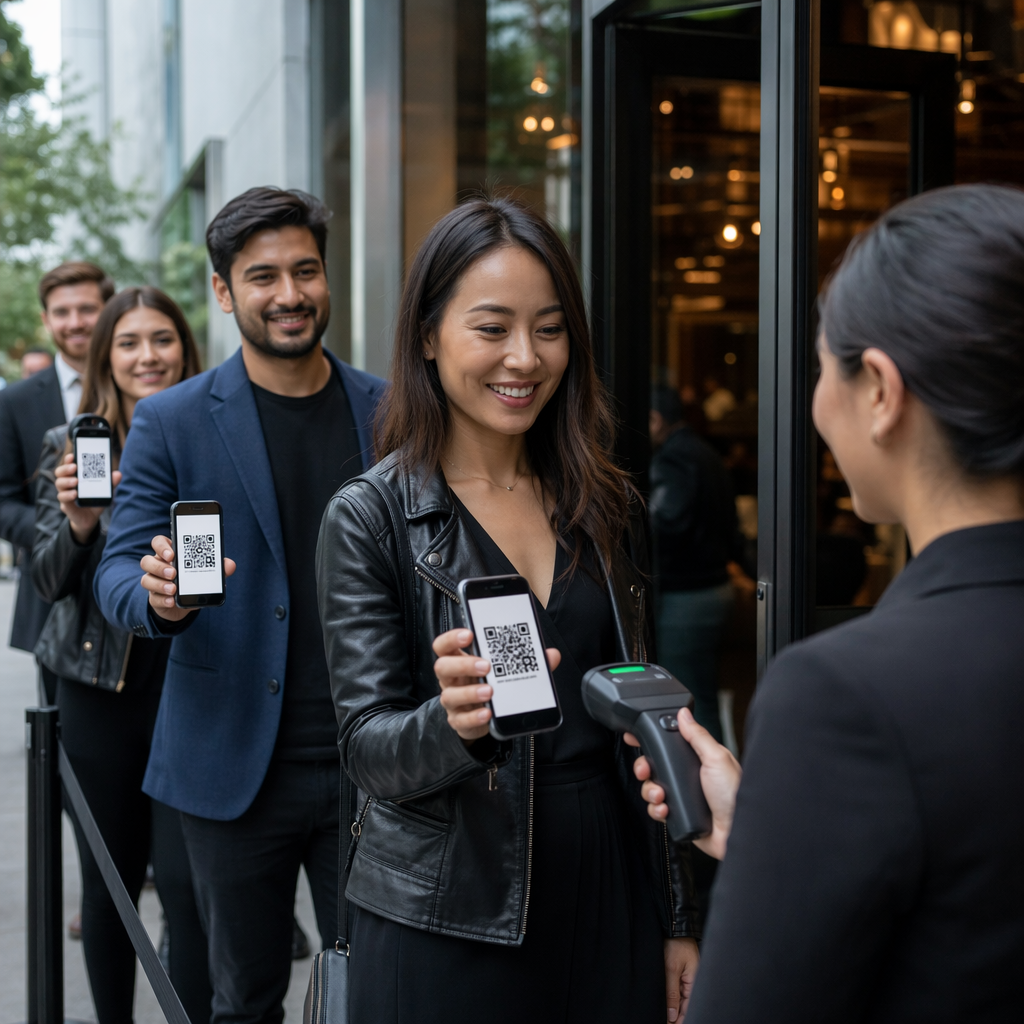
Di gerbang keberangkatan: Di sinilah pemindaian selalu terjadi, terlepas dari bandara mana Anda berada. Pemindai petugas gerbang membaca kode boarding pass Anda, mengonfirmasi kursi dan status penumpang Anda, dan mencatat bahwa Anda telah naik pesawat. Anda akan membutuhkan boarding pass Anda – seluler atau cetak – pada titik ini setiap saat.
Pindai Format Boarding Pass Apa Pun Secara Instan Perlu memverifikasi apa yang dikodekan dalam QR atau barcode? Gunakan Pageloot QR Code Scanner atau Pemindai kode batang untuk membaca dan mendekode format apa pun yang didukung langsung dari browser Anda – tidak perlu aplikasi.
Boarding Pass Seluler vs. Cetak: Perbedaan Praktis
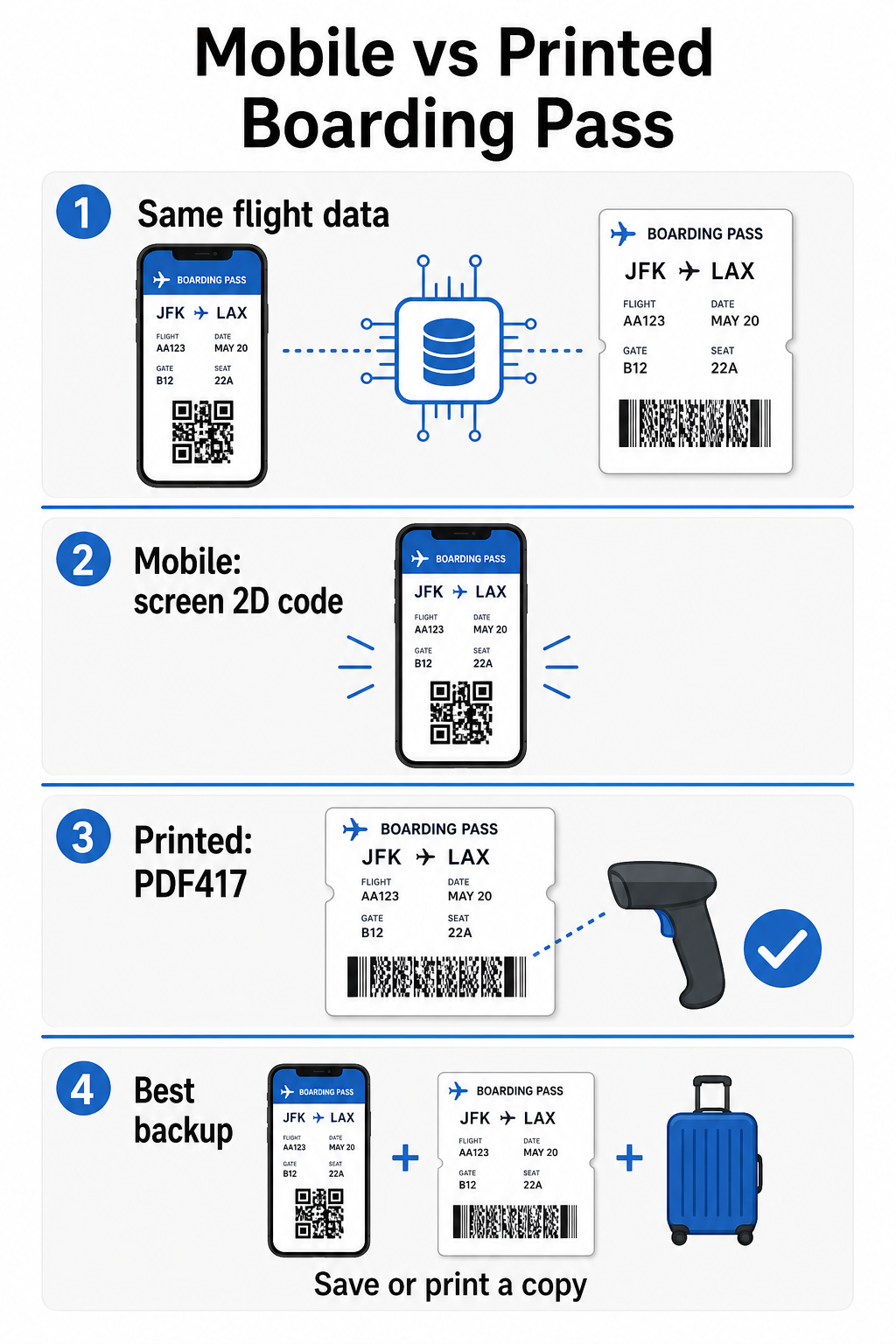
Kedua format mengkodekan data yang identik. Perbedaannya sepenuhnya tentang seberapa andal data tersebut dapat dibaca dalam kondisi bandara dunia nyata.
| Faktor | Boarding Pass Seluler | Boarding Pass Cetak |
|---|---|---|
| Format yang diterima | Aztec, Data Matrix, atau kode QR | PDF417 (default); juga Aztec, Data Matrix, QR |
| Kompatibilitas pemindai | Sebagian besar pemindai 2D modern; beberapa pemindai laser lama mungkin kesulitan | Sangat kompatibel dengan semua pemindai bandara |
| Risiko silau layar | Ya – pencahayaan bandara yang terang dapat menyebabkan pantulan | Tidak Ada |
| Risiko pola Moiré | Ya – layar LCD/LED dapat menciptakan pita interferensi visual | Tidak Ada |
| Risiko kerusakan fisik | Layar retak atau kotor dapat menghalangi kode | Kertas bisa kusut, robek, atau luntur |
| Kenyamanan | Tidak perlu mencetak; selalu ada di ponsel Anda | Berfungsi di mana saja, tidak memerlukan baterai |
| Penerimaan di bandara | Tidak universal – beberapa bandara A.S. memerlukan tiket cetak | Diterima di semua bandara |
Tantangan utama dengan boarding pass seluler adalah bahwa pemindai laser tradisional dioptimalkan untuk cahaya yang dipantulkan dari kertas, bukan cahaya yang dipancarkan dari layar. Saat Anda memegang ponsel di bawah pencahayaan terminal yang terang, layar dapat menciptakan silau atau interferensi reflektif yang mengurangi kontras yang dibutuhkan pemindai untuk mendekode kode batang secara akurat. Pola Moiré – pita visual yang dapat dihasilkan oleh layar LCD dan LED – adalah sumber interferensi lain yang tidak dimiliki oleh tiket cetak.
Untuk meminimalkan masalah ini saat menggunakan boarding pass seluler:
- Maksimalkan kecerahan layar Anda sebelum mendekati pemindai
- Bersihkan layar Anda – sidik jari dan noda langsung di atas kode batang mengganggu proses dekode
- Pastikan seluruh kode batang terlihat di layar tanpa terpotong atau sebagian tersembunyi oleh bilah notifikasi
- Putar jika diperlukan – beberapa pemindai lebih menyukai kode dalam orientasi tertentu
Untuk lebih lanjut tentang apa yang memengaruhi keterbacaan kode batang secara umum, panduan praktik terbaik untuk keterbacaan kode QR ini mencakup kontras, ukuran, dan faktor lingkungan secara rinci.
Kapan Anda Seharusnya Membawa Boarding Pass Cetak
Tiket seluler berfungsi dengan lancar di sebagian besar bandara utama A.S. Namun, ada situasi tertentu di mana memiliki salinan cetak adalah pilihan yang lebih aman:
- Bandara regional yang lebih kecil yang belum meningkatkan pemindai mereka untuk membaca kode layar seluler dengan andal
- Koneksi internasional, di mana kebijakan penerimaan boarding pass sangat bervariasi berdasarkan negara atau maskapai
- Perjalanan jauh atau perjalanan ke daerah dengan akses pengisian daya terbatas, di mana baterai ponsel Anda mungkin menjadi perhatian
- Perangkat lama atau rusak di mana retakan layar atau kecerahan rendah membuat kode sulit dibaca
Jika Anda tidak yakin apakah bandara keberangkatan Anda menerima tiket seluler, periksa langsung dengan maskapai Anda sebelum Anda bepergian. Beberapa maskapai secara eksplisit mencantumkan kompatibilitas bandara di halaman boarding pass seluler mereka. Jika Anda tertarik pada bagaimana prinsip kode QR yang sama berlaku untuk jenis tiket dan tiket acara lainnya, halaman kode QR pada tiket ini mencakup kasus penggunaan tersebut secara mendalam.
Apa yang Terjadi Jika Boarding Pass Anda Tidak Dapat Dipindai
Jika pemindai menolak boarding pass Anda – seluler atau cetak – penyebab paling umum patut diketahui sebelum Anda berada di depan antrean boarding yang sibuk.
Silau layar atau kecerahan rendah adalah penyebab utama pada tiket seluler. Coba miringkan ponsel sedikit atau lingkarkan tangan Anda di sekitar layar untuk menghalangi cahaya sekitar, dan selalu atur tampilan Anda ke kecerahan penuh sebelum mendekati pemindai. Sidik jari atau noda di atas kode batang adalah masalah umum lainnya yang dapat diselesaikan dengan usapan cepat. Untuk tiket cetak, kode batang yang sangat kusut atau sebagian robek mungkin tidak dapat didekode dengan benar, jadi melipat tiket kertas langsung melalui kode tersebut patut dihindari.
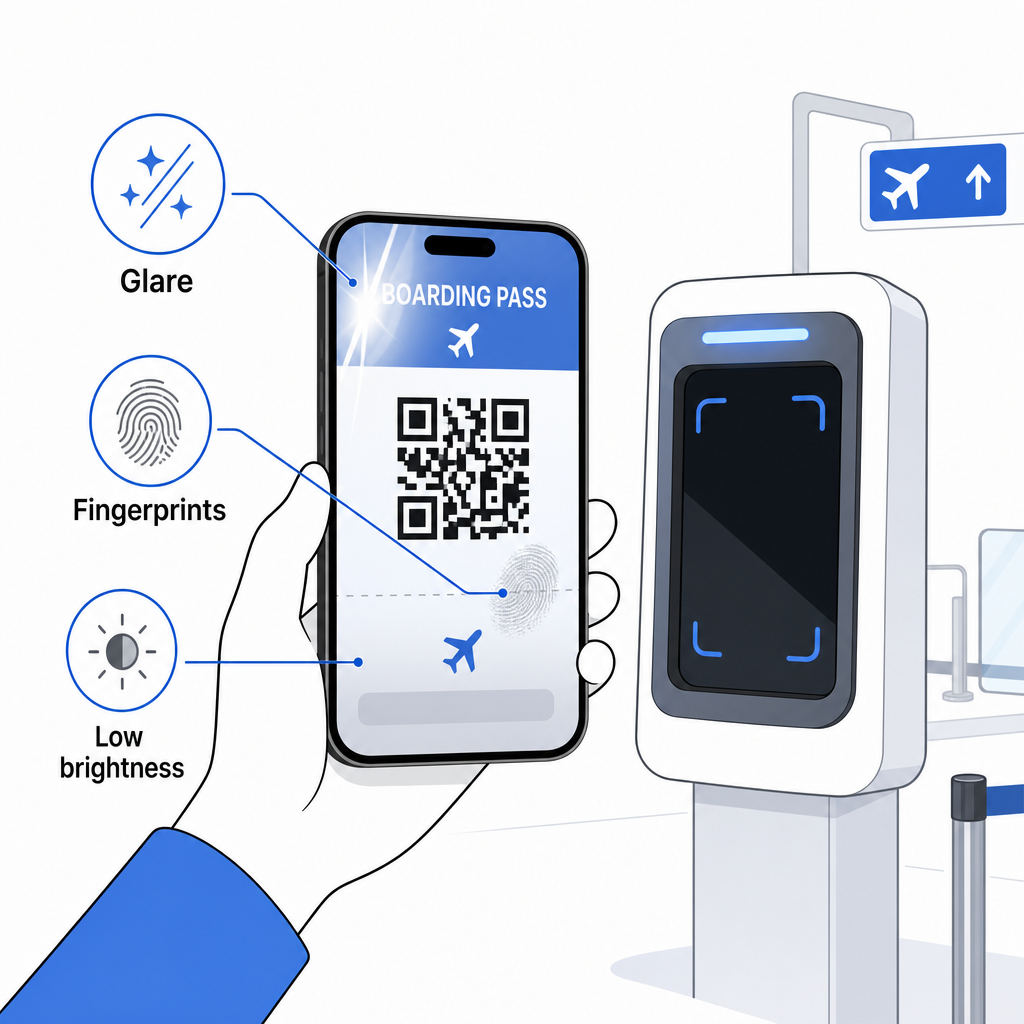
Tampilan yang tidak lengkap juga merupakan masalah umum – pastikan kode penuh terlihat dan tidak terhalang oleh casing ponsel Anda atau spanduk notifikasi. Petugas gerbang menangani kegagalan pemindaian secara rutin dan dapat mencari pemesanan Anda secara manual menggunakan nama dan PNR Anda. Pemindaian yang gagal jarang menjadi masalah serius, tetapi itu memperlambat segalanya selama boarding dengan lalu lintas tinggi.
Memahami Cara kode QR meningkatkan pengalaman perjalanan secara lebih luas juga dapat membantu Anda mendapatkan hasil maksimal dari alat digital yang kini ditawarkan maskapai sepanjang perjalanan.
Kode batang boarding pass Anda – apakah itu kode QR, kode Aztec, atau garis PDF417 – membawa muatan data yang tepat dan terstandardisasi yang diandalkan oleh sistem bandara untuk memverifikasi identitas dan penugasan kursi Anda secara real time. Tiket seluler nyaman dan berfungsi dengan baik di sebagian besar bandara utama A.S., tetapi tiket cetak tetap menjadi pilihan yang paling kompatibel secara universal. Pendekatan teraman adalah mengetahui bandara Anda sebelumnya dan menyimpan opsi cadangan saat bepergian di rute yang kurang dikenal.
Jika Anda ingin mendekode apa yang sebenarnya tersimpan dalam kode batang boarding pass, alat ini Pemindai Kode Batang Pageloot memungkinkan Anda membaca format apa pun yang didukung langsung dari browser Anda tanpa menginstal aplikasi.
Pertanyaan yang sering diajukan
Tidak selalu. Boarding pass cetak paling umum menggunakan barcode PDF417 – format bergaris persegi panjang itu – sebagai standar bawaan di bawah standar IATA BCBP. Boarding pass seluler menggunakan format matriks 2D seperti Aztec, Data Matrix, atau kode QR. Semua ini mengkodekan data penumpang terstruktur yang sama; formatnya bervariasi berdasarkan media dan maskapai.
Tidak harus. Di lebih dari 225 bandara A.S. yang dilengkapi dengan Teknologi Otentikasi Kredensial TSA (CAT), ID yang dikeluarkan pemerintah Anda sudah cukup untuk mengonfirmasi detail penerbangan Anda di pos pemeriksaan keamanan – tidak diperlukan boarding pass. Namun, Anda tetap perlu check-in dengan maskapai penerbangan Anda untuk mendapatkan boarding pass (seluler atau cetak), dan Anda akan selalu perlu memindainya di gerbang keberangkatan saat Anda naik pesawat.
Penyebab yang paling umum adalah silau layar dari pencahayaan bandara yang terang, sidik jari atau noda di atas kode batang, kecerahan layar yang rendah, dan pola moiré yang dapat dihasilkan oleh layar LCD atau LED. Untuk meningkatkan keandalan, bersihkan layar Anda sebelum mencapai pemindai, atur kecerahan Anda ke maksimum, dan pastikan seluruh kode batang terlihat sepenuhnya dan tidak terhalang.