Har du nogensinde undret dig over hvad den firkantede eller stribede kode på dit boardingpas egentlig gør? At forstå den kan redde dig fra en frustrerende forsinkelse i sikkerhedskontrollen eller ved gaten. Denne guide forklarer præcis, hvordan boardingpaskoder fungerer og hvad du kan forvente, når du scanner dem i lufthavnen.
Hvilken type kode er der på et boardingpas
Ikke alle boardingpaskoder er ens, og forskellen betyder noget, når du står ved en scanner.
Flyselskaber følger en global standard kaldet IATA Stregkodelæseligt boardingpas (BCBP), defineret under Resolution 792. Denne standard specificerer, hvilke stregkodeformater flyselskaber kan bruge og hvordan dataene i dem skal struktureres, så enhver lufthavnsscanner i verden kan læse det samme pas.
Under denne standard bruges to brede kodefamilier:
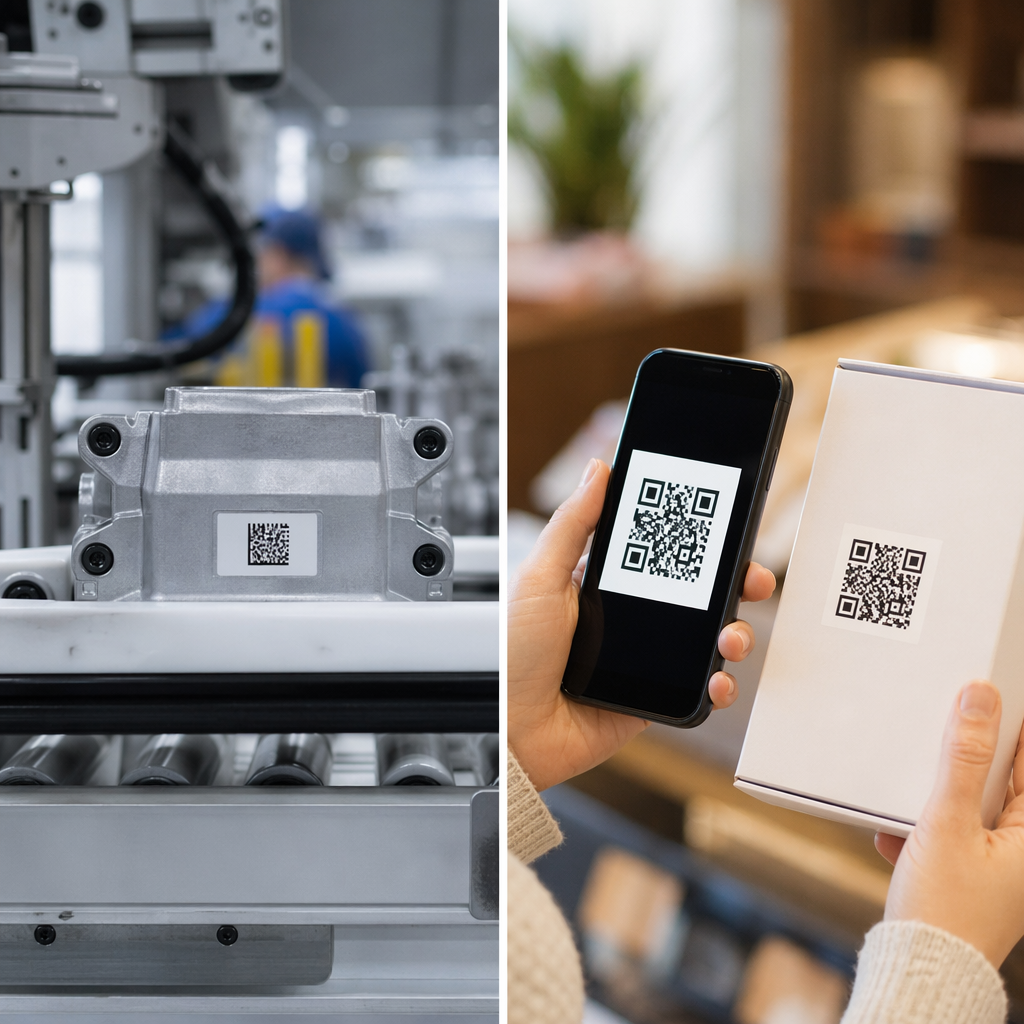
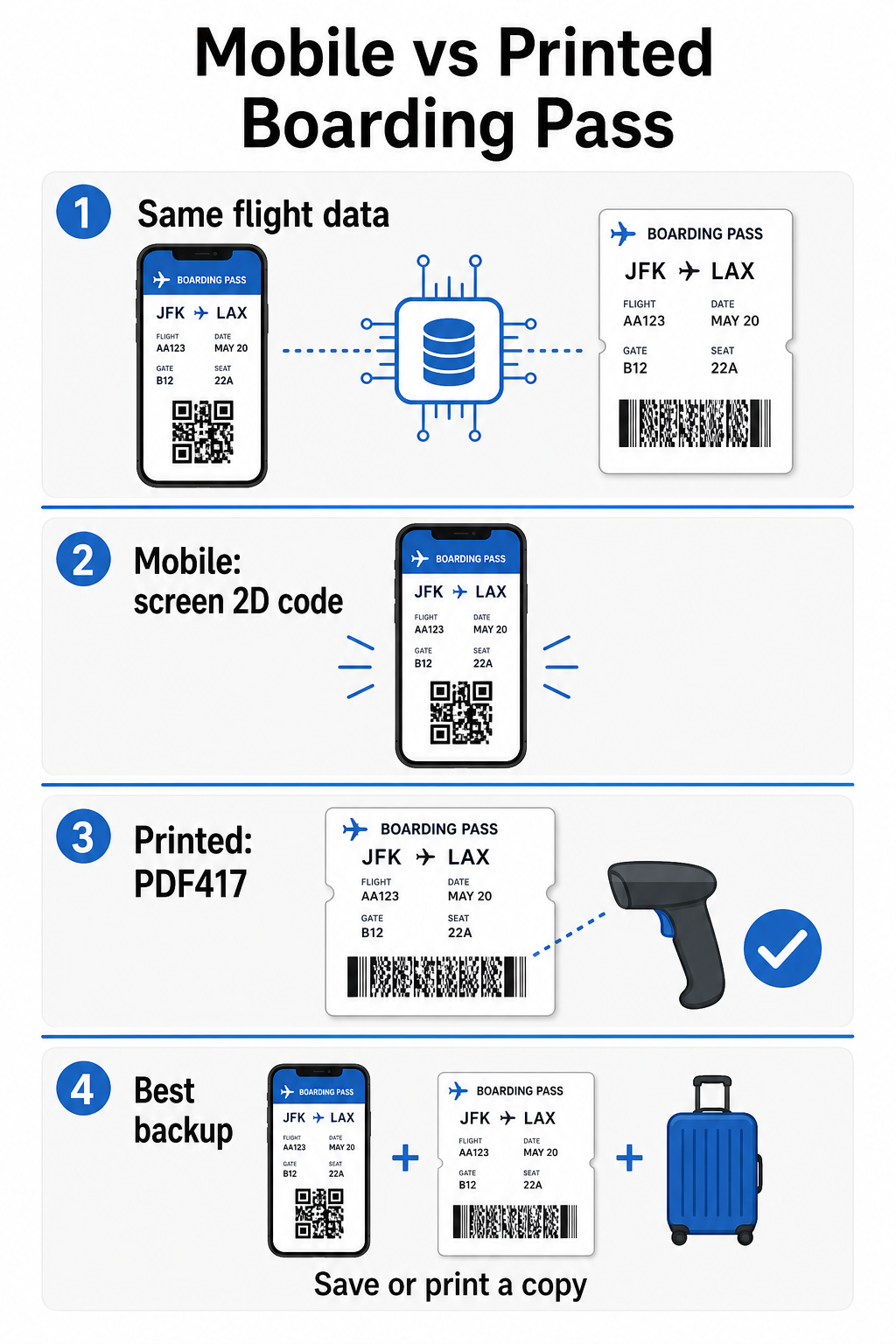
- PDF417 – En rektangulær, stablet stregkode, der ligner en række vandrette linjer opdelt i kolonner. Dette er standardformatet for printede boardingpas og er det mest almindelige format, du vil se på papir.
- 2D matrixkoder (Aztec, Data Matrix, QR-kode) – Firkantede eller kompakte gitterbaserede koder. Disse er standardformaterne for mobile boardingpas, der vises på en telefonskærm, selvom de også kan vises på printede pas under den nuværende version af BCBP-standarden.
Så selvom mange kalder det en “QR-kode”, kan dit boardingpas teknisk set indeholde en Aztec-kode, en Data Matrix-kode eller en PDF417-stregkode afhængigt af flyselskabet, og om du bruger en mobil eller printet version. Hovedpointen er, at de alle koder de samme strukturerede data. For at forstå mere om, hvordan QR-koder specifikt bruges på tværs af flyselskaber og lufthavne, er QR-koder til flyselskaber og lufthavne oversigten en nyttig reference.
Hvilke data er gemt inde i koden
Stregkoden på dit boardingpas er ikke bare et billetnummer. Den koder en struktureret datameddelelse, der indeholder et specifikt sæt obligatoriske felter, herunder:
- Dit fulde passager navn
- Det PNR (Passagernavneoptegnelse) – din bookingreferencekode
- Lufthavnskoder for afrejse og destination (f.eks. JFK → LAX)
- Opererende luftfartsselskabs kode og flynummer
- Flyvedato
- Sædenummer og kabineklassekode
- Check-in sekvensnummer
- Passagerstatus
Standarden understøtter også kodning af flere flystrækninger i en enkelt stregkode, hvilket er grunden til, at en forbindende rejseplan nogle gange kan vises som én scannbar kode på dit boardingpas i stedet for to separate.
Nogle flyselskaber inkluderer også et valgfrit sikkerhedsfelt der indeholder en digital signatur. Dette gør det muligt for lufthavnssystemer at verificere, at stregkoden ikke er blevet ændret eller forfalsket, hvilket tilføjer et lag af beskyttelse mod forfalskede pas.
Sådan fungerer scanningsprocessen i lufthavnen
Når du præsenterer dit boardingpas ved et kontrolpunkt eller en gate, læser scanneren alle de kodede felter på en brøkdel af et sekund. Her er, hvad der sker på hvert trin.
Ved TSA-sikkerhedskontrollen: Betjenten eller den automatiske læser kontrollerer din identitet og bekræfter, at du har en gyldig, indchecket booking til en afgående flyvning. I mere end 225 amerikanske lufthavne har TSA installeret Credential Authentication Technology (CAT), som kan hente dine flyoplysninger ved kun at scanne dit offentligt udstedte ID – hvilket betyder, at du muligvis slet ikke behøver at vise et boardingpas ved sikkerhedskontrollen. Men hvis CAT-udstyret i en given bane er utilgængeligt, kan en betjent stadig bede om dit boardingpas.
Ved boardinggaten: Det er her, scanningen altid sker, uanset hvilken lufthavn du er i. Gateagentens scanner læser din boardingpaskode, bekræfter dit sæde og passagerstatus og registrerer, at du er gået ombord. Du skal bruge dit boardingpas – mobilt eller printet – på dette tidspunkt hver gang.
Scan ethvert boardingpasformat øjeblikkeligt Skal du verificere, hvad der er kodet i en QR- eller stregkode? Brug Pageloot QR-kodescanner eller Stregkodescanner til at læse og afkode ethvert understøttet format direkte fra din browser – ingen app nødvendig.
Mobile vs. printede boardingpas: Praktiske forskelle
Begge formater koder identiske data. Forskellen handler udelukkende om, hvor pålideligt dataene kan læses under virkelige lufthavnsforhold.
| Faktor | Mobilt boardingpas | Printet boardingpas |
|---|---|---|
| Accepteret format | Aztec, Data Matrix, eller QR-kode | PDF417 (standard); også Aztec, Data Matrix, QR |
| Scannerkompatibilitet | De fleste moderne 2D-scannere; nogle ældre laserscannere kan have svært ved det | Bredt kompatibel med alle lufthavnsscannere |
| Risiko for skærmrefleksion | Ja – stærk lufthavnsbelysning kan forårsage refleksioner | Ingen |
| Risiko for moiré-mønster | Ja – LCD/LED-skærme kan skabe visuelle interferensbånd | Ingen |
| Risiko for fysisk skade | Revnet eller snavset skærm kan blokere koden | Papir kan krølle, rive eller tværes ud |
| Bekvemmelighed | Ingen udskrivning nødvendig; altid på din telefon | Virker overalt, ingen batteri nødvendig |
| Lufthavnsaccept | Ikke universel – nogle amerikanske lufthavne kræver printede boardingpas | Accepteret i alle lufthavne |
Den primære udfordring med mobile boardingpas er, at traditionelle laserscannere er optimeret til lys reflekteret fra papir, ikke lys udsendt fra en skærm. Når du holder en telefon under stærk terminalbelysning, kan skærmen skabe genskin eller reflekterende interferens, der reducerer den kontrast, scanneren skal bruge for at afkode stregkoden nøjagtigt. Moiré-mønstre – visuelle bånd, som LCD- og LED-skærme kan producere – er en anden kilde til interferens, som printede boardingpas simpelthen ikke har.
For at minimere disse problemer ved brug af et mobilt boardingpas:
- Maksimer din skærmlysstyrke før du nærmer dig scanneren
- Rengør din skærm – fingeraftryk og pletter direkte over stregkoden forstyrrer afkodningen
- Hold hele stregkoden synlig på skærmen uden at være beskåret eller delvist skjult af notifikationslinjer
- Roter om nødvendigt – nogle scannere foretrækker koden i en specifik retning
For mere om hvad der påvirker stregkodens læsbarhed generelt, dækker bedste praksis for QR-kodelæsbarhed guiden kontrast, størrelse og miljømæssige faktorer i detaljer.
Hvornår du bør medbringe et printet boardingpas
Et mobilt boardingpas fungerer problemfrit i langt de fleste store amerikanske lufthavne. Der er dog specifikke situationer, hvor det er det sikrere valg at have en printet kopi:
- Mindre regionale lufthavne der endnu ikke har opgraderet deres scannere til pålideligt at læse mobile skærmkoder
- Internationale forbindelser, hvor politikker for accept af boardingpas varierer betydeligt efter land og luftfartsselskab
- Lange ture eller rejser til områder med begrænset opladningsadgang, hvor din telefonbatteri kan være en bekymring
- Ældre eller beskadigede enheder hvor skærmrevner eller lav lysstyrke gør koden svær at læse
Hvis du er usikker på, om din afrejselufthavn accepterer mobile boardingpas, skal du tjekke direkte med dit flyselskab, før du rejser. Nogle flyselskaber angiver eksplicit lufthavnskompatibilitet på deres sider for mobile boardingpas. Hvis du er interesseret i, hvordan de samme QR-kode-principper gælder for andre typer billetter og adgangskort, dækker QR-koder på billetter siden den brugssituation i dybden.
Hvad sker der, hvis dit boardingpas ikke kan scannes
Hvis en scanner afviser dit boardingpas – mobilt eller printet – er de mest almindelige årsager værd at kende, før du står forrest i en travl boardingkø.
Skærmgenskin eller lav lysstyrke er den største synder ved mobile boardingpas. Prøv at vippe telefonen lidt eller holde din hånd rundt om skærmen for at blokere omgivende lys, og indstil altid din skærm til fuld lysstyrke, før du nærmer dig en scanner. Fingeraftryk eller pletter over stregkoden er et andet hyppigt problem, som en hurtig aftørring kan løse. For printede boardingpas kan en stærkt krøllet eller delvist revet stregkode muligvis ikke afkodes korrekt, så det er værd at undgå at folde et papirpas direkte gennem koden.
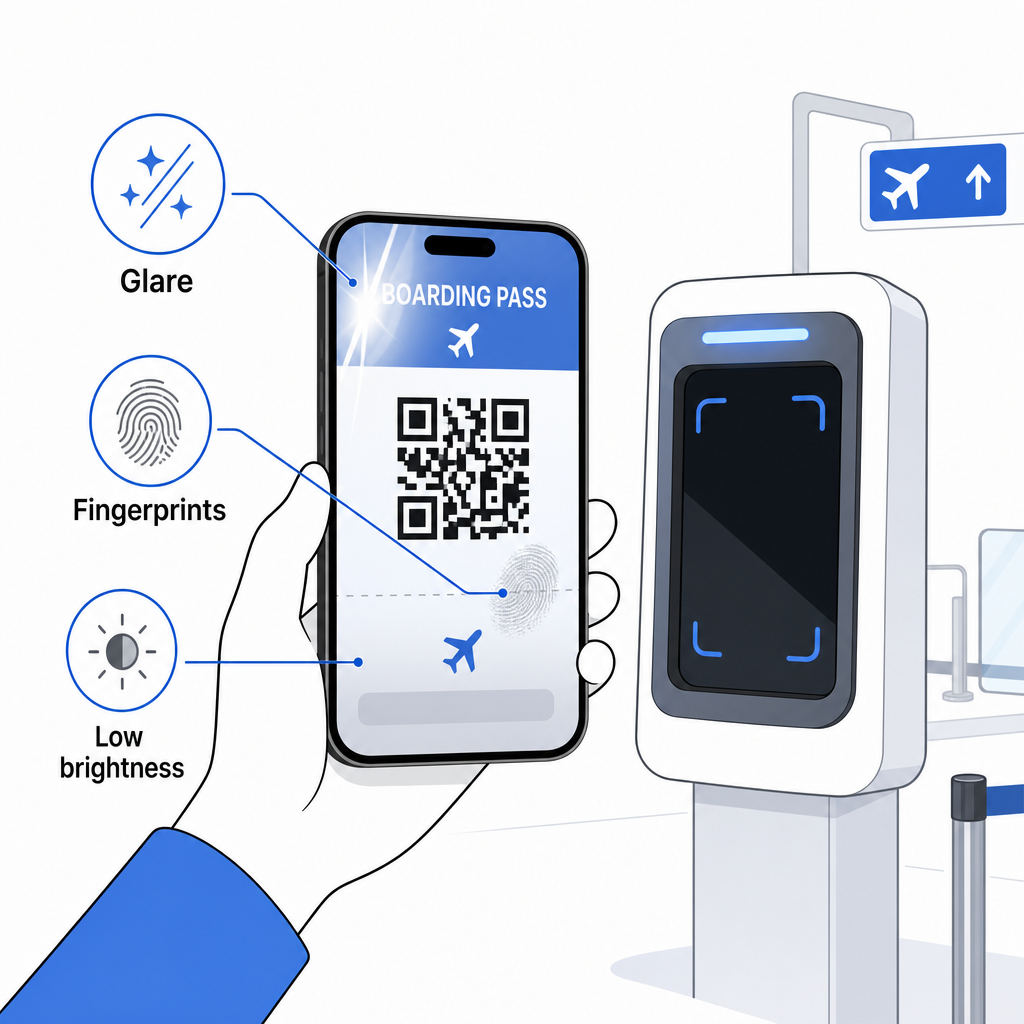
En ufuldstændig visning er også et almindeligt problem – sørg for, at hele koden er synlig og ikke skjult af dit telefoncover eller et notifikationsbanner. Gateagenter håndterer scanningsfejl rutinemæssigt og kan slå din booking op manuelt ved hjælp af dit navn og PNR. En mislykket scanning er sjældent et alvorligt problem, men det forsinker tingene under boarding med høj trafik.
Forståelse Sådan forbedrer QR-koder rejseoplevelsen mere bredt kan også hjælpe dig med at få mest muligt ud af de digitale værktøjer, flyselskaber nu tilbyder under hele rejsen.
Din boardingpas-stregkode – uanset om det er en QR-kode, Aztec-kode eller PDF417-stribe – indeholder en præcis, standardiseret datamængde, som lufthavnssystemer er afhængige af for at verificere din identitet og sædeplacering i realtid. Mobile boardingpas er praktiske og fungerer godt i de fleste store amerikanske lufthavne, men printede boardingpas forbliver den mest universelt kompatible mulighed. Den sikreste tilgang er at kende dine lufthavne på forhånd og have en backup-mulighed tilgængelig, når du rejser på mindre kendte ruter.
Hvis du vil afkode, hvad der faktisk er gemt i en boardingpas-stregkode, lader Pageloot Stregkodescanner dig læse ethvert understøttet format direkte fra din browser uden at installere en app.
Ofte stillede spørgsmål
Ikke altid. Printede boardingpas bruger oftest en PDF417 stregkode – det rektangulære stribede format – som standard under IATA BCBP-standarden. Mobile boardingpas bruger 2D matrixformater såsom Aztec, Data Matrix eller QR-kode. Alle disse koder de samme strukturerede passagerdata; formatet varierer efter medie og flyselskab.
Ikke nødvendigvis. På mere end 225 amerikanske lufthavne udstyret med TSA Credential Authentication Technology (CAT), er dit offentligt udstedte ID nok til at bekræfte dine flyoplysninger ved sikkerhedskontrollen – intet boardingpas påkrævet. Du skal dog stadig tjekke ind hos dit flyselskab for at få et boardingpas (mobilt eller printet), og du skal altid scanne det ved boardinggaten, når du boarder flyet.
De mest almindelige årsager er skærmgenskin fra skarpt lufthavnsbelysning, fingeraftryk eller pletter over stregkoden, lav skærmlysstyrke og moiré-mønstre, som LCD- eller LED-skærme kan producere. For at forbedre pålideligheden skal du rengøre din skærm, før du når scanneren, indstille din lysstyrke til maksimum og sørge for, at hele stregkoden er fuldt synlig og uhindret.