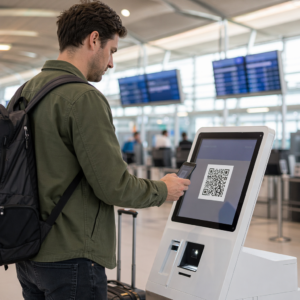
Ooit afgevraagd wat die vierkante of gestreepte code op uw instapkaart eigenlijk doet? Het begrijpen ervan kan u redden van een frustrerende vertraging bij de beveiliging of de gate. Deze gids legt precies uit hoe instapkaartcodes werken en wat u kunt verwachten wanneer u ze scant op de luchthaven.
Welk type code staat op een instapkaart
Niet alle instapkaartcodes zijn hetzelfde, en het verschil is belangrijk wanneer u bij een scanner staat.
Luchtvaartmaatschappijen volgen een wereldwijde standaard genaamd de IATA instapkaart met streepjescode (BCBP), gedefinieerd onder Resolutie 792. Deze standaard specificeert welke barcodeformaten luchtvaartmaatschappijen kunnen gebruiken en hoe de gegevens daarin gestructureerd moeten zijn, zodat elke luchthavenscanner ter wereld dezelfde pas kan lezen.
Volgens deze standaard worden twee brede codefamilies gebruikt:
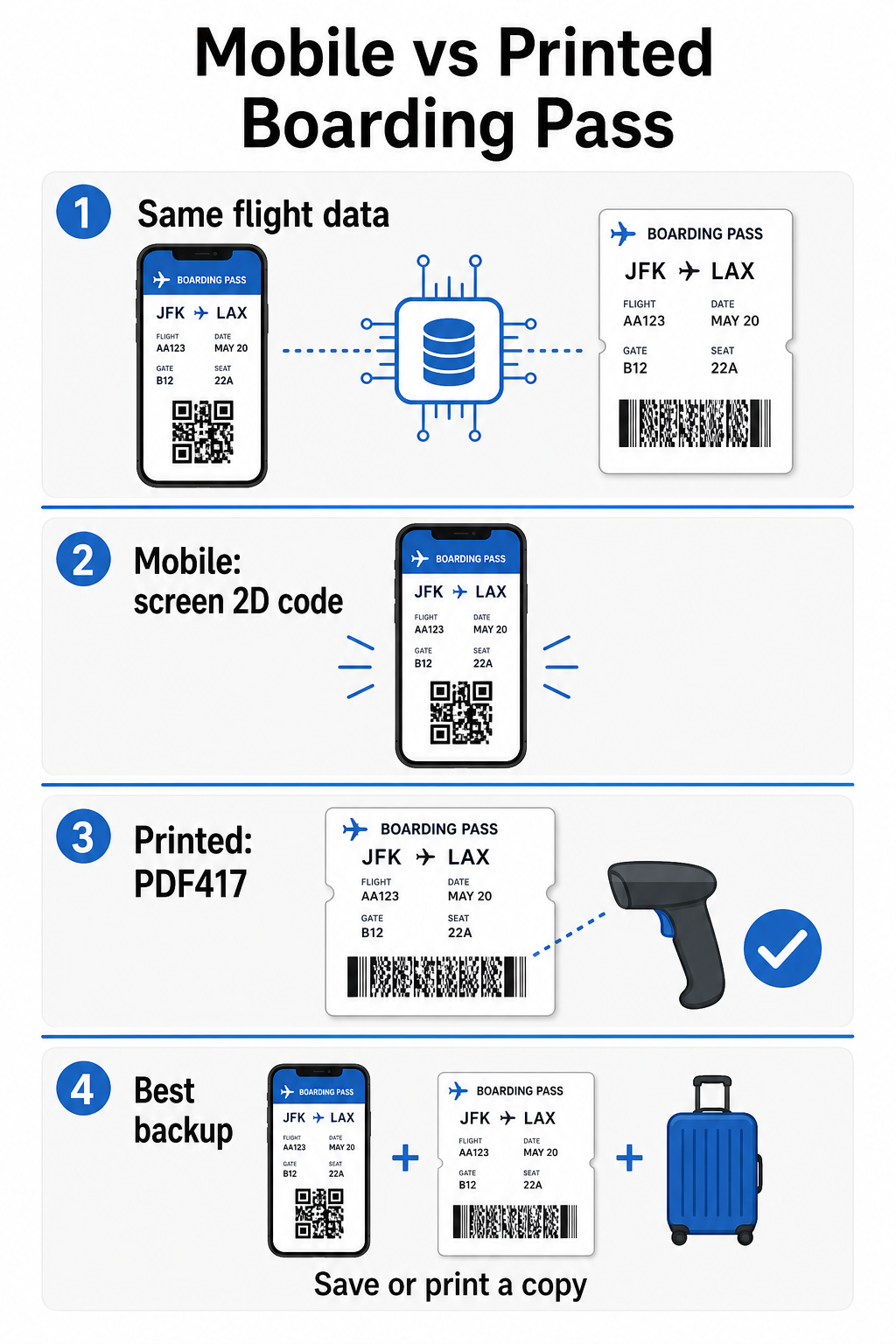
- PDF417 – Een rechthoekige, gestapelde barcode die eruitziet als een reeks horizontale lijnen verdeeld in kolommen. Dit is het standaardformaat voor geprinte instapkaarten en is het meest voorkomende formaat dat u op papier zult zien.
- 2D matrixcodes (Aztec, Data Matrix, QR code) – Vierkante of compacte rastergebaseerde codes. Dit zijn de standaardformaten voor mobiele instapkaarten weergegeven op een telefoonscherm, hoewel ze ook kunnen verschijnen op geprinte passen onder de huidige versie van de BCBP-standaard.
Dus hoewel veel mensen het een “QR-code” noemen, kan uw instapkaart technisch gezien een Aztec-code, een Data Matrix-code of een PDF417-barcode bevatten, afhankelijk van de luchtvaartmaatschappij en of u een mobiele of geprinte versie gebruikt. Het belangrijkste punt is dat ze allemaal dezelfde gestructureerde gegevens coderen. Om meer te begrijpen over hoe QR-codes specifiek worden gebruikt bij luchtvaartmaatschappijen en luchthavens, is de QR-codes voor luchtvaartmaatschappijen en luchthavens overzicht een nuttige referentie.
Welke gegevens zijn opgeslagen in de code
De barcode op uw instapkaart is niet zomaar een ticketnummer. Het codeert een gestructureerd gegevensbericht dat een specifieke set verplichte velden bevat, waaronder:
- Uw volledige passagiersnaam
- De PNR (Passagiersnaamrecord) – uw boekingsreferentiecode
- Luchthavencodes voor vertrek en bestemming (bijv. JFK → LAX)
- Code van de uitvoerende luchtvaartmaatschappij en vluchtnummer
- Vluchtdatum
- Stoelnummer en code van de reisklasse
- Incheckvolgnummer
- Passagiersstatus
De standaard ondersteunt ook het coderen van meerdere vluchtsegmenten in één enkele barcode, daarom kan een aansluitende reisroute soms verschijnen als één scanbare code op uw instapkaart in plaats van twee afzonderlijke.
Sommige luchtvaartmaatschappijen nemen ook een optioneel beveiligingsveld met een digitale handtekening. Dit stelt luchthavensystemen in staat om te verifiëren dat de barcode niet is gewijzigd of vervalst, wat een extra beschermingslaag toevoegt tegen valse passen.
Hoe het scanproces werkt op de luchthaven
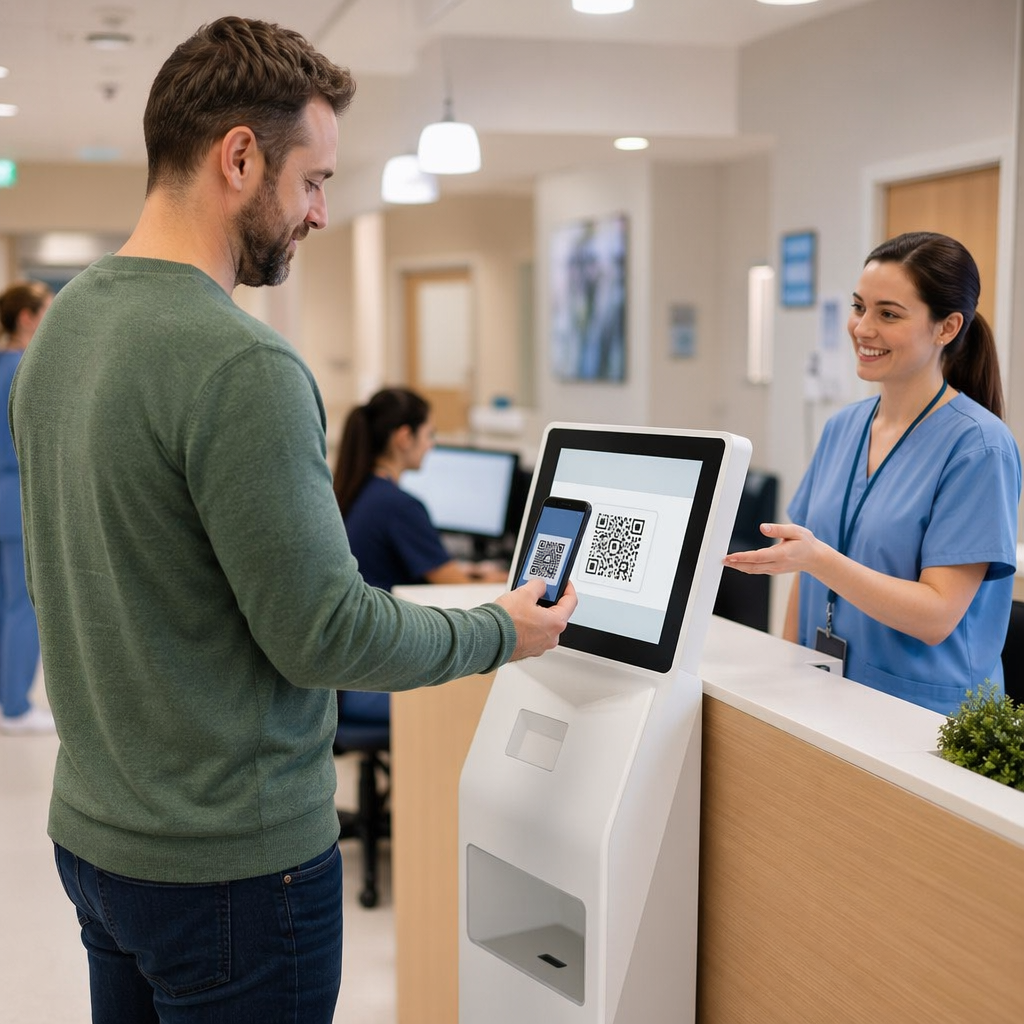
Wanneer u uw instapkaart presenteert bij een controlepunt of gate, leest de scanner al die gecodeerde velden in een fractie van een seconde. Dit is wat er gebeurt in elke fase.
Bij TSA-beveiliging: De beambte of geautomatiseerde lezer controleert uw identiteit en bevestigt dat u een geldige, ingecheckte boeking heeft voor een vertrekkende vlucht. Op meer dan 225 Amerikaanse luchthavens heeft de TSA Credential Authentication Technology (CAT) geïnstalleerd, die uw vluchtgegevens kan oproepen door alleen uw door de overheid uitgegeven identiteitsbewijs te scannen – wat betekent dat u mogelijk helemaal geen instapkaart hoeft te tonen bij de veiligheidscontrole. Echter, als de CAT-apparatuur bij een bepaalde rij niet beschikbaar is, kan een beambte nog steeds om uw instapkaart vragen.
Bij de instapgate: Dit is waar de scan altijd plaatsvindt, ongeacht op welke luchthaven u zich bevindt. De scanner van de gate-agent leest uw instapkaartcode, bevestigt uw stoel en passagiersstatus, en registreert dat u bent ingestapt. U heeft op dit punt altijd uw instapkaart nodig – mobiel of geprint.
Scan elk instapkaartformaat direct Wilt u verifiëren wat er in een QR- of barcode is gecodeerd? Gebruik de Pageloot QR-code scanner of Streepjescodescanner om elk ondersteund formaat direct vanuit uw browser te lezen en te decoderen – geen app nodig.
Mobiele versus geprinte instapkaarten: Praktische verschillen
Beide formaten coderen identieke gegevens. Het onderscheid gaat volledig over hoe betrouwbaar die gegevens kunnen worden gelezen onder reële luchthavenomstandigheden.
| Factor | Mobiele instapkaart | Geprinte instapkaart |
|---|---|---|
| Geaccepteerd formaat | Aztec, Data Matrix, of QR code | PDF417 (standaard); ook Aztec, Data Matrix, QR |
| Scannercompatibiliteit | De meeste moderne 2D-scanners; sommige oudere laserscanners kunnen moeite hebben | Breed compatibel met alle luchthavenscanners |
| Risico op schermschittering | Ja – felle luchthavenverlichting kan reflecties veroorzaken | Geen |
| Risico op moirépatroon | Ja – LCD/LED-schermen kunnen visuele interferentiebanden creëren | Geen |
| Risico op fysieke schade | Gebarsten of vuil scherm kan de code belemmeren | Papier kan kreuken, scheuren of vlekken |
| Gemak | Geen printen nodig; altijd op uw telefoon | Werkt overal, geen batterij vereist |
| Luchthavenacceptatie | Niet universeel – sommige Amerikaanse luchthavens vereisen afgedrukte passen | Geaccepteerd bij alle luchthavens |
De kernuitdaging met mobiele instapkaarten is dat traditionele laserscanners zijn geoptimaliseerd voor licht dat van papier wordt gereflecteerd, niet licht dat van een scherm wordt uitgezonden. Wanneer u een telefoon vasthoudt onder heldere terminalverlichting, kan het scherm schittering of reflecterende interferentie creëren die het contrast vermindert dat de scanner nodig heeft om de barcode nauwkeurig te decoderen. Moiré-patronen – visuele banden die LCD- en LED-schermen kunnen produceren – zijn een andere bron van interferentie die afgedrukte passen simpelweg niet hebben.
Om deze problemen te minimaliseren bij het gebruik van een mobiele instapkaart:
- Maximaliseer uw schermhelderheid voordat u de scanner nadert
- Reinig uw scherm – vingerafdrukken en vlekken direct over de barcode verstoren het decoderen
- Houd de gehele barcode zichtbaar op het scherm zonder te worden bijgesneden of gedeeltelijk verborgen door meldingsbalken
- Draai indien nodig – sommige scanners verkiezen de code in een specifieke oriëntatie
Voor meer over wat de barcodeleesbaarheid in het algemeen beïnvloedt, de best practices voor de leesbaarheid van QR-codes gids behandelt contrast, formaat en omgevingsfactoren in detail.
Wanneer U Een Afgedrukte Instapkaart Zou Moeten Meenemen
Een mobiele pas werkt soepel bij de overgrote meerderheid van grote Amerikaanse luchthavens. Echter, er zijn specifieke situaties waar het hebben van een afgedrukte kopie de veiligere keuze is:
- Kleinere regionale luchthavens die hun scanners nog niet hebben geüpgraded om mobiele schermcodes betrouwbaar te lezen
- Internationale verbindingen, waar het beleid voor acceptatie van instapkaarten aanzienlijk varieert per land en luchtvaartmaatschappij
- Lange reizen of reizen naar gebieden met beperkte oplaadtoegang, waar uw telefoonbatterij een zorg kan zijn
- Oudere of beschadigde apparaten waar schermbarsten of lage helderheid de code moeilijk leesbaar maken
Als u onzeker bent of uw vertrekluchthaven mobiele passen accepteert, controleer dan direct bij uw luchtvaartmaatschappij voordat u reist. Sommige luchtvaartmaatschappijen vermelden expliciet luchthavencompatibiliteit op hun mobiele instapkaartpagina's. Als u geïnteresseerd bent in hoe dezelfde QR-code principes van toepassing zijn op andere soorten tickets en evenementenpassen, de QR-codes op tickets pagina behandelt dat gebruiksscenario in detail.
Wat Gebeurt Er Als Uw Instapkaart Niet Scant
Als een scanner uw instapkaart weigert – mobiel of afgedrukt – zijn de meest voorkomende oorzaken het waard om te weten voordat u vooraan staat in een drukke instaprij.
Schermschittering of lage helderheid is de belangrijkste boosdoener bij mobiele passen. Probeer de telefoon lichtjes te kantelen of uw hand om het scherm te houden om omgevingslicht te blokkeren, en stel uw display altijd in op volledige helderheid voordat u een scanner nadert. Vingerafdrukken of vlekken over de barcode zijn een ander veelvoorkomend probleem dat een snelle veeg kan oplossen. Voor afgedrukte passen, een zwaar gekreukte of gedeeltelijk gescheurde barcode decodeert mogelijk niet correct, dus het vouwen van een papieren pas direct door de code is het waard om te vermijden.
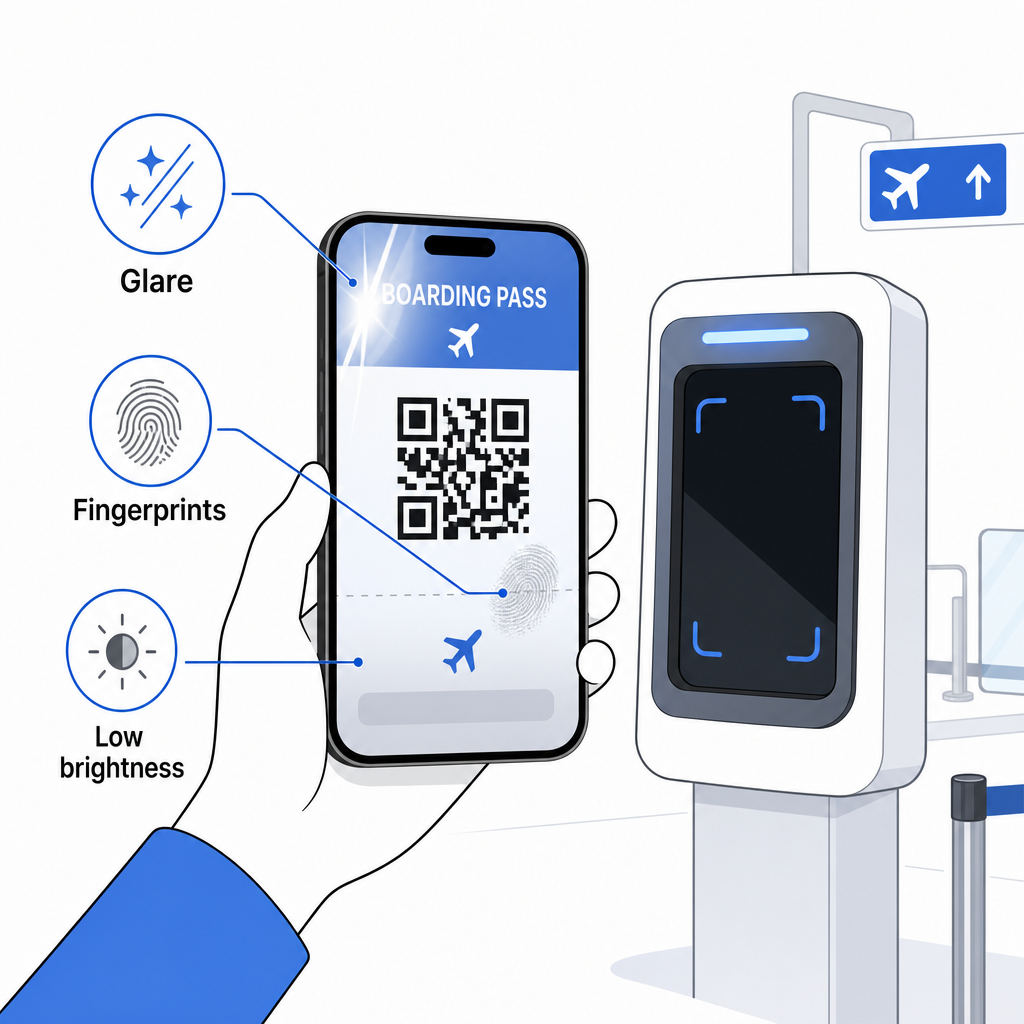
Een onvolledig display is ook een veelvoorkomend probleem – zorg ervoor dat de volledige code zichtbaar is en niet wordt verduisterd door uw telefoonhoesje of een meldingsbanner. Gate-medewerkers behandelen scanfouten routinematig en kunnen uw boeking handmatig opzoeken met behulp van uw naam en PNR. Een mislukte scan is zelden een ernstig probleem, maar het vertraagt wel dingen tijdens instappen met veel verkeer.
Begrijpen Hoe QR-codes reiservaringen verbeteren breder kan u ook helpen het meeste te halen uit de digitale hulpmiddelen die luchtvaartmaatschappijen nu aanbieden gedurende de reis.
Uw instapkaartbarcode – of het nu een QR-code, Aztec-code, of PDF417-streep is – draagt een precieze, gestandaardiseerde datapayload waar luchthavensystemen op vertrouwen om uw identiteit en stoeltoewijzing in realtime te verifiëren. Mobiele passen zijn handig en werken goed bij de meeste grote Amerikaanse luchthavens, maar afgedrukte passen blijven de meest universeel compatibele optie. De veiligste aanpak is om uw luchthavens van tevoren te kennen en een back-upoptie beschikbaar te houden bij het reizen op minder bekende routes.
Als u wilt decoderen wat er daadwerkelijk is opgeslagen in een instapkaartbarcode, de Pageloot Barcode Scanner laat u elk ondersteund formaat direct vanuit uw browser lezen zonder een app te installeren.
Veelgestelde vragen
Niet altijd. Geprinte instapkaarten gebruiken meestal een PDF417-barcode – het rechthoekige gestreepte formaat – als de standaard onder de IATA BCBP-standaard. Mobiele instapkaarten gebruiken 2D-matrixformaten zoals Aztec, Data Matrix of QR-code. Al deze coderen dezelfde gestructureerde passagiersgegevens; het formaat varieert per medium en luchtvaartmaatschappij.
Niet noodzakelijk. Op meer dan 225 Amerikaanse luchthavens die zijn uitgerust met TSA Credential Authentication Technology (CAT), is uw door de overheid uitgegeven identiteitsbewijs voldoende om uw vluchtgegevens te bevestigen bij de veiligheidscontrole – geen instapkaart vereist. U moet echter nog steeds inchecken bij uw luchtvaartmaatschappij om een instapkaart (mobiel of geprint) te verkrijgen, en u zult deze altijd moeten scannen bij de instapgate wanneer u aan boord gaat van het vliegtuig.
De meest voorkomende oorzaken zijn schermschittering door heldere luchthavenverlichting, vingerafdrukken of vlekken over de barcode, lage schermhelderheid, en moirépatronen die LCD- of LED-schermen kunnen produceren. Om de betrouwbaarheid te verbeteren, reinig uw scherm voordat u de scanner bereikt, stel uw helderheid in op maximaal, en zorg ervoor dat de hele barcode volledig zichtbaar en onbelemmerd is.