Bạn đã bao giờ tự hỏi mã vuông hoặc mã vạch trên thẻ lên máy bay của mình thực sự làm gì chưa? Hiểu được nó có thể giúp bạn tránh khỏi sự chậm trễ khó chịu tại khu vực an ninh hoặc cổng lên máy bay. Hướng dẫn này giải thích chính xác cách các mã thẻ lên máy bay hoạt động và những gì cần mong đợi khi bạn quét chúng tại sân bay.
Loại mã nào có trên thẻ lên máy bay
Không phải tất cả các mã thẻ lên máy bay đều giống nhau, và sự khác biệt đó quan trọng khi bạn đứng trước máy quét.
Các hãng hàng không tuân theo một tiêu chuẩn toàn cầu được gọi là Thẻ lên máy bay có mã vạch IATA (BCBP), được định nghĩa theo Nghị quyết 792. Tiêu chuẩn này quy định những định dạng mã vạch nào các hãng hàng không có thể sử dụng và cách dữ liệu bên trong chúng phải được cấu trúc để bất kỳ máy quét sân bay nào trên thế giới cũng có thể đọc cùng một thẻ.
Theo tiêu chuẩn này, hai nhóm mã chính được sử dụng:
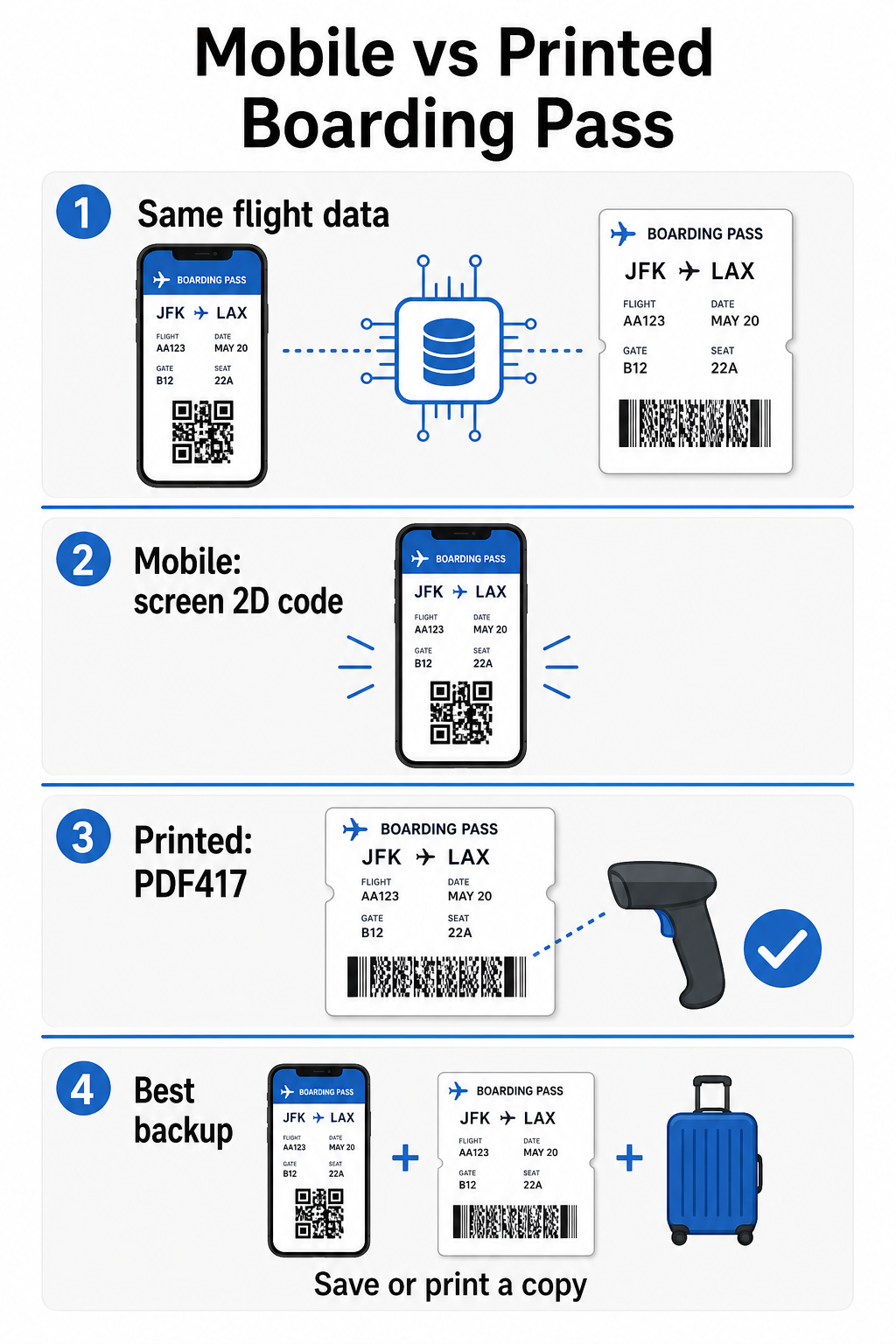
- PDF417 – Một mã vạch hình chữ nhật, xếp chồng lên nhau trông giống như một loạt các đường ngang được chia thành các cột. Đây là định dạng mặc định cho thẻ lên máy bay in và là định dạng phổ biến nhất bạn sẽ thấy trên giấy.
- Mã ma trận 2D (Aztec, Data Matrix, QR code) – Các mã vuông hoặc mã dựa trên lưới nhỏ gọn. Đây là các định dạng tiêu chuẩn cho thẻ lên máy bay di động được hiển thị trên màn hình điện thoại, mặc dù chúng cũng có thể xuất hiện trên thẻ in theo phiên bản hiện tại của tiêu chuẩn BCBP.
Vì vậy, trong khi nhiều người gọi đó là “mã QR,” thẻ lên máy bay của bạn về mặt kỹ thuật có thể mang mã Aztec, mã Data Matrix hoặc mã vạch PDF417 tùy thuộc vào hãng hàng không và việc bạn đang sử dụng phiên bản di động hay in. Điểm mấu chốt là tất cả chúng đều mã hóa cùng một dữ liệu có cấu trúc. Để hiểu thêm về cách mã QR được sử dụng cụ thể trên các hãng hàng không và sân bay, mã QR cho các hãng hàng không và sân bay tổng quan là một tài liệu tham khảo hữu ích.
Dữ liệu nào được lưu trữ bên trong mã
Mã vạch trên thẻ lên máy bay của bạn không chỉ là một số vé. Nó mã hóa một thông điệp dữ liệu có cấu trúc chứa một tập hợp các trường bắt buộc cụ thể, bao gồm:
- Tên đầy đủ của hành khách
- Các Hồ sơ đặt chỗ (PNR) – mã tham chiếu đặt chỗ của bạn
- Mã sân bay khởi hành và điểm đến (ví dụ: JFK → LAX)
- Mã hãng vận chuyển khai thác và số hiệu chuyến bay
- Ngày bay
- Số ghế và mã hạng khoang
- Số thứ tự làm thủ tục
- Tình trạng hành khách
Tiêu chuẩn cũng hỗ trợ mã hóa nhiều chặng bay vào một mã vạch duy nhất, đó là lý do tại sao một hành trình nối chuyến đôi khi có thể xuất hiện dưới dạng một mã có thể quét được trên thẻ lên máy bay của bạn thay vì hai mã riêng biệt.
Một số hãng hàng không cũng bao gồm một trường tùy chọn trường bảo mật chứa chữ ký số. Điều này cho phép các hệ thống sân bay xác minh mã vạch chưa bị thay đổi hoặc làm giả, thêm một lớp bảo vệ chống lại thẻ giả mạo.
Cách thức hoạt động của quy trình quét tại sân bay
Khi bạn xuất trình thẻ lên máy bay tại điểm kiểm tra hoặc cổng, máy quét đọc tất cả các trường được mã hóa đó chỉ trong tích tắc. Dưới đây là những gì xảy ra ở mỗi giai đoạn.
Tại khu vực an ninh TSA: Viên chức hoặc thiết bị đọc tự động kiểm tra danh tính của bạn và xác nhận bạn có đặt chỗ hợp lệ, đã làm thủ tục cho một chuyến bay khởi hành. Tại hơn 225 sân bay Hoa Kỳ, TSA đã lắp đặt Công nghệ Xác thực Thông tin (CAT), có thể hiển thị chi tiết chuyến bay của bạn chỉ bằng cách quét ID do chính phủ cấp của bạn – nghĩa là bạn có thể không cần xuất trình thẻ lên máy bay tại điểm kiểm tra an ninh. Tuy nhiên, nếu thiết bị CAT tại một làn nhất định không khả dụng, một viên chức vẫn có thể yêu cầu thẻ lên máy bay của bạn.
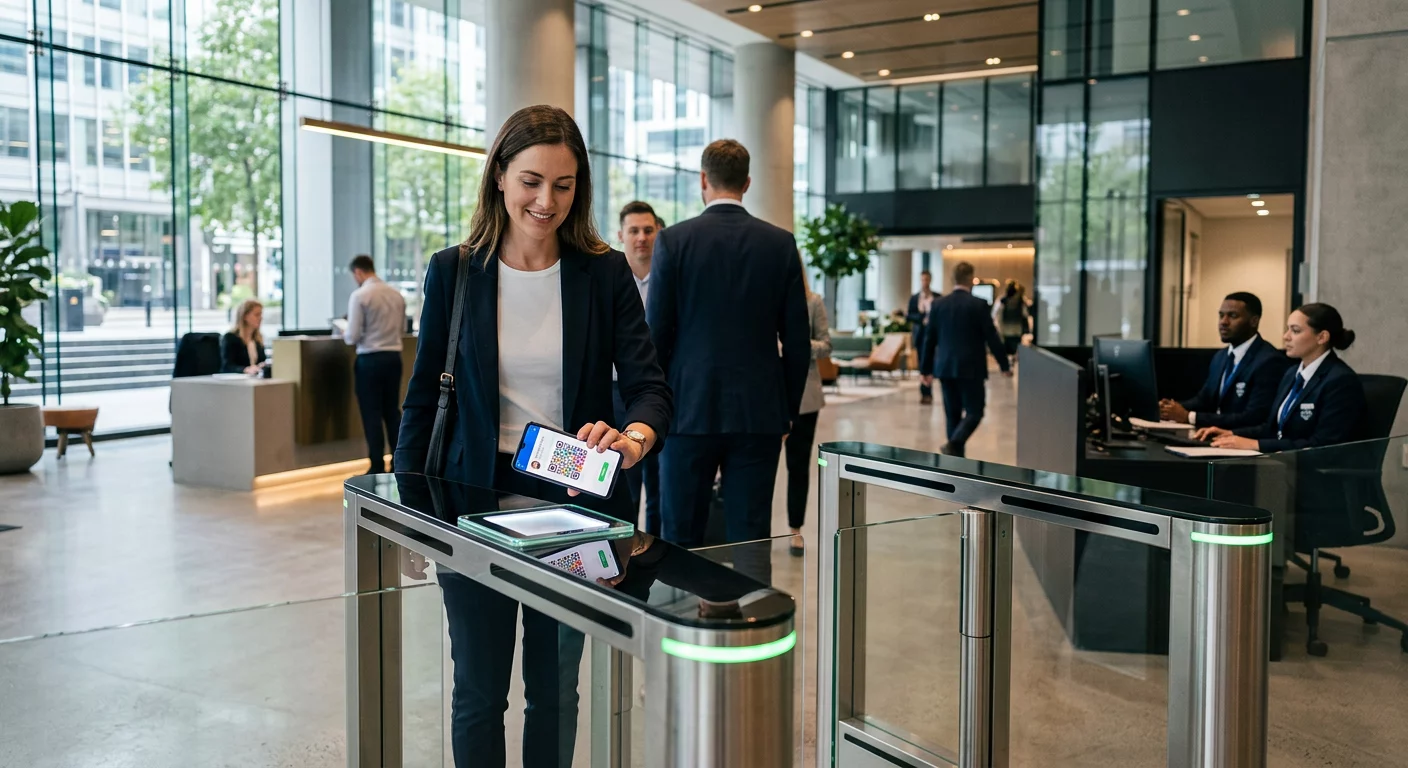
Tại cổng lên máy bay: Đây là nơi việc quét luôn diễn ra, bất kể bạn đang ở sân bay nào. Máy quét của nhân viên cổng đọc mã thẻ lên máy bay của bạn, xác nhận ghế và tình trạng hành khách của bạn, và ghi nhận rằng bạn đã lên máy bay. Bạn sẽ cần thẻ lên máy bay của mình – di động hoặc in – tại thời điểm này mọi lúc.
Quét mọi định dạng thẻ lên máy bay ngay lập tức Cần xác minh những gì được mã hóa trong mã QR hoặc mã vạch? Sử dụng Máy quét mã QR Pageloot hoặc là Máy quét mã vạch để đọc và giải mã bất kỳ định dạng được hỗ trợ nào trực tiếp từ trình duyệt của bạn – không cần ứng dụng.
Thẻ lên máy bay di động so với thẻ in: Sự khác biệt thực tế
Cả hai định dạng đều mã hóa dữ liệu giống hệt nhau. Sự khác biệt hoàn toàn nằm ở mức độ đáng tin cậy mà dữ liệu đó có thể được đọc trong điều kiện sân bay thực tế.
| Yếu tố | Thẻ lên máy bay di động | Thẻ lên máy bay in |
|---|---|---|
| Định dạng được chấp nhận | Aztec, Data Matrix, hoặc mã QR | PDF417 (mặc định); cũng Aztec, Data Matrix, QR |
| Khả năng tương thích với máy quét | Hầu hết các máy quét 2D hiện đại; một số máy quét laser cũ hơn có thể gặp khó khăn | Tương thích rộng rãi với tất cả các máy quét sân bay |
| Nguy cơ chói màn hình | Có – ánh sáng sân bay chói có thể gây phản chiếu | Không có |
| Nguy cơ hiệu ứng moiré | Có – màn hình LCD/LED có thể tạo ra các dải nhiễu thị giác | Không có |
| Nguy cơ hư hỏng vật lý | Màn hình bị nứt hoặc bẩn có thể cản trở mã | Giấy có thể bị nhăn, rách hoặc lem |
| Sự tiện lợi | Không cần in; luôn có trên điện thoại của bạn | Hoạt động ở mọi nơi, không cần pin |
| Chấp nhận tại sân bay | Không phổ quát – một số sân bay Hoa Kỳ yêu cầu vé in | Được chấp nhận tại tất cả các sân bay |
Thách thức cốt lõi với thẻ lên máy bay di động là máy quét laser truyền thống được tối ưu hóa cho ánh sáng phản chiếu từ giấy, không phải ánh sáng phát ra từ màn hình. Khi bạn cầm điện thoại dưới ánh sáng chói của nhà ga, màn hình có thể tạo ra chói hoặc nhiễu phản xạ làm giảm độ tương phản mà máy quét cần để giải mã mã vạch một cách chính xác. Các mẫu Moiré – các dải hình ảnh mà màn hình LCD và LED có thể tạo ra – là một nguồn nhiễu khác mà vé in đơn giản là không có.
Để giảm thiểu những vấn đề này khi sử dụng thẻ lên máy bay di động:
- Tối đa hóa độ sáng màn hình của bạn trước khi đến gần máy quét
- Lau sạch màn hình của bạn – dấu vân tay và vết bẩn trực tiếp trên mã vạch làm gián đoạn việc giải mã
- Giữ toàn bộ mã vạch hiển thị trên màn hình mà không bị cắt xén hoặc bị che khuất một phần bởi các thanh thông báo
- Xoay nếu cần – một số máy quét thích mã theo một hướng cụ thể
Để biết thêm về những gì ảnh hưởng đến khả năng đọc mã vạch nói chung, các phương pháp hay nhất để đọc mã QR hướng dẫn đề cập đến độ tương phản, kích thước và các yếu tố môi trường một cách chi tiết.
Khi bạn nên mang theo thẻ lên máy bay in
Thẻ di động hoạt động trơn tru tại phần lớn các sân bay lớn của Hoa Kỳ. Tuy nhiên, có những tình huống cụ thể mà việc có một bản in là lựa chọn an toàn hơn:
- Các sân bay khu vực nhỏ hơn mà chưa nâng cấp máy quét của họ để đọc mã màn hình di động một cách đáng tin cậy
- Các chuyến bay quốc tế, nơi các chính sách chấp nhận thẻ lên máy bay khác nhau đáng kể theo quốc gia và hãng hàng không
- Các chuyến đi dài hoặc đi đến các khu vực có khả năng sạc hạn chế, nơi pin điện thoại của bạn có thể là một mối lo ngại
- Các thiết bị cũ hoặc bị hỏng nơi màn hình bị nứt hoặc độ sáng thấp khiến mã khó đọc
Nếu bạn không chắc chắn liệu sân bay khởi hành của bạn có chấp nhận thẻ di động hay không, hãy kiểm tra trực tiếp với hãng hàng không của bạn trước khi bạn đi. Một số hãng hàng không liệt kê rõ ràng khả năng tương thích của sân bay trên các trang thẻ lên máy bay di động của họ. Nếu bạn quan tâm đến cách các nguyên tắc mã QR tương tự áp dụng cho các loại vé và thẻ sự kiện khác, mã QR trên vé trang đề cập đến trường hợp sử dụng đó một cách chuyên sâu.
Điều gì xảy ra nếu thẻ lên máy bay của bạn không quét được
Nếu máy quét từ chối thẻ lên máy bay của bạn – di động hoặc in – những nguyên nhân phổ biến nhất đáng để biết trước khi bạn đứng đầu hàng chờ lên máy bay đông đúc.
Chói màn hình hoặc độ sáng thấp là nguyên nhân hàng đầu với thẻ di động. Hãy thử nghiêng điện thoại một chút hoặc che tay quanh màn hình để chặn ánh sáng xung quanh, và luôn đặt màn hình của bạn ở độ sáng tối đa trước khi đến gần máy quét. Dấu vân tay hoặc vết bẩn trên mã vạch là một vấn đề thường gặp khác mà một lần lau nhanh có thể giải quyết. Đối với thẻ in, một mã vạch bị nhăn nhiều hoặc bị rách một phần có thể không giải mã đúng cách, vì vậy việc gấp thẻ giấy trực tiếp qua mã đáng để tránh.
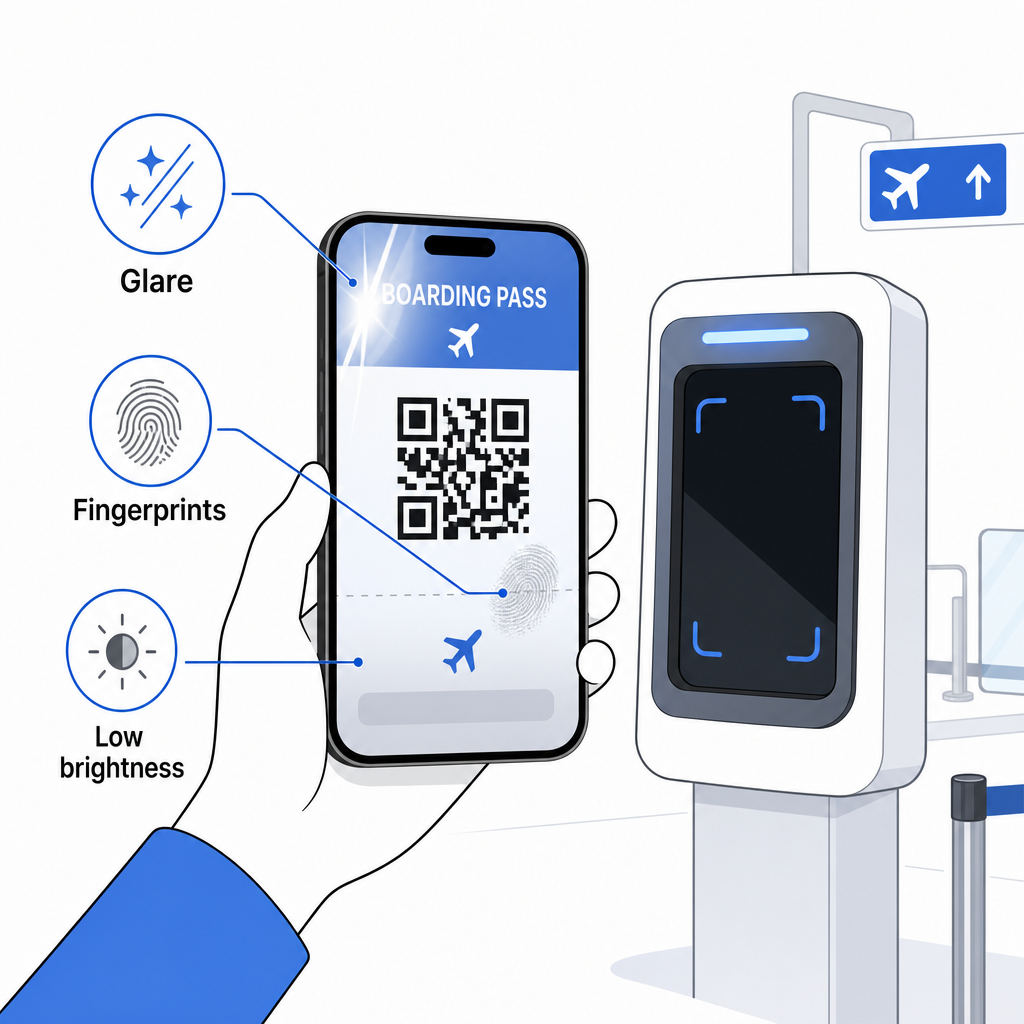
Màn hình hiển thị không đầy đủ cũng là một vấn đề phổ biến – hãy đảm bảo mã đầy đủ hiển thị và không bị che khuất bởi ốp điện thoại của bạn hoặc một biểu ngữ thông báo. Nhân viên cổng thường xuyên xử lý các lỗi quét và có thể tra cứu đặt chỗ của bạn theo cách thủ công bằng cách sử dụng tên và PNR của bạn. Một lần quét thất bại hiếm khi là một vấn đề nghiêm trọng, nhưng nó làm chậm mọi thứ trong quá trình lên máy bay đông đúc.
Hiểu rõ cách mã QR cải thiện trải nghiệm du lịch rộng hơn cũng có thể giúp bạn tận dụng tối đa các công cụ kỹ thuật số mà các hãng hàng không hiện cung cấp trong suốt hành trình.
Mã vạch thẻ lên máy bay của bạn – cho dù đó là mã QR, mã Aztec hay dải PDF417 – mang một tải trọng dữ liệu chính xác, được tiêu chuẩn hóa mà các hệ thống sân bay dựa vào để xác minh danh tính và chỗ ngồi của bạn trong thời gian thực. Thẻ di động tiện lợi và hoạt động tốt tại hầu hết các sân bay lớn của Hoa Kỳ, nhưng thẻ in vẫn là lựa chọn tương thích phổ quát nhất. Cách tiếp cận an toàn nhất là biết trước các sân bay của bạn và giữ một tùy chọn dự phòng có sẵn khi đi trên các tuyến đường ít quen thuộc hơn.
Nếu bạn muốn giải mã những gì thực sự được lưu trữ trong mã vạch thẻ lên máy bay, Máy quét mã vạch Pageloot cho phép bạn đọc bất kỳ định dạng được hỗ trợ nào trực tiếp từ trình duyệt của bạn mà không cần cài đặt ứng dụng.
Câu hỏi thường gặp
Không phải lúc nào cũng vậy. Thẻ lên máy bay in thường sử dụng nhất mã vạch PDF417 – định dạng sọc hình chữ nhật – làm mặc định theo tiêu chuẩn IATA BCBP. Thẻ lên máy bay di động sử dụng các định dạng ma trận 2D như Aztec, Data Matrix, hoặc mã QR. Tất cả những thứ này mã hóa cùng một dữ liệu hành khách có cấu trúc; định dạng thay đổi theo phương tiện và hãng hàng không.
Không nhất thiết. Tại hơn 225 sân bay Hoa Kỳ được trang bị Công nghệ Xác thực Thông tin đăng nhập của TSA (CAT), giấy tờ tùy thân do chính phủ cấp của bạn là đủ để xác nhận chi tiết chuyến bay của bạn tại điểm kiểm tra an ninh – không yêu cầu thẻ lên máy bay. Tuy nhiên, bạn vẫn cần làm thủ tục với hãng hàng không của bạn để lấy thẻ lên máy bay (trên điện thoại hoặc bản in), và bạn sẽ luôn cần quét thẻ đó tại cửa lên máy bay khi bạn lên máy bay.
Những nguyên nhân phổ biến nhất là màn hình bị chói từ đèn sân bay sáng, dấu vân tay hoặc vết bẩn trên mã vạch, độ sáng màn hình thấp, và các mẫu moiré mà màn hình LCD hoặc LED có thể tạo ra. Để cải thiện độ tin cậy, hãy lau sạch màn hình của bạn trước khi đến máy quét, đặt độ sáng của bạn lên tối đa, và đảm bảo toàn bộ mã vạch hiển thị đầy đủ và không bị cản trở.