¿Alguna vez te has preguntado qué hace realmente ese código cuadrado o de barras en tu tarjeta de embarque? Entenderlo puede evitarte un frustrante retraso en seguridad o en la puerta de embarque. Esta guía explica exactamente cómo funcionan los códigos de las tarjetas de embarque y qué esperar cuando los escaneas en el aeropuerto.
¿Qué Tipo de Código Hay en una Tarjeta de Embarque?
No todos los códigos de las tarjetas de embarque son iguales, y la diferencia importa cuando estás frente a un escáner.
Las aerolíneas siguen un estándar global llamado el Tarjeta de embarque con código de barras IATA (BCBP), definido bajo la Resolución 792. Este estándar especifica qué formatos de código de barras pueden usar las aerolíneas y cómo deben estructurarse los datos dentro de ellos para que cualquier escáner de aeropuerto en el mundo pueda leer el mismo pase.
Bajo este estándar, se utilizan dos grandes familias de códigos:
- PDF417 – Un código de barras rectangular y apilado que parece una serie de líneas horizontales divididas en columnas. Este es el formato predeterminado para las tarjetas de embarque impresas y es el formato más común que verás en papel.
- Códigos de matriz 2D (Aztec, Data Matrix, código QR) – Códigos cuadrados o basados en cuadrículas compactas. Estos son los formatos estándar para las tarjetas de embarque móviles que se muestran en la pantalla de un teléfono, aunque también pueden aparecer en pases impresos bajo la versión actual del estándar BCBP.
Así que, aunque muchas personas lo llamen “código QR”, tu tarjeta de embarque puede llevar técnicamente un código Aztec, un código Data Matrix o un código de barras PDF417 dependiendo de la aerolínea y de si estás usando una versión móvil o impresa. El punto clave es que todos ellos codifican los mismos datos estructurados. Para entender más sobre cómo se utilizan los códigos QR específicamente en aerolíneas y aeropuertos, la códigos QR para aerolíneas y aeropuertos descripción general es una referencia útil.
¿Qué Datos se Almacenan Dentro del Código?
El código de barras de tu tarjeta de embarque no es solo un número de billete. Codifica un mensaje de datos estructurado que contiene un conjunto específico de campos obligatorios, incluyendo:
- Tu nombre completo de pasajero
- El PNR (Registro de Nombre de Pasajero) – tu código de referencia de reserva
- Códigos de aeropuerto de origen y destino (ej., JFK → LAX)
- Código de aerolínea operadora y número de vuelo
- Fecha del vuelo
- Número de asiento y código de clase de cabina
- Número de secuencia de check-in
- Estado del pasajero
El estándar también admite la codificación de múltiples tramos de vuelo en un solo código de barras, por lo que un itinerario de conexión a veces puede aparecer como un solo código escaneable en tu tarjeta de embarque en lugar de dos separados.
Algunas aerolíneas también incluyen un campo opcional de seguridad que contiene una firma digital. Esto permite a los sistemas del aeropuerto verificar que el código de barras no ha sido alterado o falsificado, añadiendo una capa de protección contra pases falsificados.
Cómo Funciona el Proceso de Escaneo en el Aeropuerto
Cuando presentas tu tarjeta de embarque en un punto de control o puerta, el escáner lee todos esos campos codificados en una fracción de segundo. Esto es lo que sucede en cada etapa.
En la seguridad de la TSA: El oficial o lector automatizado verifica tu identidad y confirma que tienes una reserva válida y con check-in para un vuelo de salida. En más de 225 aeropuertos de EE. UU., la TSA ha instalado la Tecnología de Autenticación de Credenciales (CAT), que puede mostrar los detalles de tu vuelo escaneando solo tu identificación emitida por el gobierno, lo que significa que es posible que no necesites mostrar una tarjeta de embarque en el punto de control de seguridad en absoluto. Sin embargo, si el equipo CAT en un carril determinado no está disponible, un oficial aún puede pedir tu tarjeta de embarque.
En la puerta de embarque: Aquí es donde siempre ocurre el escaneo, independientemente del aeropuerto en el que te encuentres. El escáner del agente de la puerta lee el código de tu tarjeta de embarque, confirma tu asiento y estado de pasajero, y registra que has embarcado. Necesitarás tu tarjeta de embarque, móvil o impresa, en este punto cada vez.
Escanea Cualquier Formato de Tarjeta de Embarque al Instante ¿Necesitas verificar qué está codificado en un QR o código de barras? Usa el Escáner de código QR Pageloot o Escáner de código de barras para leer y decodificar cualquier formato compatible directamente desde tu navegador, sin necesidad de aplicación.
Tarjetas de Embarque Móviles vs. Impresas: Diferencias Prácticas
Ambos formatos codifican datos idénticos. La distinción se trata enteramente de cuán confiablemente se pueden leer esos datos en condiciones reales de aeropuerto.
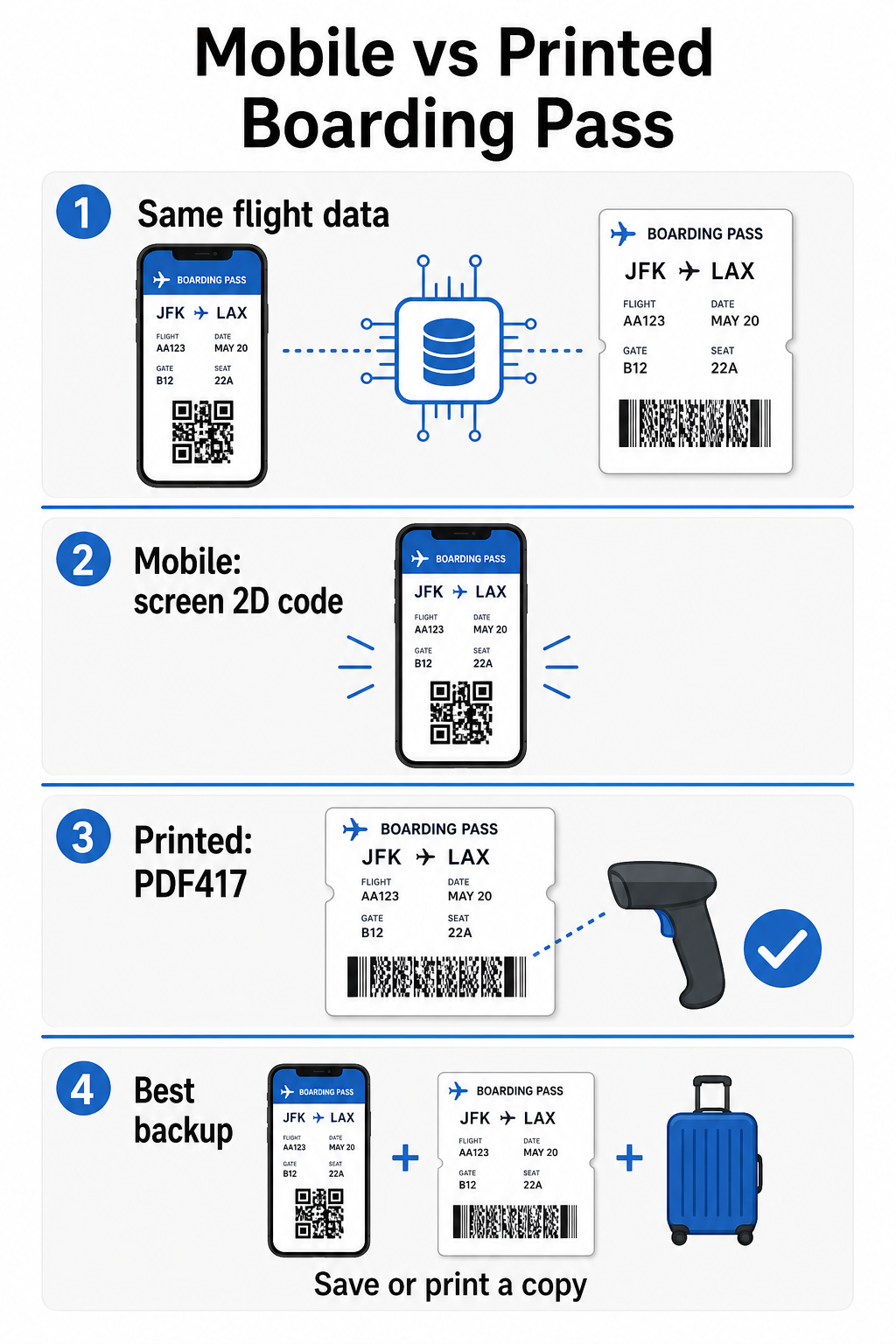
| Factor | Tarjeta de Embarque Móvil | Tarjeta de Embarque Impresa |
|---|---|---|
| Formato aceptado | Aztec, Data Matrix o código QR | PDF417 (predeterminado); también Aztec, Data Matrix, QR |
| Compatibilidad del escáner | La mayoría de los escáneres 2D modernos; algunos escáneres láser más antiguos pueden tener dificultades | Riesgo de reflejo en pantalla |
| Sí – la iluminación brillante del aeropuerto puede causar reflejos | Riesgo de patrón de moiré | Ninguno |
| Sí – las pantallas LCD/LED pueden crear bandas de interferencia visual | Riesgo de daño físico | Ninguno |
| La pantalla agrietada o sucia puede obstruir el código | El papel puede arrugarse, romperse o mancharse | No se necesita imprimir; siempre en tu teléfono |
| Conveniencia | No es necesario imprimir; siempre en tu teléfono | Funciona en todas partes, no requiere batería |
| Aceptación en aeropuertos | No universal – algunos aeropuertos de EE. UU. requieren pases impresos | Aceptado en todos los aeropuertos |
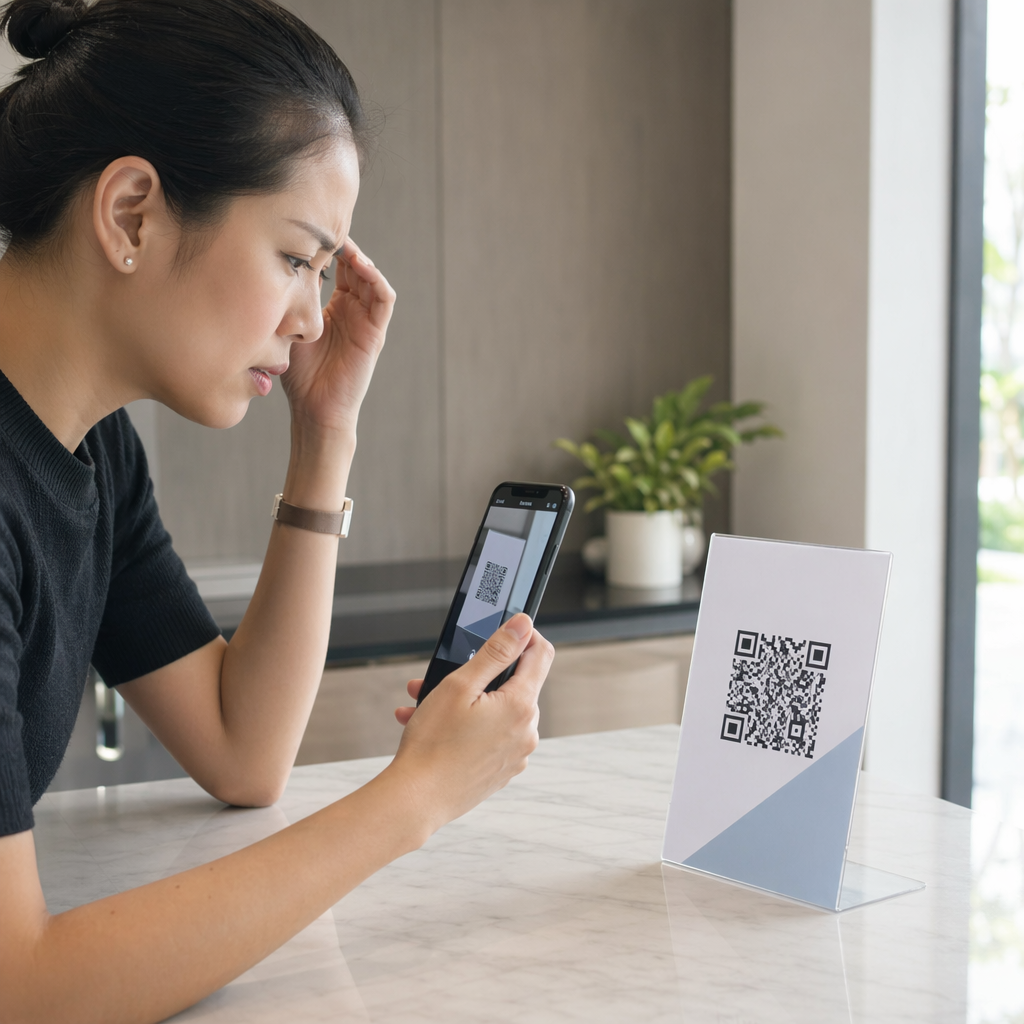
El principal desafío con los pases de abordar móviles es que los escáneres láser tradicionales están optimizados para la luz reflejada en el papel, no para la luz emitida desde una pantalla. Cuando se sostiene un teléfono bajo la brillante iluminación de la terminal, la pantalla puede crear deslumbramiento o interferencia reflectante que reduce el contraste que el escáner necesita para decodificar el código de barras con precisión. Los patrones de muaré – bandas visuales que las pantallas LCD y LED pueden producir – son otra fuente de interferencia que los pases impresos simplemente no tienen.
Para minimizar estos problemas al usar un pase de abordar móvil:
- Maximice el brillo de su pantalla antes de acercarse al escáner
- Limpie su pantalla – las huellas dactilares y las manchas directamente sobre el código de barras interrumpen la decodificación
- Mantenga visible todo el código de barras en pantalla sin que esté recortado o parcialmente oculto por barras de notificación
- Gire si es necesario – algunos escáneres prefieren el código en una orientación específica
Para más información sobre lo que afecta la legibilidad de los códigos de barras en general, la las mejores prácticas para la legibilidad de los códigos QR guía cubre el contraste, el tamaño y los factores ambientales en detalle.
Cuándo debe llevar un pase de abordar impreso
Un pase móvil funciona sin problemas en la gran mayoría de los principales aeropuertos de EE. UU. Sin embargo, hay situaciones específicas donde tener una copia impresa es la opción más segura:
- Aeropuertos regionales más pequeños que aún no han actualizado sus escáneres para leer de forma fiable los códigos de pantalla móviles
- Conexiones internacionales, donde las políticas de aceptación de pases de abordar varían significativamente según el país y la aerolínea
- Viajes largos o viajes a áreas con acceso limitado a la carga, donde la batería de su teléfono puede ser una preocupación
- Dispositivos más antiguos o dañados donde las grietas en la pantalla o el bajo brillo dificultan la lectura del código
Si no está seguro de si su aeropuerto de salida acepta pases móviles, consulte directamente con su aerolínea antes de viajar. Algunas aerolíneas enumeran explícitamente la compatibilidad del aeropuerto en sus páginas de pases de abordar móviles. Si le interesa cómo los mismos principios del código QR se aplican a otros tipos de boletos y pases para eventos, la códigos QR en las entradas página cubre ese caso de uso en profundidad.
¿Qué sucede si su pase de abordar no escanea?
Si un escáner rechaza su pase de abordar – móvil o impreso – las causas más comunes vale la pena conocerlas antes de estar al frente de una concurrida fila de embarque.
El deslumbramiento de la pantalla o el bajo brillo es el principal culpable con los pases móviles. Intente inclinar el teléfono ligeramente o ahuecar la mano alrededor de la pantalla para bloquear la luz ambiental, y siempre configure su pantalla al máximo brillo antes de acercarse a un escáner. Las huellas dactilares o las manchas sobre el código de barras son otro problema frecuente que una limpieza rápida puede resolver. Para los pases impresos, un código de barras muy arrugado o parcialmente rasgado puede no decodificarse correctamente, por lo que doblar un pase de papel directamente a través del código vale la pena evitarlo.
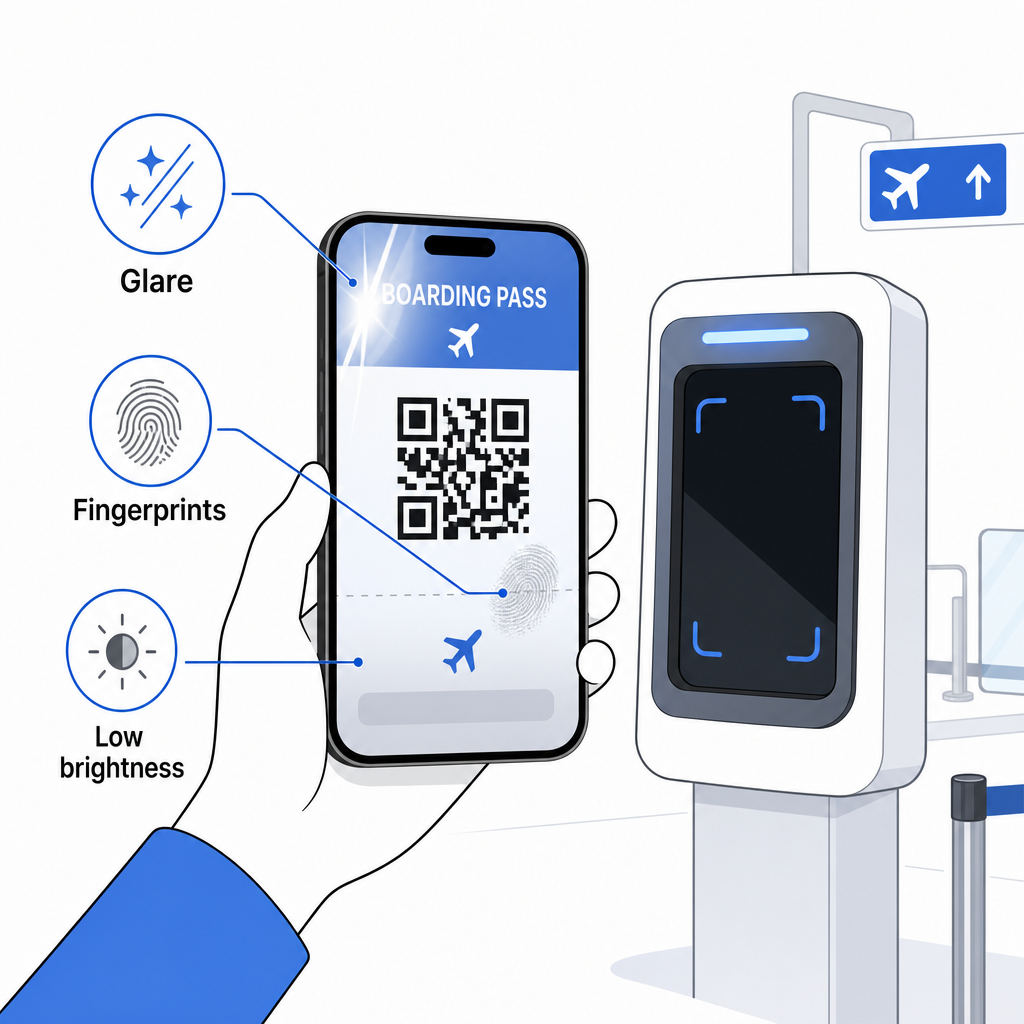
Una visualización incompleta también es un problema común – asegúrese de que el código completo esté visible y no oscurecido por la funda de su teléfono o un banner de notificación. Los agentes de puerta manejan las fallas de escaneo rutinariamente y pueden buscar su reserva manualmente usando su nombre y PNR. Un escaneo fallido rara vez es un problema grave, pero ralentiza las cosas durante el embarque de alto tráfico.
Comprender Cómo mejoran los códigos QR la experiencia de viaje de manera más amplia también puede ayudarle a aprovechar al máximo las herramientas digitales que las aerolíneas ofrecen ahora a lo largo del viaje.
El código de barras de su pase de abordar – ya sea un código QR, un código Aztec o una franja PDF417 – lleva una carga de datos precisa y estandarizada en la que los sistemas aeroportuarios confían para verificar su identidad y la asignación de asiento en tiempo real. Los pases móviles son convenientes y funcionan bien en la mayoría de los principales aeropuertos de EE. UU., pero los pases impresos siguen siendo la opción más universalmente compatible. El enfoque más seguro es conocer sus aeropuertos con antelación y mantener una opción de respaldo disponible al viajar en rutas menos familiares.
Si desea decodificar lo que realmente está almacenado en un código de barras de pase de abordar, la Escáner de códigos de barras Pageloot le permite leer cualquier formato compatible directamente desde su navegador sin instalar una aplicación.
Preguntas frecuentes
No siempre. Las tarjetas de embarque impresas usan más comúnmente un código de barras PDF417 – el formato rectangular a rayas – como predeterminado bajo el estándar IATA BCBP. Las tarjetas de embarque móviles usan formatos de matriz 2D como Aztec, Data Matrix o código QR. Todos estos codifican los mismos datos estructurados de pasajeros; el formato varía según el medio y la aerolínea.
No necesariamente. En más de 225 aeropuertos de EE. UU. equipados con Tecnología de Autenticación de Credenciales (CAT) de la TSA, su identificación emitida por el gobierno es suficiente para confirmar los detalles de su vuelo en el punto de control de seguridad – no se requiere tarjeta de embarque. Sin embargo, usted todavía necesita registrarse con su aerolínea para obtener una tarjeta de embarque (móvil o impresa), y usted siempre necesitará escanearla en la puerta de embarque cuando aborde la aeronave.
Las causas más comunes son el resplandor de la pantalla debido a la iluminación brillante del aeropuerto, huellas dactilares o manchas sobre el código de barras, bajo brillo de la pantalla y patrones de moiré que las pantallas LCD o LED pueden producir. Para mejorar la fiabilidad, limpia tu pantalla antes de llegar al escáner, ajusta tu brillo al máximo y asegúrate de que todo el código de barras esté completamente visible y sin obstrucciones.