Da li nečitljivi QR kodovi na bedževima usporavaju vaše redove za prijavu na događaj i frustriraju izlagače? Kodovi koji se ne mogu skenirati stvaraju uska grla pri registraciji, uzrokuju gubitak podataka o potencijalnim klijentima i kvare iskustvo posetilaca. Ovaj vodič objašnjava kako dizajnirati, štampati i implementirati skenirajuće QR kodove na konferencijskim bedževima za brzu kontrolu pristupa, prikupljanje podataka o potencijalnim klijentima i umrežavanje.
Ključni slučajevi upotrebe za QR kodove na bedževima
Konferencijski bedževi služe višestrukim operativnim svrhama tokom događaja. Dodavanje skenirajućeg QR koda pretvara statičnu pločicu sa imenom u digitalni ključ za učesnike, osoblje i sponzore.
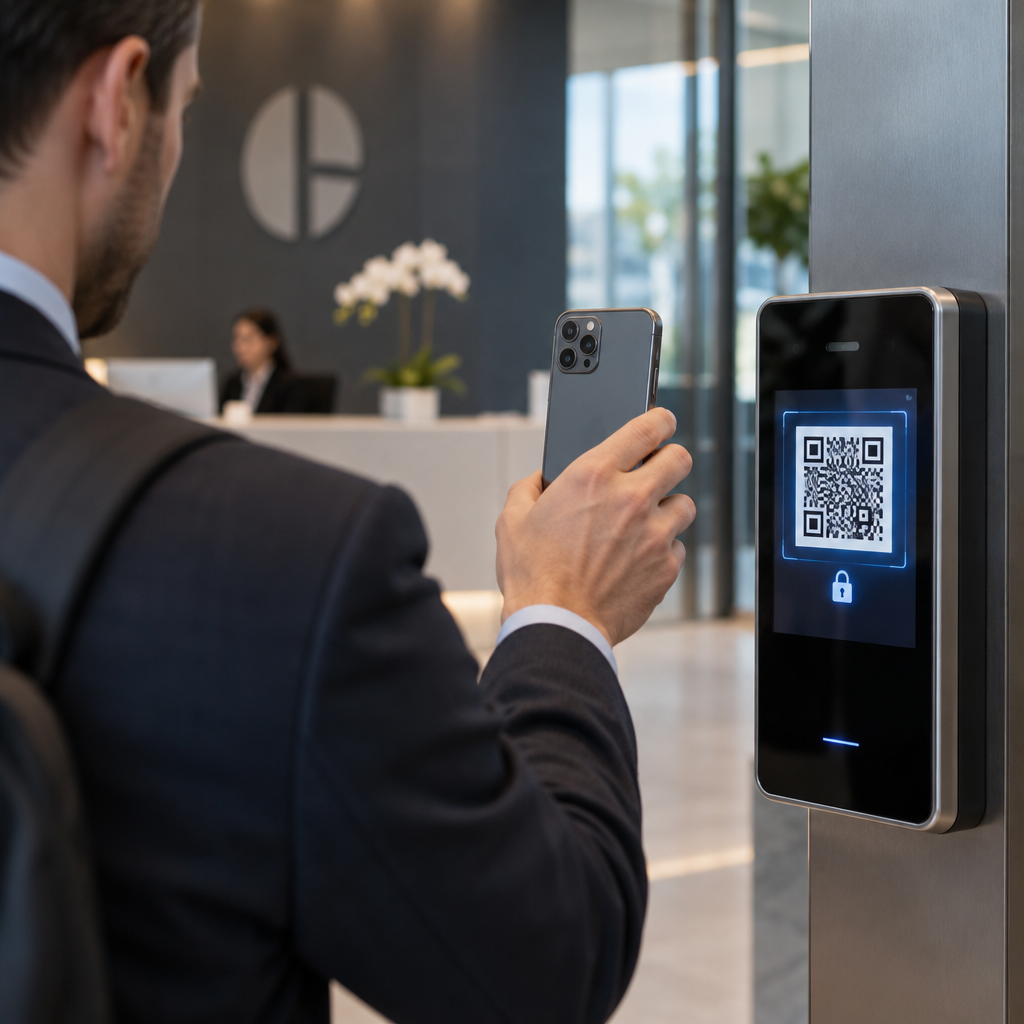
- Kontrola pristupa mestu događaja i prijava na događaj: Skeniranje bedža učesnika na pultovima za registraciju ili vratima sobe za sesije trenutno proverava status karte. Implementacija QR koda za prisustvo radni tok ubrzava ulazak i pruža organizatorima praćenje popunjenosti prostorija u realnom vremenu.
- Prikupljanje potencijalnih klijenata za izlagače: Osoblje štanda skenira bedževe učesnika kako bi prikupilo kontakt detalje bez razmene fizičkih vizit karti. Ovo omogućava sponzorima da beleže kvalifikovane potencijalne klijente direktno u svoje sisteme za upravljanje odnosima sa klijentima tokom sajmova.
- Umrežavanje među kolegama: Učesnici razmenjuju kontakt podatke trenutno skeniranjem bedževa jedni drugima. Povezivanje koda bedža sa digitalnom vizit kartom koristeći vCard QR kod generator omogućava primaocima da sačuvaju imena, brojeve telefona i e-mail adrese direktno u adresare svojih pametnih telefona.
Da bi se obezbedilo brzo skeniranje u sva tri slučaja upotrebe, minimizirajte količinu sirovih podataka sačuvanih unutar šablona bar koda. Visoka gustina podataka stvara manje, gušće kvadratne obrasce (module) koje mobilne kamere teže brzo obrađuju. Korišćenje Dinamički QR kod generator omogućava vam da kodirate kratak link za preusmeravanje ili jedinstveni identifikacioni niz, čime vizuelni obrazac ostaje redak i lak za čitanje.
Kreirajte prilagođene QR kodove za događaje za nekoliko minuta Pojednostavite registraciju učesnika i skeniranje bedževa dizajniranjem prilagodljivih kodova za događaje uz QR kod za događaj: generator danas.
Tehničke smernice za skeniranje bedževa
Šifra značke koja se ne skenira stvara dugačka vremena čekanja i gubitak tačnih podataka. Pratite ove tehničke standarde dizajna kako biste osigurali da se svaka značka pouzdano skenira pri prvom pokušaju.

| Standard funkcije | Tehnički zahtev | Operativni razlog |
|---|---|---|
| Minimalna veličina štampe | 1 × 1 inč (2.5 × 2.5 cm) | Garantuje jasan fokus za ručne skenere na dužini ruke (10–25 inča). |
| Margina tihe zone | Najmanje 4 modula širine | Sprečava okolni tekst, logotipe ili ivice značke da ometaju čitač. |
| Цолор Цонтраст | Minimalni kontrastni odnos 4:1 | Osigurava da optički senzori razlikuju tamne module prednjeg plana od pozadinskog papira. |
| Rezolucija slike | Vektorski format (SVG/EPS) ili 300 DPI | Eliminiše mutne ili pikselizovane ivice prilikom skaliranja dizajna značke za štampu. |
Kontrast boja i vizuelno stilizovanje
Uvek štampajte tamne QR šablone na svetlim pozadinama. Crni moduli na beloj pozadini pružaju najvišu ocenu čitljivosti i standardni kontrastni odnos 21:1. Iako se mogu koristiti prilagođene boje brenda, održavajte najmanje 4:1 kontrastni odnos kako biste se prilagodili različitim nivoima osvetljenja u prostoru. Izbegavajte invertovane dizajne sa svetlim šablonima na tamnim pozadinama jer mnogi izvorni čitači kamera pametnih telefona ne uspevaju da obrade invertovane kodove. Za detaljna pravila odabira boja, pregledajte naš vodič o najbolje prakse za kontrast boja QR koda.
Zahtevi za tihu zonu
Tiha zona je jasna margina koja okružuje sve četiri strane QR koda. Standardi zahtevaju širinu tihe zone jednaku najmanje četiri puta širini pojedinačnog modula (kvadratnog bloka). Nikada ne postavljajte imena, zvanja, logotipe sponzora ili pozadinsku grafiku unutar ove margine, jer to sprečava skener da locira granice koda.
Materijali znački i tehnike štampanja
Fizička podloga i površinska obrada značke značajno utiču na to kako se svetlost reflektuje u sočivo skenera.
Odabir podloga i završnih obrada
Izaberite mat ili nepremazani karton kad god je to moguće. Visoko sjajne plastične značke, sjajni providni prekrivači i teške vinilne futrole reflektuju gornje osvetljenje prostora direktno u sočiva kamera, uzrokujući preeksponiranost i greške pri skeniranju. Ako su za postavljanje u vašem prostoru potrebni providni plastični držači za značke ili sjajna laminacija:
- Povećajte veličinu štampanog koda za 15% do 20% kako biste senzorima kamere dali veću metu.
- Uputite operatere kamera ili osoblje štanda da drže uređaje za skeniranje pod blagim uglom kako bi se izbegla direktna refleksija svetlosti.
- Izbegavajte teksturirani sintetički karton koji narušava ravne geometrijske ivice štampanih modula.
Izvoz fajlova za produkciju
Nikada ne izvozi umetničko delo značke kao JPEG ili PNG fajlove niske rezolucije. Promena veličine bitmap slika uzrokuje zamućivanje piksela, što zaokružuje oštre uglove modula. Izvezite umetničko delo u vektorskim formatima kao što su SVG ili EPS, ili izvezite PDF-ove visoke rezolucije postavljene na 300 DPI u punoj skali štampe. Za sveobuhvatan pregled kako izbor podloge i nanošenje mastila utiču na mogućnost skeniranja, pročitajte naš članak o kako tehnike štampanja utiču na skeniranje QR koda.
Pravila postavljanja značke
Postavite QR kod na prednju stranu značke, idealno blizu centra ili donje trećine gde ostaje neometan trakama ili kopčama. Postavljanje koda blizu primarne putanje čitanja osigurava brzo vizuelno poravnanje tokom prijave. Istražite naše preporuke u vodič za postavljanje QR kodova u marketingu, i pregledajte implementacije iz stvarnog sveta u našoj studiji slučaja o naučnim konferencijama. Za tačne detalje o veličini zasnovane na fizičkoj udaljenosti skeniranja, pogledajte našu posvećenu vodiču za veličinu QR koda.

Privatnost podataka i operativni tokovi skeniranja
Implementacija QR kodova na značkama zahteva balansiranje brzih operativnih tokova sa zaštitom podataka posetilaca.
Zaštita podataka posetilaca
Kodiranje potpunih ličnih informacija – kao što su brojevi telefona, adrese stanovanja i adrese e-pošte – direktno u statički sadržaj bar koda izlaže podatke posetilaca svakome ko skenira značku komercijalnom aplikacijom za kameru.
Umesto toga, šifrujte šifrovani, jedinstveni alfanumerički identifikator (kao što je `ID-88302`). Kada ovlašćeno osoblje događaja skenira bedž koristeći poslovni alat ili onlajn Skeniranje koda: QR skener, pozadinski sistem sigurno proverava identifikator bez štampanja osetljivih ličnih podataka unutar fizičkog bedža.
Uspostavljanje pristanka za prikupljanje kontakata
Da biste održali usklađenost sa propisima o privatnosti:
- Odvojeni slučajevi upotrebe: Tretirajte skeniranje za prijavu na događaj kao odvojeno od prikupljanja kontakata izlagača. Prijavljivanje na mesto održavanja ne daje automatski dozvolu sponzorima trećih strana da skladište podatke za kontakt.
- Pružite jasno obaveštenje: Obavestite učesnike tokom registracije da dozvoljavanje izlagaču da skenira njihov bedž predstavlja eksplicitan izbor da podele kontakt informacije sa tim specifičnim sponzorom.
- Koristite eksplicitna skeniranja: Osigurajte da aplikacije za preuzimanje na štandu prikazuju vizuelnu potvrdu uspeha (kao što je zeleni baner za potvrdu) kako bi učesnici znali kada se skeniranje kontakta dešava.
Operativna lista za proveru za uspeh događaja
Pre štampanja cele serije konferencijskih bedževa, izvršite ovu listu za proveru kvaliteta:
- Proverite kontrast: Testirajte kombinacije pozadine i prednjeg plana koristeći digitalni proveravač kontrasta da biste osigurali odnos iznad 4:1.
- Održavajte tihe zone: Proverite da li jasna ivica od 4 modula okružuje svaki kod bedža u konačnom šablonu rasporeda.
- Štampajte fizičke probe: Nikada se ne oslanjajte isključivo na preglede na ekranu. Štampajte stvarne fizičke probe bedževa na odabranom papiru za bedževe ili kartonu.
- Тестирајте на различитим уређајима: Skenirajte fizičke probe pod realnim osvetljenjem mesta događaja koristeći više modela pametnih telefona (i iOS i Android) i namenske ručne skenere.
- Potvrdite putanje podataka: Proverite da li se dinamičke QR veze rešavaju na ispravne odredišne stranice ili baze podataka sistema za prijavu bez grešaka.
Pojednostavite svoj sledeći događaj pomoću skenabilnih bedževa
Pridržavanje ovih standarda dizajna, podloge i podataka osigurava da vaše akreditacije za događaje omogućavaju prijavljivanje bez napora i pouzdano generisanje potencijalnih klijenata. Dizajniranje akreditacija sa odgovarajućim kontrastom, dovoljnim mirnim zonama, mat završnom obradom i laganim dinamičkim sadržajem eliminiše uska grla pri registraciji i štiti privatnost učesnika.
Da biste počeli da kreirate visokokontrastne, skalabilne QR kodove za materijale vašeg predstojećeg događaja, istražite naš najbolje prakse za čitljivost QR kodova i testirajte dizajn vaše akreditacije već danas.
Često postavljana pitanja
Štampajte QR kodove akreditacija veličine najmanje 1 × 1 inč (2,5 × 2,5 cm) ili minimum 2 × 2 cm. Ova veličina omogućava tipične udaljenosti skeniranja na dužini ruke od 10 do 25 inča kada se koriste standardne kamere pametnih telefona.
Dinamički QR kodovi kodiraju kratku preusmeravajuću vezu umesto gustog sirovog teksta, čuvajući vizuelni obrazac jednostavnim i brzim za skeniranje. Oni takođe omogućavaju organizatorima da menjaju odredišne URL-ove ili upravljaju postavkama pristupa nakon štampanja bez ponovnog izdavanja fizičkih bedževa.
Koristite ne-refleksni mat materijal za bedževe kad god je to moguće. Ako su potrebne providne vinilne futrole, povećajte veličinu QR koda za 15% do 20% i uputite osoblje ili izlagače da drže uređaje za skeniranje pod uglom od 45 stepeni kako bi se izbegle direktne refleksije svetlosti iznad glave.